Chats
Chats Calendar
 Meetings
 Contacts
 Mail
Mail Docs
Docs Drive
Drive AI Table
 AI Minutes
 Attendance
 Approval
 YiDA
YiDA Admin Console
Prerequisites
Complete self-testing of the SaaS app in a sandbox test organization before submitting the product for listing.App Publishing
- Publish SaaS products to DingTalk Open Platform > Third-party app unified management.
- Publish SaaS products to the DingTalk App Marketplace, with independent sales leads, transactions, self-operation, and service capabilities.
- Publish SaaS products to the DingTalk Cool App Marketplace for efficient collaboration in group chats.
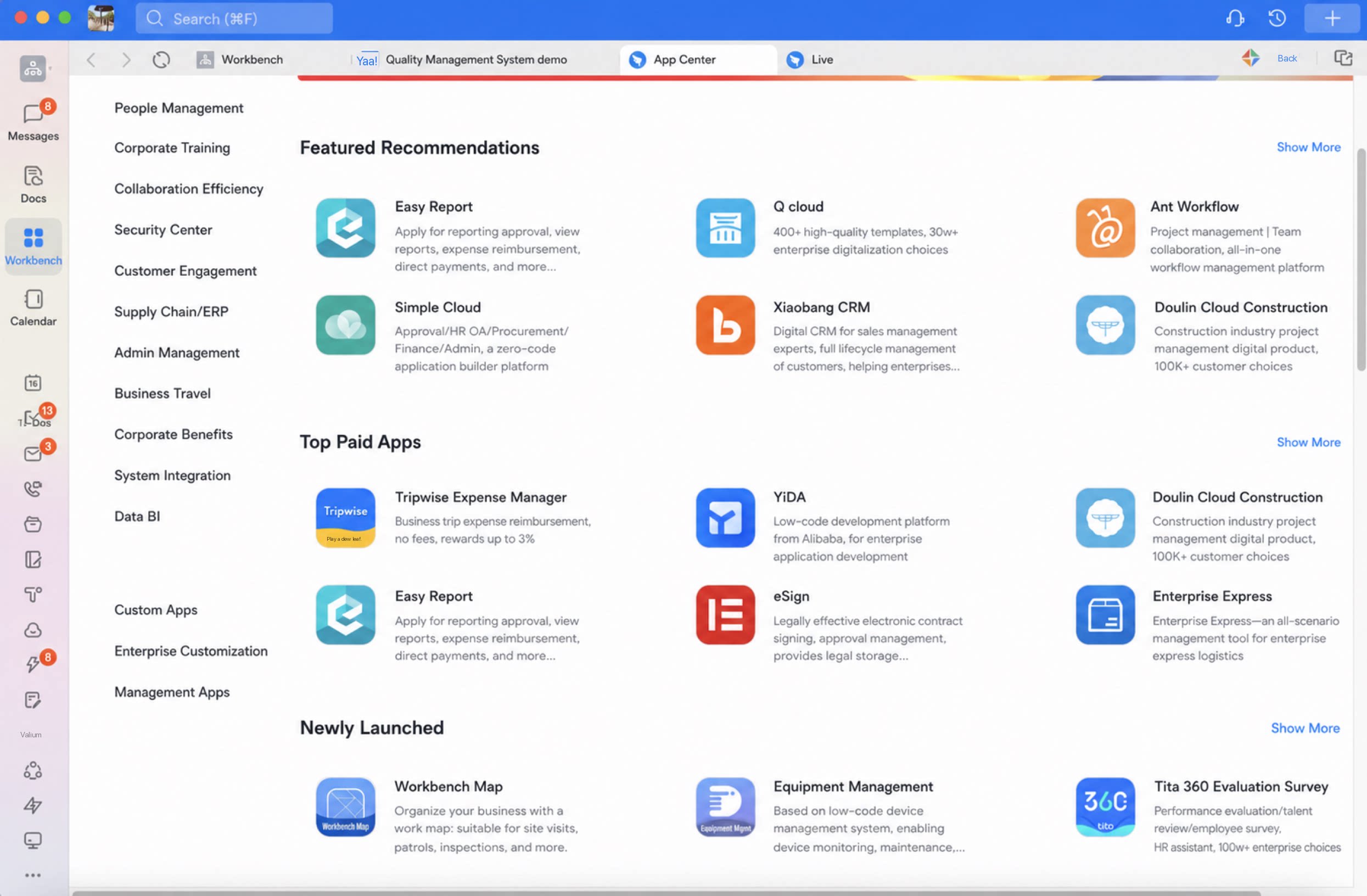
1 Publish to the DingTalk App Center
References: Step 3: Submit your product for listing - Open Platform and Listing steps.

| Module | Example |
|---|---|
| [1] Open the Partner Self-Operation Platform from the Workbench under the current organization. Note: Install the Partner Self-Operation Platform in advance. See the Partner Self-Operation Platform whitepaper. | 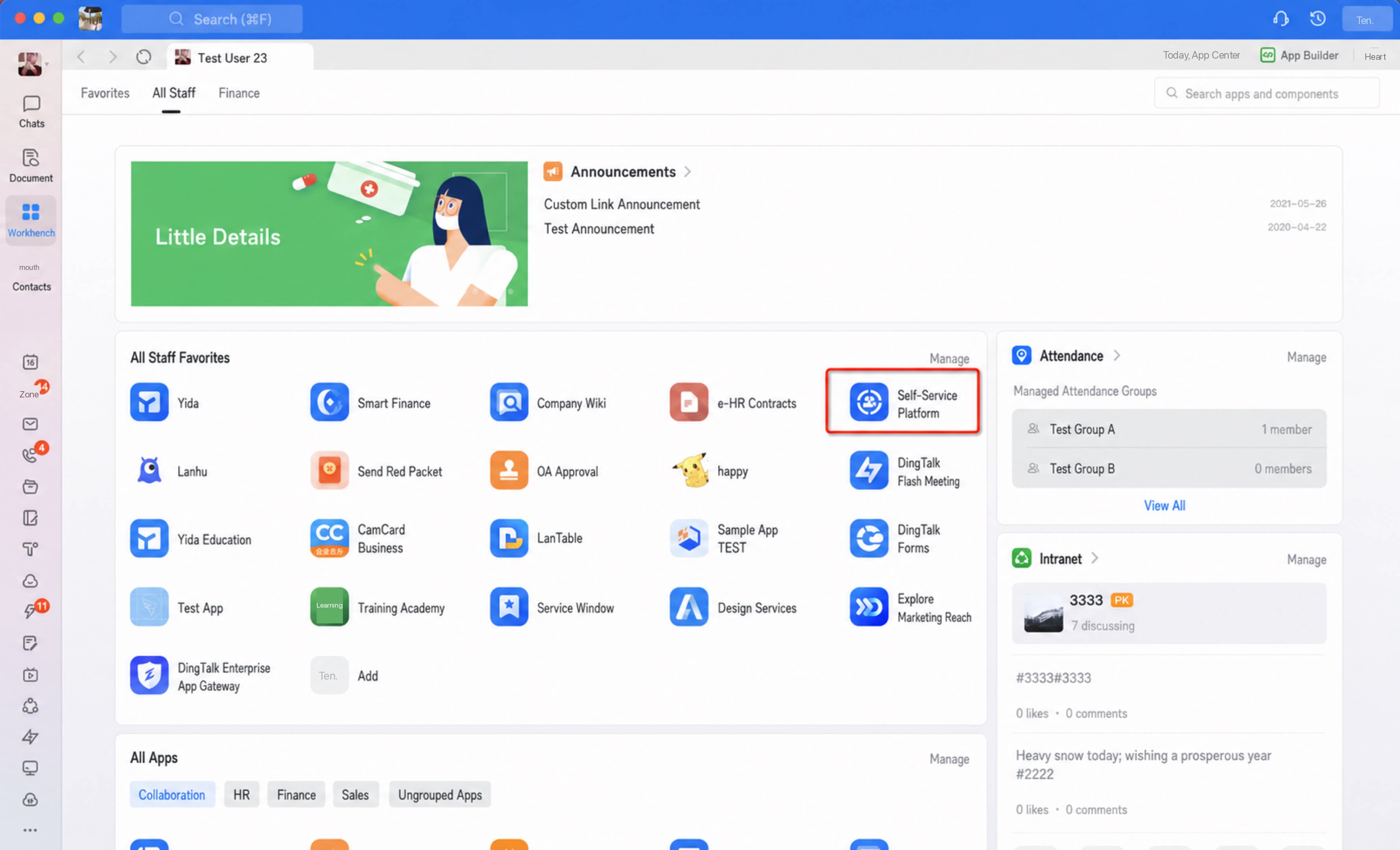 |
| [2] Go to App Management > Product Listing. | 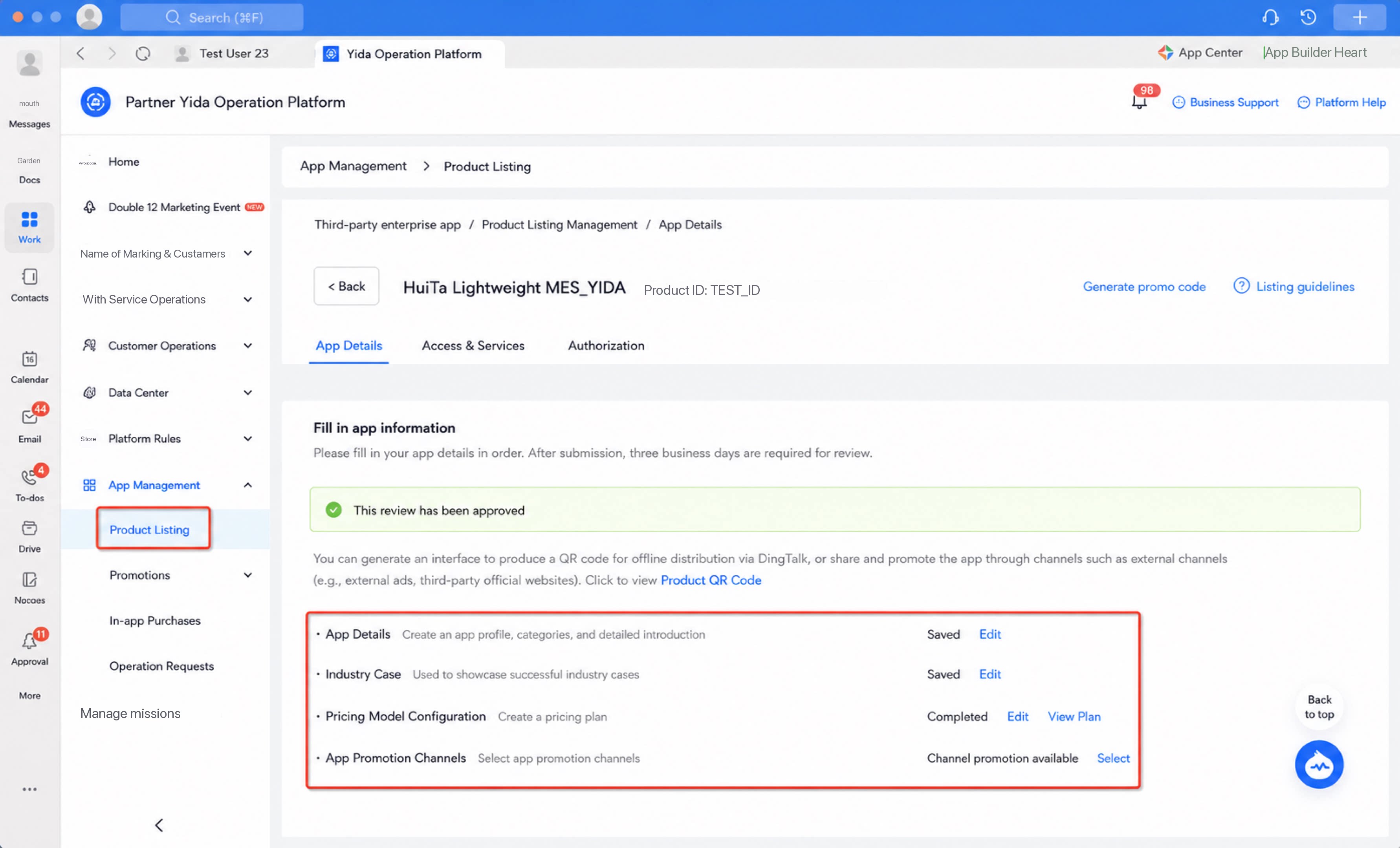 |
| [3] Under App Management > Product Listing, fill in the app details. | Notes: 1. Pricing rule: only “Charge by number of users” is currently supported. 2. After you select an app category and submit for review, the request is routed to the Open Platform category operator for that category. 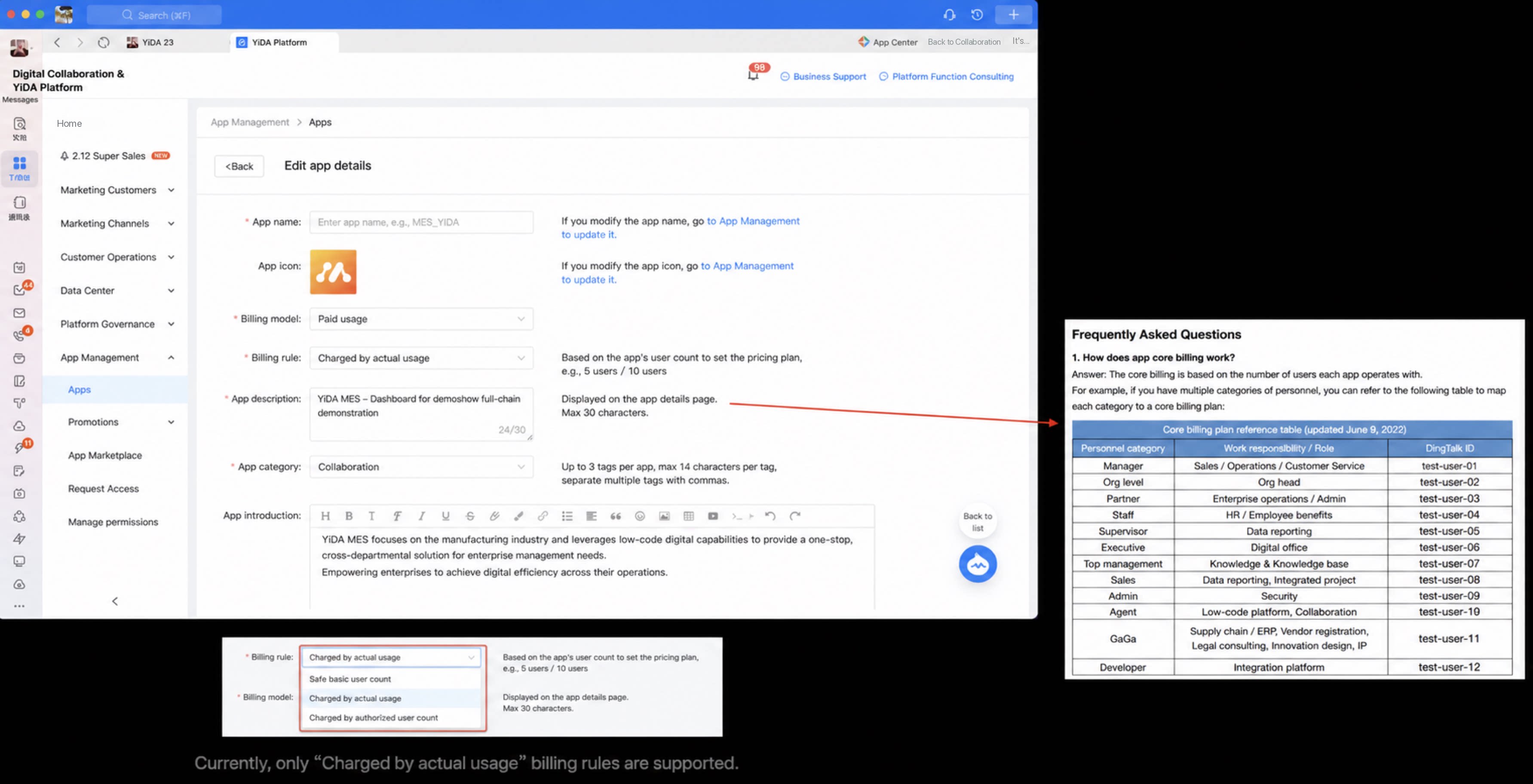 |
| [4] Under App Management > Product Listing, fill in the product parameter specifications. | Note: 1. Activation order: “Trial first, auto-convert to Free on expiration” is not currently supported. 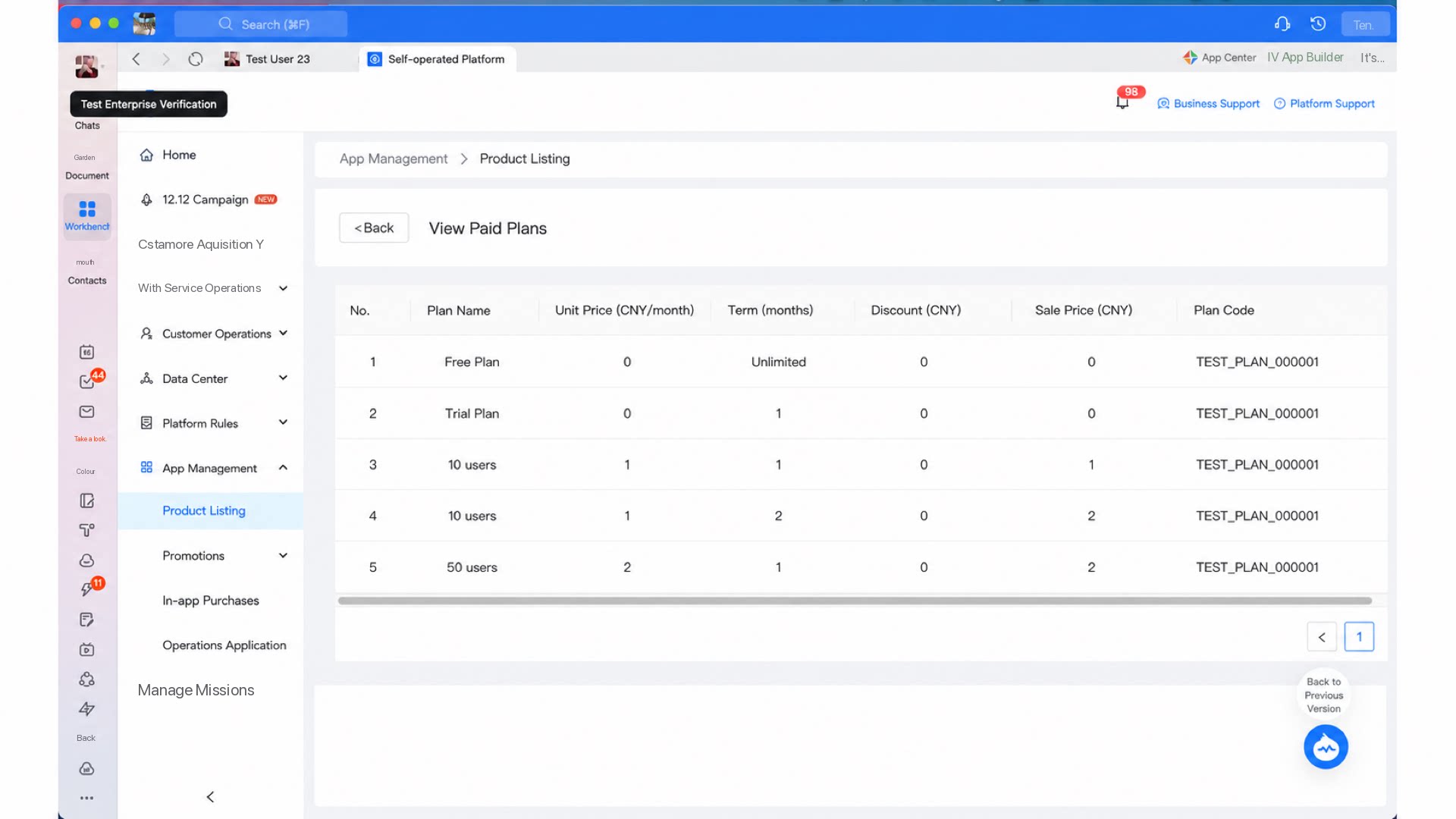 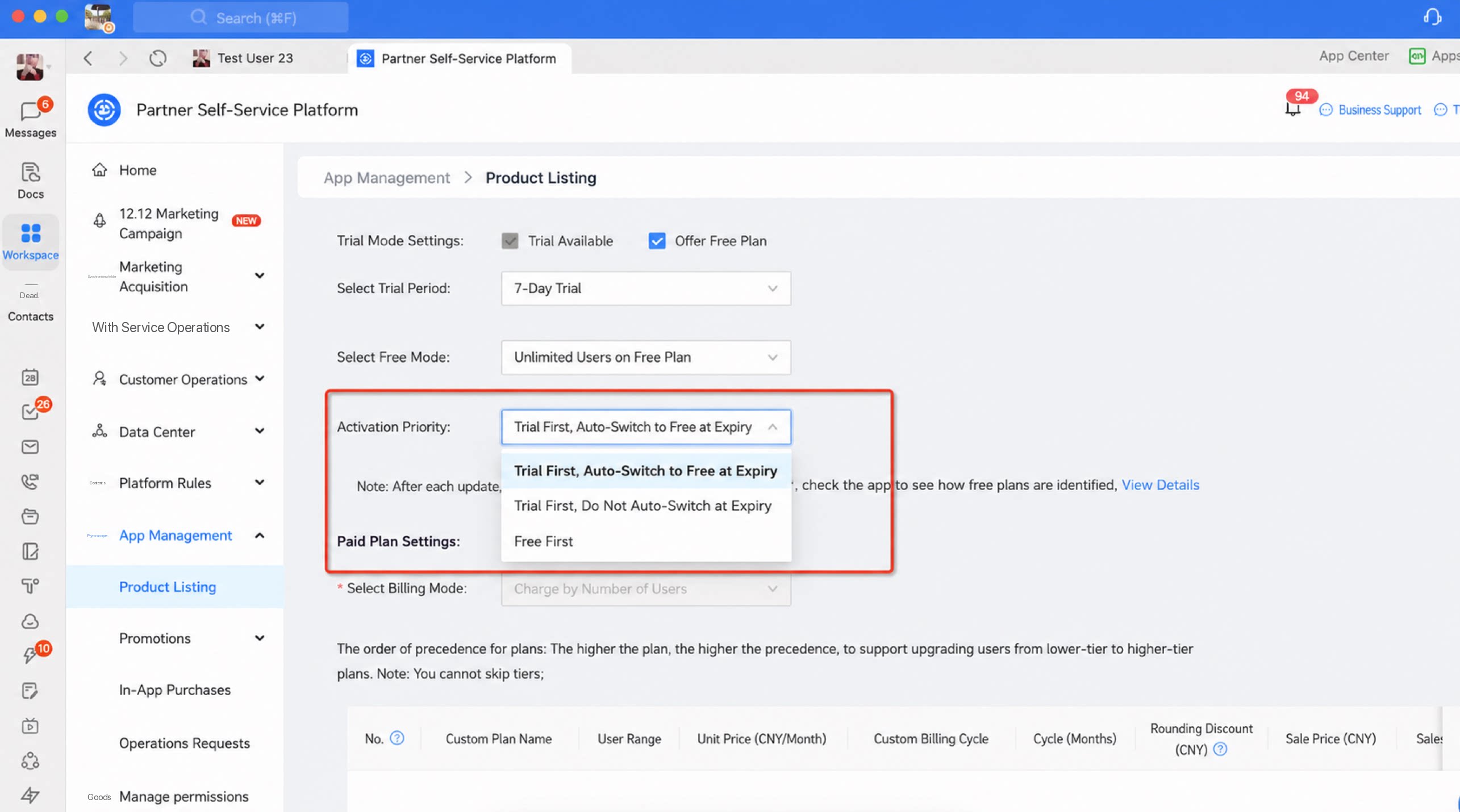 |
| [5] Under App Management > Product Listing, choose the promotion model. | 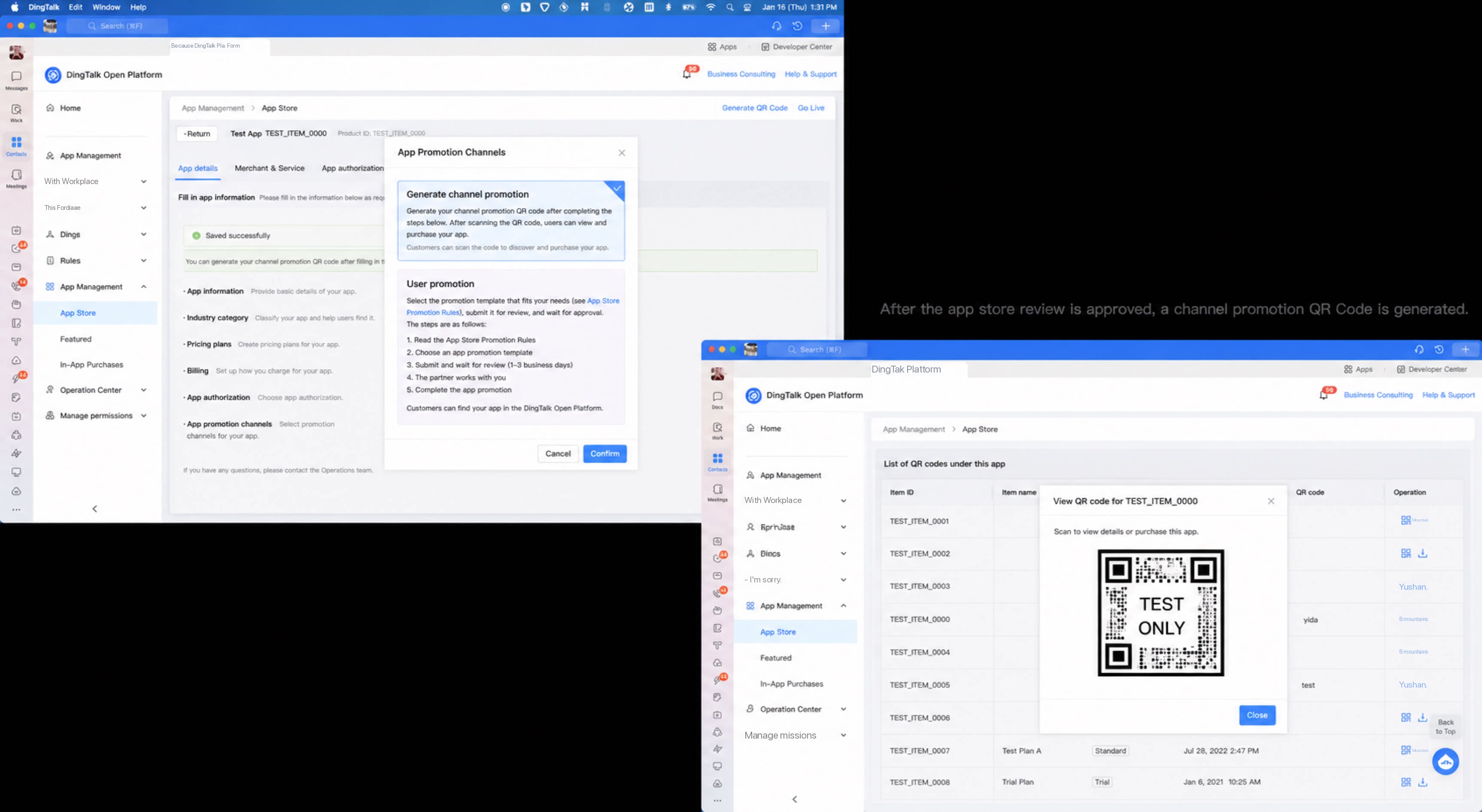 |
- App Marketplace promotion: if you already have an app product or plan to build one, and your business model is clear and meets the DingTalk App Marketplace listing standards, your product can be listed for promotion in the marketplace after review. Once listed, customers can search, view, install, and purchase the product from the DingTalk App Marketplace.
- Self-owned channel promotion: if you already have an app product or plan to build one, use the interfaces provided by DingTalk to generate offline promotion QR Codes and promote the product through your own channels or channels outside DingTalk (for example, external ad campaigns or third-party official websites). Customers can install the app by scanning the QR Code or clicking the link.
2 Publish to the DingTalk Cool App Marketplace
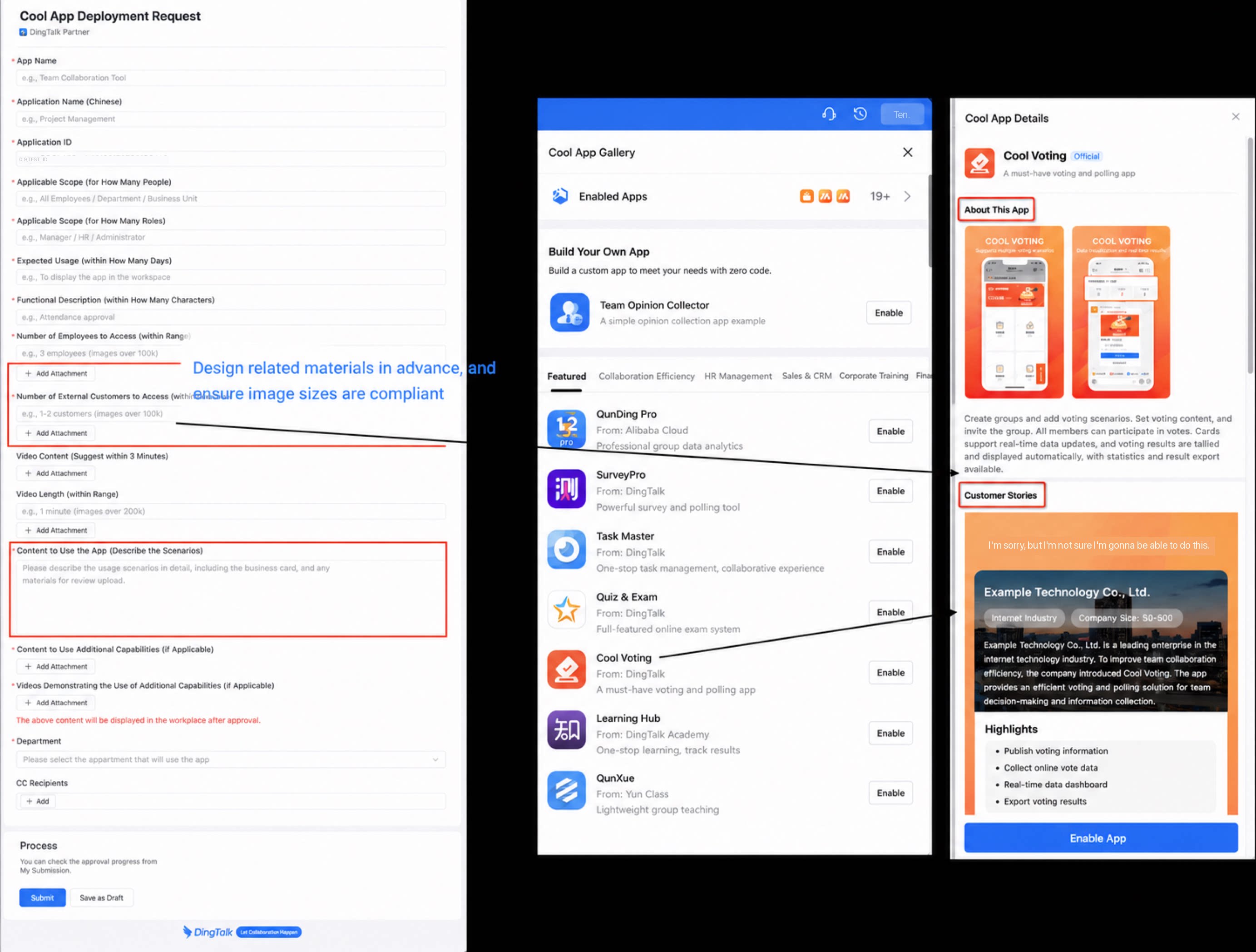
- Join the DingTalk partner organization, search for “Cool App listing application” in OA Approval, complete the required materials in the form, and submit for review. DingTalk Open Platform operators review the request. Once approved, the listed app appears in the Cool App Marketplace.