

 Chats
Chats Calendar
 Meetings
 Contacts
 Mail
Mail Docs
Docs Drive
Drive AI Table
 AI Minutes
 Attendance
 Approval
 YiDA
YiDA Admin Console
1. Overview
YiDA provides loop rendering settings for scenarios that require loop rendering. The loop data must be an array. String arrays, number arrays, and object arrays are all supported.2. Use Cases
Scenario 1: Static Loop Data
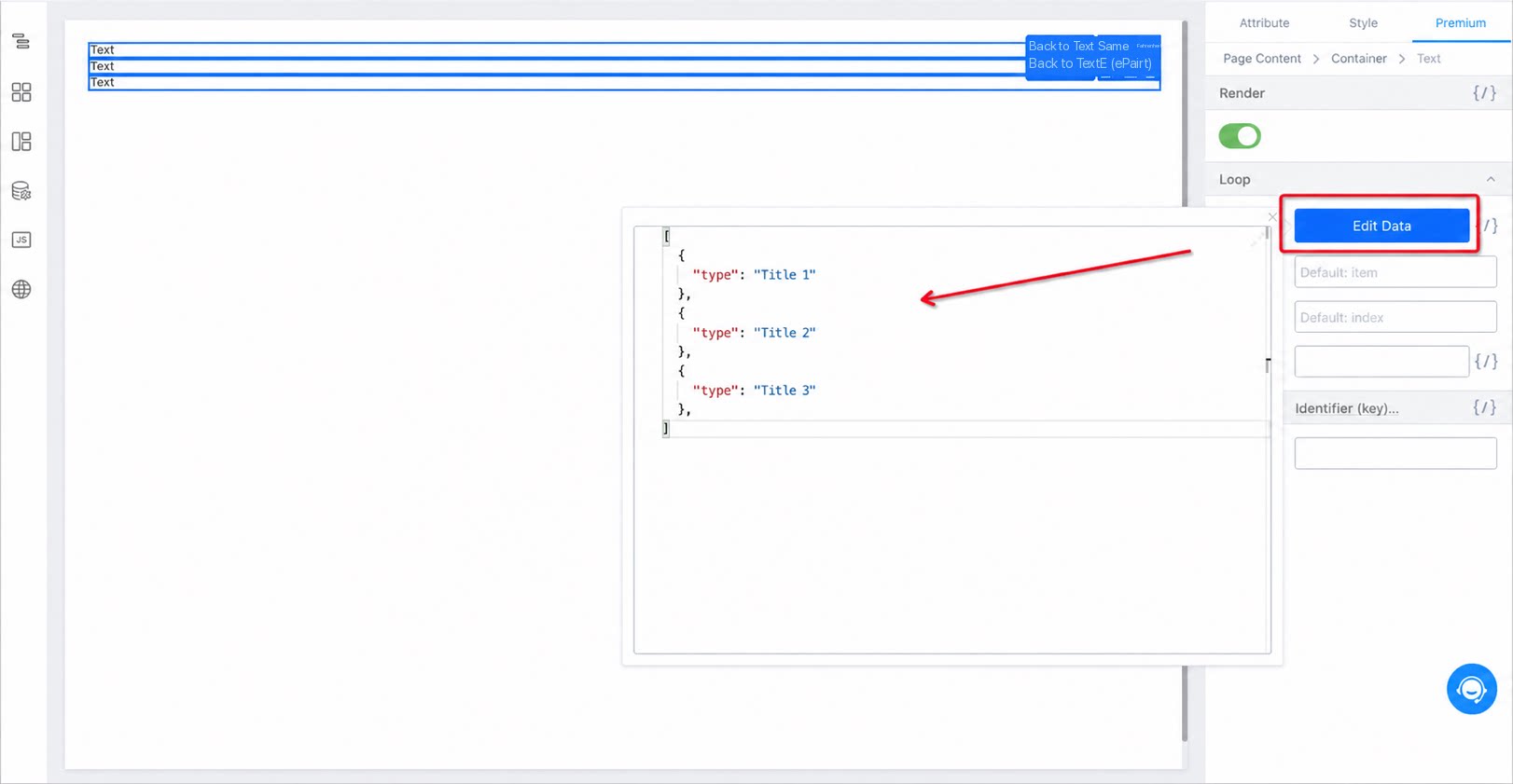
Define a static array in Loop data. Inside the loop body, usethis.item to access the current loop value and this.index to access the current loop index. You can also customize item and index by editing Loop parameters — for example, changing them to content and idx.
Enter the loop data in Loop data.
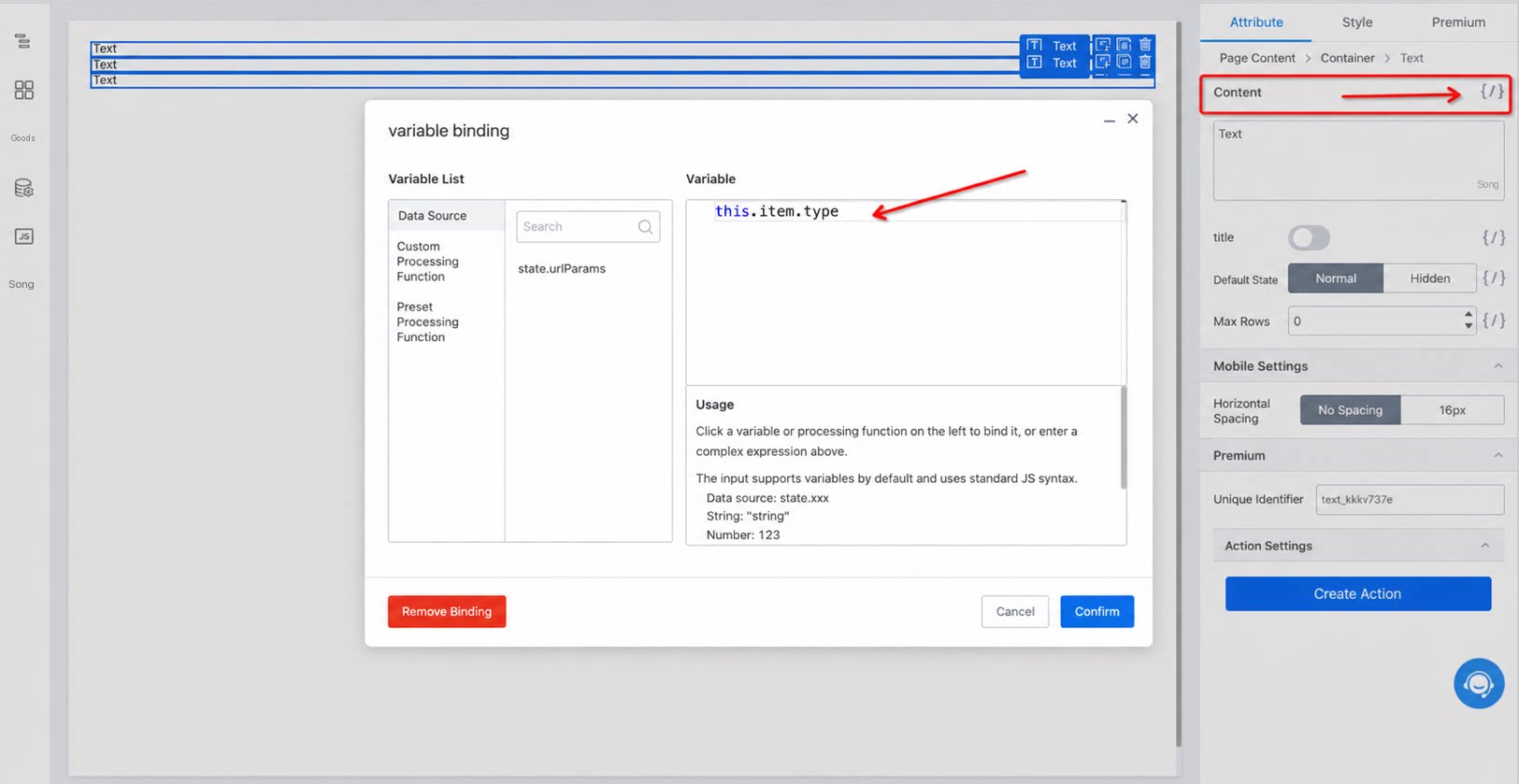
Scenario 2: Looping Remote Data Sources
Create a remote data source.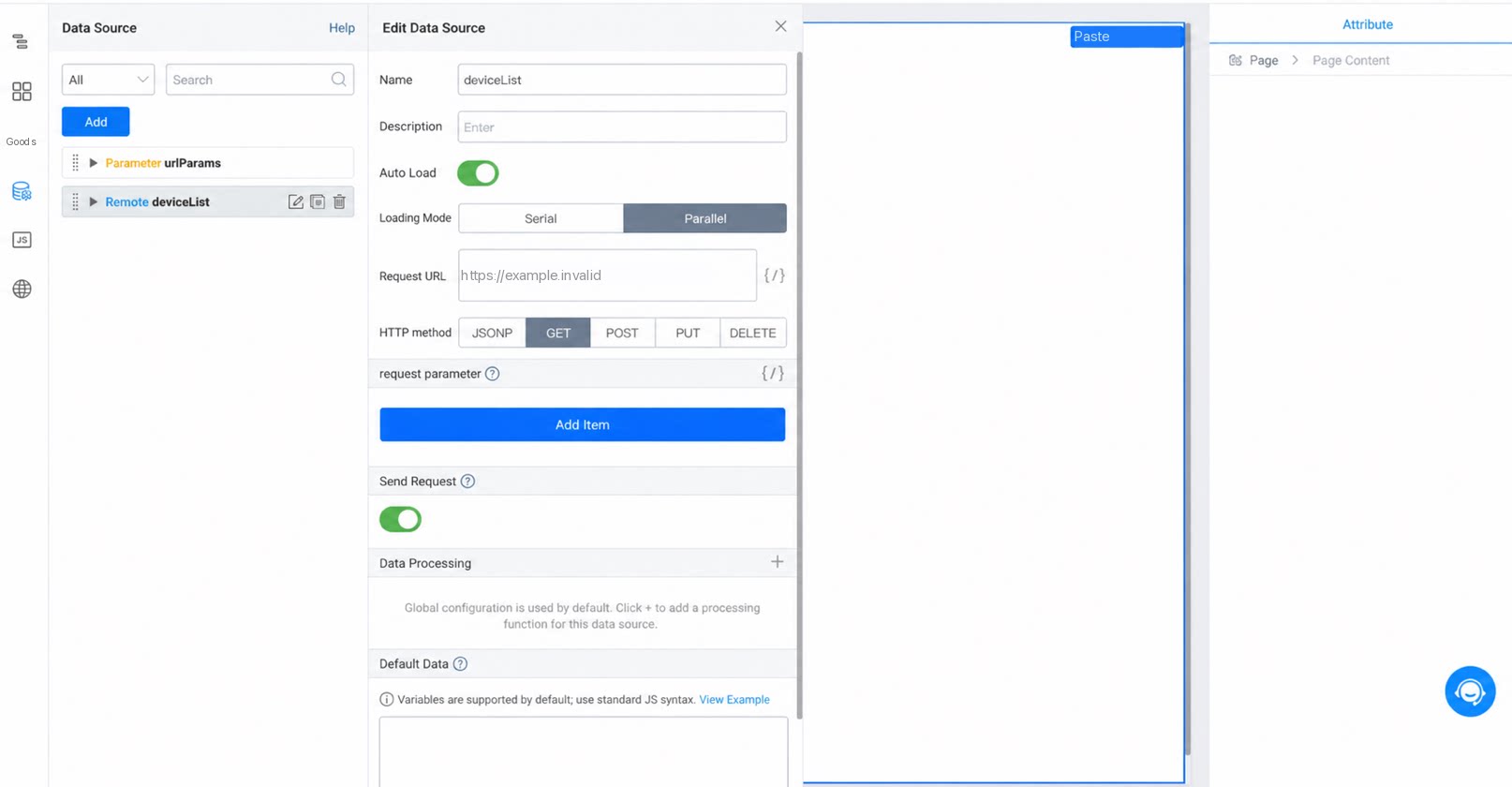
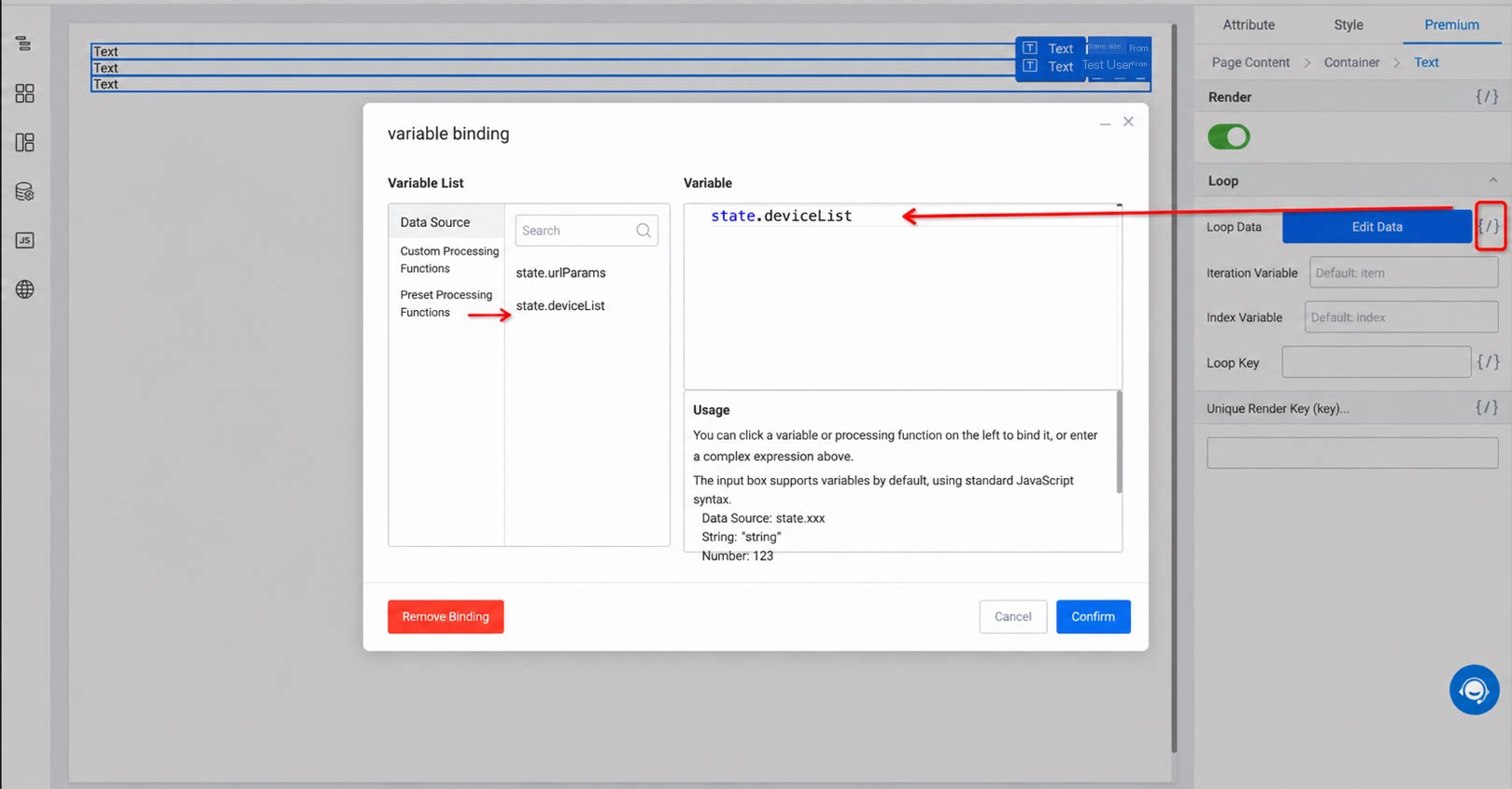
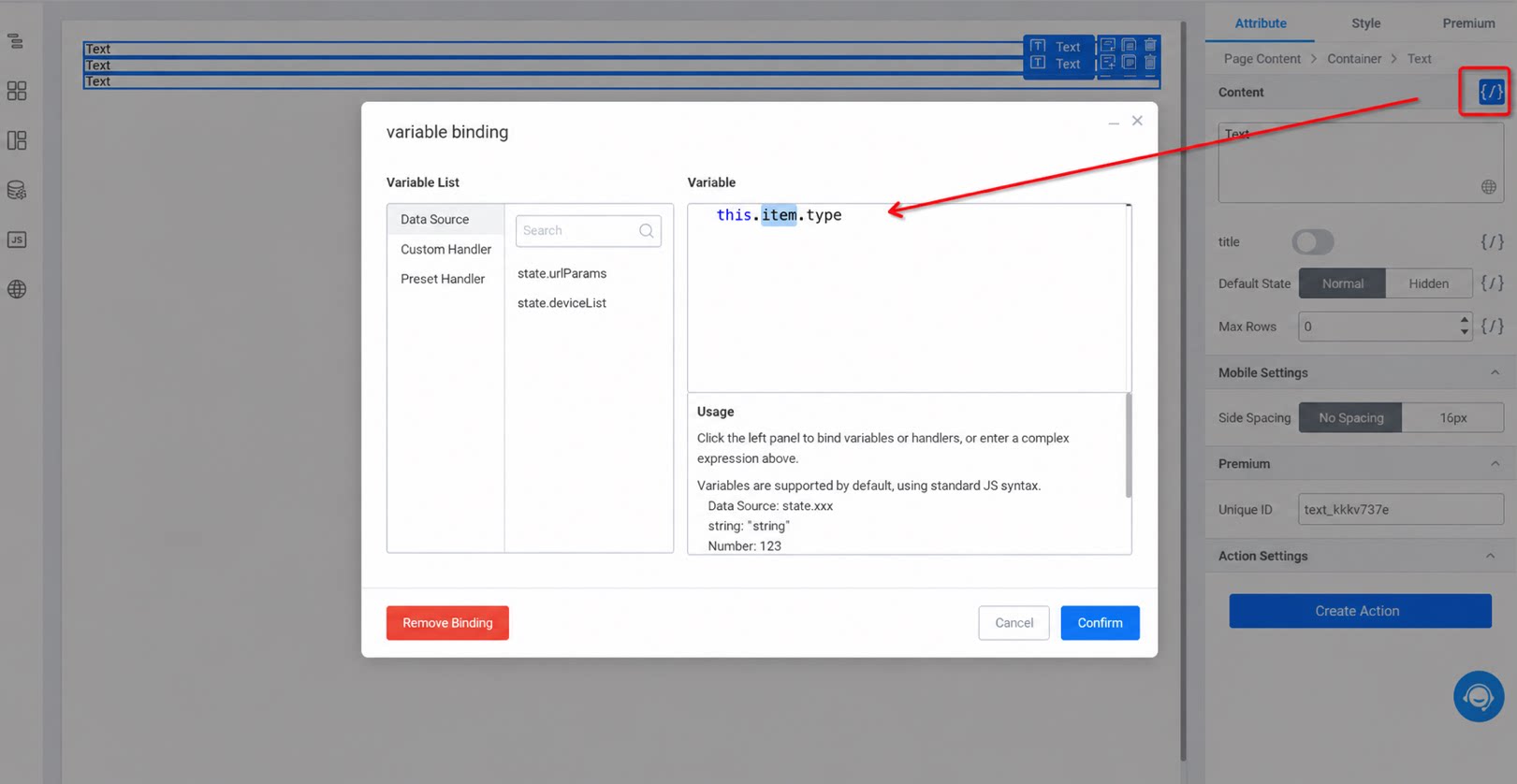
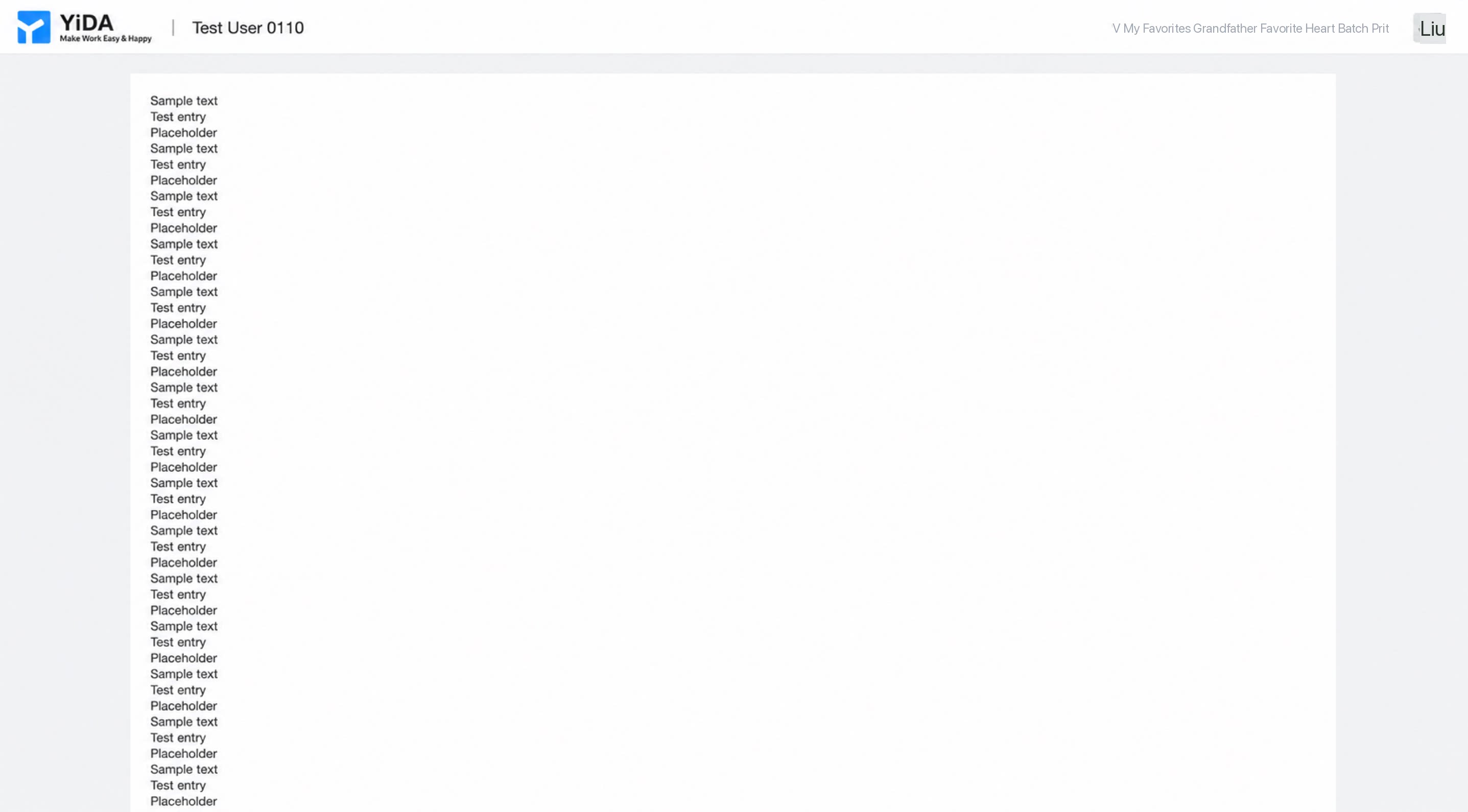
Scenario 3: Nested Loops
Suppose the remote data source returns the following data structure: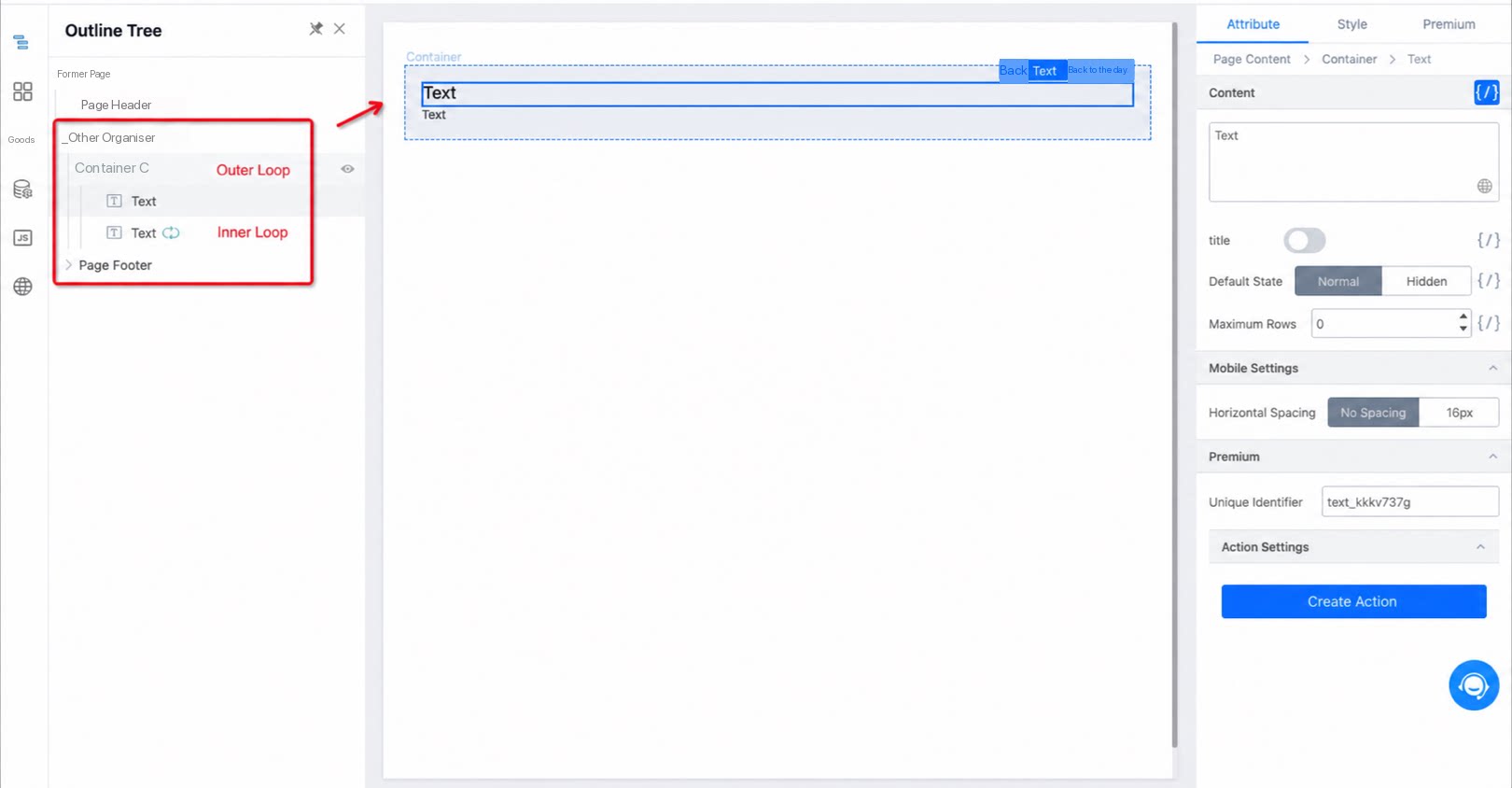
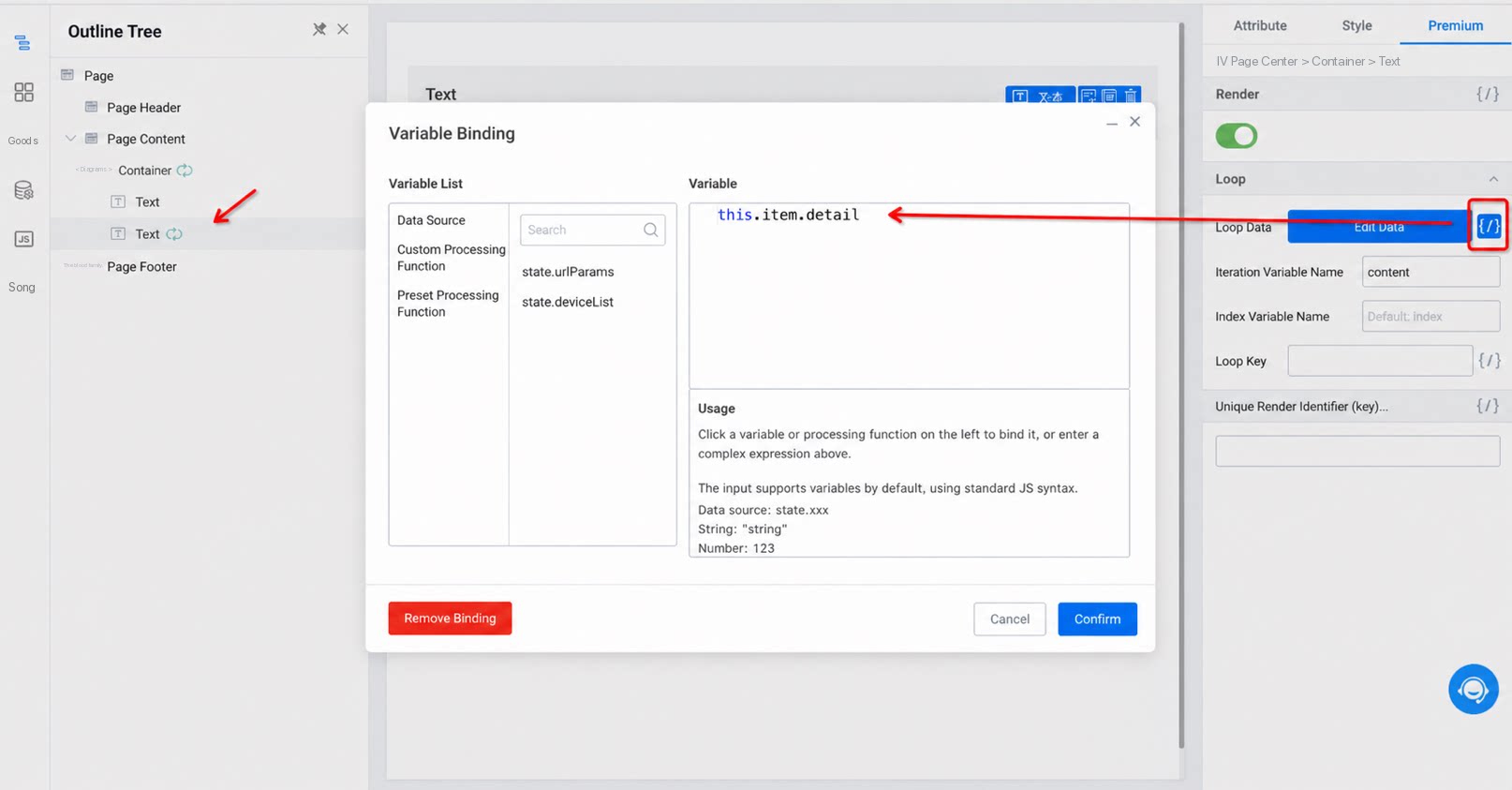
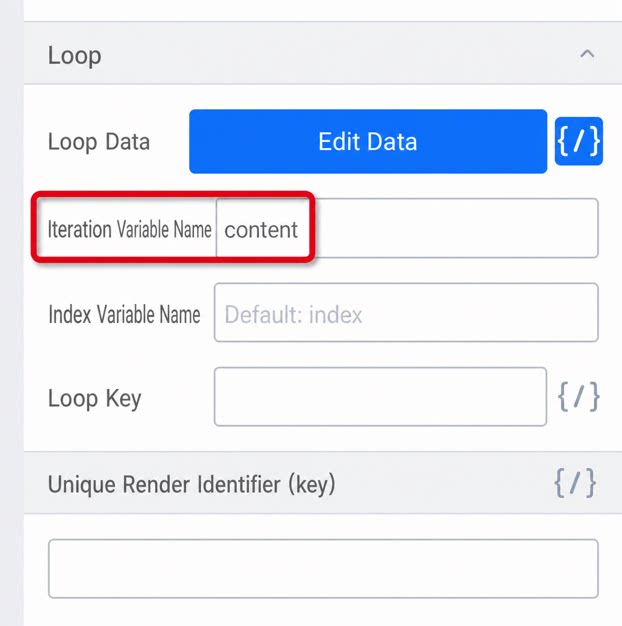
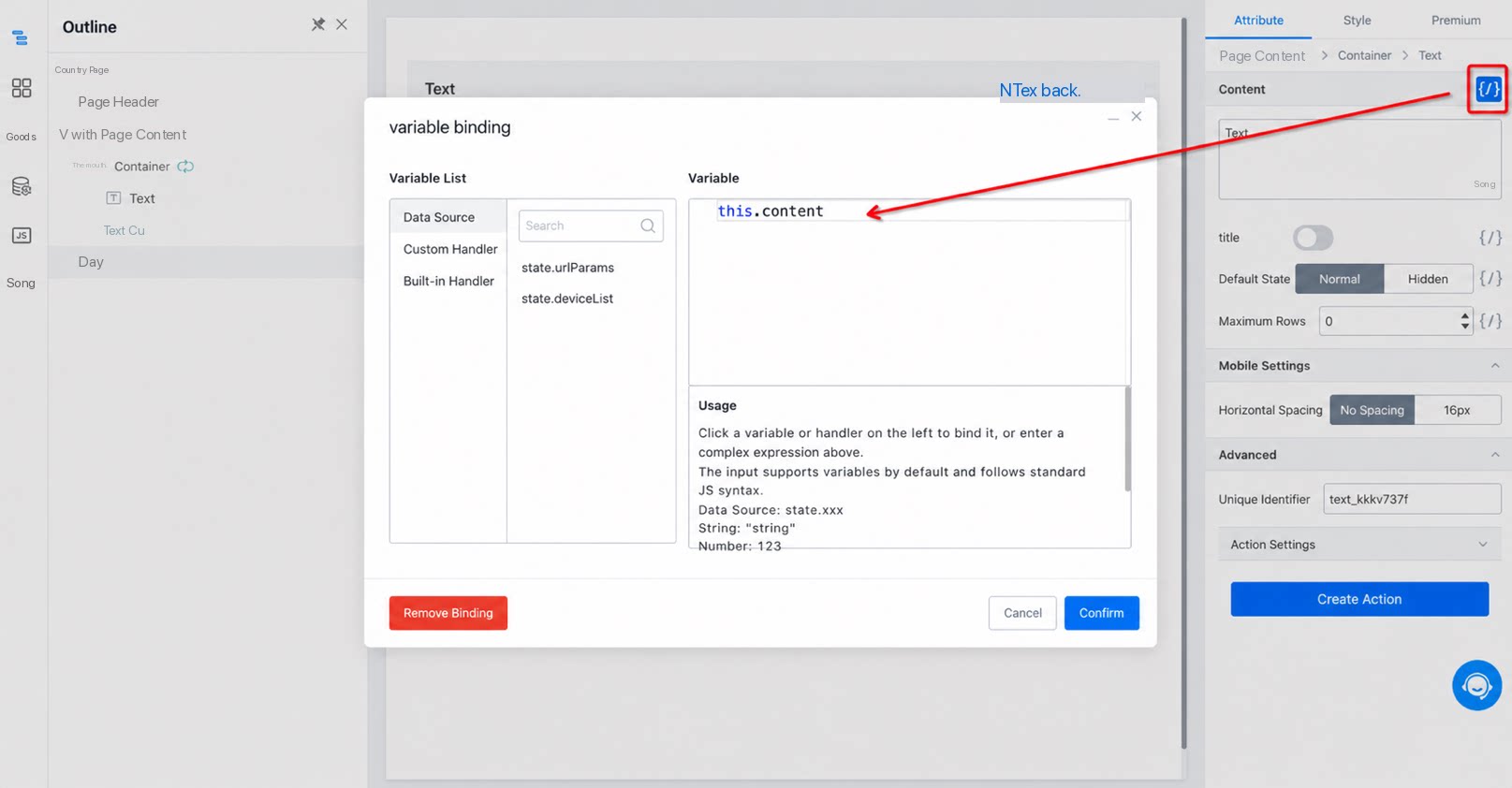
this.item, while the inner one uses this.content. This is intentional (configured by editing the inner Loop parameters) so that the inner layer can still access the outer value. Otherwise, if both used this.item, the inner layer would shadow the outer one.
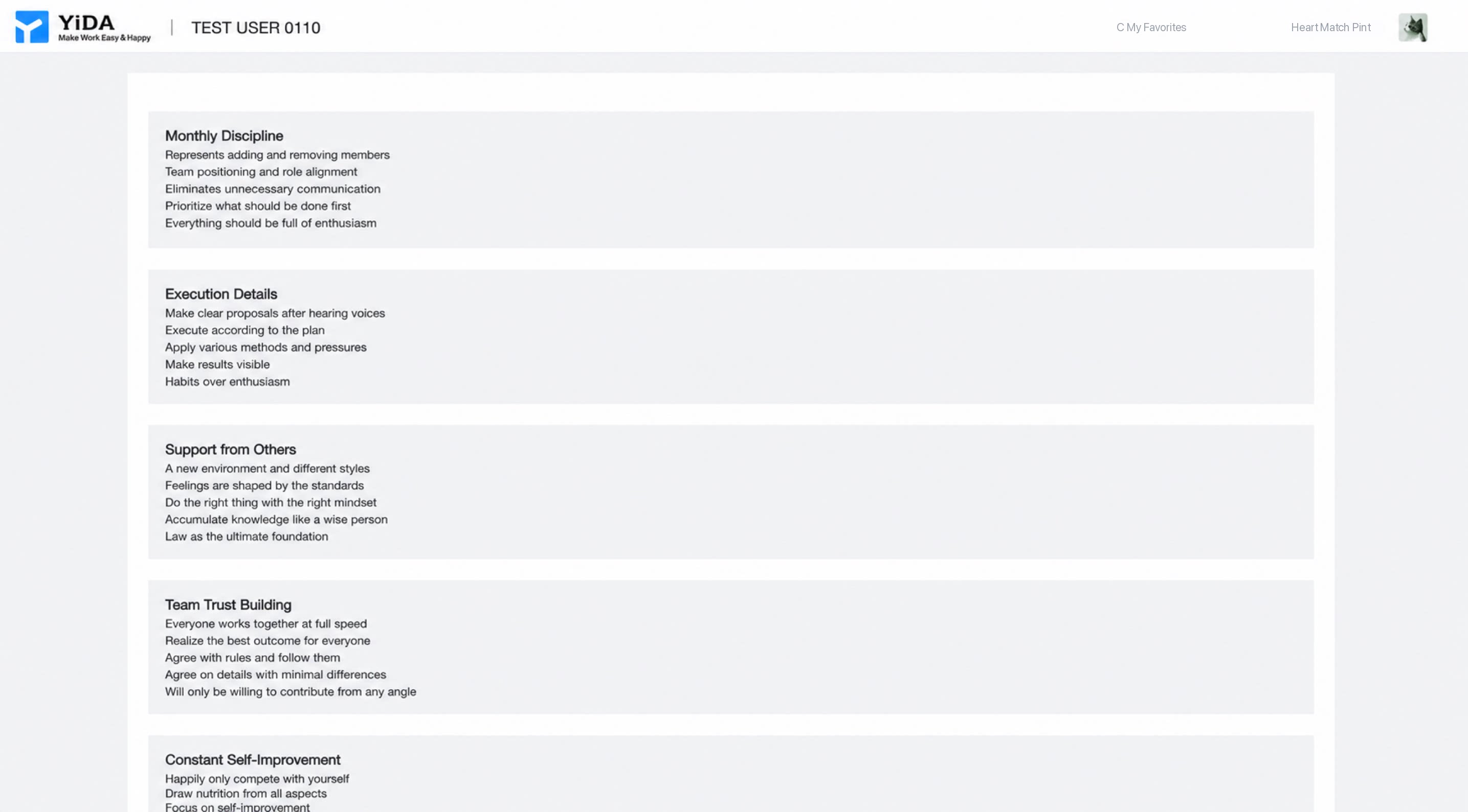
The result is shown below:
3. Notes
3.1 Using this Inside Loops
Across the entire page builder, this has tiered scopes. The current scope is this, the parent scope is this.$super, and the top-level scope is this.$top.
For example, when applying loop rendering to a form container with the form identifier 'fooForm', inside the loop body, use this.$('fooForm').getValue() to get the value of the current loop’s form. To get the values of all looped forms, use this.$super.$('fooForm').map(item => item.getValue()).