

 Chats
Chats Calendar
 Meetings
 Contacts
 Mail
Mail Docs
Docs Drive
Drive AI Table
 AI Minutes
 Attendance
 Approval
 YiDA
YiDA Admin Console
Approval Preview
When a process is initiated, the system automatically displays the process preview in a pop-up, showing the users involved in the initiator, approver, and executor nodes of the approval process.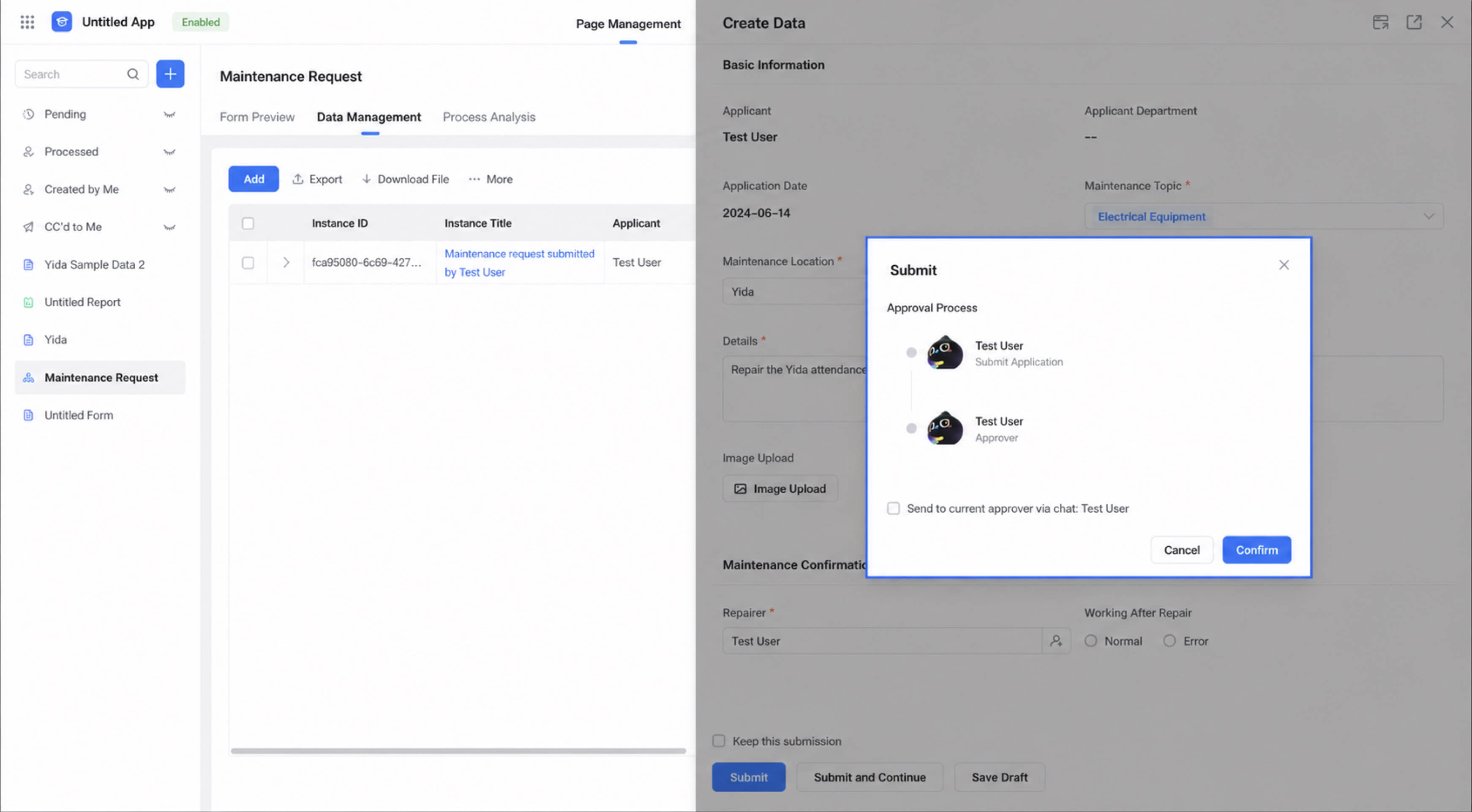
- CC recipient nodes do not appear in this process preview window.
- Chat message cards can currently be sent only to the approver closest to the submitter node in the current process.
Message Notifications
Select Send to current approver via chat and click Confirm to push the corresponding approval card to the chat window. The process status inside the card appears as a “stamp”.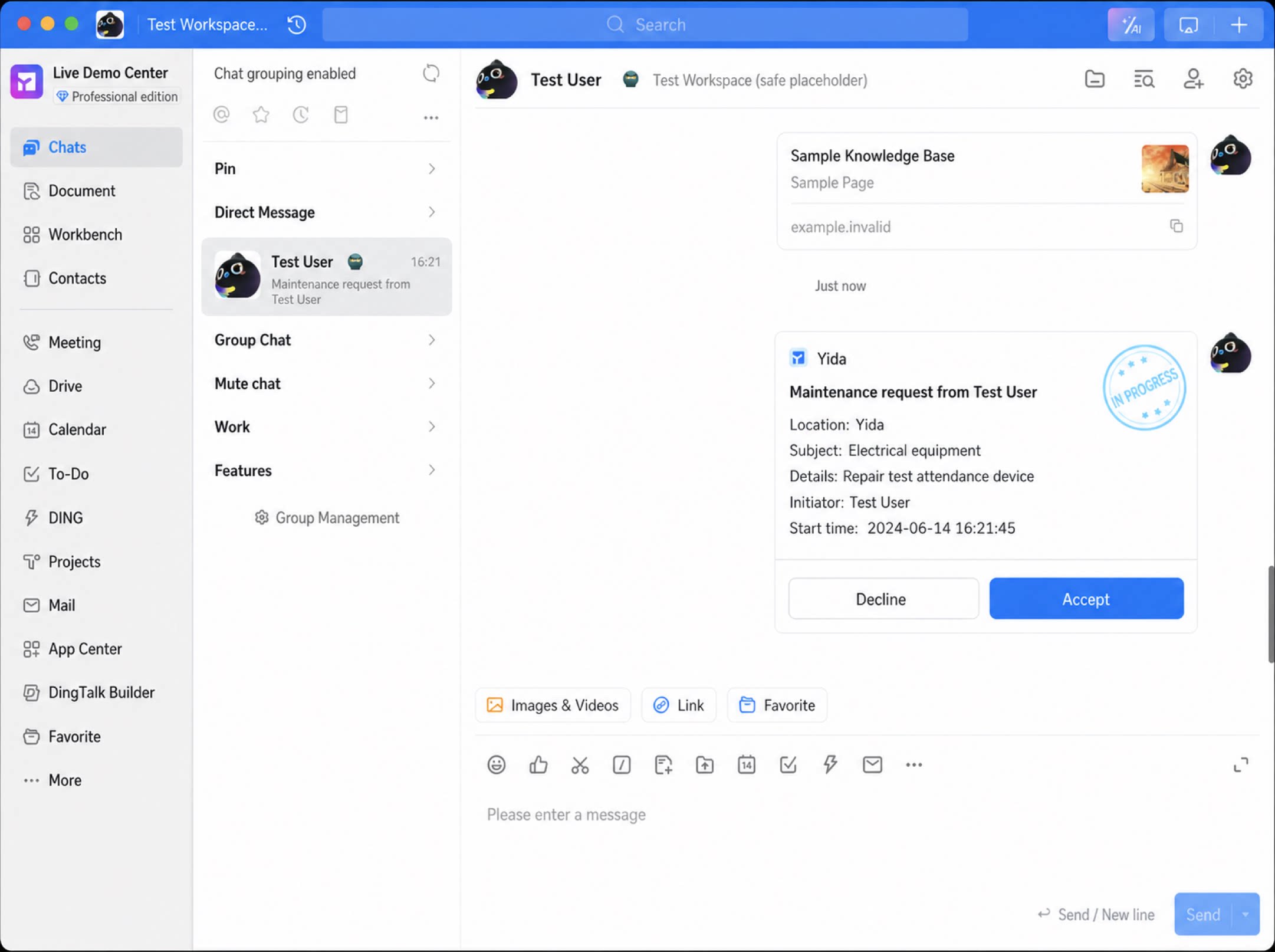
Click View details inside the card to open the workflow form page and take further action.
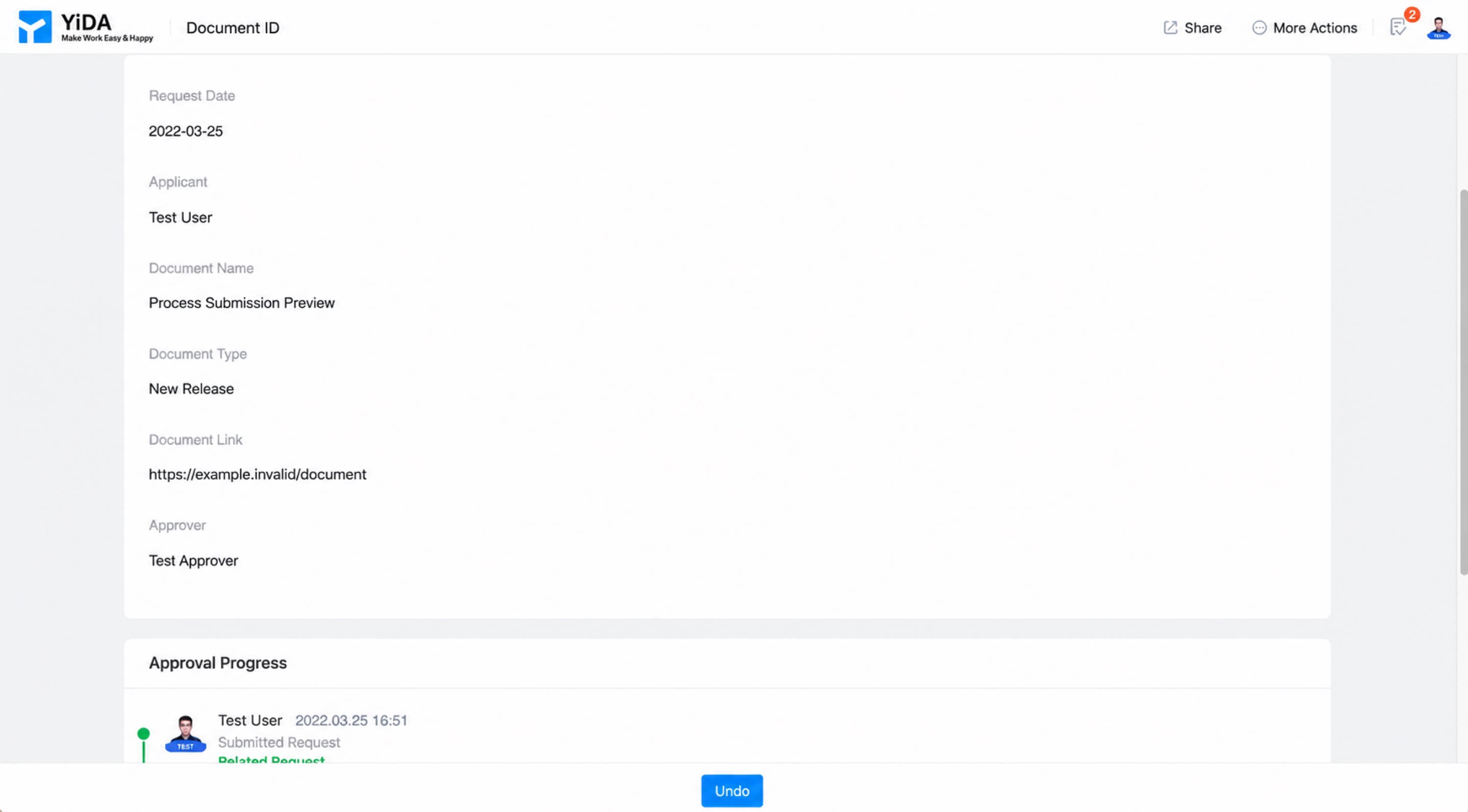
The workflow form submission data preview, the approval progress on the source records page, and the approval process in process testing all support viewing the complete process flow.You can view the flow and structure of the entire process, see each process branch and node relationship, and understand how nodes connect through the complete topology diagram.Refer to Process supports complete flow diagram.