Chats
Chats Calendar
 Meetings
 Contacts
 Mail
Mail Docs
Docs Drive
Drive AI Table
 AI Minutes
 Attendance
 Approval
 YiDA
YiDA Admin Console
Introduction
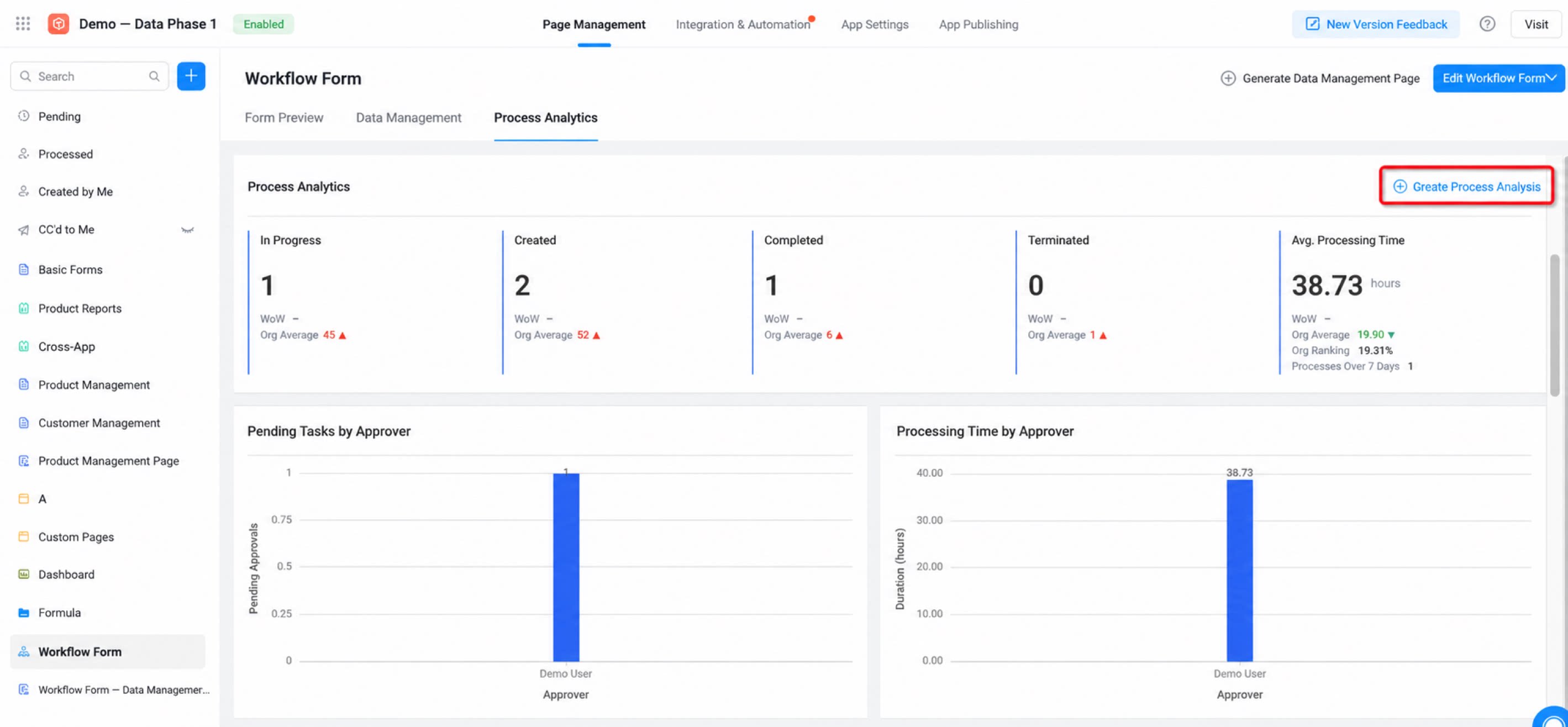
Workflow forms are among the most common form types used by organizations. Approval processes support business judgment and decision-making while enabling office automation. Approval process analysis delivers real-time analysis of approval-related data. It is commonly abbreviated as BPA (Business Process Analysis). Work collaboration generates a large volume of approval flows and accumulates process data. For each workflow form, YiDA automatically generates a process analysis report view that visualizes approval efficiency online.
Use Cases
As a real-time data analysis tool for approval flows, BPA can serve as the foundation for digital collaboration, enabling refined management and visual presentation of work outcomes.How to Use
- Go to the App Management console, open any workflow form management page, and select the process analysis tab.
- All analysis reports support custom extension and secondary development.
Analysis Dimensions
Overall Process Metrics
- In progress: The number of approval forms currently in progress within the specified time range.
- Created: The total number of approval forms created within the specified time range.
- Completed: The number of completed approval forms within the specified time range (including accepted and declined).
- Terminated: The number of terminated approval forms within the specified time range (including undone).
- Average processing time: The average time consumed per approval form instance within the specified time range.
- Week-over-week: Comparison between the current day and the same day last week.
- Organization average: The average metrics of other workflow forms within the current organization.
- Organization ranking: A ranking based on volume and duration, showing the process’s percentile ranking within the organization.
- Processes exceeding 7 days: A quick summary of long-running incomplete processes, helping you identify approval forms with low efficiency.
Approver To-Do Distribution
By default, the top 10 approvers are displayed by to-do volume and processing time, sorted from high to low by volume.| Approver to-dos | Approver processing time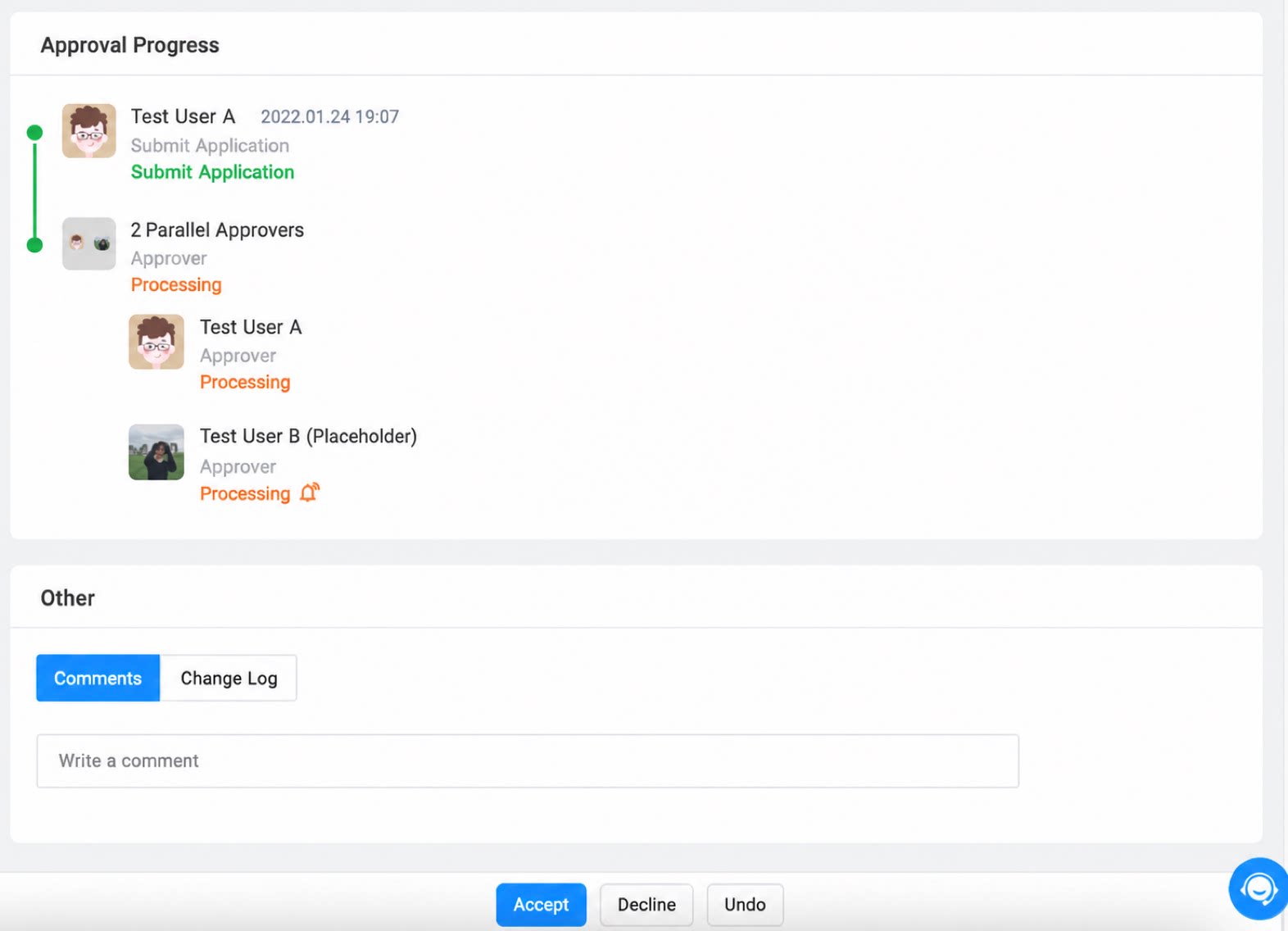 |
|---|
Pending Approval List
Shows the details of the approval forms with the longest processing time. In future releases, clicking an instance name will open the instance details page directly.Process Duration Trend
Shows the average processing time for completing an approval flow under different approver conditions.Step Duration Trend
Each workflow form has one or more approval steps. This chart shows the time-consumption trend for each step.Daily Average Process Duration
Shows the daily average total duration of the current approval form. Use it to review the overall approval efficiency of the entire organization for this approval scenario.Custom Process Analysis
In addition to the default process analysis templates provided by YiDA, you can build a brand-new analysis report through Custom process analysis. Under Datasets > Database > List, two built-in datasets are available—the process table and the step table—allowing you to flexibly design report layouts to fit your needs. Process analysis includes two default tables—Process table and Step table:- The process table is at the process level. Each process has one record that captures its status.
- The step table is at the step level. A process has as many rows as it has steps.