

 Chats
Chats Calendar
 Meetings
 Contacts
 Mail
Mail Docs
Docs Drive
Drive AI Table
 AI Minutes
 Attendance
 Approval
 YiDA
YiDA Admin Console
Prerequisites
Before you build an app on the YiDA low-code platform, sign up for a DingTalk account. For details, see Sign up for an account.Procedure
- Sign in to the YiDA workbench.
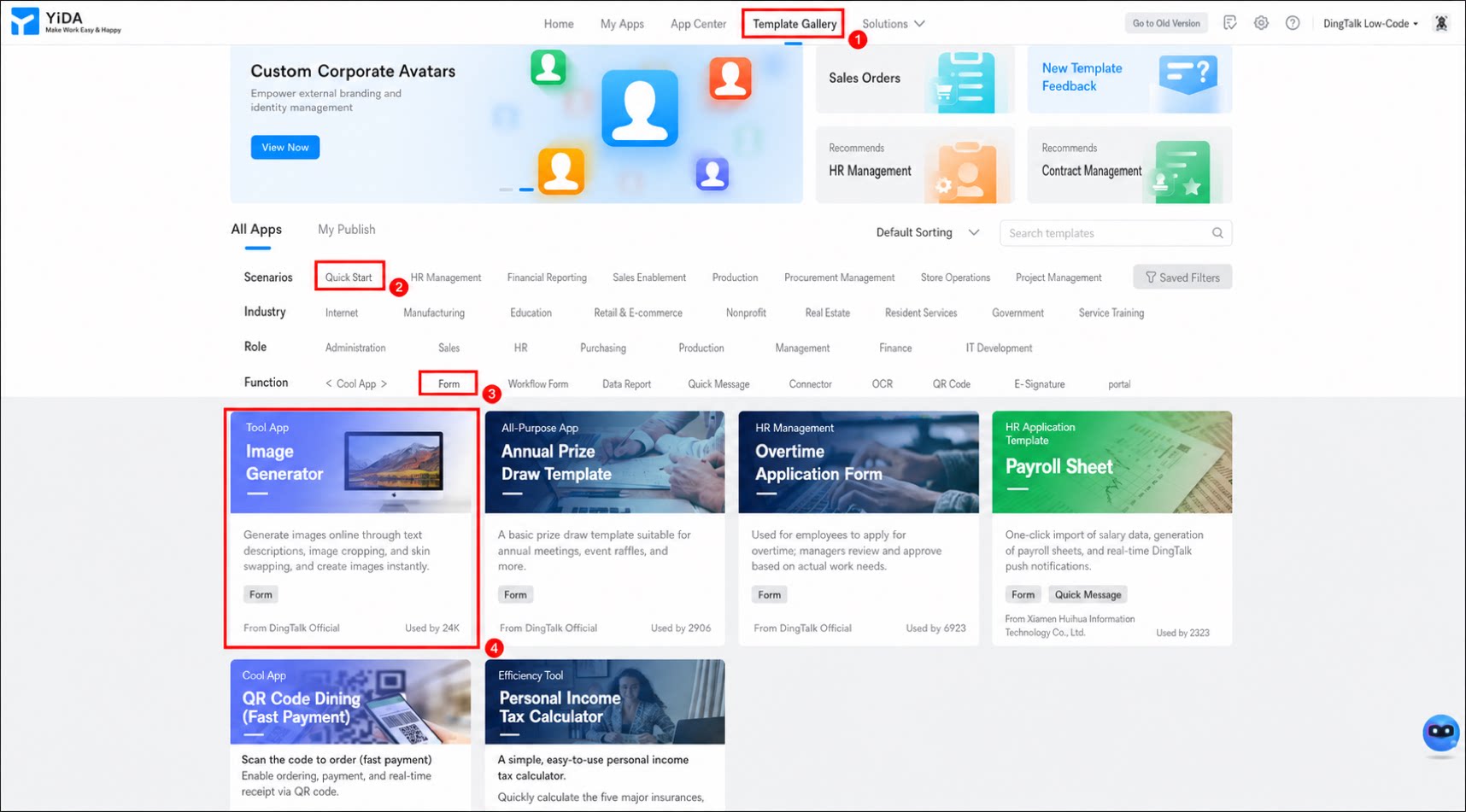
- Click Template Gallery in the top menu bar.
- In the filter bar in the middle of the page, select Quick start and Form, and then select the Online image generator template.
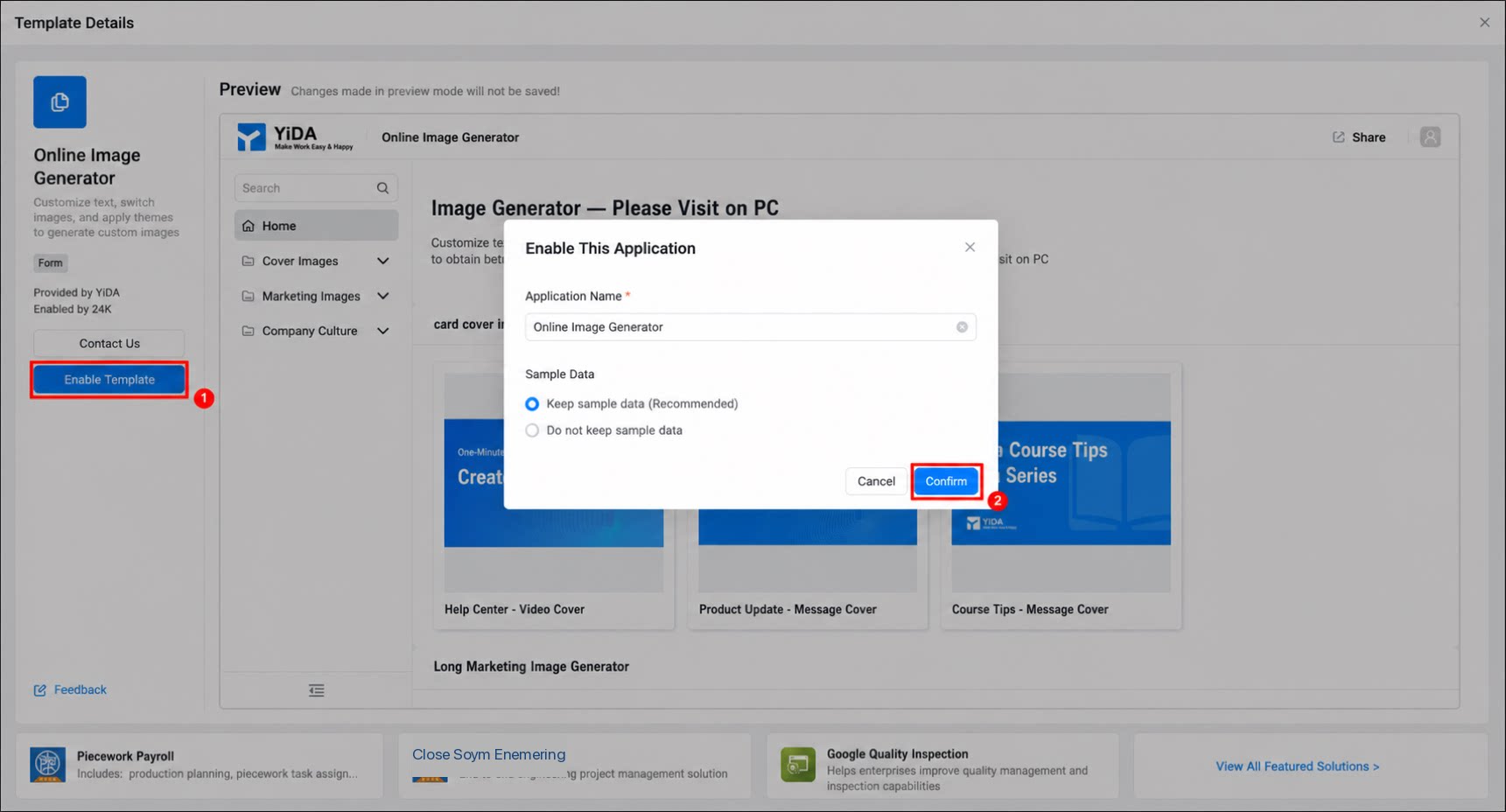
- Click Enable Template. In the dialog box that appears, enter the app name, and then click Confirm.
For more information, see Create an app.