Chats
Chats Calendar
 Meetings
 Contacts
 Mail
Mail Docs
Docs Drive
Drive AI Table
 AI Minutes
 Attendance
 Approval
 YiDA
YiDA Admin Console
Channels for Using Aggregate Tables
You can use aggregate tables in the following scenarios.| Channel | Description | Illustration |
|---|---|---|
| Data linkage | Aggregate tables support data linkage in forms. • In condition rules, select the title field of an aggregate table on the right. • In linkage rules, select the calculation metric field of an aggregate table on the right. | 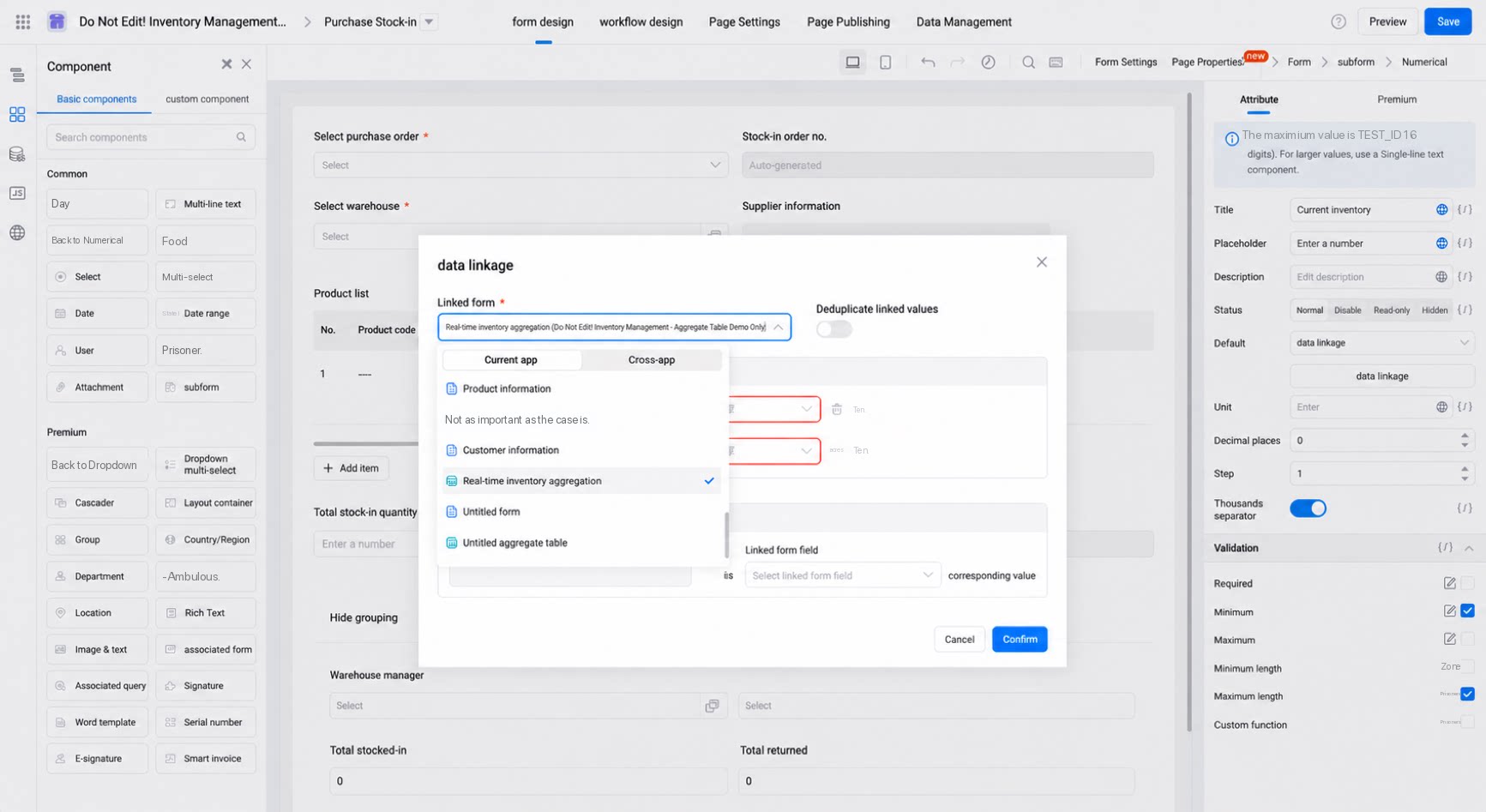 |
| Associated form | Aggregate tables support data association in associated forms. | 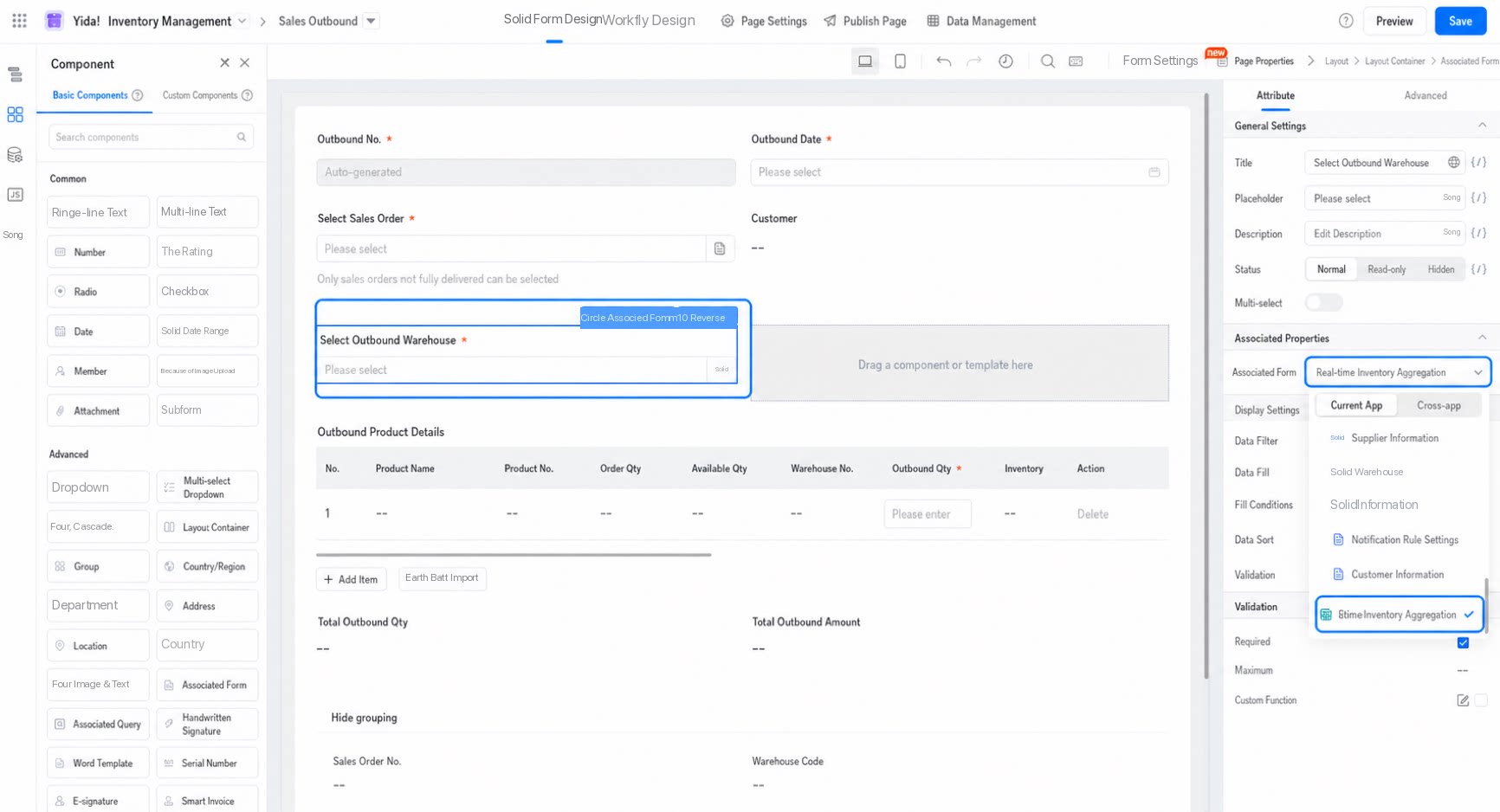 |
| Report | Select an aggregate table directly as the data source in a report. | 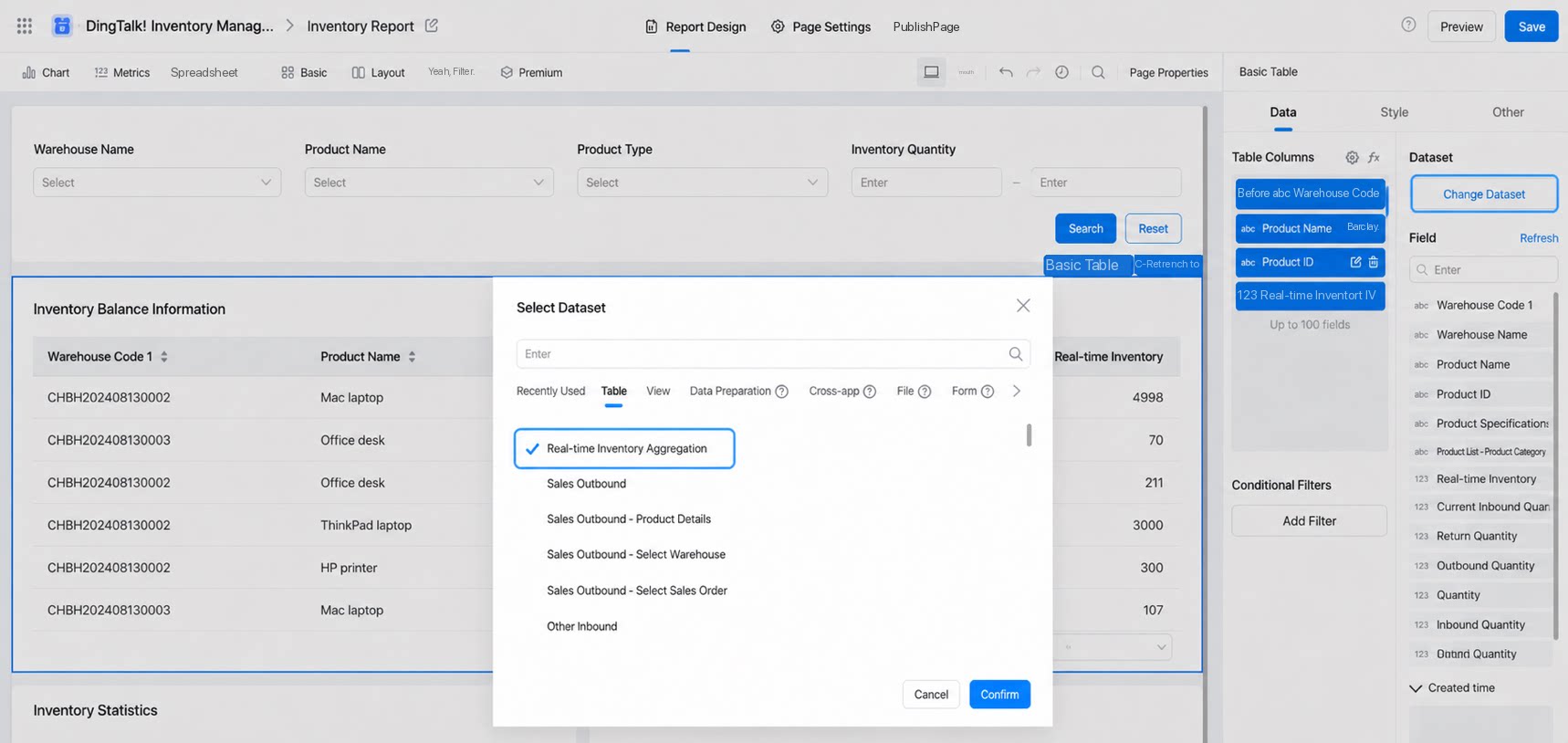 |
| Data card | Select an aggregate table directly as the data source in a data card. | 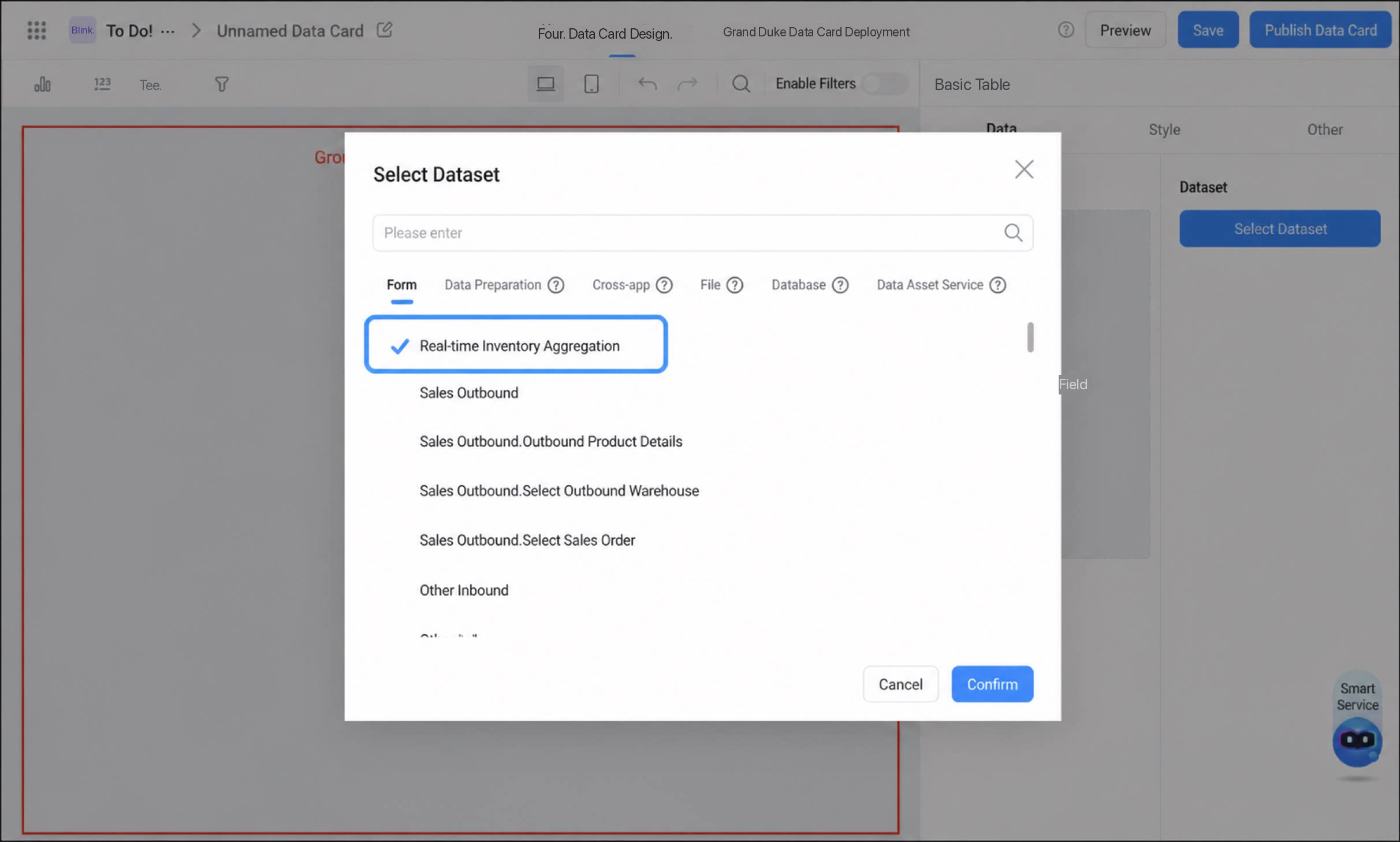 |
| Integration & Automation/Business rules | Query data from aggregate tables in Integration & Automation and business rules. Note: Directly modifying or deleting aggregate table data is not supported. | 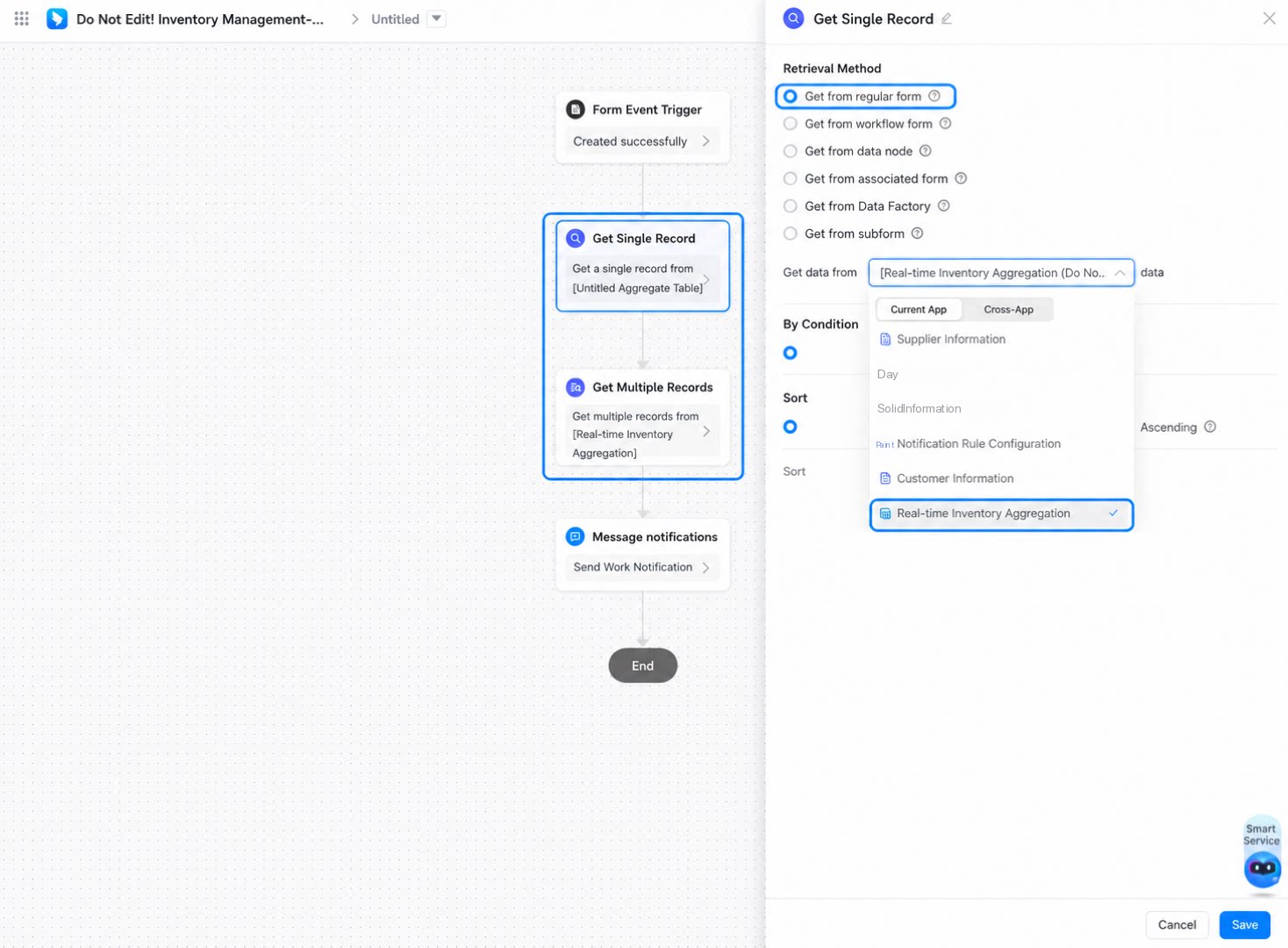 |
| Open API | Query the results of aggregate tables through Open API. |
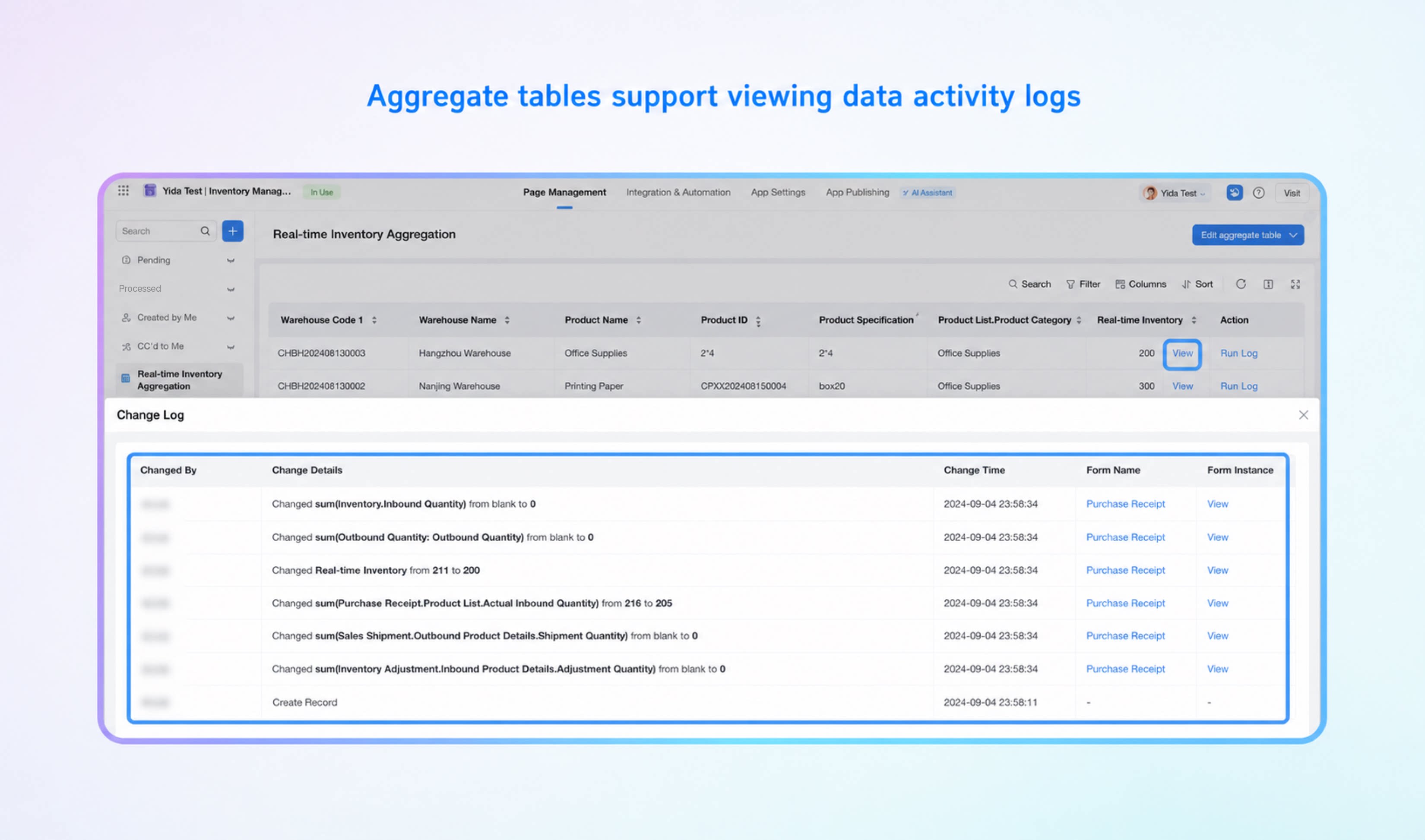
View Data Operation Logs
To help Admins trace the calculation and change source of aggregate table result data, the platform provides a data change log feature. On the aggregate table details page, click the View button in the action column of a record to view its change log.