Chats
Chats Calendar
 Meetings
 Contacts
 Mail
Mail Docs
Docs Drive
Drive AI Table
 AI Minutes
 Attendance
 Approval
 YiDA
YiDA Admin Console
Configure Submission Validation Rules
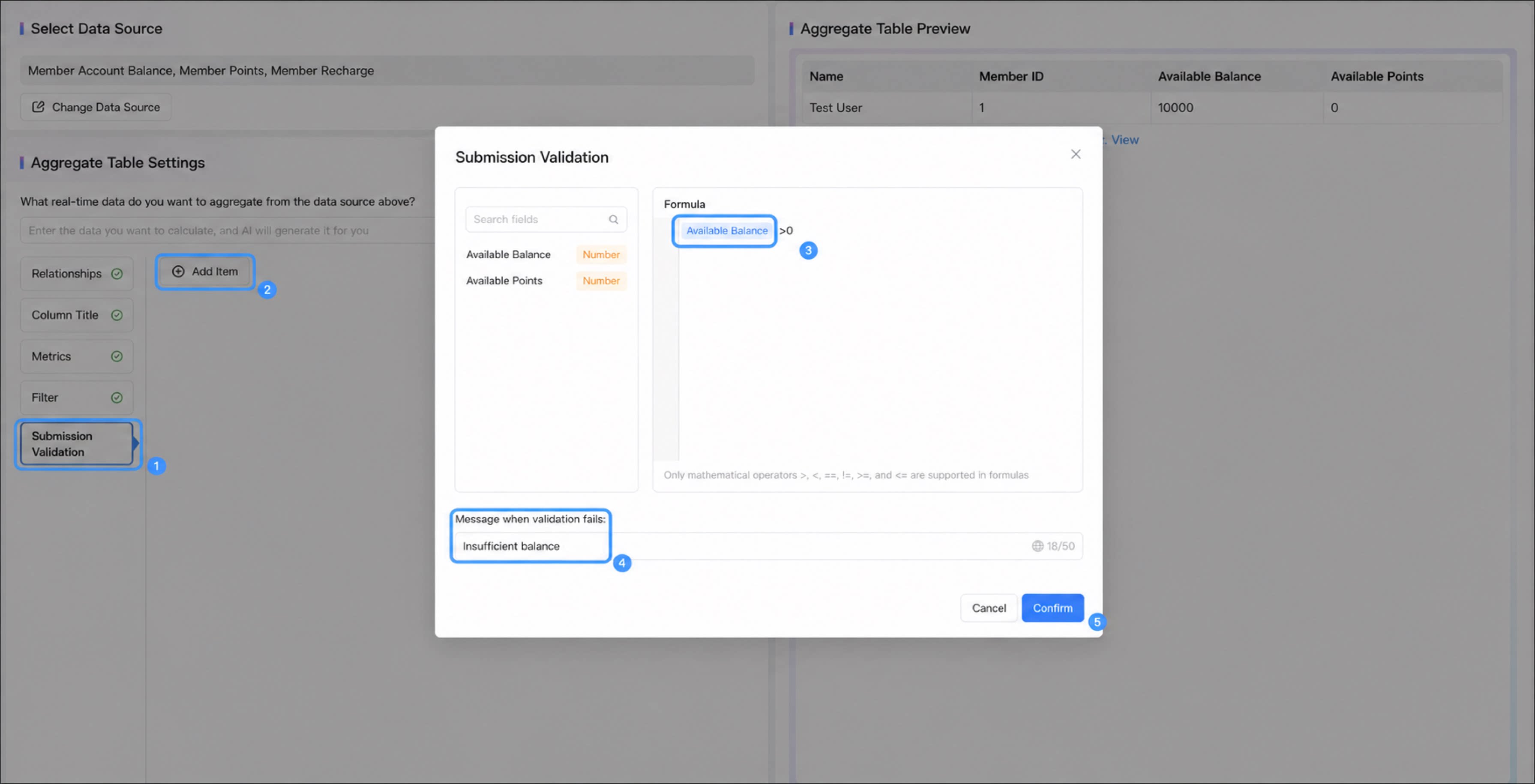
Follow these steps to configure aggregate table validation rules.- Go to the aggregate table edit page, then click Submission validation > Add item.
- Configure the submission validation rule for the metric value.
- Click Confirm to complete the configuration. Submission validation is typically used together with metrics to block form submission or run logic validation.
- Validation formulas support only the following operators:
>,<,==,!=,>=,<=. - Operations between metrics are not supported. For example, expressions such as
[Metric1]>[Metric2]or[Metric1] + [Metric2] > 0are not allowed. - The prompt text shown when validation fails can be customized, up to 50 characters.
- Available variables are metric fields. Numbers can also be used.