

 Chats
Chats Calendar
 Meetings
 Contacts
 Mail
Mail Docs
Docs Drive
Drive AI Table
 AI Minutes
 Attendance
 Approval
 YiDA
YiDA Admin Console
Configure Associations
- When multiple forms are used as data sources, you can use identical fields across forms as association conditions to aggregate data from multiple forms.
- Click Associations, then select linked fields from the data source forms to create an association group. An aggregate table can contain multiple association groups.
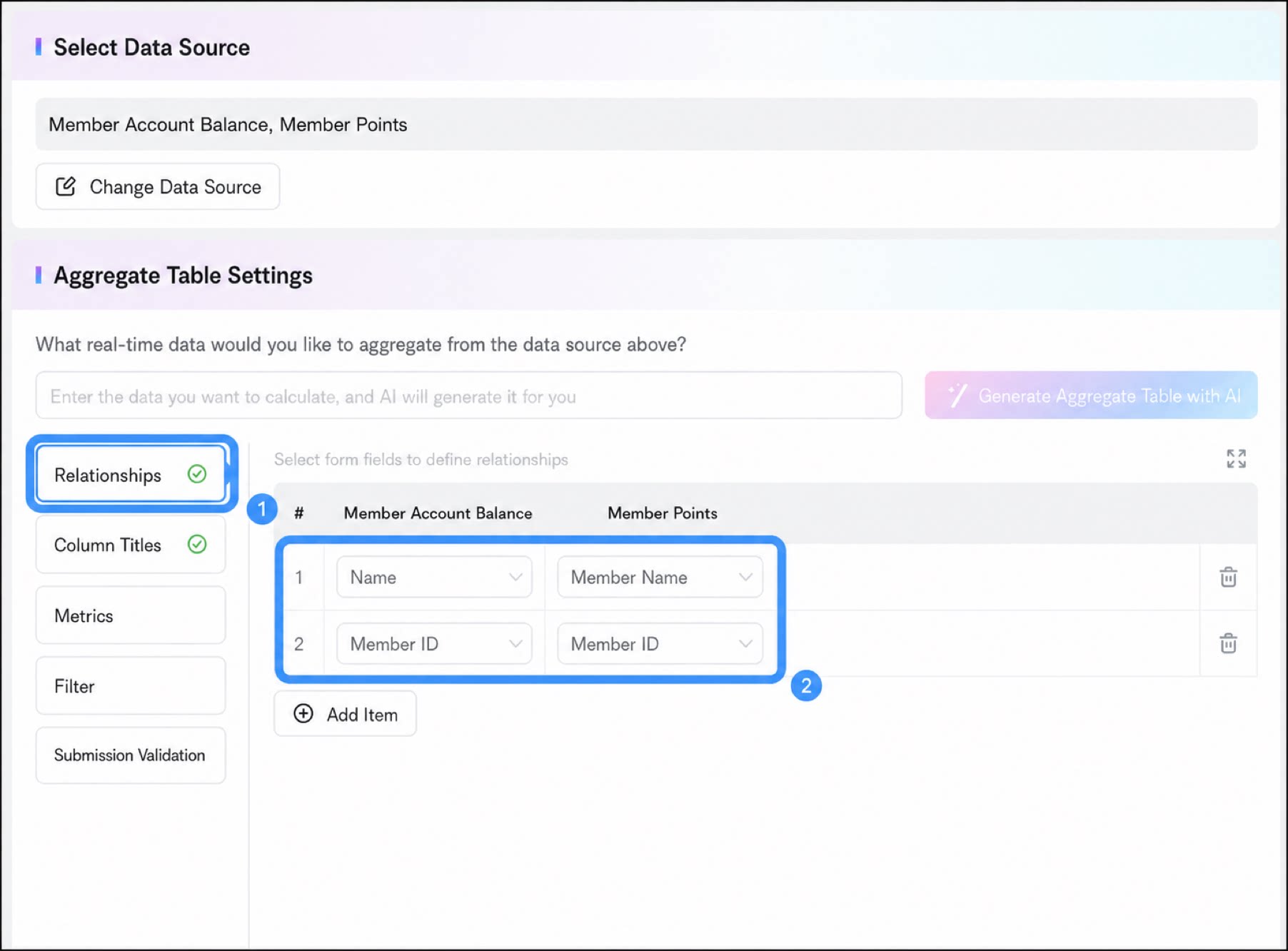
- Field type: The Single-line text, Radio button, Dropdown, Serial number, User, Department, Numerical, and Date components are supported as linked fields. Other field types are not supported.
- Date component: When a Date component is used as the matching condition, note the precision of the date submitted in the form. Dates with different precisions are treated as different field values. For example, September 9, 2024 and September 9, 2024 00:00:00 are treated as different fields.
Association Rules
Aggregate tables support the following component types as linked fields:- Single-line text
- Radio button
- Dropdown
- Serial number
- User
- Department
- Numerical
- Date component
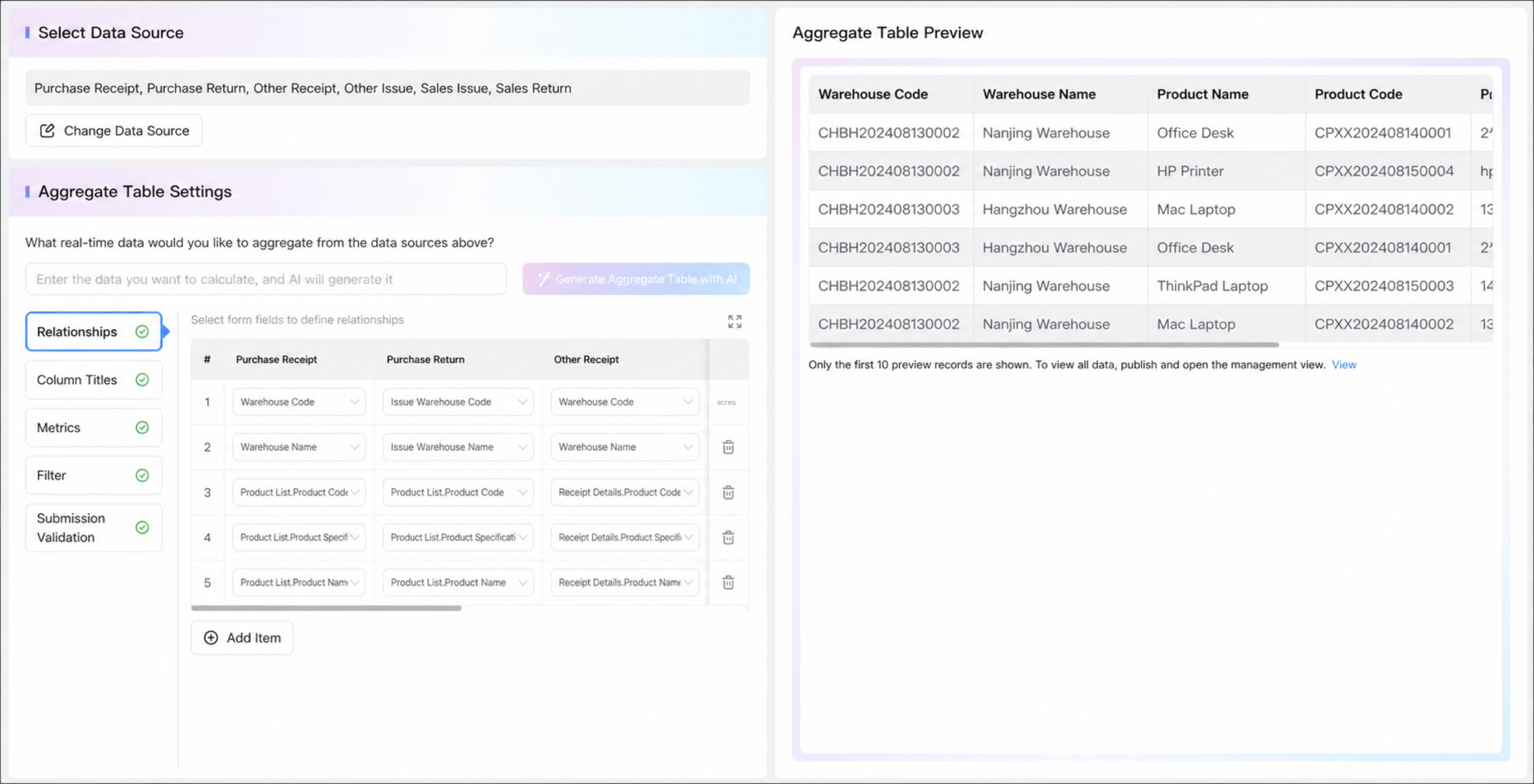
- Select component used as a linked field: values are matched and displayed based on the options defined in the Select component.
- Date component: matched by timestamp and displayed in the format of the first column field.
- User and Department: matched by user ID or department ID and displayed by the display value. If the display values differ, the value shown in the first column is used.
- Configure at least one linked field.
- Up to 10 linked fields are supported.
- If a linked field is deleted from the form, historical data in the virtual view still displays normally thanks to form versioning, but newly added data cannot be included in the aggregation.
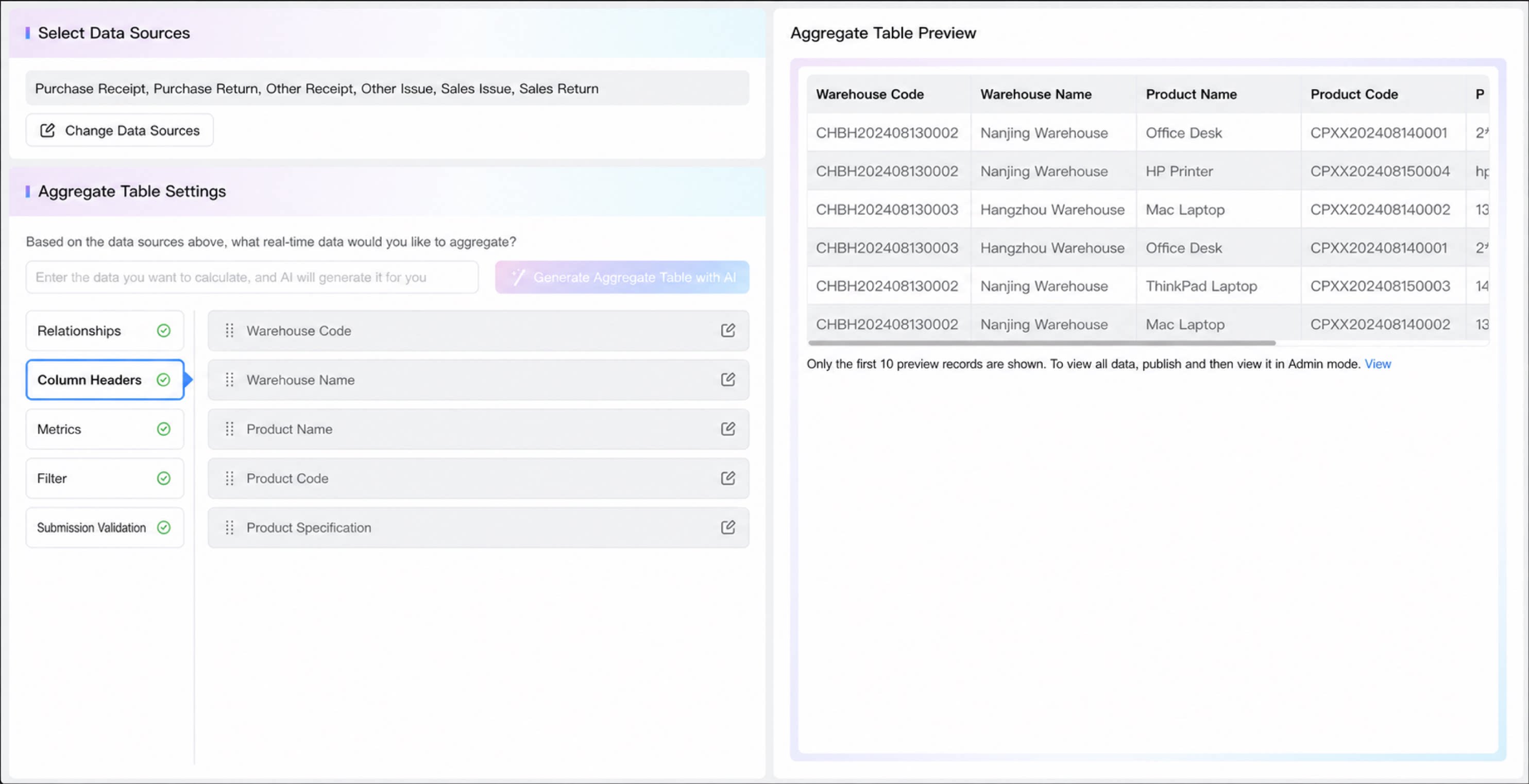
- If a linked field is deleted after being selected as the row header, the row header field is removed accordingly.
- If the row header field of a record is empty, that record is filtered out and does not appear in the aggregate table.