Chats
Chats Calendar
 Meetings
 Contacts
 Mail
Mail Docs
Docs Drive
Drive AI Table
 AI Minutes
 Attendance
 Approval
 YiDA
YiDA Admin Console
1. Introduction
1.1 Feature Overview
Creating a form from Excel lets you design a form quickly and import Excel data directly into it for streamlined data management.1.2 Use Cases
In inventory management scenarios that require entering product names, specifications, quantities, and unit prices, enter the component names and data in an Excel spreadsheet to quickly import product information into the base data table.2. Steps
2.1 Select an Excel File
Path: Create form >> Import from Excel >> Select Excel file2.2 Preview Data
Preview the local Excel data online to confirm that it is correct and that you have selected the right file.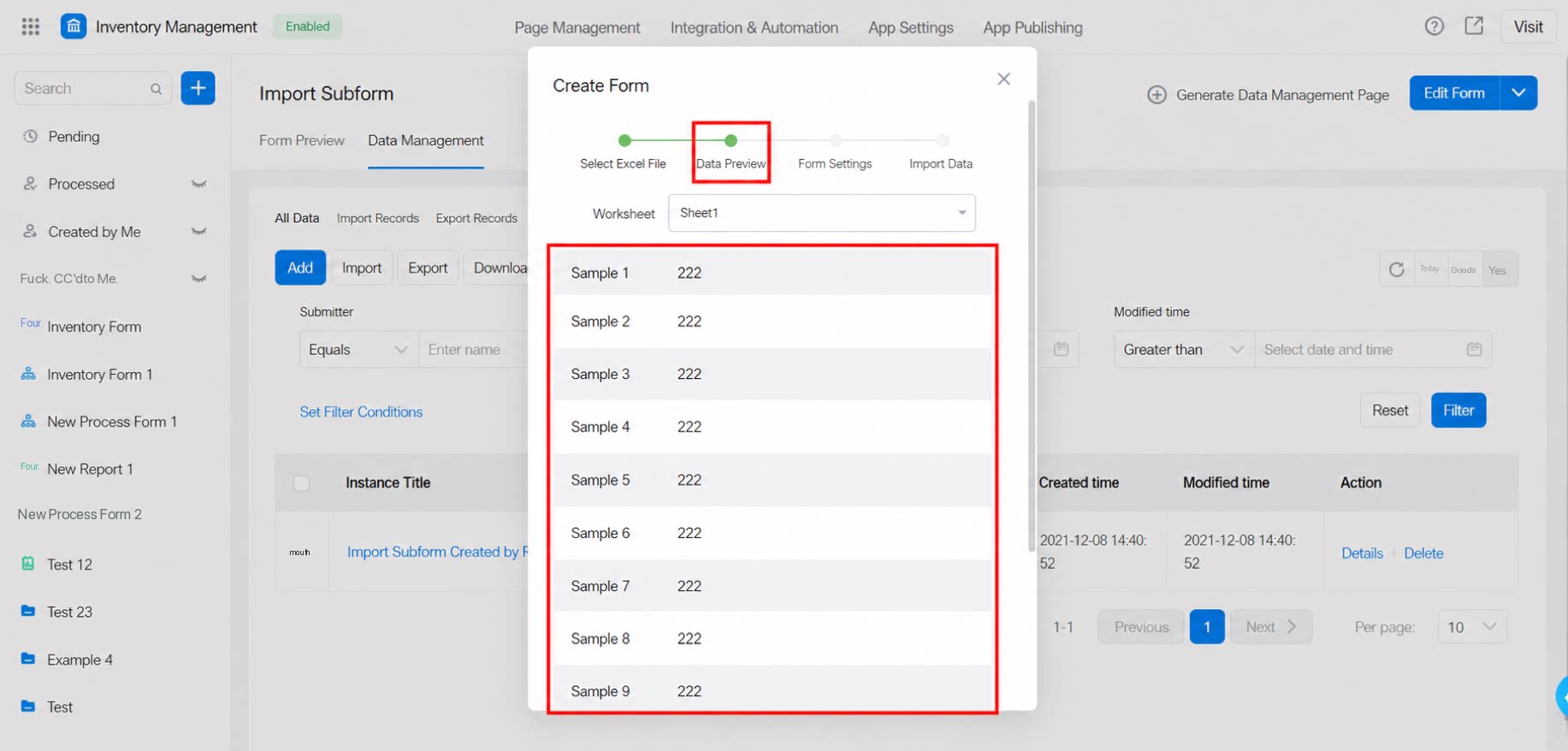
2.3 Form Settings
Set the form name, component names, and component types.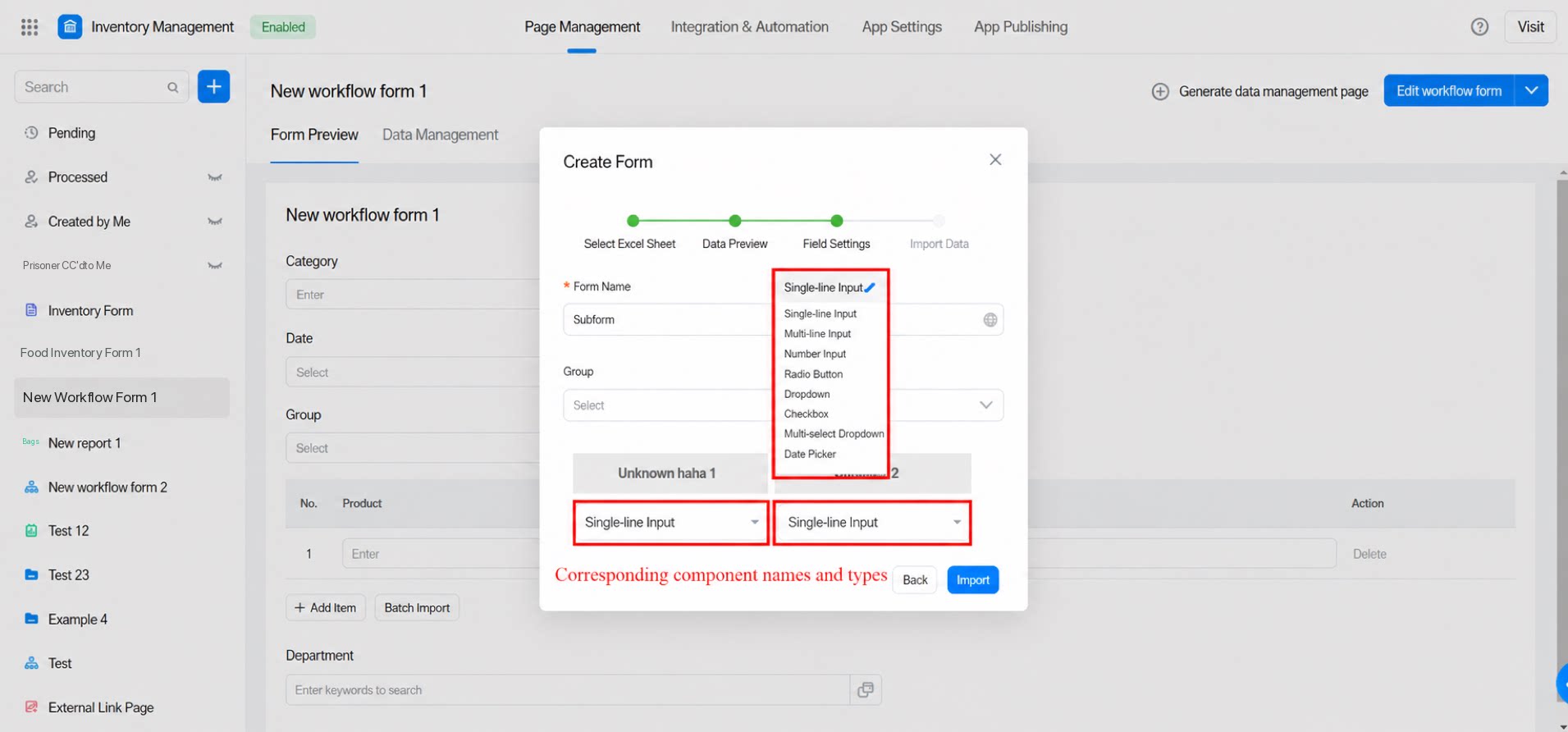
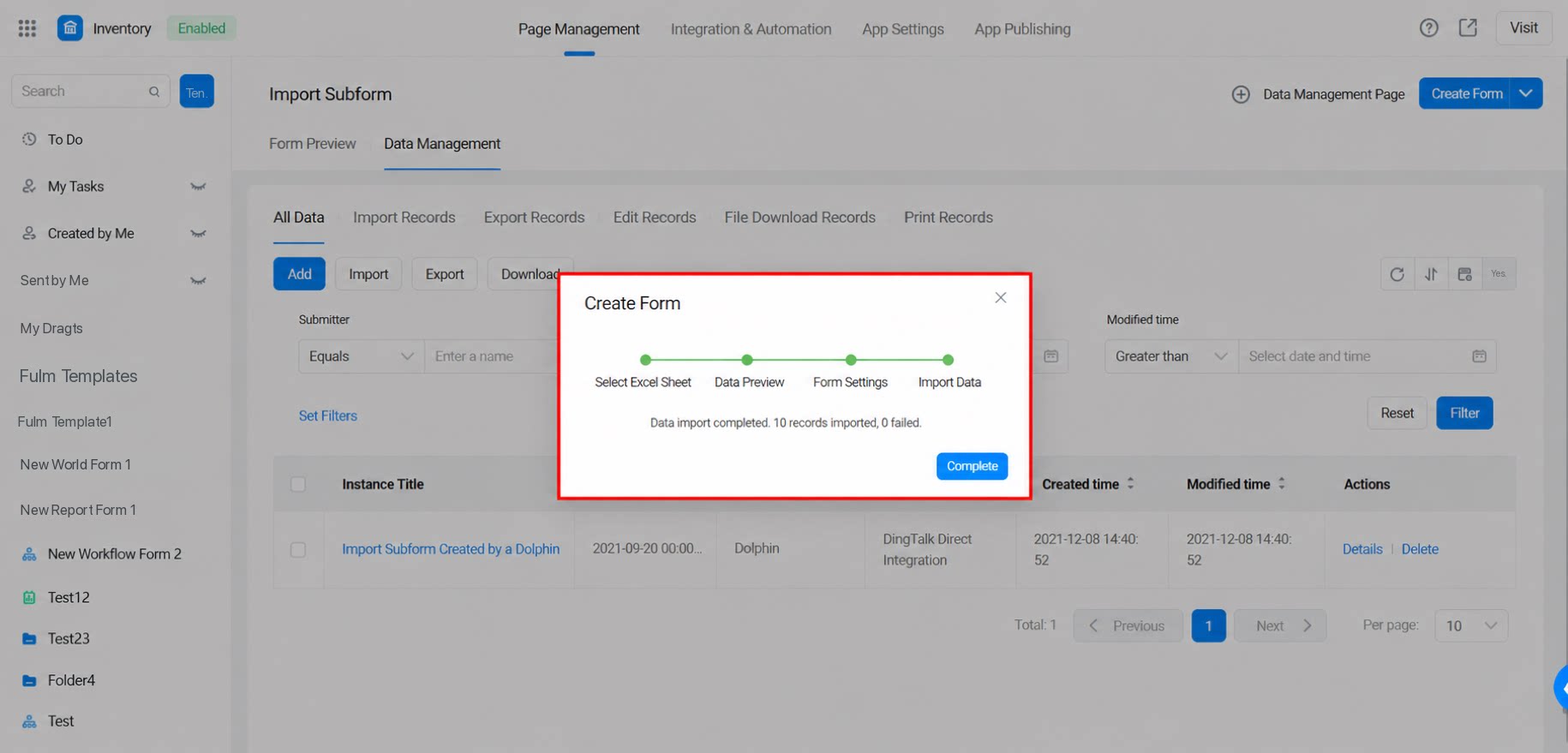
2.4 Import Data
After completing the steps above, click Import at the bottom right of the form settings page to import the data.