Chats
Chats Calendar
 Meetings
 Contacts
 Mail
Mail Docs
Docs Drive
Drive AI Table
 AI Minutes
 Attendance
 Approval
 YiDA
YiDA Admin Console
1. Overview
1.1 Introduction
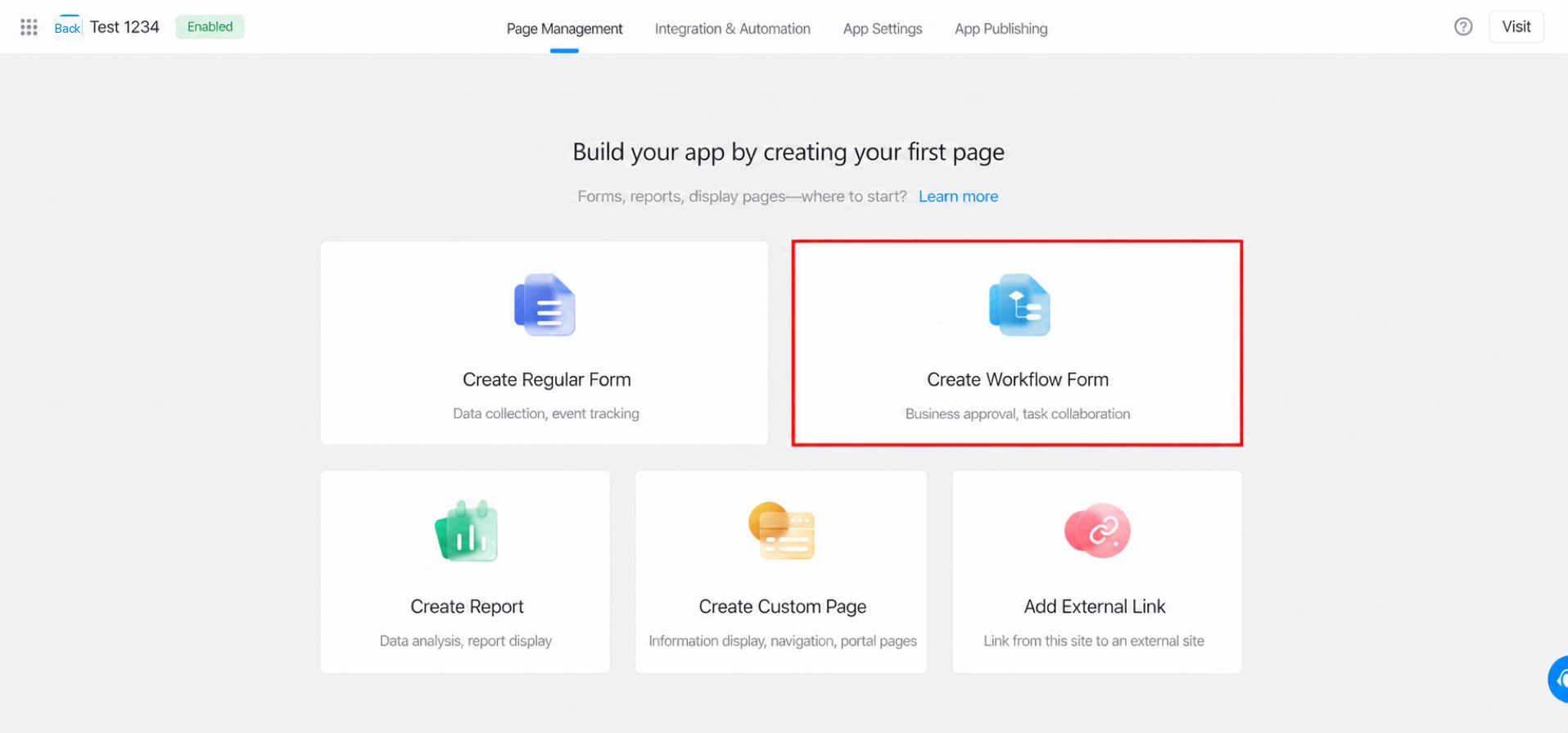
This section explains how workflow forms move data through a chain of approvers before final submission. For details on how to create one, see Create a form.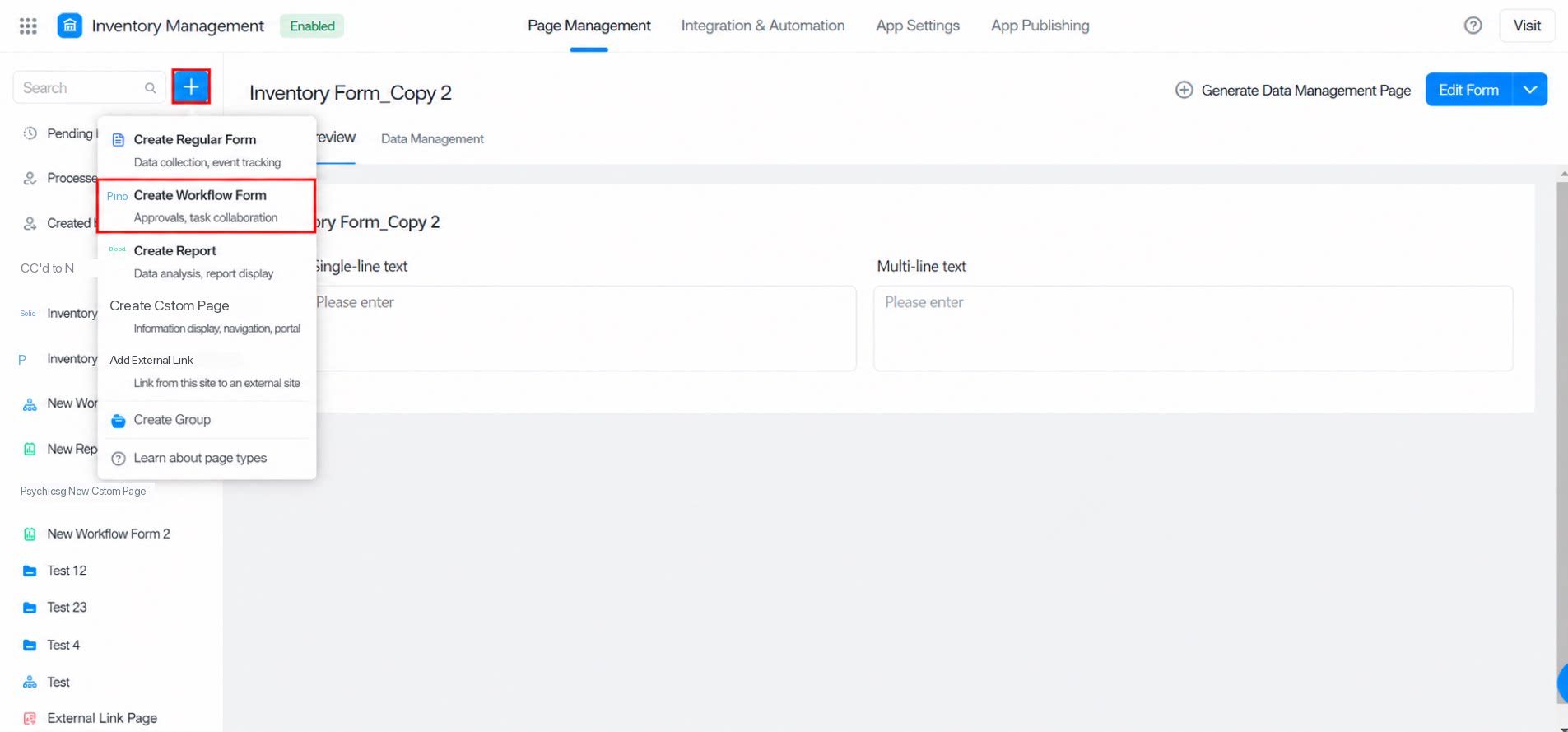
1.2 Use Cases
For attendance scenarios, use workflow forms to build leave, business trip, and overtime requests. Once the supervisor approves the request, the result is sent to the submitter. For procurement scenarios, use workflow forms to build procurement contracts. Once leadership approves the contract, users can print it directly. For customer management scenarios, use workflow forms to build service tickets. Publish the form to customers so they can submit issues, which are then routed to the responsible personnel. A workflow form consists of Form Design, Workflow Design, Data Management, Integration & Automation, and Settings.2. Form Design
In Form Design, drag components from the left panel, configure component and form attributes, and click Save when finished. Note: After a workflow is enabled on a workflow form, permissions for some components and for the form itself are governed by the step settings.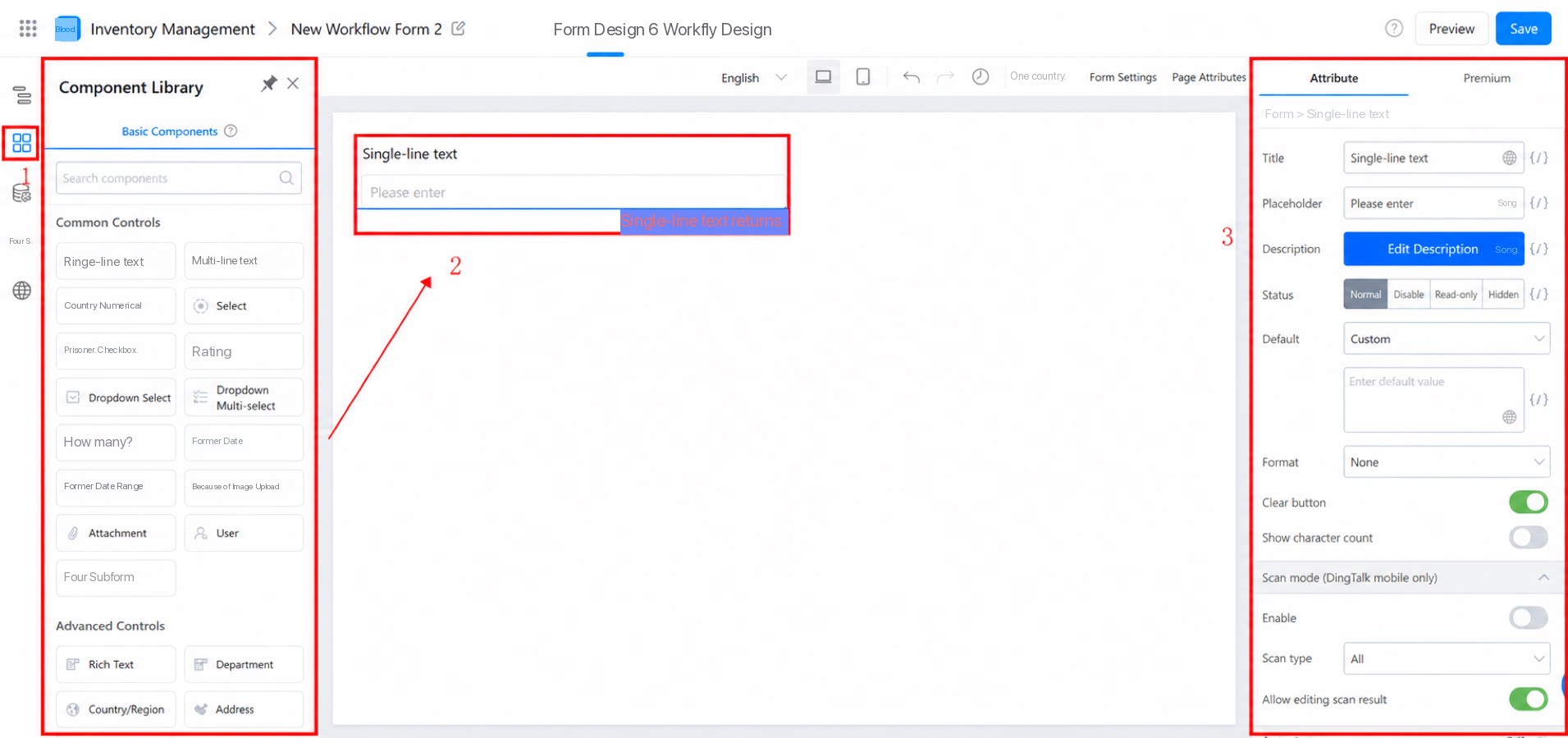
Form Settings — Premium Attributes
| Description | Illustration |
| 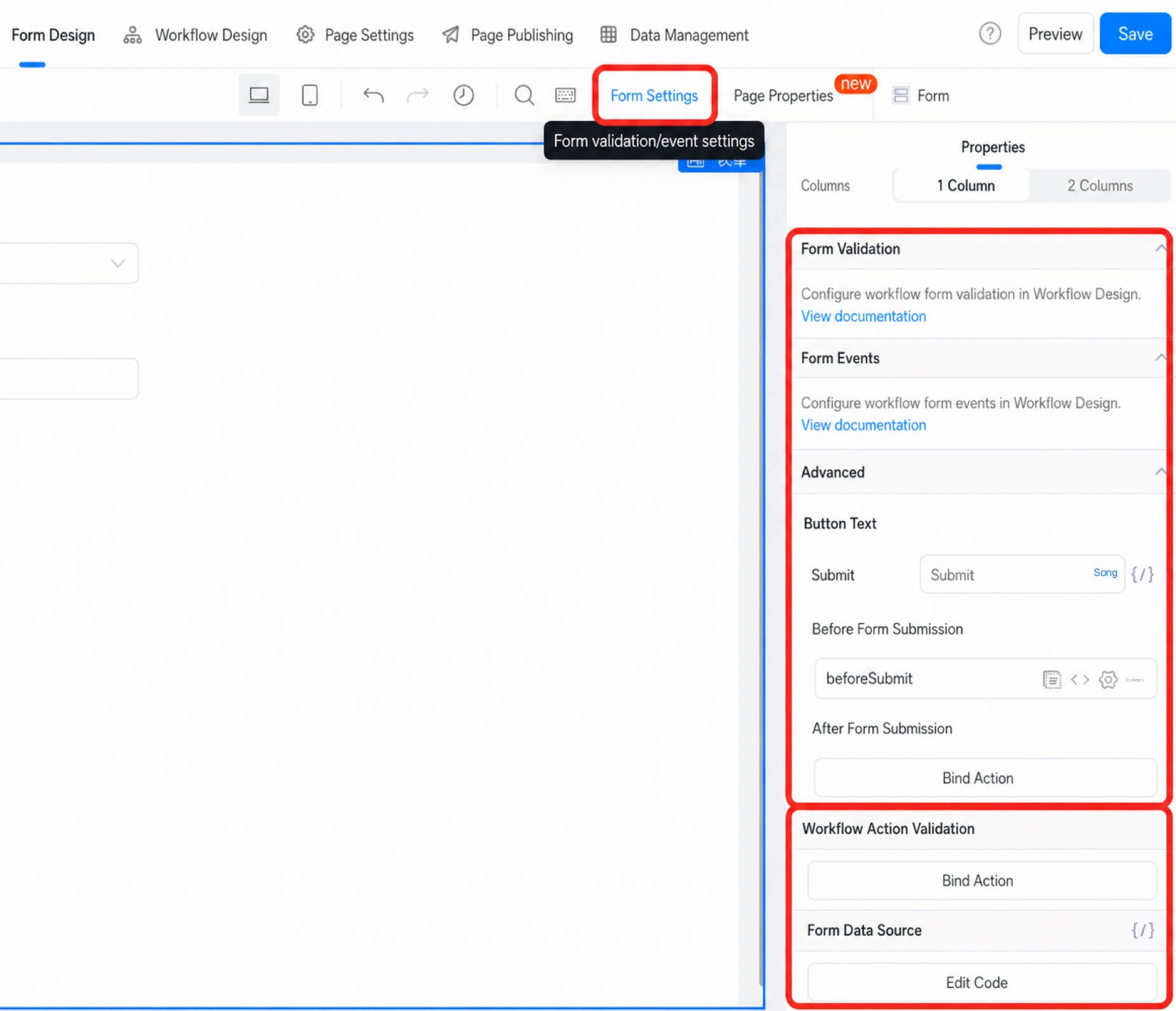 |
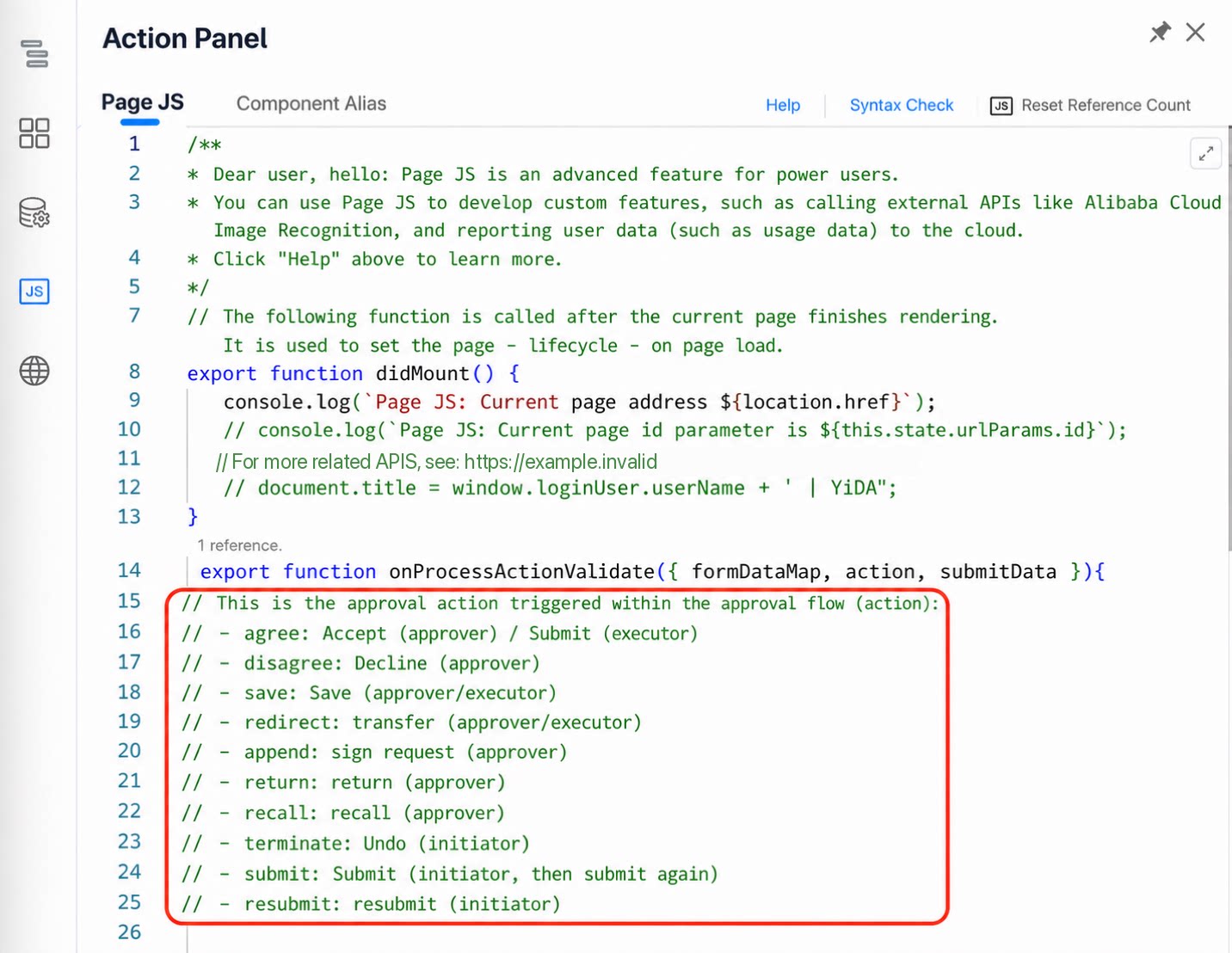
How to use it: Step 1: Add a page JS parameter Click In-workflow action validation and add the corresponding page JS parameter. Step 2: Edit the page JS code In the page JS code, call this parameter as needed. The JS panel provides usage instructions for each in-workflow action. | 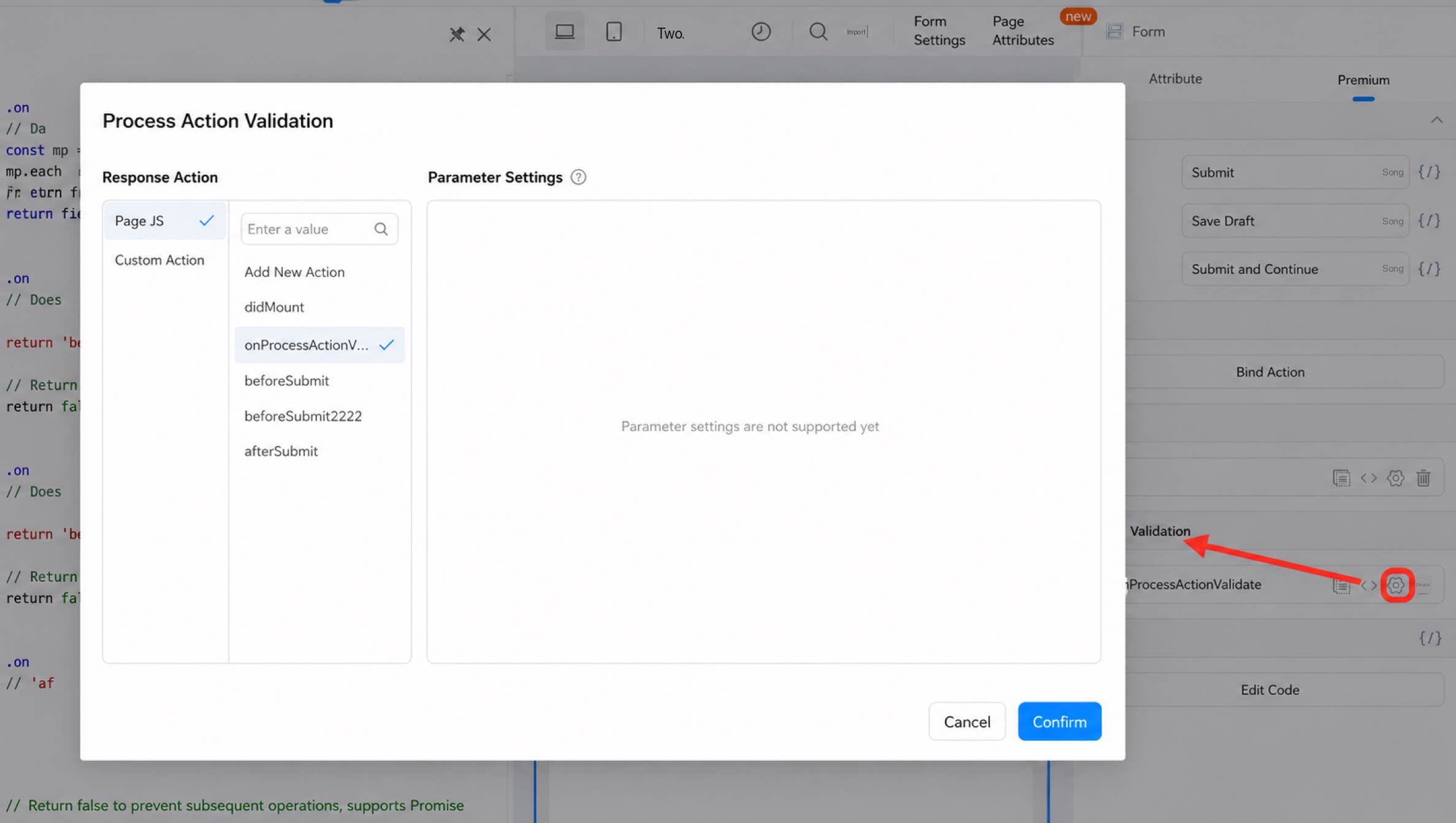 |
 |
| Case | Illustration |
|---|---|
| Validation rule: When the validation rule field is set to “Cannot submit”, the corresponding action is blocked. | 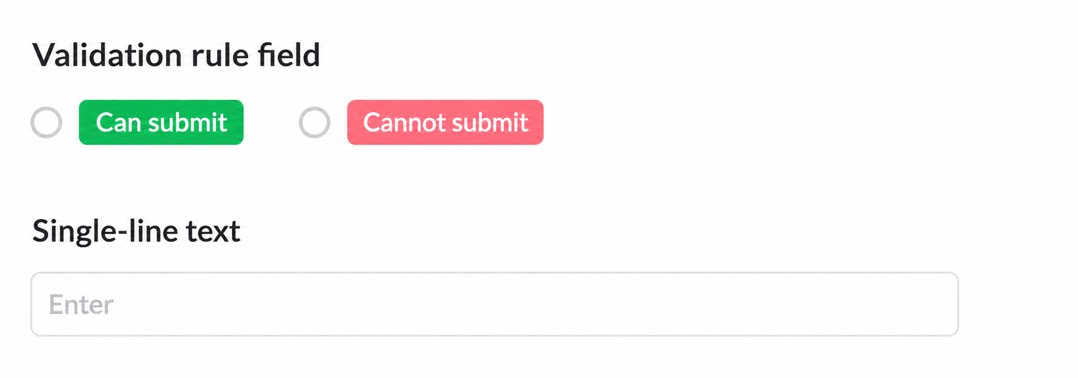 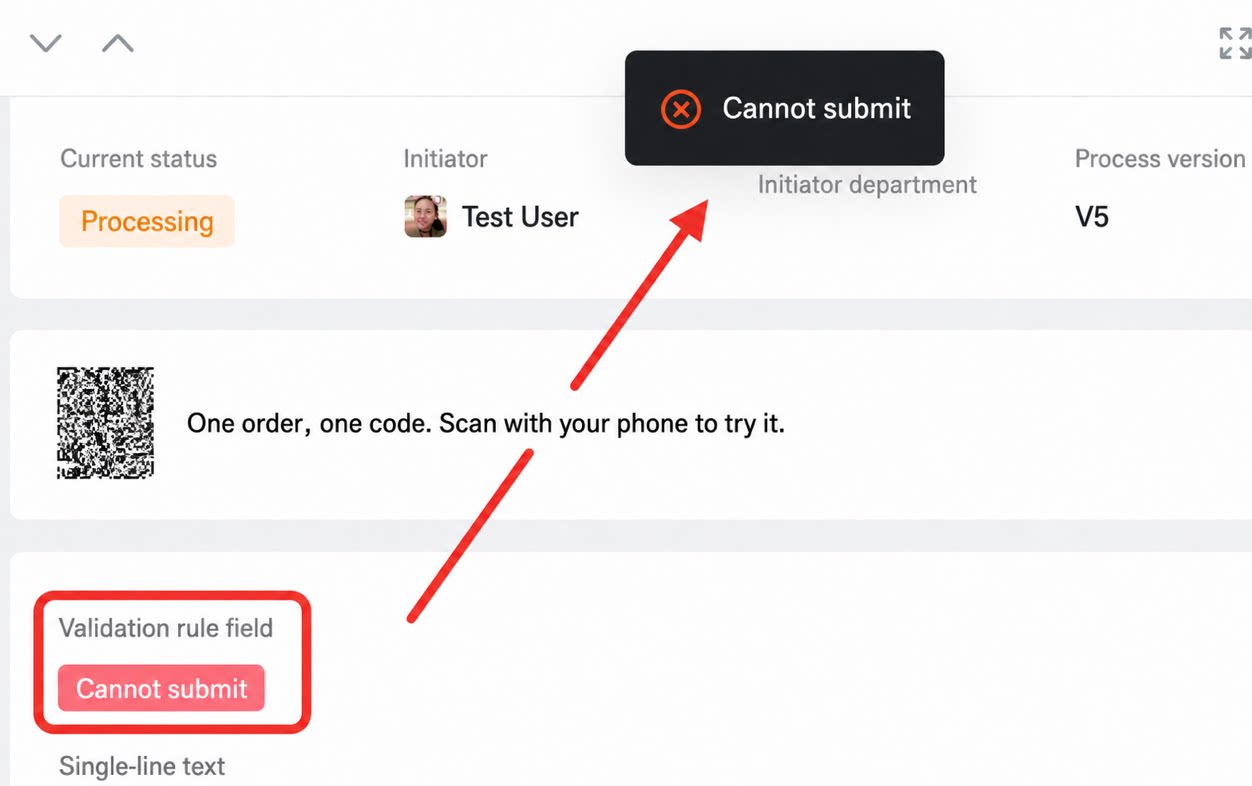 |
| Example: The in-workflow action validation rule applies only when the approver selects Accept or Transfer; other actions are not validated. | Result: 1. When performing Accept or Transfer with the value set to “Cannot submit”, the action is blocked. Change the value to “Can submit” and the action goes through. 2. For other actions such as Decline, the action succeeds even when the value is “Cannot submit”. 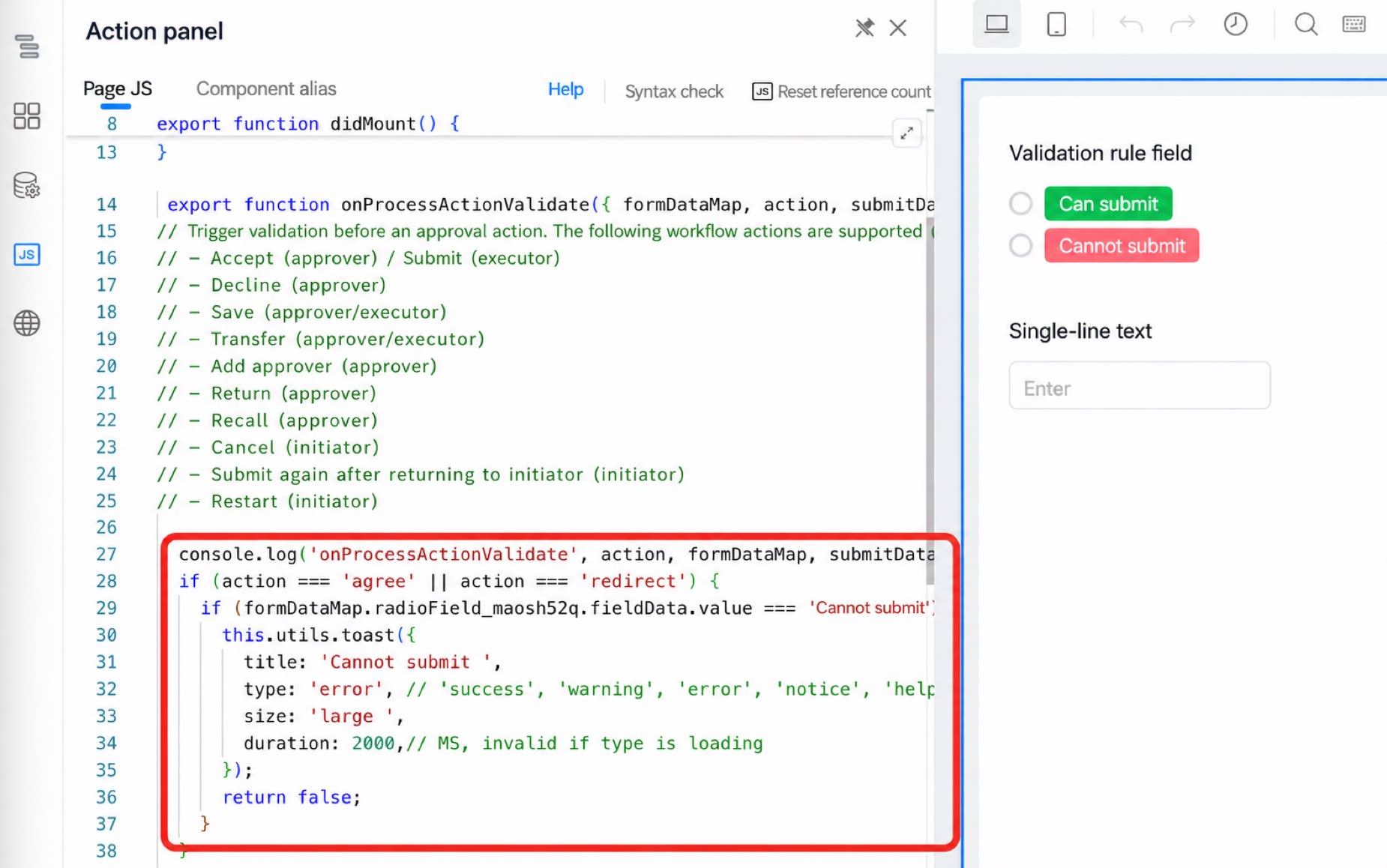 |
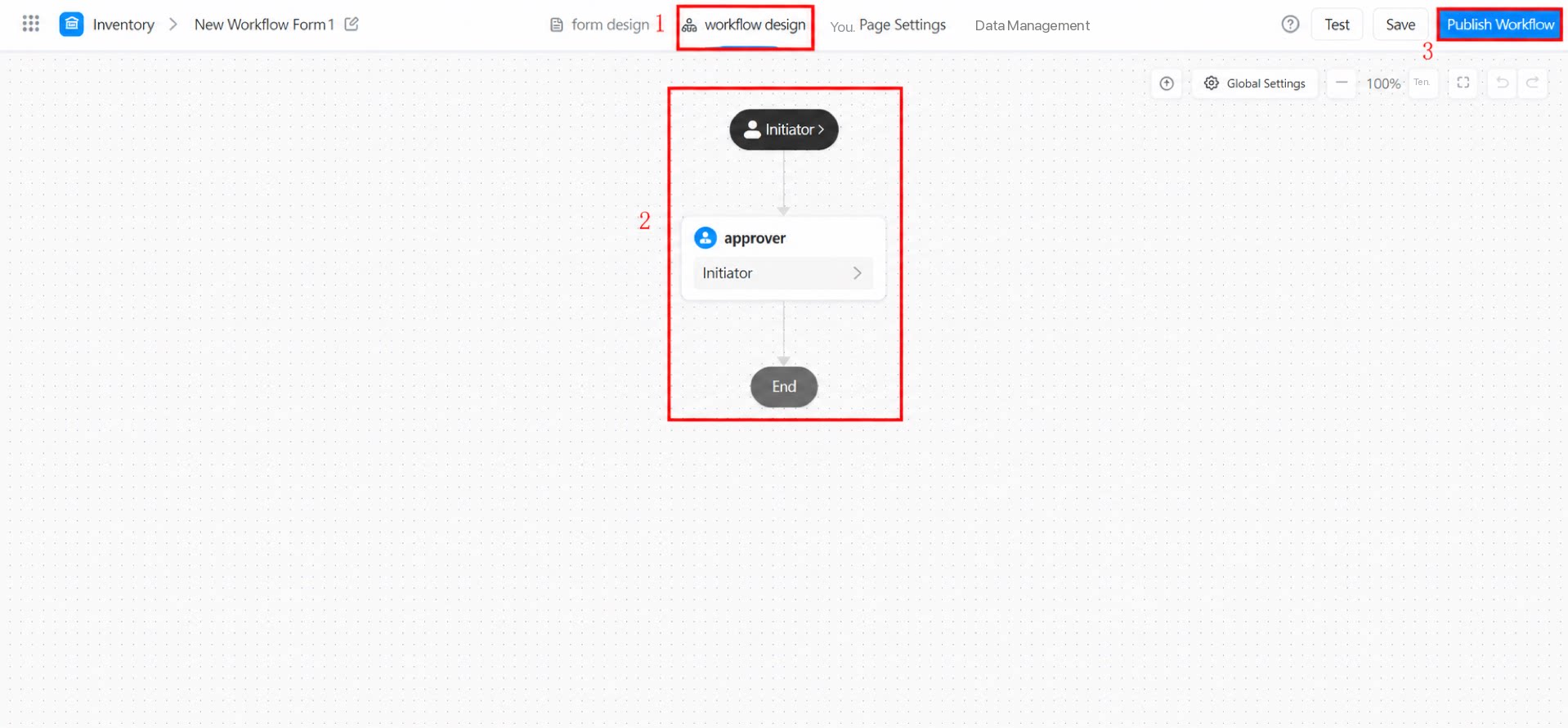
3. Workflow Design
Workflow design covers approval step design, field permissions for each step, simulation testing, and Signature settings. After configuration, click Save and then Publish for the workflow to take effect.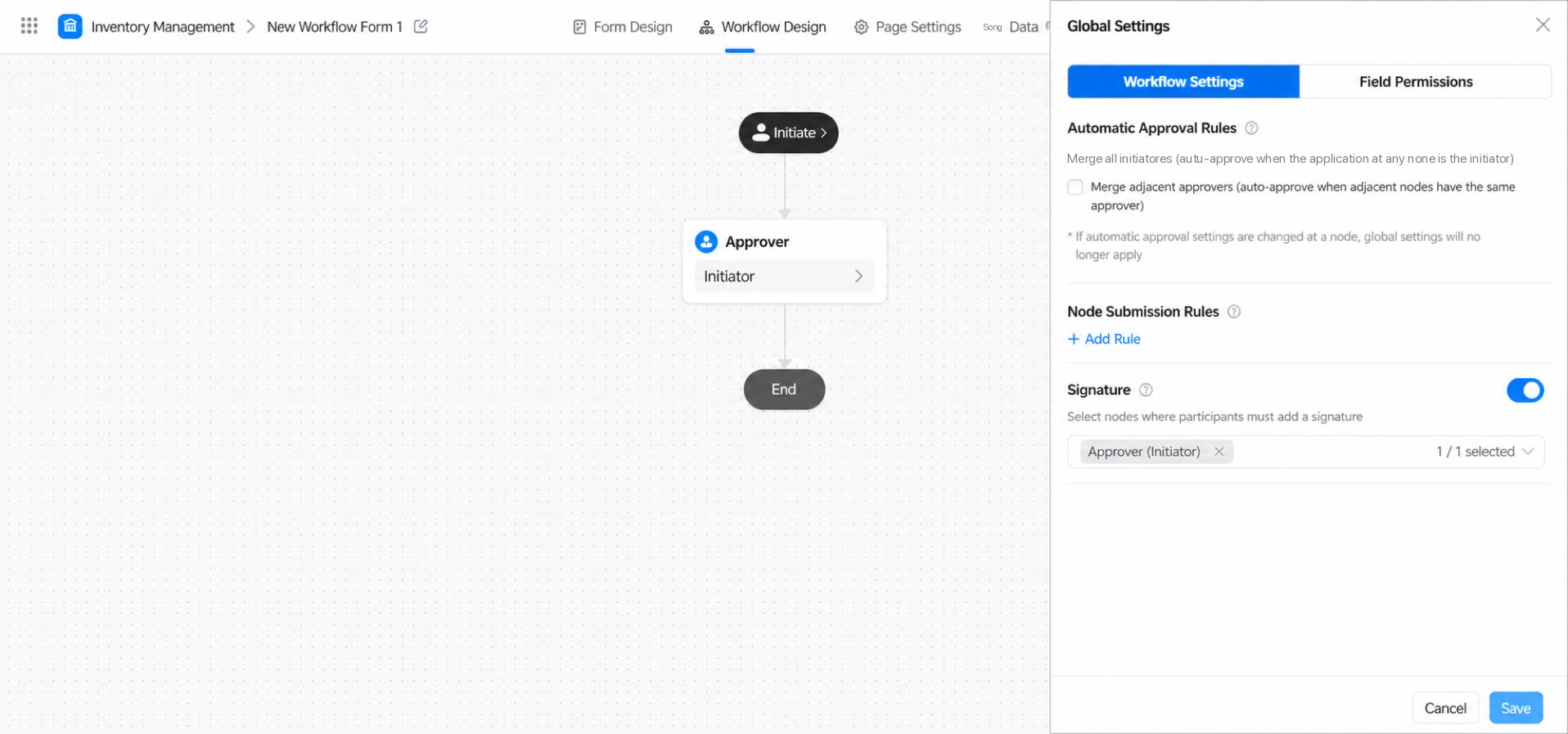
4. Data Management
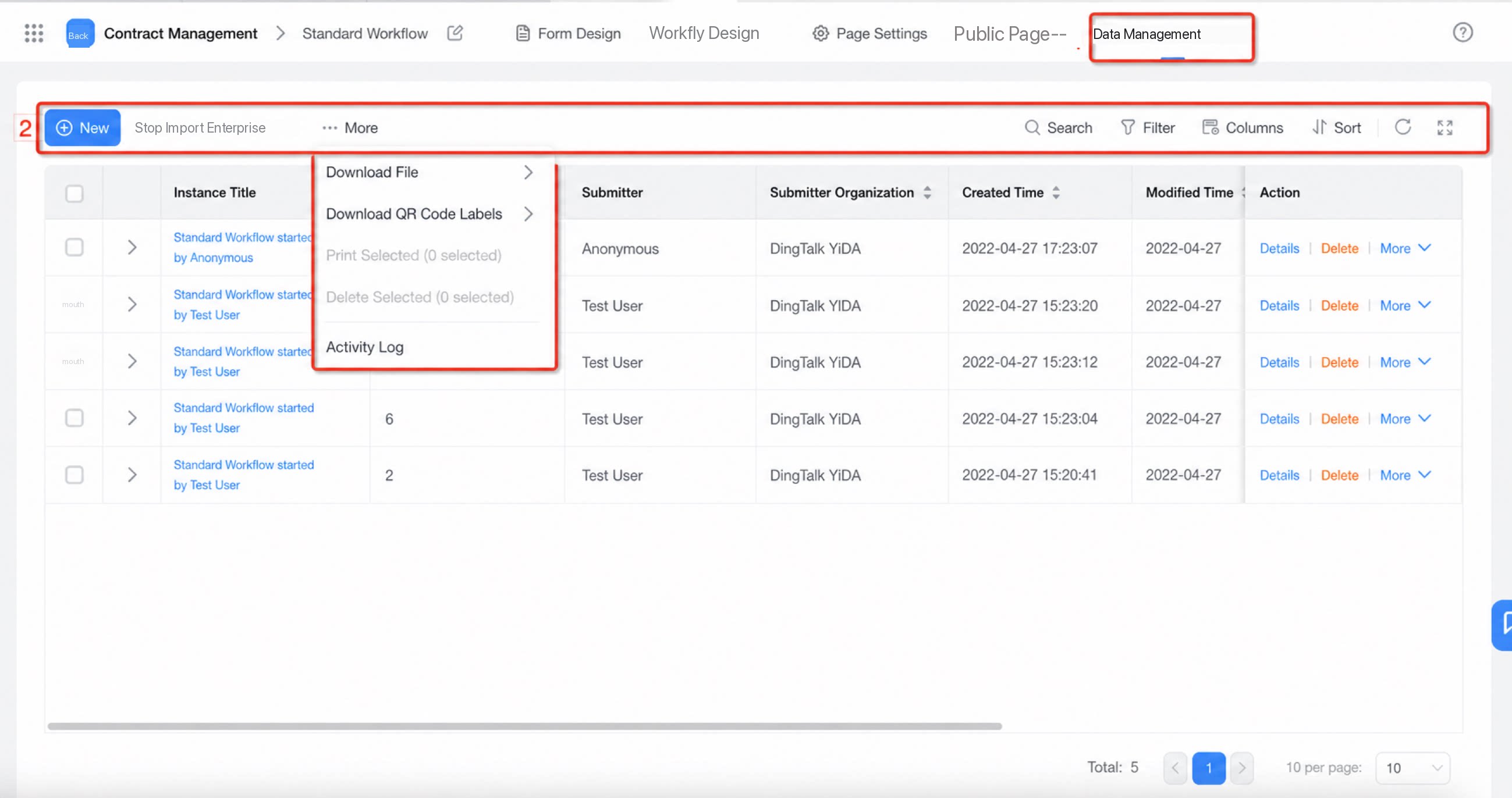
Once employees submit data through the form, admins with app management permissions can import, export, delete, view, and print the submitted data in Data Management.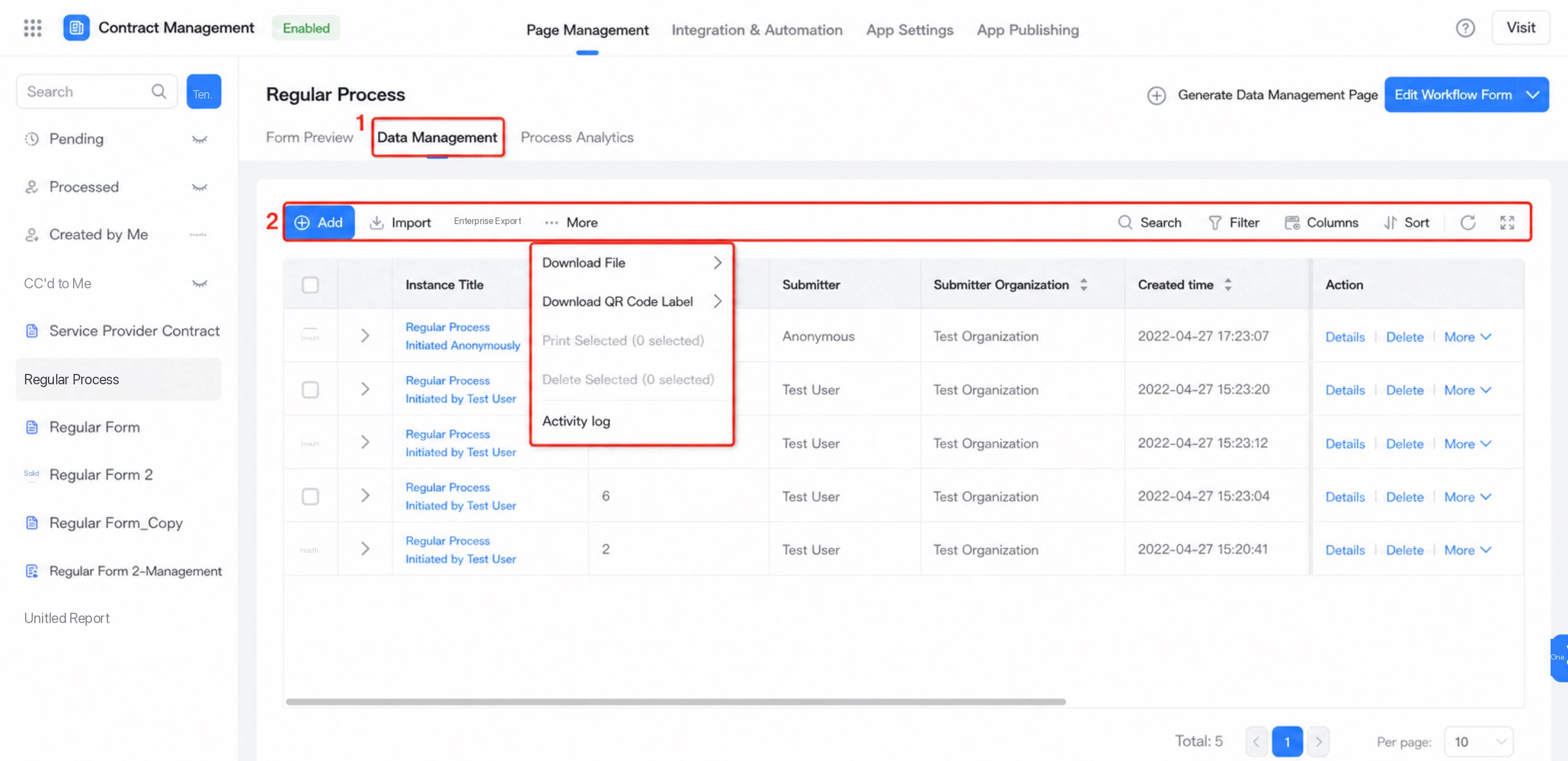
5. Page Settings
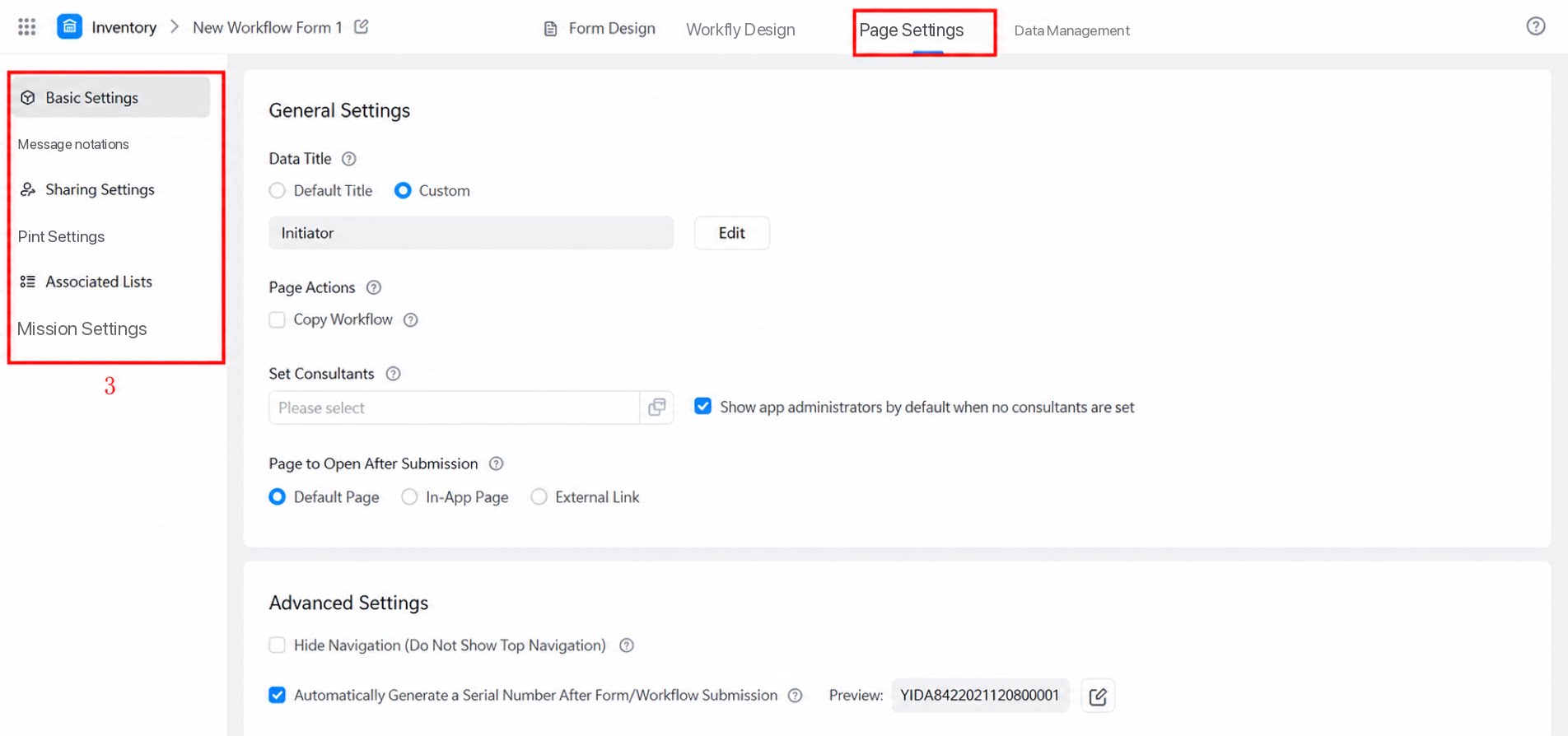
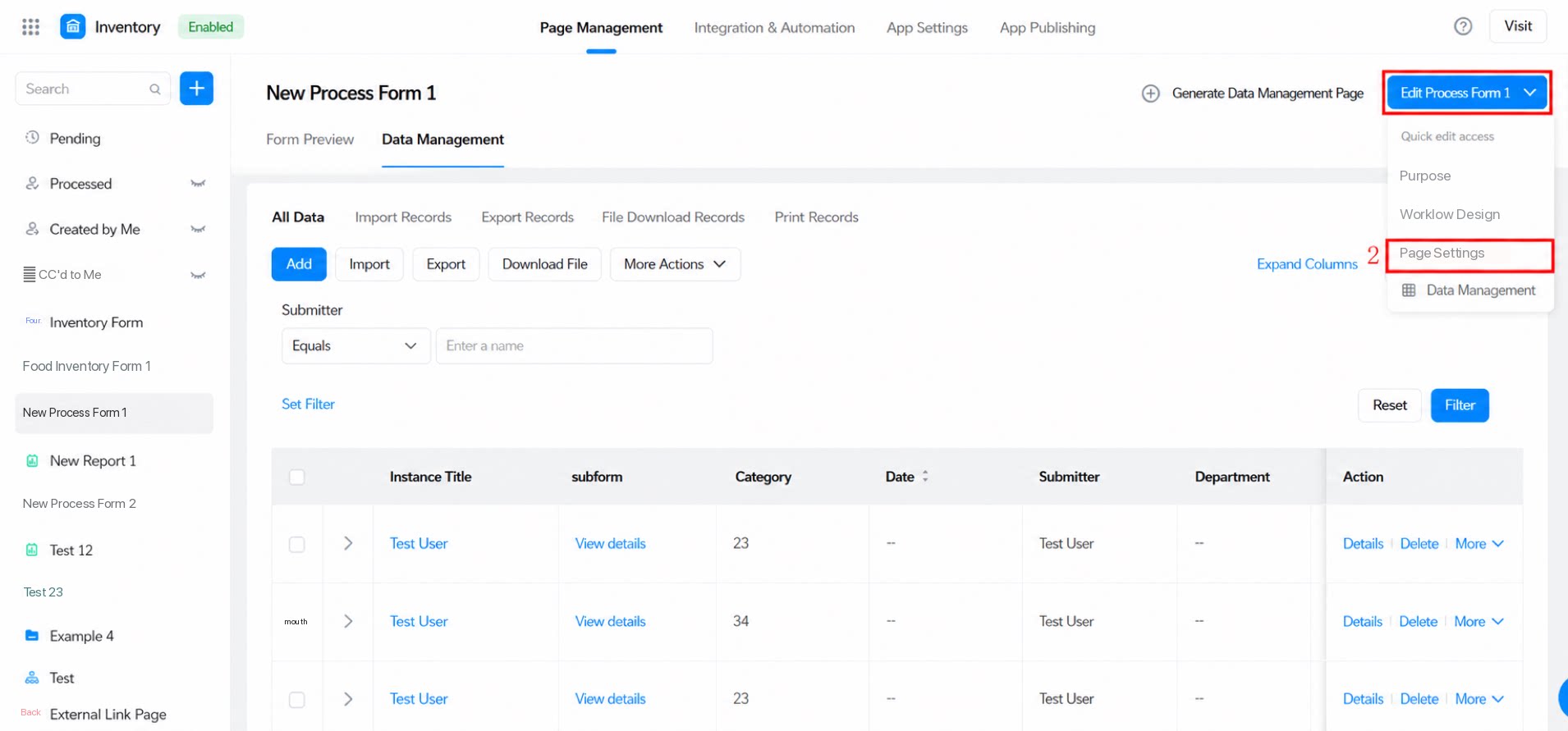
Page settings cover Basic and enhanced features for the form, including Basic settings, Message notifications, Share settings, Print settings, associated lists, integration & automation, and built-in variables.