

 Chats
Chats Calendar
 Meetings
 Contacts
 Mail
Mail Docs
Docs Drive
Drive AI Table
 AI Minutes
 Attendance
 Approval
 YiDA
YiDA Admin Console
Three object storage options are supported: Alibaba Cloud OSS, Huawei Cloud OBS, and Inspur Cloud OSS.
Product Configuration
In the YiDA admin console, go to Platform management > Storage configuration to configure database storage and file storage.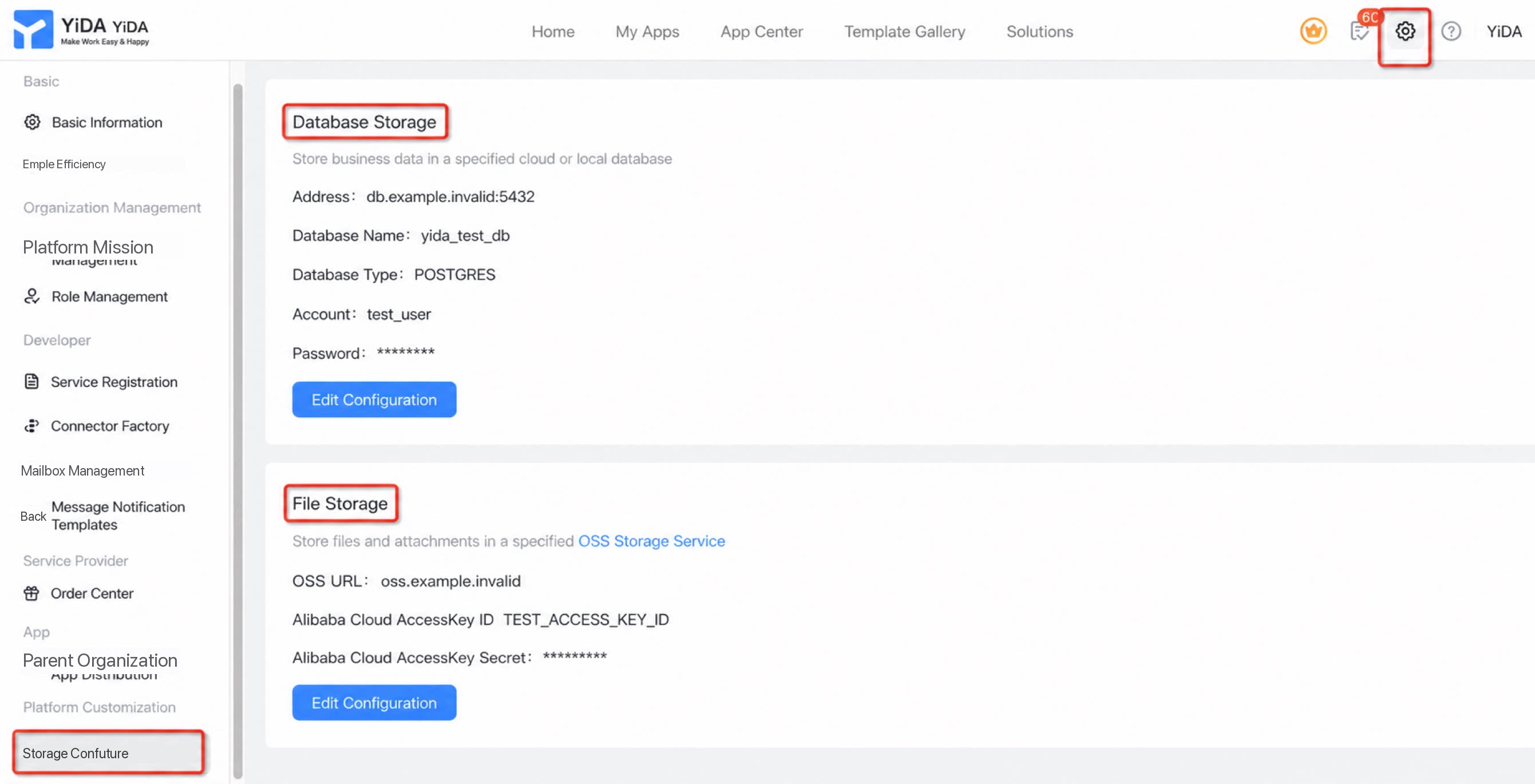
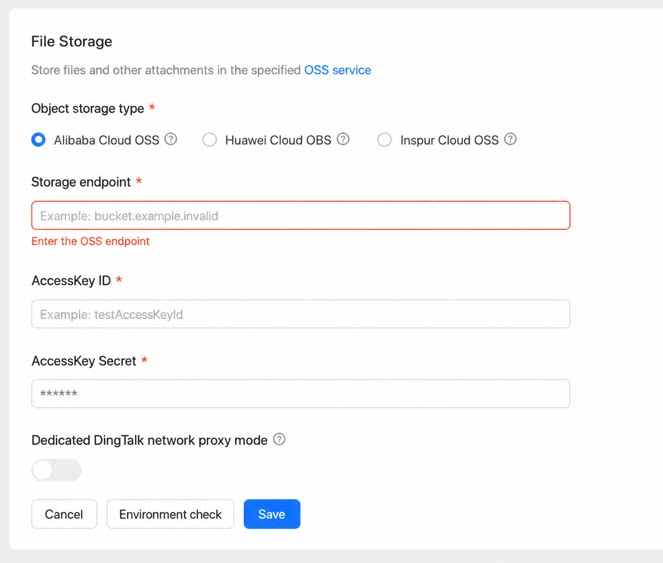
File Object Storage
Storage type: Select Alibaba Cloud OSS, Huawei Cloud OBS, or Inspur Cloud OSS based on your organization’s needs. Storage endpoint: Uses thebucket.endpoint format by default.
AccessKey (AK): The AccessKey issued by the storage provider.
SecretKey (SK): The SecretKey issued by the storage provider.
DingTalk Dedicated Network Proxy Mode
YiDA Dedicated works with the DingTalk Dedicated leased line mode. Through a customized network proxy, OSS connects directly to your organization’s private storage and delivers more secure transmission at the network layer.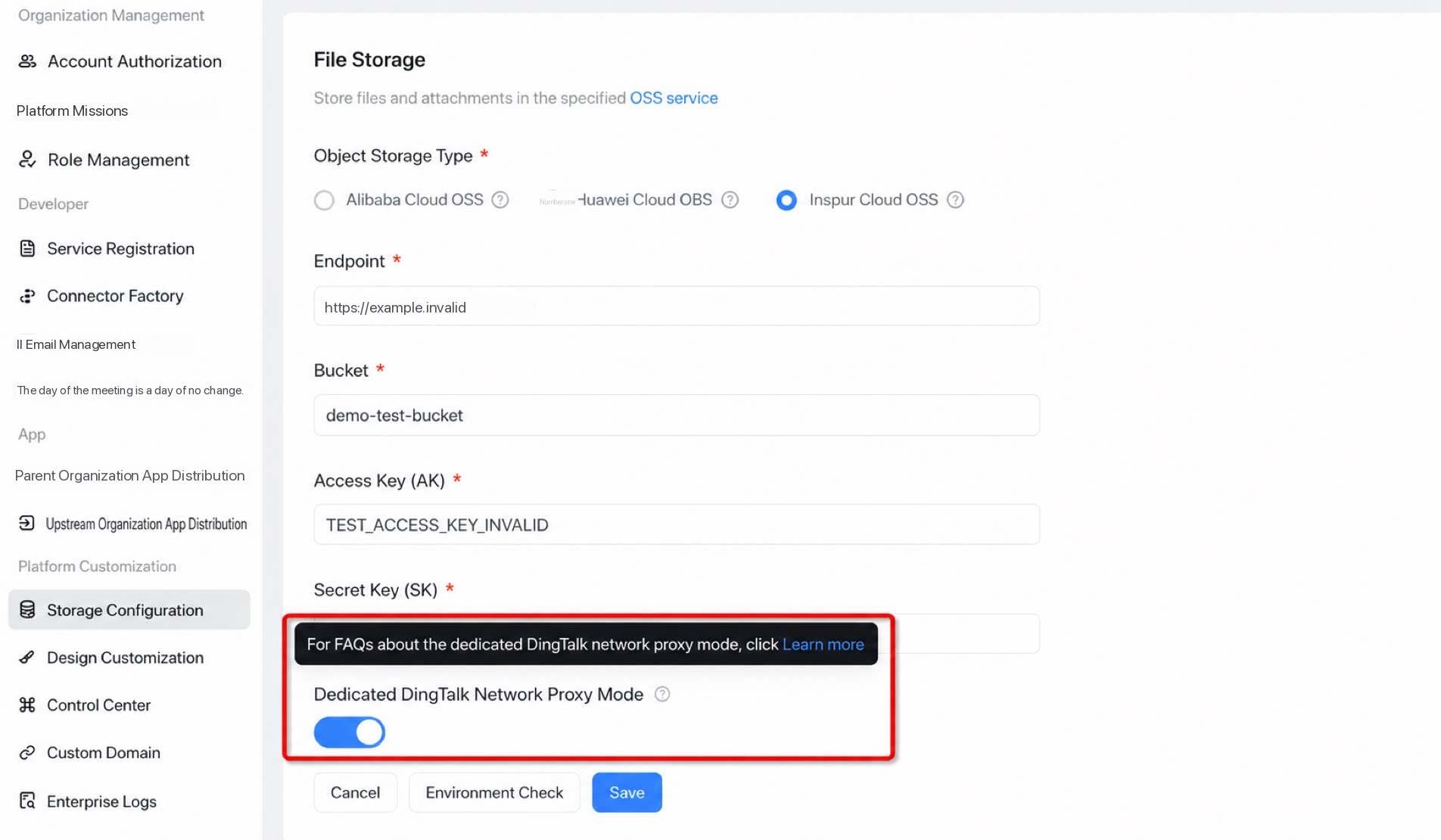
Dedicated Environment Self-Check
- Run an availability test before you start using the database and OSS object storage in production.
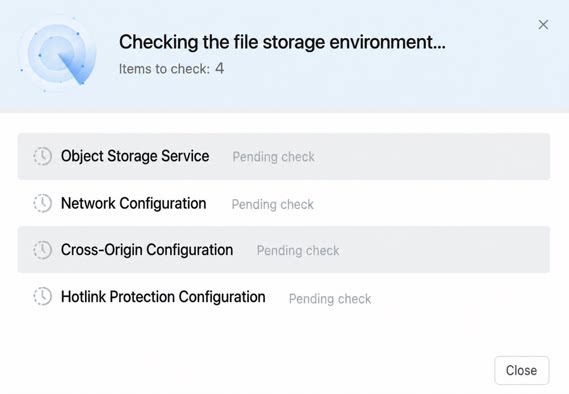
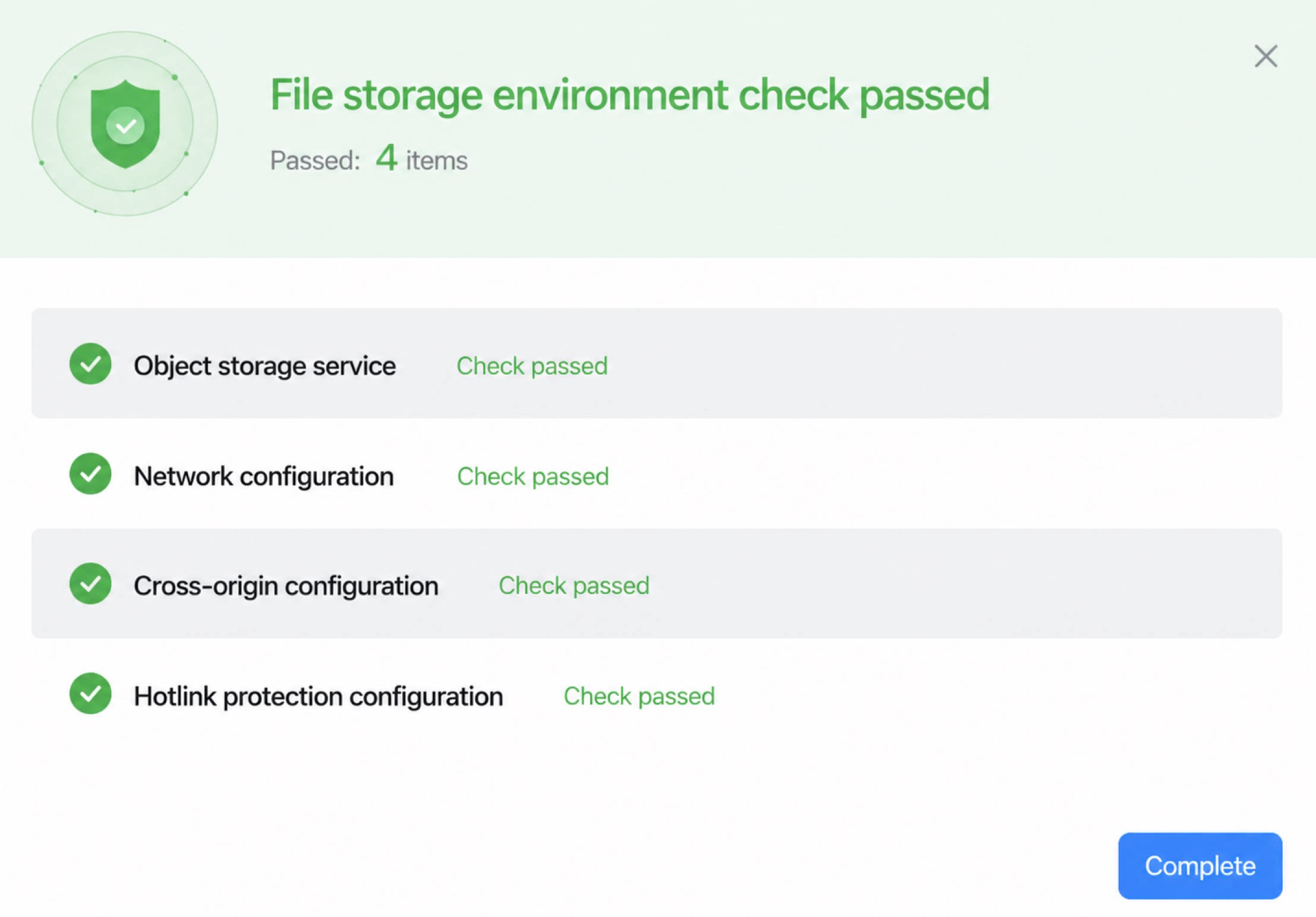
File Storage OSS Check Items
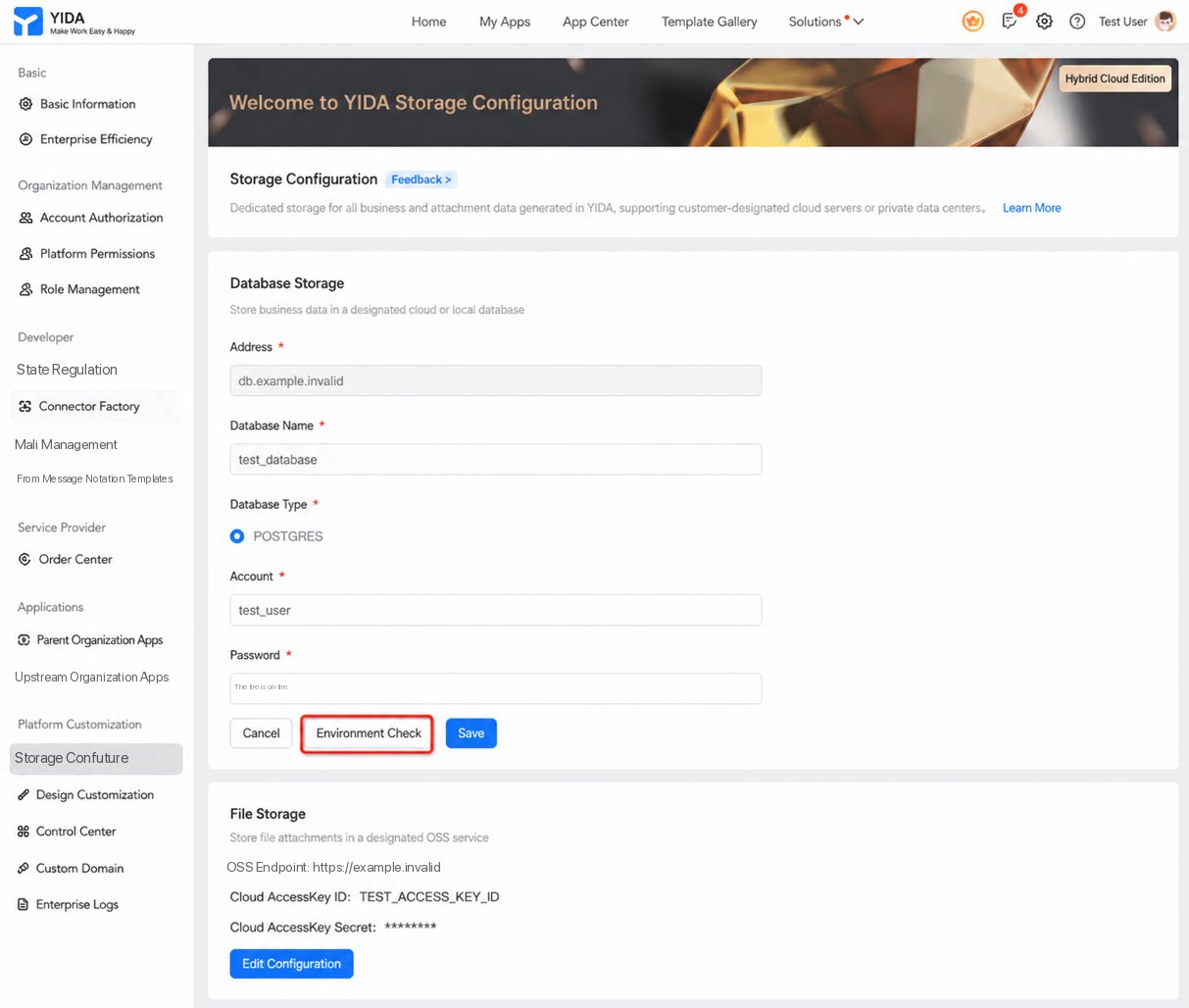
- Check in progress
- Check result (Success)
Environment Requirements Checklist
FAQ
Q: After I configure the organization's own OSS file object storage, is there still a limit on the attachment upload volume?
Q: After I configure the organization's own OSS file object storage, is there still a limit on the attachment upload volume?
A:
- Attachments uploaded from apps with dedicated storage enabled are stored directly in the organization’s dedicated storage. (The total attachment volume for apps using cloud storage is still capped, but uploads to dedicated OSS are excluded from the platform-side quota calculation.) This safeguards organization data. The total attachment volume for apps using dedicated storage is limited only by the capacity of the organization’s own OSS.
Q: When dedicated storage is enabled and data is stored in the organization's own Alibaba Cloud database or OSS, does the YiDA platform back up this data?
Q: When dedicated storage is enabled and data is stored in the organization's own Alibaba Cloud database or OSS, does the YiDA platform back up this data?
No. Business data is stored directly in the organization’s database or OSS space. YiDA does not store or back up this data, and the customer is responsible for keeping it secure.
Q: Can dedicated OSS configuration items be edited or deleted?
Q: Can dedicated OSS configuration items be edited or deleted?
OSS handles storage for critical business files. Switching the OSS storage medium after a successful configuration is not currently supported. Configure a valid dedicated OSS carefully to avoid data synchronization inconsistencies caused by frequent changes to the OSS storage endpoint.
Q: After I enable dedicated OSS, why does an attachment upload return an invalid URL error?
Q: After I enable dedicated OSS, why does an attachment upload return an invalid URL error?
A: Check whether the dedicated storage domain is valid. Dedicated OSS configuration only supports the
bucket + domain format. Using bucket + IP causes attachment upload failures.Q: What differences and considerations apply to features after I enable dedicated OSS?
Q: What differences and considerations apply to features after I enable dedicated OSS?
| Dedicated OSS | ||
| Before enabling | After enabling | |
| Storage medium | Public cloud shared storage service | Can be stored in the multi-cloud OSS required by the organization (Alibaba Cloud, Huawei Cloud, Inspur Cloud) |
| Basic statistics | Unified OSS statistics management is provided through the organization’s basic information. | For apps that use dedicated OSS, view statistics in the organization’s dedicated operations tool.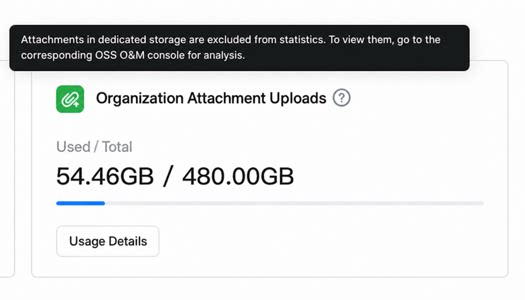 |
| Image component, attachment component | Cloud storage | Dedicated storage ✅ |
| Word template attachments | Cloud storage | Not stored locally (still cloud storage) |
| Cool App attachments, Cool Card attachments | Cloud storage | Not stored locally (still cloud storage) |
| Cool App Factory apps | Cloud storage | Dedicated storage not supported |