Chats
Chats Calendar
 Meetings
 Contacts
 Mail
Mail Docs
Docs Drive
Drive AI Table
 AI Minutes
 Attendance
 Approval
 YiDA
YiDA Admin Console
1.1 Page Entry
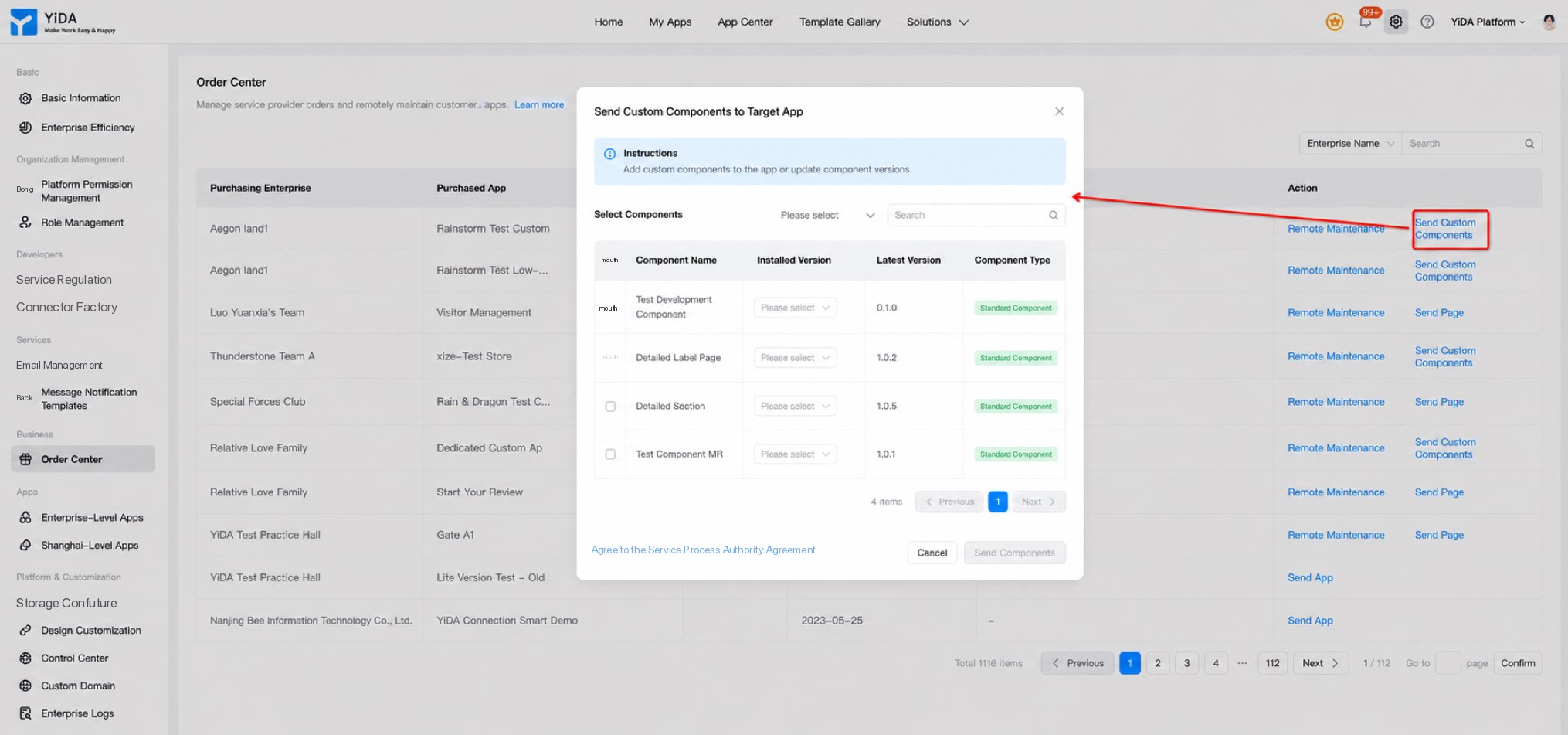
Path: Platform management > Service provider > Order center > Send App / Send Custom Component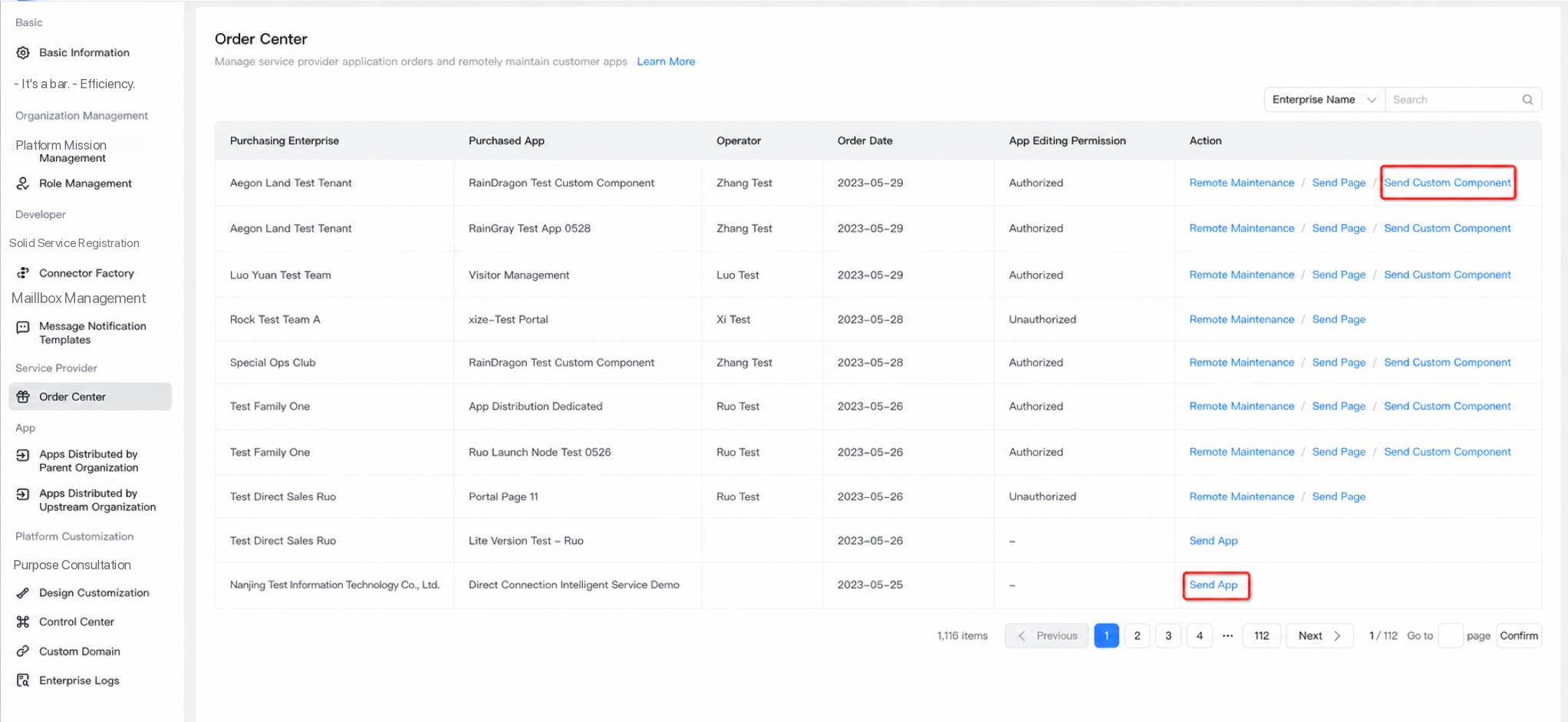
1.2 Feature Overview
Initial Distribution
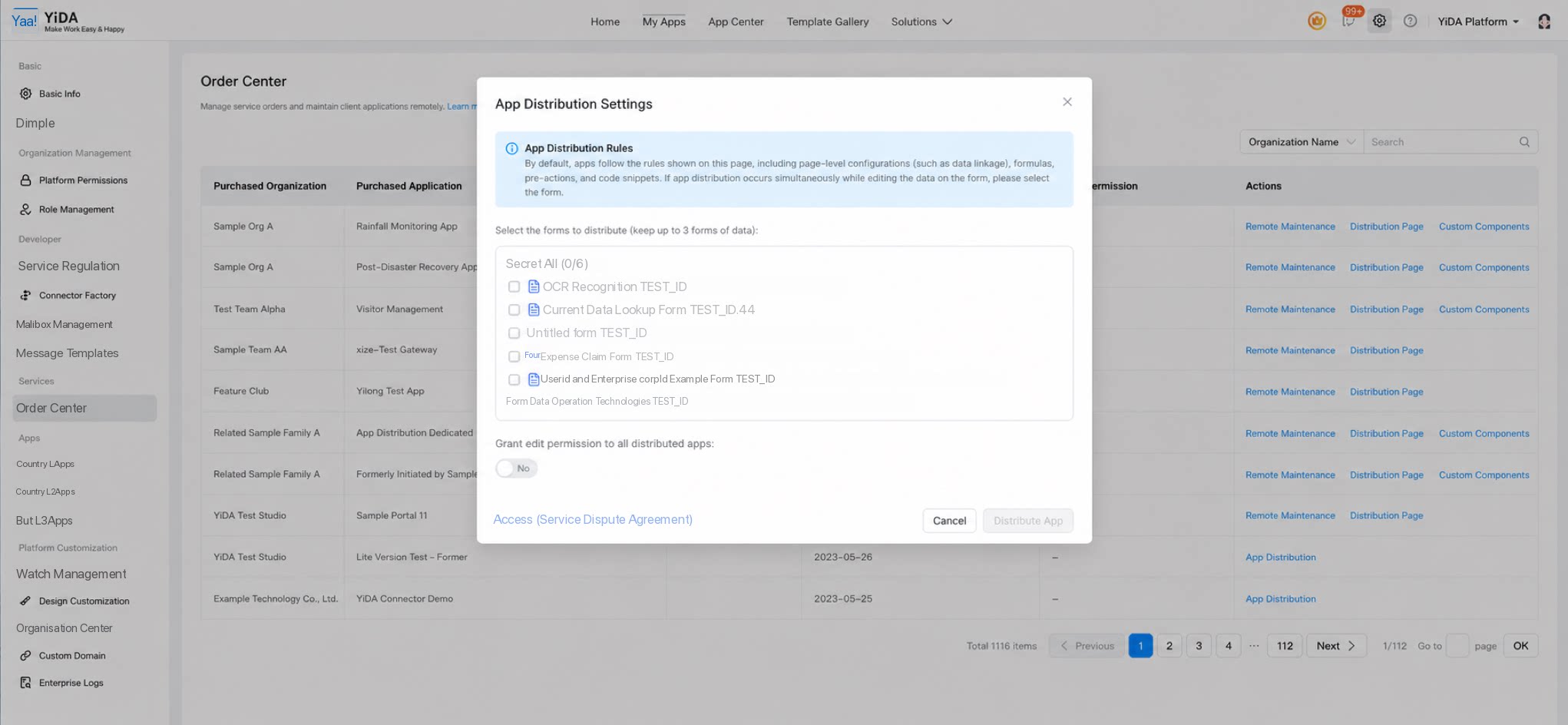
- For the initial app distribution, click Send App. If the app contains Custom Components, the Custom Components are distributed to the customer organization at the same time.
Component Version Upgrades After Distribution
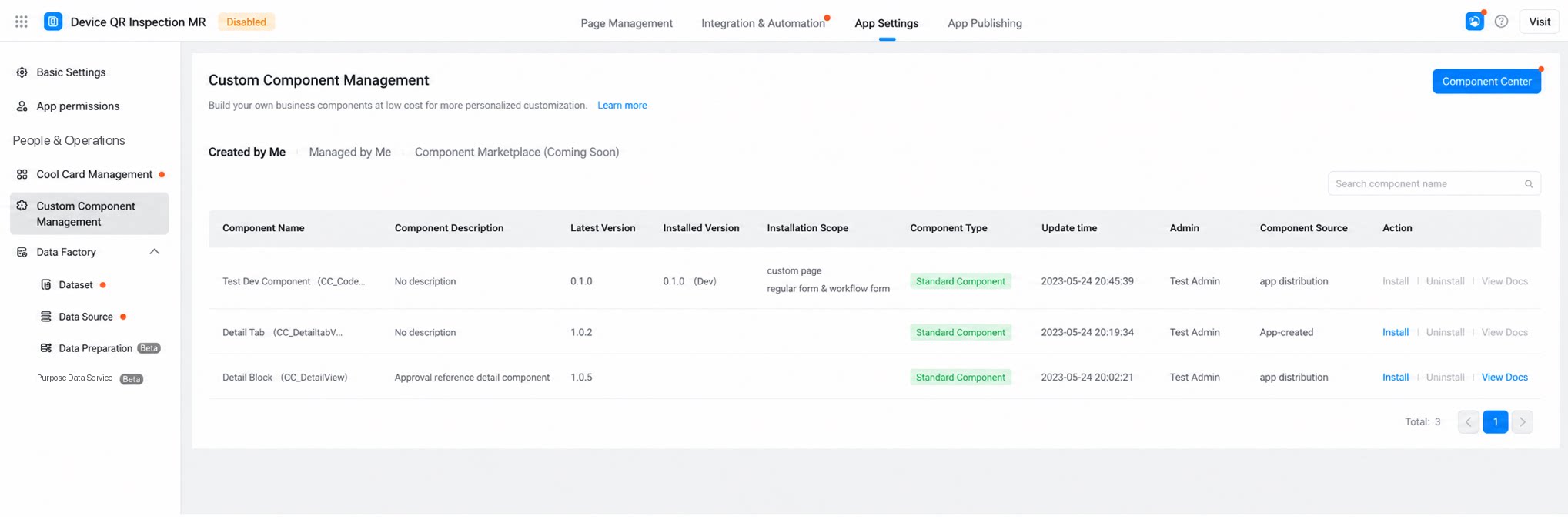
- If the original app (the Component list installed under the current app) has new Custom Components added, or existing Custom Components have new versions, the ISV can select specific Components and push the app distribution update to the customer side.