Chats
Chats Calendar
 Meetings
 Contacts
 Mail
Mail Docs
Docs Drive
Drive AI Table
 AI Minutes
 Attendance
 Approval
 YiDA
YiDA Admin Console
Disable an App
When an enabled app is no longer needed, you can disable it. In the disabled state, the app does not delete any submitted data — that data remains accessible and manageable on the data management page at any time. A disabled app can also be re-enabled at any time.- Sign in to the YiDA workbench and go to the My Apps page.
- Select the app you want to disable, then click ··· > App Settings.
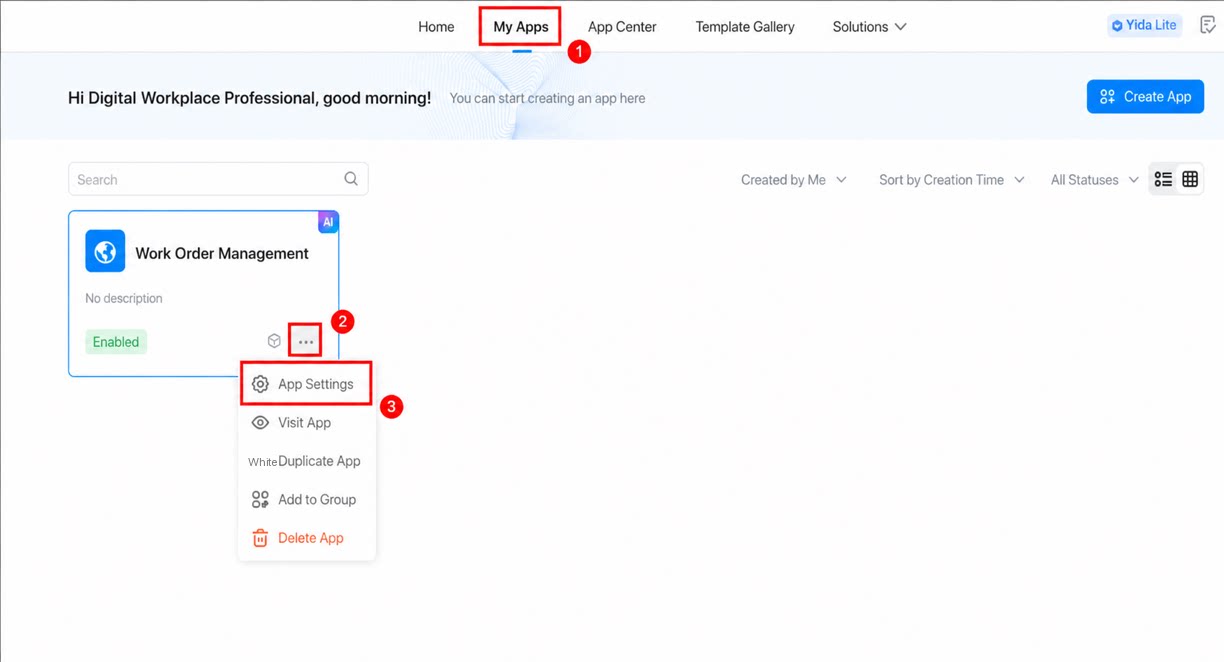
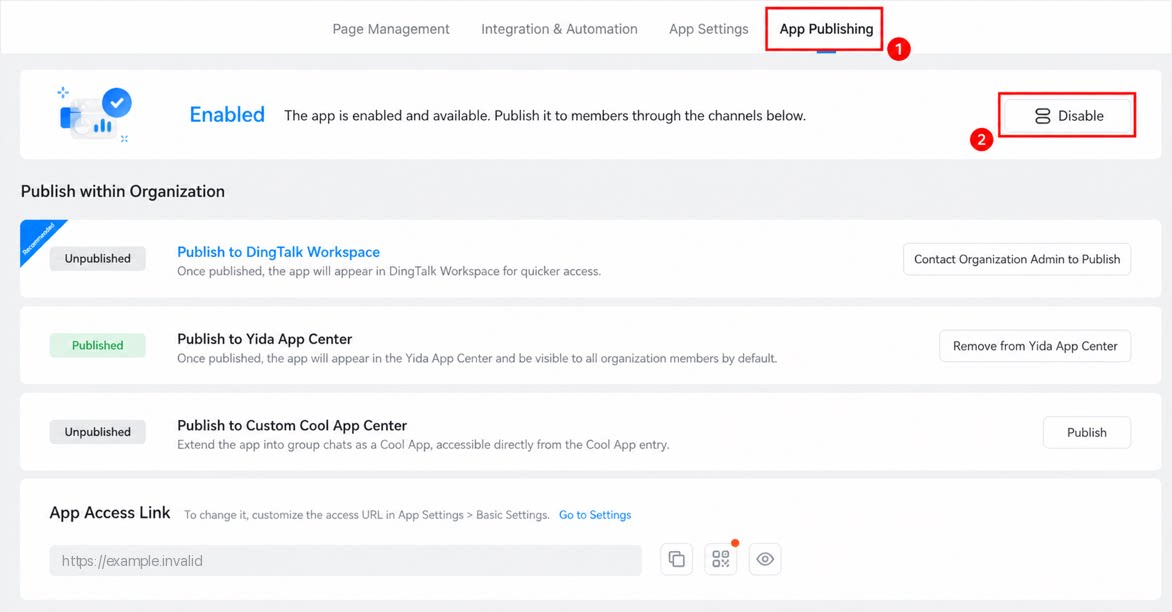
- On the App Settings page, click App Publishing in the top menu bar.
- Click the Disable button to complete the operation.
Enable an App
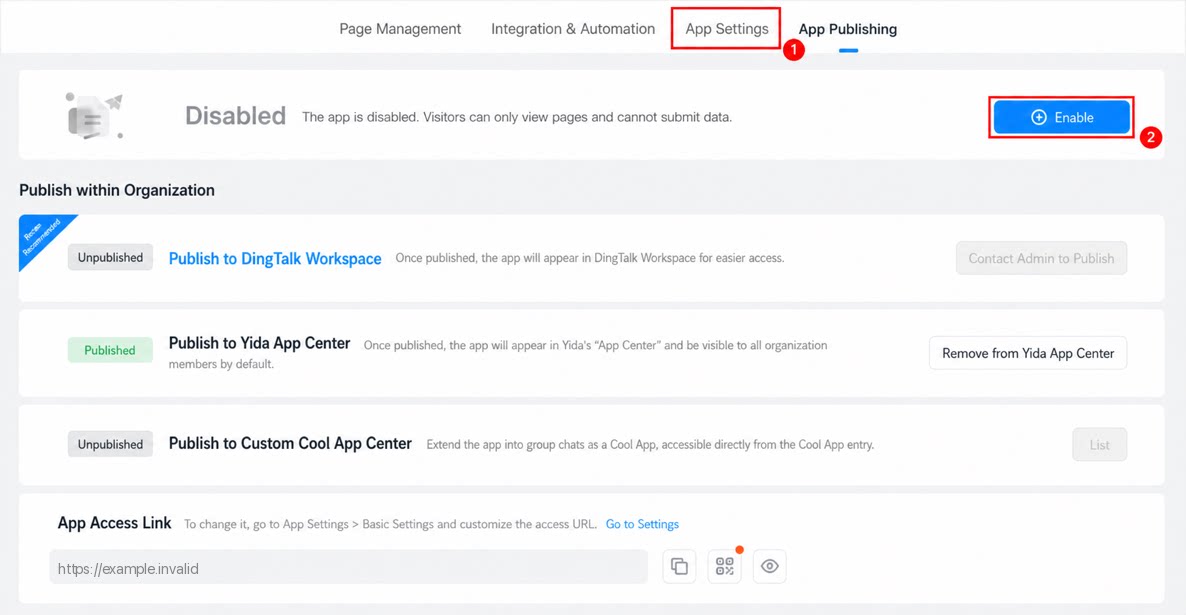
To re-enable a disabled app, follow these steps.- Sign in to the YiDA workbench and go to the My Apps page.
- Select the app you want to enable, then click ··· > App Settings.
- On the App Settings page, click App Publishing in the top menu bar.
- Click the Enable button to complete the operation.