Chats
Chats Calendar
 Meetings
 Contacts
 Mail
Mail Docs
Docs Drive
Drive AI Table
 AI Minutes
 Attendance
 Approval
 YiDA
YiDA Admin Console
Procedure
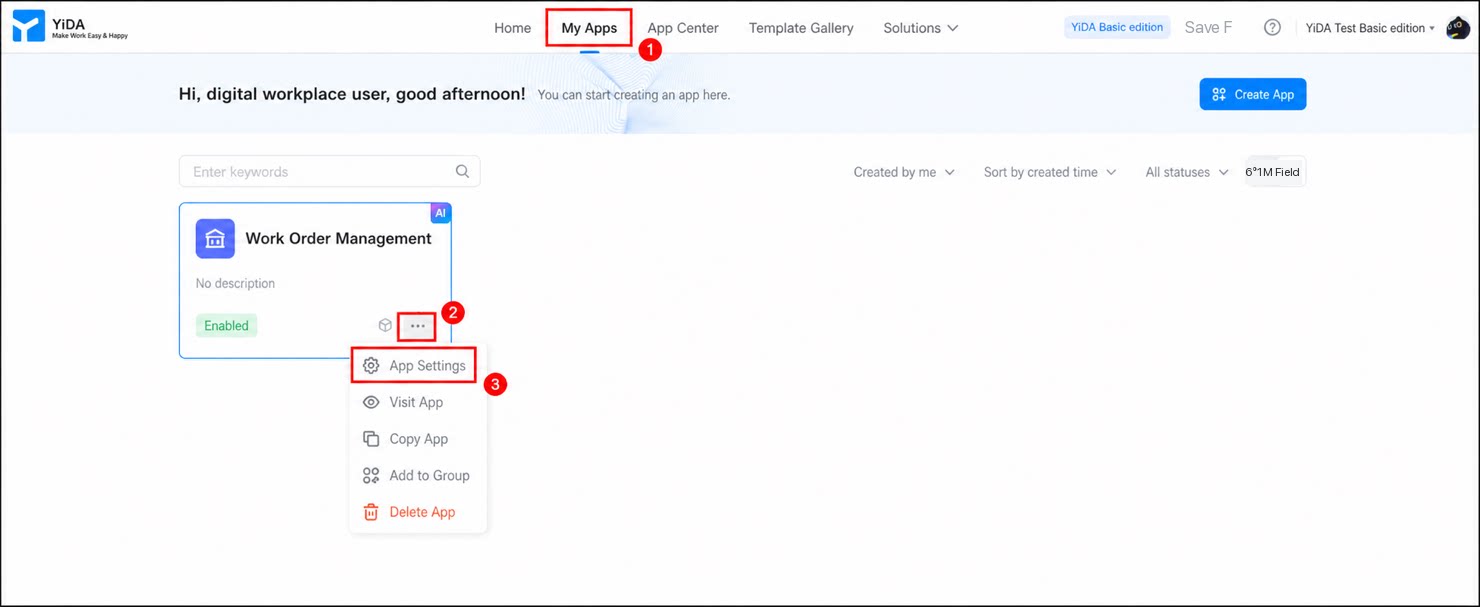
- Sign in to the YiDA workbench and click My Apps.
- Locate the target app, then click ··· > App Settings in the lower-right corner to open the app settings page.
1
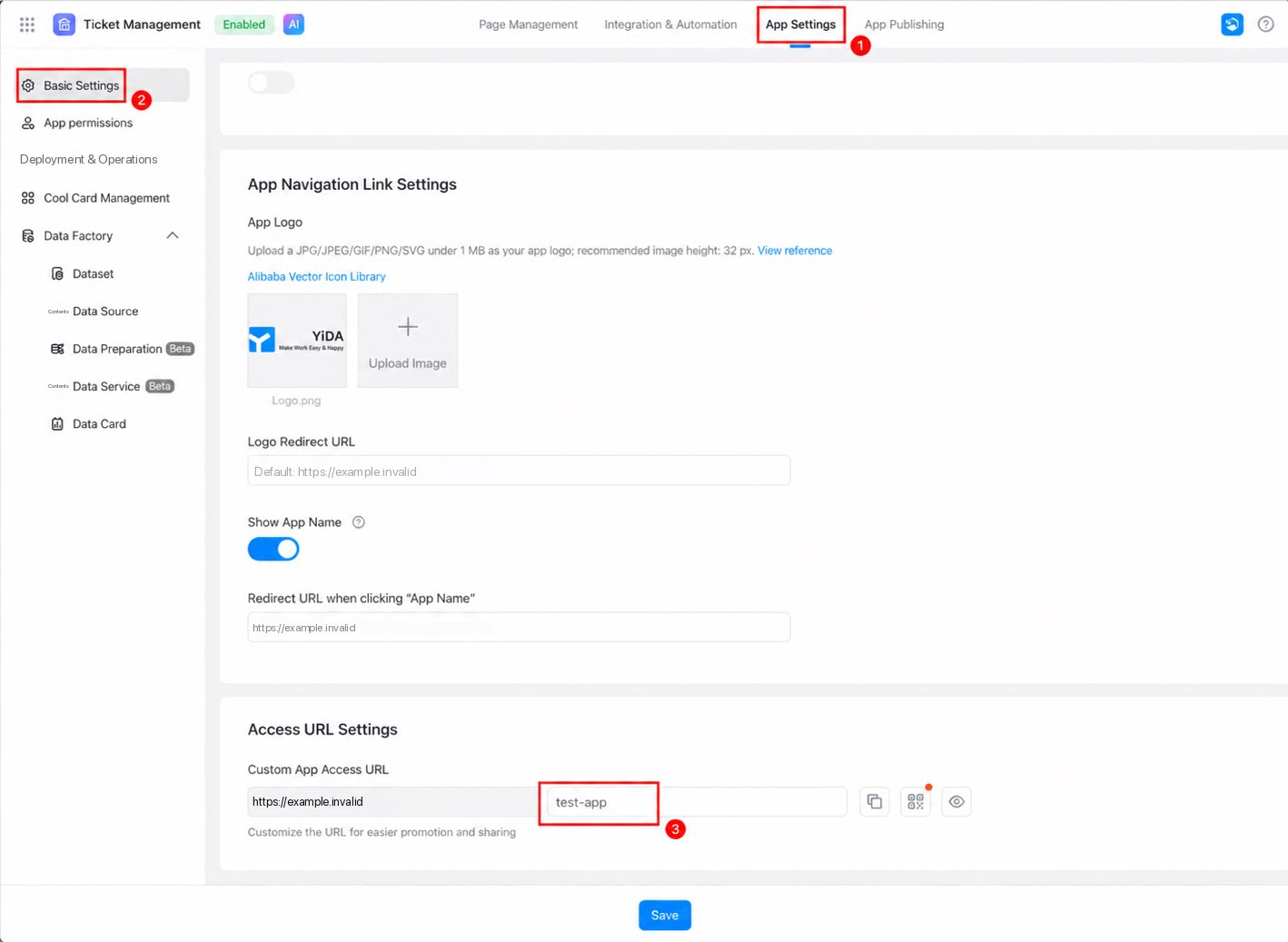
On the Basic Settings page, go to the Access URL section and enter your custom URL in the Custom App Access URL field.
The custom URL supports only uppercase and lowercase English letters, numbers, underscores (_), hyphens (-), and forward slashes (/). If your preferred URL is already taken, add a suffix to make it unique—for example,
your_personal-address/enjoy/01.2
Once configured, click Save at the bottom of the page.