

 Chats
Chats Calendar
 Meetings
 Contacts
 Mail
Mail Docs
Docs Drive
Drive AI Table
 AI Minutes
 Attendance
 Approval
 YiDA
YiDA Admin Console
Steps
- Sign in to the YiDA workbench and open the My Apps page.
- Select the target app, then choose ··· > App settings.
- In the left-hand menu, select Basic settings, then edit the app’s basic information as needed.
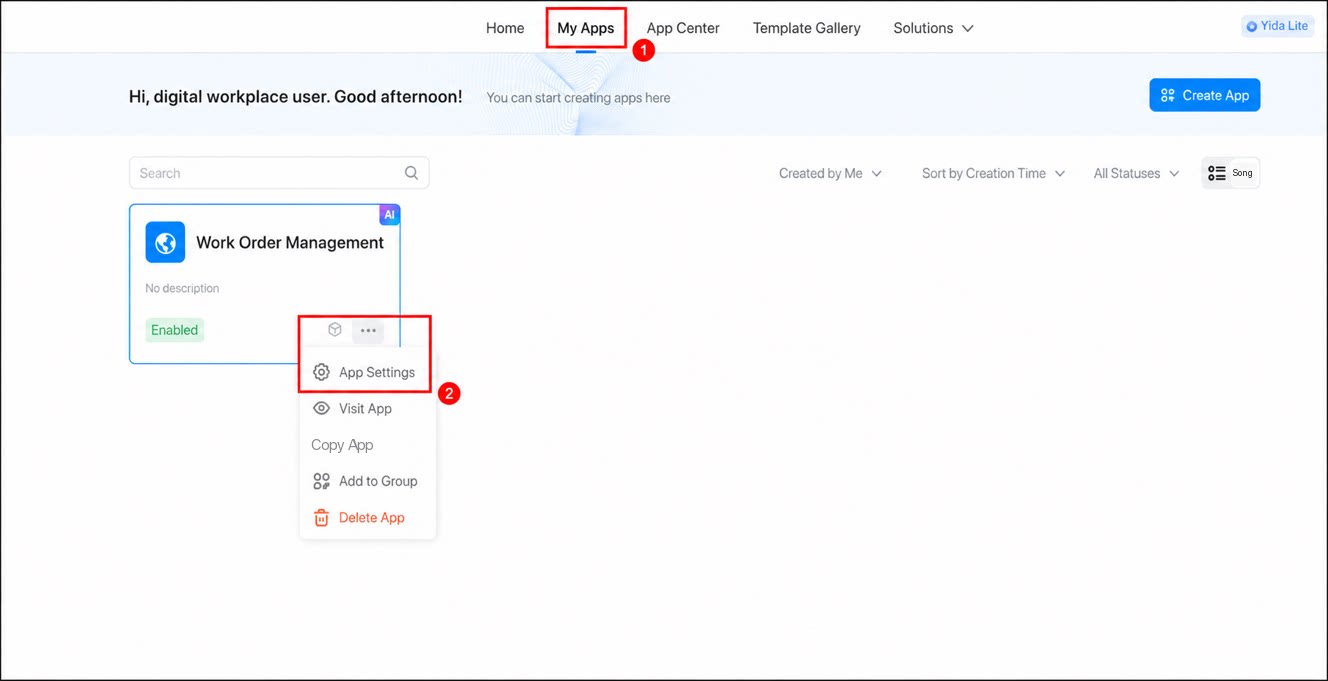
| Basic attributes | In the Basic attributes section, modify the app’s icon, name, description, and theme color, and choose whether to enable the app watermark. Note: YiDA Dedicated edition also lets you modify the app group, app contact user, and other information. 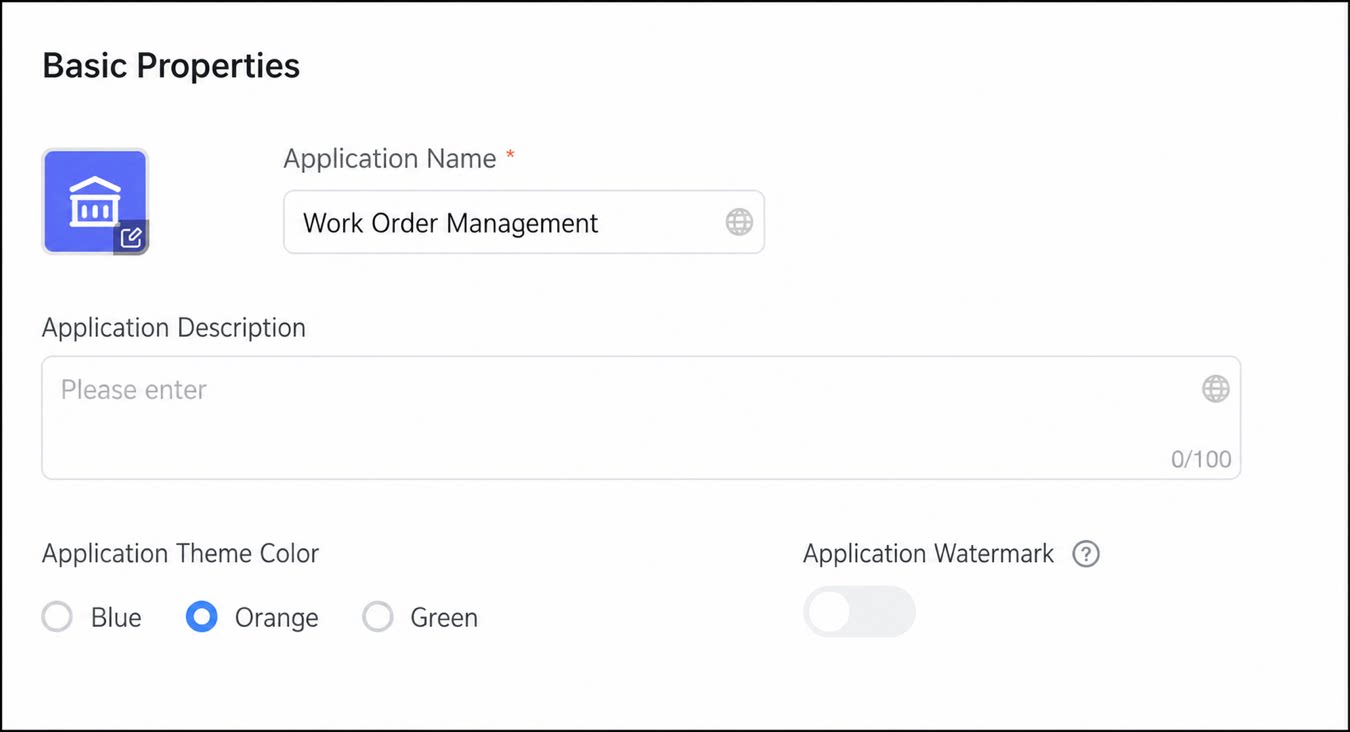 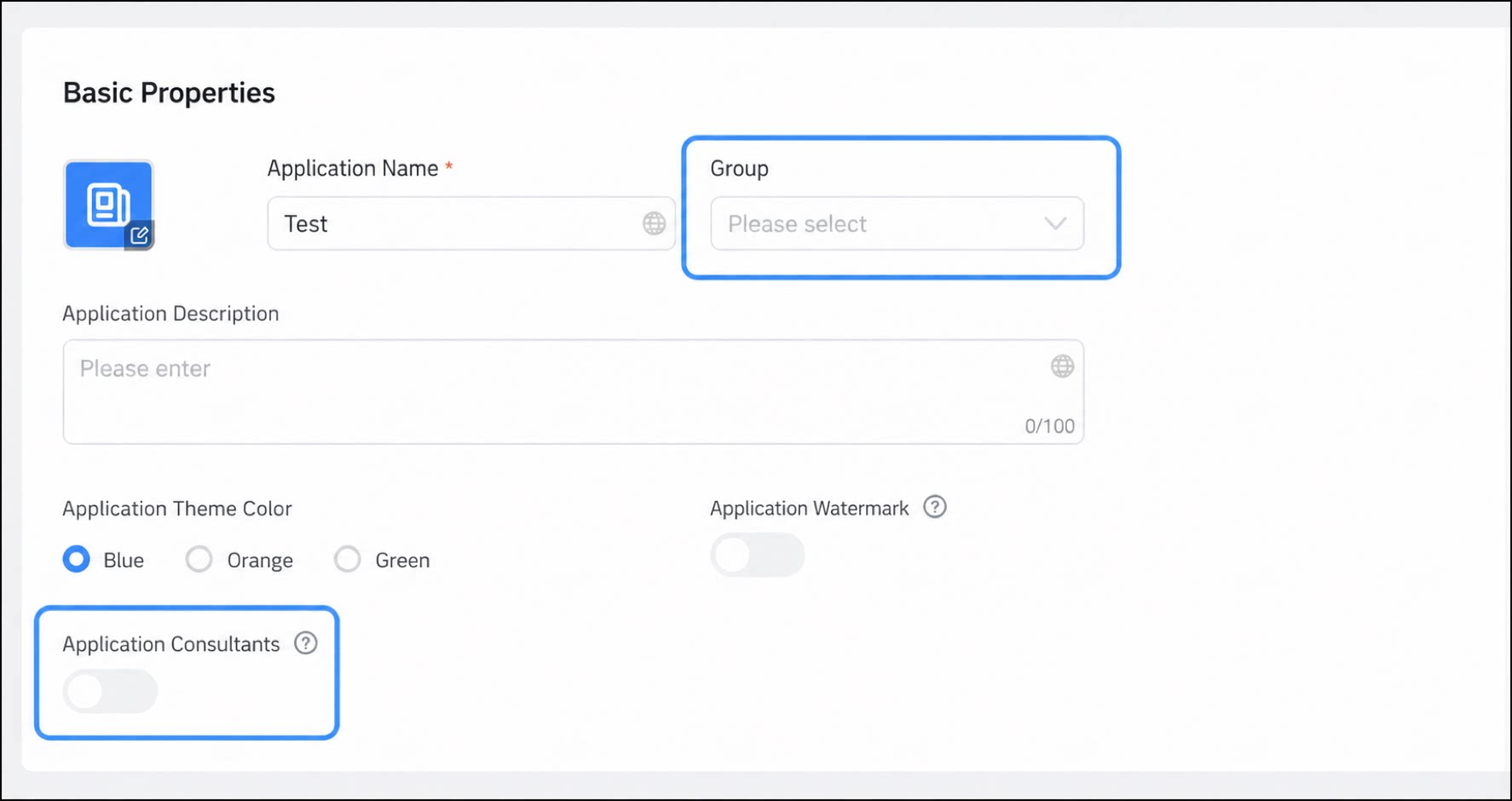 |
|---|---|
| Navigation link settings | In the Navigation link settings section, modify the app’s logo, the logo’s redirect URL, and choose whether to display the app name in the navigation bar.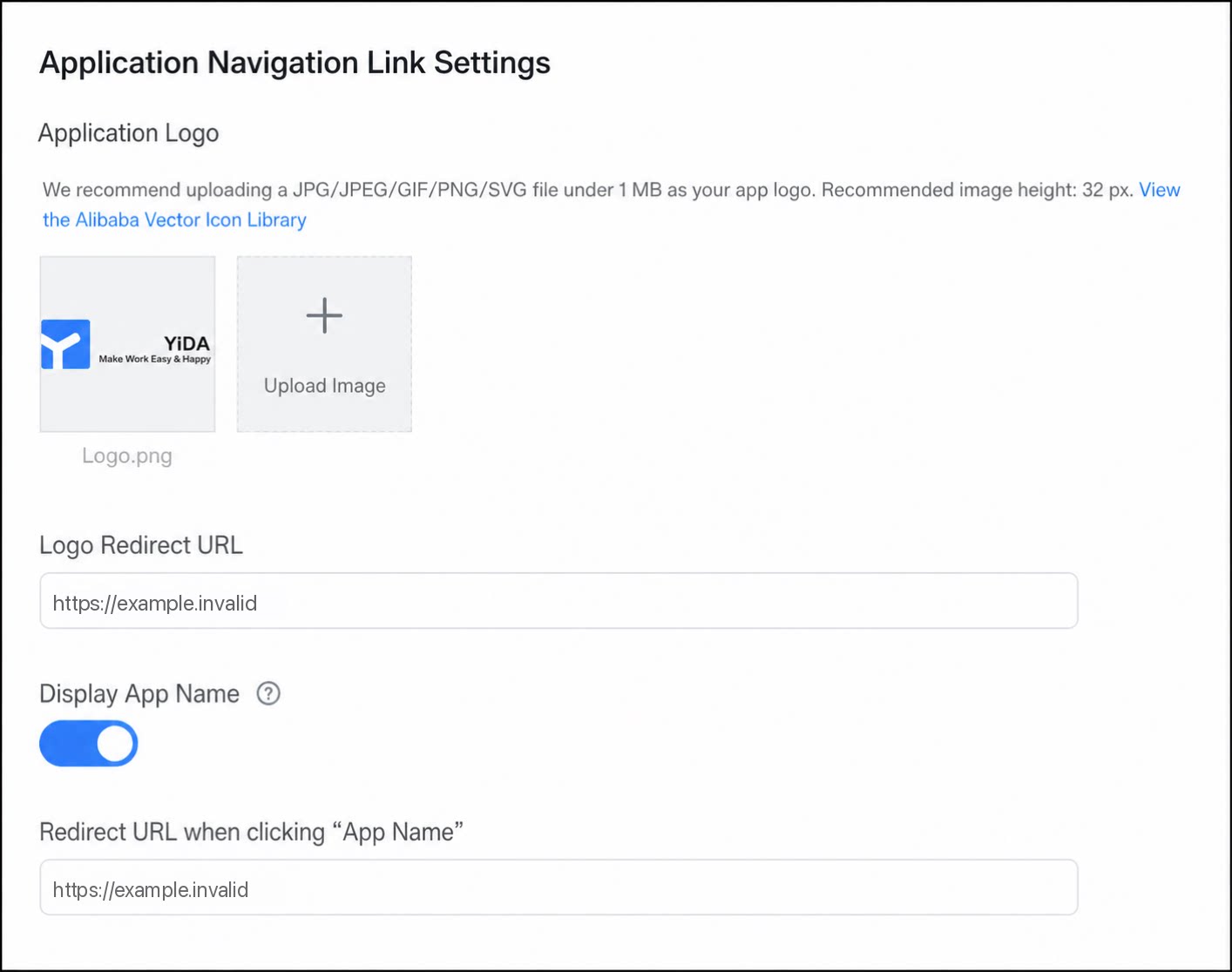 |
| Access URL settings | In the Access URL section, customize the app’s access URL for easier promotion and sharing, and obtain the app’s access QR Code. |