Chats
Chats Calendar
 Meetings
 Contacts
 Mail
Mail Docs
Docs Drive
Drive AI Table
 AI Minutes
 Attendance
 Approval
 YiDA
YiDA Admin Console
Procedure
Publish a form page using either of the following methods.Method 1: Publish via a DingTalk Open Platform Web App
1
Step 1
Sign in to the YiDA workbench.
2
Step 2
Click My apps, then select and open the target app to view its details page.
3
Step 3
Select the page to publish, then click  > Publish page.
> Publish page.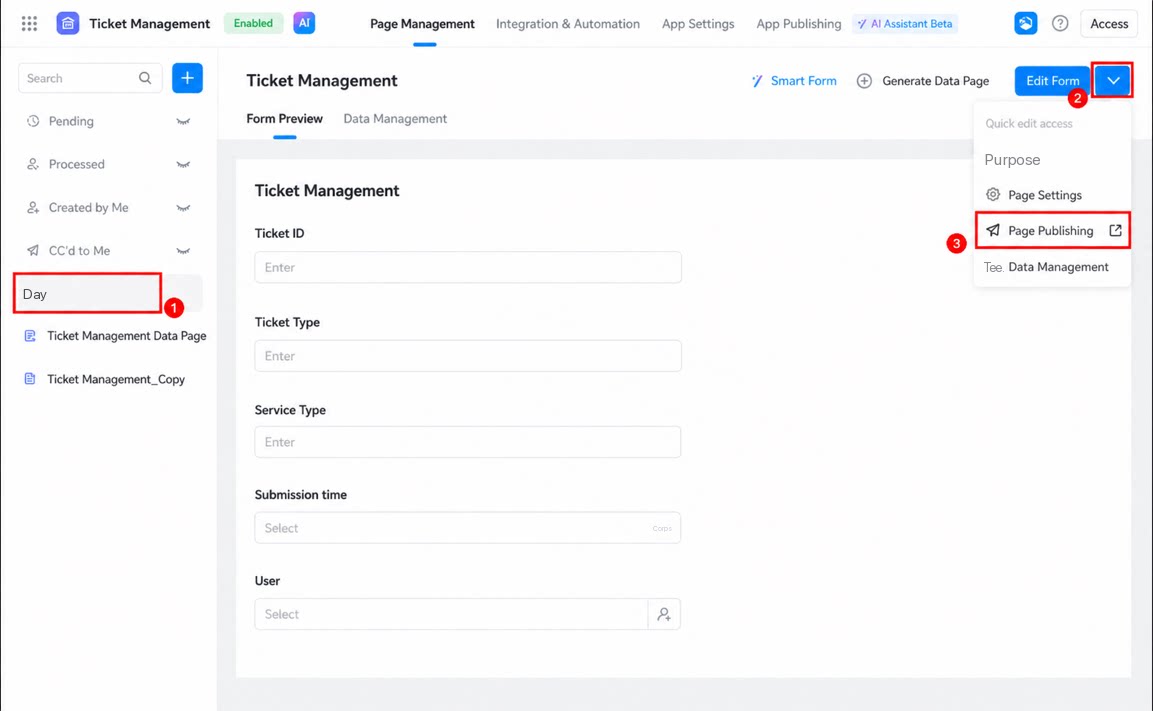
- Select Publish within organization and copy the access URL of the page.
- Sign in to the DingTalk Open Platform developer backend, create an internal app, and enable the web app capability.
For steps to create an app, see the Open Platform documentation.
- Enter the page link in the web app home URL field, then click Save.
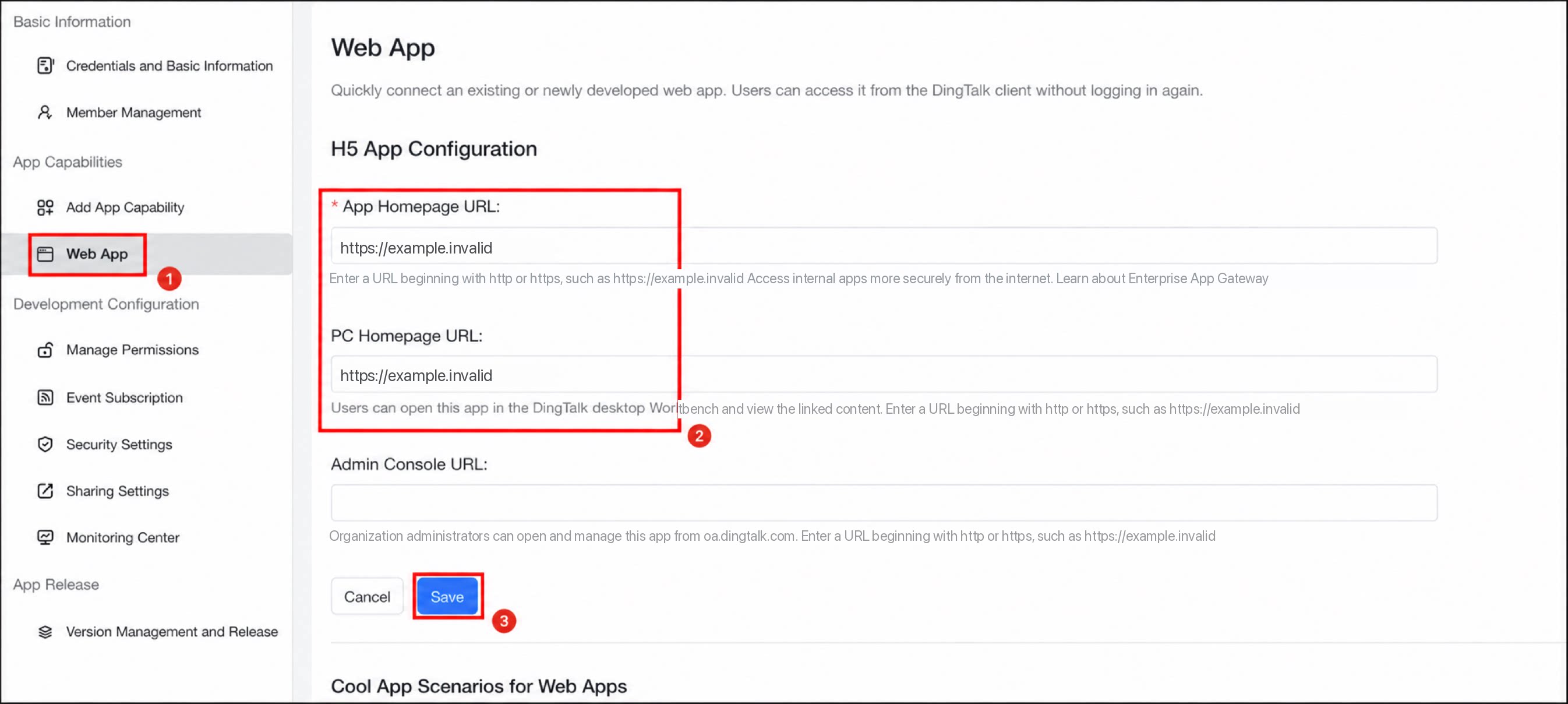
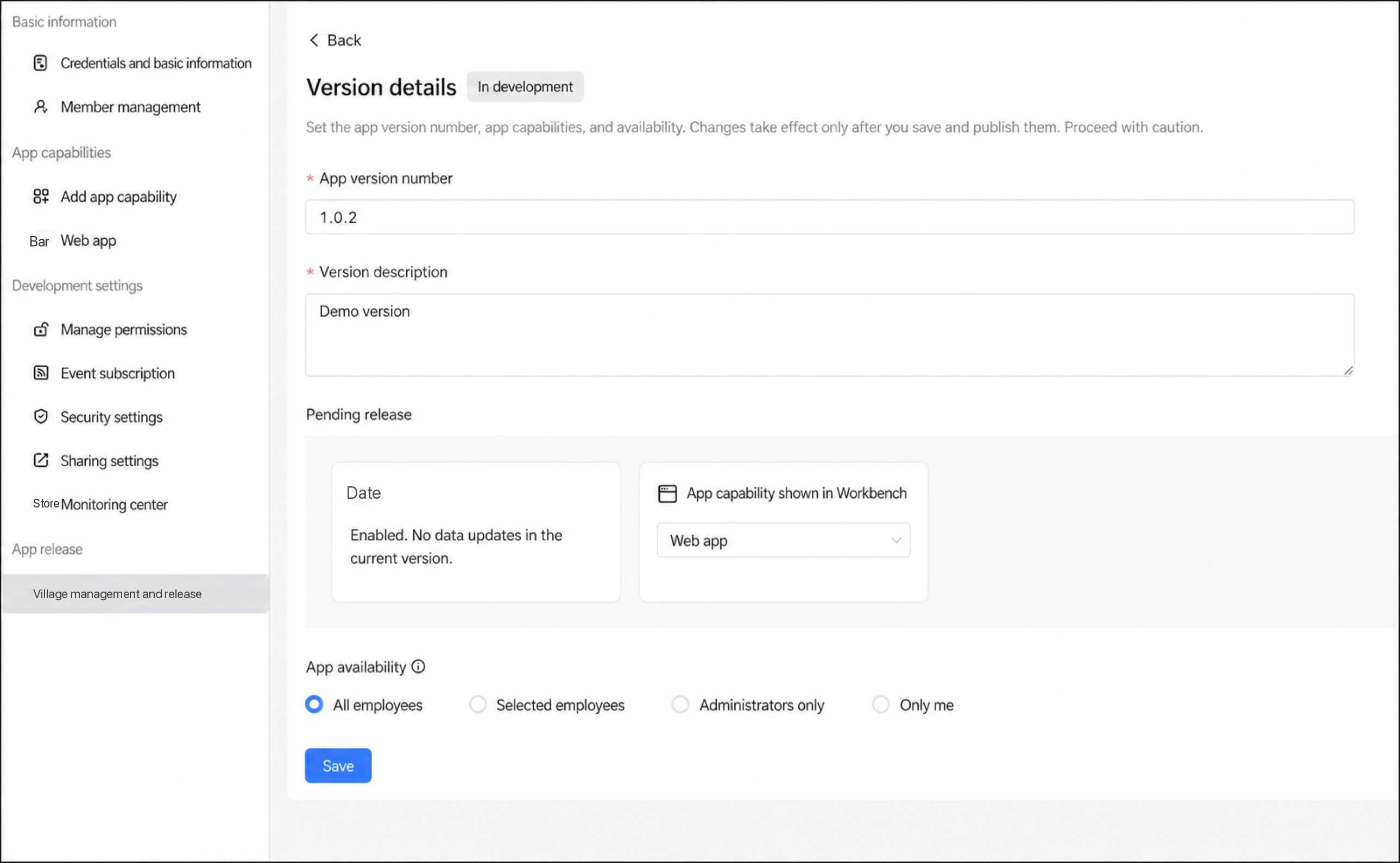
- Click Publish app > Version management and publish > Create new version.
- Configure the version information and visibility scope, then click Save to complete publishing.
Method 2: Create a Form Shortcut on the Workbench
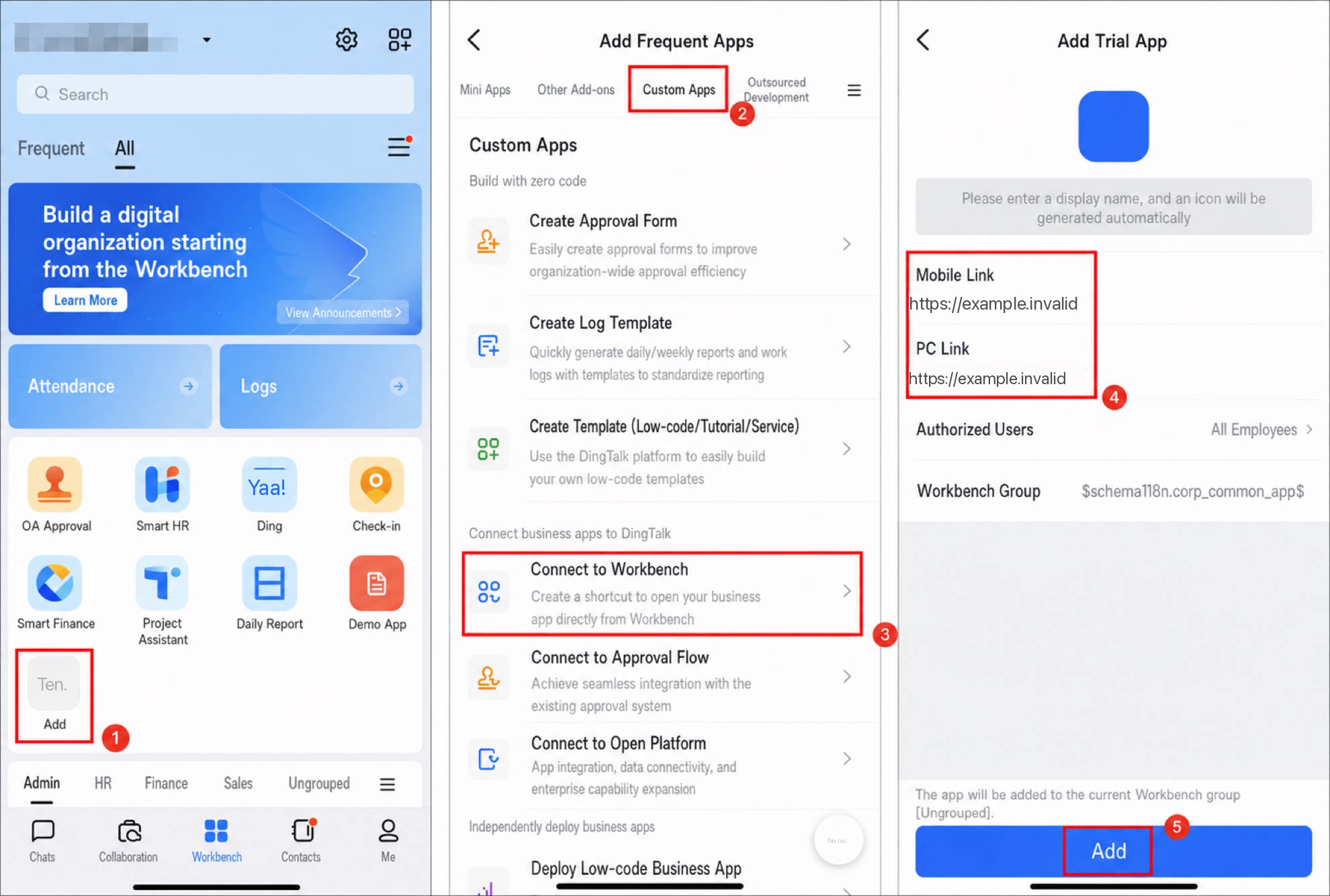
Create a shortcut to the form page on the DingTalk workbench from the DingTalk mobile app.- Get the access URL of the form page. See Method 1 for details.
- Open the workbench in the DingTalk mobile app and tap Add.
- Select Custom app, then tap Connect to workbench.
- Enter the app information, then tap Add to finish.