

 Chats
Chats Calendar
 Meetings
 Contacts
 Mail
Mail Docs
Docs Drive
Drive AI Table
 AI Minutes
 Attendance
 Approval
 YiDA
YiDA Admin Console
1. Use Cases
The Student component is used in K12 campus scenarios where students need to be selected, such as student recognition awards or student score statistics.2. Basic Features
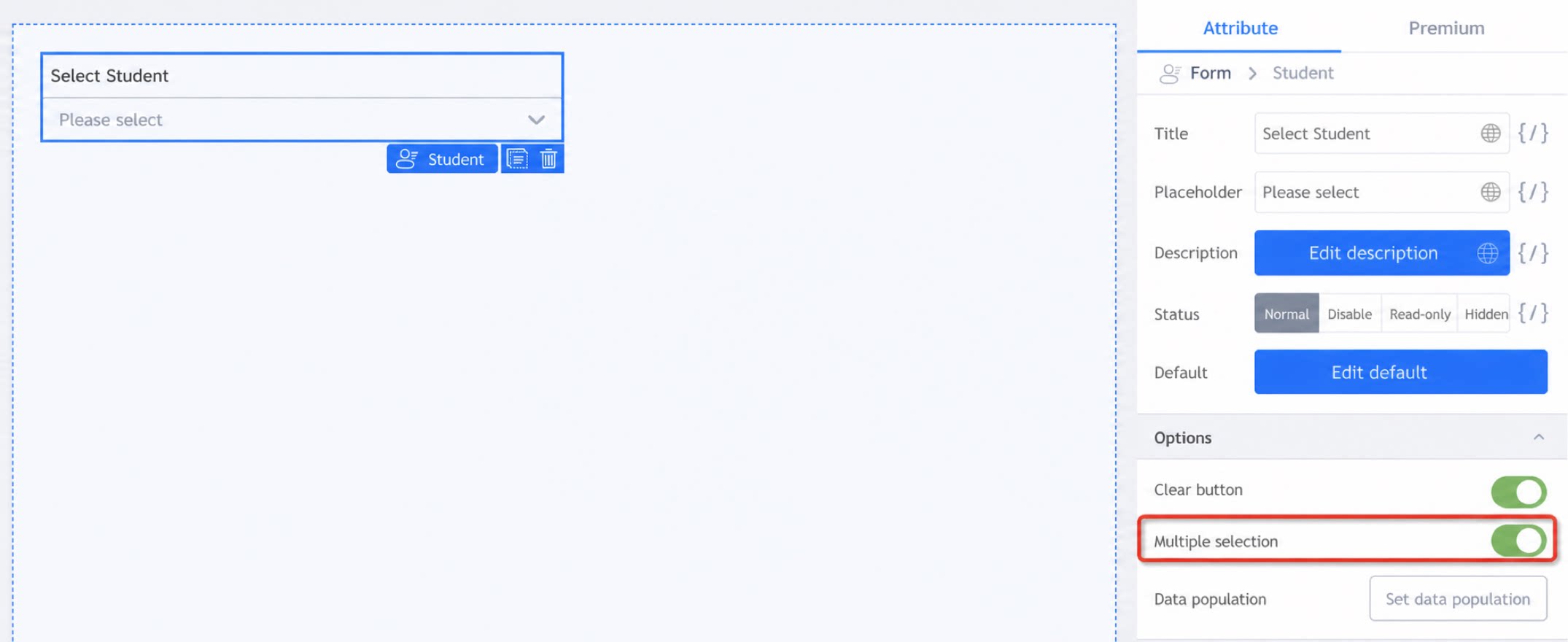
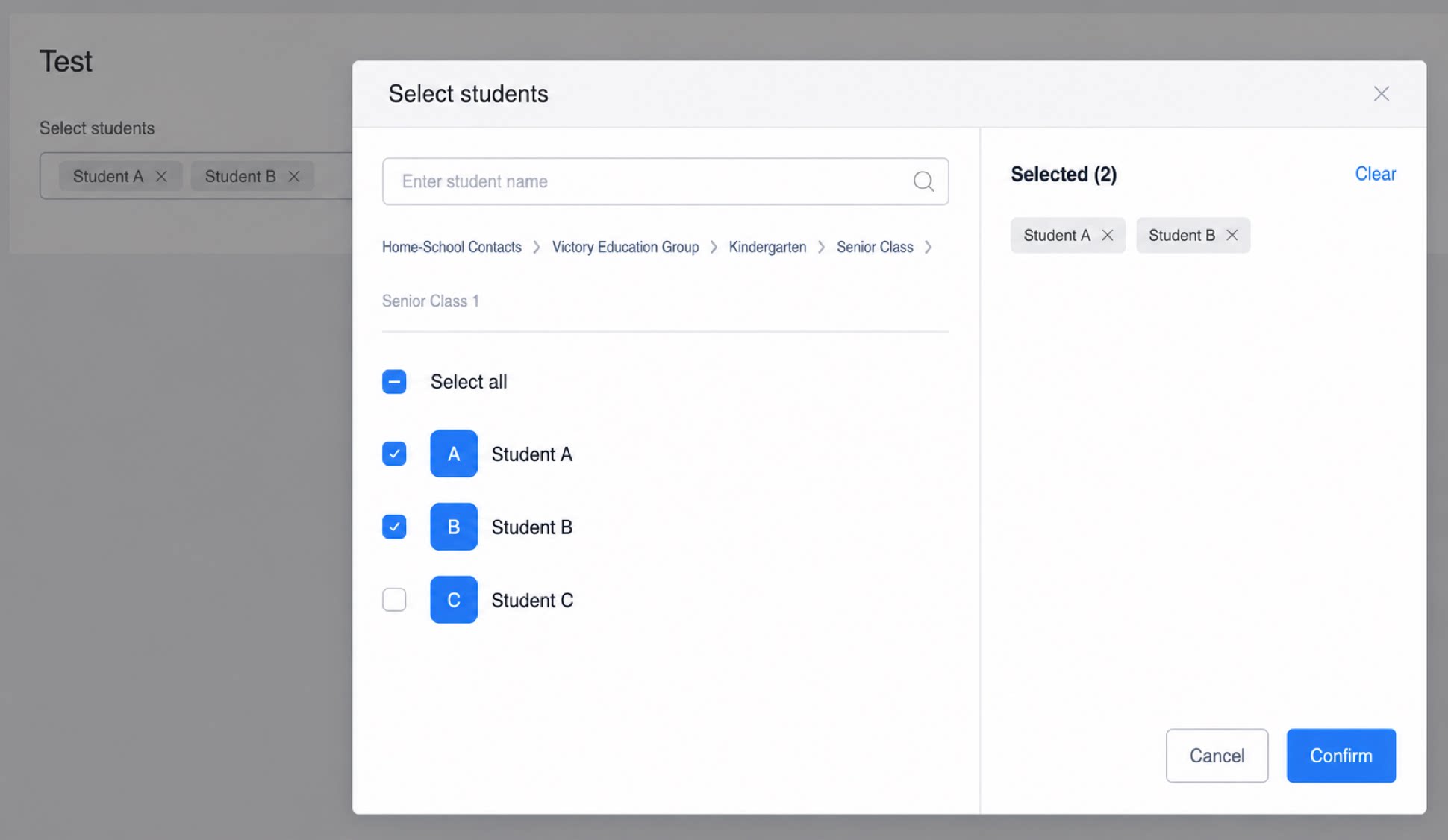
1.2.1 Multiselect Mode
This mode supports selecting multiple students. If you only need to select one student, turn off this option.| Form design view | Form runtime view |
|---|---|
 |  |
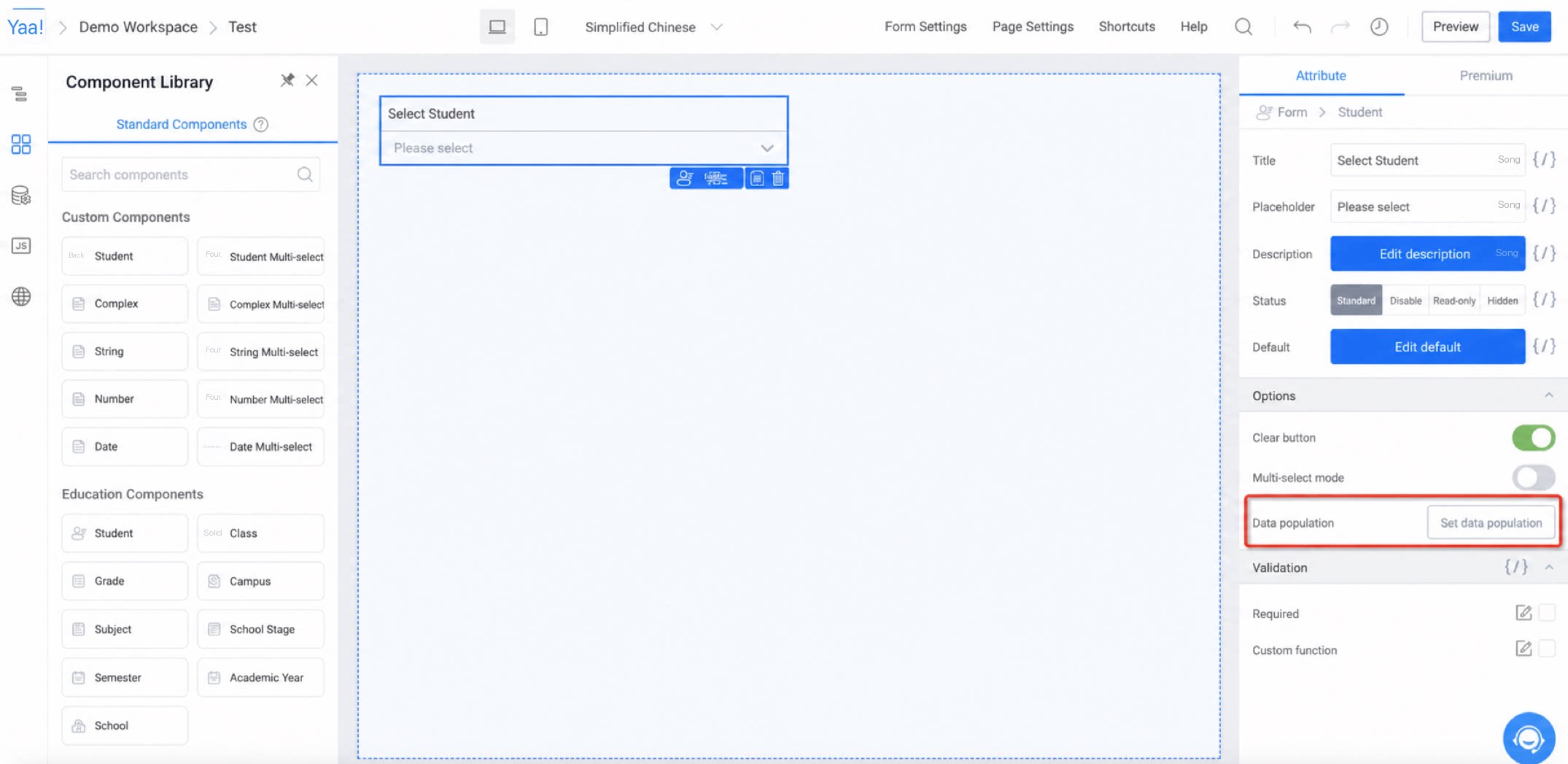
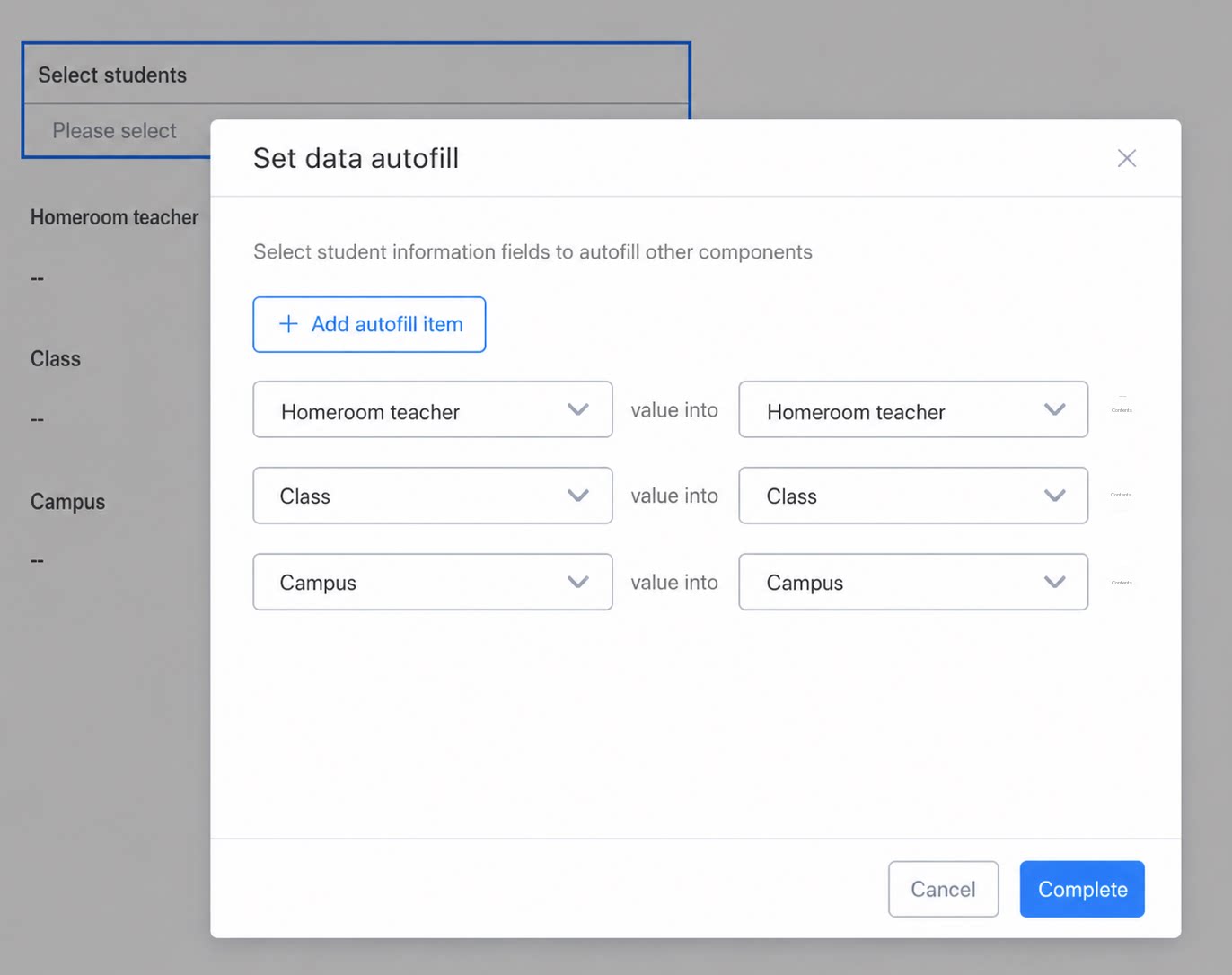
1.2.2 Data Auto-Fill
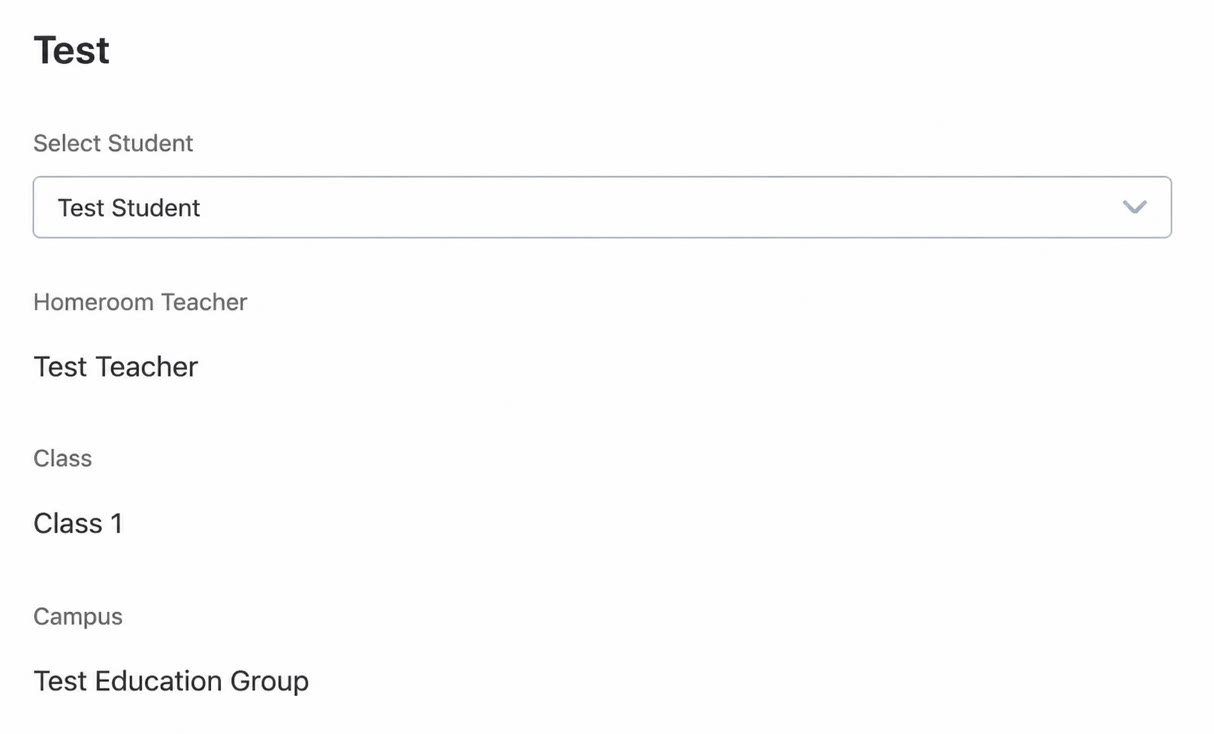
Data auto-fill populates the basic student data maintained in the school’s Student Profile app into the components of a YiDA app, automatically generating form data.- This feature is only available when the Student component is in single-select mode. Data auto-fill is not supported in multiselect mode.
- Student attribute information can be filled into existing or new fields on the form.
- Currently, ID card information maintained in the Student Profile cannot be used for data auto-fill.
| Form design view | Form runtime view |
|---|---|
  |  |