

 Chats
Chats Calendar
 Meetings
 Contacts
 Mail
Mail Docs
Docs Drive
Drive AI Table
 AI Minutes
 Attendance
 Approval
 YiDA
YiDA Admin Console
Modify Initiator Field Permissions
Follow the steps below to modify the form field permissions of the initiation node.1
Step 1
Sign in to the YiDA workbench. Select the target app and go to the app’s Page management page.
2
Step 2
Select the workflow form, click the inverted triangle next to Edit workflow form, and then click Workflow design. 
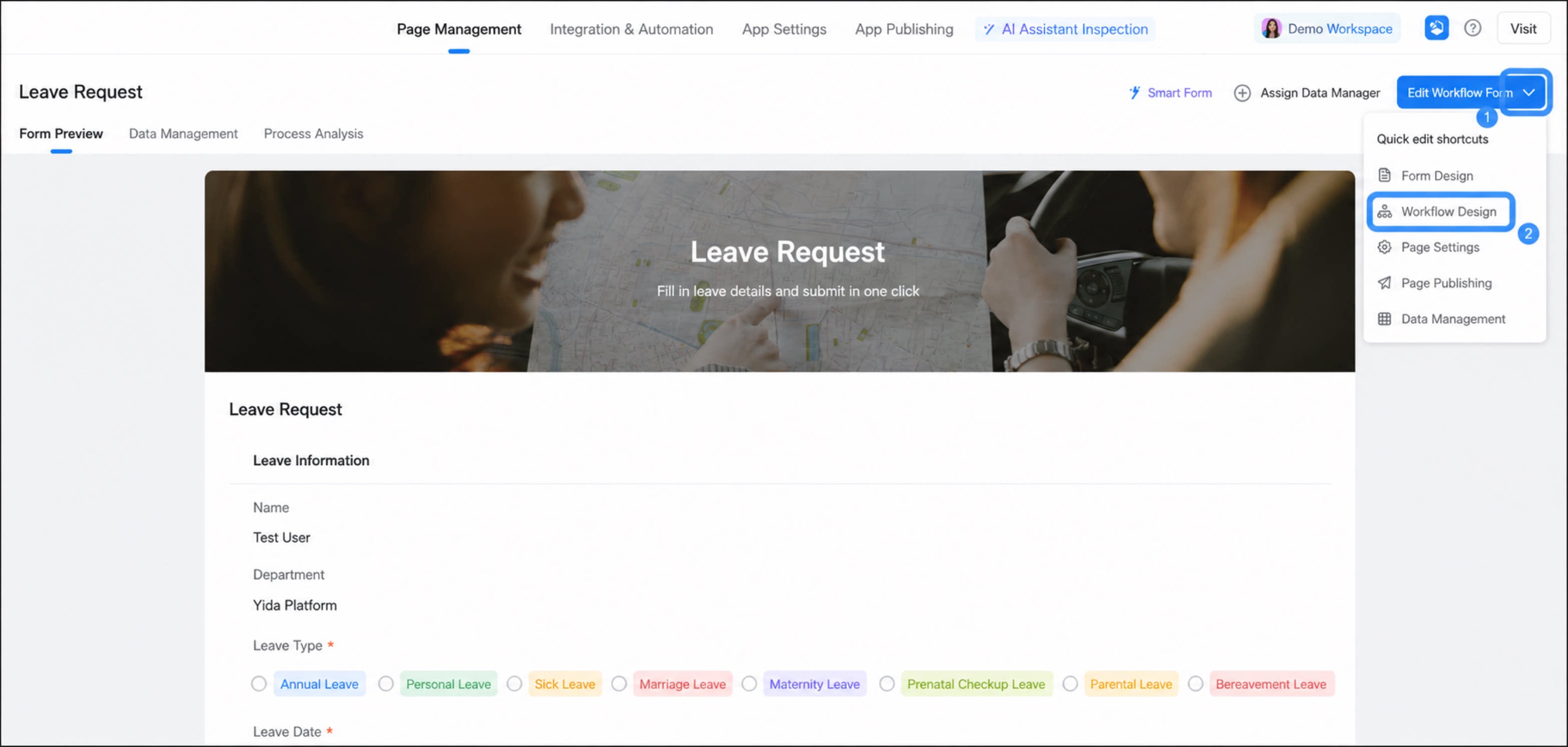
1
Click the Initiation node, then select Field permissions
2
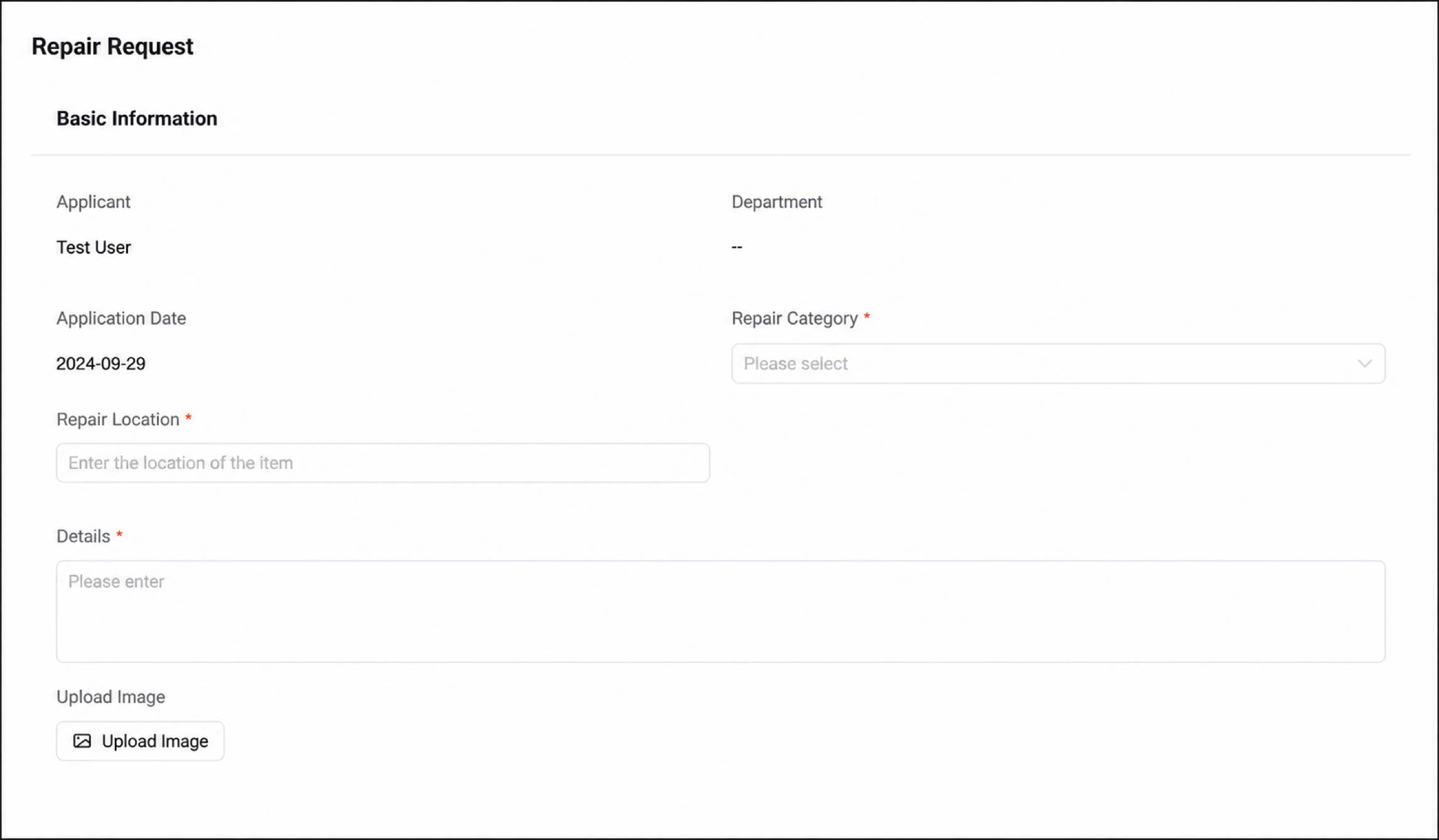
Configure the permissions for each form component. Three permission modes are supported: editable, read-only, and hidden
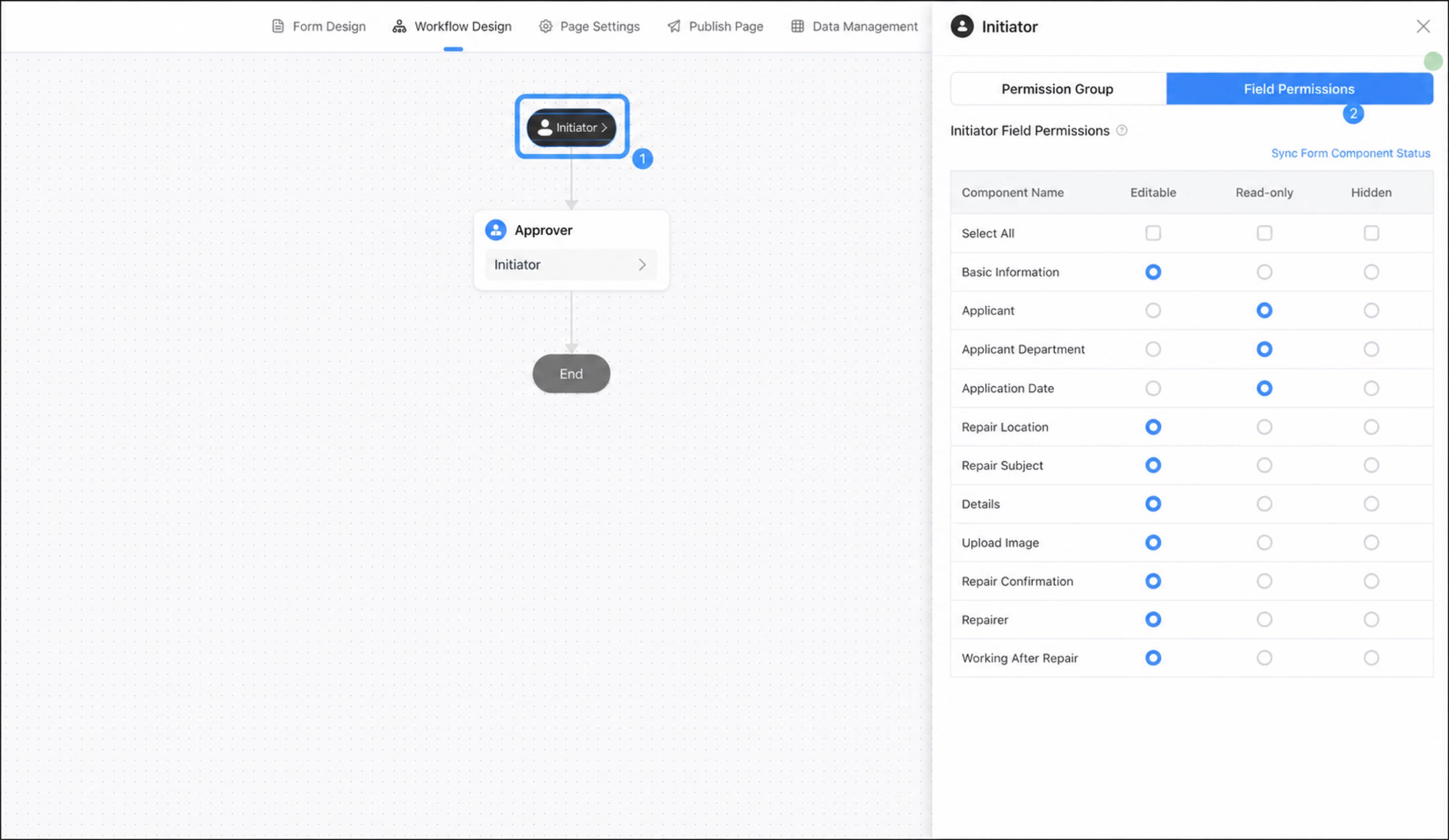
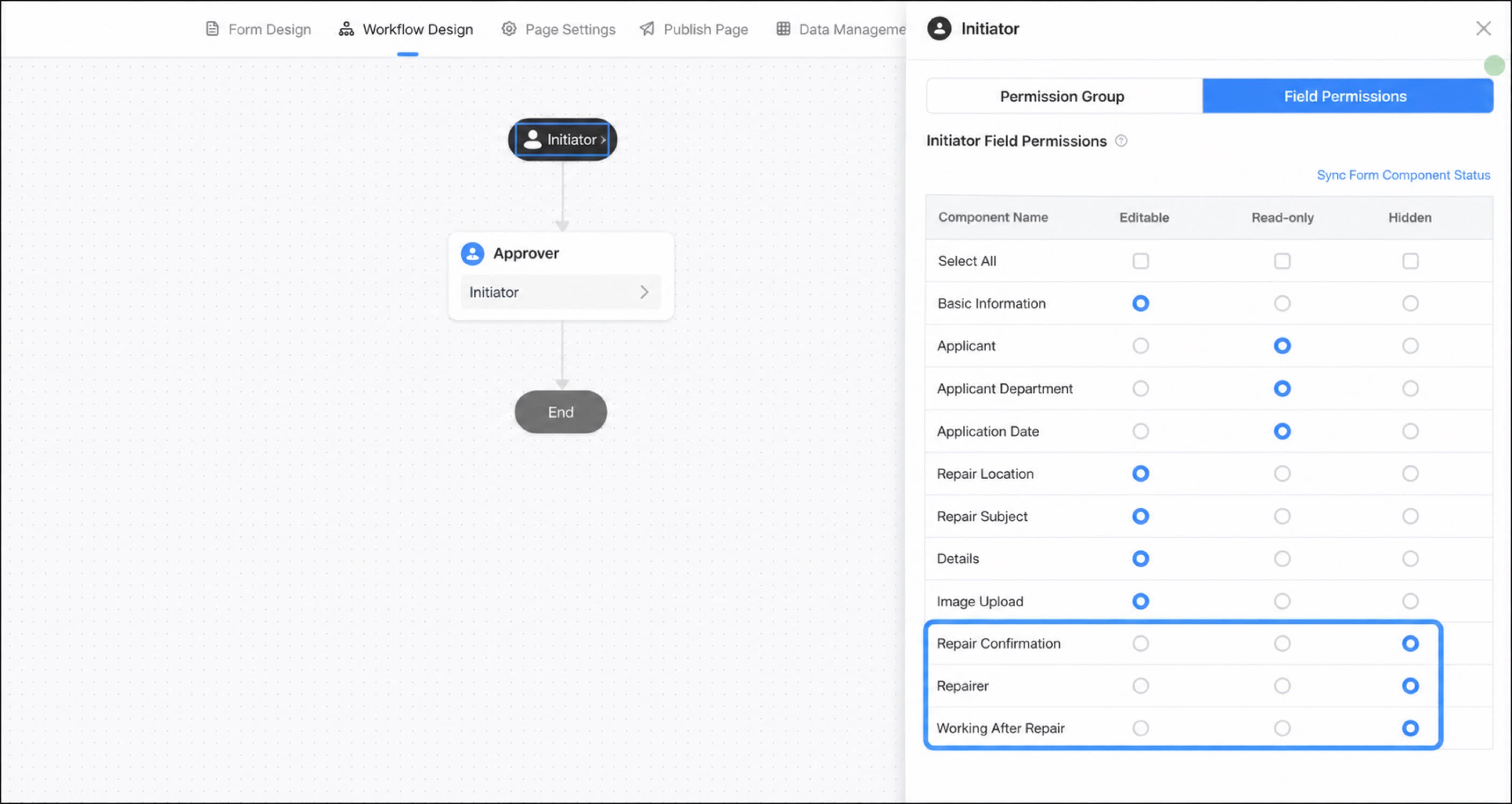
- After completing the configuration, click Save.
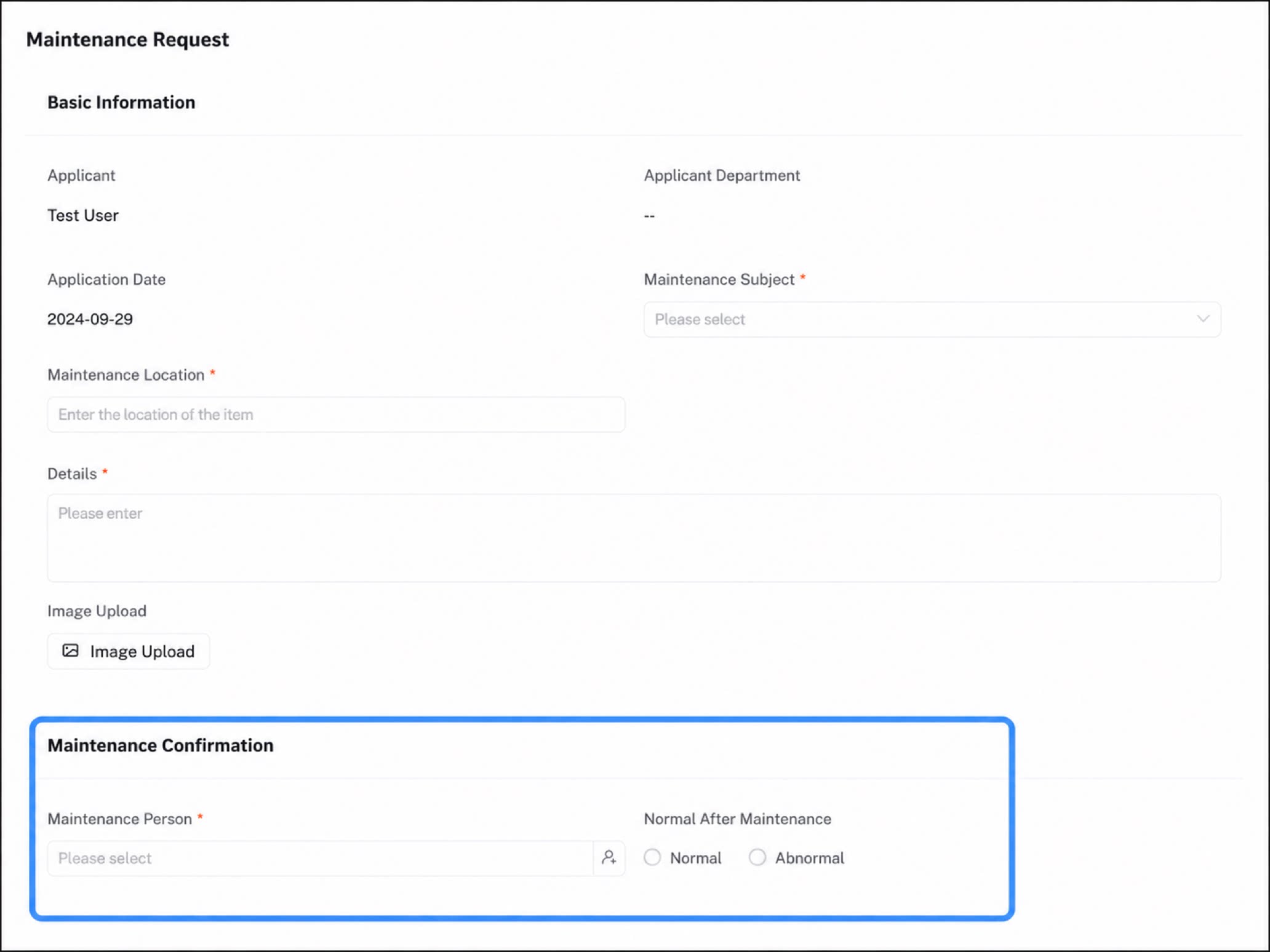
To modify the approval process permission group, go to Page settings > Permission settings of the form. For details, see Permission settings.