Chats
Chats Calendar
 Meetings
 Contacts
 Mail
Mail Docs
Docs Drive
Drive AI Table
 AI Minutes
 Attendance
 Approval
 YiDA
YiDA Admin Console
Configure Node Submission Rules
1
Step 1
Sign in to the YiDA workbench. Select the target app and go to the Page management page.
2
Step 2
Select the workflow form, click the inverted triangle next to Edit workflow form, and then click Workflow design. 
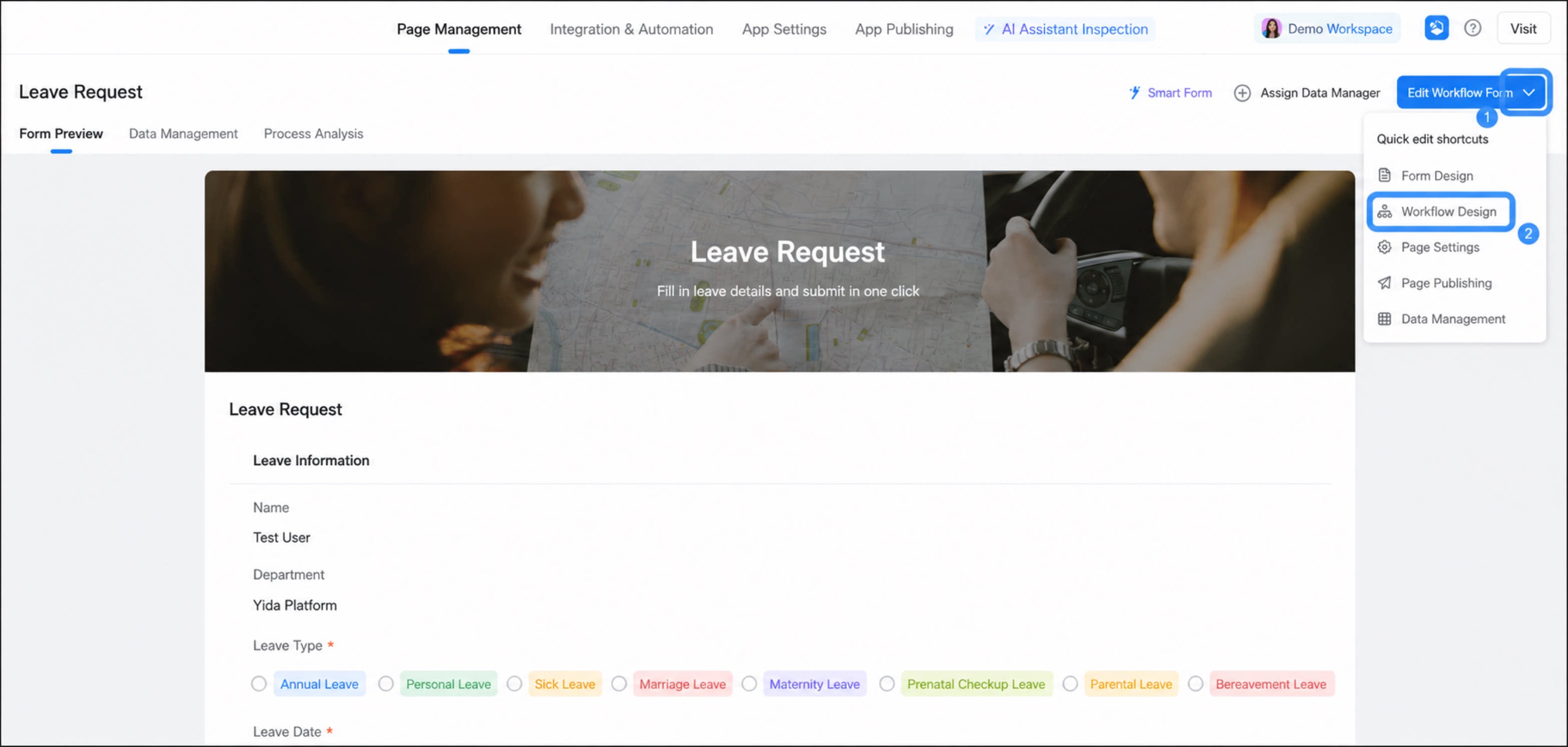
1
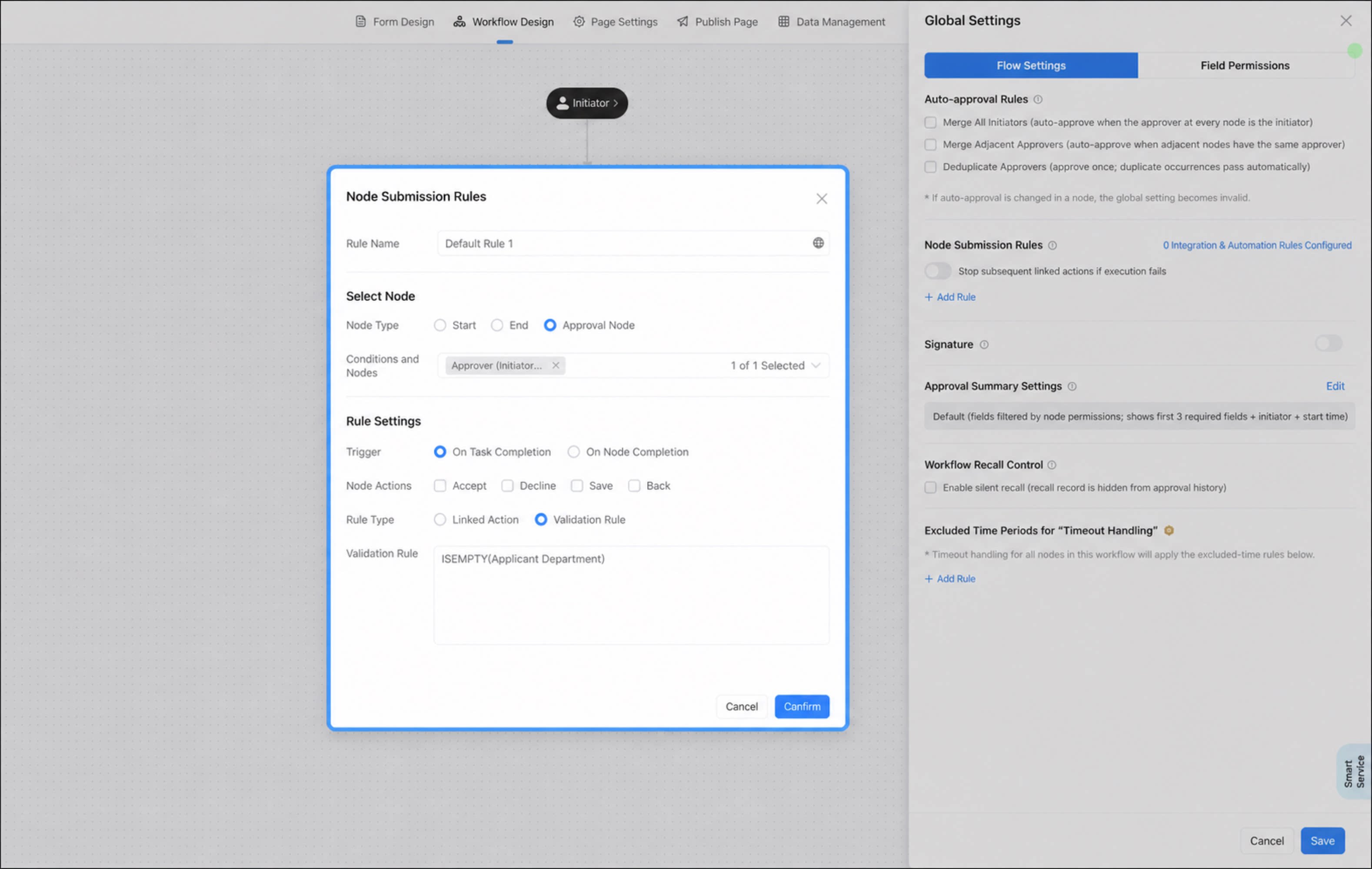
Click Global Settings, then choose Node Submission Rules > Add Rule
2
In the Node Submission Rules dialog, configure the submission rules and click OK