

 Chats
Chats Calendar
 Meetings
 Contacts
 Mail
Mail Docs
Docs Drive
Drive AI Table
 AI Minutes
 Attendance
 Approval
 YiDA
YiDA Admin Console
Feature Overview
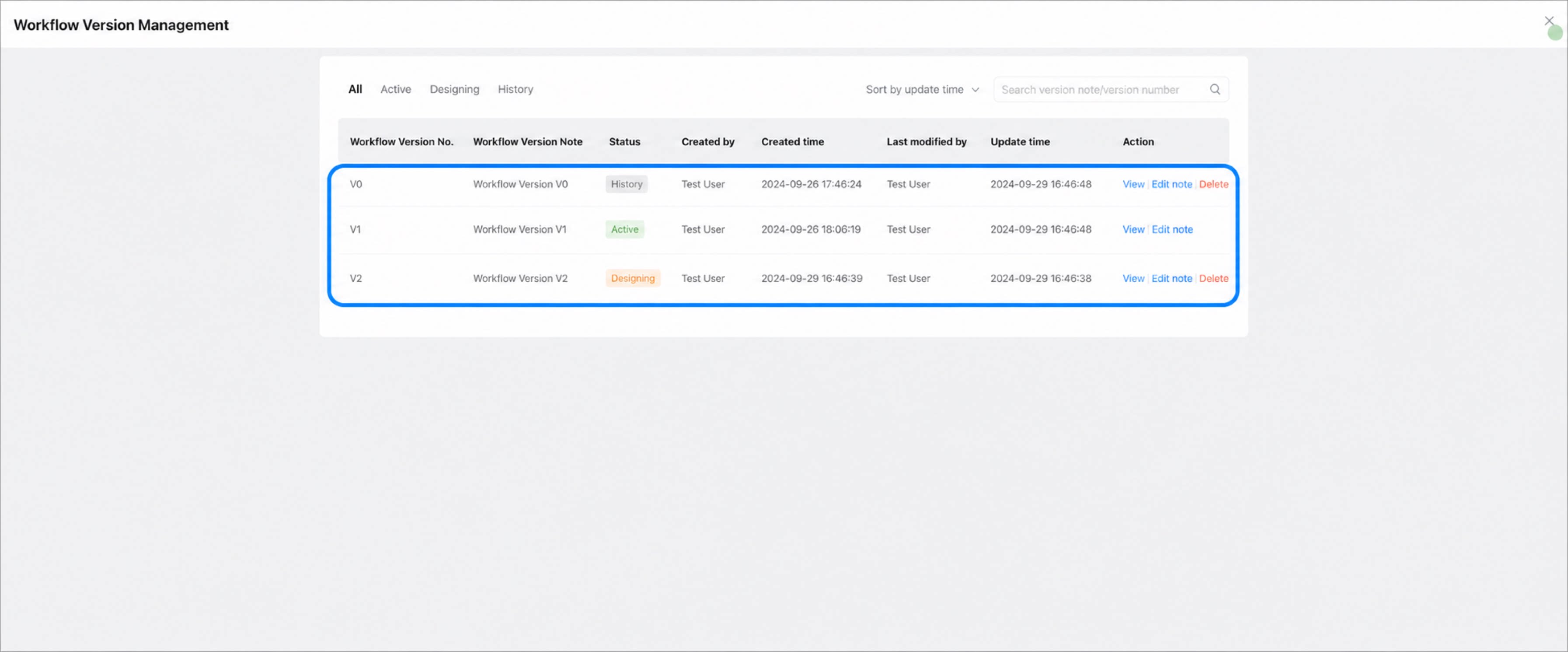
Each time a YiDA workflow form is published, a new workflow version is generated. A workflow version can be in one of three states: In design, Enabled, or Historical.- Enabled: The Enabled state indicates the current official version. The official version is read-only and cannot be modified. You can review the configuration of each step and the global settings of the workflow. Enabled versions cannot be deleted.
- In design: A workflow enters the design state when you create a new version. Workflows in the design state can be published and tested. Multiple design states are supported, so parallel design is possible.
- Historical: After a workflow is published and later replaced by a newly published version, its state changes to Historical. Historical versions can be republished or used for workflow simulation testing.
Procedure
1
Step 1
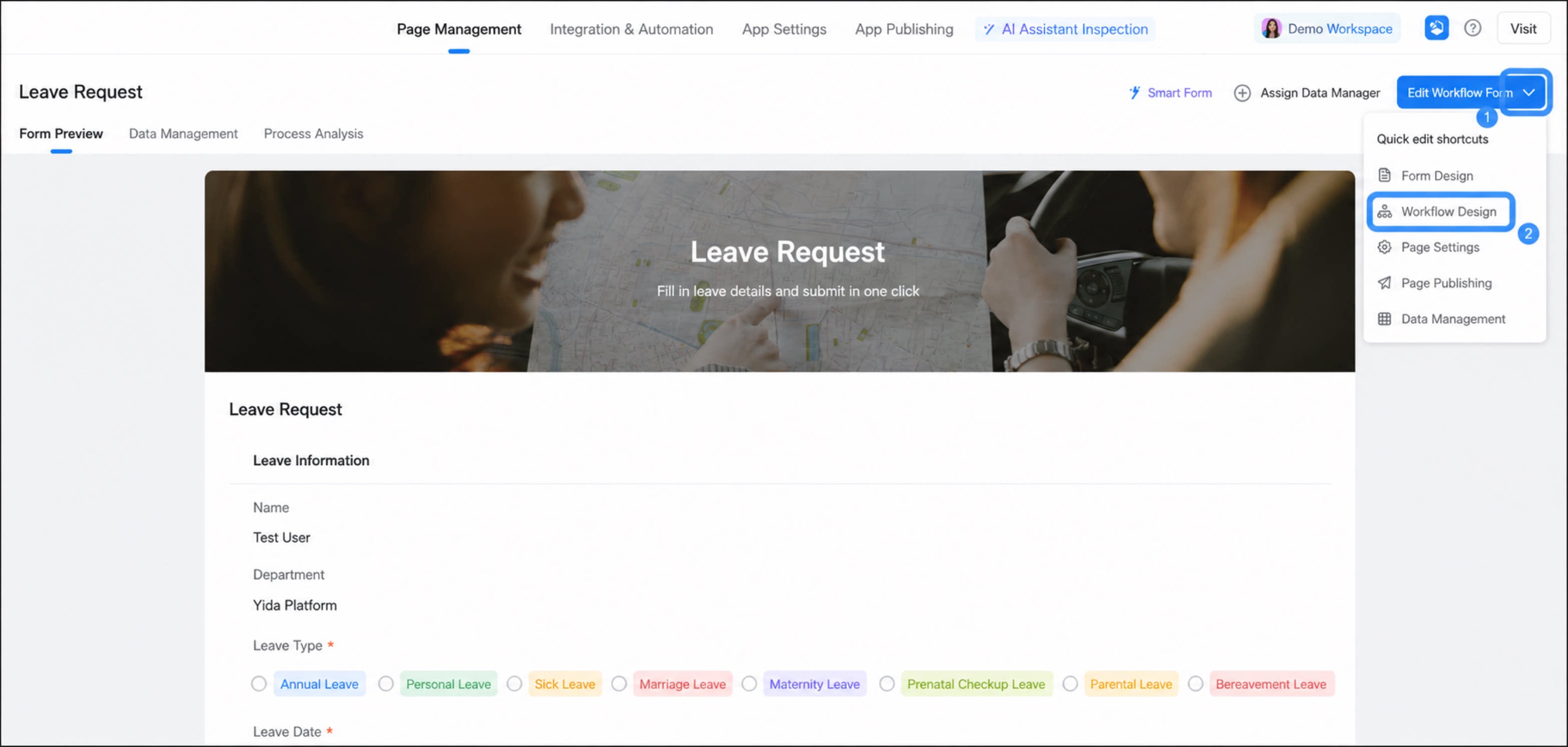
Sign in to the YiDA workbench. Select the target app to open the Page management page.
2
Step 2
Select the workflow form, click the drop-down arrow next to Edit workflow form, and then click Workflow design. 
1
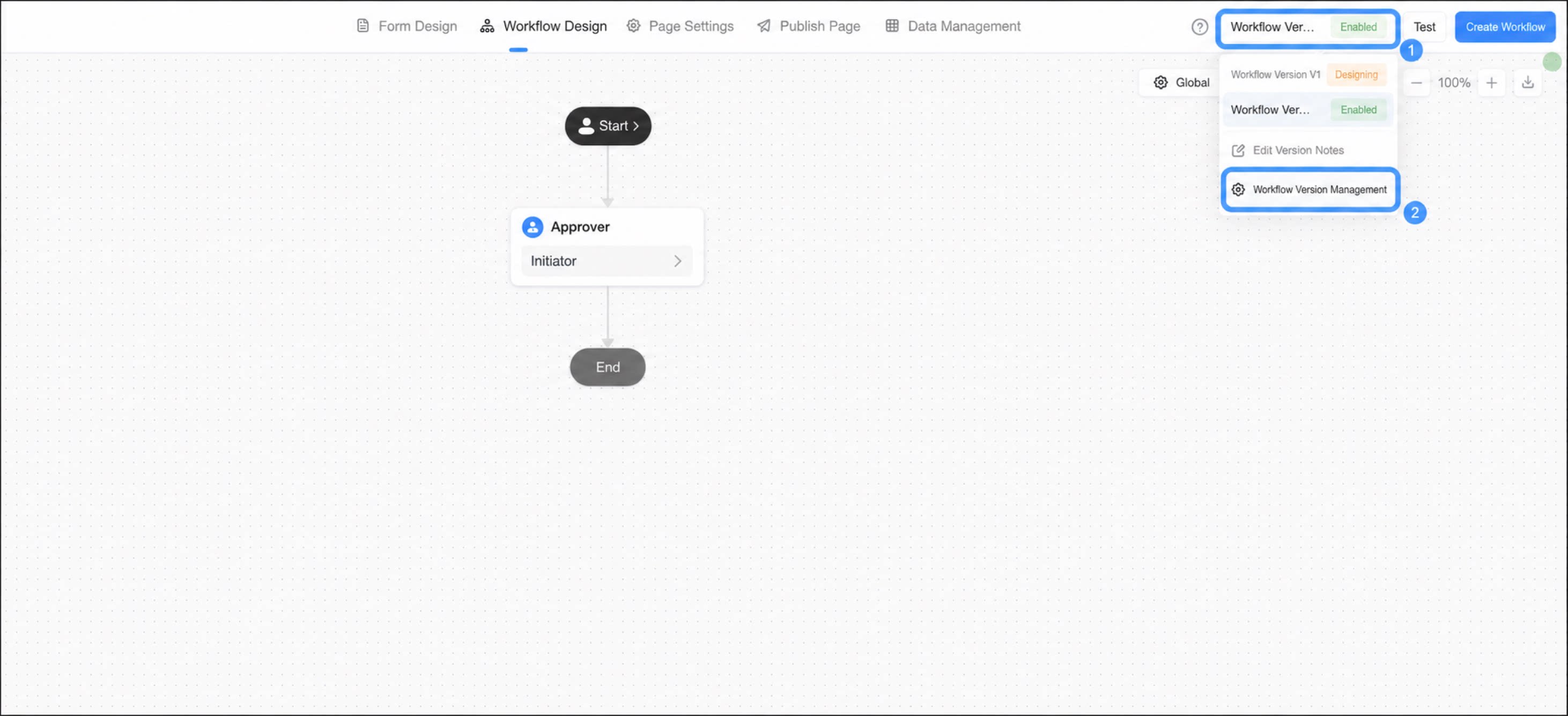
Click Workflow version in the upper-right corner and select Workflow version management to view and manage all versions.
2
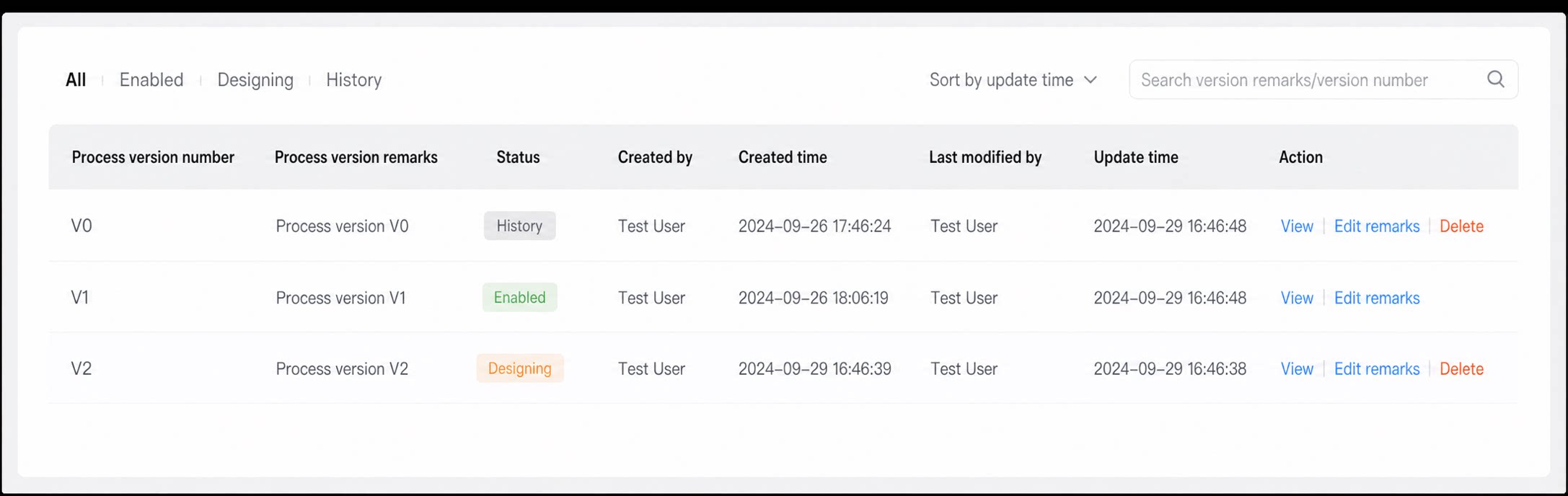
View, rename, or delete a version as needed.
Notes
- A Historical version cannot be deleted if any workflow instance under it is still in progress.
- Workflow version changes do not affect historical data.