Chats
Chats Calendar
 Meetings
 Contacts
 Mail
Mail Docs
Docs Drive
Drive AI Table
 AI Minutes
 Attendance
 Approval
 YiDA
YiDA Admin Console
Steps
1
Step 1
Sign in to the YiDA workbench as an Admin.
2
Step 2
Click Platform Management in the upper-right corner to open the platform management page. 
3
Step 3
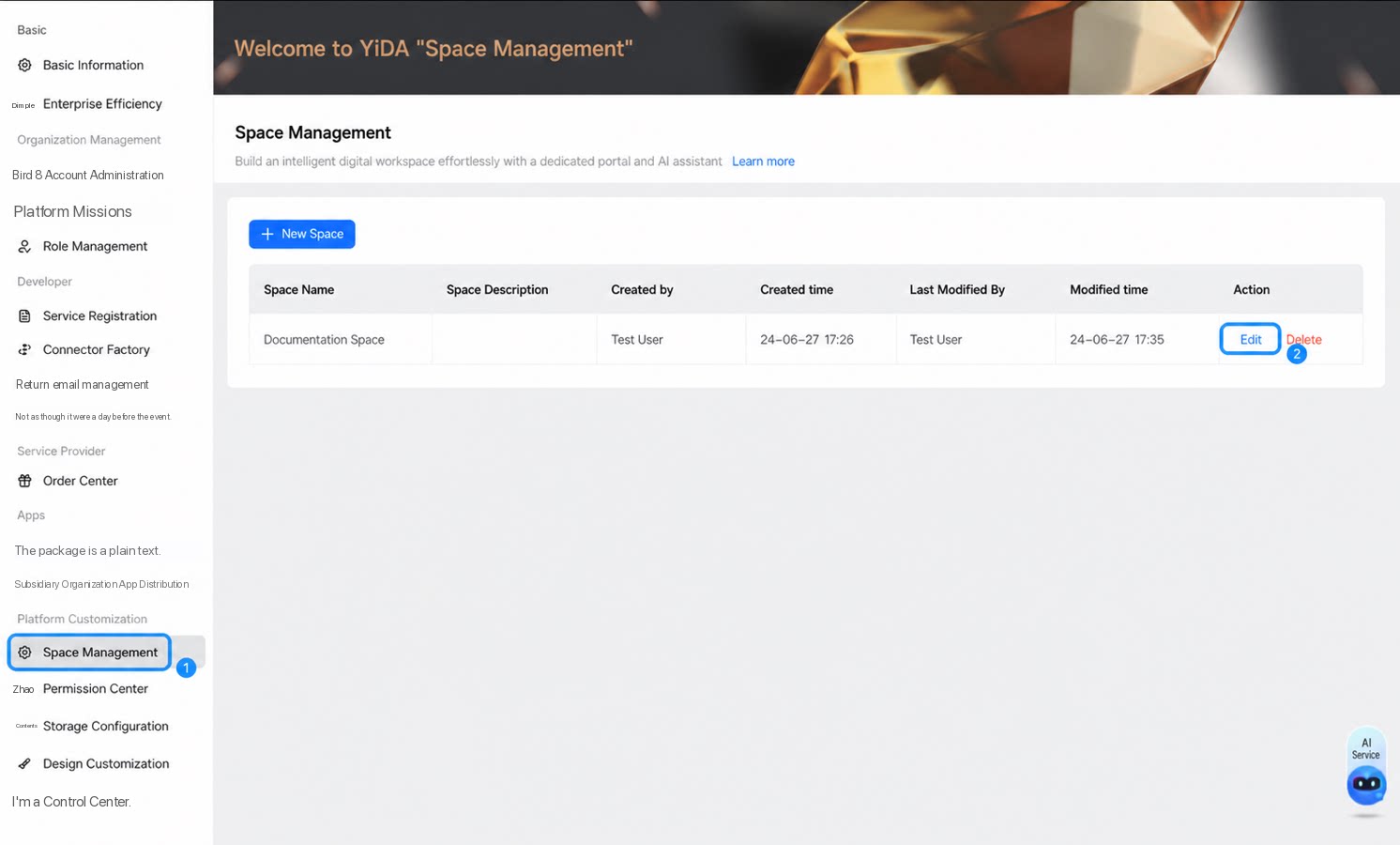
In the left-side menu, select Platform Dedicated Customization > Space Management, choose the space you want to edit, and click Edit.
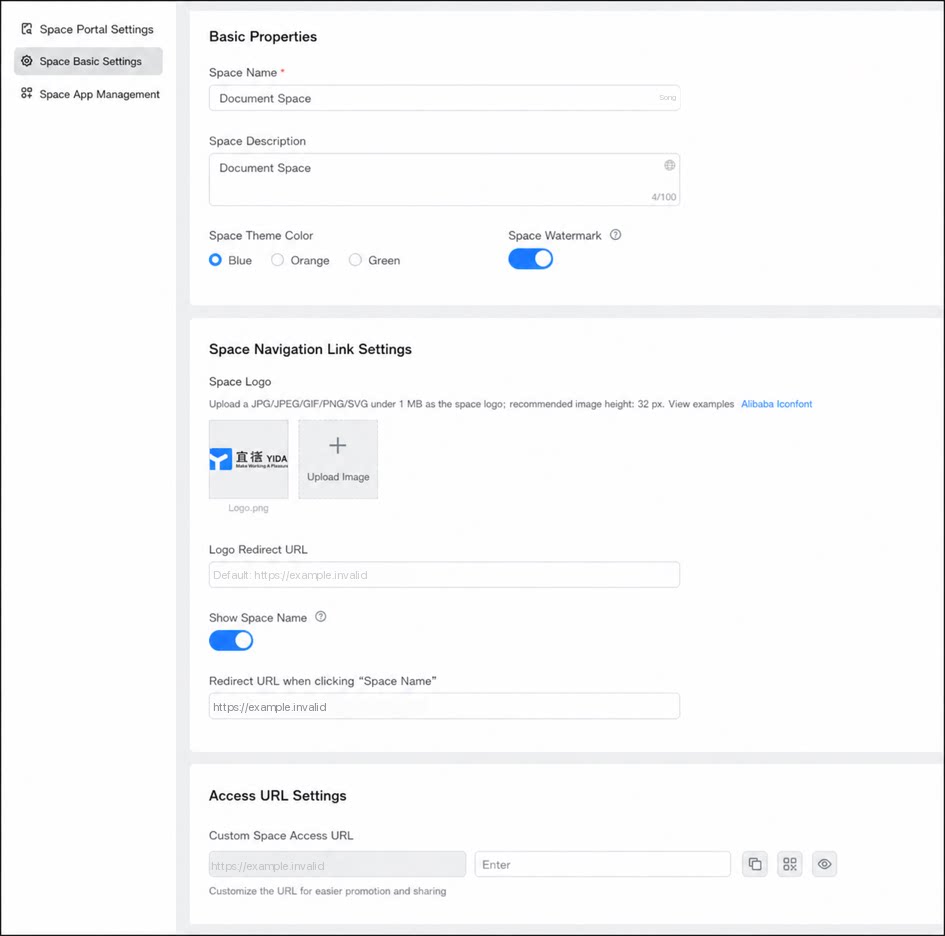
- Click Basic Space Settings to modify the workspace’s basic information, space navigation link information, and space access URL.