Chats
Chats Calendar
 Meetings
 Contacts
 Mail
Mail Docs
Docs Drive
Drive AI Table
 AI Minutes
 Attendance
 Approval
 YiDA
YiDA Admin Console
Create a Workspace
1
Step 1
Sign in to the YiDA workbench as an Admin.
2
Step 2
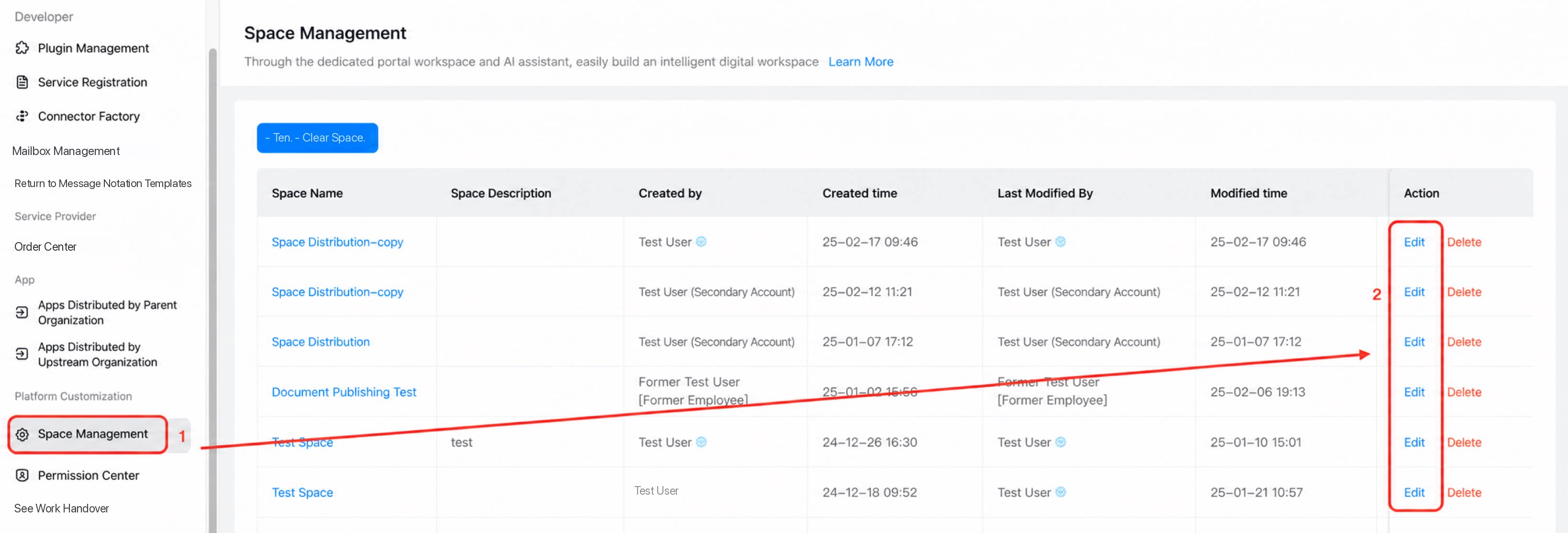
Click Platform Management in the upper-right corner to open the platform management page. 
3
Step 3
In the left-side menu, choose Platform Customization > Space Management.
4
Step 4
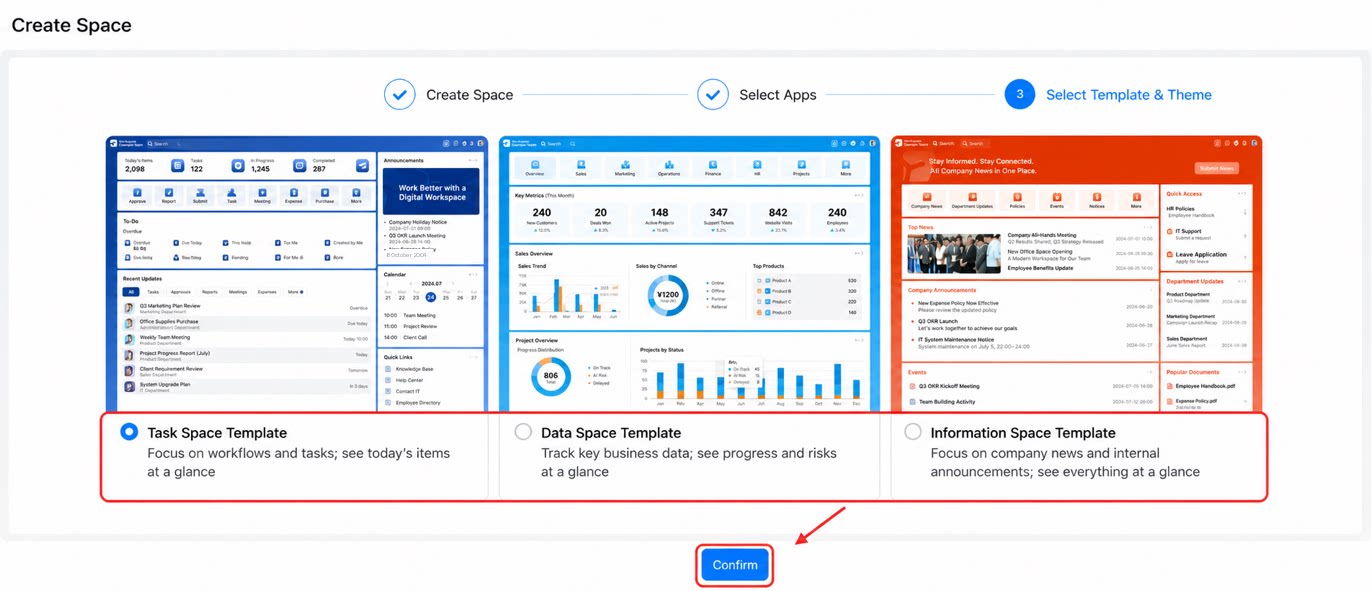
Follow the steps below to create a Space.
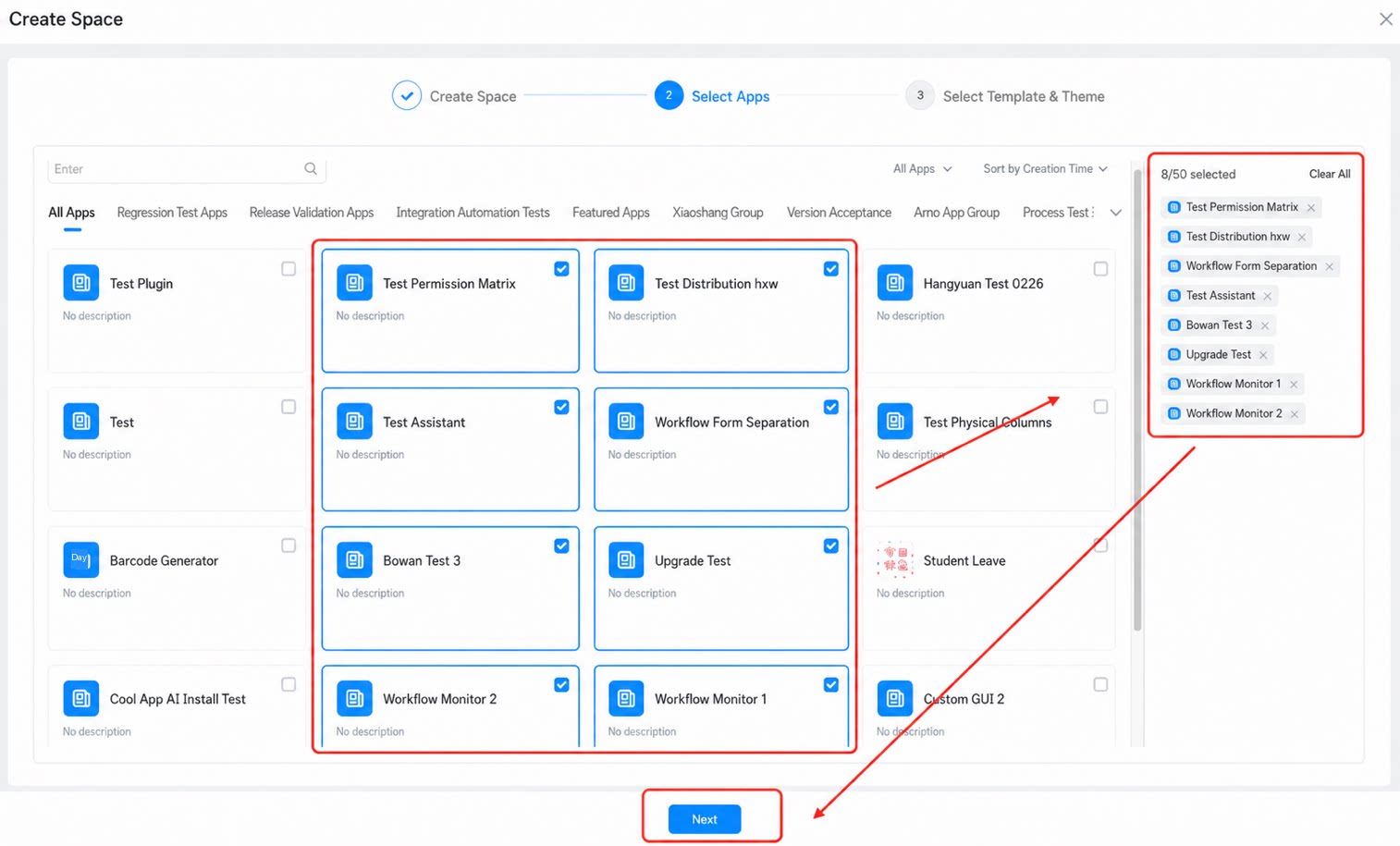
| Setting | Description |
| Space Name | 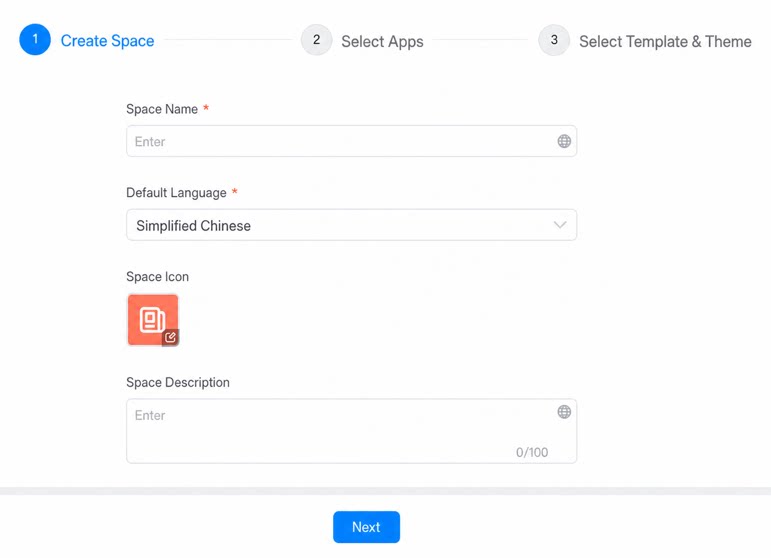 Enter a name for the Space. Keep it short. Enter a name for the Space. Keep it short. |
| Default Language | Defaults to the system language. |
| Space Icon | Select an icon for the Space. Custom icons are not supported during creation. After the Space is created, you can switch to a custom icon on the Space settings page. |
| Space Description | Enter a description for the Space. Up to 100 characters. |
Edit a Workspace
- In the left-side menu, choose Platform Customization > Space Management. Select the Space you want to edit, then click Edit.