Chats
Chats Calendar
 Meetings
 Contacts
 Mail
Mail Docs
Docs Drive
Drive AI Table
 AI Minutes
 Attendance
 Approval
 YiDA
YiDA Admin Console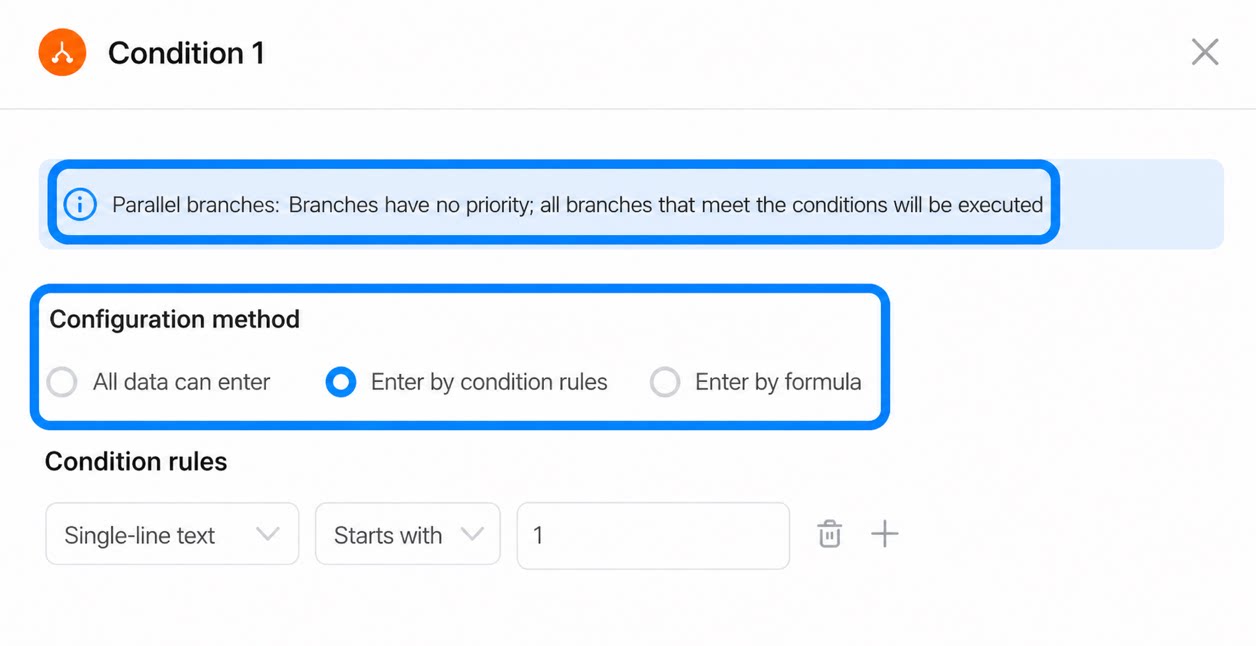
Use Cases
In an approval process, when you need to run two or more groups of tasks concurrently within a single large process based on different conditions (such as different approvers or notification steps), configure parallel approval conditions. Parallel branches include built-in branch aggregation: the process only moves to the step after the parallel branch once every logical branch that meets the condition rules has completed. Example: After an order is approved, trigger multiple material workshops simultaneously for material approval and confirmation, and then send a unified production order at the end (this can be combined with sub-processes).When a parallel branch step runs, the branch flows do not interfere with one another. However, if the last task in any branch flow is declined, the entire process ends there and the process result is Decline. If the last task is accepted, the process continues.
Add a Parallel Branch Step
Branch steps let you configure more complex logical relationships. Each parallel condition better addresses the need to trigger multiple steps in parallel. Compared with earlier options, richer submission rules support more of the scenarios users need. Use branch steps to configure more complex branch conditions. Combine multiple conditions to handle processes with numerous branches and steps, giving your approval process richer submission rules that support more user scenarios.1
Step 1
Sign in to the YiDA workbench. Select the target app and go to the Page management page.
2
Step 2
Select the workflow form, click the down arrow next to Edit workflow form, and then click Workflow design. 

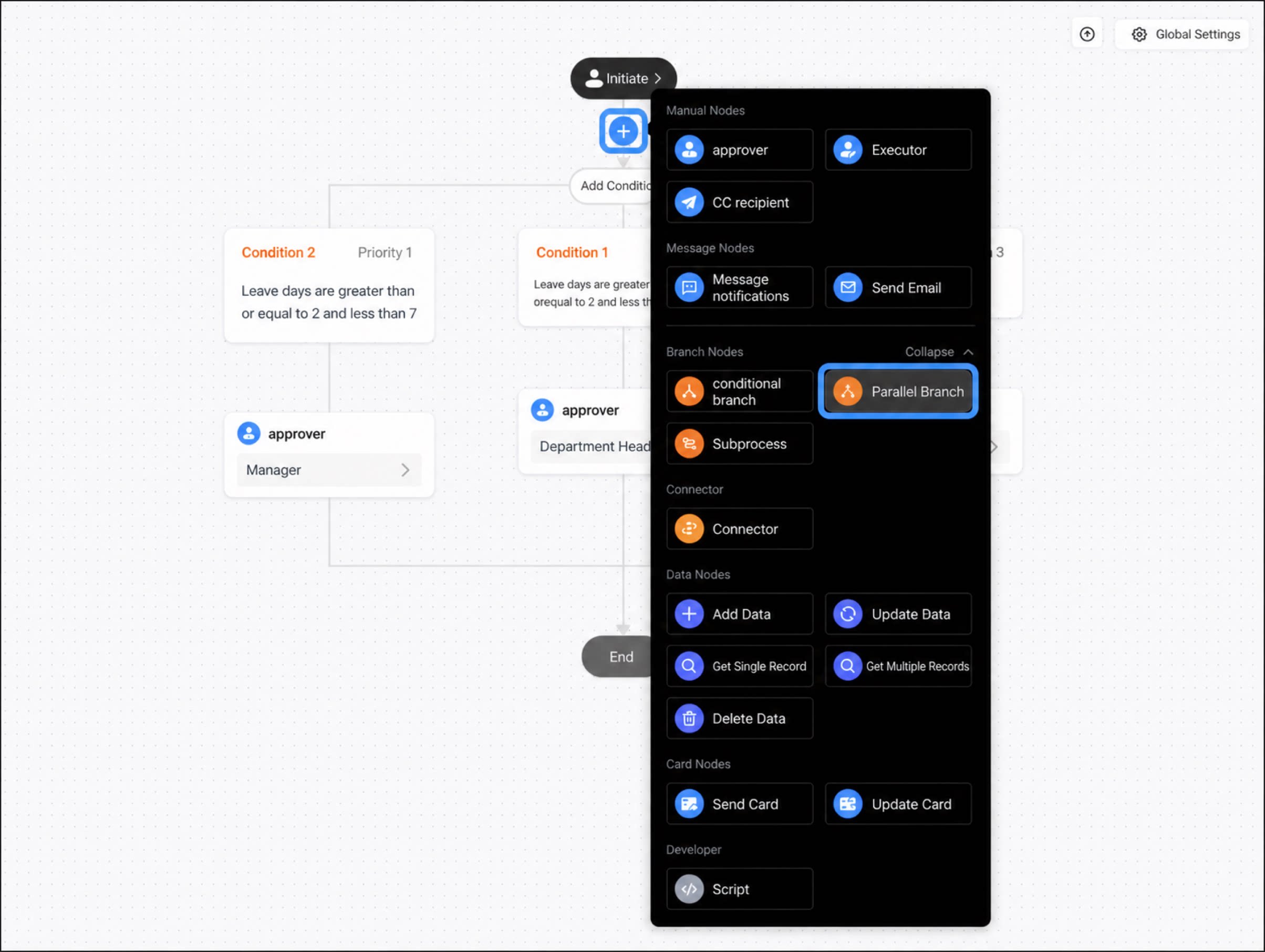
- Move the cursor to the connector between steps to display the + button, click +, and select the Condition branch step.
Configure Branch Conditions
After you add a parallel branch, select a condition to configure. By default, one branch is set to “Other cases”. Once you configure a condition, “Other cases” becomes the inverse of that condition. You can configure different types of conditions based on different components, and you can add more parallel condition branch groups.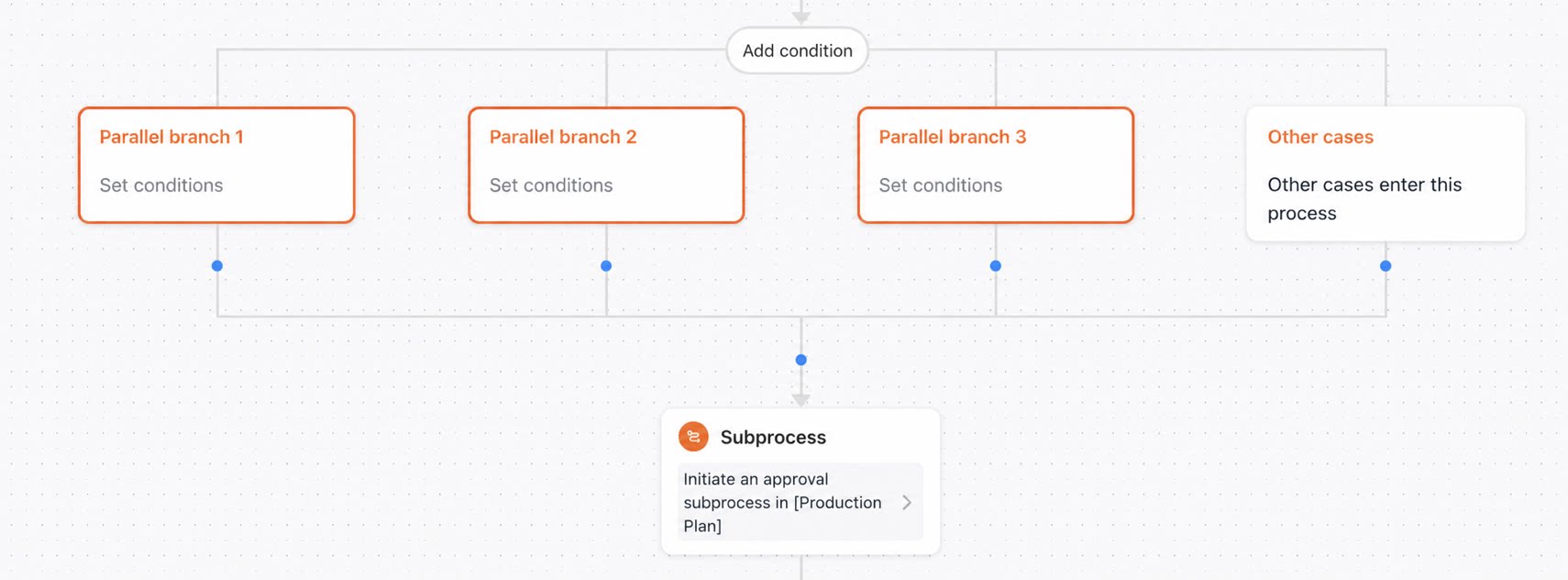
Differences Between Parallel Branches and Condition Branches
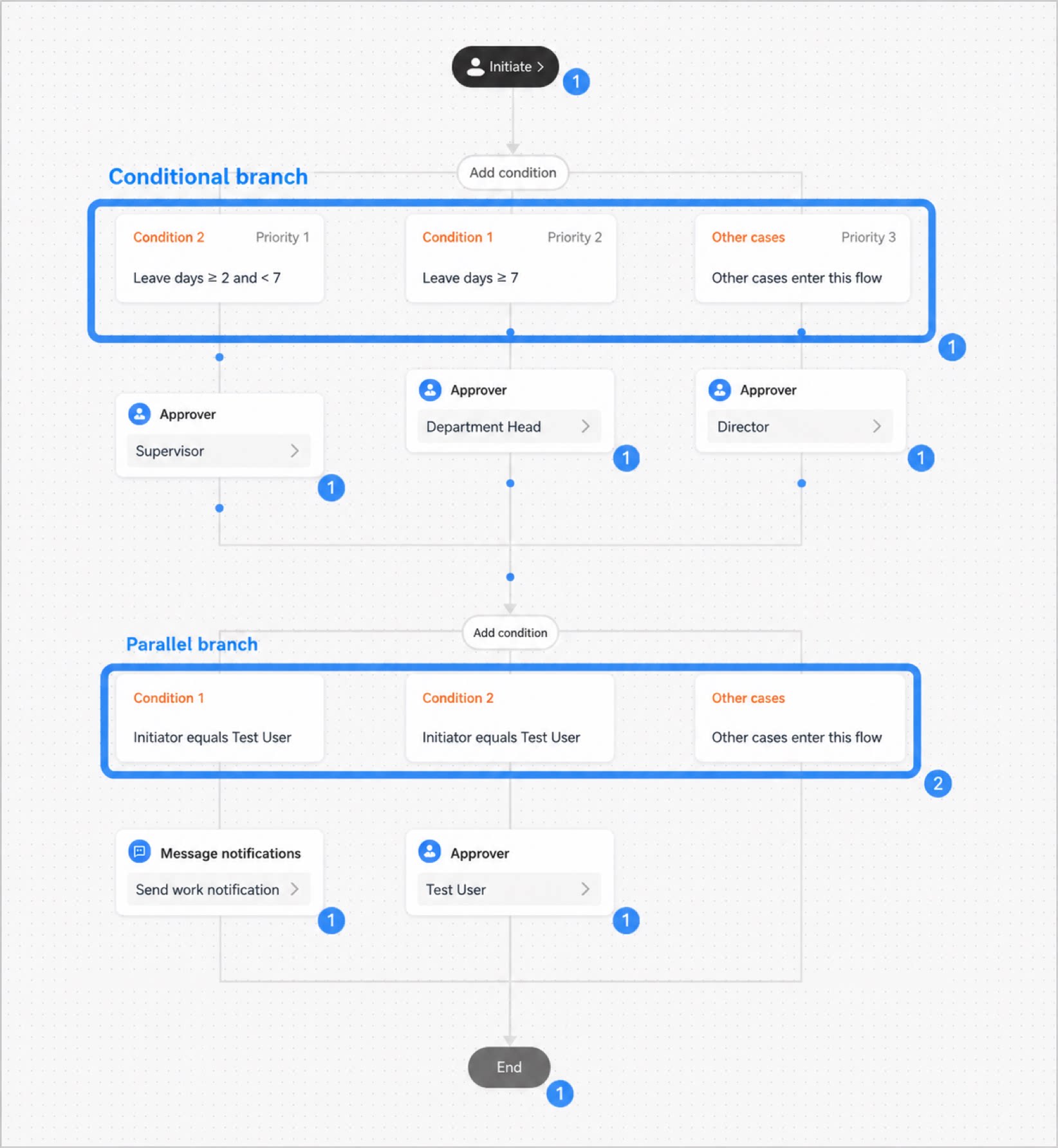
- Condition branches (branches have priority): When one record meets the rules of two branches at the same time, the highest-priority branch runs automatically, and only that branch runs. Adjust the priority as needed. “Other cases” has the lowest priority by default and cannot be changed.
- Parallel branches (branches have no priority): When one record meets the rules of two branches at the same time, the tasks in both branches run.
- Different step-count calculations: