

 Chats
Chats Calendar
 Meetings
 Contacts
 Mail
Mail Docs
Docs Drive
Drive AI Table
 AI Minutes
 Attendance
 Approval
 YiDA
YiDA Admin Console
The Subprocess Step is currently available only in YiDA Dedicated edition.
Use Cases
By breaking a complex approval process into one or more main processes and one or more subprocesses, you can organize your business more flexibly and reuse processes across different flows. Typical scenarios include:- Reusing the same process: When a business process needs to be reused, encapsulate it as a Subprocess Step so it can be reused across different processes.
- Modularizing processes: Break a complex business process into multiple Subprocess Steps for easier management and maintenance.
- Invoking other processes from a process: When one business process needs to invoke another, use a Subprocess Step to encapsulate the invoked process.
Using Subprocesses
1
Step 1
Sign in to the YiDA workbench. Select the target app and go to the app’s Page management page.
2
Step 2
Select the workflow form, click the inverted triangle next to Edit workflow form, then click workflow design. 
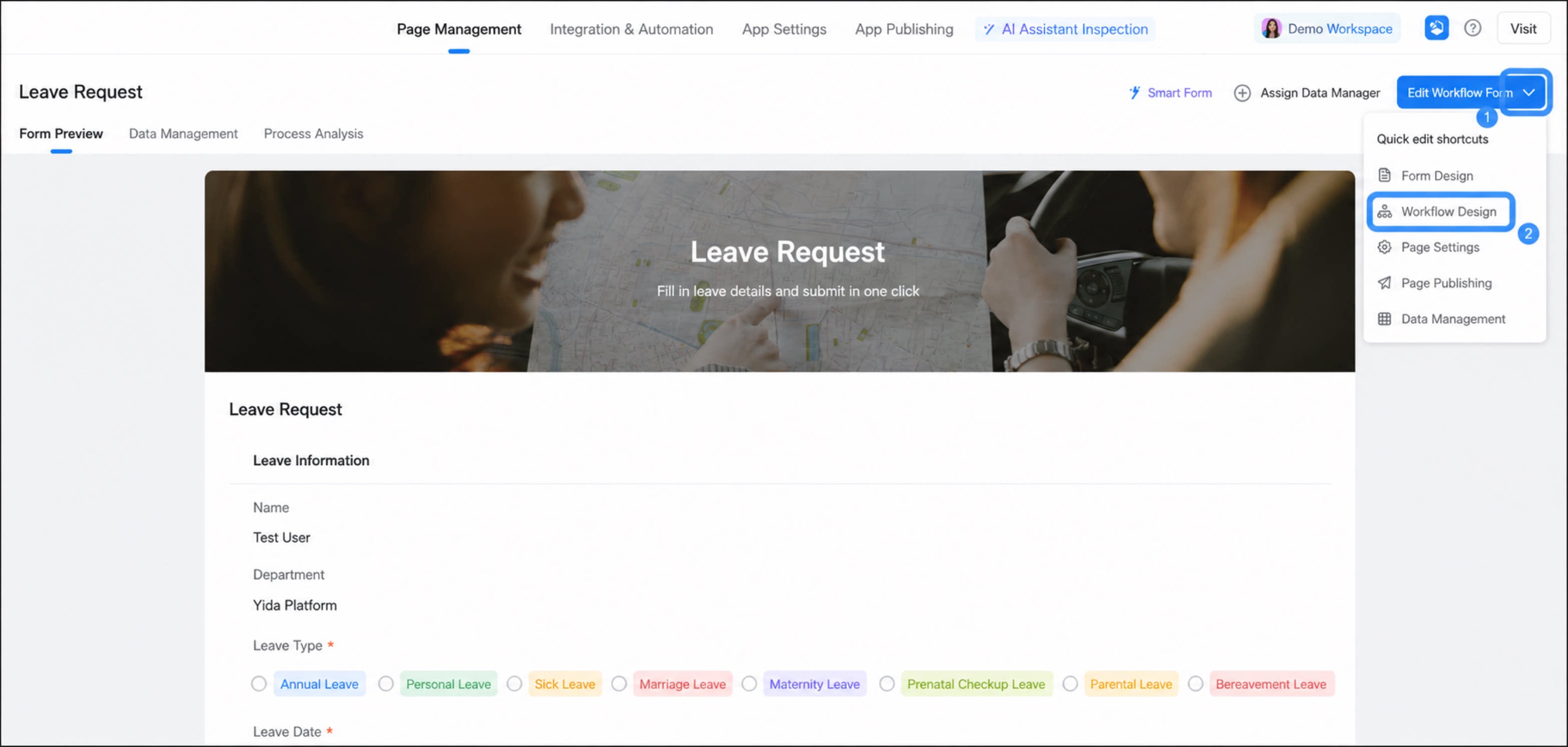
1
Move the cursor to the connecting line location of a step; a + button appears. Click + and select the Subprocess Step
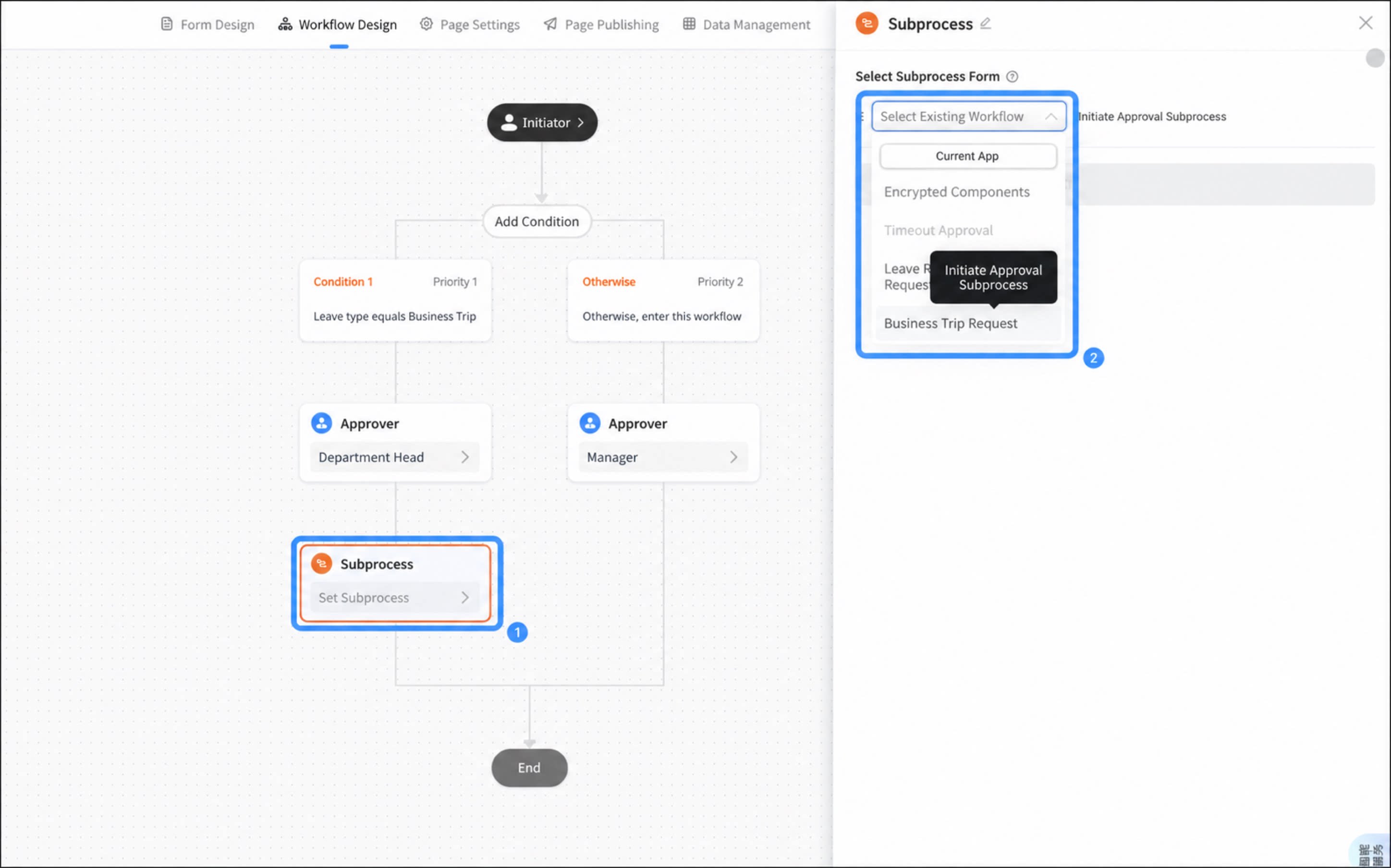
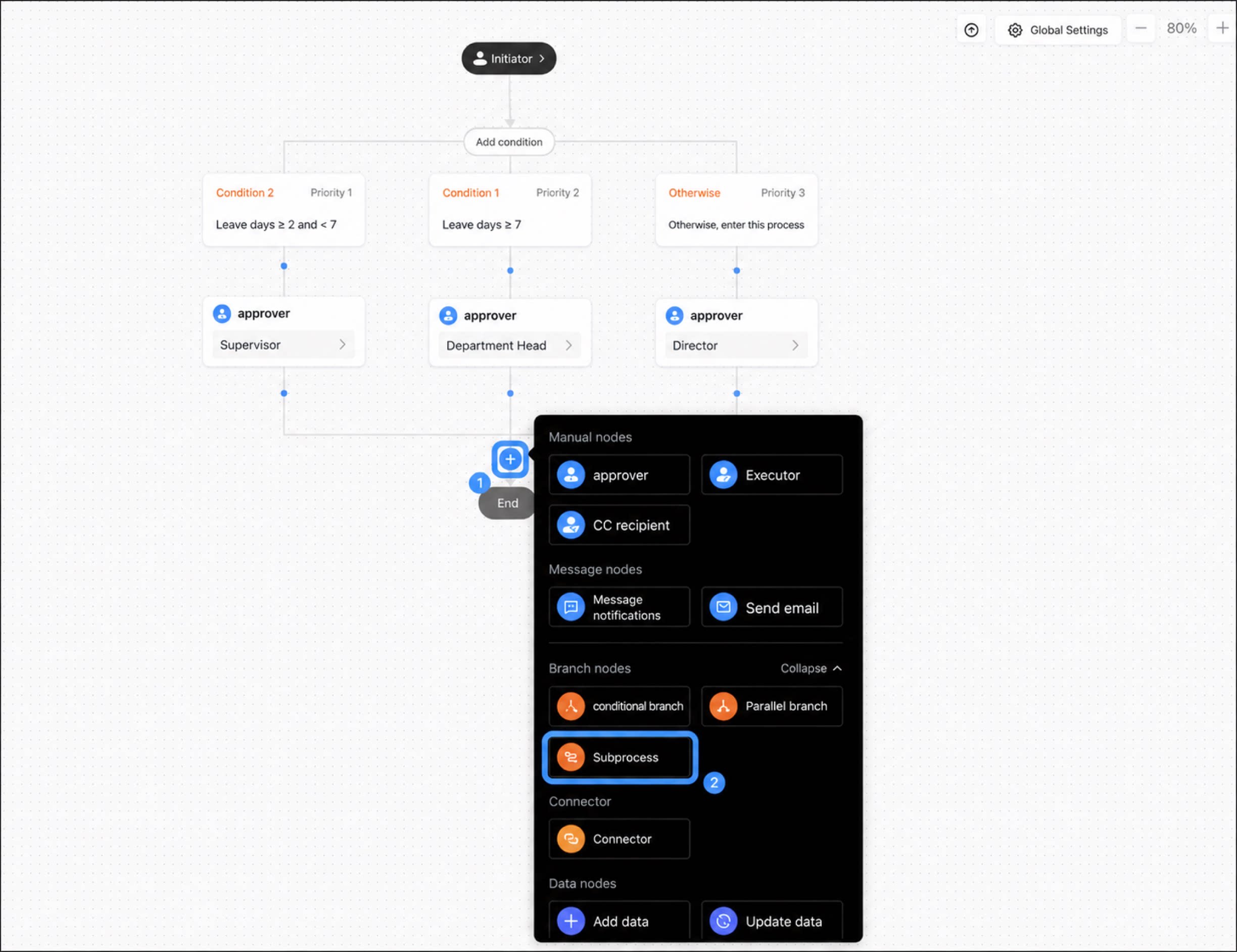
2
Select the Subprocess Step, and in the step configuration panel on the right, initiate the subprocess form of the process
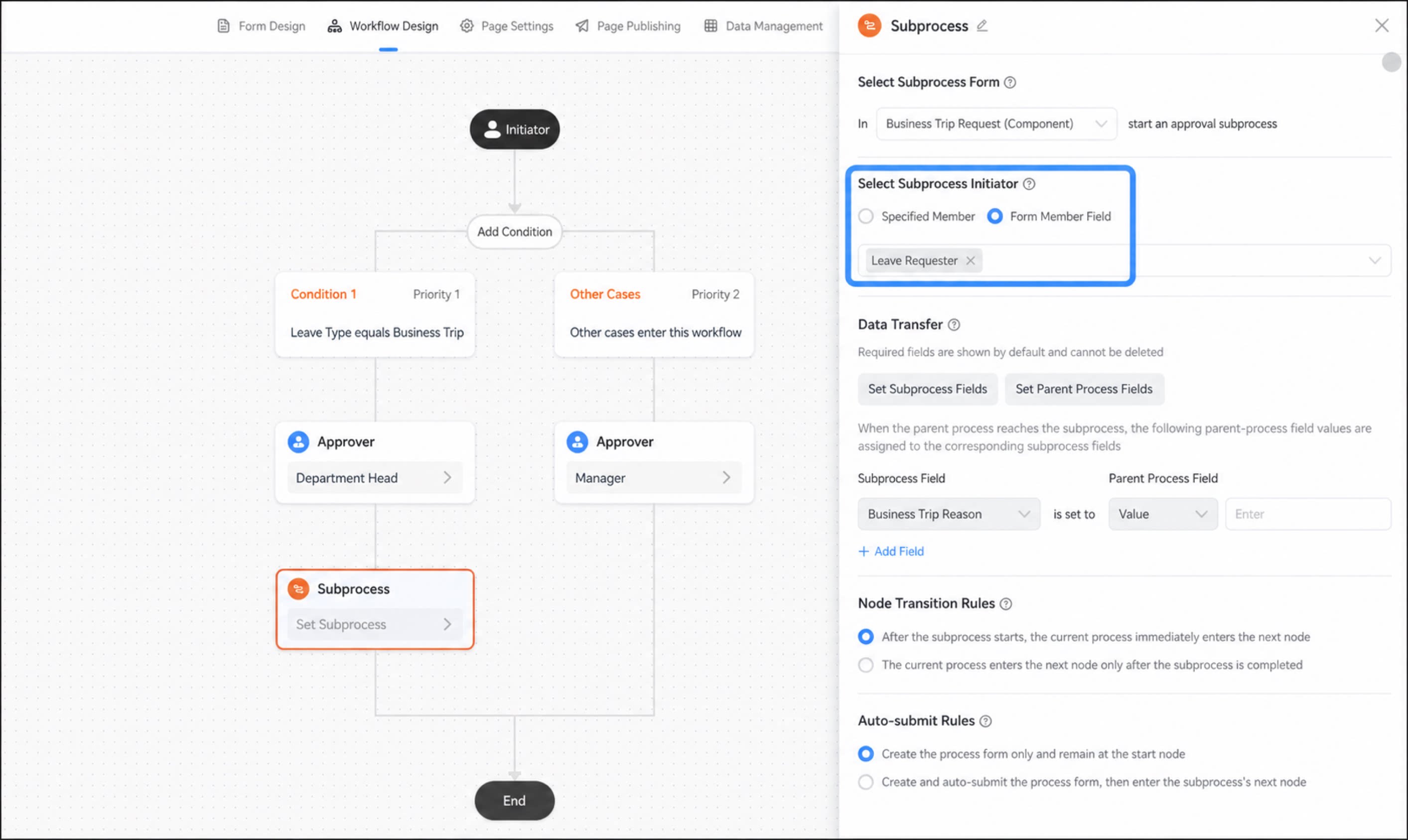
3
Select the initiator of the subprocess. Supports setting a specified user or a user field from the parent form
When there are multiple initiators, an approval process is created for each initiator, up to a maximum of 50 users.
4
Step 4
Configure data transfer for the Subprocess Step. In the data transfer step, you can set data transfer rules between the main process and the subprocess. This enables data initialization and data updates for specified fields.
- You can assign parent process field values to the subprocess, and assign subprocess field values to the parent process.
- Assigning values to subform components is not supported at this time.
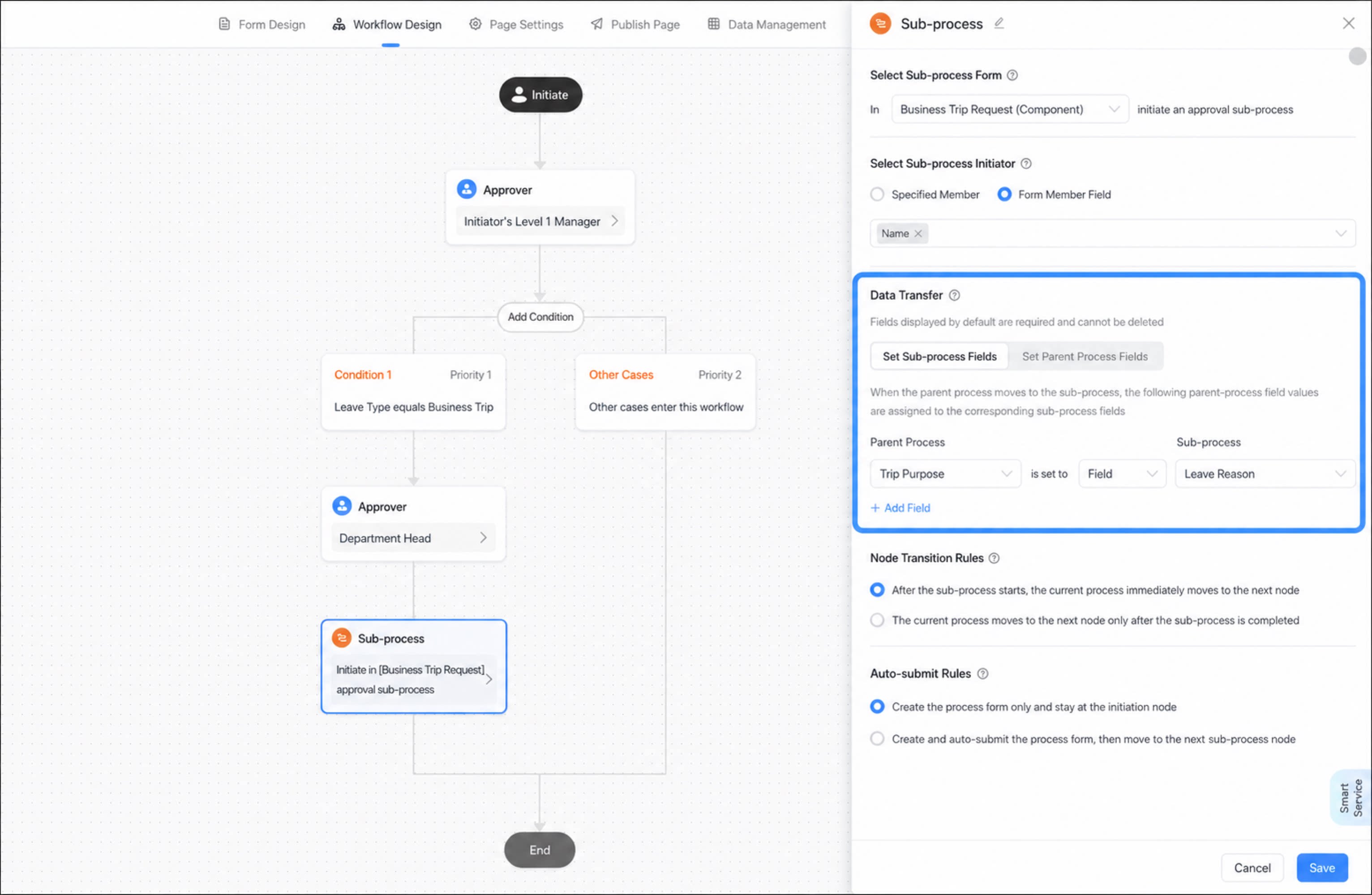
- Set the trigger rules for the subsequent steps of the current main process step.
- Set the auto-submit rules after the subprocess is initiated.
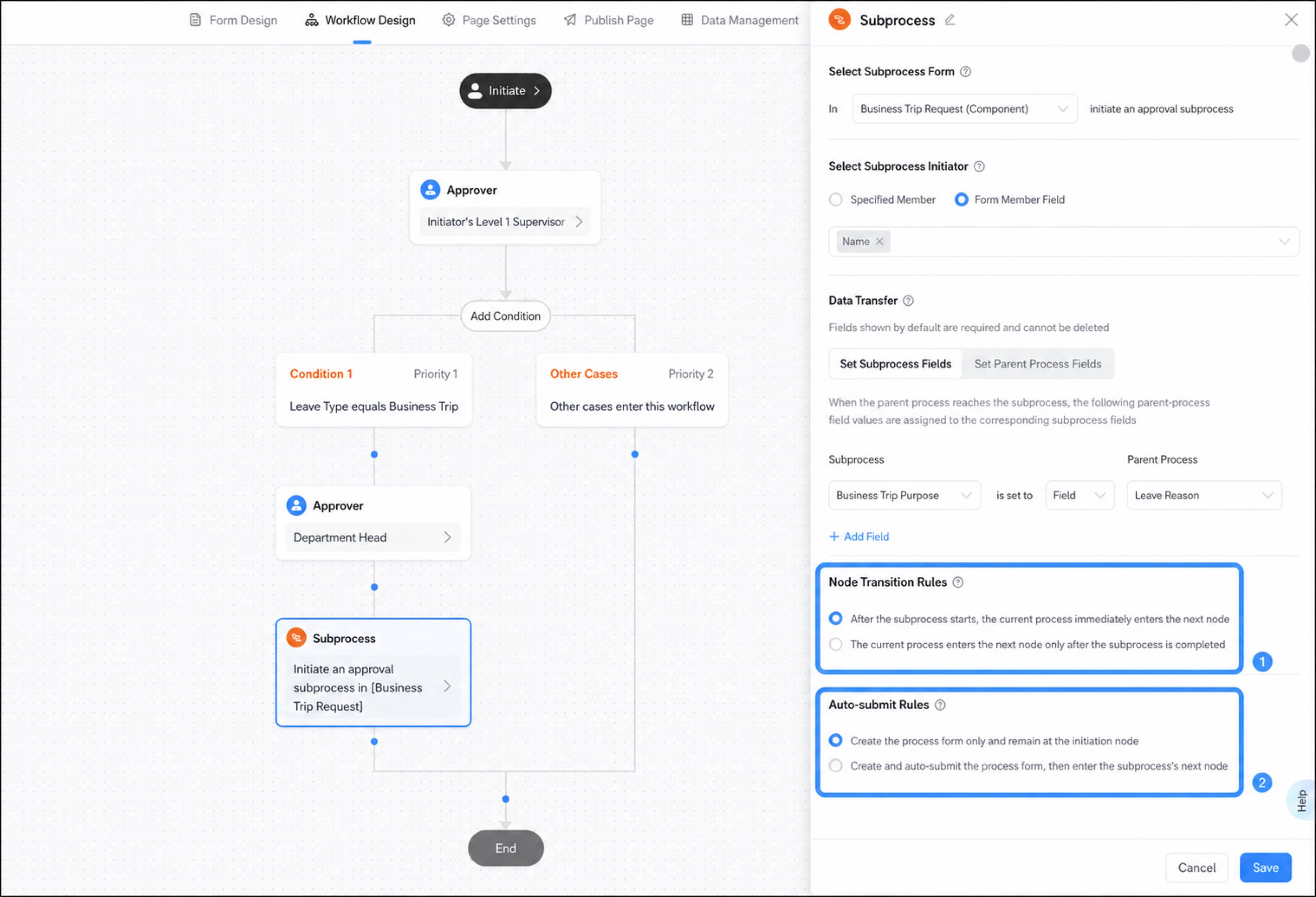
- Click Save to complete the configuration.
Limits
- You can add a maximum of three subprocesses per parent process.
- You can pass a maximum of 50 field values to the subprocess or main process.
- Data transfer does not support subform components at this time.
- Parent-child process nesting supports a maximum of two tiers. For example, process A can nest process B, but nesting process C within process B is not supported.