Chats
Chats Calendar
 Meetings
 Contacts
 Mail
Mail Docs
Docs Drive
Drive AI Table
 AI Minutes
 Attendance
 Approval
 YiDA
YiDA Admin Console
1. Title
Click to set the Title and its display location. The Title supports both Chinese and English. Title settings2. Display Link
You can set the Link URL, display text (in Chinese and English), whether to display an icon or text, and parameters.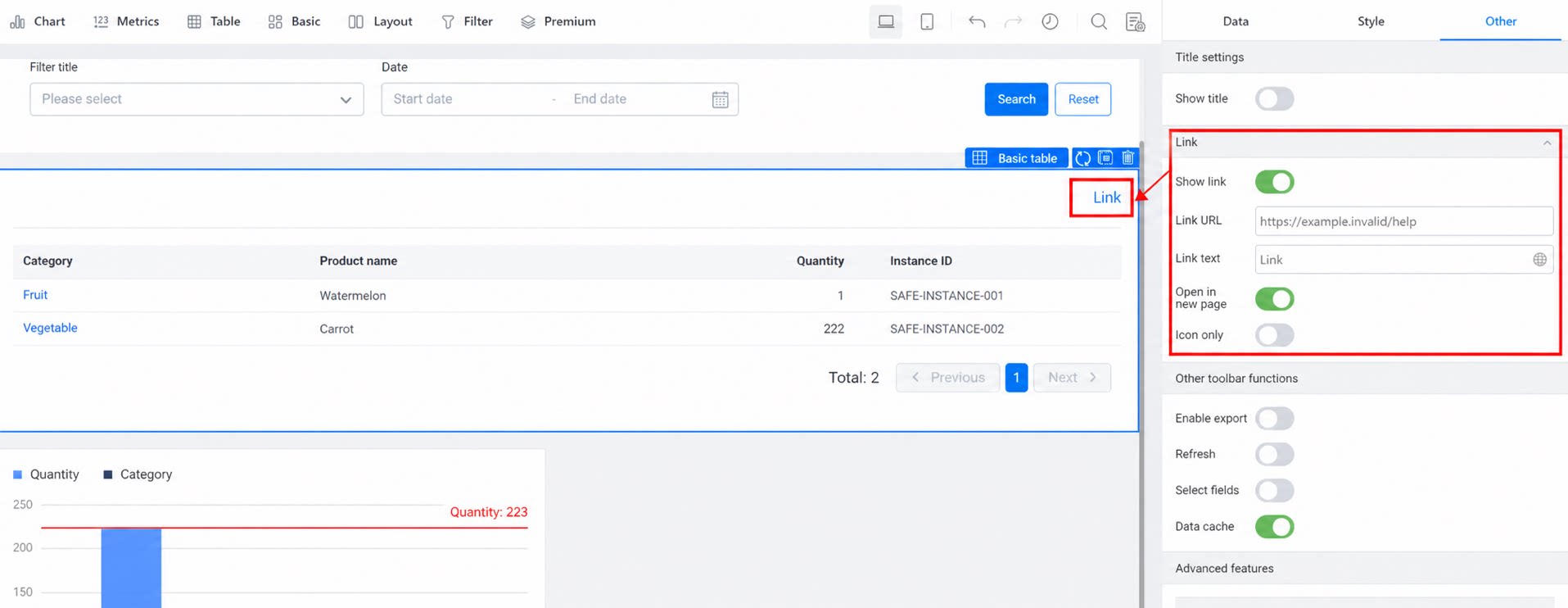
3. Other Top-Bar Features
3.1 Export
Supports turning on and off. It is off by default. When the exported Data exceeds 10,000 records, at least one sort field must be set to improve the success rate of Data Export.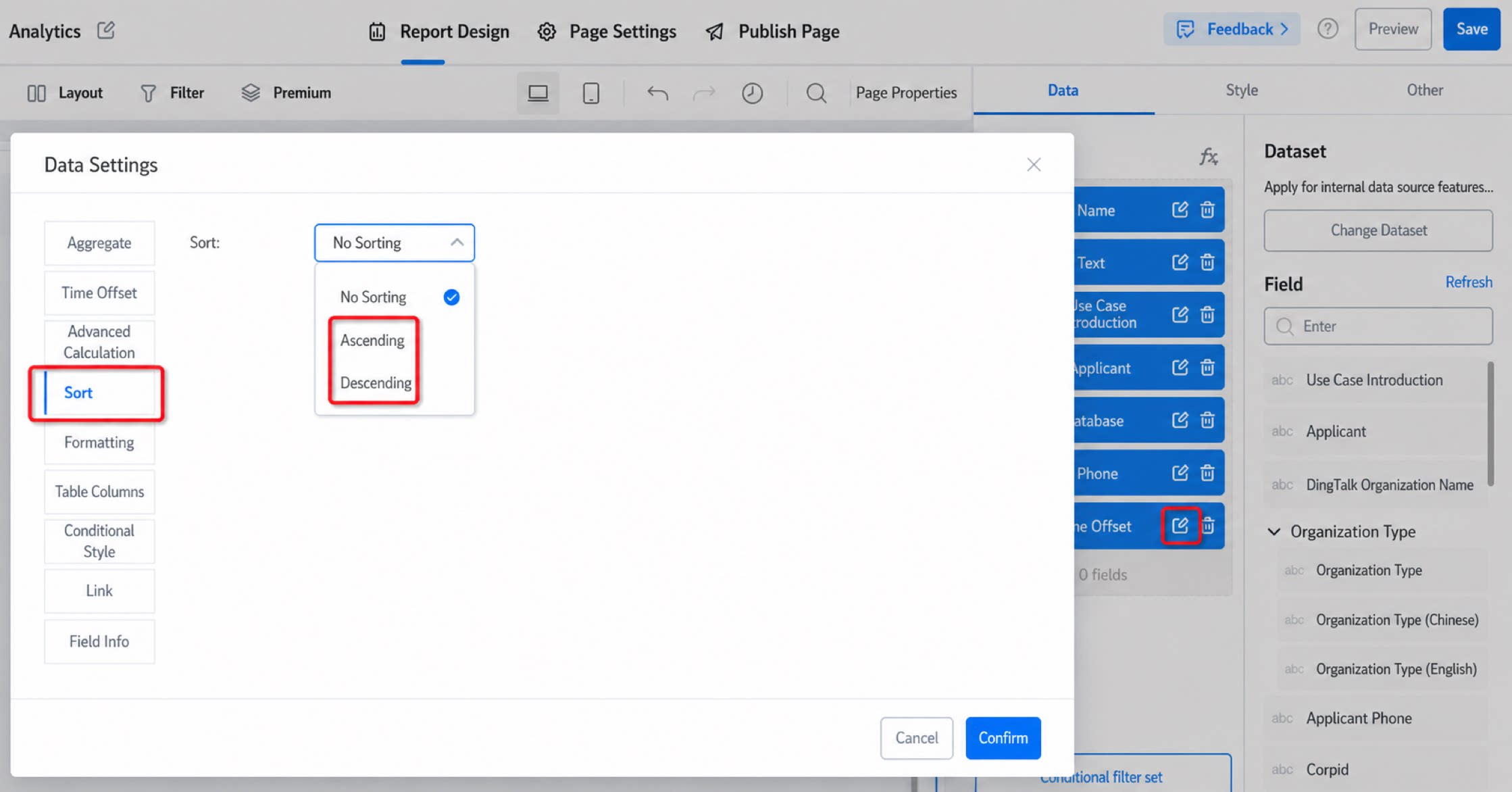
3.2 Refresh
Refresh the report Data.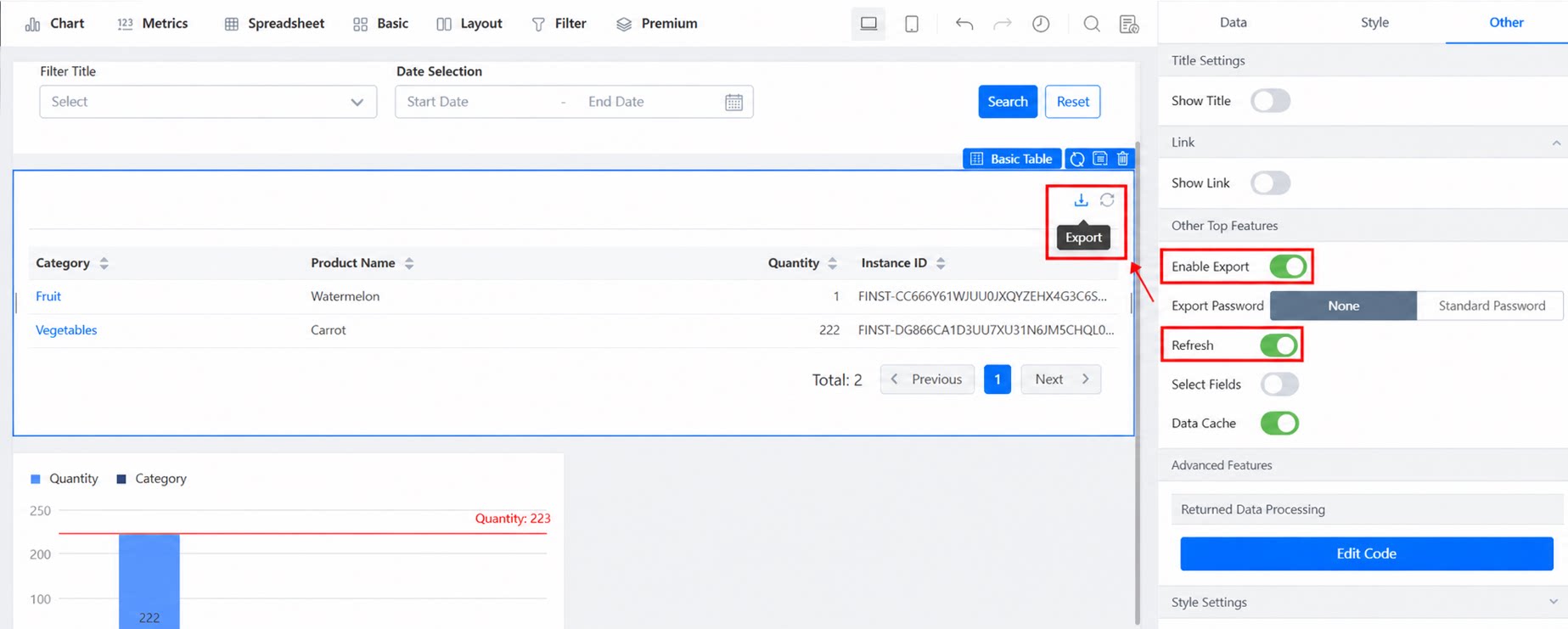
3.3 Select Field — Only Supported by the Spreadsheet and Basic Metrics Components
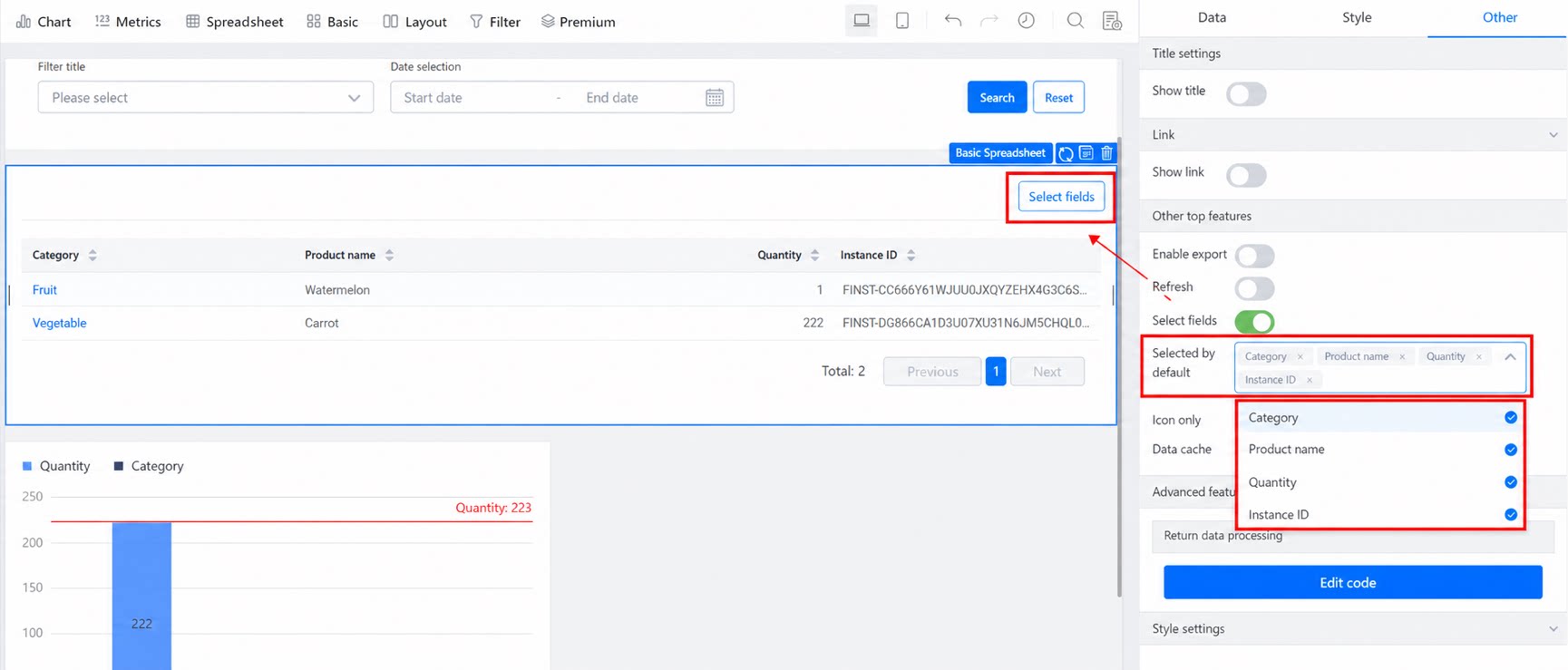
3.4 Data Cache
Enabled by default. Enabling it improves query performance.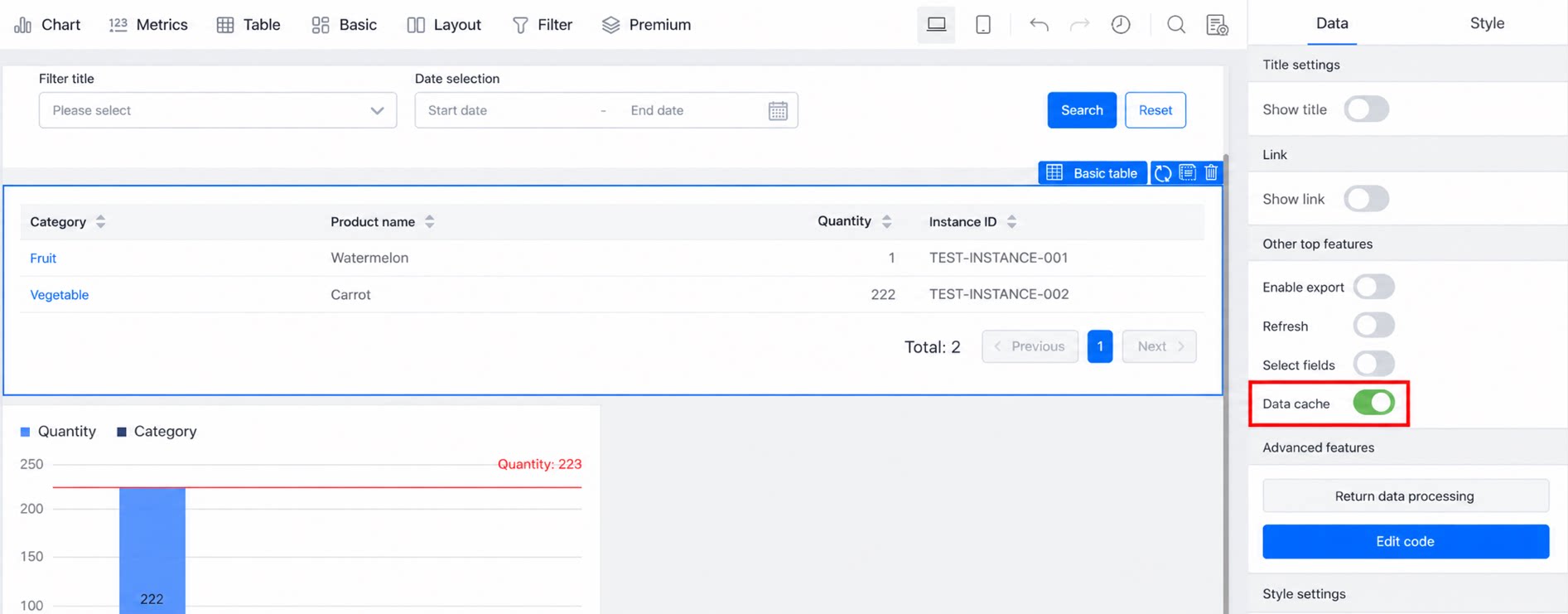
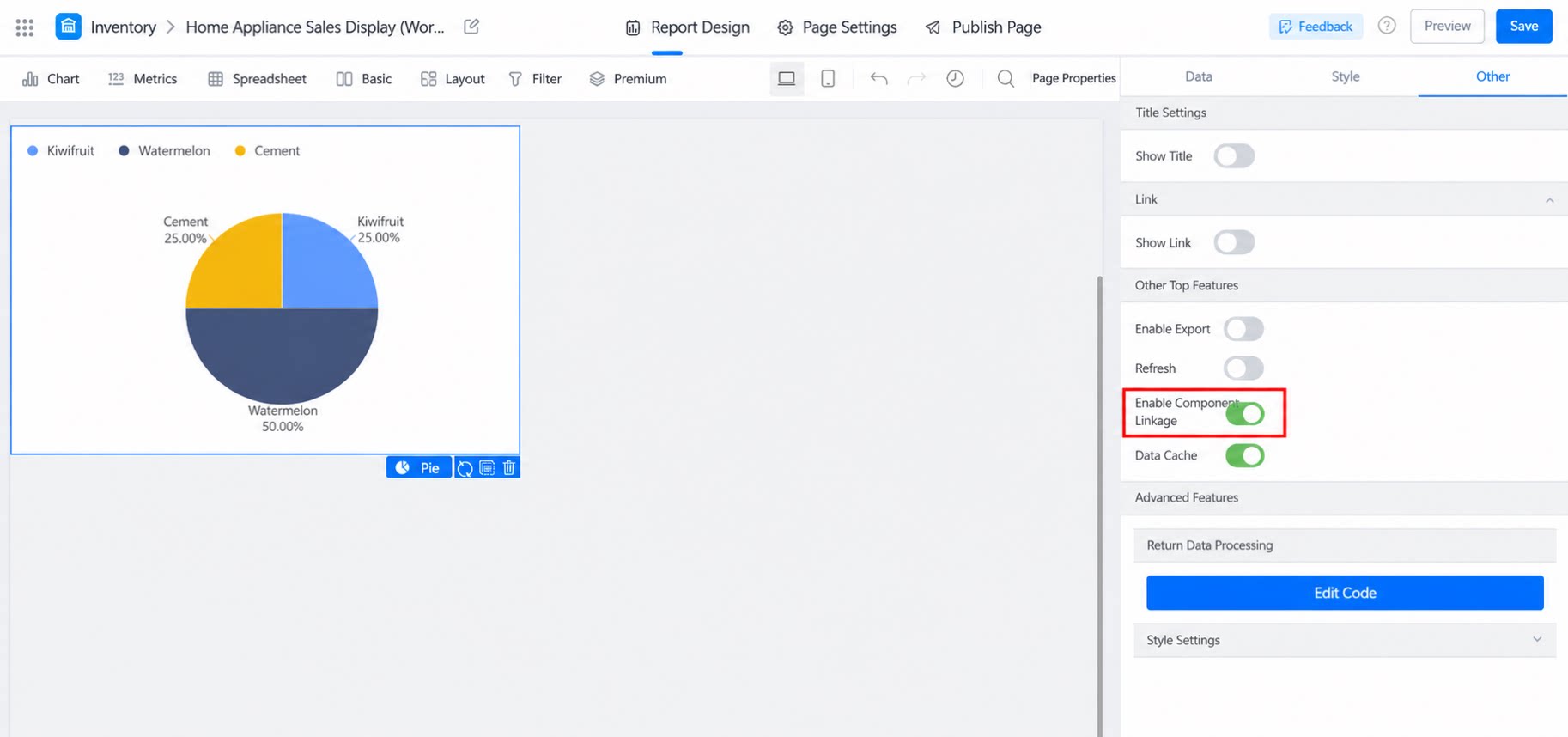
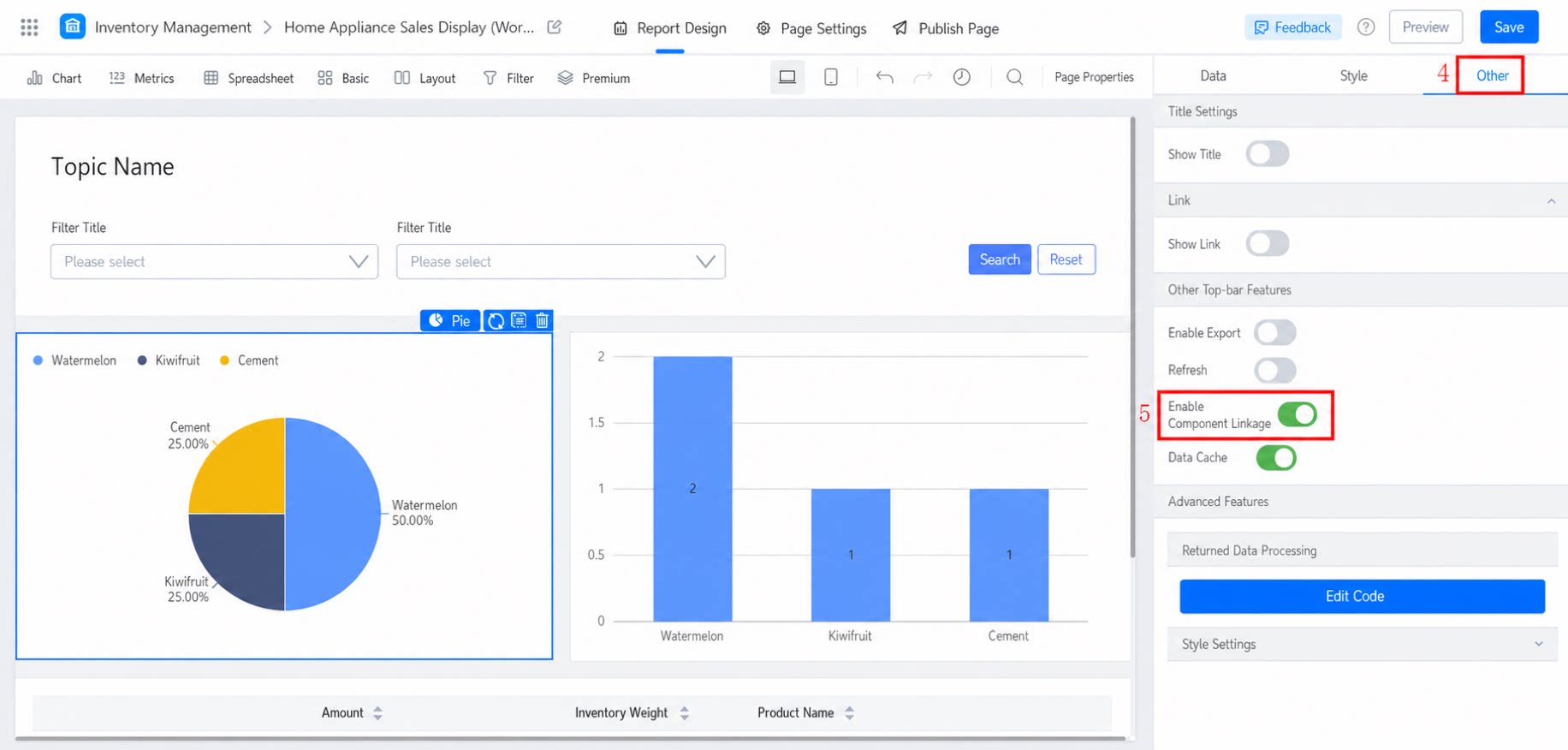
3.5 Enable Component Linkage
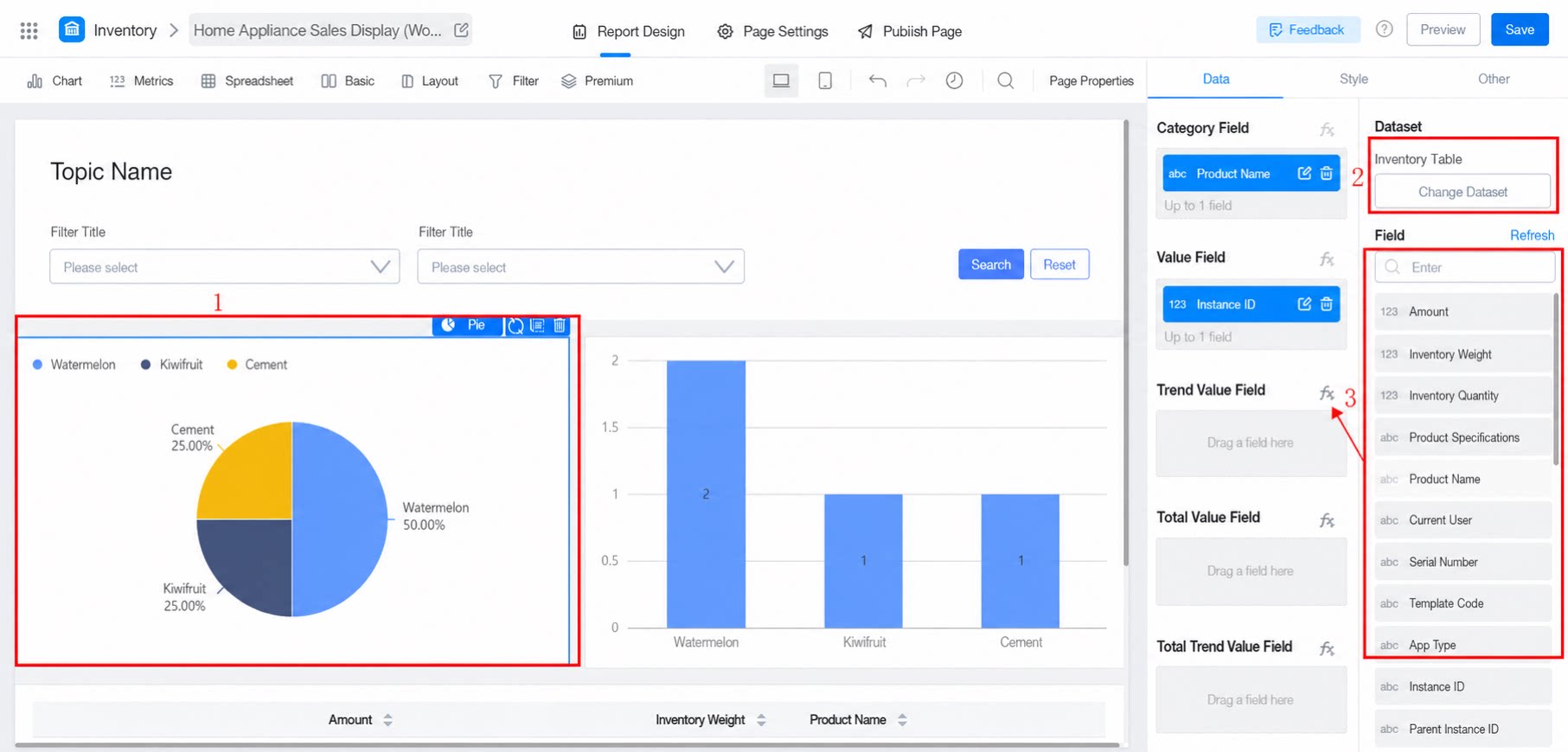
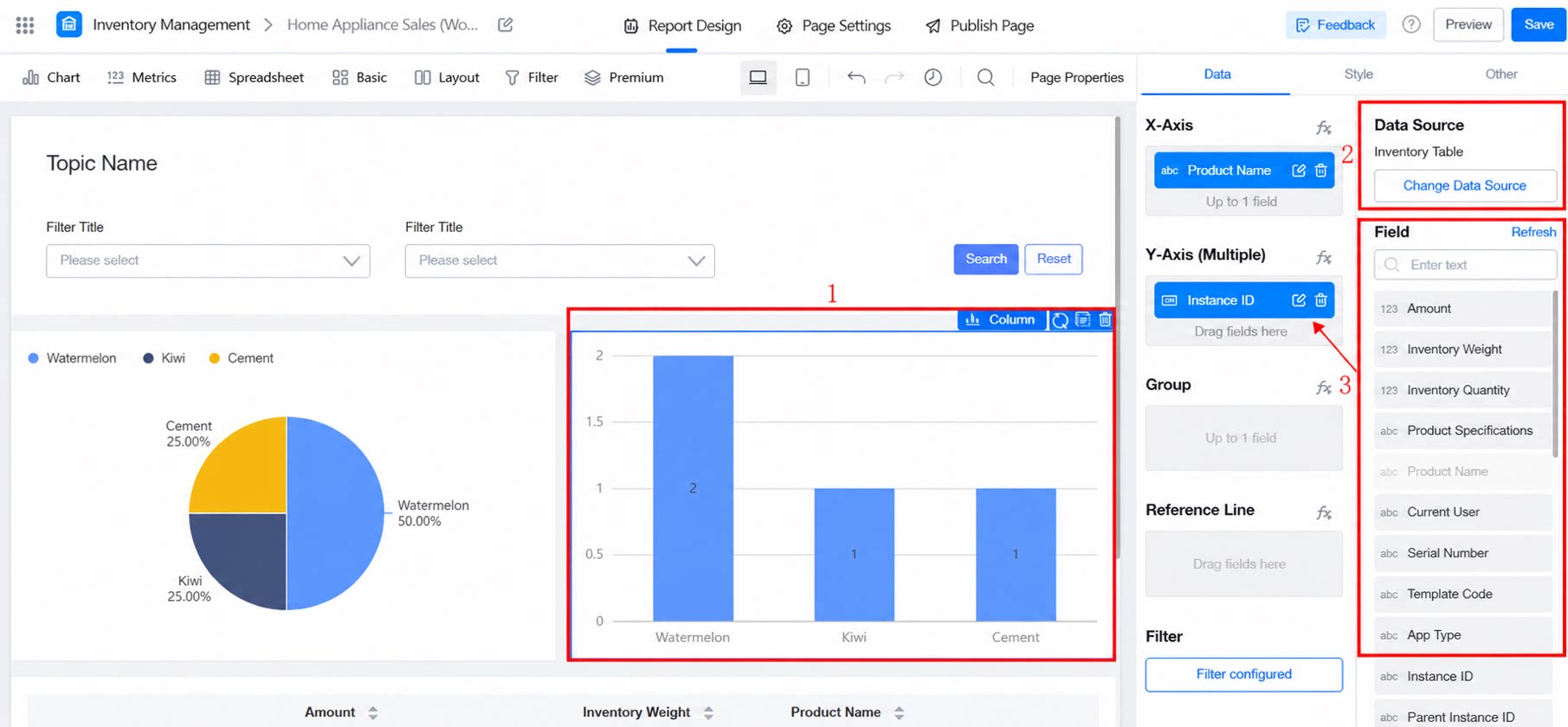
Click the designated area of a component to set up linkage between components. Currently, only the Pie chart supports initiating linkage, while all components can receive linkage.