Chats
Chats Calendar
 Meetings
 Contacts
 Mail
Mail Docs
Docs Drive
Drive AI Table
 AI Minutes
 Attendance
 Approval
 YiDA
YiDA Admin Console
Introduction
Time offset is a capability built on rollup field types that displays data from different points in time. Use it to compare data across different periods.A report with time offset enabled can query up to 10,000 records at a time.
Settings Panel
The Time offset tab in the Data settings panel provides the following options: Time offset: Turn time offset on or off. Time dimension: The granularity of the time offset. Offset value: The offset value varies by time dimension and can be customized.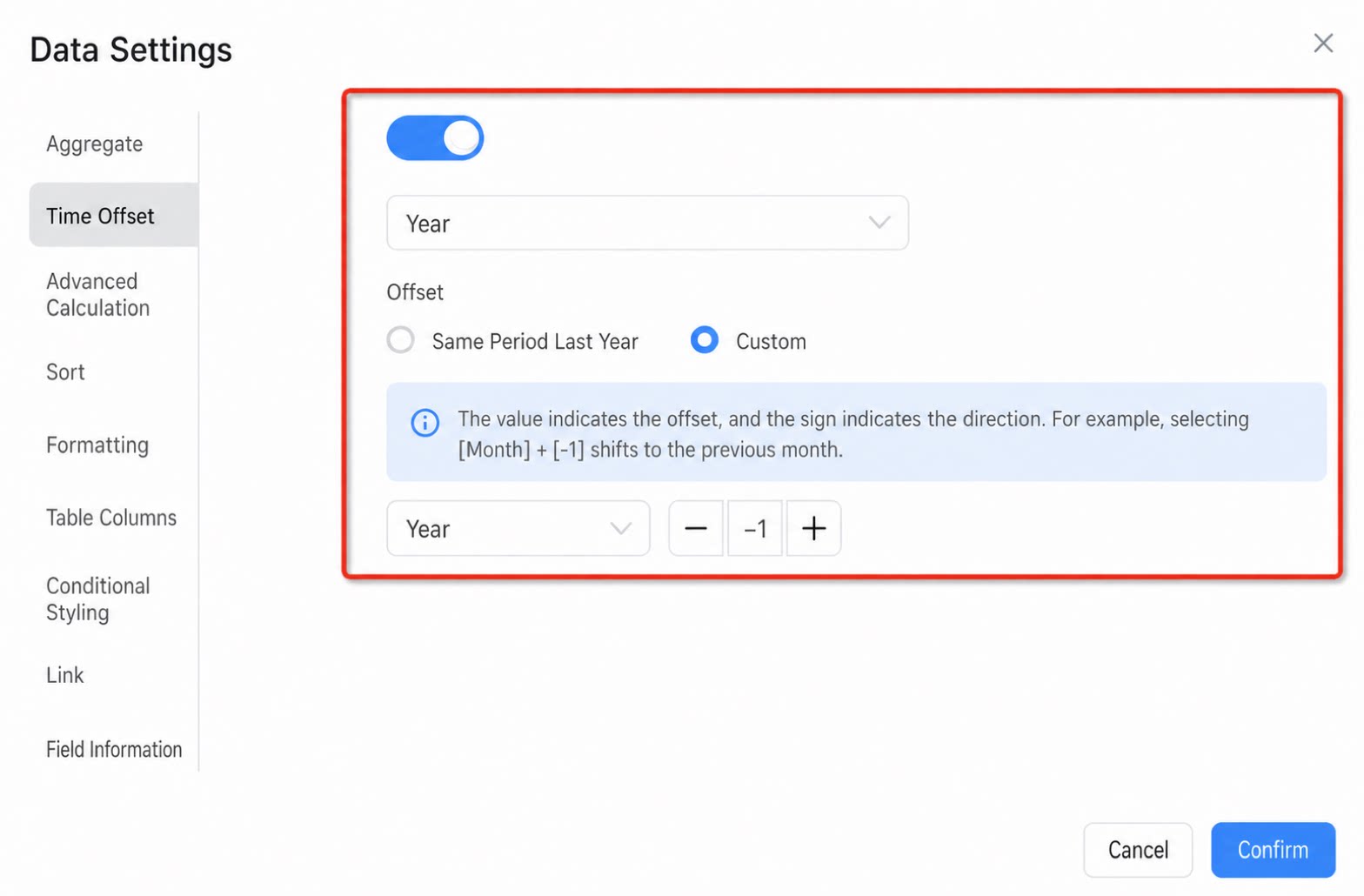
Detailed Configuration
Time offset relies on time data. Configure the corresponding time field for each component.Column
Add a time field. Configure the offset field.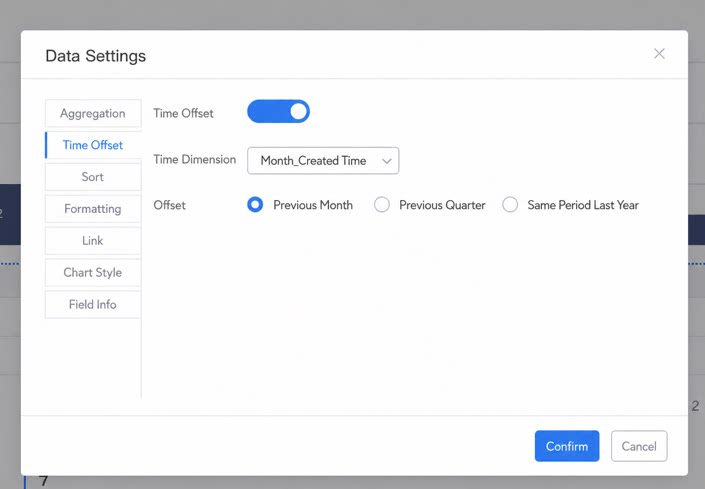
Spreadsheet
Spreadsheet configuration is similar to that of the Column.Metrics
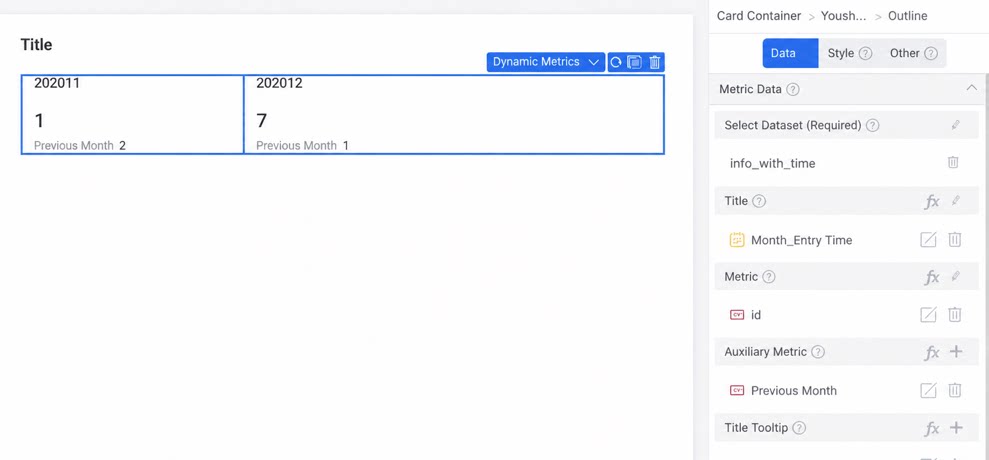
Add a time field in the Title section, then add reference data with time offset under Supporting metric. For more configuration details about Metrics, see Basic metrics.