

 Chats
Chats Calendar
 Meetings
 Contacts
 Mail
Mail Docs
Docs Drive
Drive AI Table
 AI Minutes
 Attendance
 Approval
 YiDA
YiDA Admin Console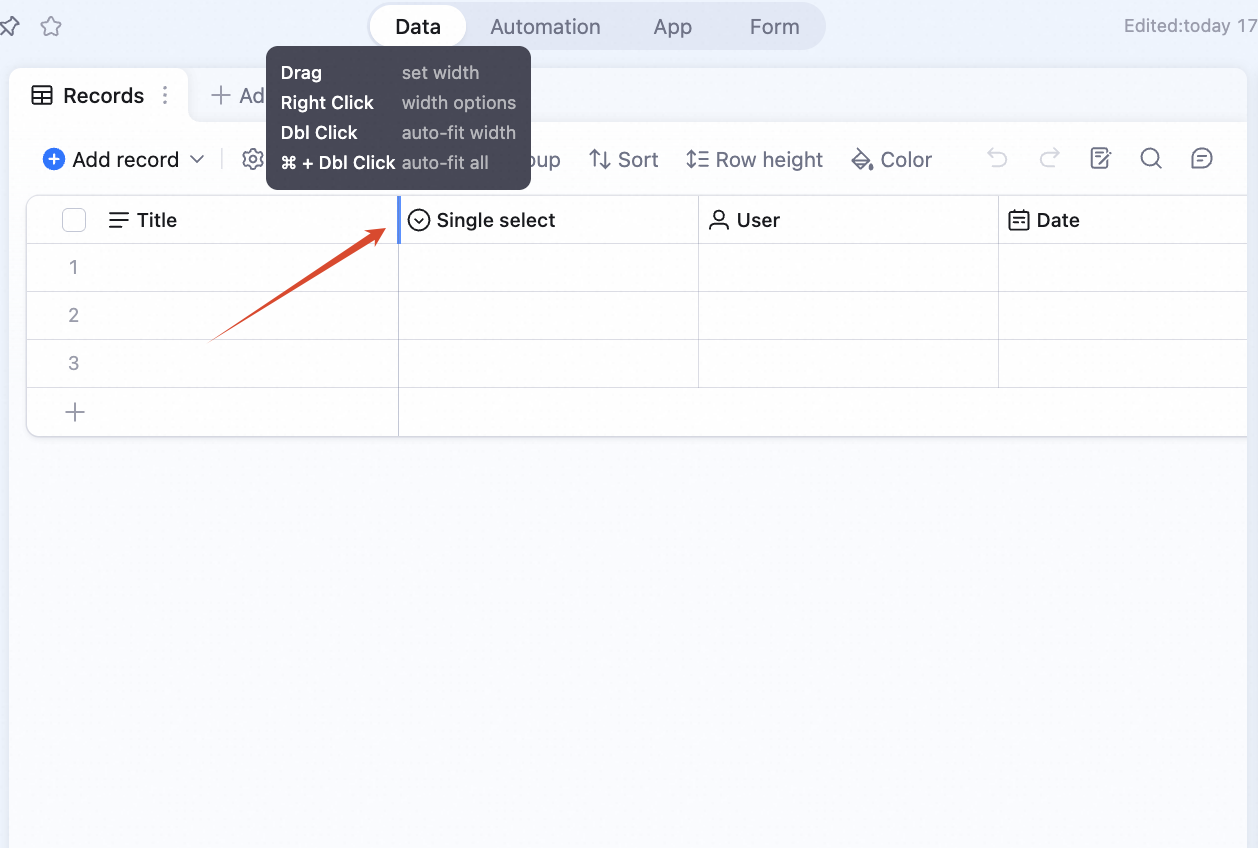
How to Adjust
- Drag: resize directly.
- Right-click: open the resize menu.
- Double-click: auto-fit this column.
- ⌘ + double-click: auto-fit all columns.
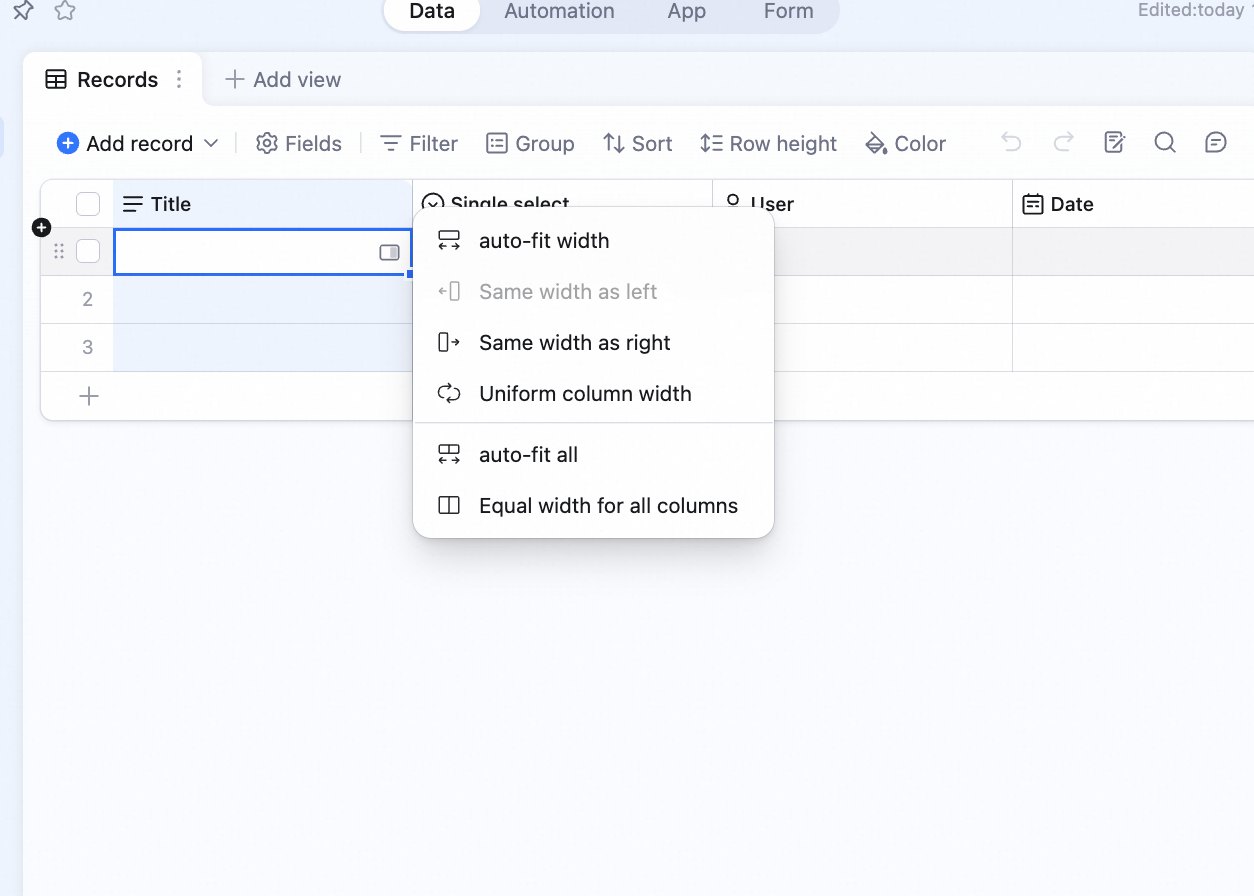 The right-click menu has:
- Auto-fit column width
- Match left column
- Match right column
- Auto-fit all column widths
- Distribute columns evenly
- Sync column width
Bulk Resize
Holdcmd/ctrl and click column headers to multi-select. Drag any boundary in the selection to resize all selected columns.
Hold shift and click column headers to select a range. Drag any boundary to resize all of them.