Chats
Chats Calendar
 Meetings
 Contacts
 Mail
Mail Docs
Docs Drive
Drive AI Table
 AI Minutes
 Attendance
 Approval
 YiDA
YiDA Admin Console
Reusing Options
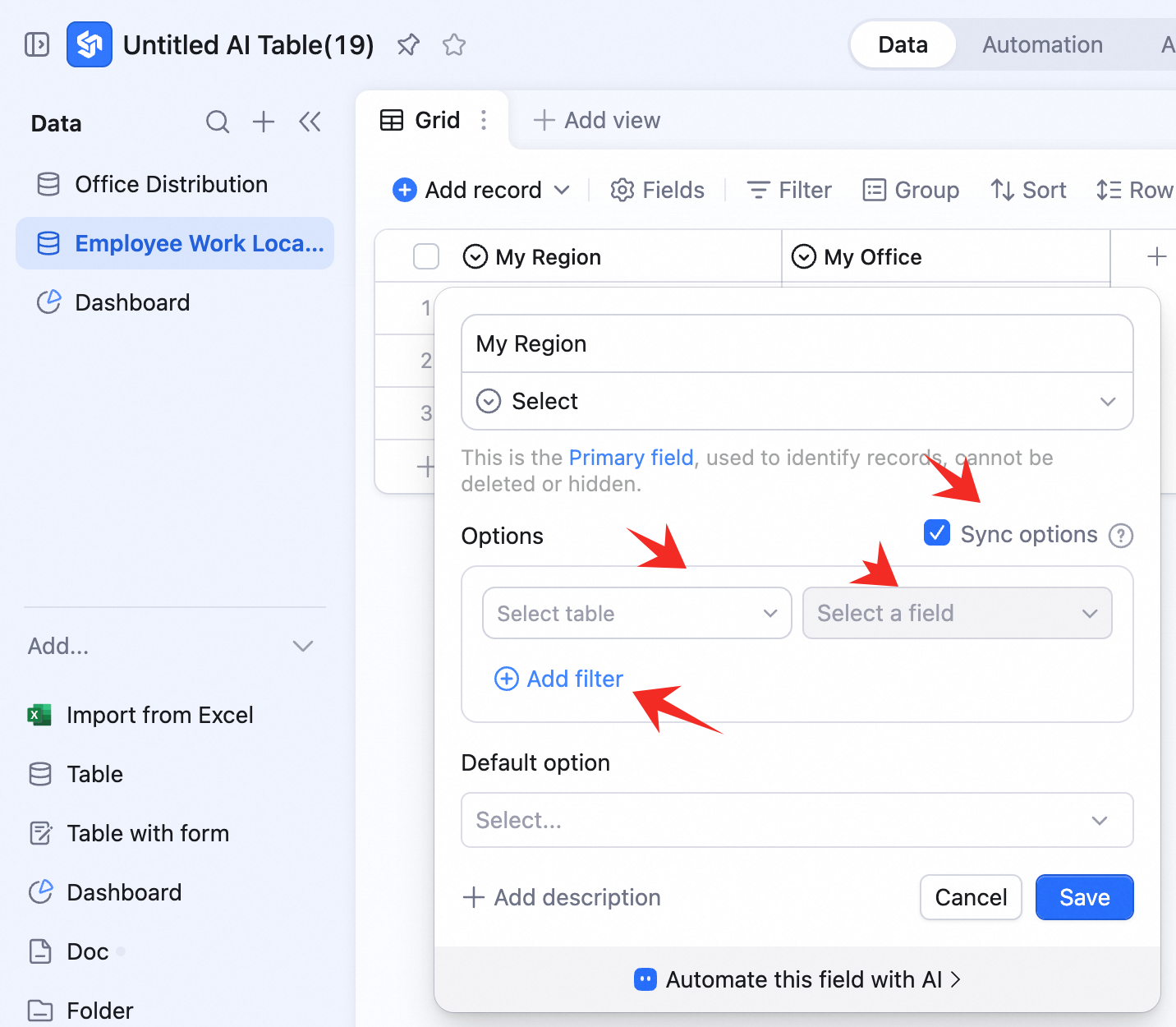
When configuring a single / multi-select field:- Check Sync options from another table.
- Pick the source table.
- Pick the source single / multi-select field.
- Add filter
Cascading Dependencies
It’s common to capture multi-level data in AI Table — for an address, you usually pick country → province → city → district one level at a time. Pick a province first and the city dropdown only shows that province’s cities. Here’s an employee picking an office location to walk through how cascading works. A multinational has offices in Asia, North America, and Europe. Employees pick a region first, then an office. The office dropdown is restricted to offices in the chosen region. It takes two steps to wire up:Set up the Source Table
Create a new table — say Office directory — with two single-select fields: Region and Office. List every office and its region: Note: list every Office and its Region.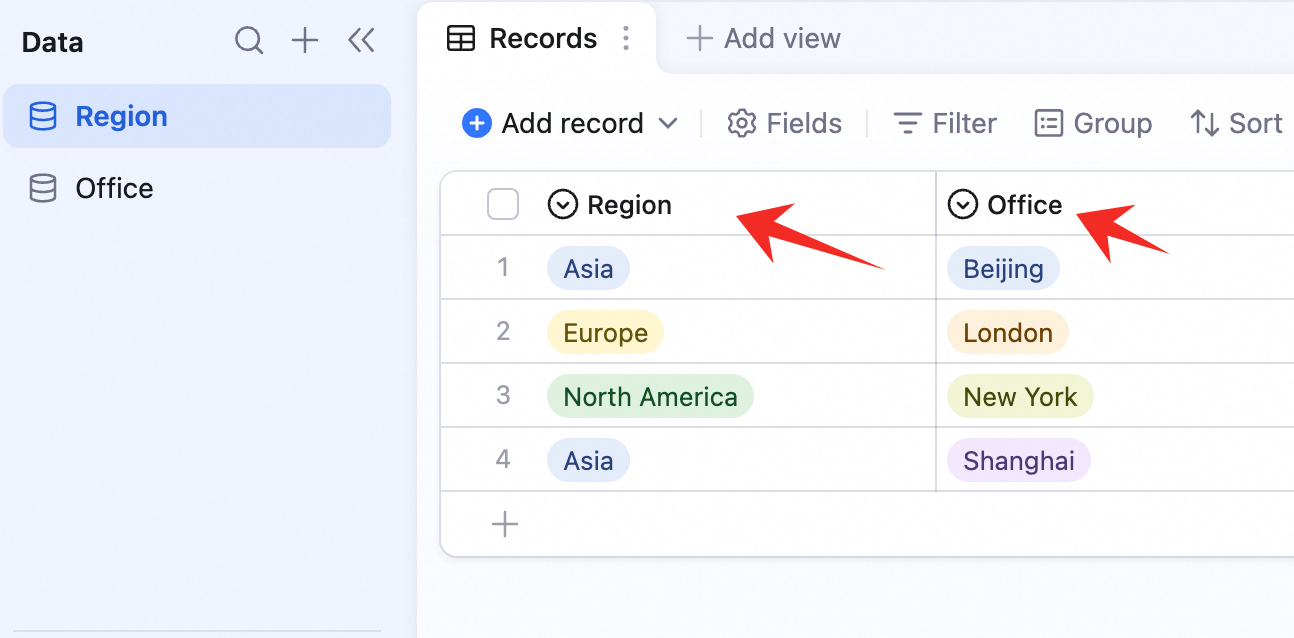
Wire up the Dependent Fields
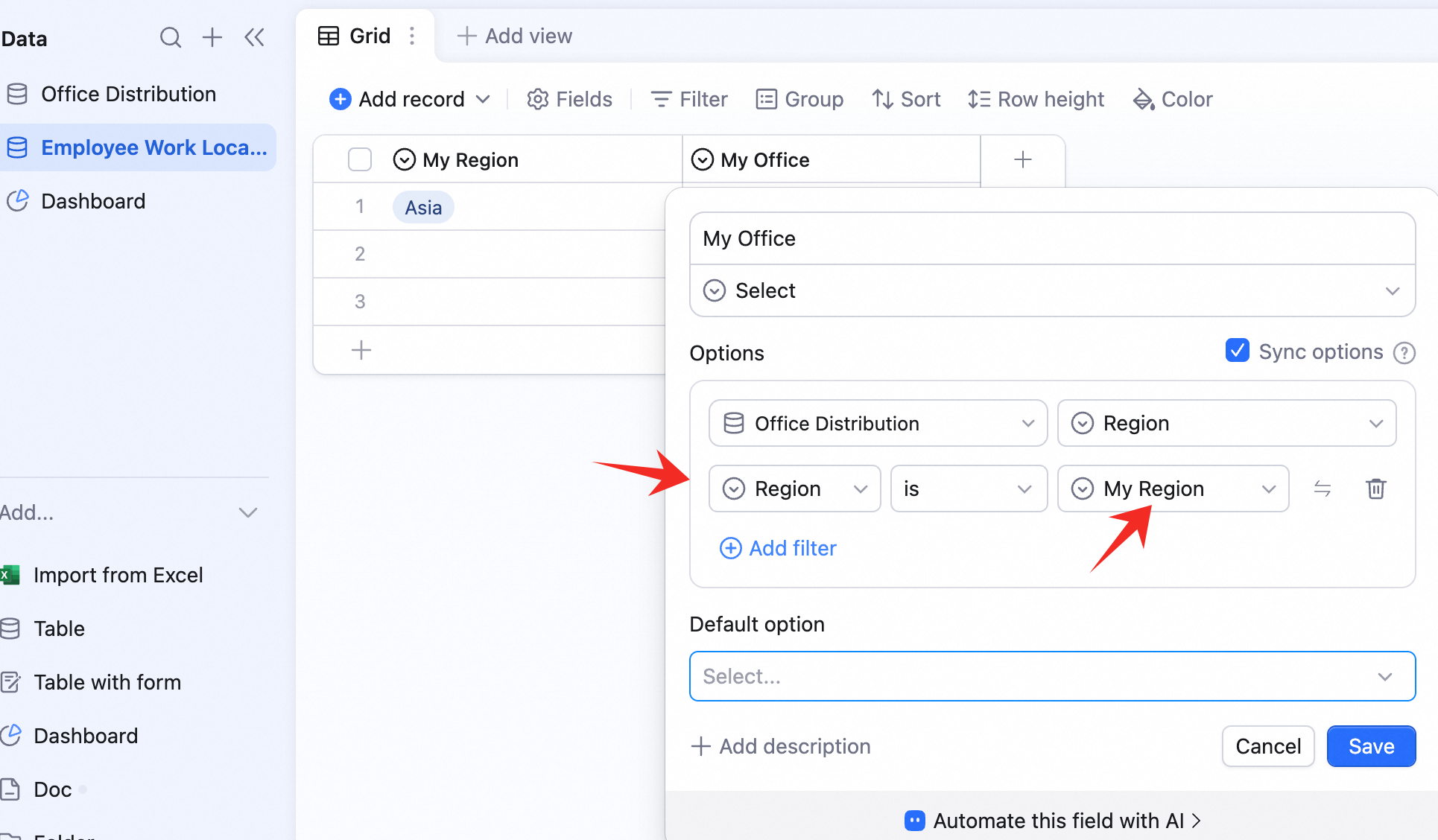
Create another table — say Employee work location — with two single-select fields: My region and My office. Configure My region:- Check Sync options from another table.
- Source table: Office directory.
- Source field: Region.
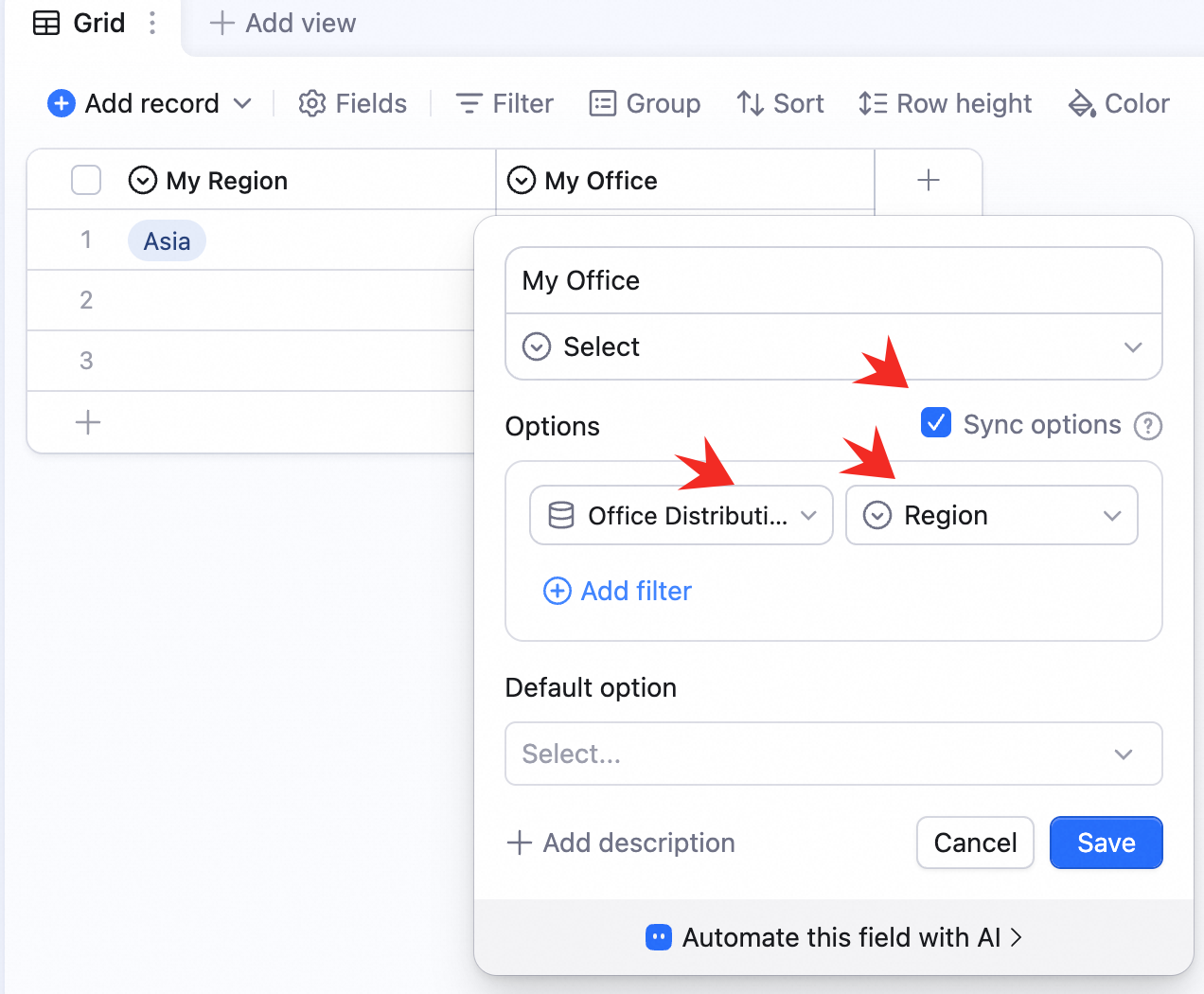 Configure My office:
- Check Sync options from another table.
- Source table: Office directory.
- Source field: Office.
- Add a filter — source field: Region.
- Current-table field: My region. The condition reads: Office directory’s Region equals Employee work location’s My region.
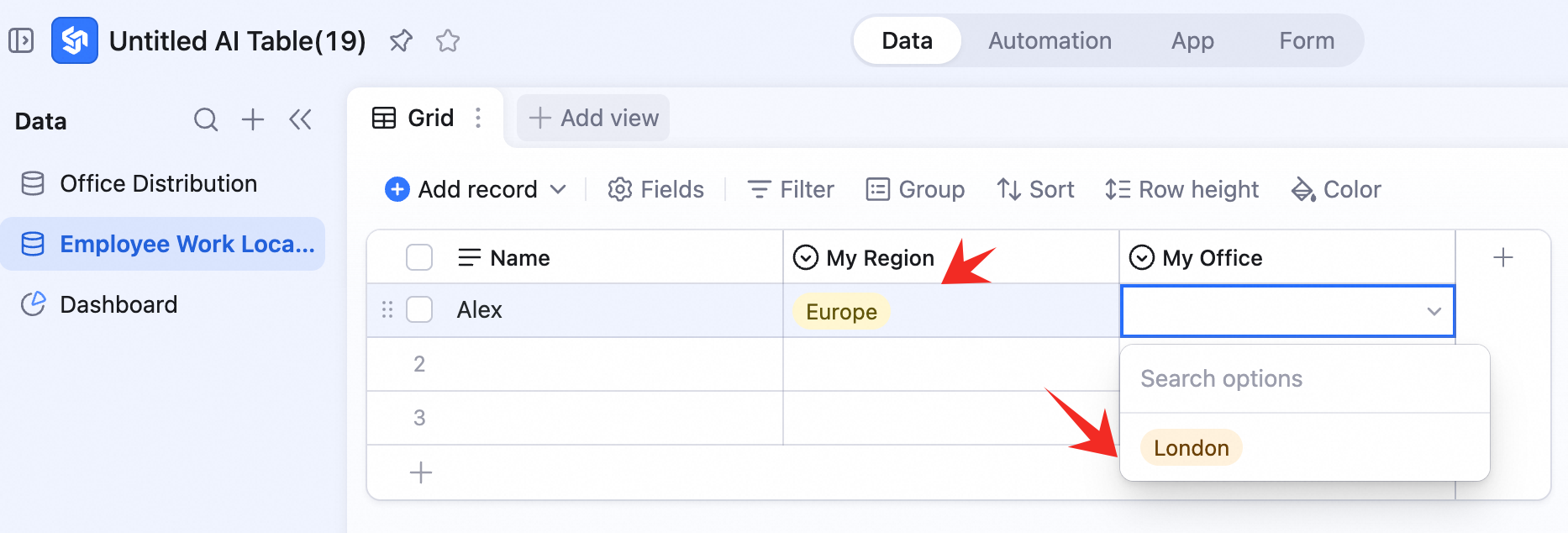
 Once configured, the two single-select fields cascade in Employee work location.
For example, when Alex picks Europe as My region, My office is restricted to London.
Once configured, the two single-select fields cascade in Employee work location.
For example, when Alex picks Europe as My region, My office is restricted to London.