Chats
Chats Calendar
 Meetings
 Contacts
 Mail
Mail Docs
Docs Drive
Drive AI Table
 AI Minutes
 Attendance
 Approval
 YiDA
YiDA Admin Console
Create a Formula Field
Click the + icon to the right of the AI Table header bar, pick Formula as the field type.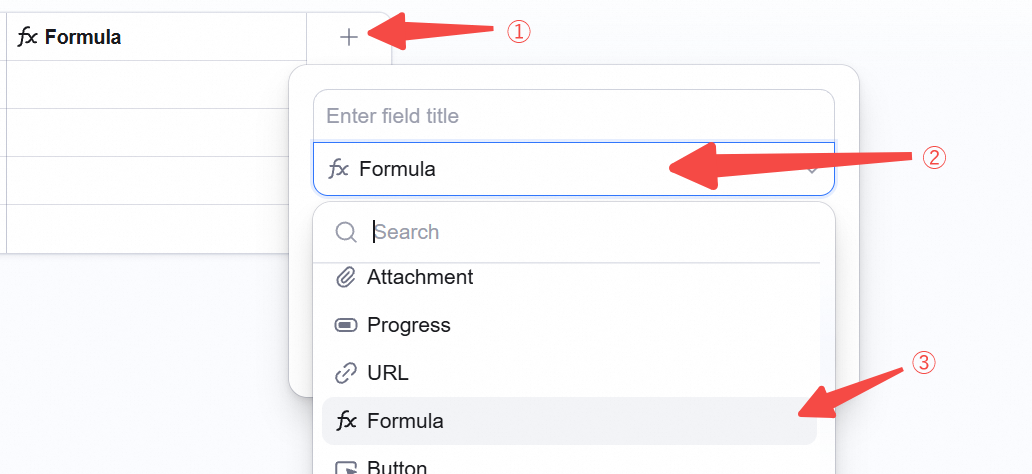
Edit Formula
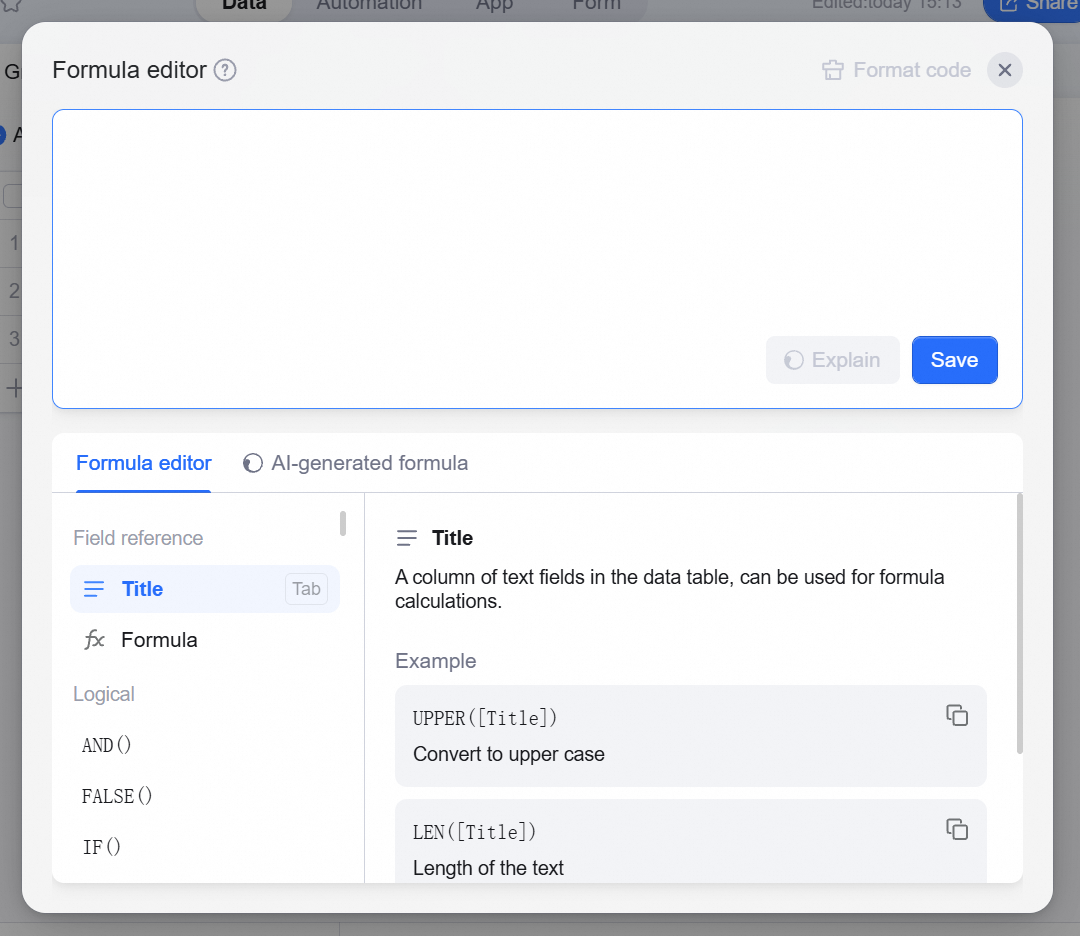
Click Edit formula — the formula editor opens.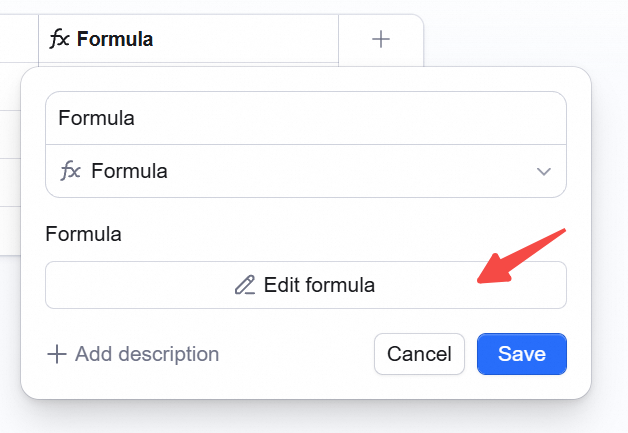 Edit the formula directly in the top input box.
In the Formula edit tab, reference fields or pick functions by category.
In the AI generate formula tab, generate a formula from natural language — details: Generate formulas with AI.
Edit the formula directly in the top input box.
In the Formula edit tab, reference fields or pick functions by category.
In the AI generate formula tab, generate a formula from natural language — details: Generate formulas with AI.