

 Chats
Chats Calendar
 Meetings
 Contacts
 Mail
Mail Docs
Docs Drive
Drive AI Table
 AI Minutes
 Attendance
 Approval
 YiDA
YiDA Admin Console
Why can't I delete, move, or hide the first column?
Why can't I delete, move, or hide the first column?
The first column in AI Table is the primary field — it’s the unique identifier for each record. It can’t be deleted, moved, or hidden.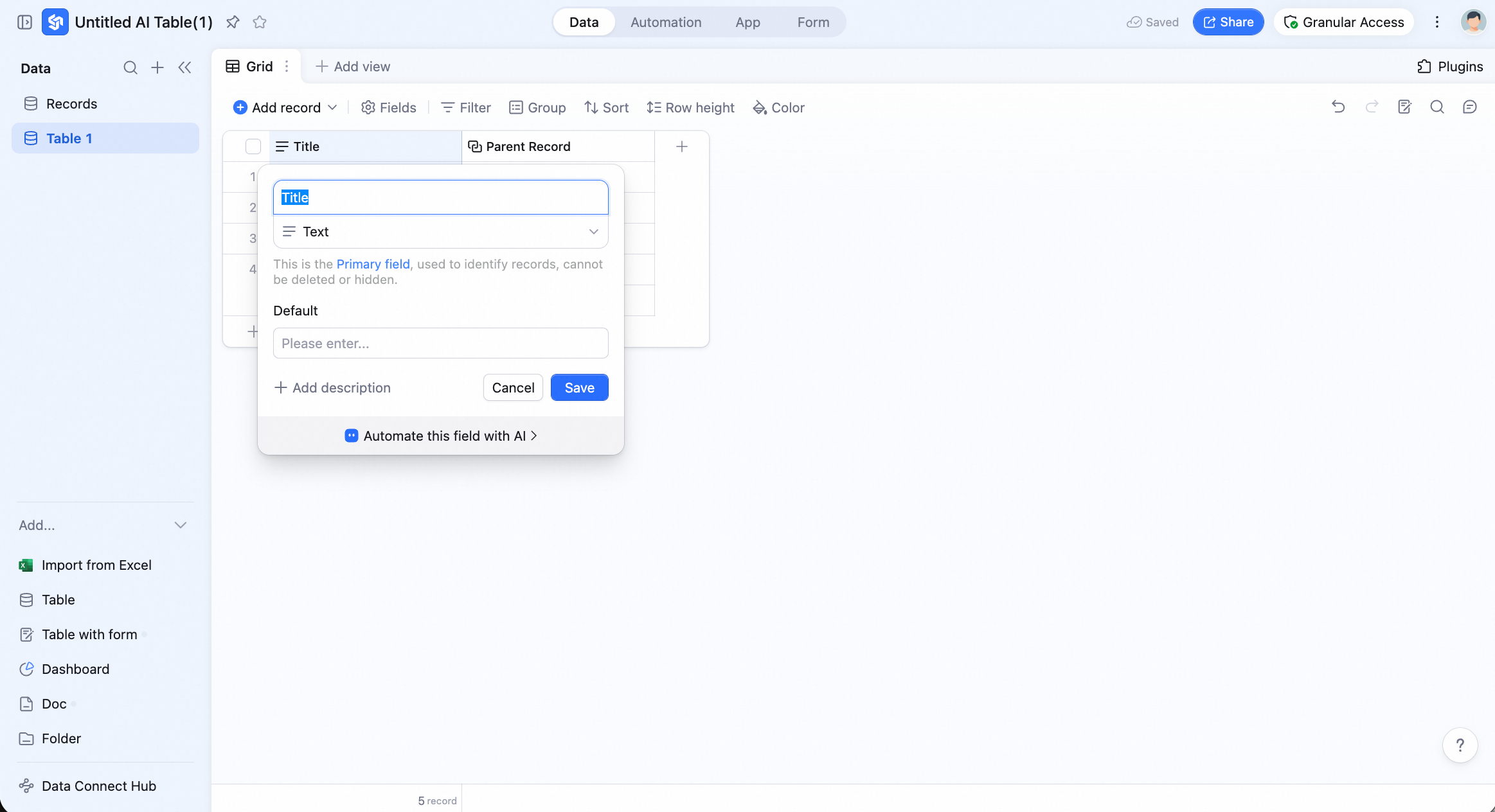
Why can't I edit data in a form view?
Why can't I edit data in a form view?
A form view is for designing the layout and configuration of a shareable form. To collect data, share the form link with respondents and have them submit responses through the form.
Why does my view's data suddenly look different?
Why does my view's data suddenly look different?
AI Table is a real-time collaborative product. Other collaborators may change a view’s filters or sort order, and those changes are reflected for everyone using the same view.
How do I convert an AI field template back to a regular field?
How do I convert an AI field template back to a regular field?
Double-click the field name to open its config, hover over the currently applied AI field template, and click Cancel on the right. Then choose the field type you want and click Confirm — the field will be converted into a standard field.Note: after conversion, the field will be converted to the selected field type, and only the AI-generated output will be retained.
How do I create a Button field?
How do I create a Button field?
Click the + icon to the right of the column headers to add a new field. Pick the Button type, then set its name, label text, color, action to run, and success message. Click Save and enable when configuration is complete.
What's the difference between a button automation and a conditional automation?
What's the difference between a button automation and a conditional automation?
A button automation is triggered manually — the user clicks the button and the workflow runs. A conditional automation is triggered automatically by the system whenever the configured condition is met, with no user action required.
How many levels of subrecords can I create?
How many levels of subrecords can I create?
You can create up to four levels of subrecords under a single parent record.
How do I prefill default values in a form?
How do I prefill default values in a form?
Append parameters to the form’s URL — for example,
?prefill_FieldName=DefaultValue. Supported field types include text, number, single select, and multiple select.How do I hide a question in a form?
How do I hide a question in a form?
Append
&hide_FieldName=1 to the form’s URL — for example, ?prefill_Reviewer=Kato&hide_ProjectOwner=1.How do I freeze a column?
How do I freeze a column?
Right-click the field header and choose Freeze up to this column from the menu.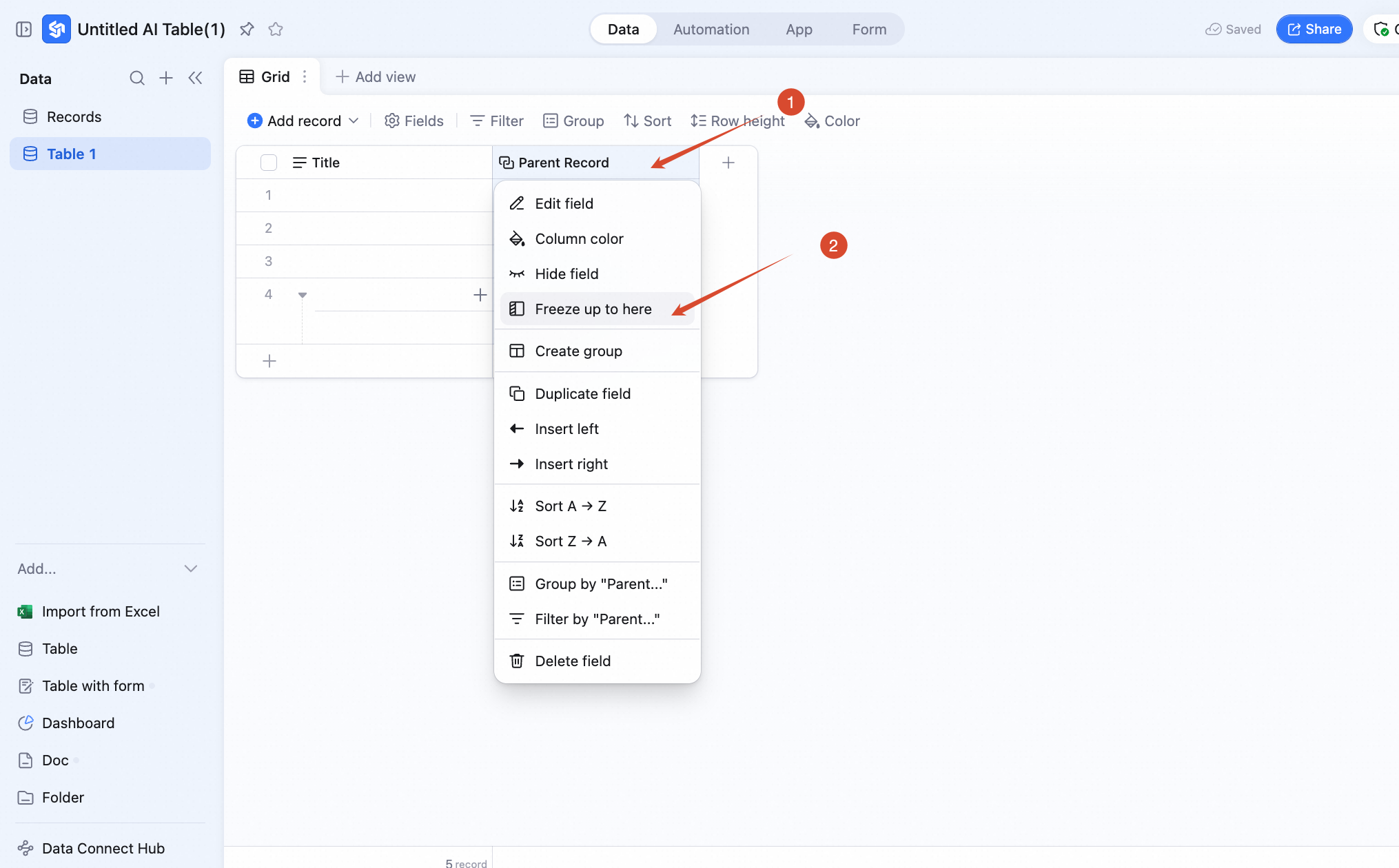 You can also drag the freeze boundary to adjust the frozen range. Note: the primary field is frozen by default.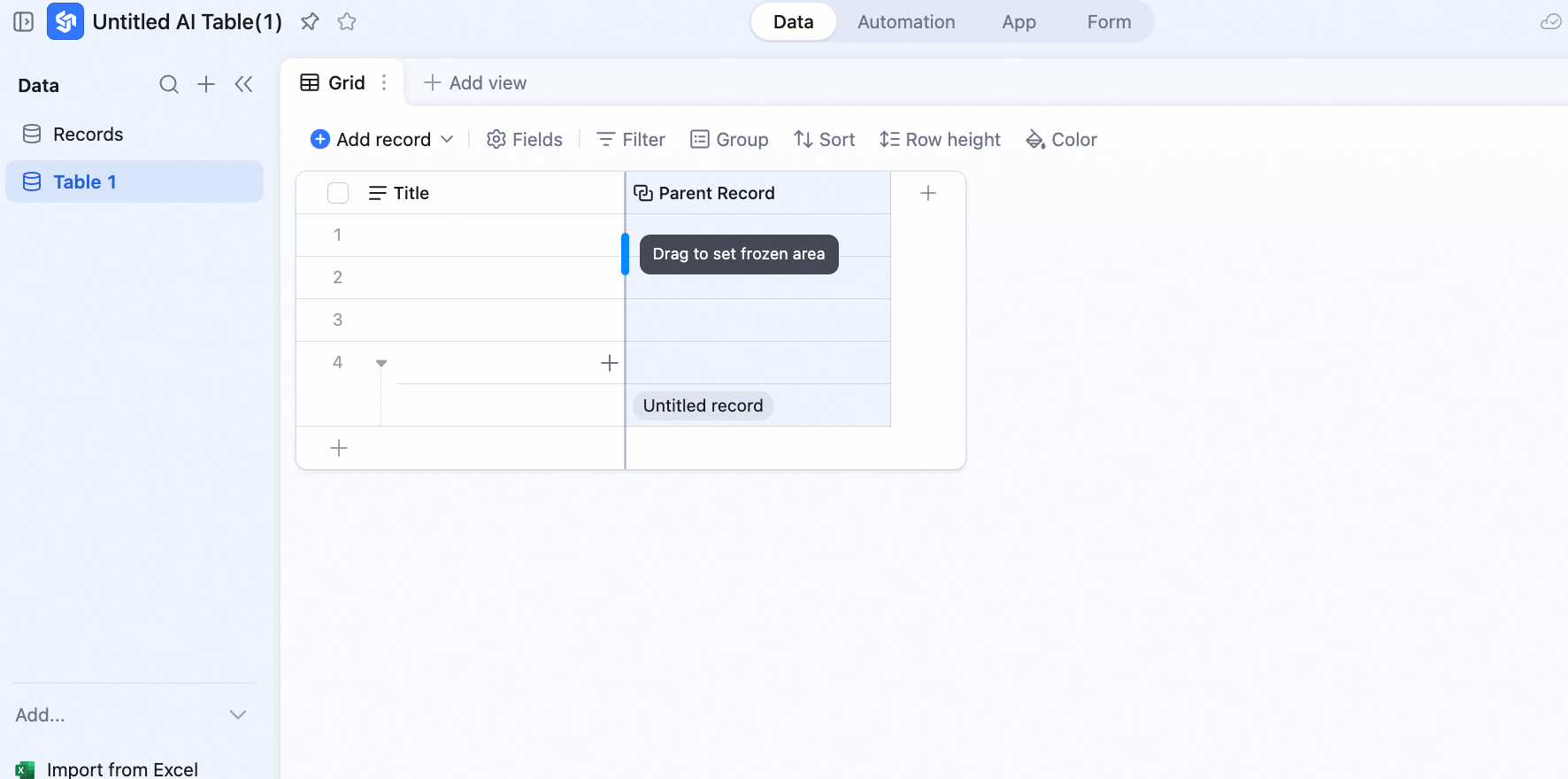
You can also drag the freeze boundary to adjust the frozen range. Note: the primary field is frozen by default.Can I duplicate a Button field?
Can I duplicate a Button field?
Yes — but only the field name, button label, and color settings are duplicated. The automation configuration does not.
More FAQs
History recovery