

 Chats
Chats Calendar
 Meetings
 Contacts
 Mail
Mail Docs
Docs Drive
Drive AI Table
 AI Minutes
 Attendance
 Approval
 YiDA
YiDA Admin Console
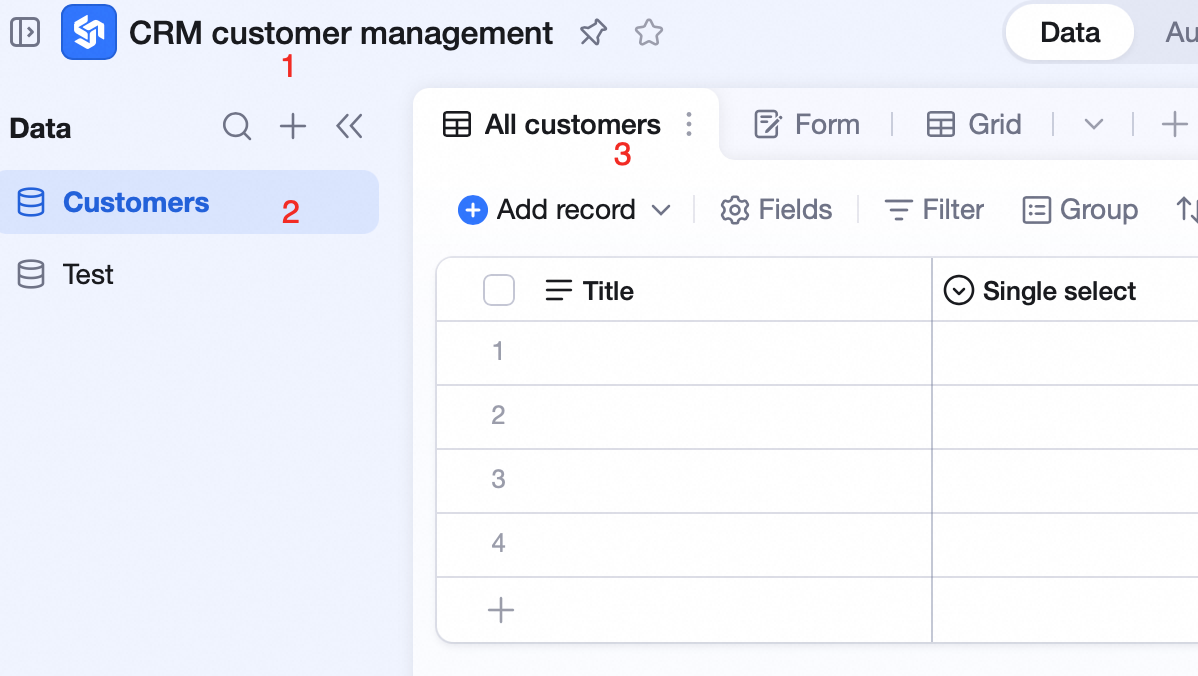 A typical AI Table structure:
- CRM customer management is the entire AI Table file.
- Customers is one table inside CRM customer management.
- All customers is one view of the Customers table.
Tables and views are the display foundation of AI Table.
A typical AI Table structure: