

 Chats
Chats Calendar
 Meetings
 Contacts
 Mail
Mail Docs
Docs Drive
Drive AI Table
 AI Minutes
 Attendance
 Approval
 YiDA
YiDA Admin Console
What It Looks Like
Rows where the product name is duplicated get filled in red.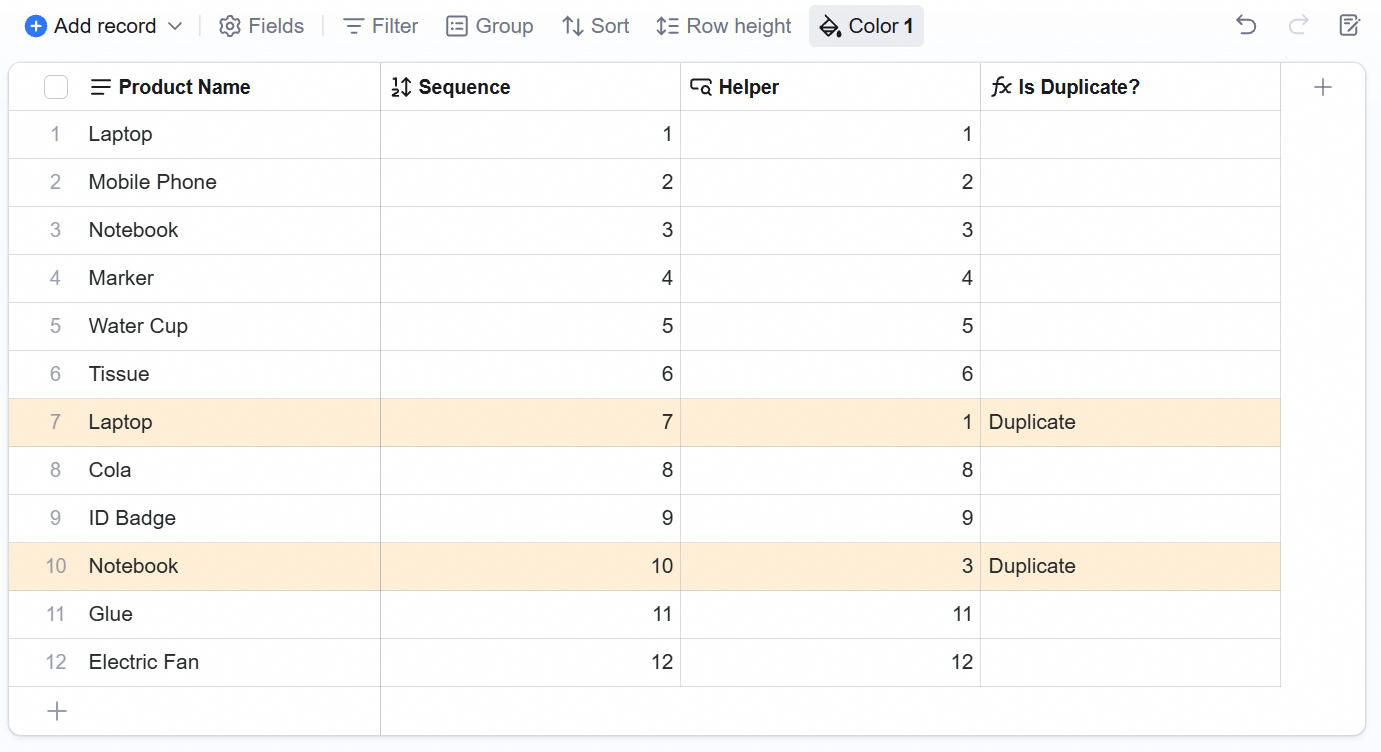
How to Set It Up
Step 1. Add an Auto Number field to give each row a sequence number.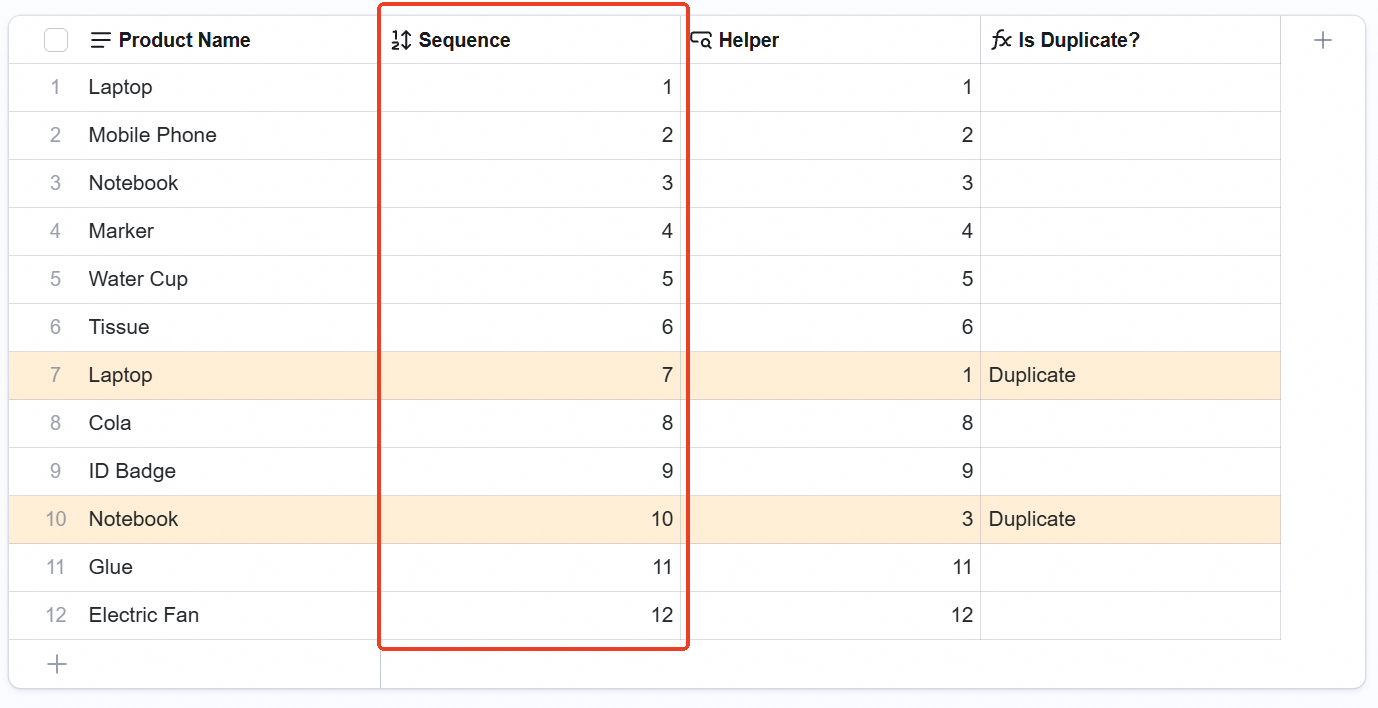 Step 2. Add a helper field of type Lookup. Look up the Sequence field, match where product name equals product name, and set the aggregation to Min.
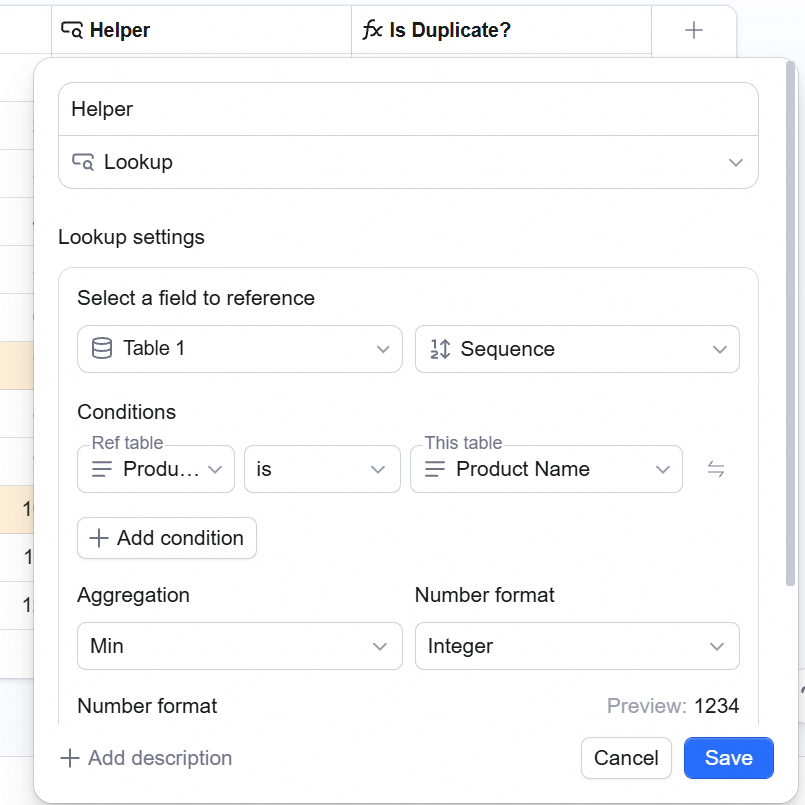 Step 3. Add a Formula field. When the helper number is smaller than the sequence number, display the word Duplicate.
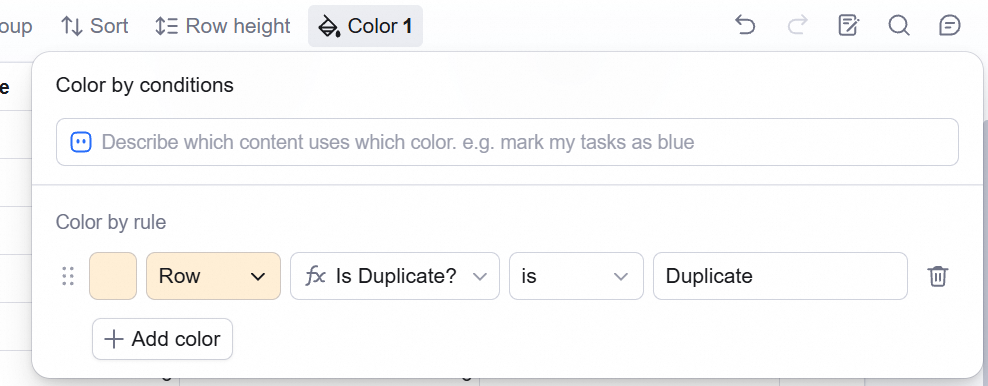
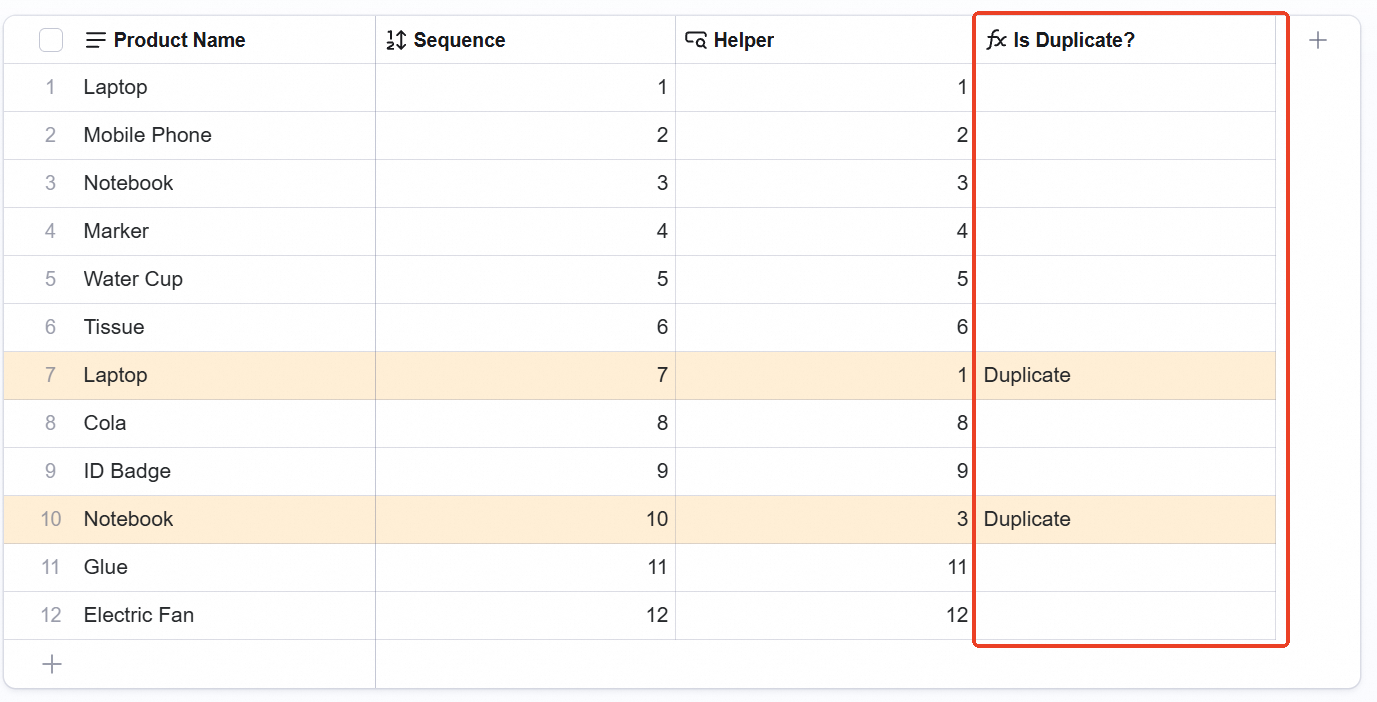 Step 4. Set Row color to fill the entire row — duplicate rows now turn red.
💡 Tip: hide the Sequence, Helper, and Formula fields to keep the grid view clean.