

 Chats
Chats Calendar
 Meetings
 Contacts
 Mail
Mail Docs
Docs Drive
Drive AI Table
 AI Minutes
 Attendance
 Approval
 YiDA
YiDA Admin Console
Format
- TargetForm: The target Form whose data will be deleted.
- MainCondition: Identifies which records in the target Form should be deleted. The main condition consists of logical functions.
- SubCondition:
Use Cases
Delete an Entire Record in the Target Form Based on a Regular Component in the Entry Form
Forms used- Inventory form: Inventory item (Single-line text)
- Shipment form: Shipped item (Single-line text)
- The Inventory form stores information about a batch of items. Items are shipped out through the Shipment form.
- The shipped items in the Shipment form come from the inventory items in the Inventory form.
- Each time an item is shipped through the Shipment form, the corresponding item in the Inventory form is deleted.
- Requirement description:
- Formula configuration: In the business association rules of the Shipment form, configure the formula as shown below.
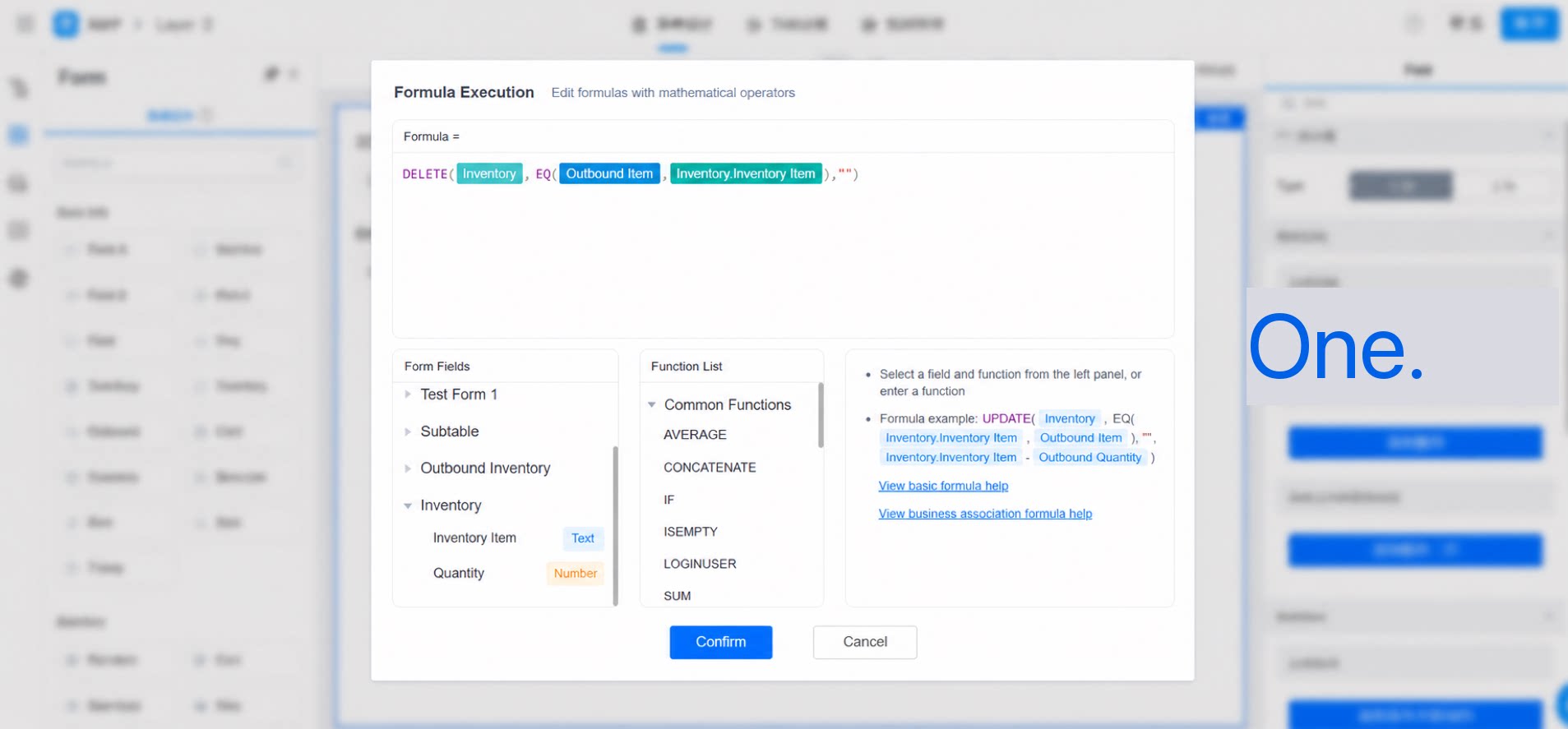
- Formula explanation:
Delete an Entire Record in the Target Form Based on a Subform Component in the Entry Form
Forms used- Shipment form: Shipment subform (subform component). The Shipment subform contains: Shipped item (dropdown Select).
- Inventory form: Inventory item (Single-line text).
- Requirement description: The Shipment form contains shipment details and allows multiple items to be shipped at once. For each shipped item, delete the corresponding inventory record.
- Formula configuration: In the business association rules of the Shipment form, configure the formula as shown below.
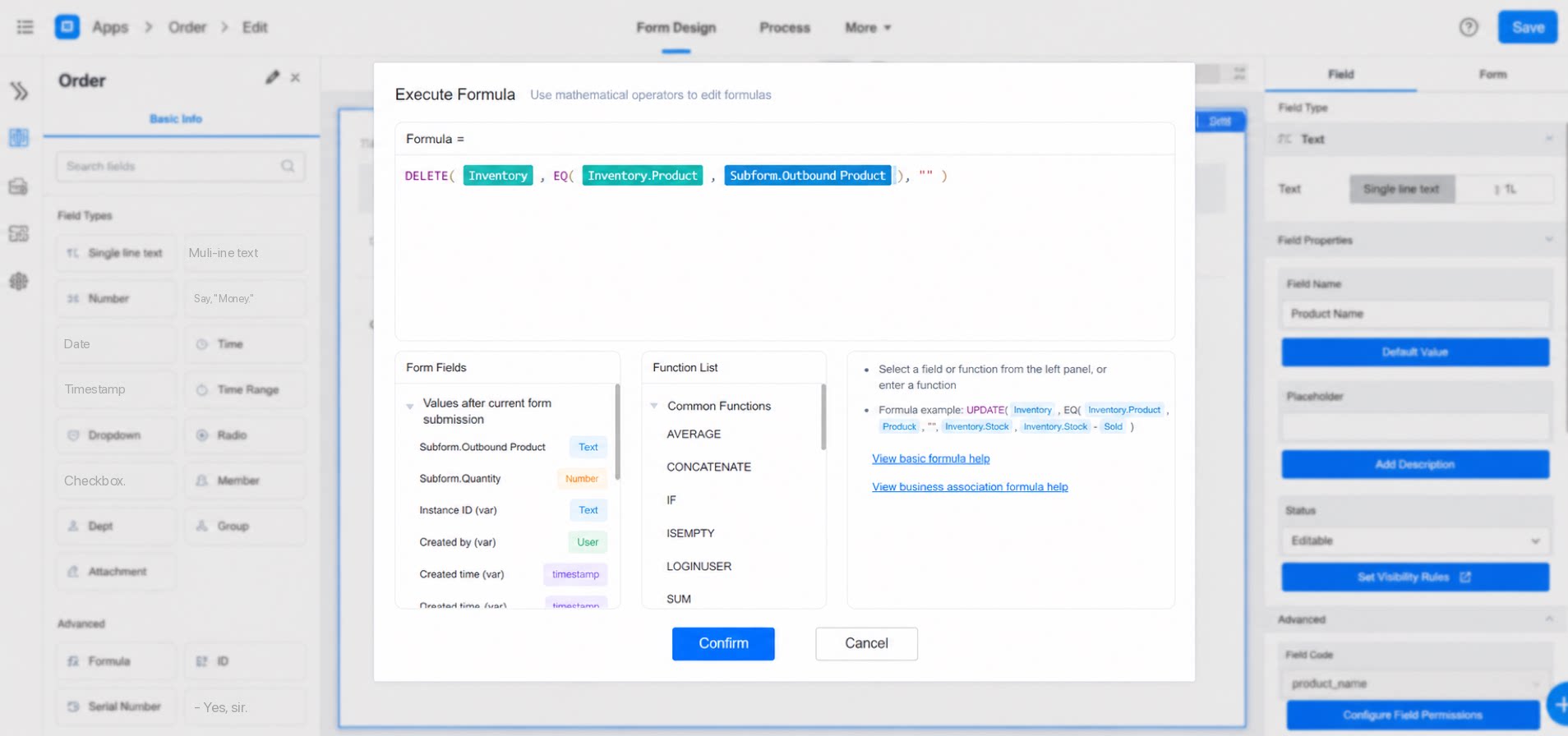
- Formula explanation:
Considerations
- The main condition and sub-condition are built from logical functions. Except for AND and OR, the first parameter of other logical functions must be a component in the target Form, and the order of the two parameters cannot be swapped.
- The supported scope of the Premium Formula component is as follows.
- There is a limit on the number of records that can be deleted at one time.