

 Chats
Chats Calendar
 Meetings
 Contacts
 Mail
Mail Docs
Docs Drive
Drive AI Table
 AI Minutes
 Attendance
 Approval
 YiDA
YiDA Admin Console
Target form: The form into which data is inserted, updated, or deleted when the current form submits or deletes data.
FAQ
Q: How is the execution ordered when business association rules and integration & automation are mixed?
Q: How is the execution ordered when business association rules and integration & automation are mixed?
Business association rules and integration & automation currently run on independent execution logic. Each follows its own execution order, which cannot be controlled.When the two are mixed, the same target form may be scheduled by two different task systems that cannot run in the expected order. This can lead to unexpected results, especially in complex scenarios such as inventory management, where records are both added and subtracted.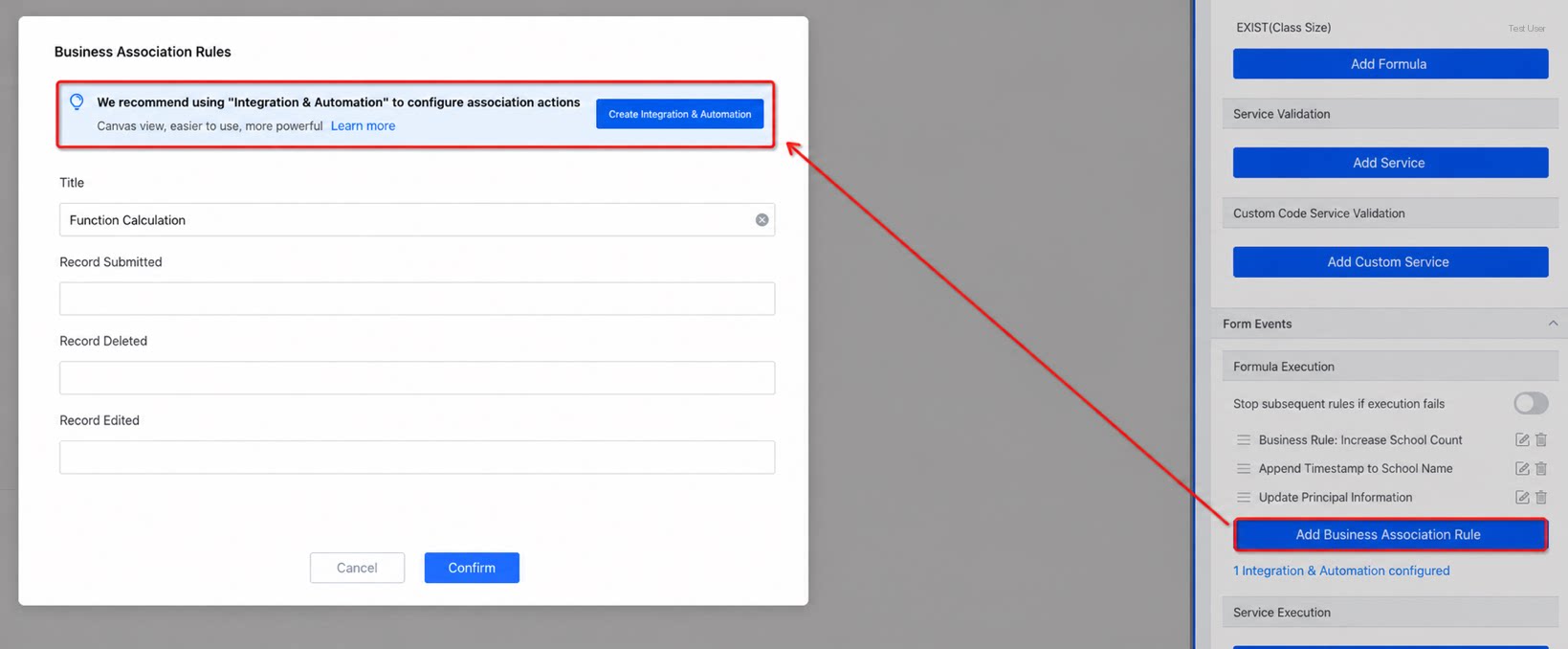 We recommend using YiDA integration & automation for cross-business data synchronization.
Q: How is the execution ordered when an integration & automation node contains multiple business association rules?
Q: How is the execution ordered when an integration & automation node contains multiple business association rules?
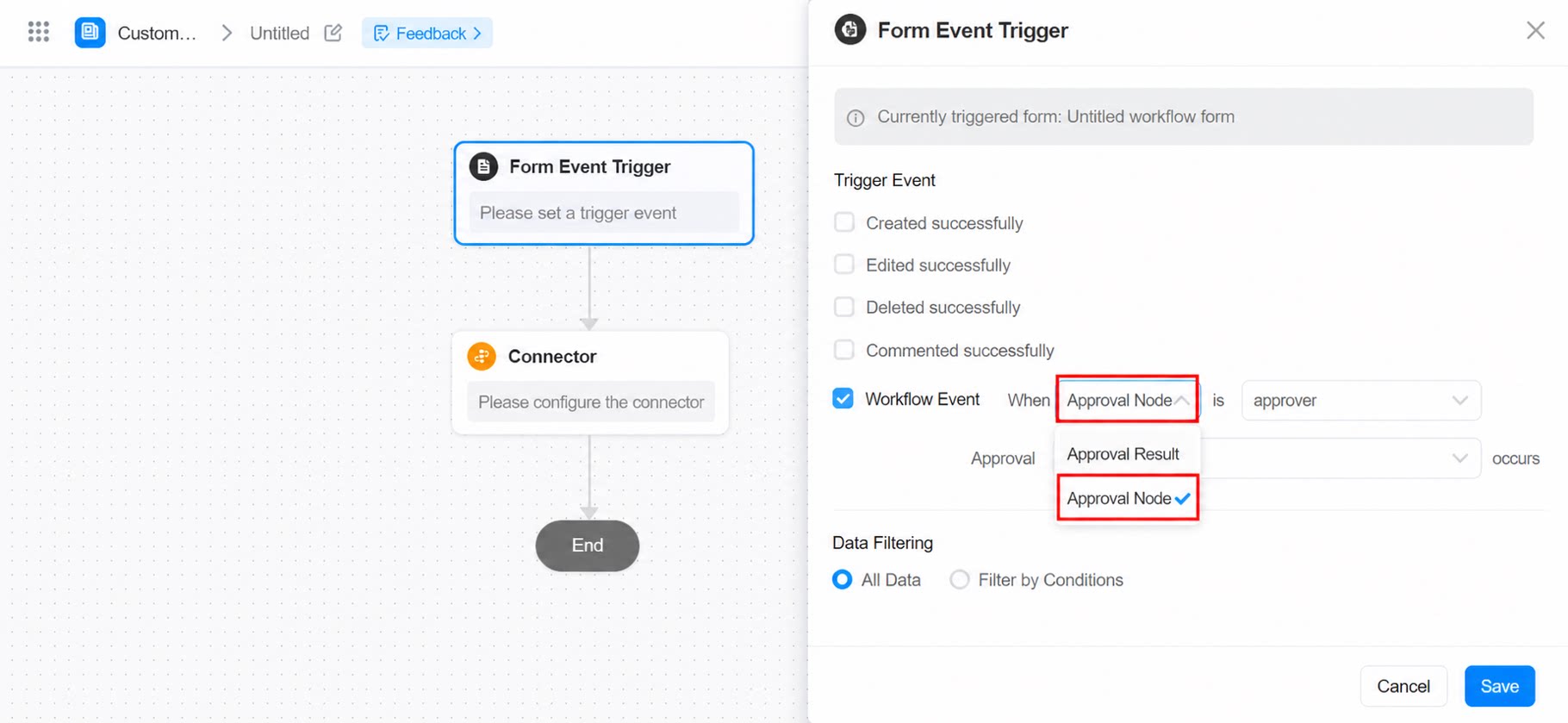
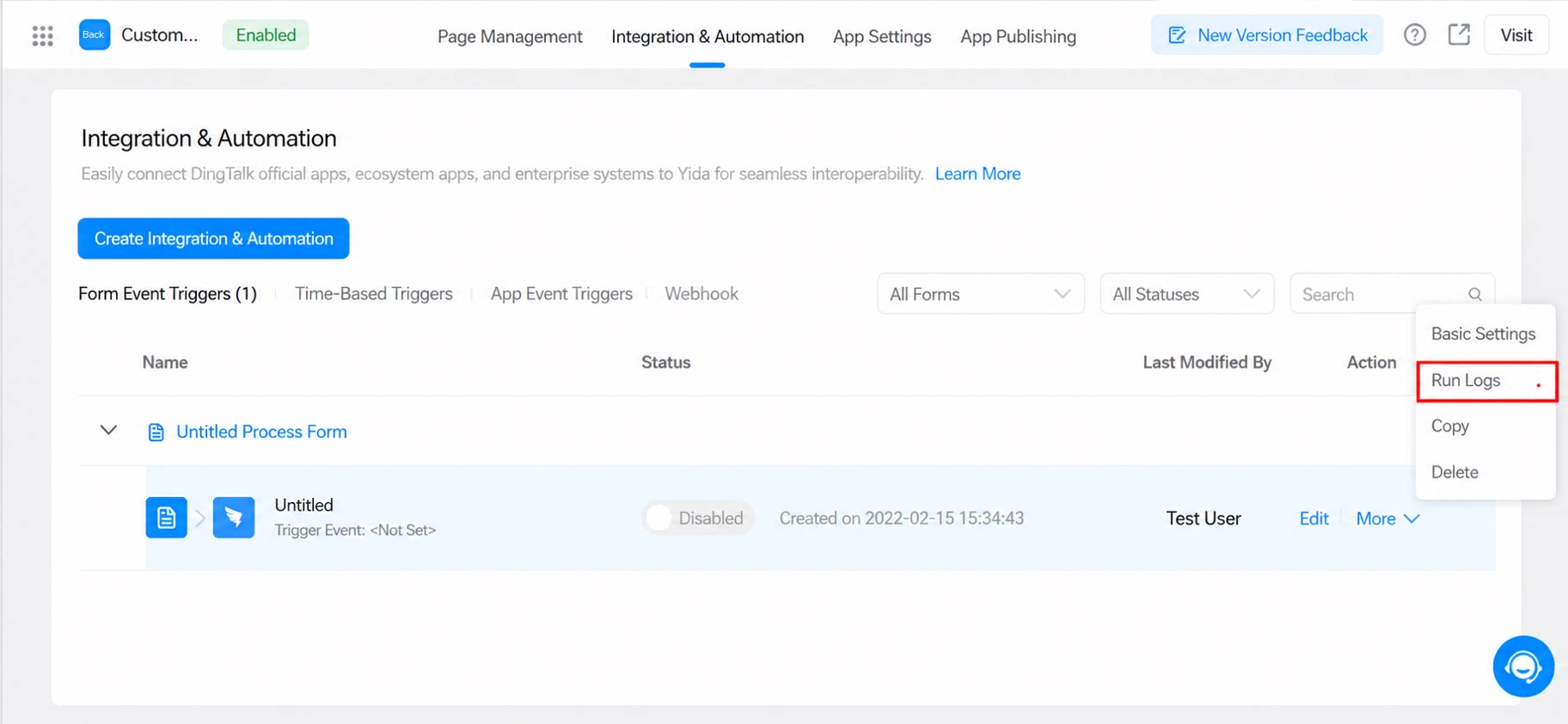
Multiple business association rules are supported. However, due to product limitations, the execution order between rules cannot be selected.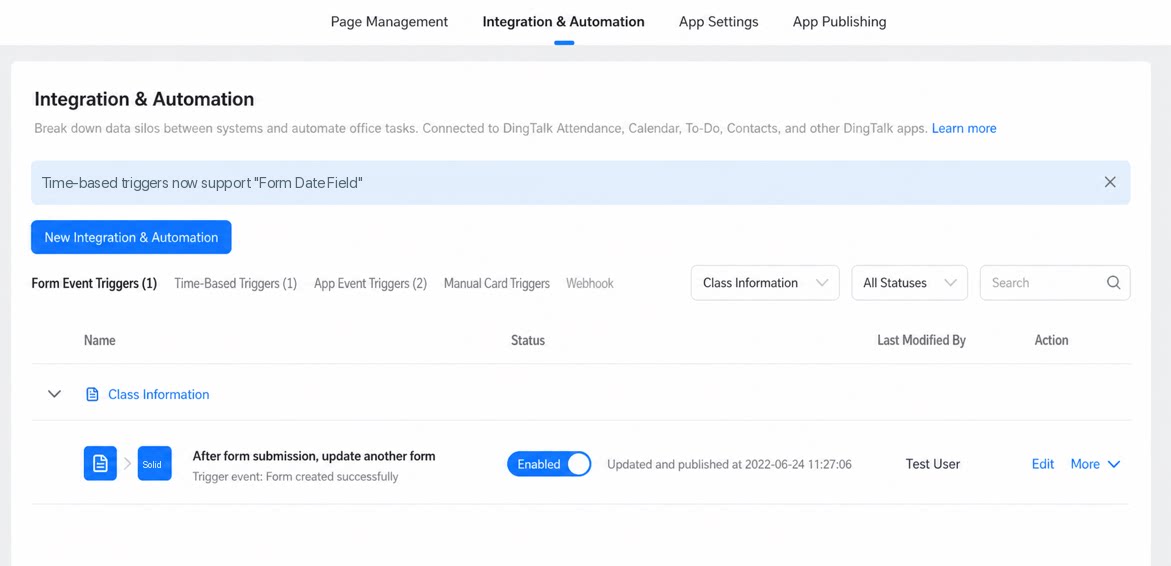 To control the execution order, use the Insert, Update, and Delete data nodes in integration & automation instead. These nodes support ordered orchestration, and you can view their execution records in the Run logs.For detailed configuration, refer to the screenshots below.
 Common questions about business association rules
Q: What are the data volume limits for business association rule formulas?
Q: What are the data volume limits for business association rule formulas?
The current usage limits for YiDA business rule functions are as follows: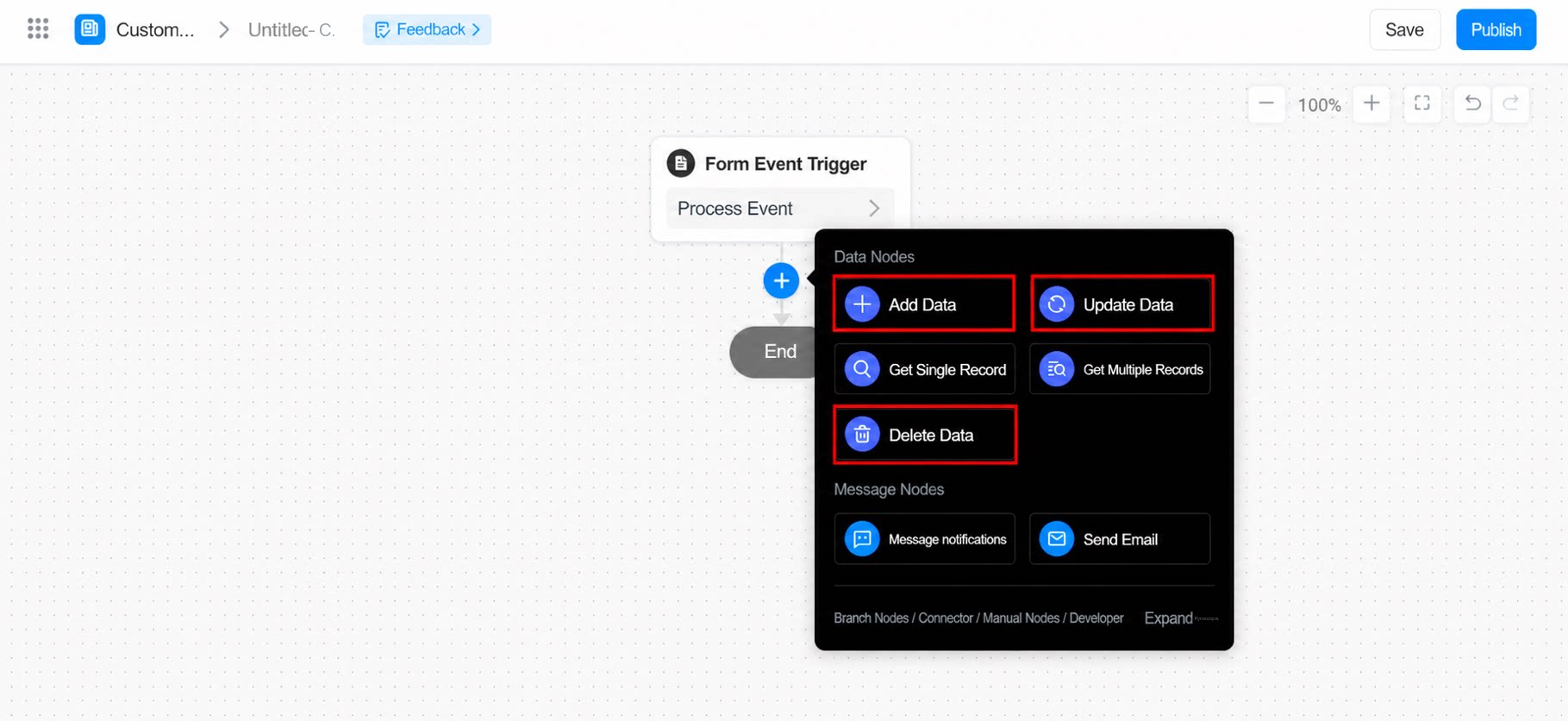
 FAQ
FAQ
Q: How do I update a subform from another subform?
Q: How do I update a subform from another subform?
Use case: Synchronize subform data between two main forms.Function example:Main condition: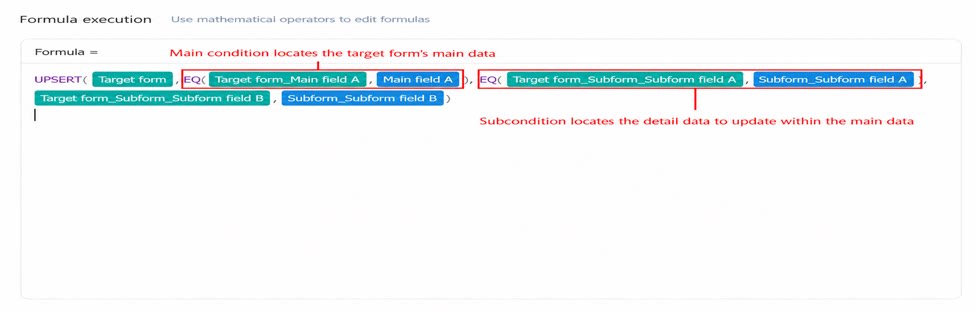 EQ(Target form.Main form field, Current form.Main form field) — Locates the specific record in the target form whose subform data needs to be updated.Sub-condition: EQ(Target form.Subform.Subform field, Current form.Subform.Subform field) — Locates the specific subform record within the target form that needs to be updated.Common scenarios for business association rules