Chats
Chats Calendar
 Meetings
 Contacts
 Mail
Mail Docs
Docs Drive
Drive AI Table
 AI Minutes
 Attendance
 Approval
 YiDA
YiDA Admin Console
Applicable editions: paid editionsPrerequisites:
- The legacy information architecture is not supported.
- The legacy search storage is not supported. The new search capability has been upgraded.
- The Free plan is not supported.
- Only regular forms and workflow forms are supported.
1. Introduction
1.1 Feature Overview
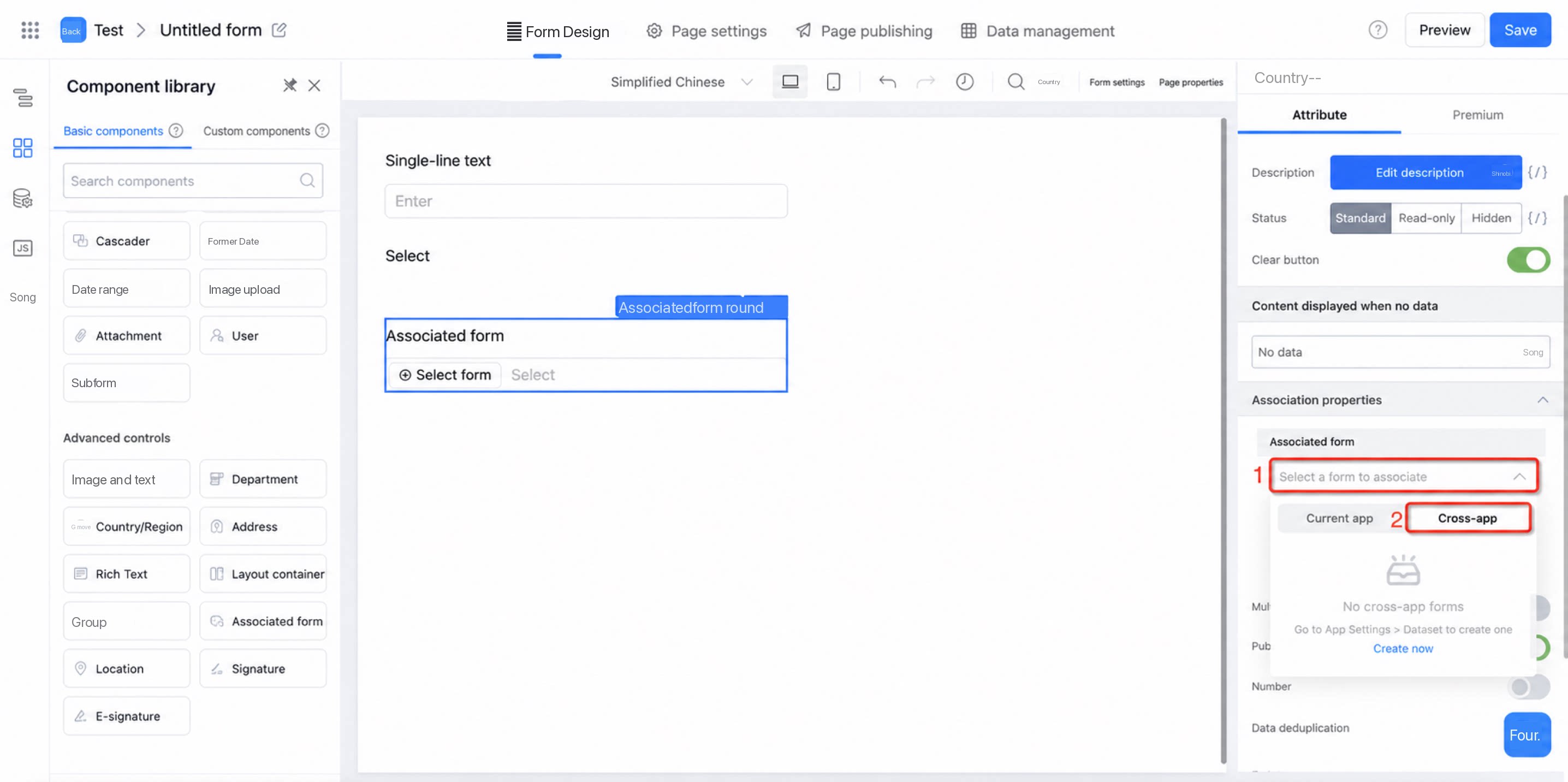
When using component data linkage, associating data from other forms, or the associated form component for data filtering/data population, you can query form data across apps. You must first create a cross-app dataset. Path: App Settings > App Data Management > Datasets > Create Dataset > Create from Cross-App. For more details, see Create a dataset from cross-app.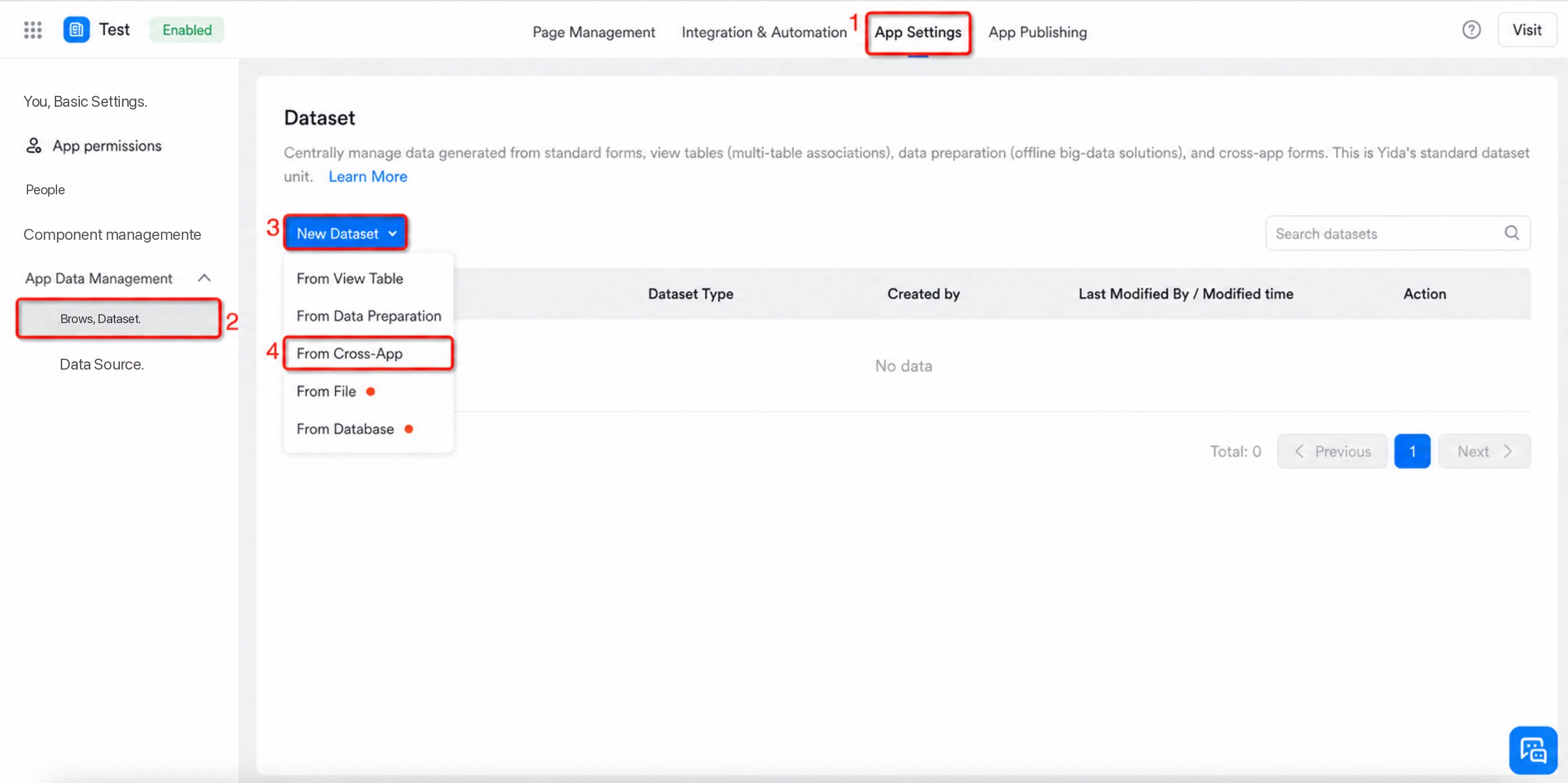
1.2 Example Scenario
Most companies group contract management, project management, financial management, and procurement management into separate apps. When finance staff need to procure items, they must link the purchase requisition with the contract approval form. Without the ability to query data across apps, the purchase requisition cannot be linked to the contract form. YiDA now provides the ability to retrieve and query form data across apps, which resolves this issue.1.2.1 Create a Cross-App Dataset
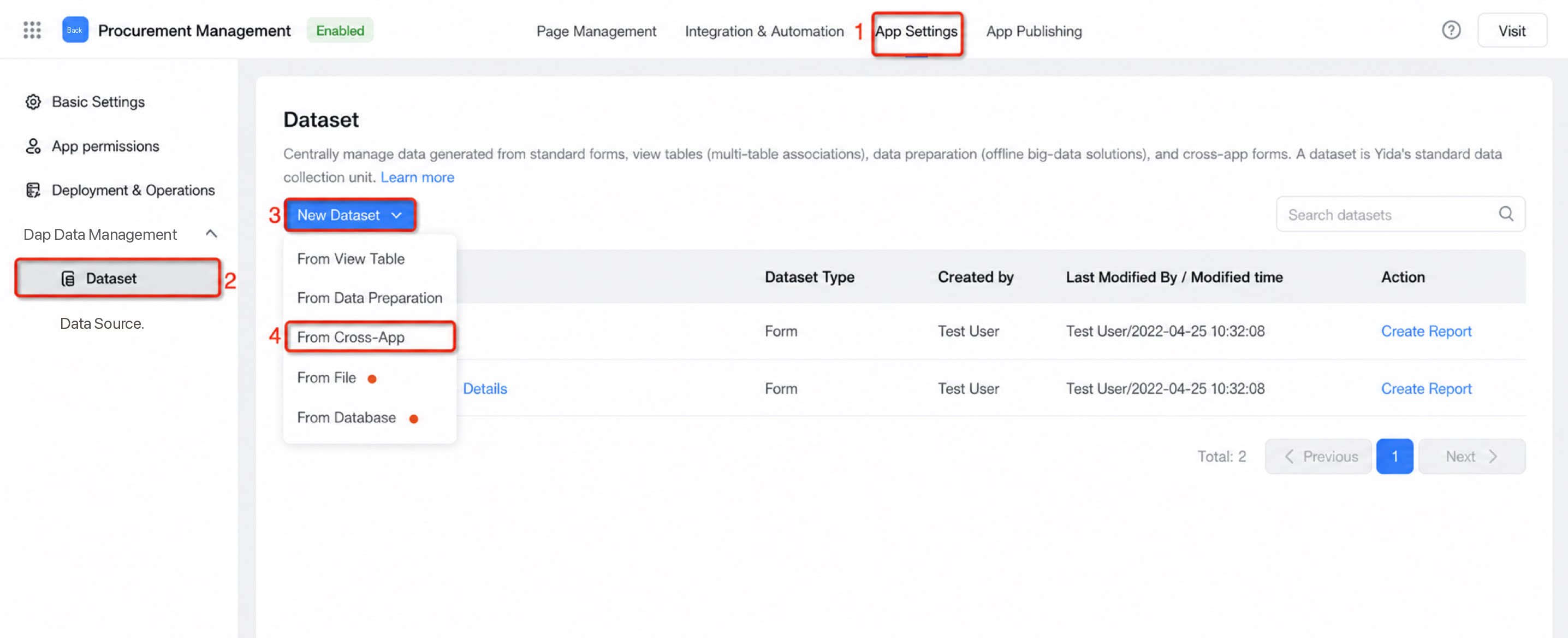
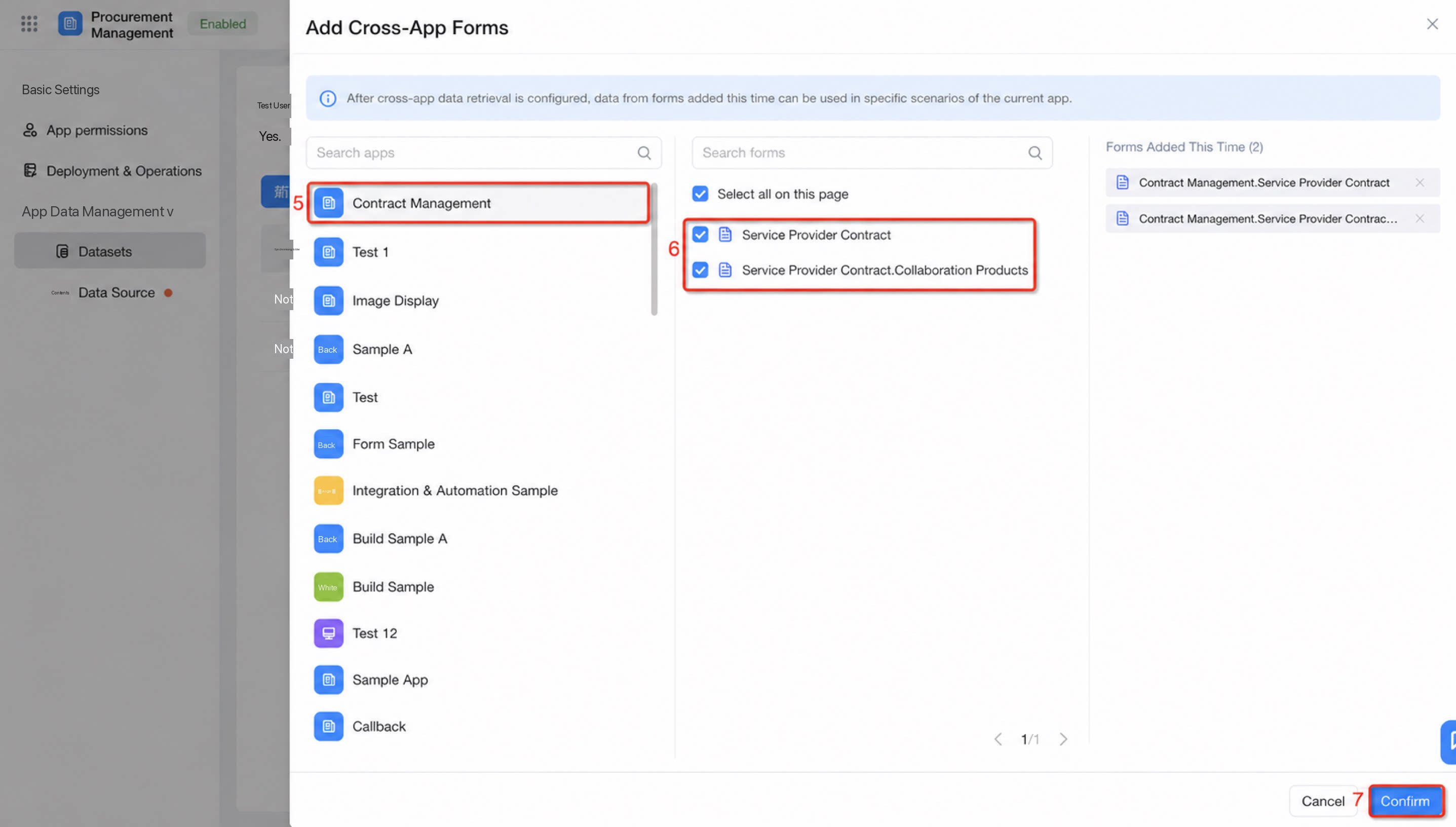
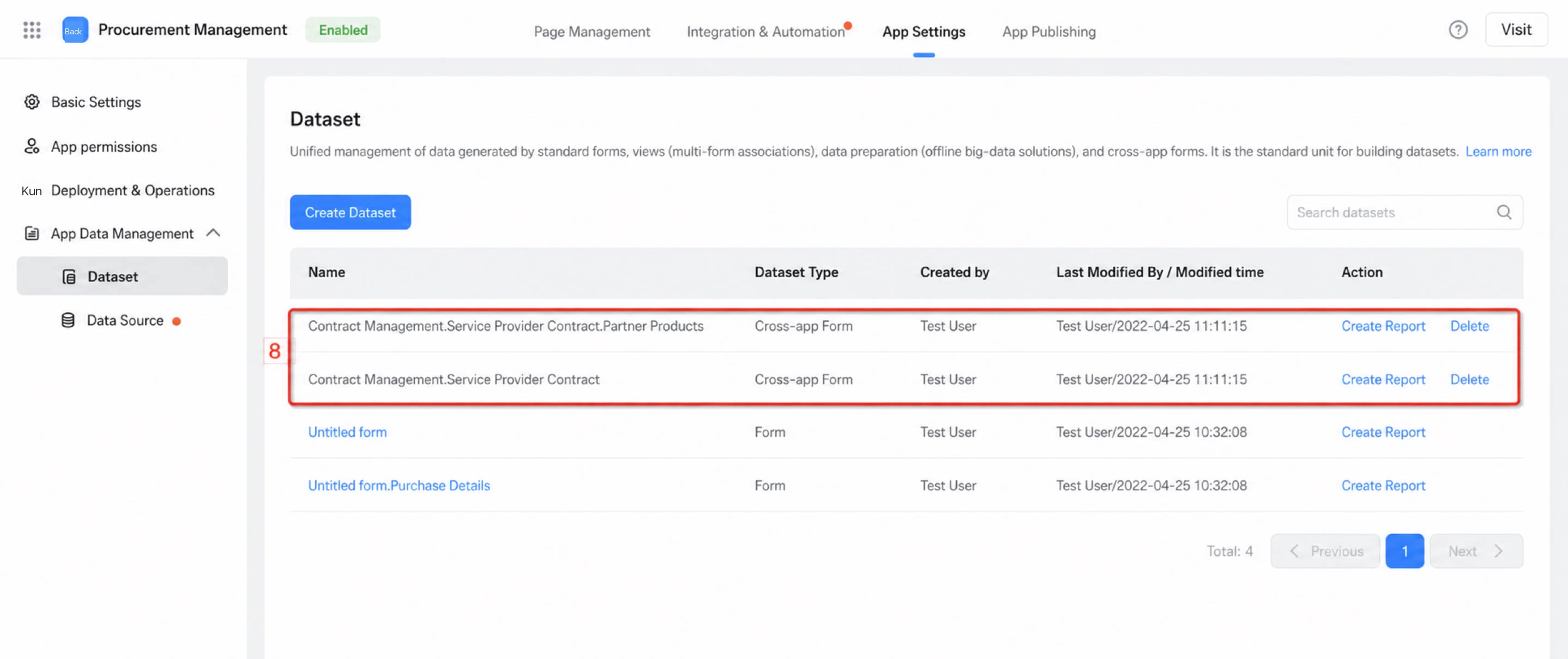
1.2.2 Configure the Associated Form Component
For the Supplier field, use the associated form component and select the cross-app dataset created in the previous step as the associated form.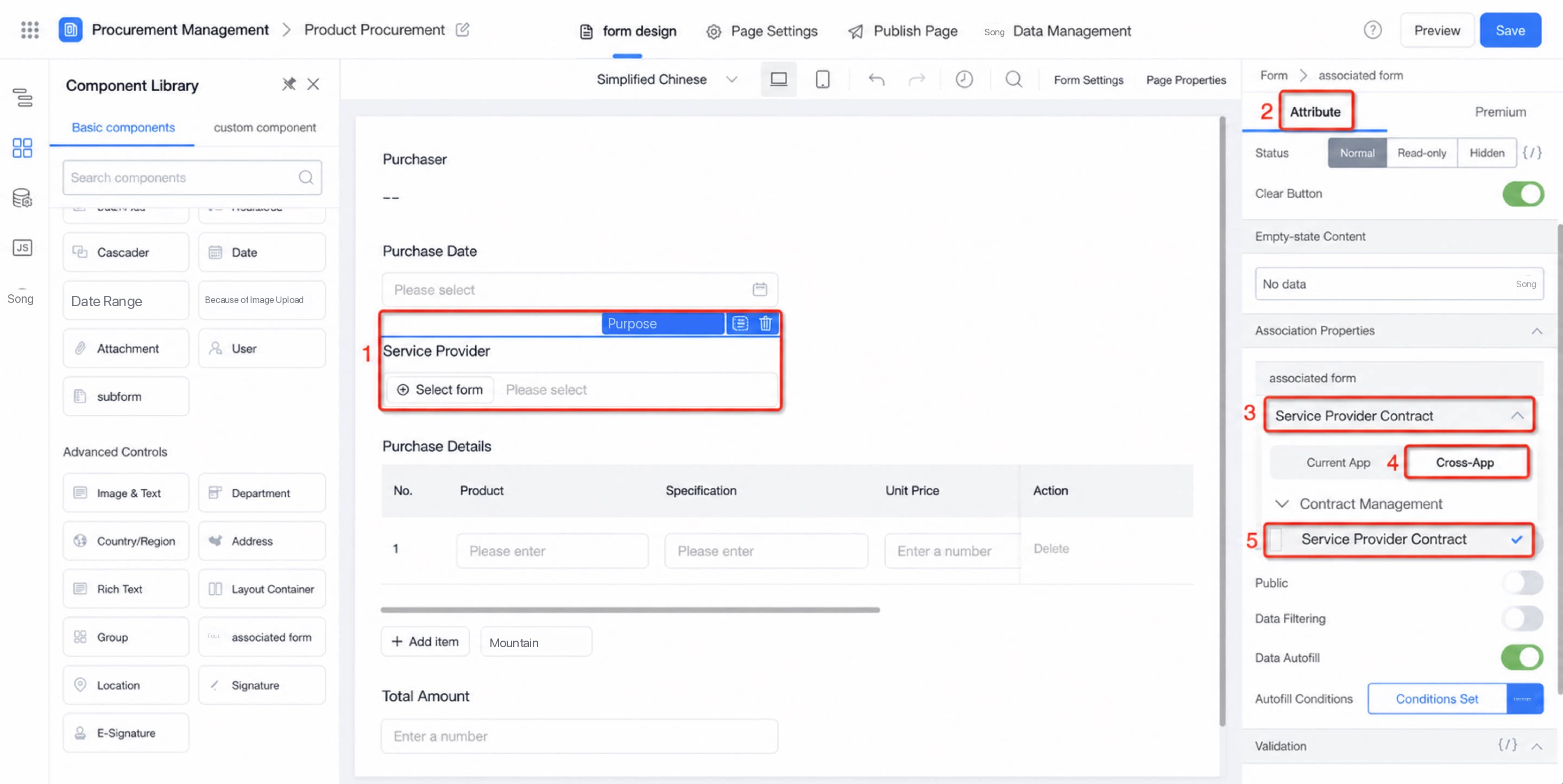
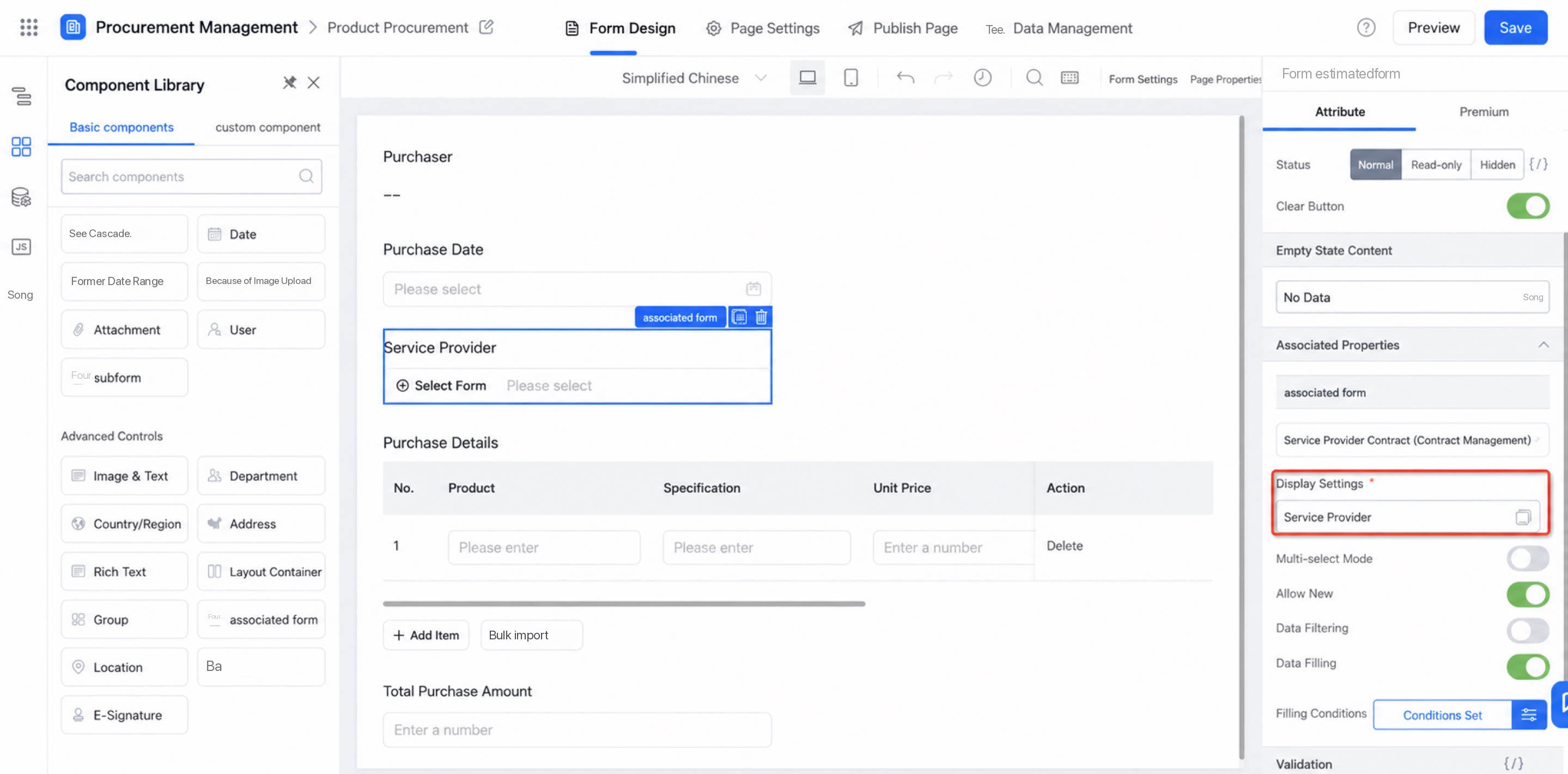
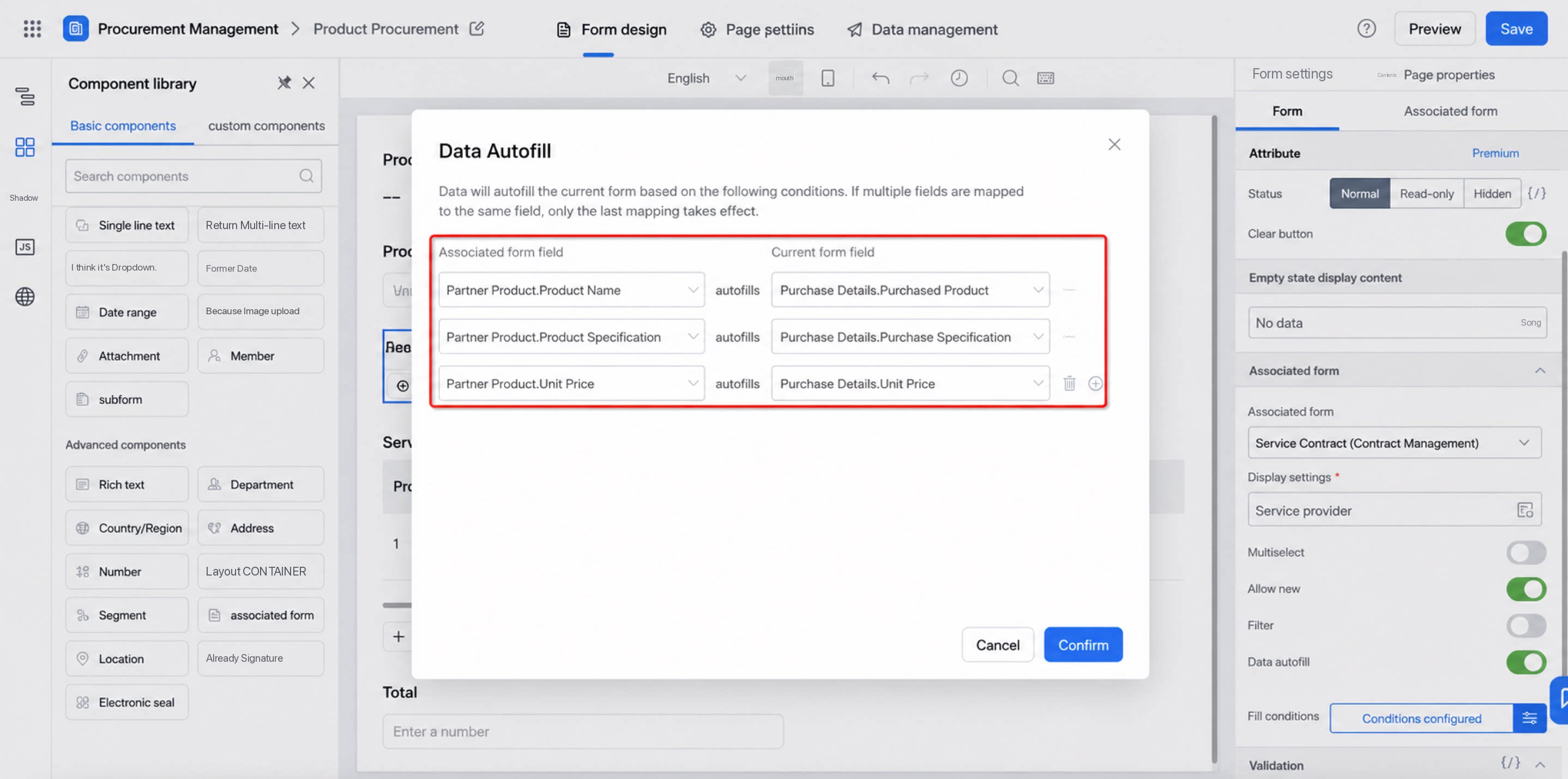
1.2.3 Result
In the Product Procurement form of the [Procurement Management] app, the Supplier field can directly retrieve data from the Supplier Contract form in the [Contract Management] app.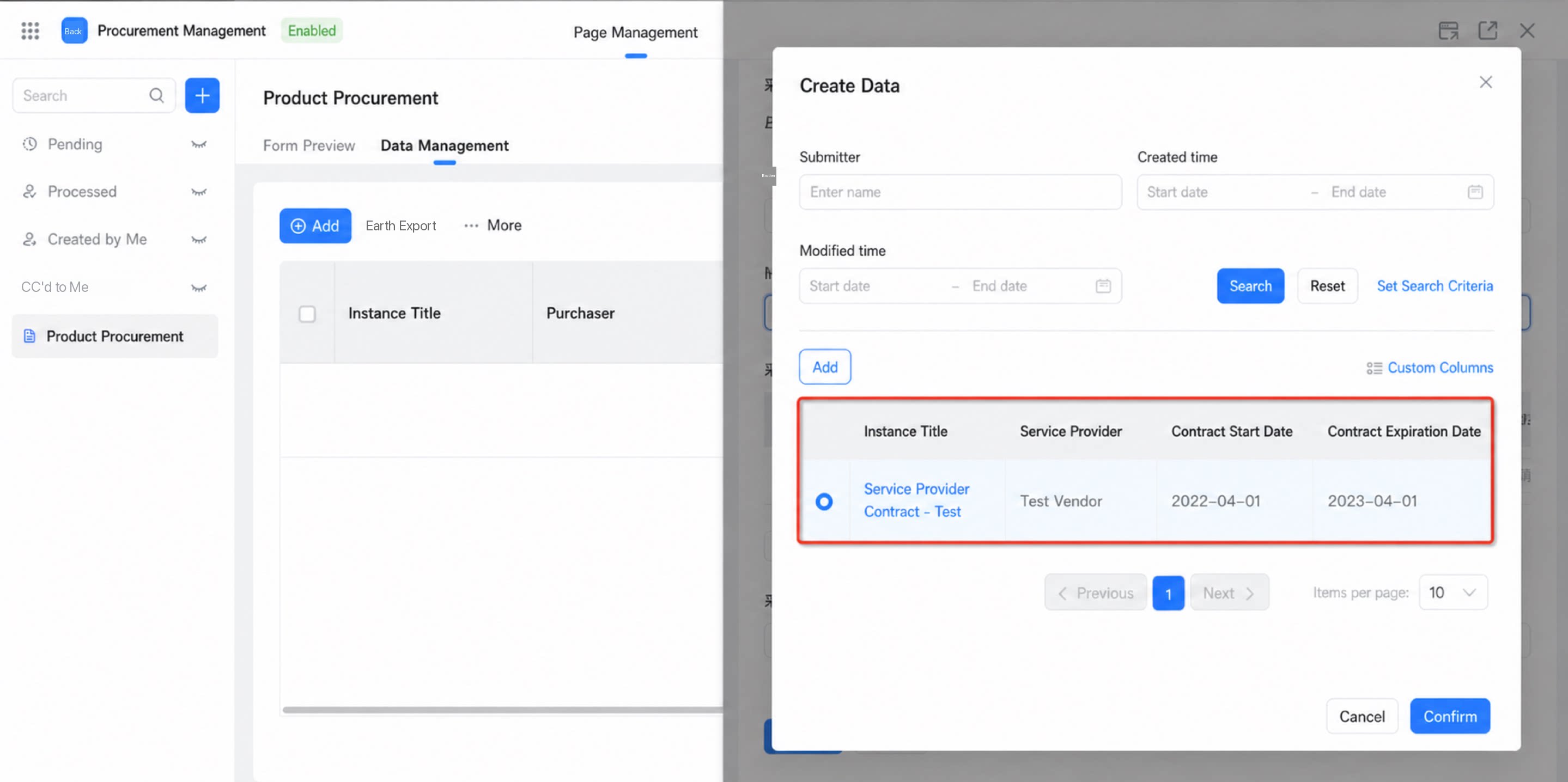
2. Capability Overview
This applies to querying data from other forms across apps. Only joined-table data queries are supported.2.1 Supported Components
Cross-app form data queries currently support the following components:- Data linkage: Single-line text, Multi-line text, Numerical, Date, Image upload, Attachment, User & Department, Radio, Dropdown radio, Checkbox, Dropdown checkbox.
- Association with data from other forms: Radio, Dropdown radio, Checkbox, Dropdown checkbox.
- Display settings/data filtering/data population: Associated form.
2.2 Data Linkage
When using the data linkage feature on a component, both the Default value and the option type support selecting forms across apps.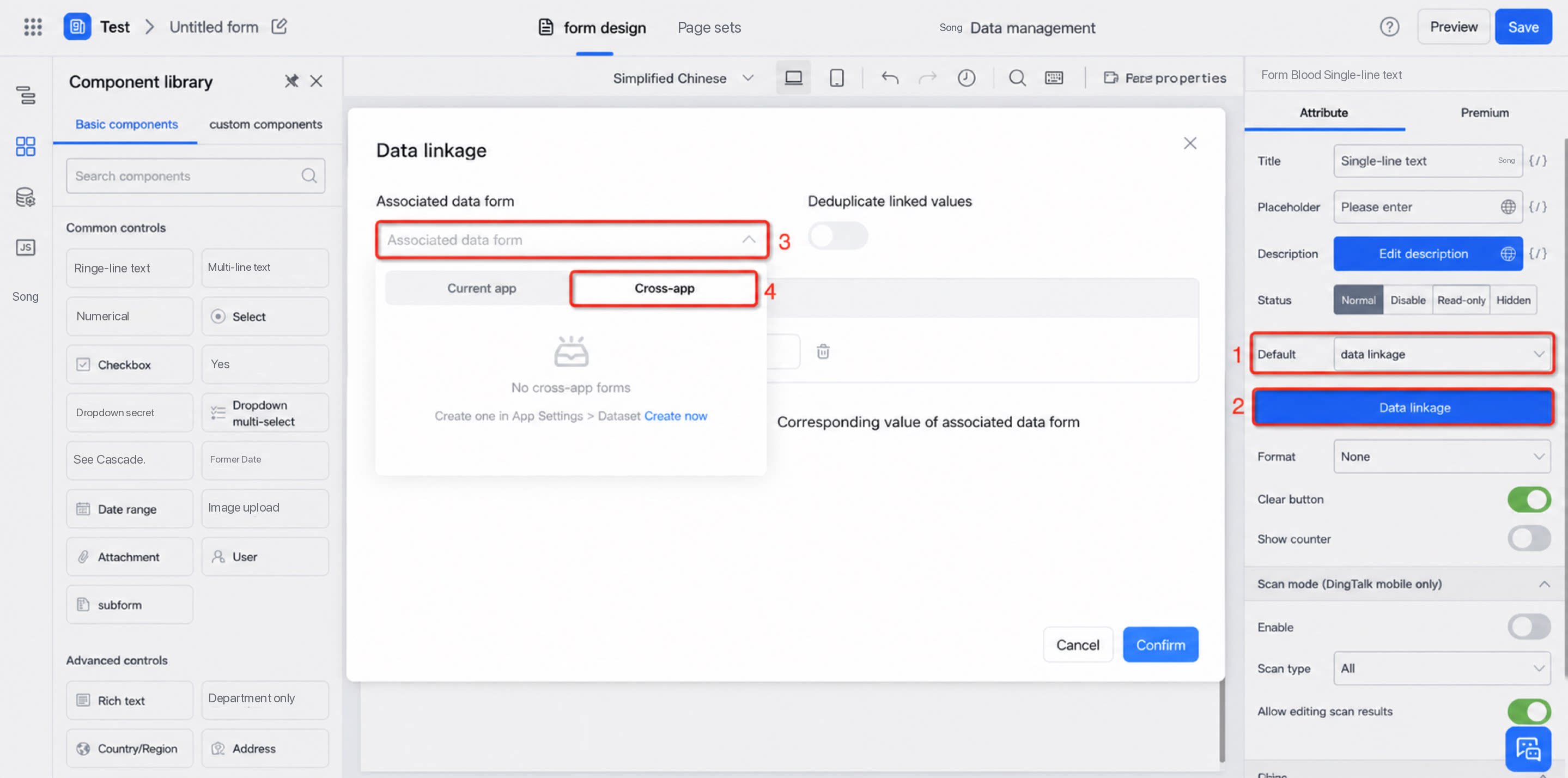
2.3 Associate Data from Other Forms
When Radio, Dropdown radio, Checkbox, or Dropdown checkbox components are used to associate data from other forms, you can select forms across apps.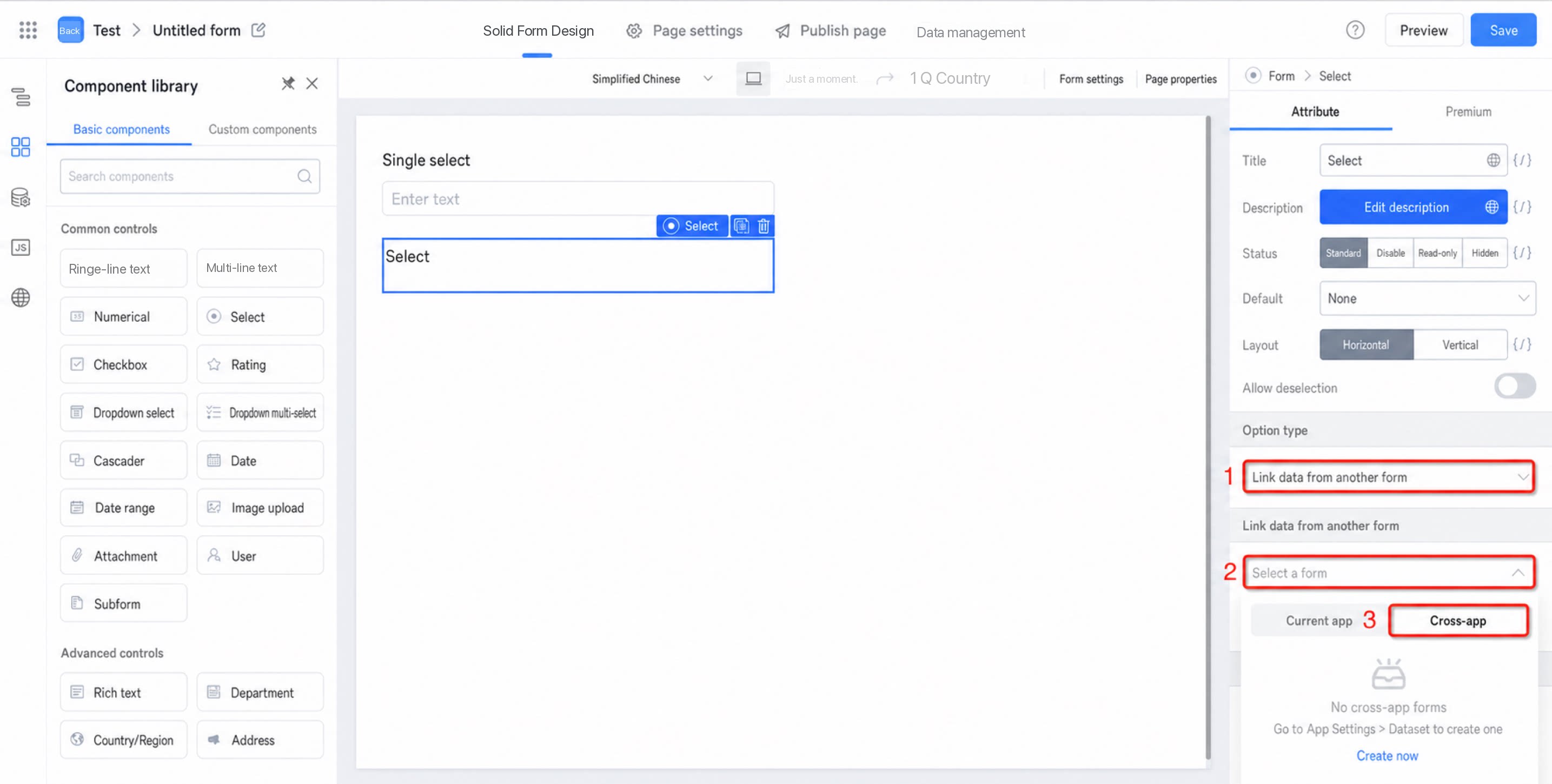
2.4 Associated Form
The associated form component can select cross-app forms that you have permission to access, and can be used for data filtering and data population.