Chats
Chats Calendar
 Meetings
 Contacts
 Mail
Mail Docs
Docs Drive
Drive AI Table
 AI Minutes
 Attendance
 Approval
 YiDA
YiDA Admin Console
In gray release
1. Introduction
1.1 Feature Overview
Unified process creation streamlines how your organization creates, approves, and executes business processes. With this feature, users can quickly design, configure, and launch new workflows so that every task is handled efficiently within a standardized framework.2. Steps
2.1 Entry Point
Entry point: To-Do Center — View all tasks.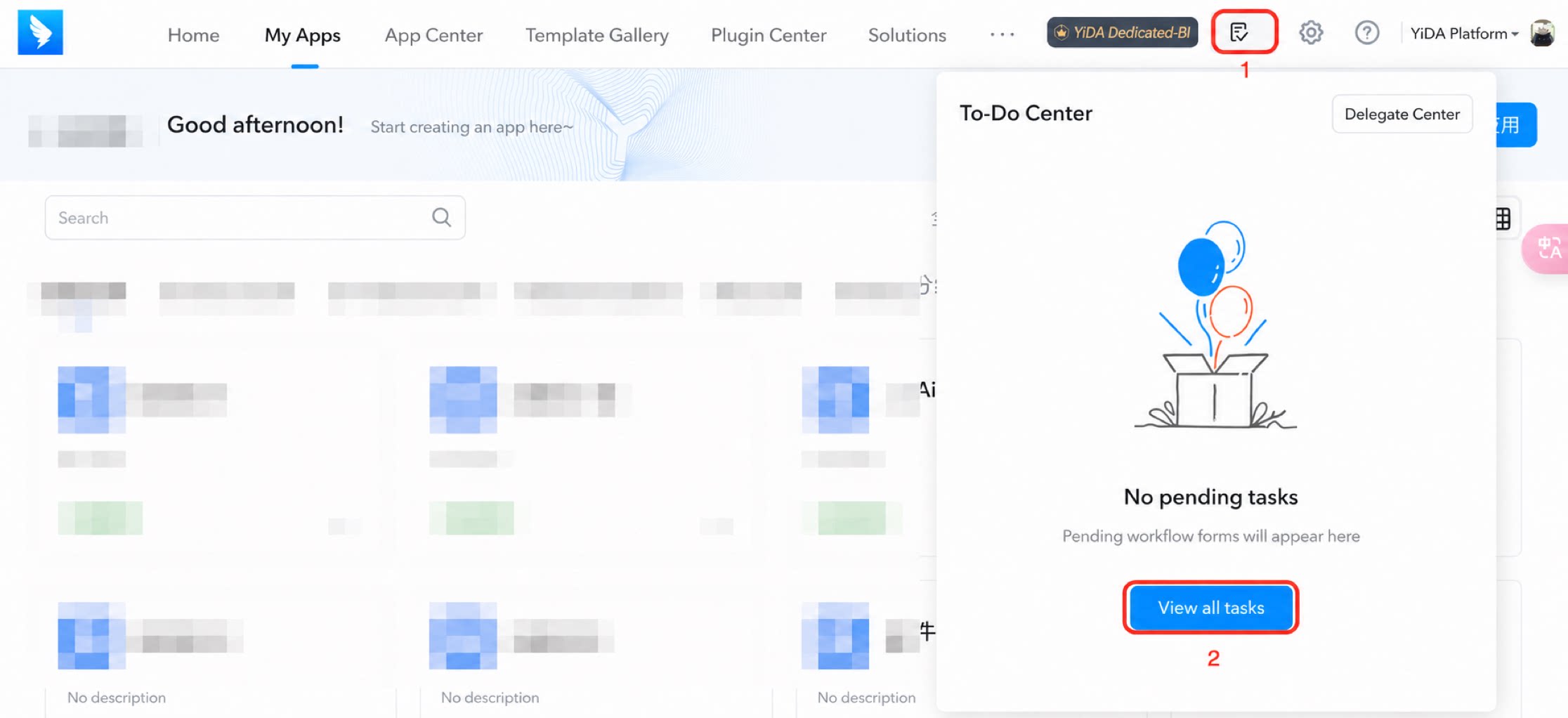
2.2 Create a Process
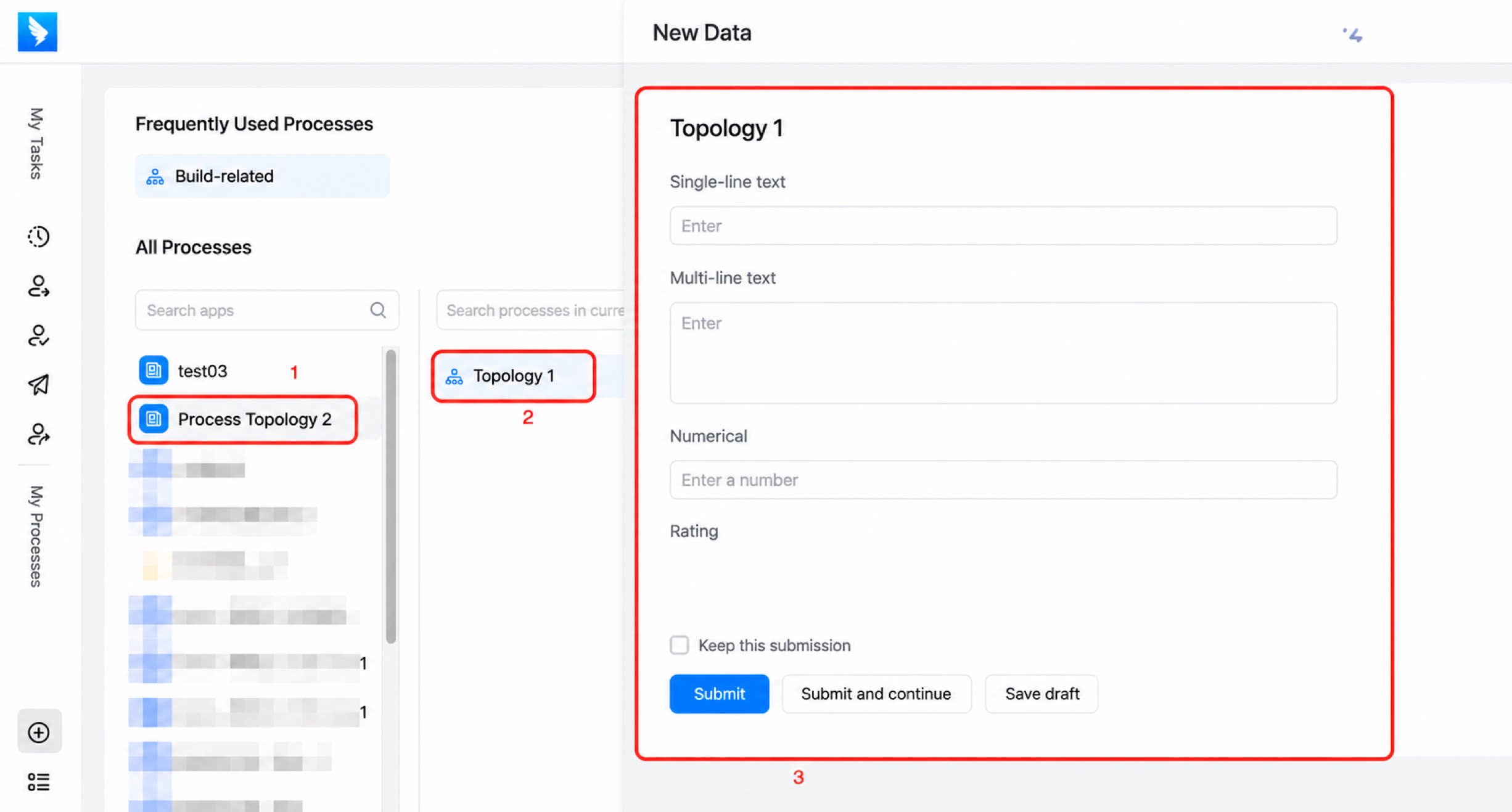
- Click Create process. The app list on the left shows all apps you currently have permission to access.
 to add this process to your favorites. You can add up to 12 processes, as shown below:
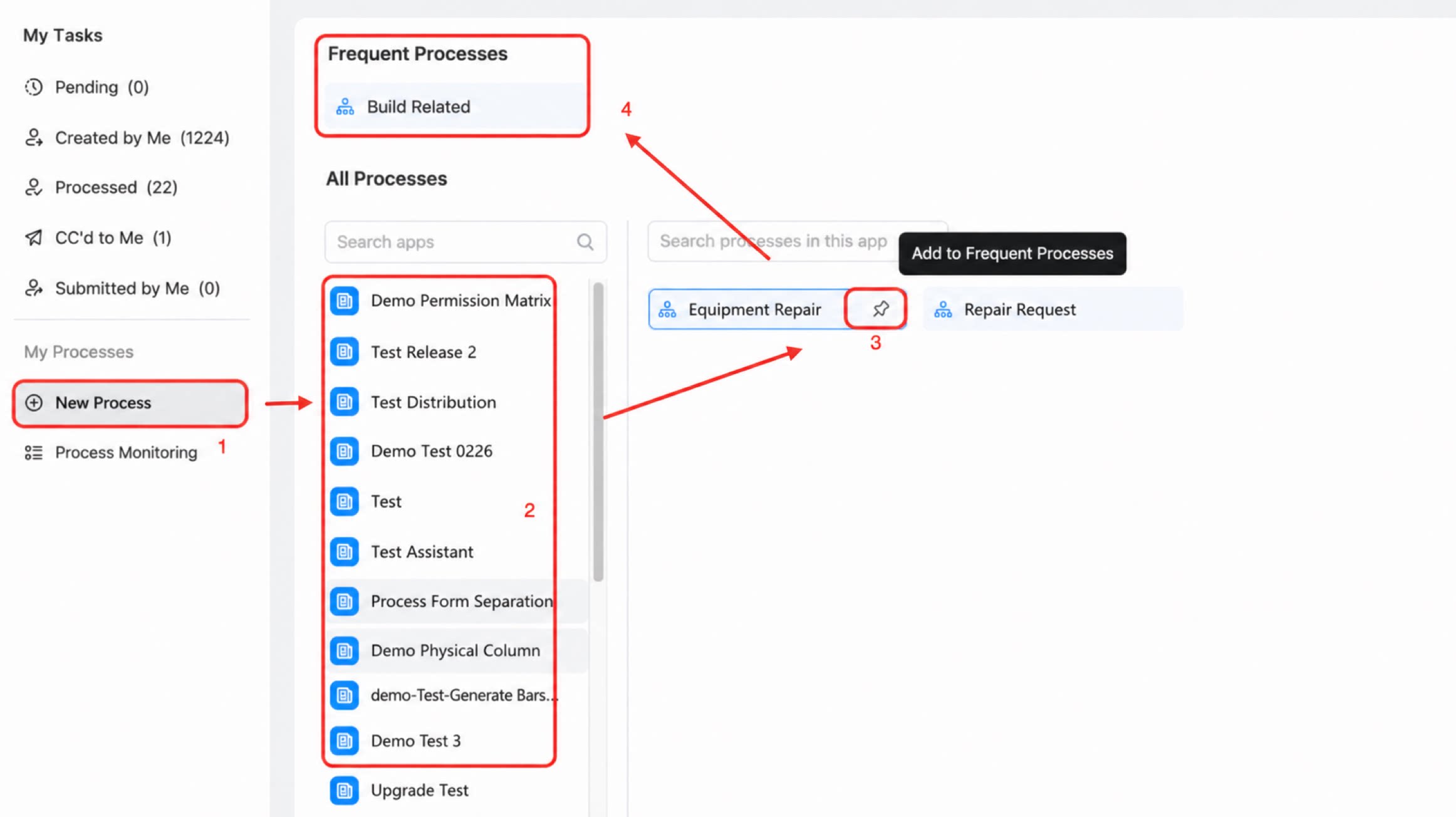
- Click an app, then click on the right to view all forms in the app that you have permission to submit, as shown below: