Chats
Chats Calendar
 Meetings
 Contacts
 Mail
Mail Docs
Docs Drive
Drive AI Table
 AI Minutes
 Attendance
 Approval
 YiDA
YiDA Admin Console
The delegation center lets you assign a designated user to handle your approval tasks during a specified period. Offboarding delegation must be arranged through the platform administrator. A direct manager can set up delegation on behalf of their direct reports.
Use Cases
In daily work, approvers on leave or vacation often cannot process approval forms in time, which delays business operations. This YiDA upgrade introduces the delegate capability to keep approvals moving while the approver is away.All members of an organization can set up a delegate. Managers can set up delegation for themselves and their direct reports. Offboarding delegation can only be set up by the platform administrator.
Delegation Workflow
1
Step 1
Sign in to the YiDA workbench.
2
Step 2
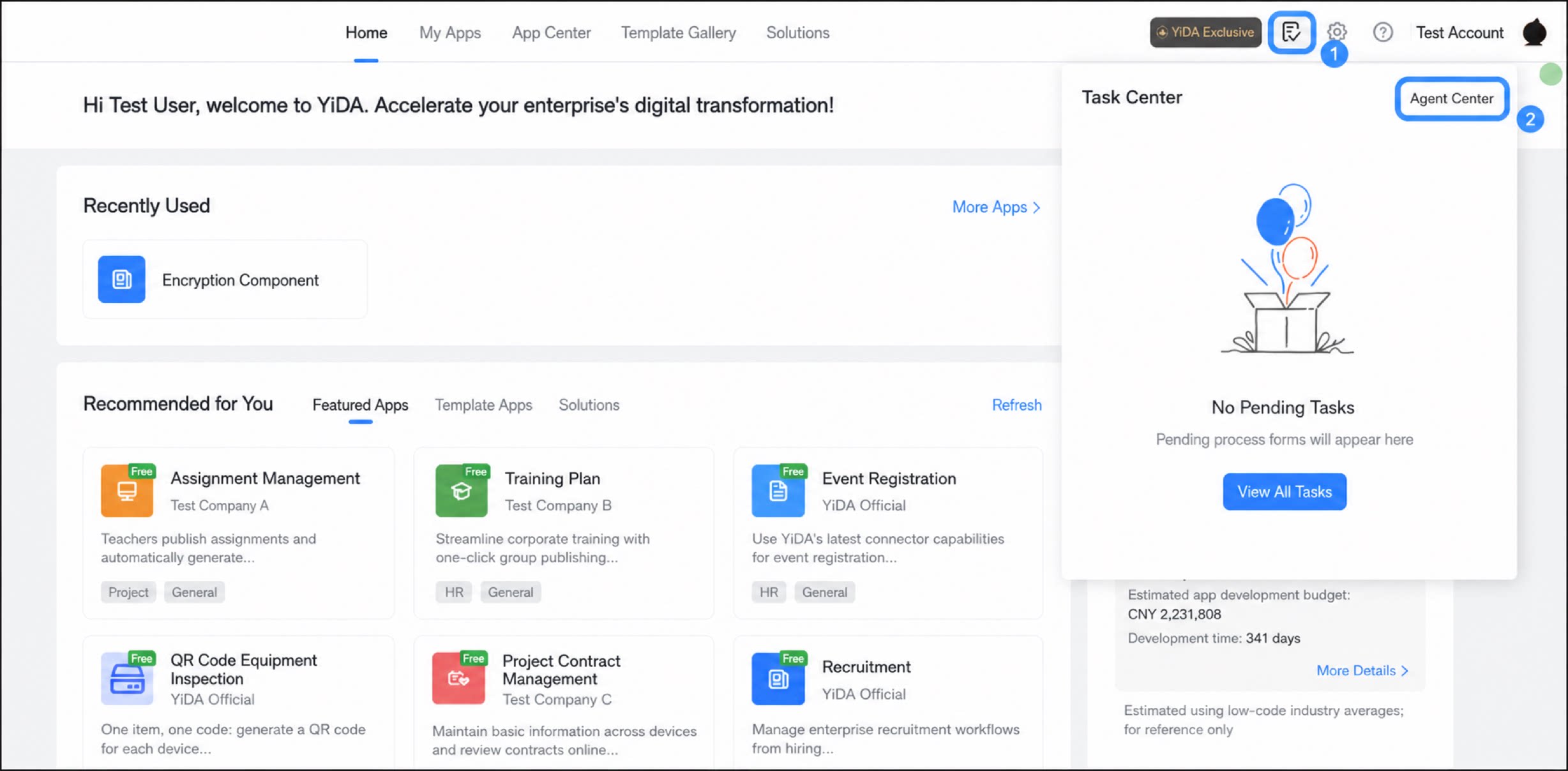
Click Task Center in the upper-right corner, then click Delegation Center. 
- Click Add delegation. In the dialog box, set the Delegate, Delegator, and Delegation period. For Delegation type, select Pending processing. Click Confirm to save.
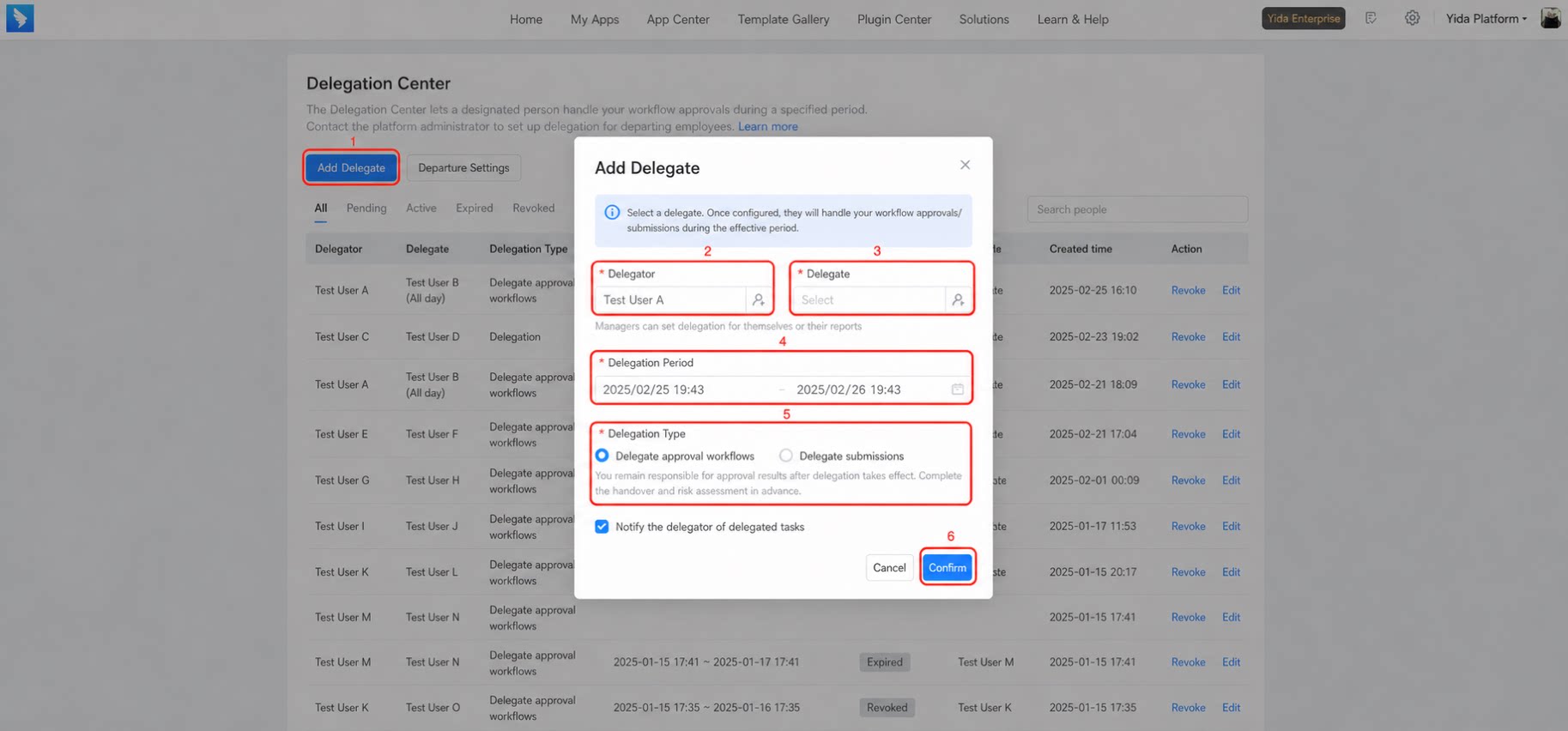
- You can choose whether to notify the delegator about delegated tasks.
- The delegate and delegator are required and cannot be the same person.
- If the delegator is not your direct report, you cannot set up delegation. The platform administrator can select any user.
- If a delegation relationship with the same delegate, delegator, and effective time already exists, you cannot create a duplicate. Open the existing delegation relationship to adjust its scope.
Delegated Submission
In gray release
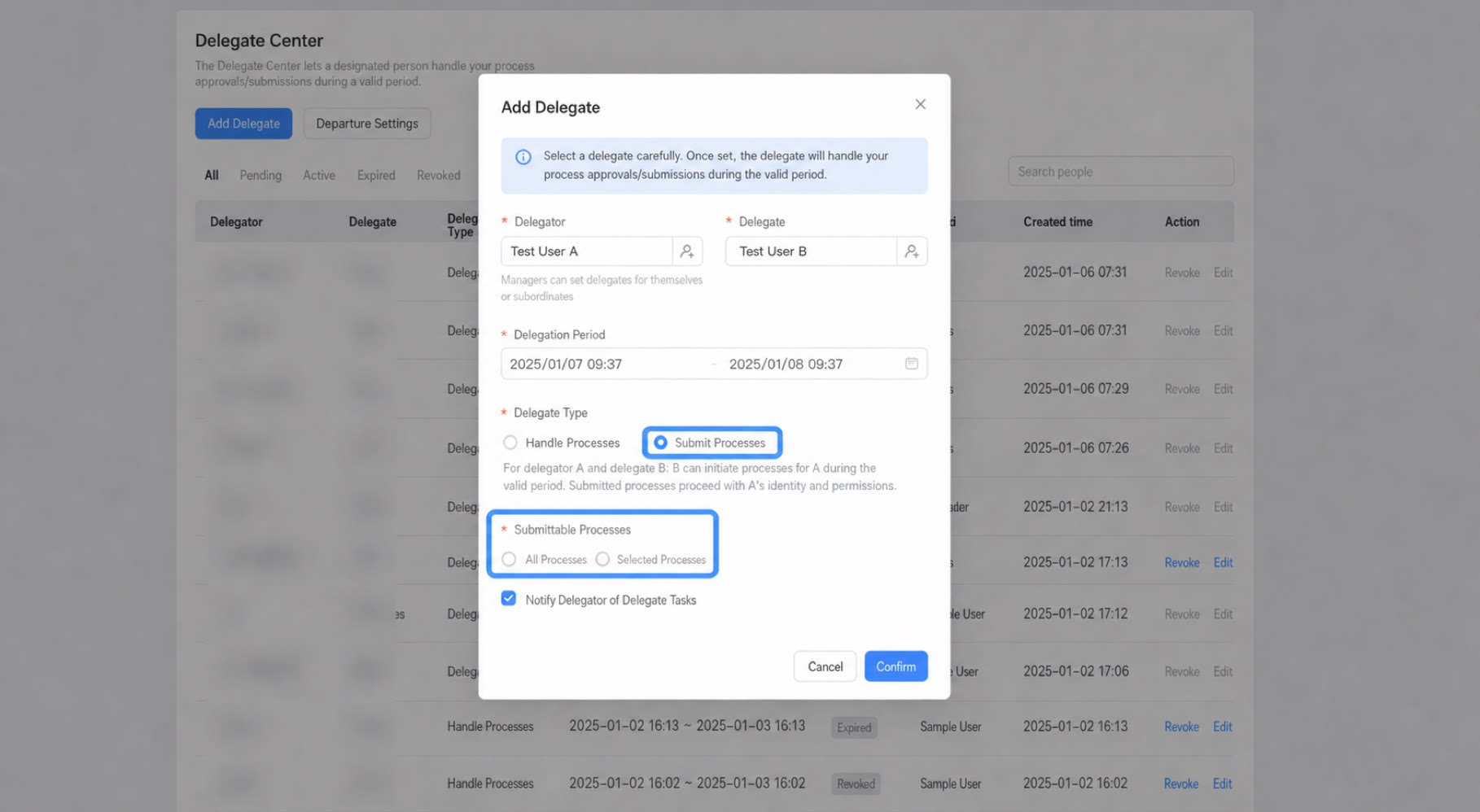
- The delegation center now supports delegated submission. Set up the delegator and delegate in the delegation center. Only the delegator or the platform administrator can configure the delegation relationship. The effective scope can be set to specific workflows or all workflows.
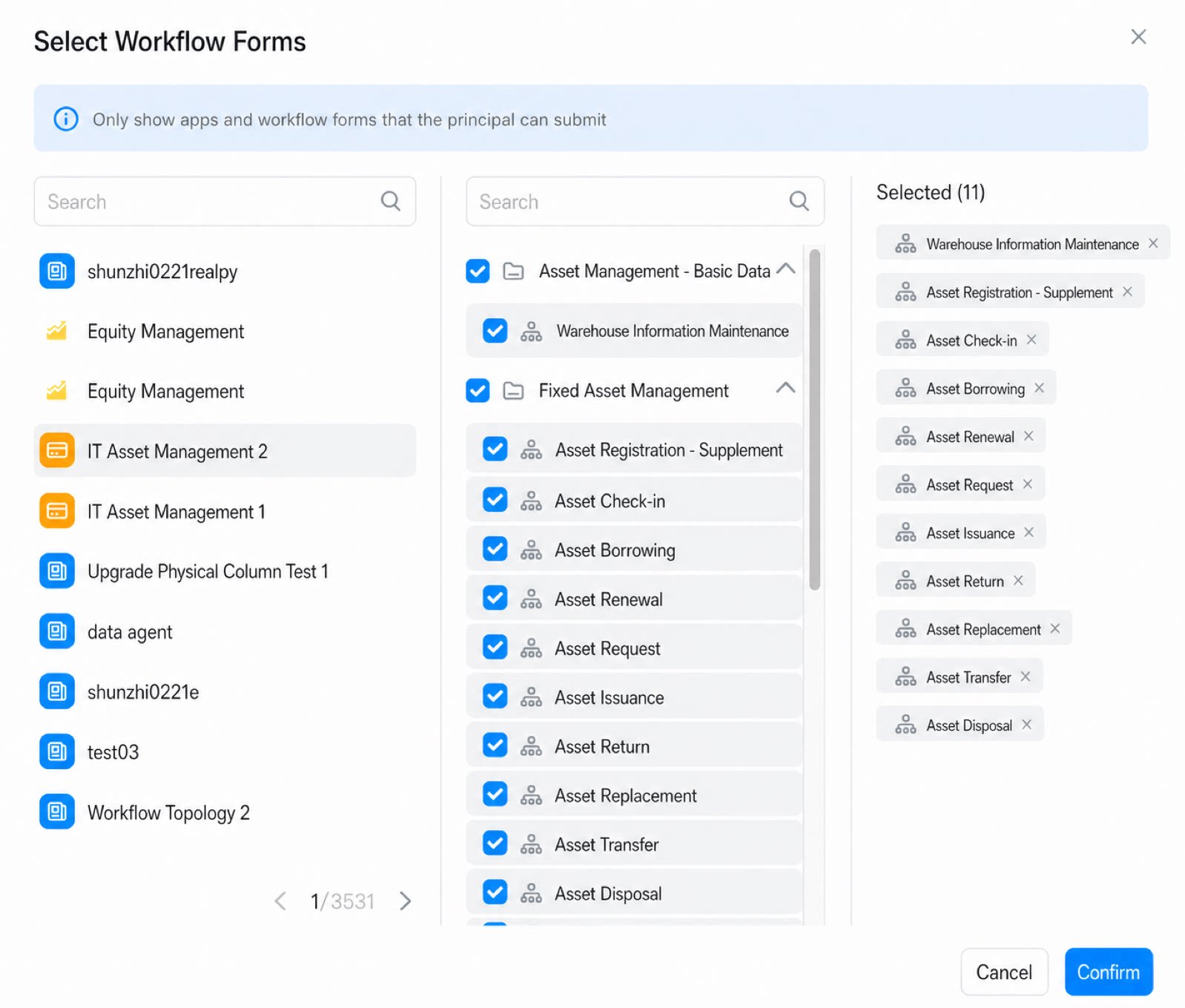
- Select All workflows or Specific workflows. When Specific workflows is selected, choose the workflows to delegate, as shown below:
- Click Save to save the delegation configuration.
- In the To-Do center, you can see the “Submitted on behalf” tab.
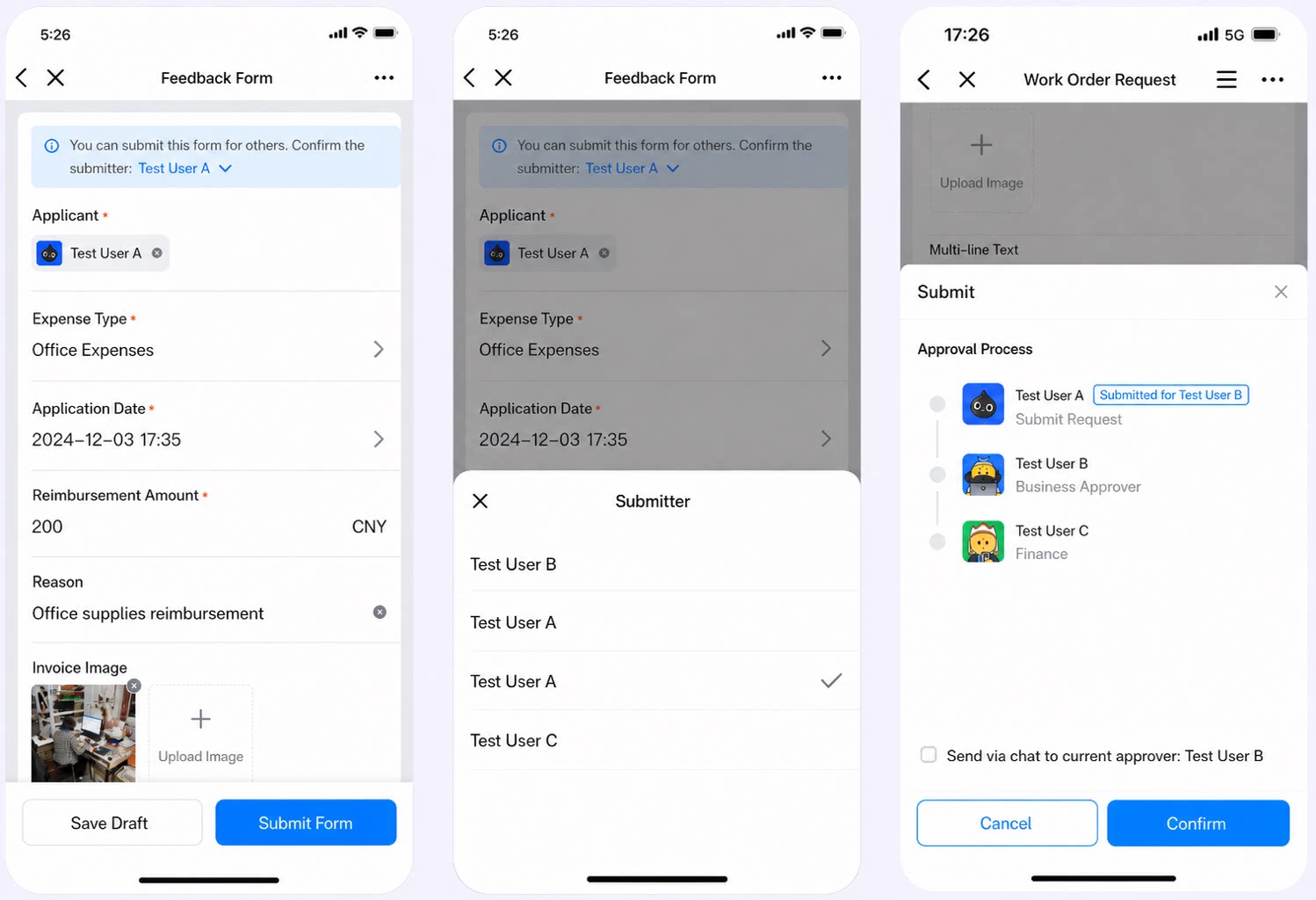
- Once the delegation relationship is established, when the delegate initiates a workflow, they can choose whether to submit it in their own name or on behalf of the delegator.
-
If the delegate chooses to submit as the delegator, the workflow displays
xxxsubmitted on behalf.
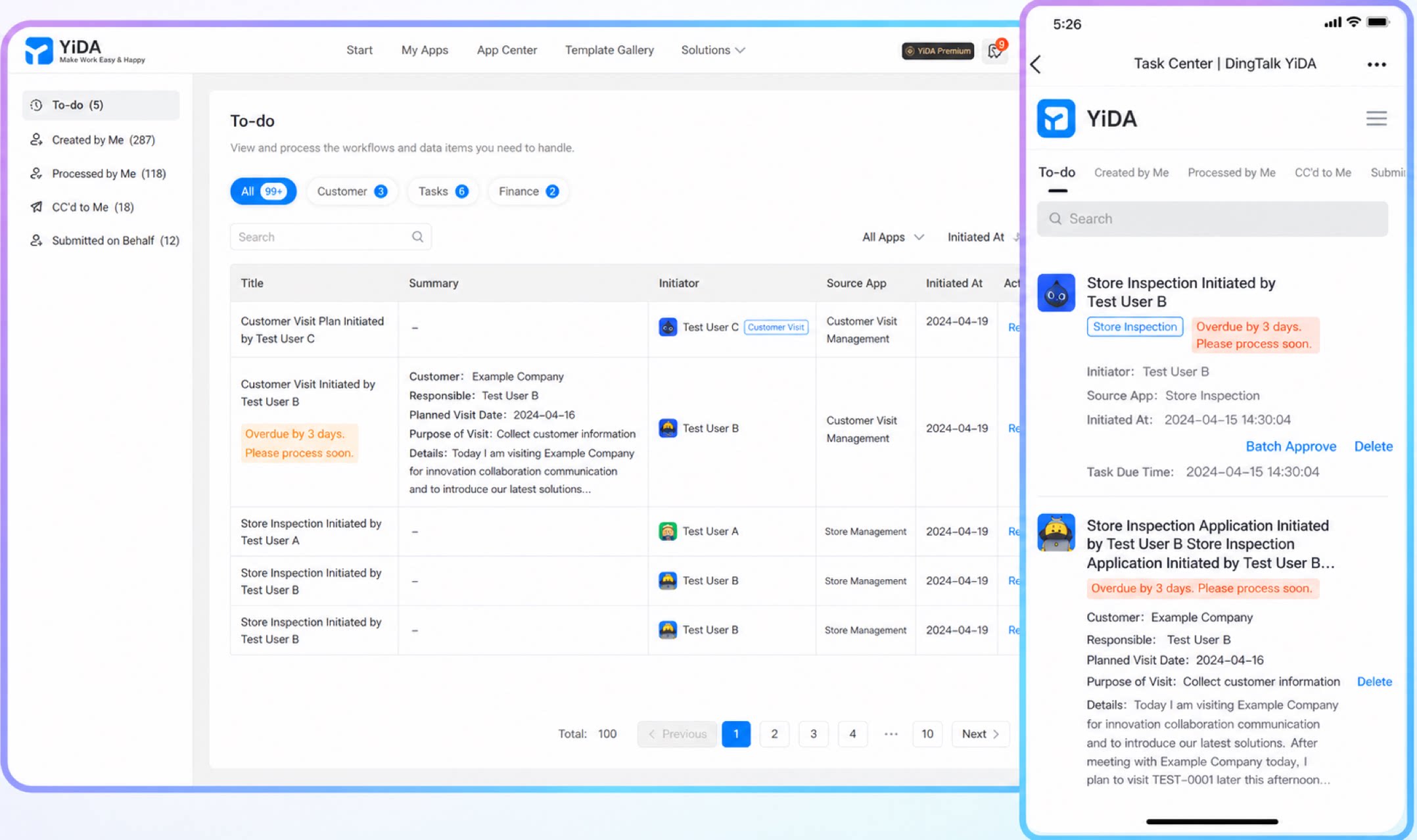
- After the workflow is created, you can see that it was submitted on behalf by
xxx.
Delegated Processing
- The delegation center now supports delegated processing. Set up the delegator and delegate in the delegation center.
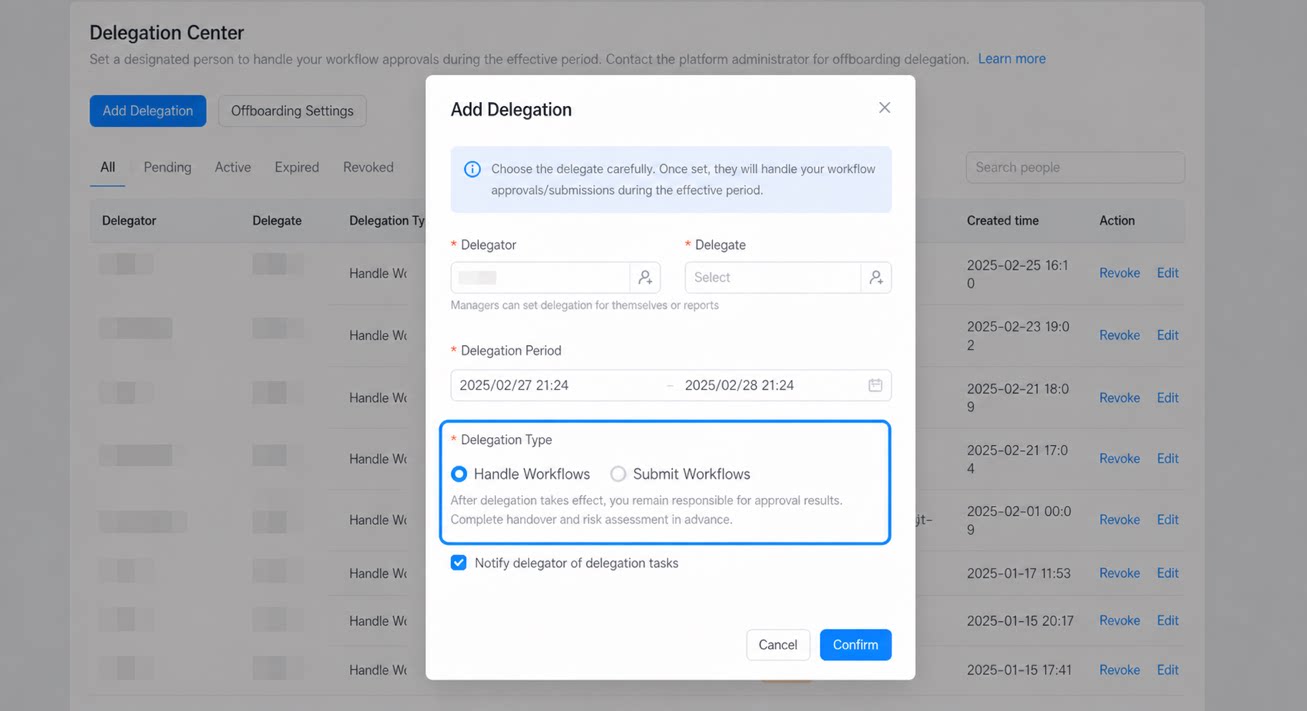
After delegation takes effect, you remain responsible for the approval outcomes. Complete any handovers and risk assessments in advance to avoid risks during the delegation period.
Offboarding Settings
When an approver leaves the organization, you can set up a delegate for the offboarded user with one click. If the offboarded user has pending approval tasks, the system automatically sets up a delegation relationship for them on their last day. The priority order for the effective delegate is: Designated new delegate > Direct manager > Department manager > YiDA platform administrator > DingTalk organization administrator.A delegation relationship is not a transfer of approval tasks; it only grants the delegate the relevant approval permissions.
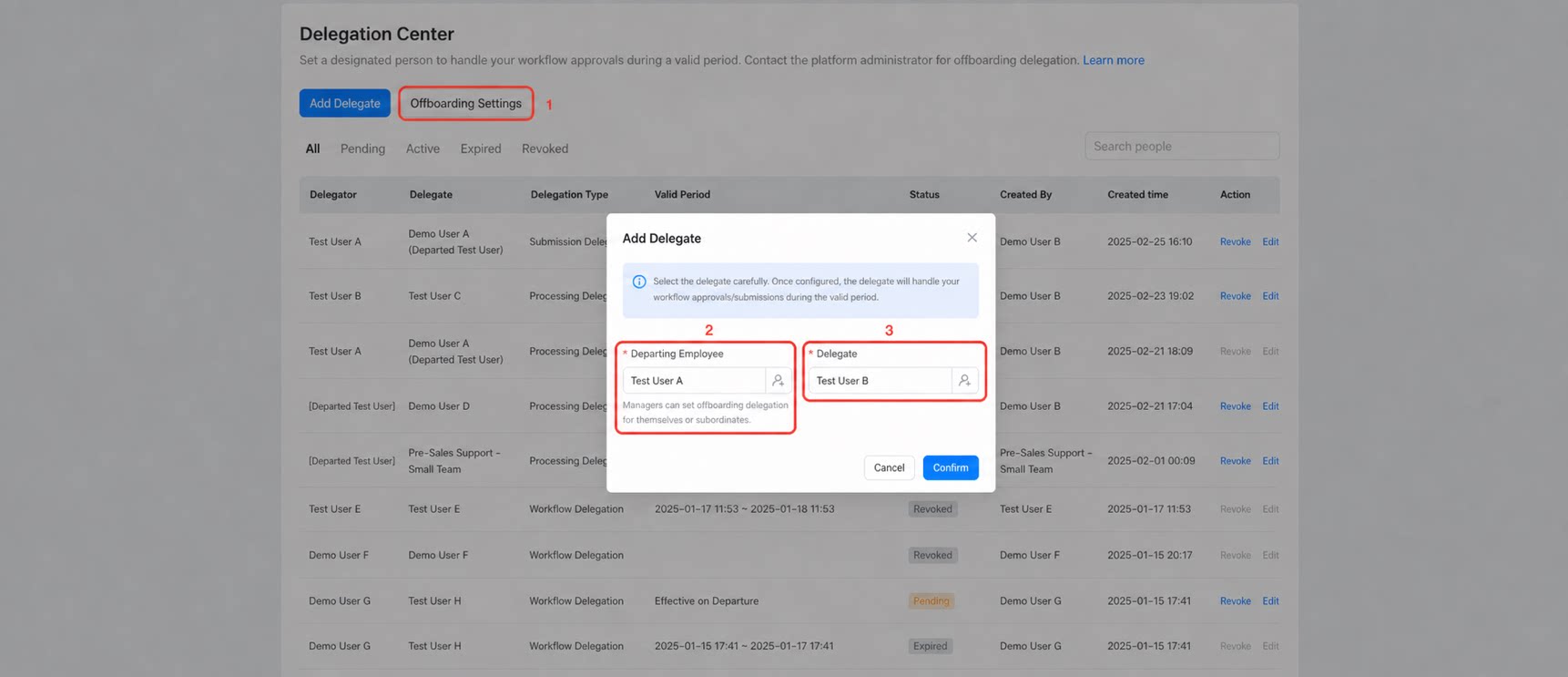
- Upon offboarding, any existing standard delegation relationships are revoked, and an offboarding delegation relationship is generated automatically.
- The Dedicated edition supports secondary editing of tasks under a delegation relationship.
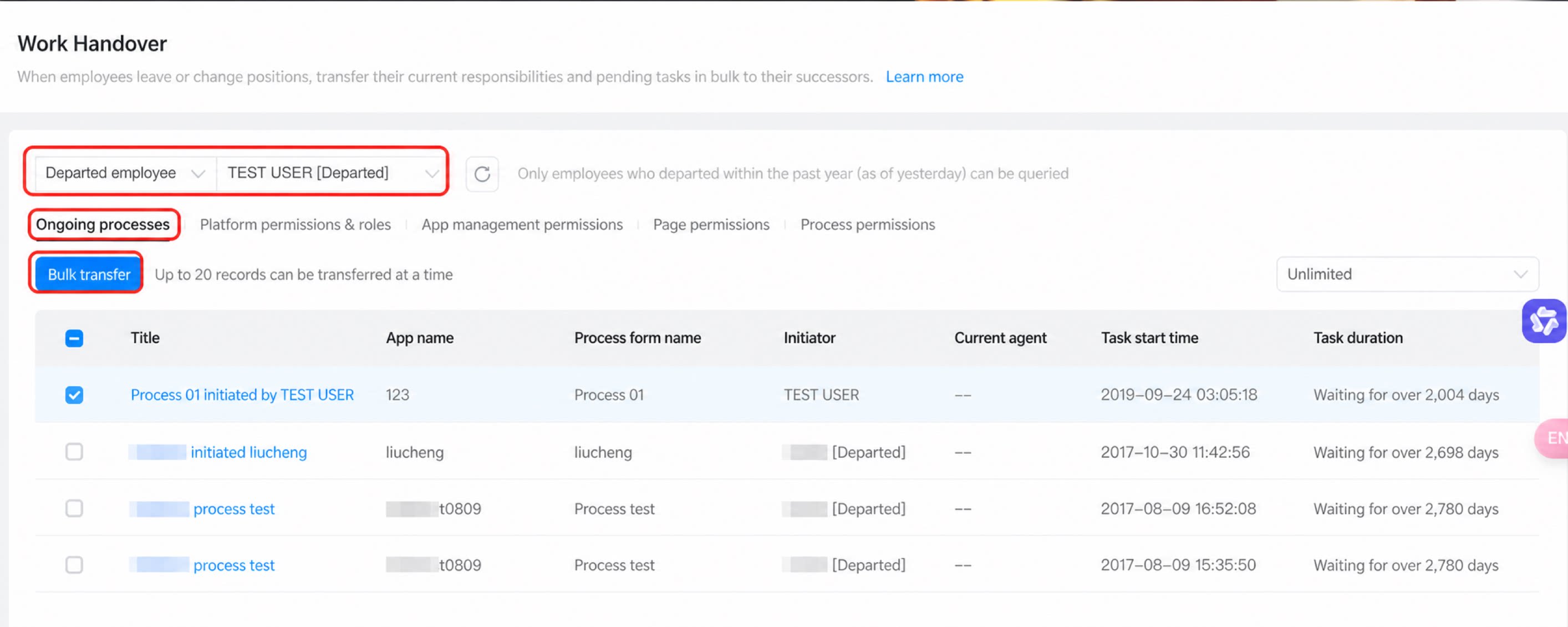
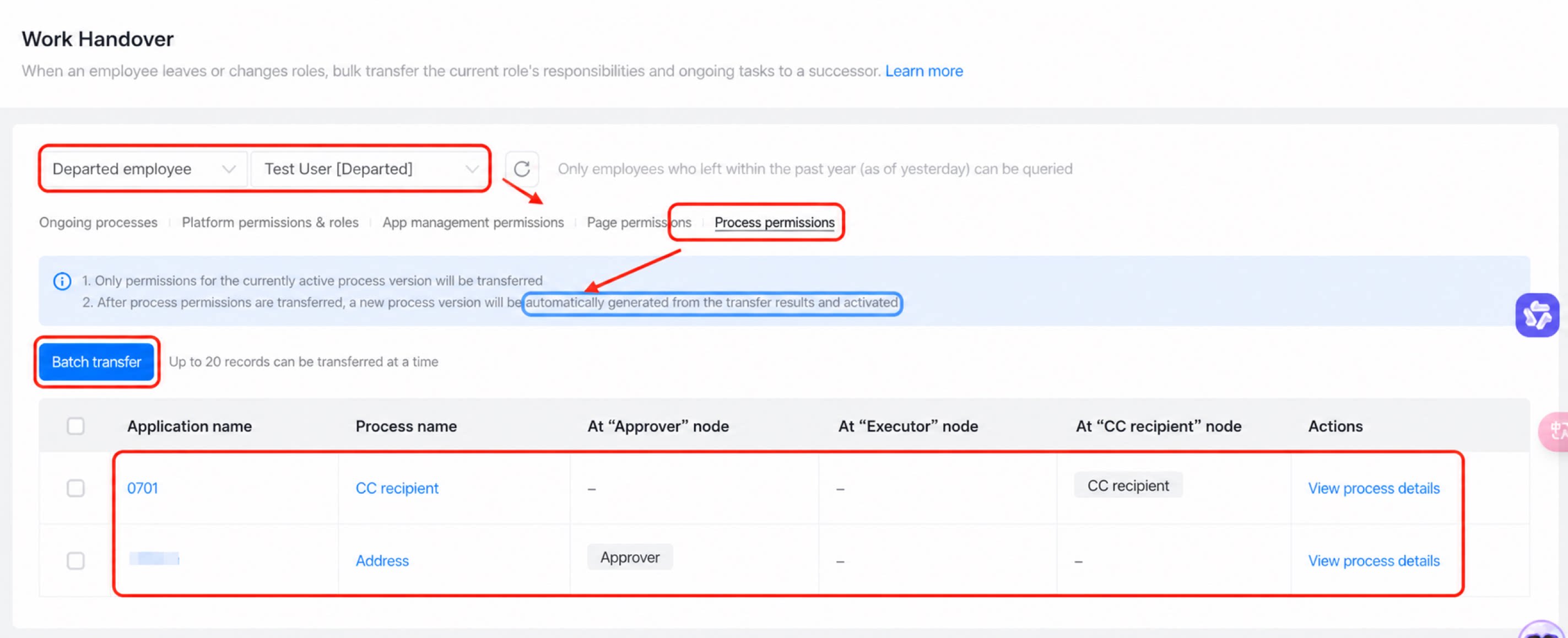
Delegation Records
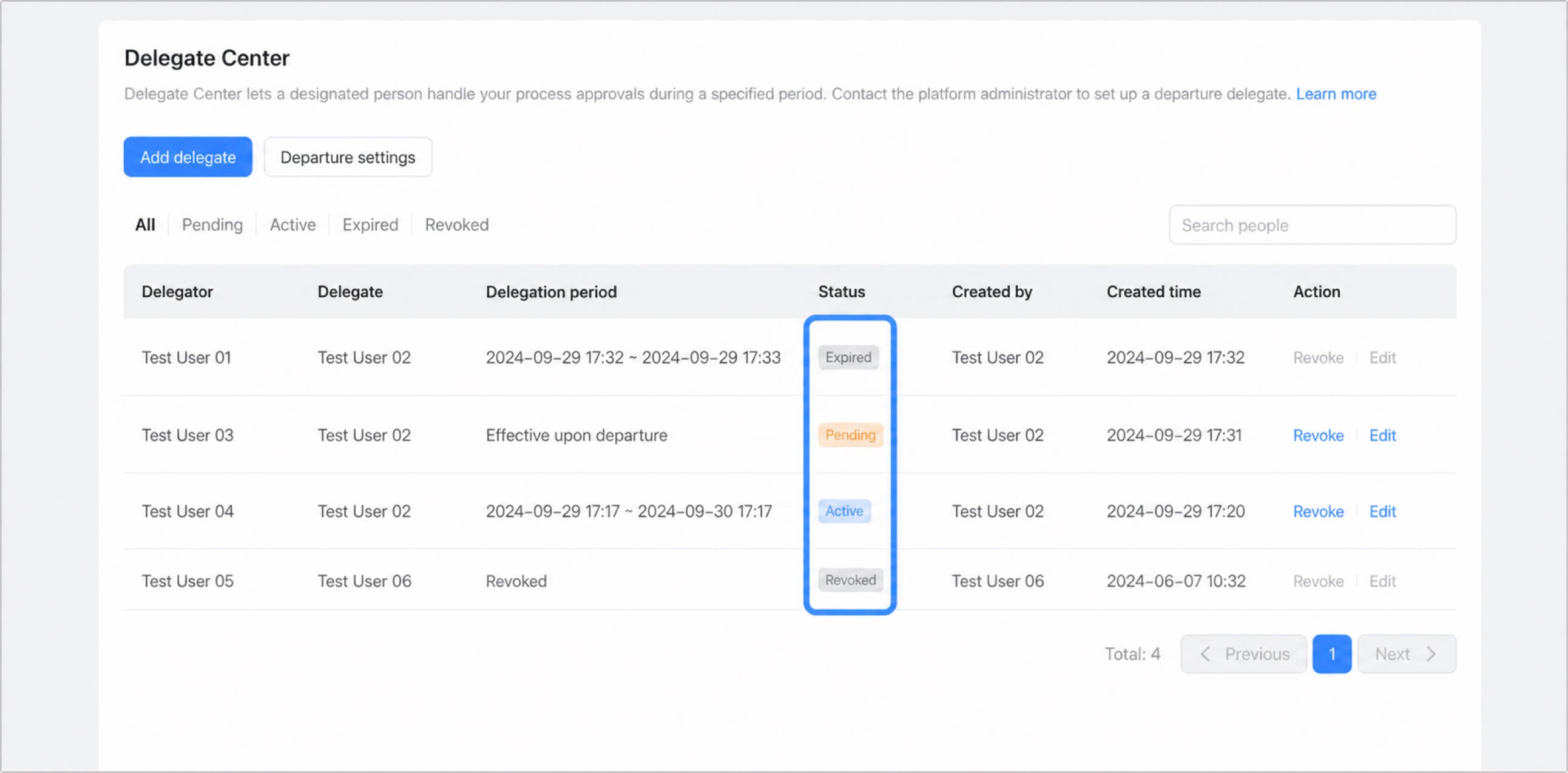
Delegation records have the following four statuses:- Pending
- In progress
- Expired
- Revoked