Chats
Chats Calendar
 Meetings
 Contacts
 Mail
Mail Docs
Docs Drive
Drive AI Table
 AI Minutes
 Attendance
 Approval
 YiDA
YiDA Admin Console
In gradual rollout
1. Introduction
1.1 Feature Overview
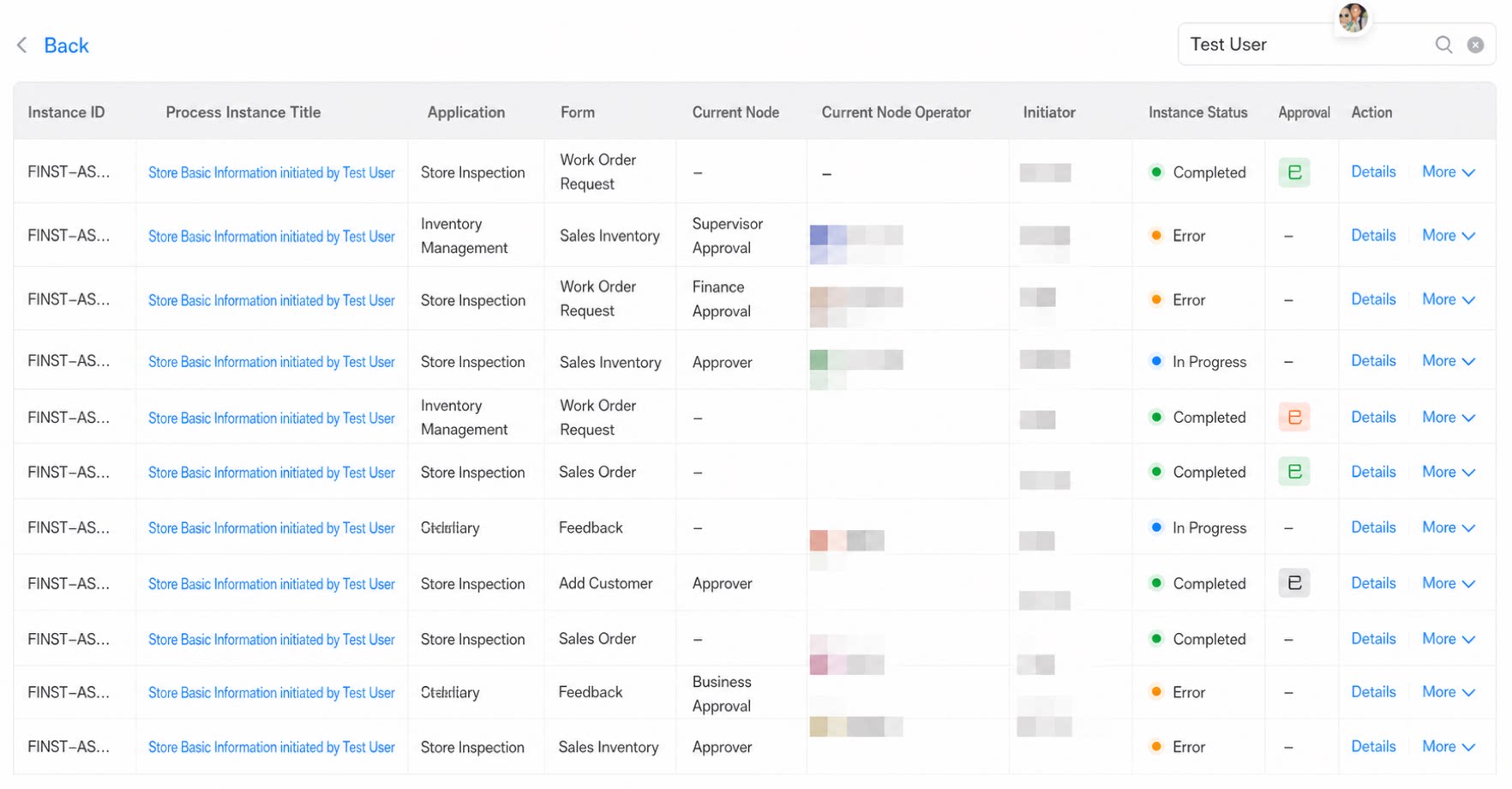
Unified workflow monitoring aggregates all authorized workflow instances on a single page. This simplifies operations and improves efficiency. It monitors all workflows in one place, so you can track the execution status of every workflow in real time.2. Steps
2.1 Feature Entry
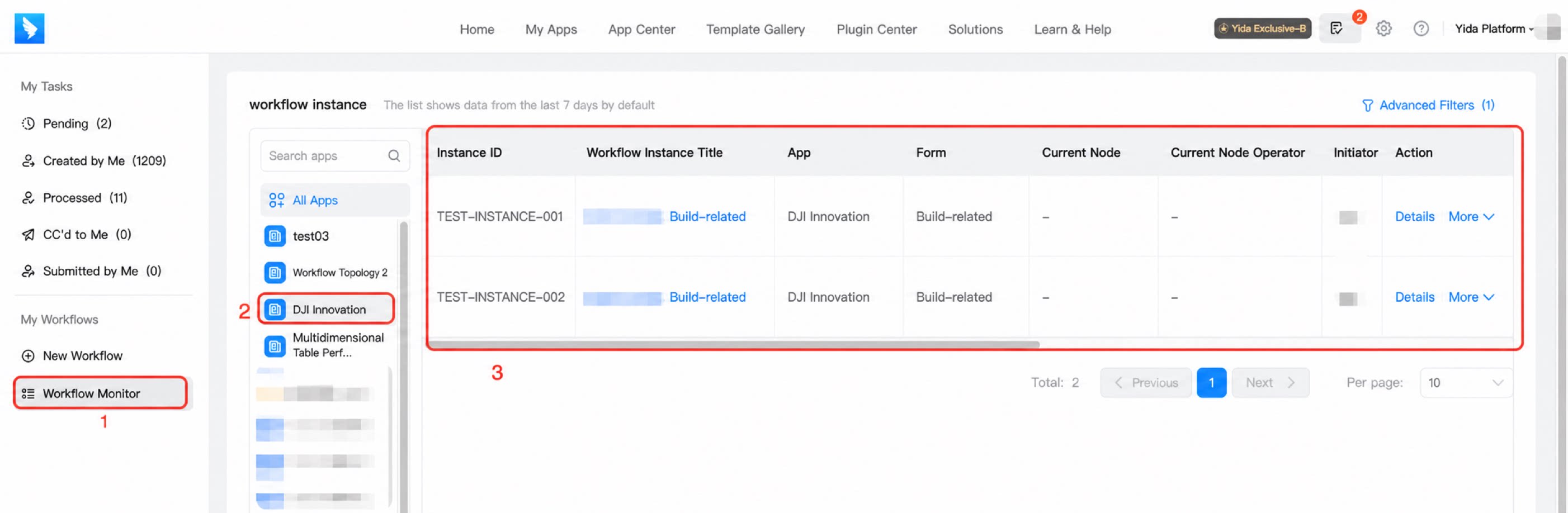
Feature entry: To-Do Center — View all tasks — My workflows — Workflow monitoring.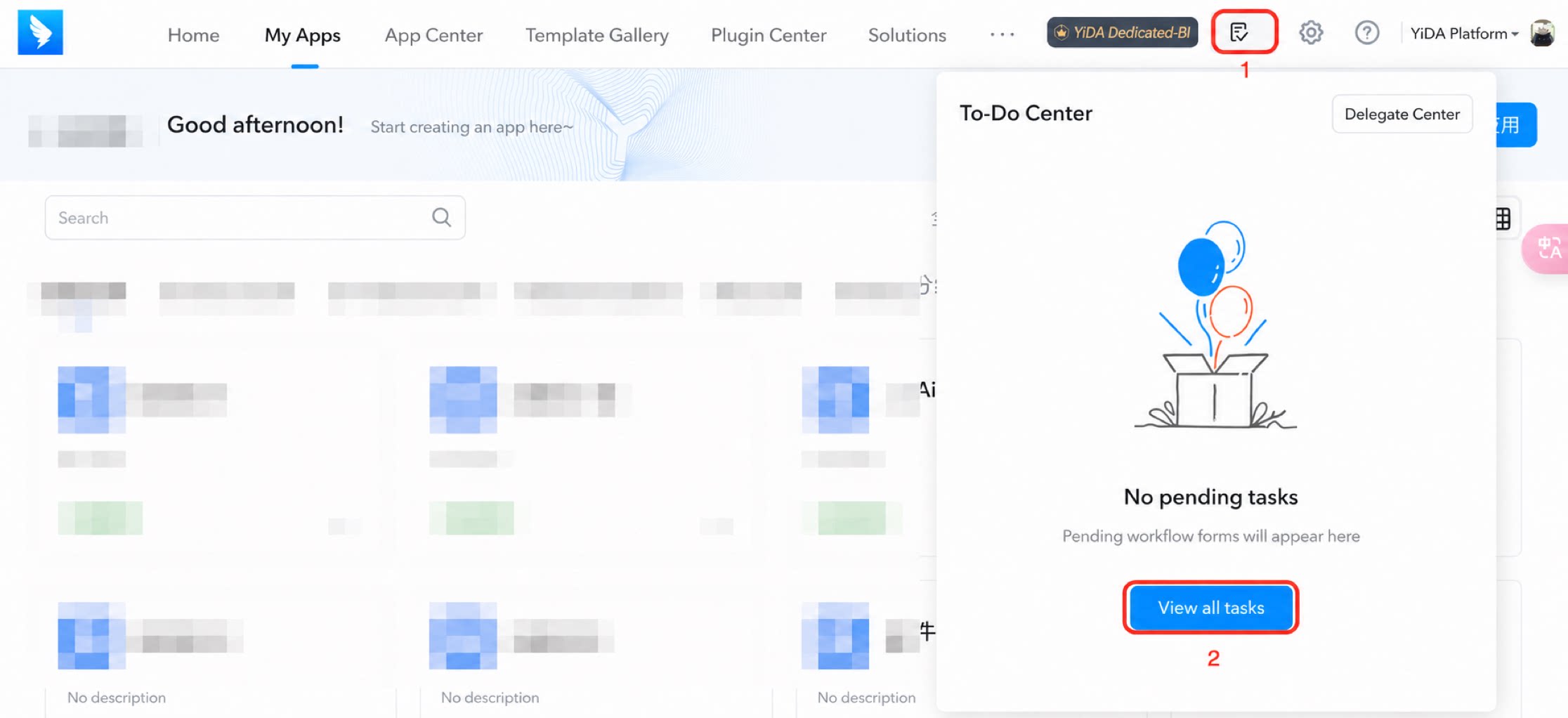
Notes:
- Legacy apps: Apps created before 2021 do not support this feature.
2.2 Role Permissions
Platform Admin: Can view the workflow instance aggregation page for All apps and for individual apps. App Super Admin: Can only view apps they manage.2.3 Workflow Monitoring
2.3.1 View Workflow Monitoring
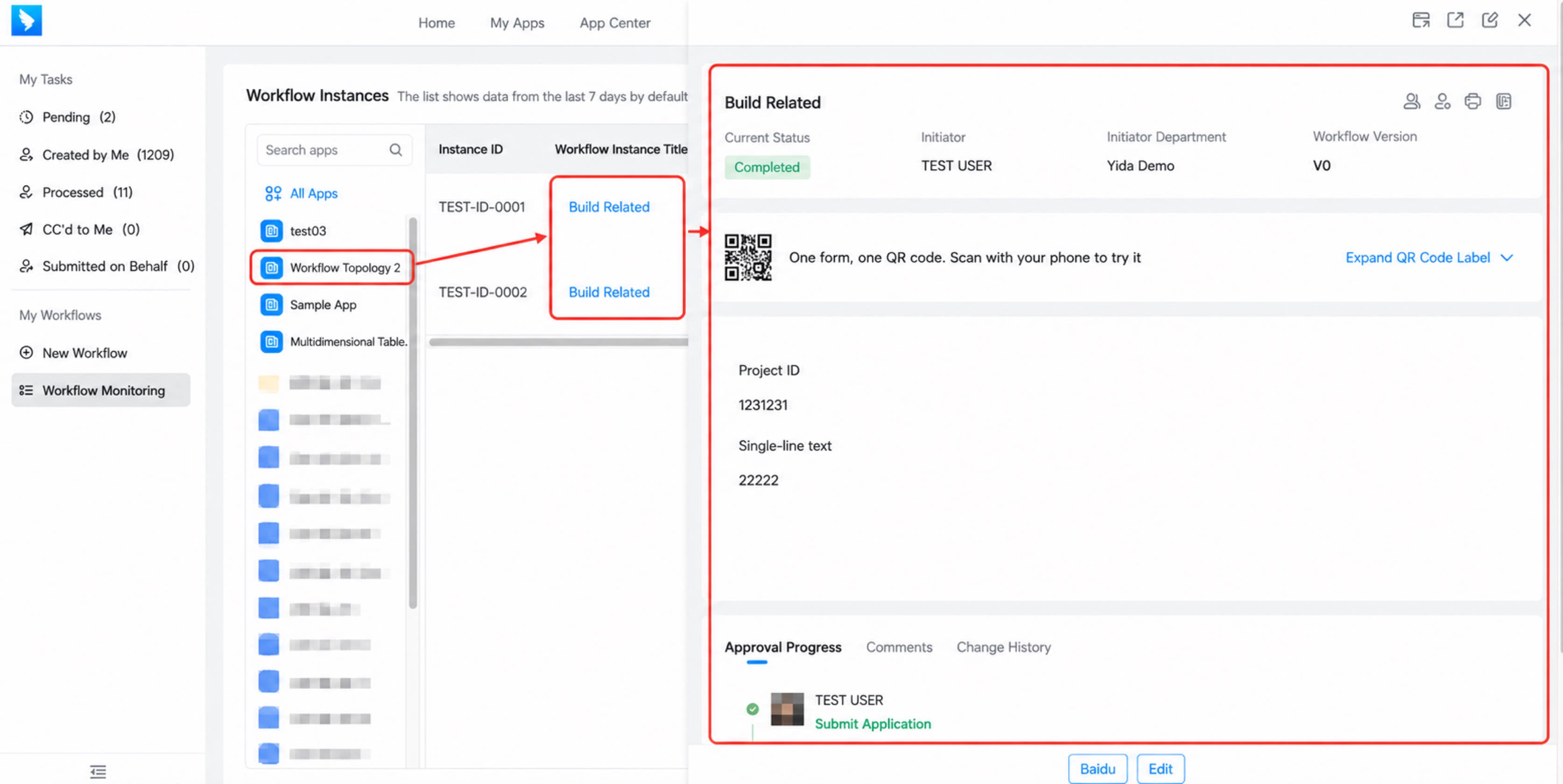
- Click the app list on the left, then click a specific workflow instance to view its details.
- Fields displayed for a workflow instance: workflow instance ID, workflow instance title, associated form, associated app, initiator, initiation time, modified time, completion time, instance status, approval result, current step, and current step operator.
2.3.2 Filter and Search
1) Advanced filter: Supports multi-dimensional filtering, including workflow instance title, ID, associated app, form, current step operator, initiator, and status. 3) Results page: By default, results from up to 20 apps are returned. If the search results do not match your expectations, add more precise conditions in the advanced filter to refine the search.