Chats
Chats Calendar
 Meetings
 Contacts
 Mail
Mail Docs
Docs Drive
Drive AI Table
 AI Minutes
 Attendance
 Approval
 YiDA
YiDA Admin Console
In gray release
OA Enhancement Feature Benefits
OA Enhancement Feature Benefits
- Unified workflow
- Advanced workflow capabilities
- Unified portal: premium features for space portals
Introduction to OA Enhancement Capabilities
1. Unified Workflow
1.1. Create Unified Workflows
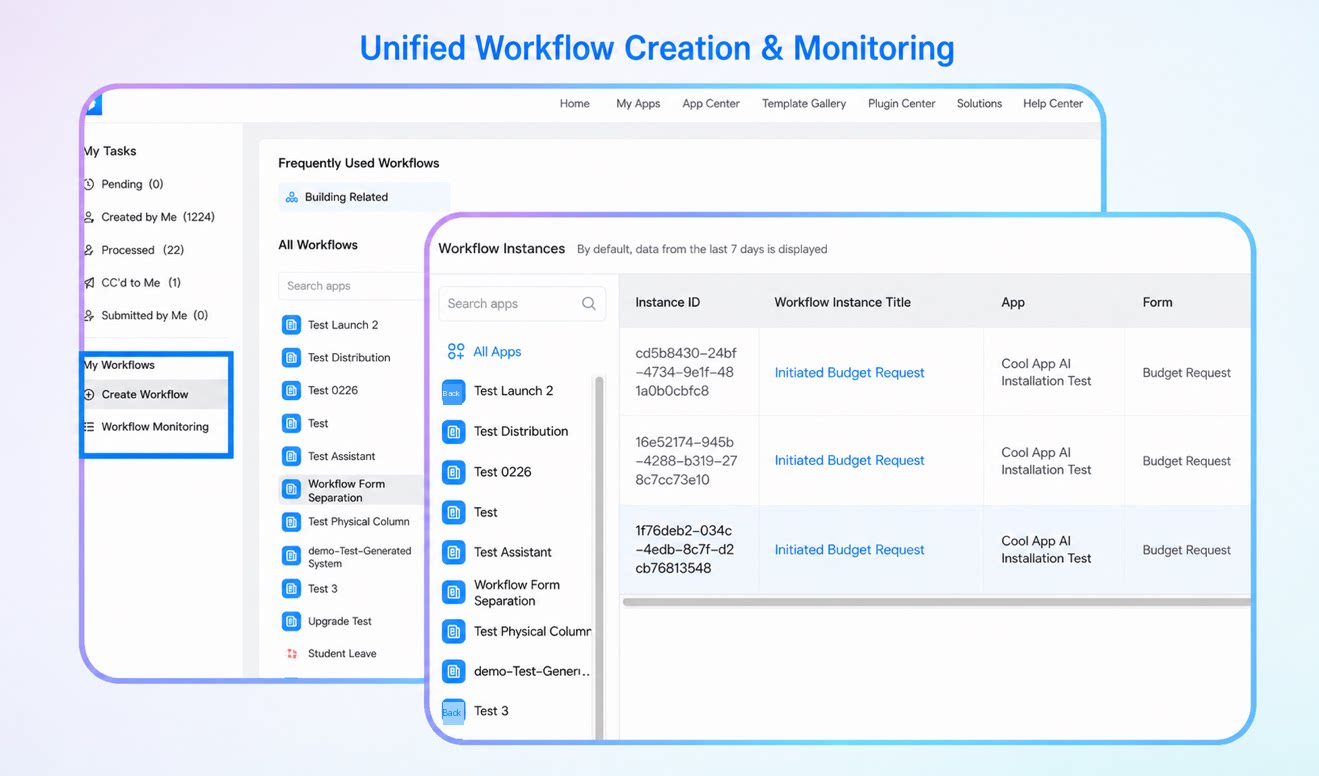
Unified workflow creation simplifies the design, approval, and execution of internal business processes across your organization. Users can quickly design, configure, and launch new workflows, ensuring every task runs efficiently within a standardized framework.1.2. Unified Workflow Monitoring
Unified workflow monitoring lets users view all authorized workflow instances on a single page, simplifying operations and boosting efficiency. It delivers unified monitoring for all workflows, so the execution status of each workflow can be tracked and analyzed in real time.2. Advanced Workflow Capabilities
2.1. Workflow Jump Configuration
A jump configuration module is now available on the approver node of business workflows. Users can customize jump rules—such as page redirects and action triggers—based on business needs.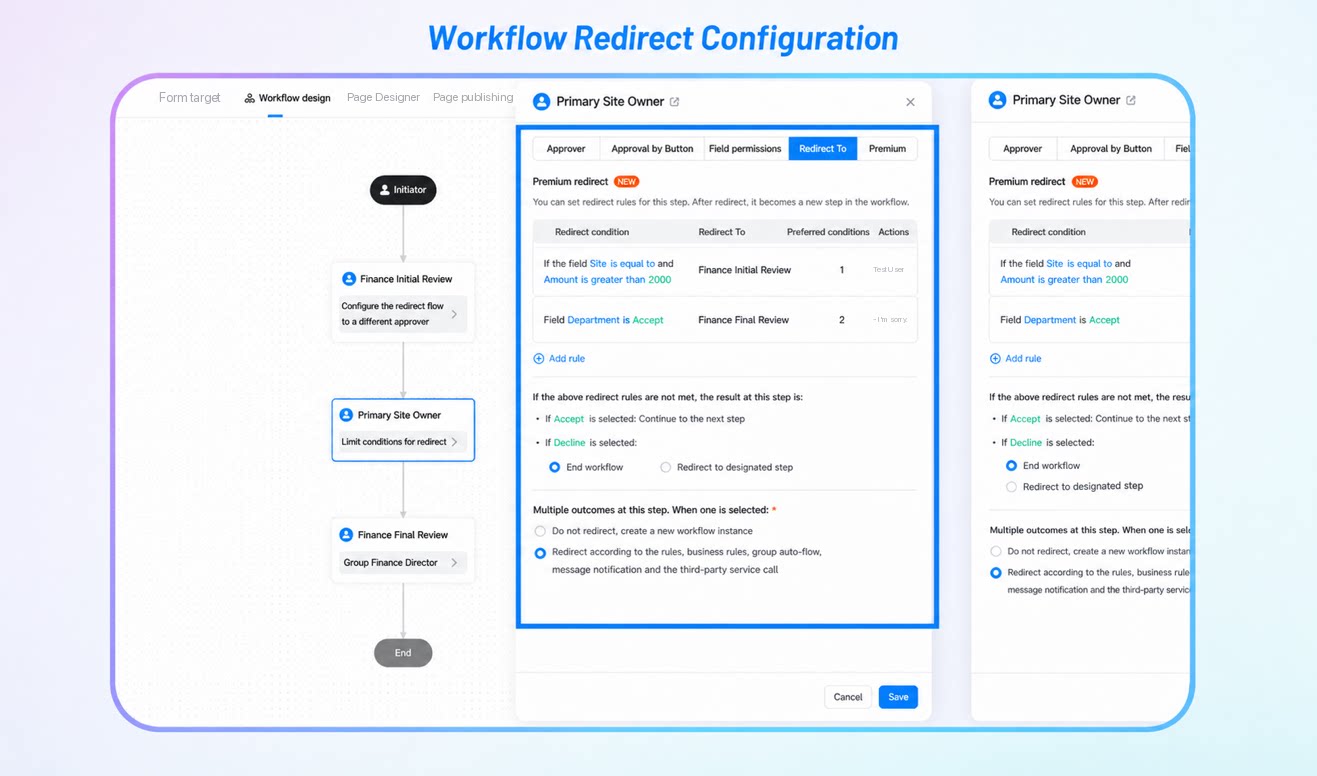
2.2. Workflow Condition Mode
By configuring conditions, the system automatically matches approvers against preset rules, so different approvers can be selected automatically based on specific conditions.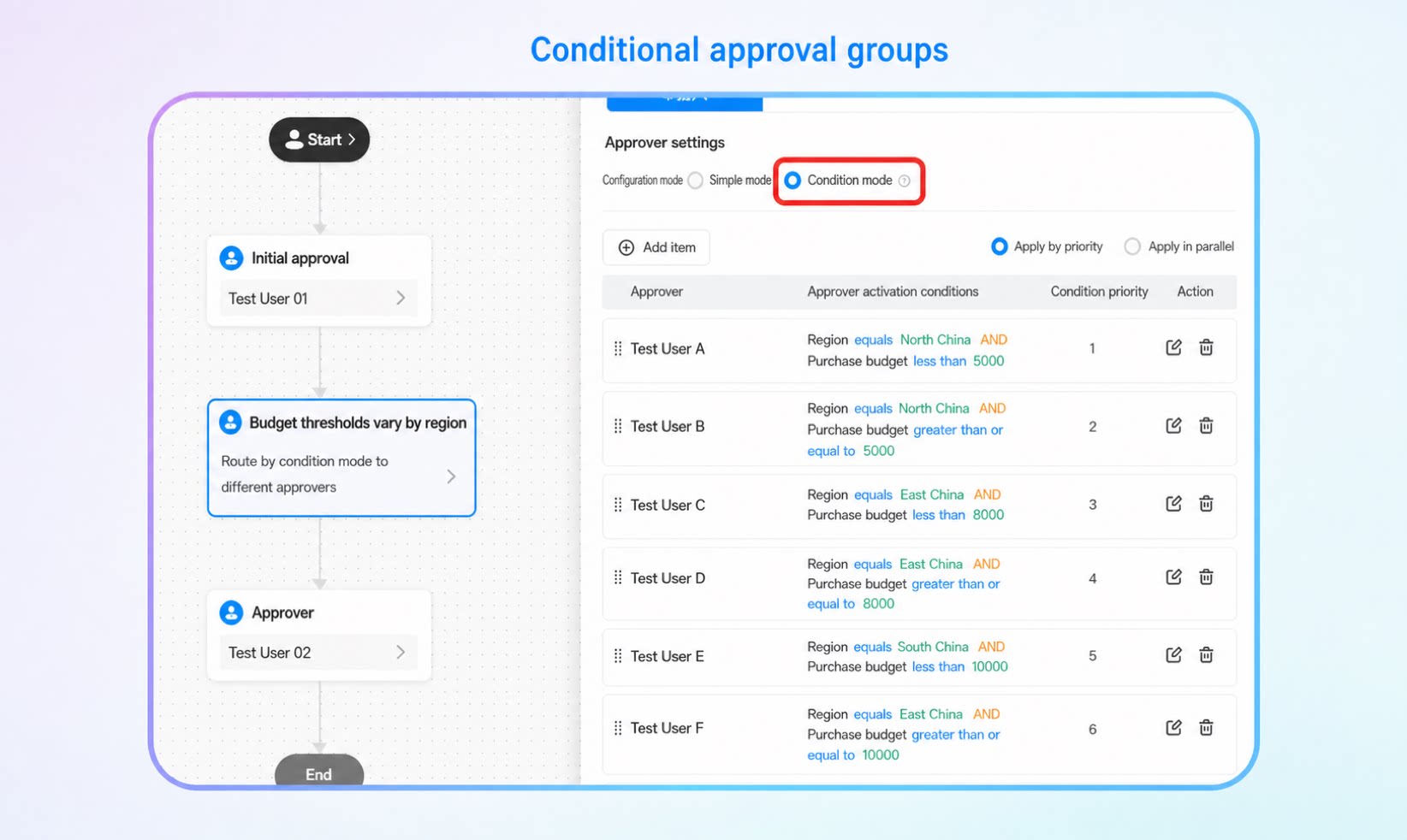
2.3. Workflow Permission Matrix
Manage permission matrix data with batch operations and reusable permission settings to improve management efficiency. This feature gives organizations a more secure, efficient, and flexible platform for data management and access control.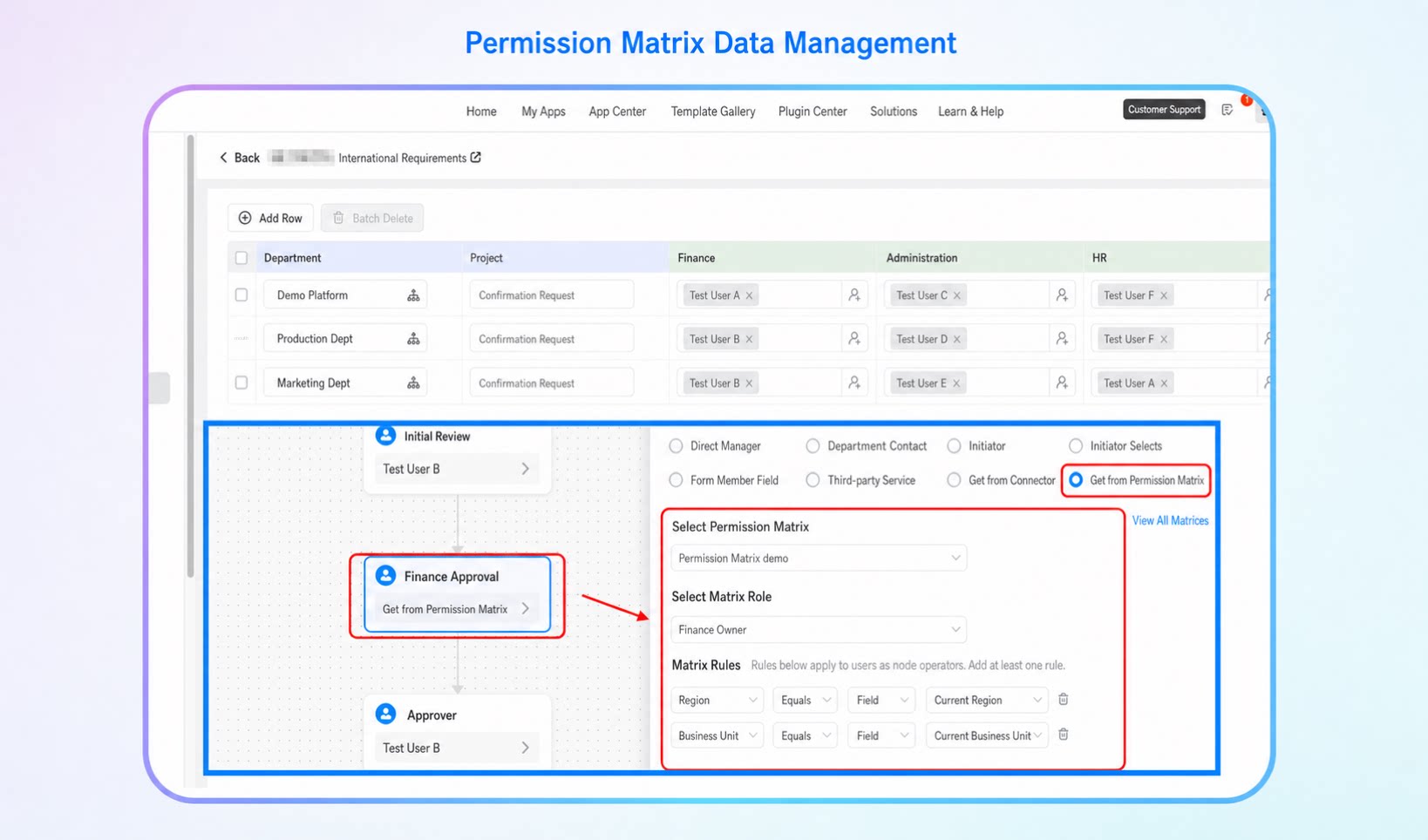
2.4. Complete Workflow Flowchart
View the entire workflow flow and structure. The complete topology diagram shows the direction of each process and the relationships between nodes, helping you understand how nodes connect.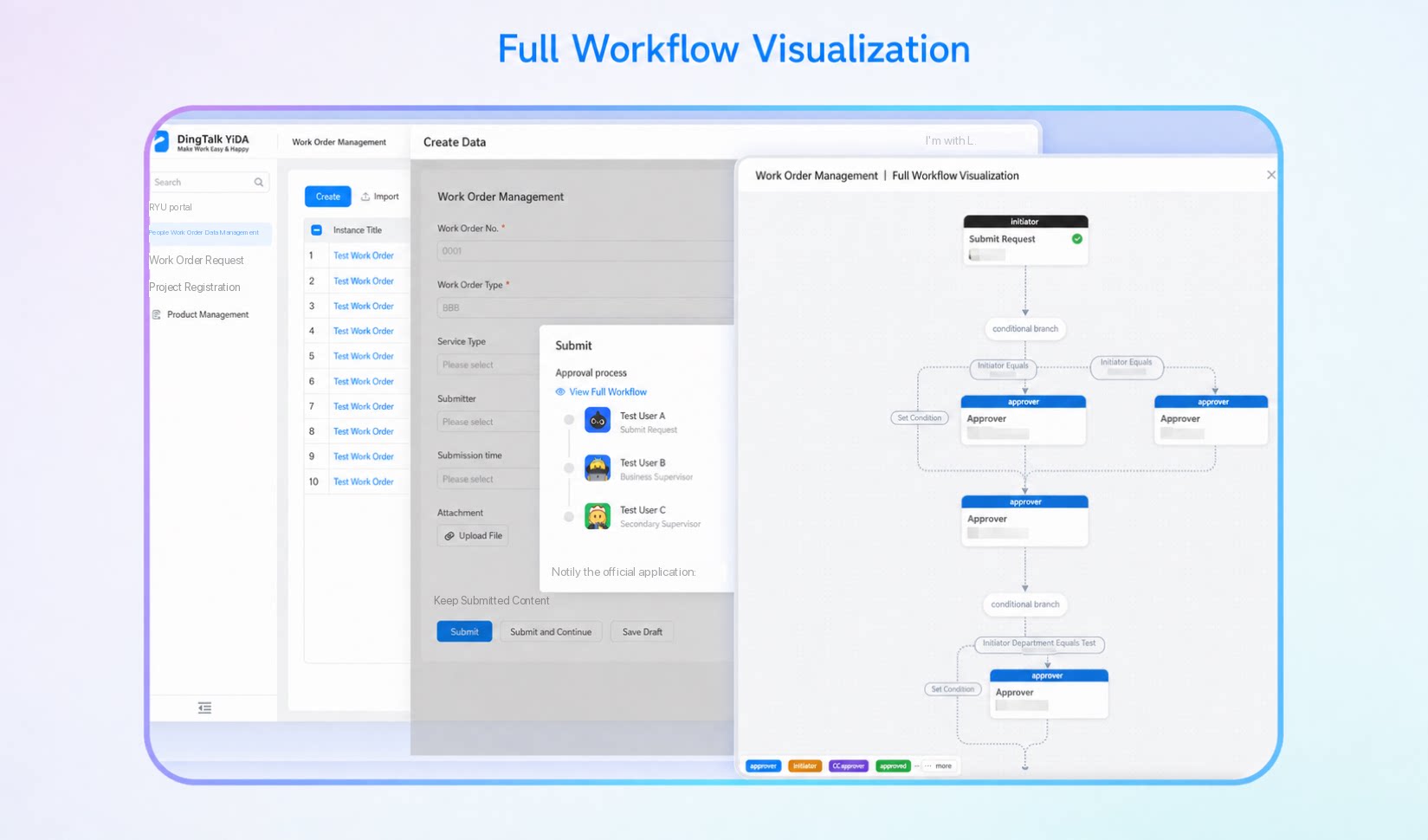
2.5. Workflow Submission on Behalf of Others
Designate a person to submit workflows on behalf of another User within a specific validity period. A new submit-on-behalf feature has been added to the Delegation Center, where you can set up the delegator and the delegate. Delegation relationships can only be configured by the delegator or a platform administrator, and the scope can be set to specific workflows or all workflows.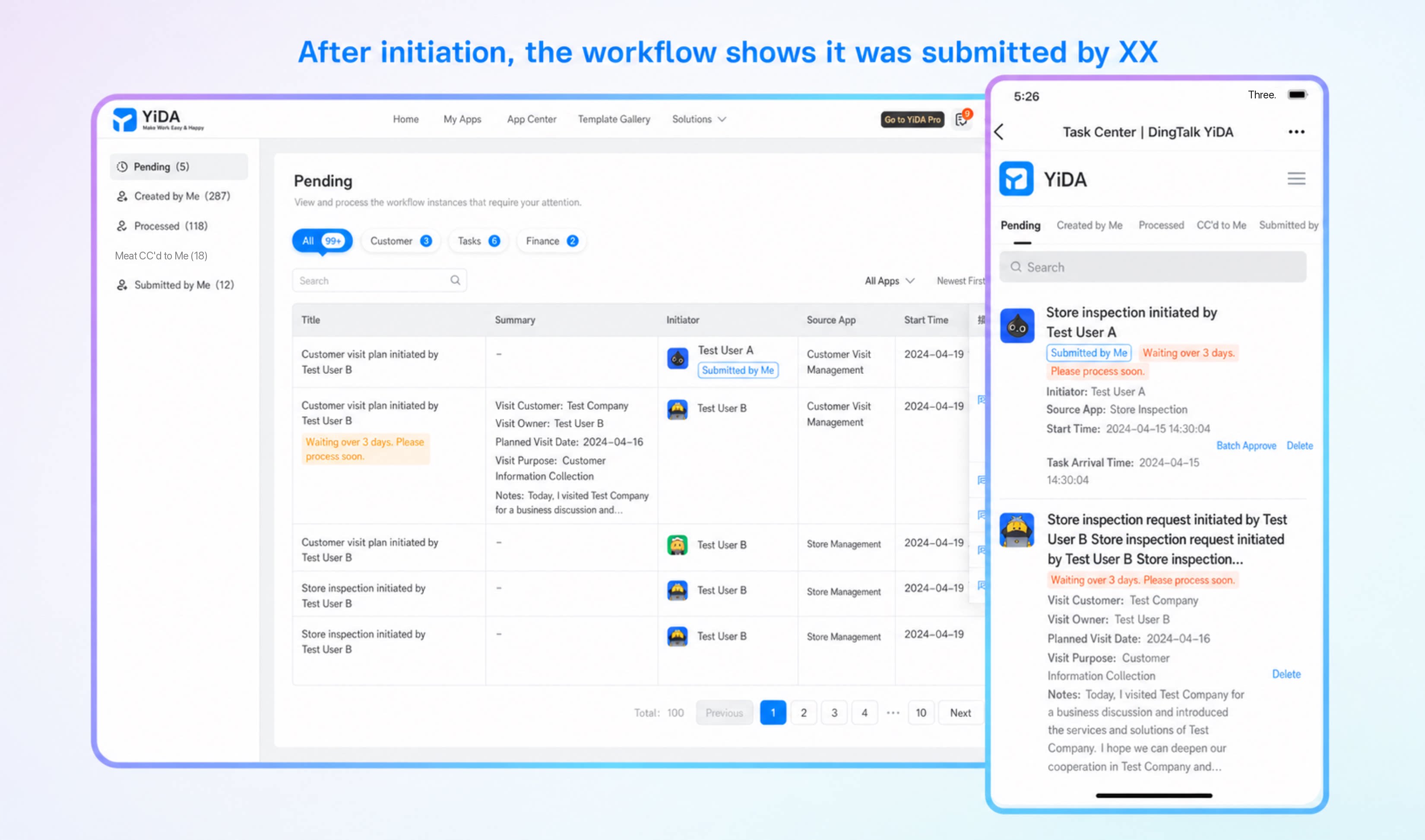
3. Unified Portal
3.1. Premium Components
3.1.1. Tab component
The space portal interface now supports Tab components, so users can switch between modules quickly.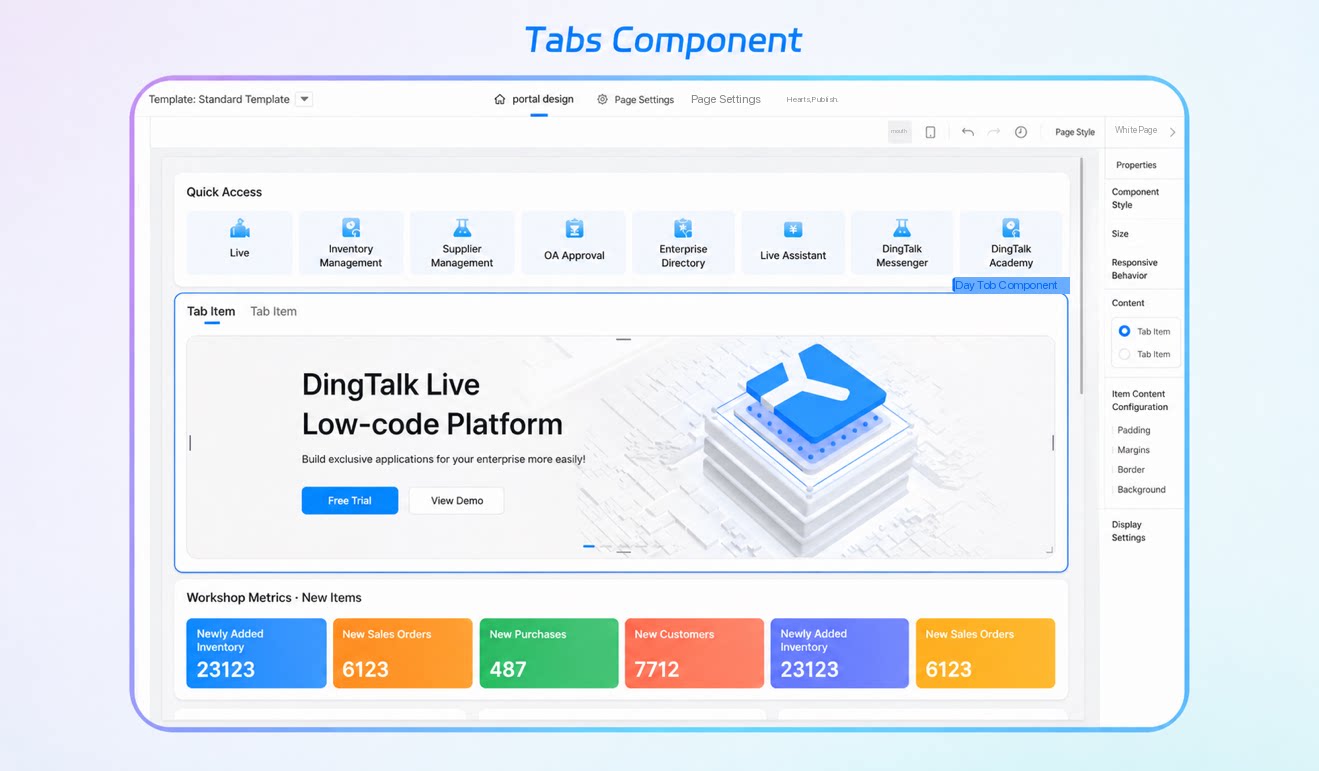
3.1.2. DingTalk Docs component
By integrating DingTalk Docs into YiDA space portals, organizations achieve centralized document management. All documents related to projects and workflows can be managed and accessed on a single platform, reducing the overhead of cross-platform operations.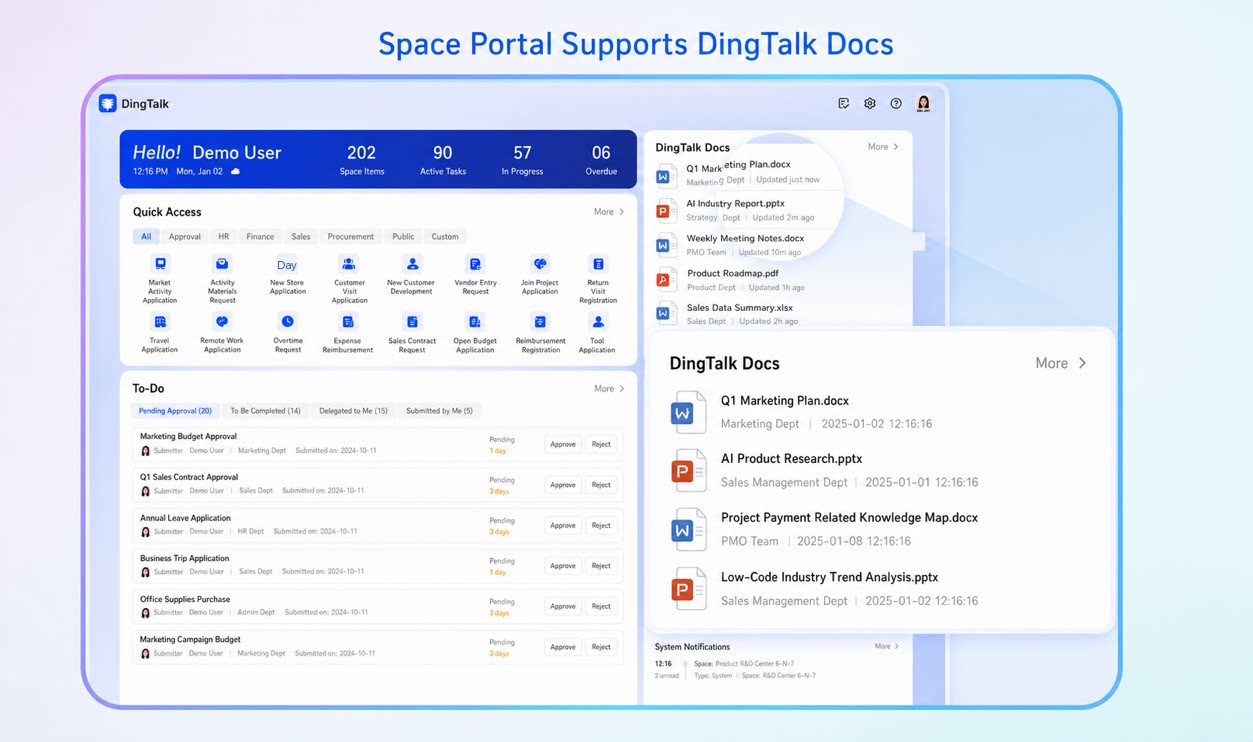
3.1.3. DingTalk Projects component
By integrating DingTalk Projects into YiDA space portals, data from DingTalk Projects—such as task status, milestones, and issue records—syncs to the YiDA portal in real time, keeping project teams up to date on the latest progress and avoiding information lag.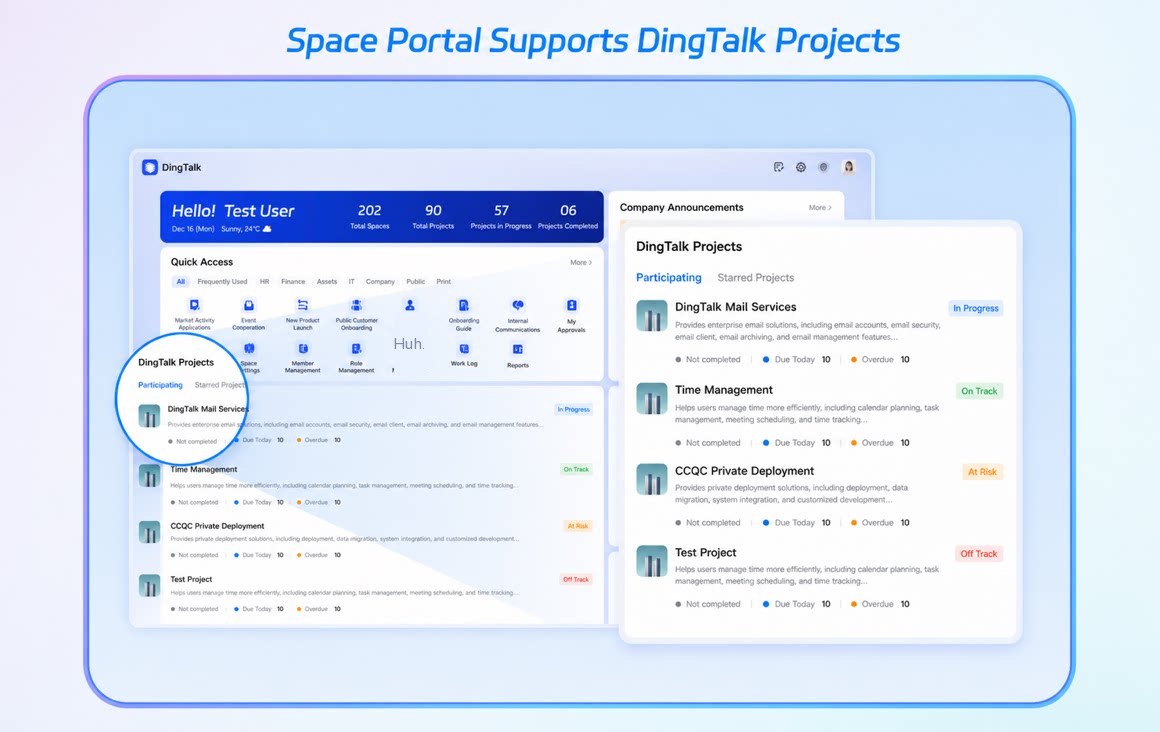
3.2. DingTalk Data Integration
3.2.1. DingTalk announcements
The dynamic data source of the announcement board component in the workspace portal now supports DingTalk announcements as a data source.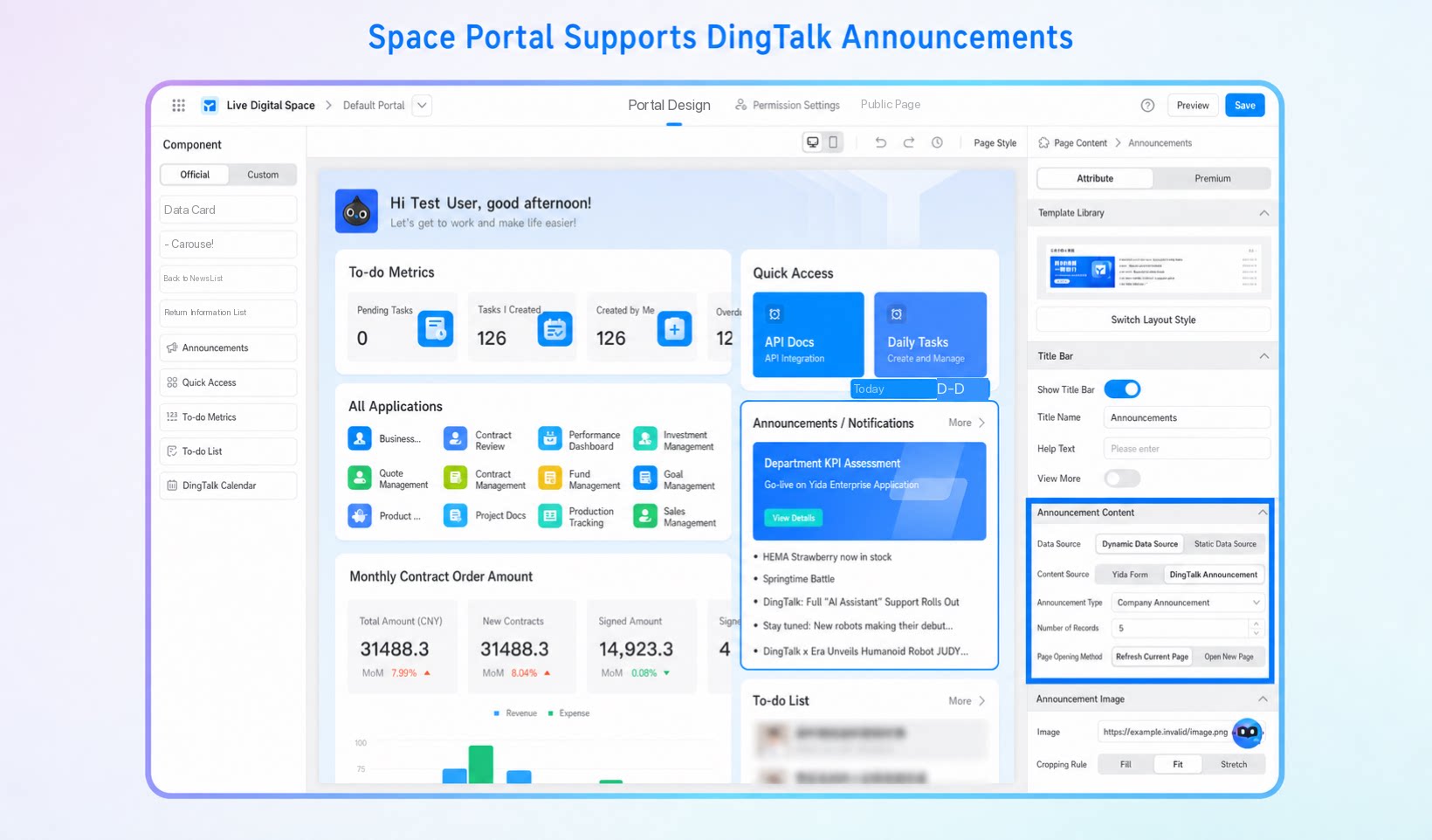
3.2.2. DingTalk apps
Workspaces now support adding DingTalk apps—including internal apps and third-party enterprise apps—published to the DingTalk workbench. You can select DingTalk apps as static data sources for space components such as carousels, news lists, announcement boards, and quick entries.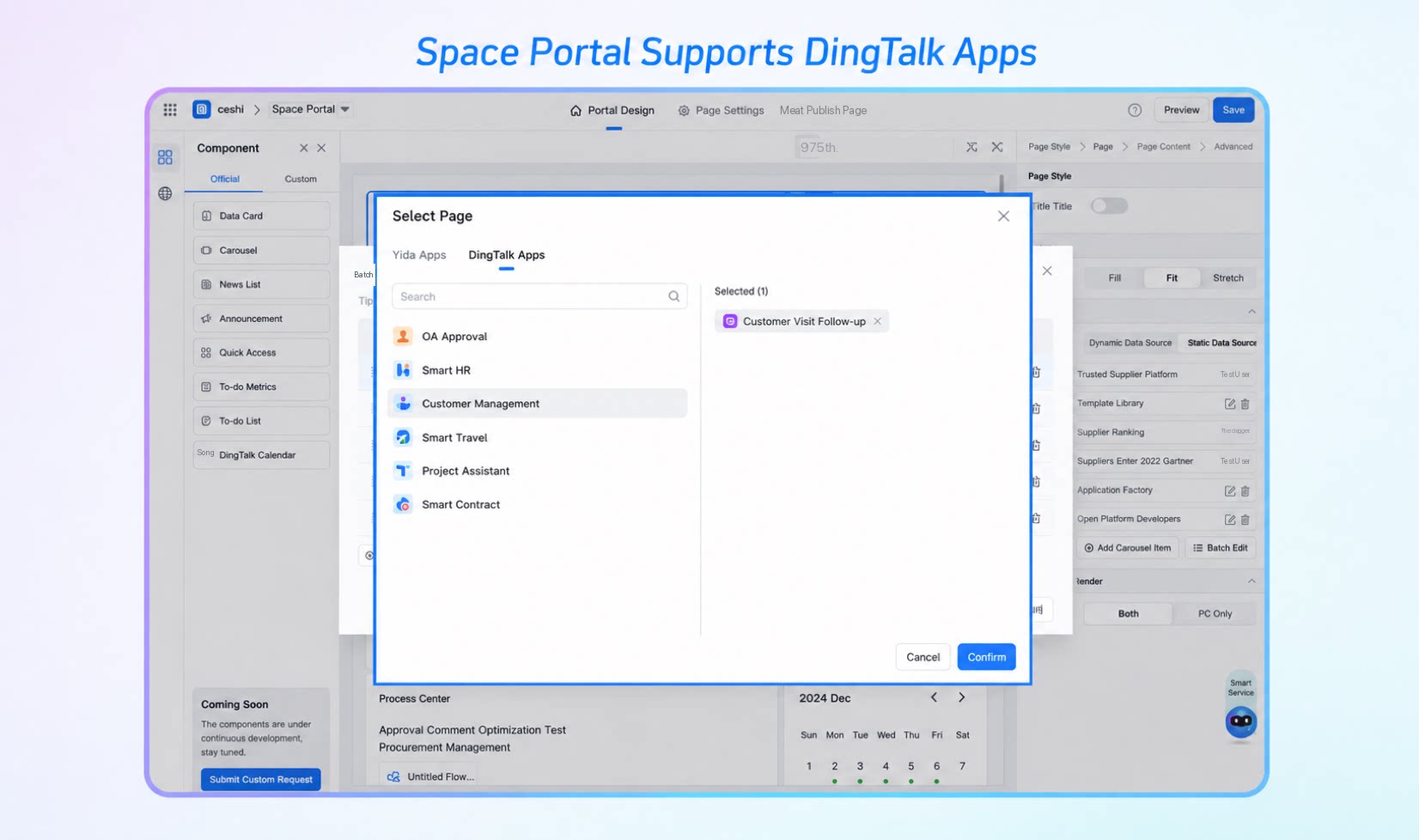
3.2.3. DingTalk To-Do
DingTalk To-Do can now be integrated into YiDA space portals, giving users a unified work entry point that makes it easy to handle work tasks in one place.3.3. Custom Space Navigation
With Custom navigation, organizations can build personalized navigation structures around different organizational apps, so users can find the apps, pages, or links they need faster.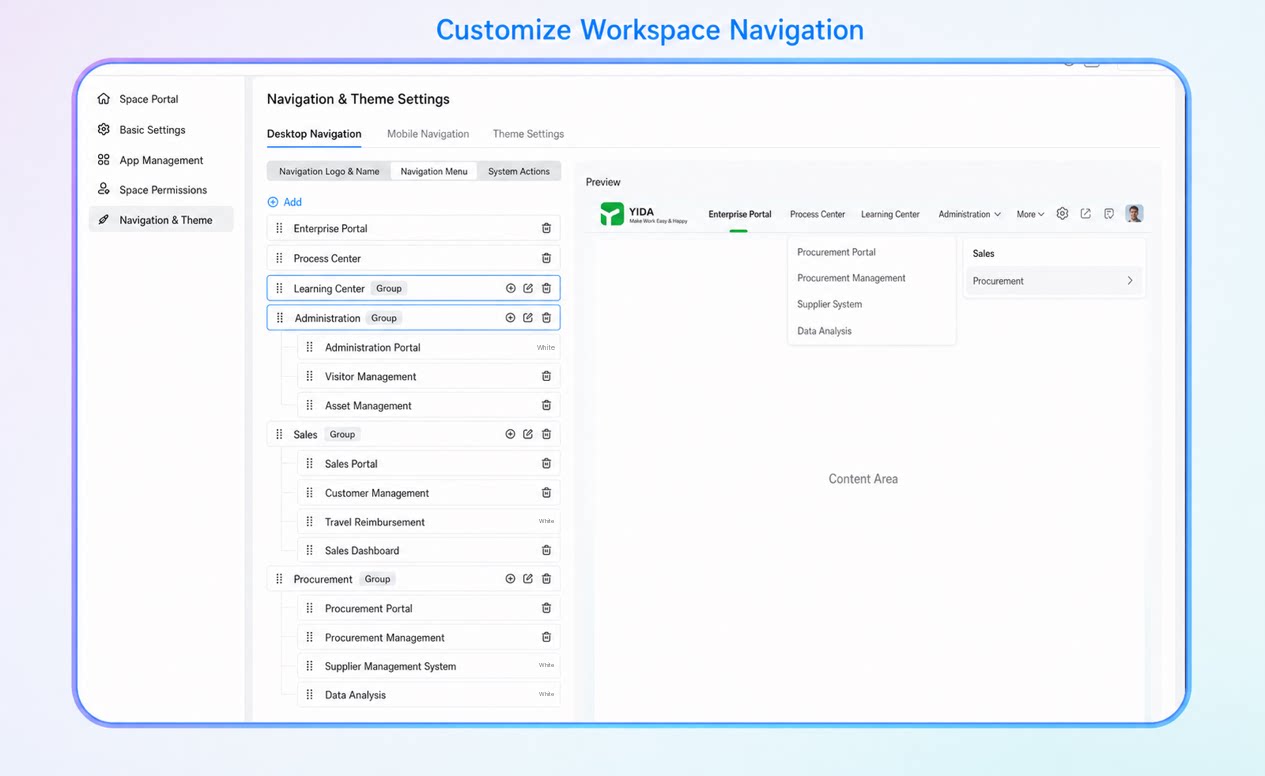
3.4. Personalized Space Portal Display
The workspace component visibility feature gives organizations more refined and flexible visibility management tools, safeguarding data security while improving efficiency and user experience. By customizing the visibility scope, organizations can precisely control which Users or departments can view specific components. This helps protect sensitive information and prevent unauthorized access.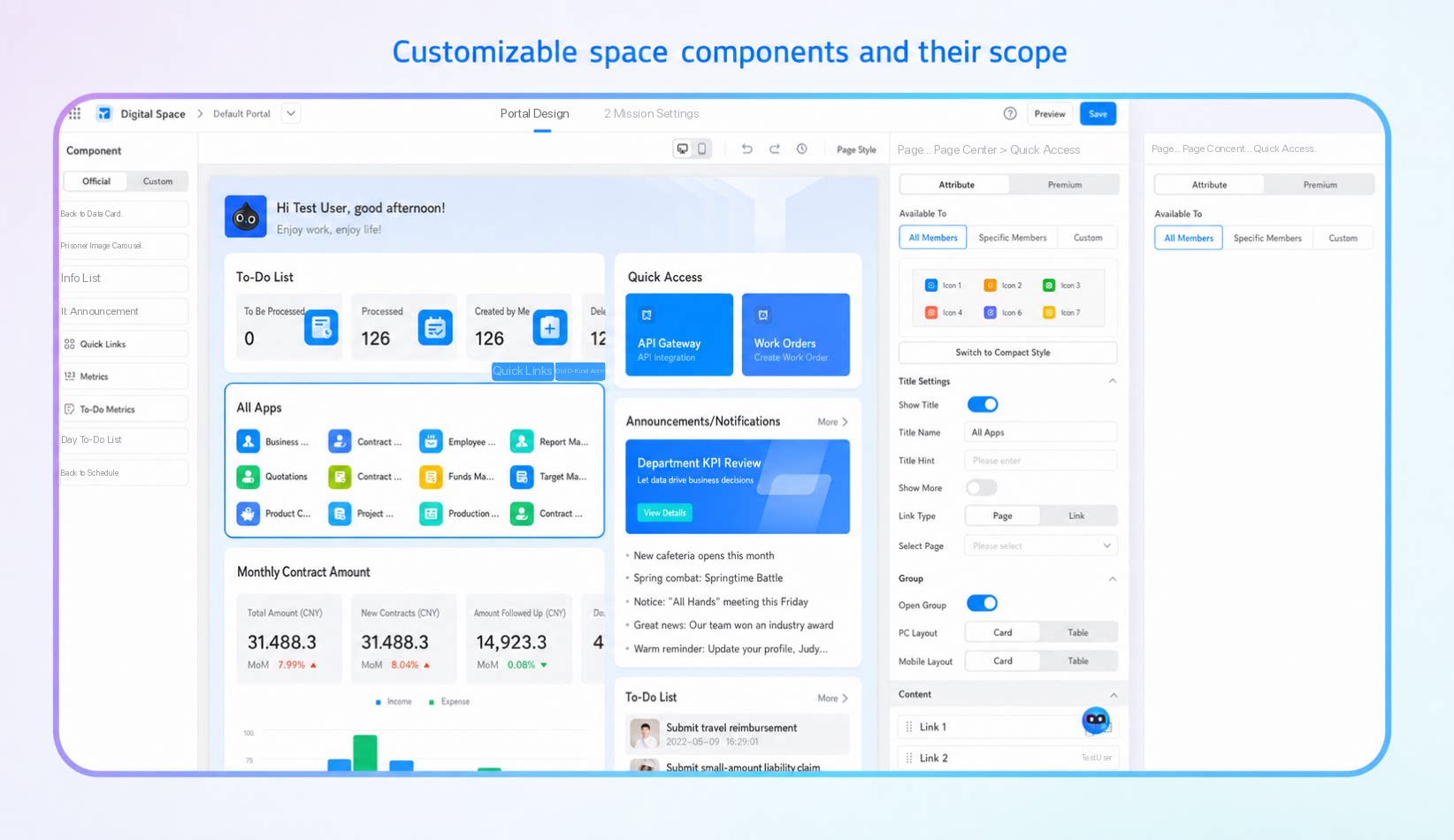
3.5. Multi-Portal Setup for Spaces
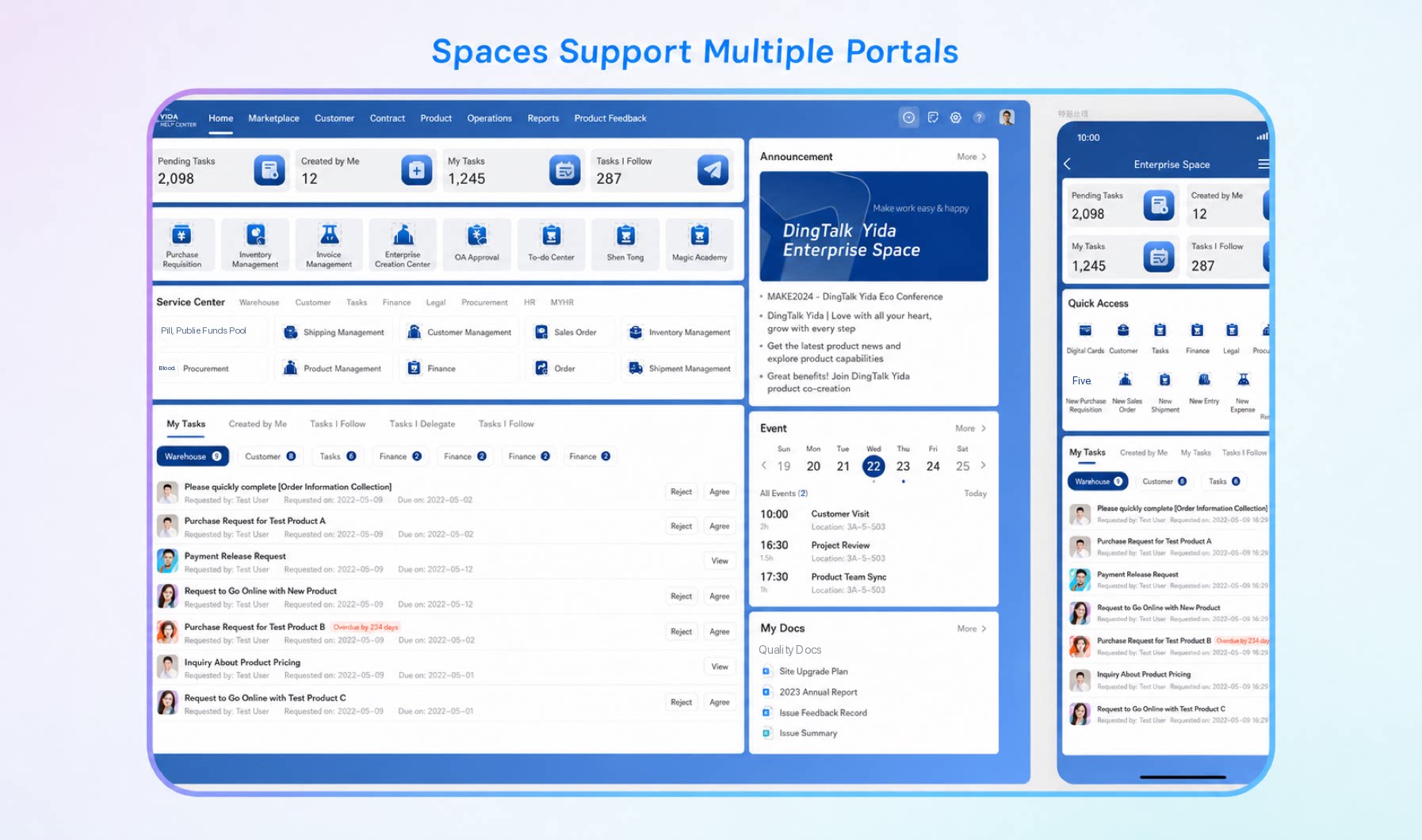
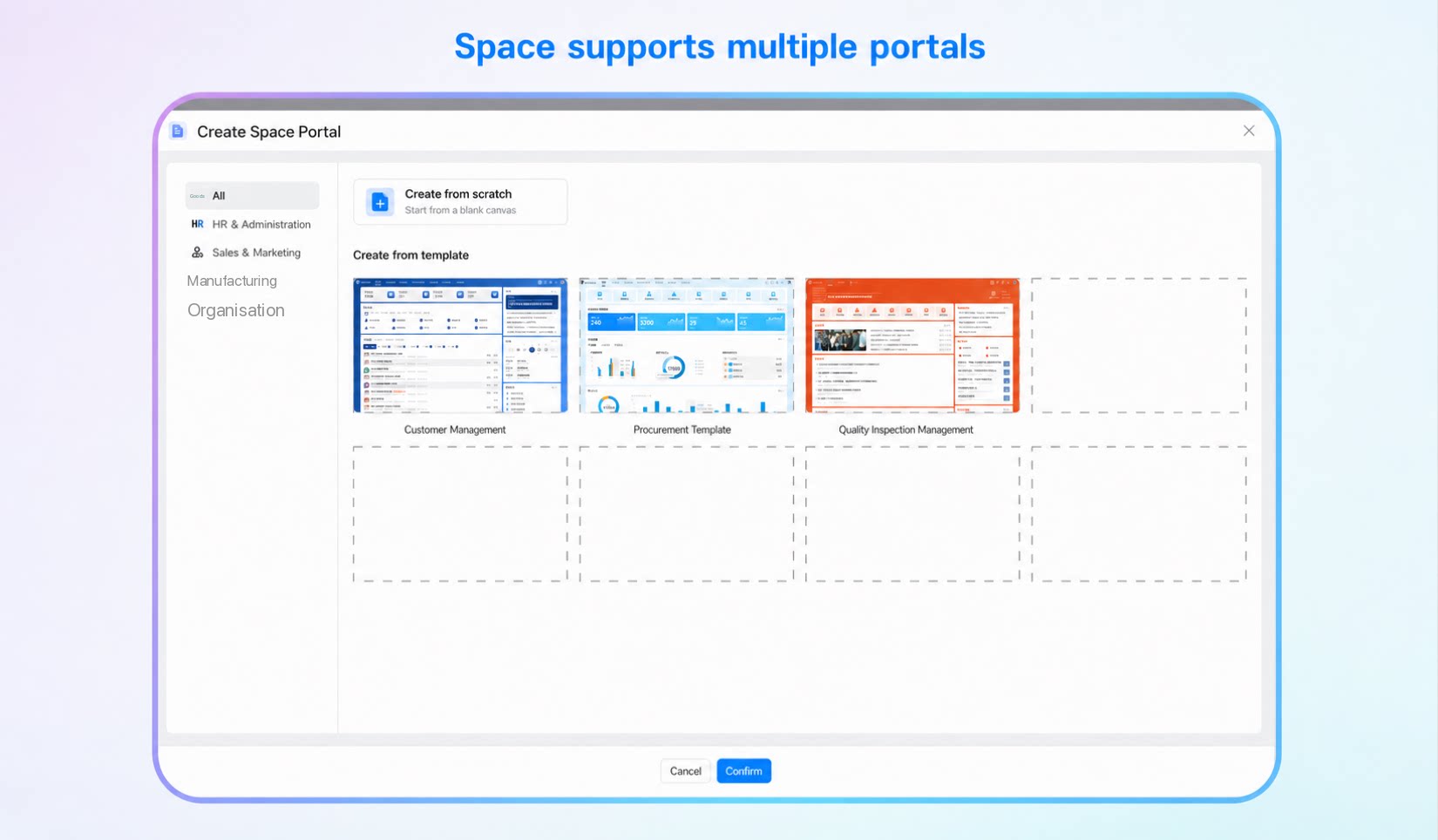
A single space can host multiple portals, such as an office portal, an enterprise information portal, or a Party building portal. Create multiple portals within one space to meet the needs of different business scenarios.