Chats
Chats Calendar
 Meetings
 Contacts
 Mail
Mail Docs
Docs Drive
Drive AI Table
 AI Minutes
 Attendance
 Approval
 YiDA
YiDA Admin Console
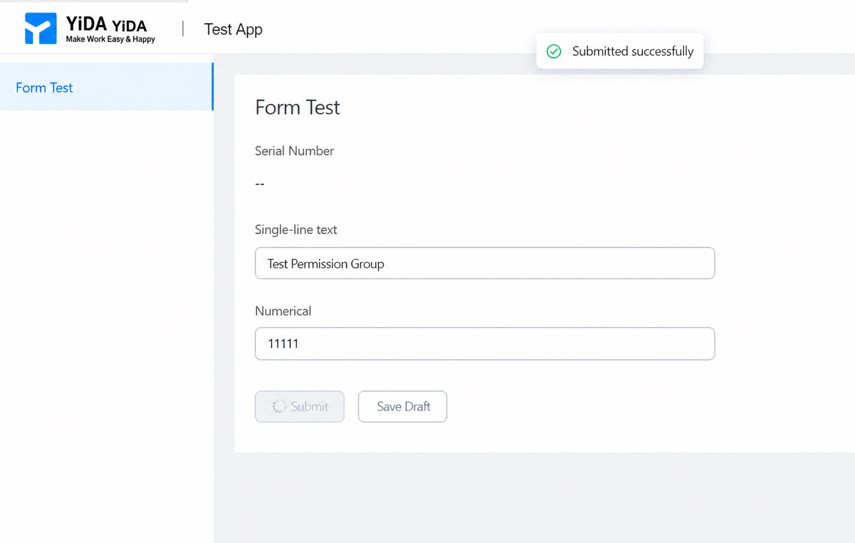
Forms can be edited after submission. In YiDA, permissions determine whether a form can be edited and what happens after the Edit button is clicked (such as which fields are editable or which fields are visible to different approval nodes or approvers).
1. Permission Settings
1.1 Configure the Permission Group for View Status
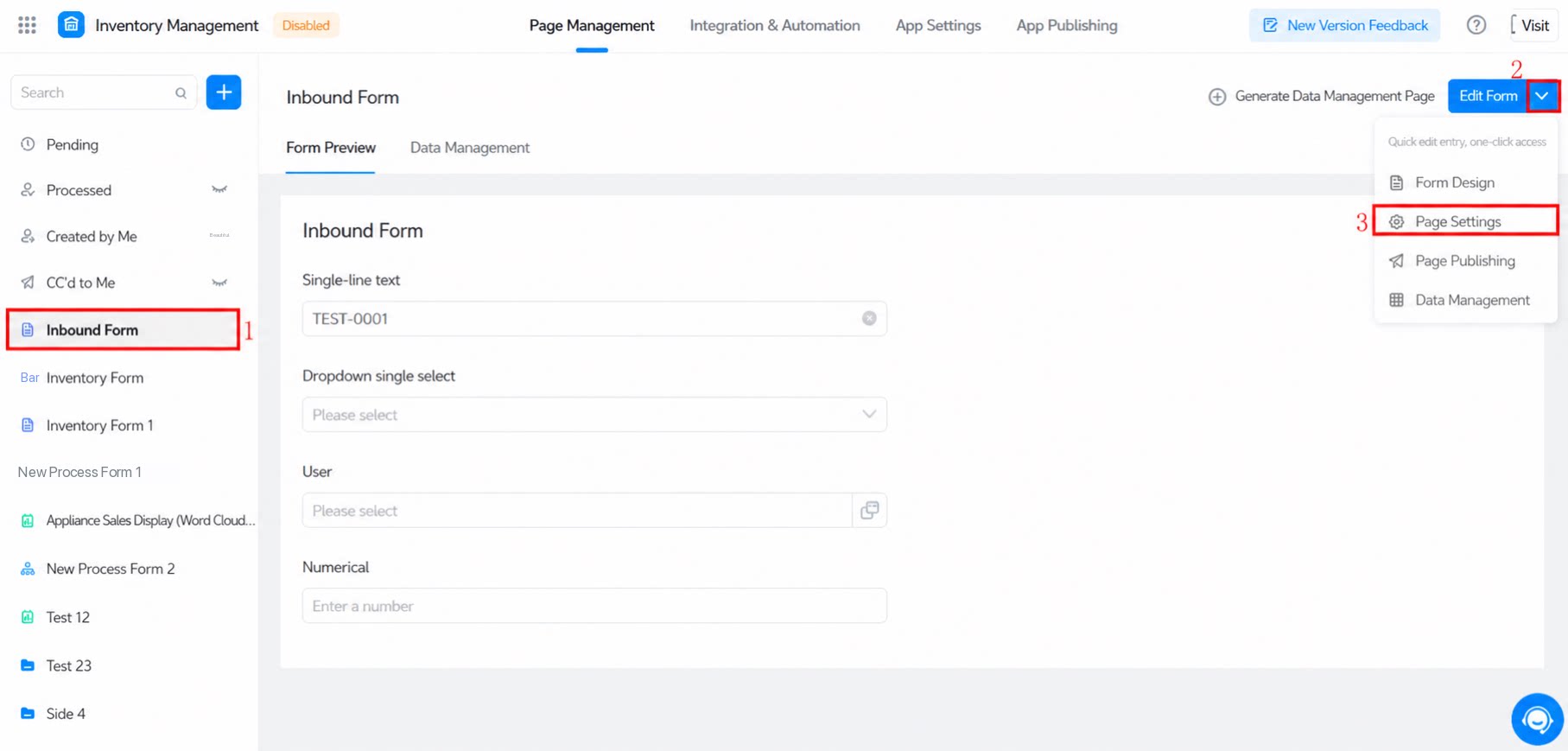
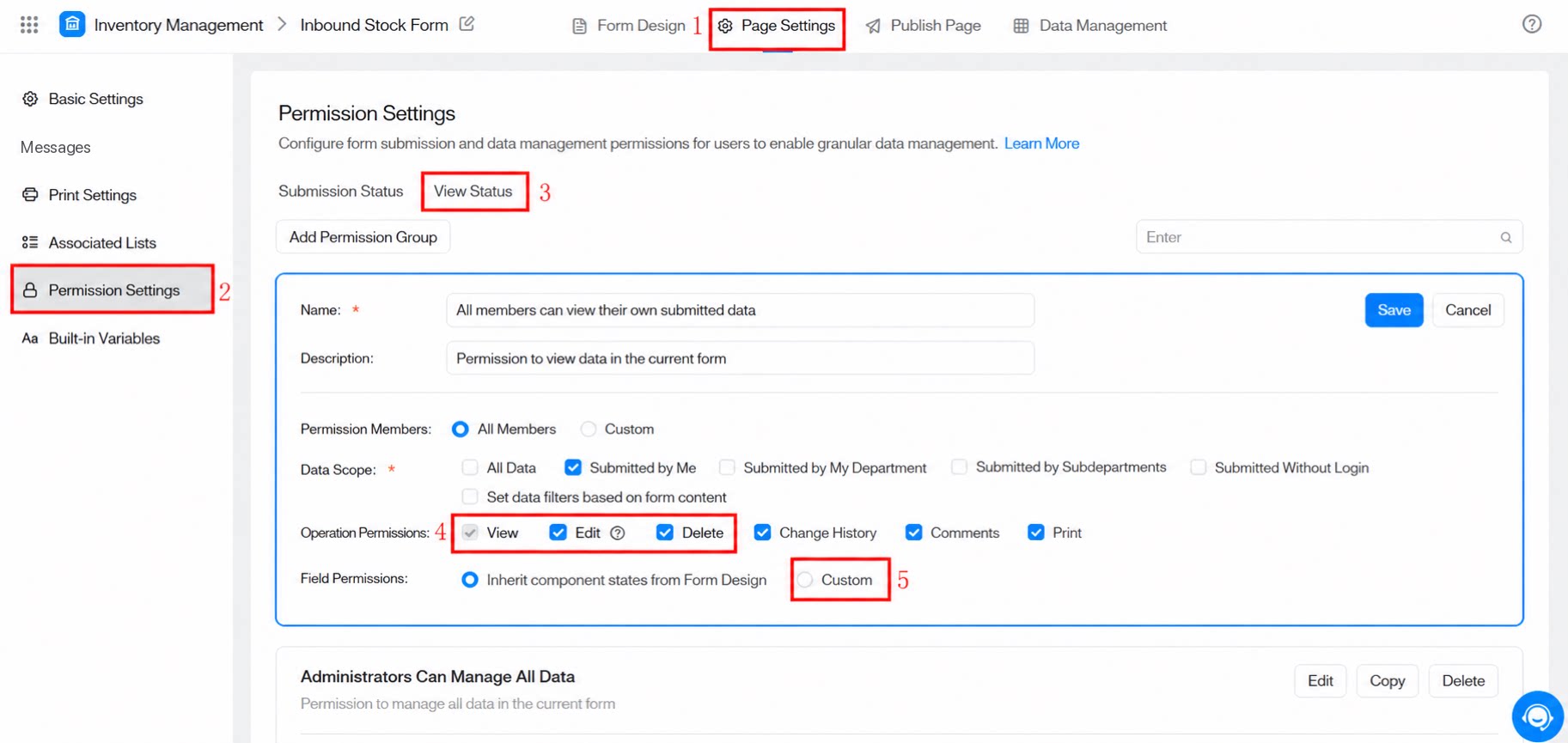
1.2 Enable Edit Permissions
Set field permissions to Custom, then mark the fields that need to be edited again as editable.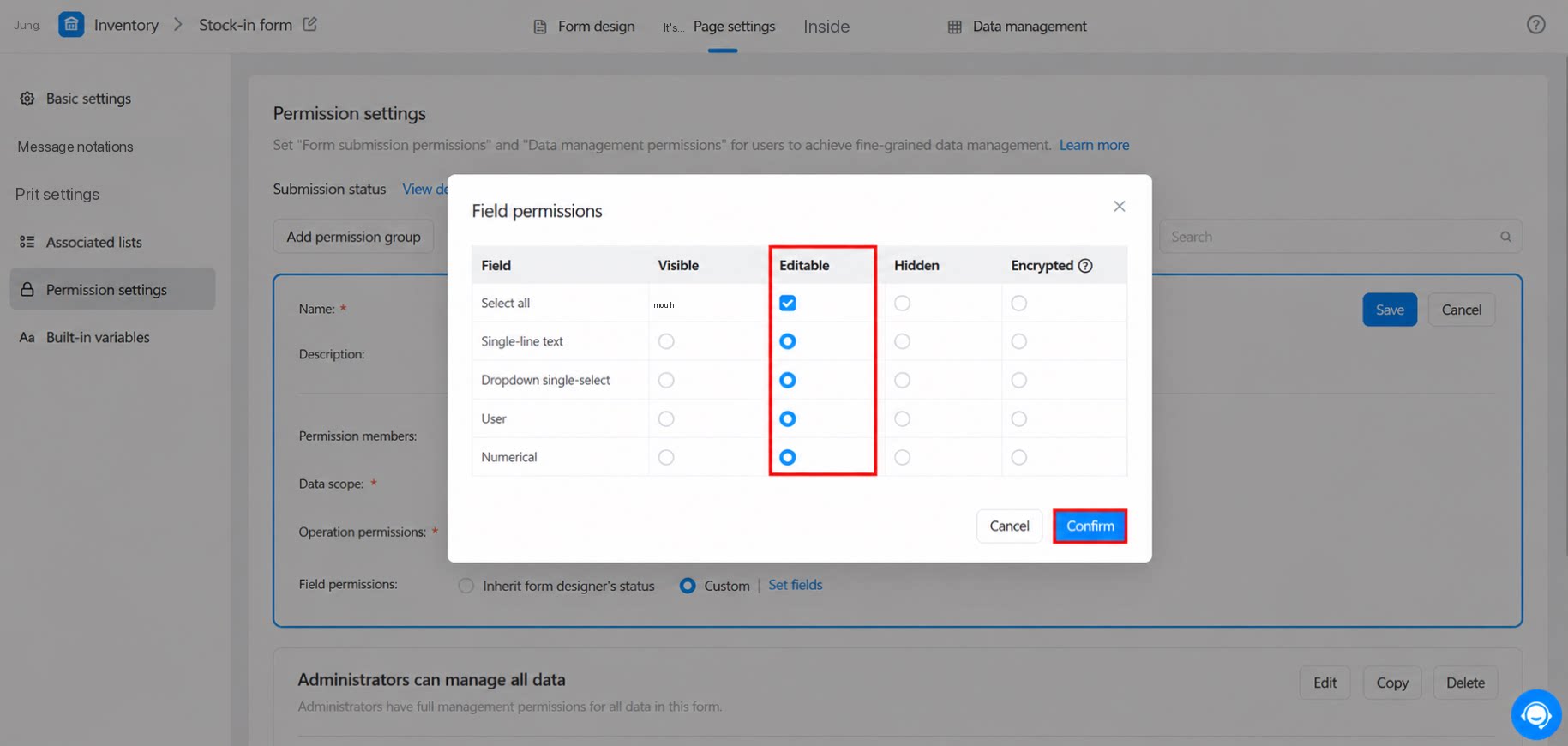
1.4 Edit Form Content
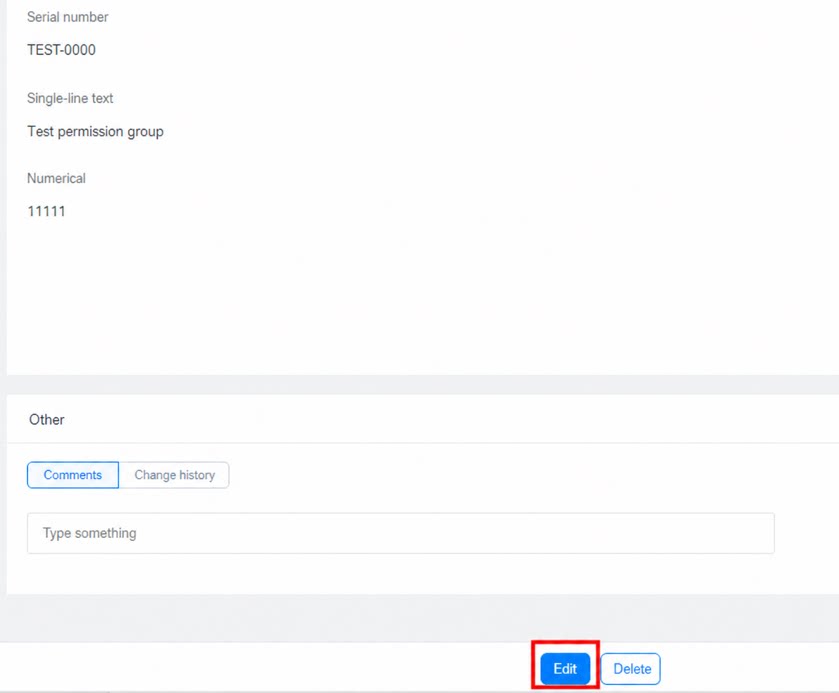
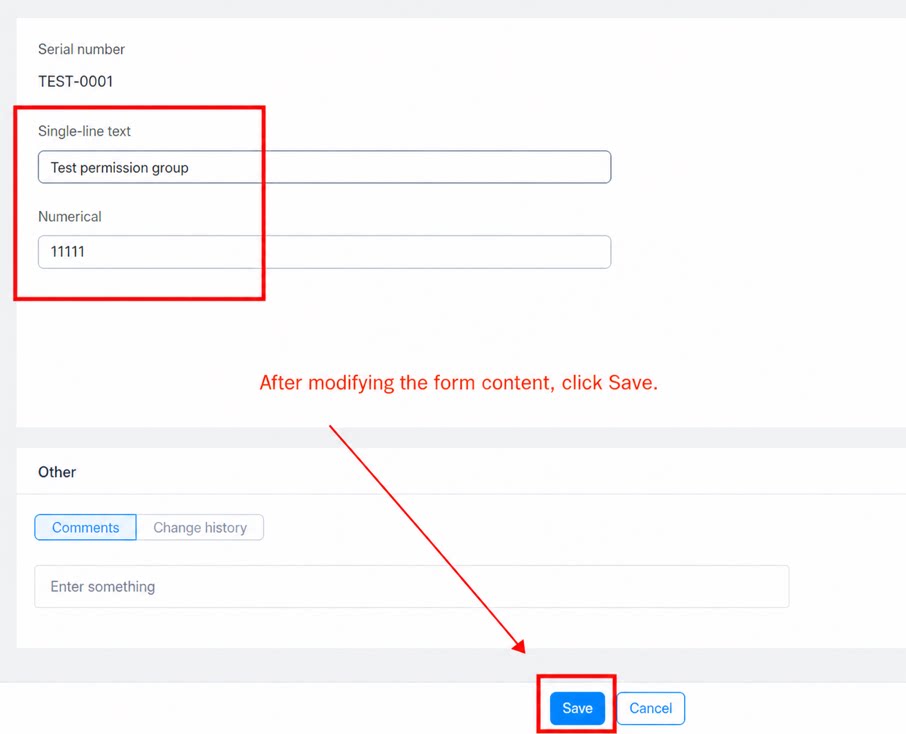
After the data is submitted, an Edit button appears on the source records page. Click Edit to modify the fields that were previously configured as editable. Form source records