Chats
Chats Calendar
 Meetings
 Contacts
 Mail
Mail Docs
Docs Drive
Drive AI Table
 AI Minutes
 Attendance
 Approval
 YiDA
YiDA Admin Console
Configure serial numbers for a form in Basic settings.
Once serial numbers are enabled, a serial number is automatically generated each time a new form instance is submitted.
1. Steps
1.1 Configuration Path
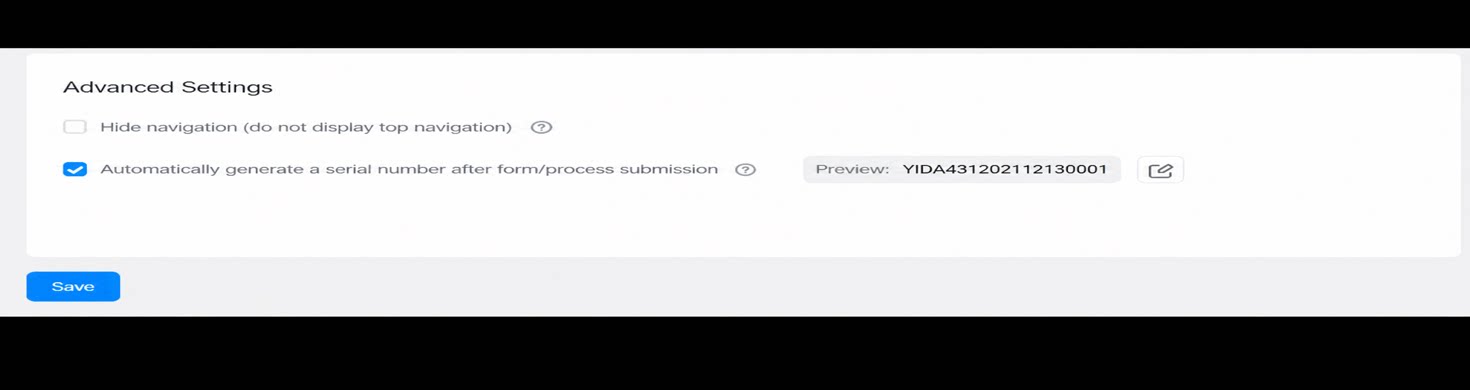
Form page >> Settings >> Page settings >> Basic settings >> Automatically generate a serial number after the user submits the form or workflow.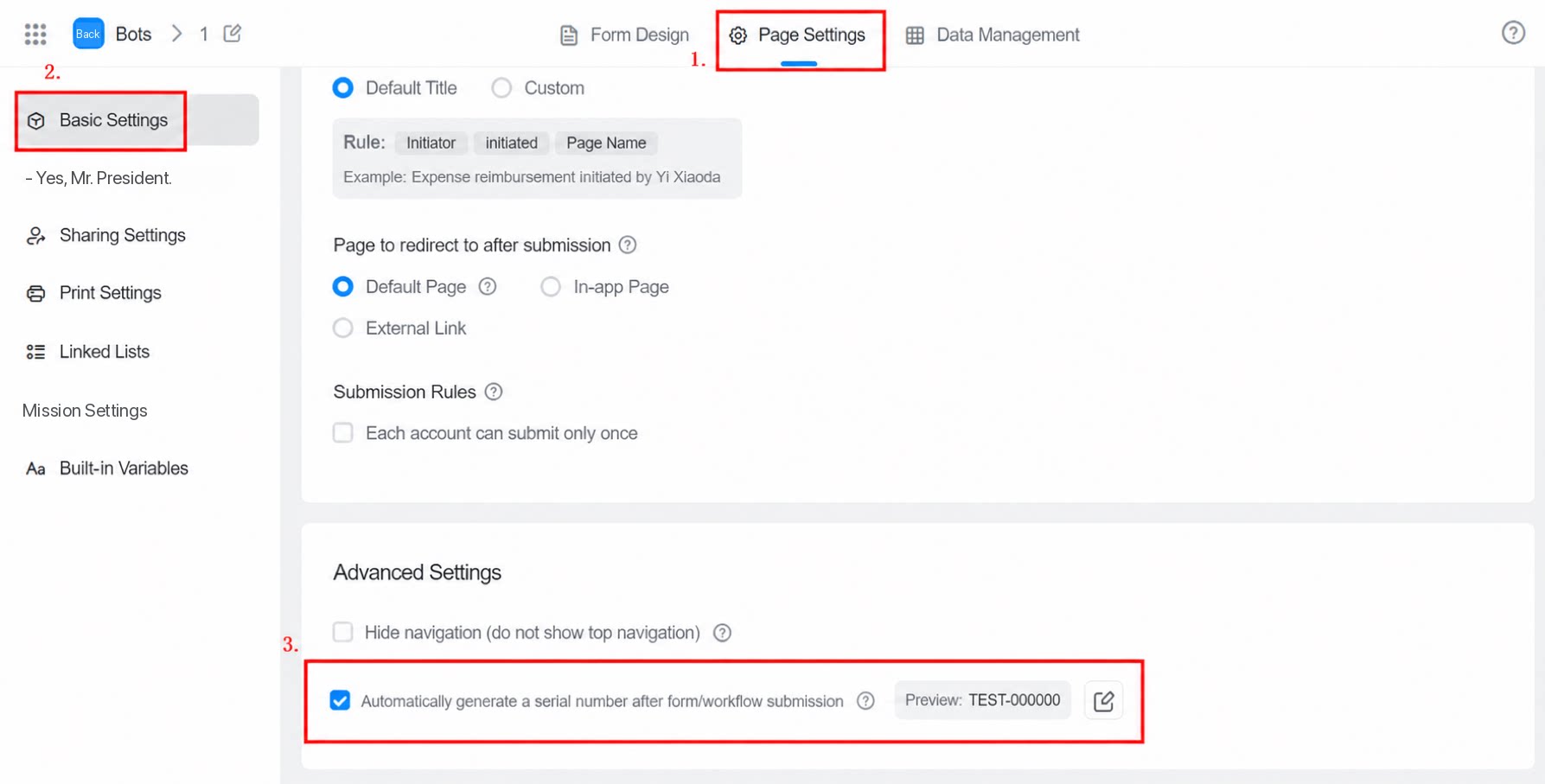
1.2 Edit the Serial Number Format
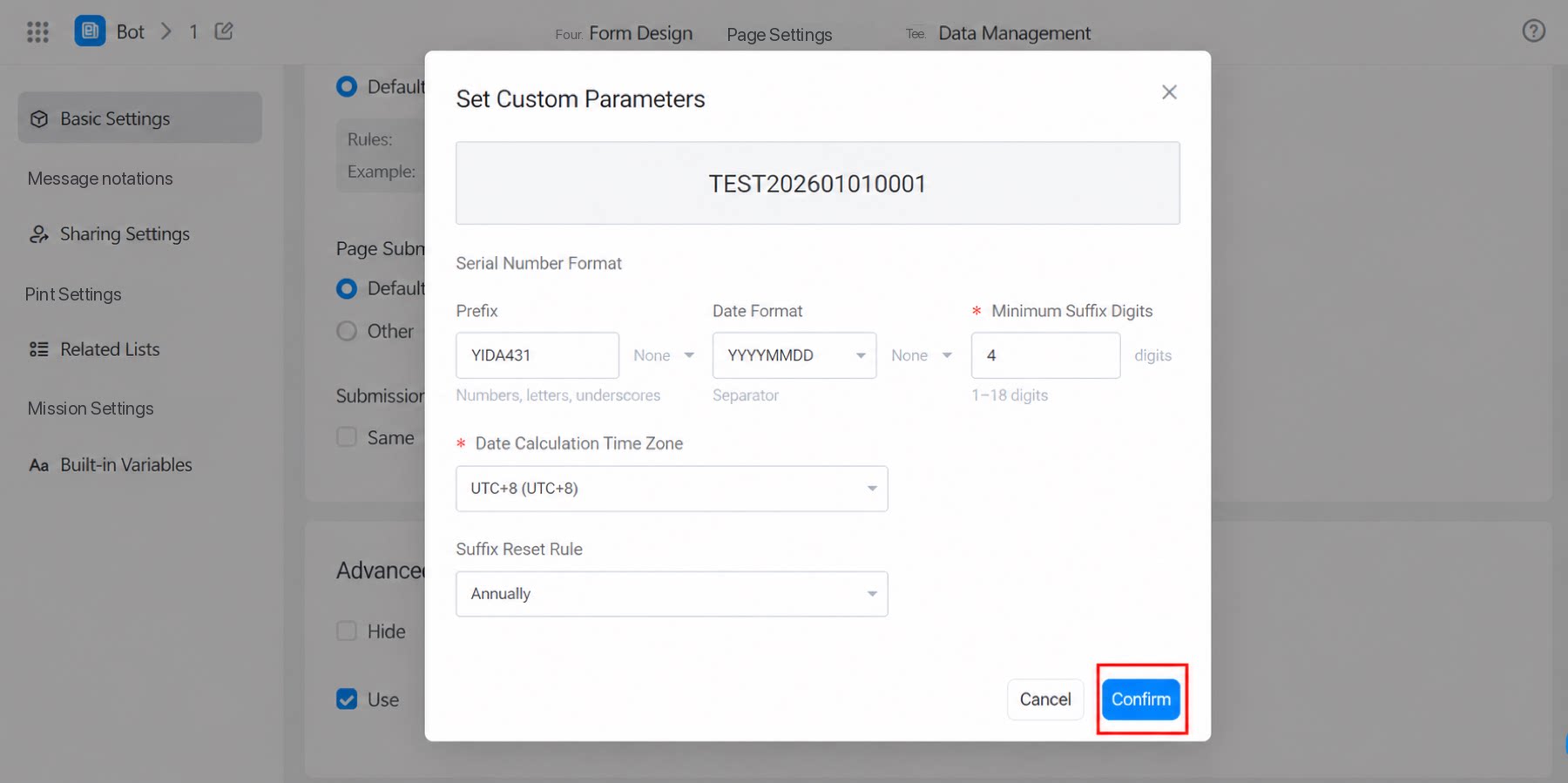
Click Edit. In the serial number format dialog box, configure the prefix, date format, minimum suffix length, time zone for date calculation, and suffix reset rule.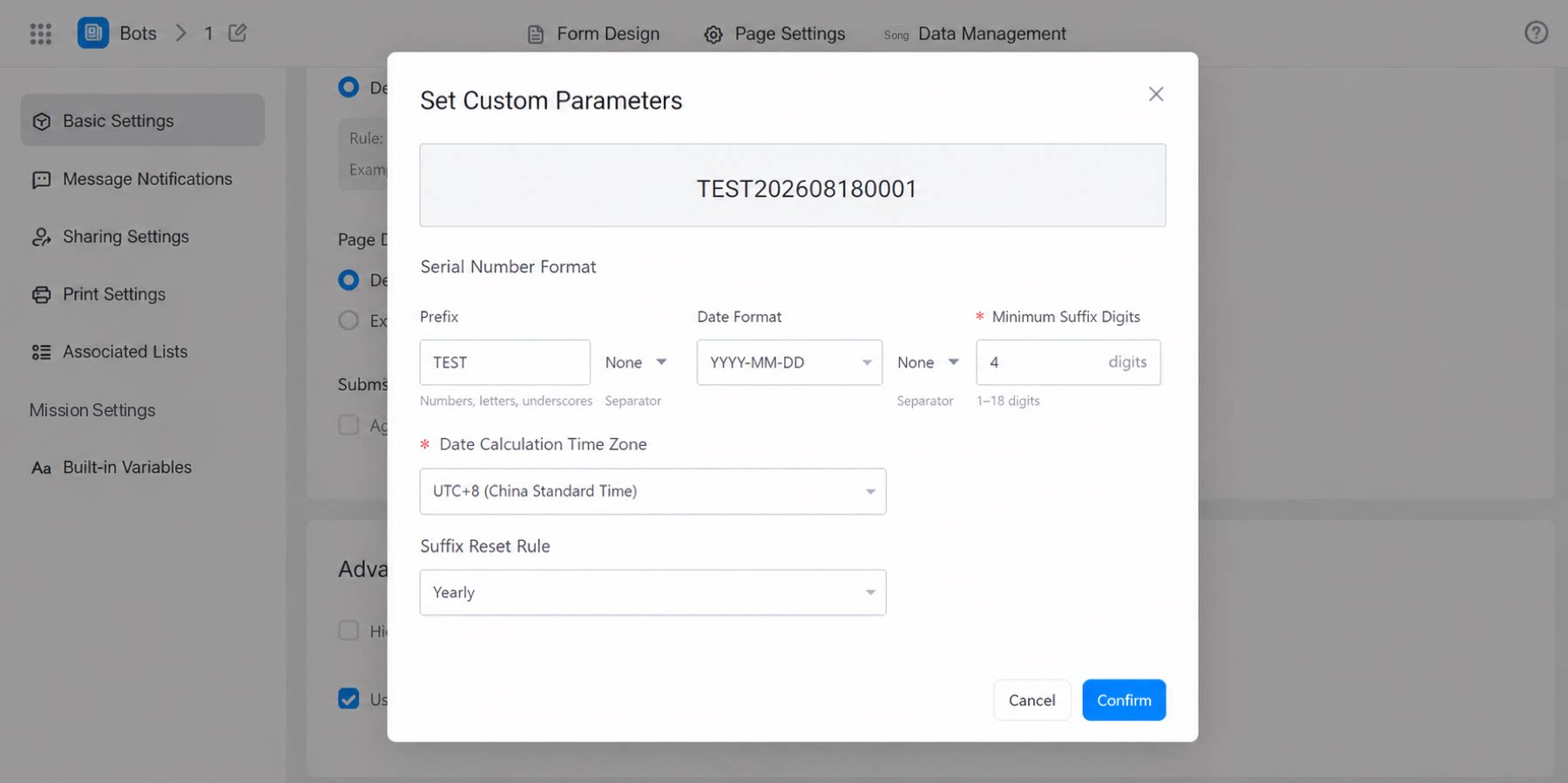
1.3 Complete the Configuration
Note: After clicking Confirm in the serial number format dialog box, also click Save under Basic settings for the configuration to take effect.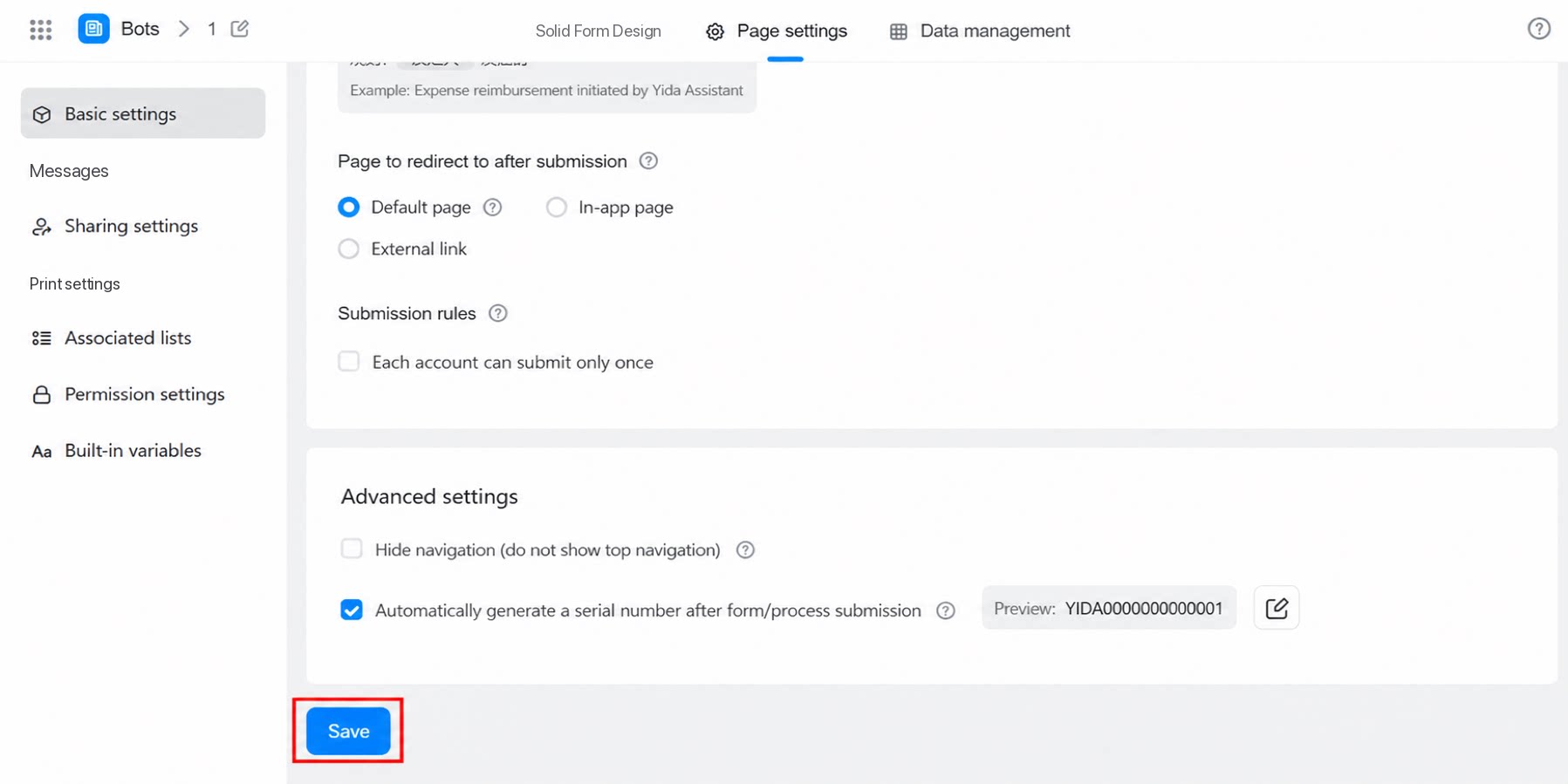
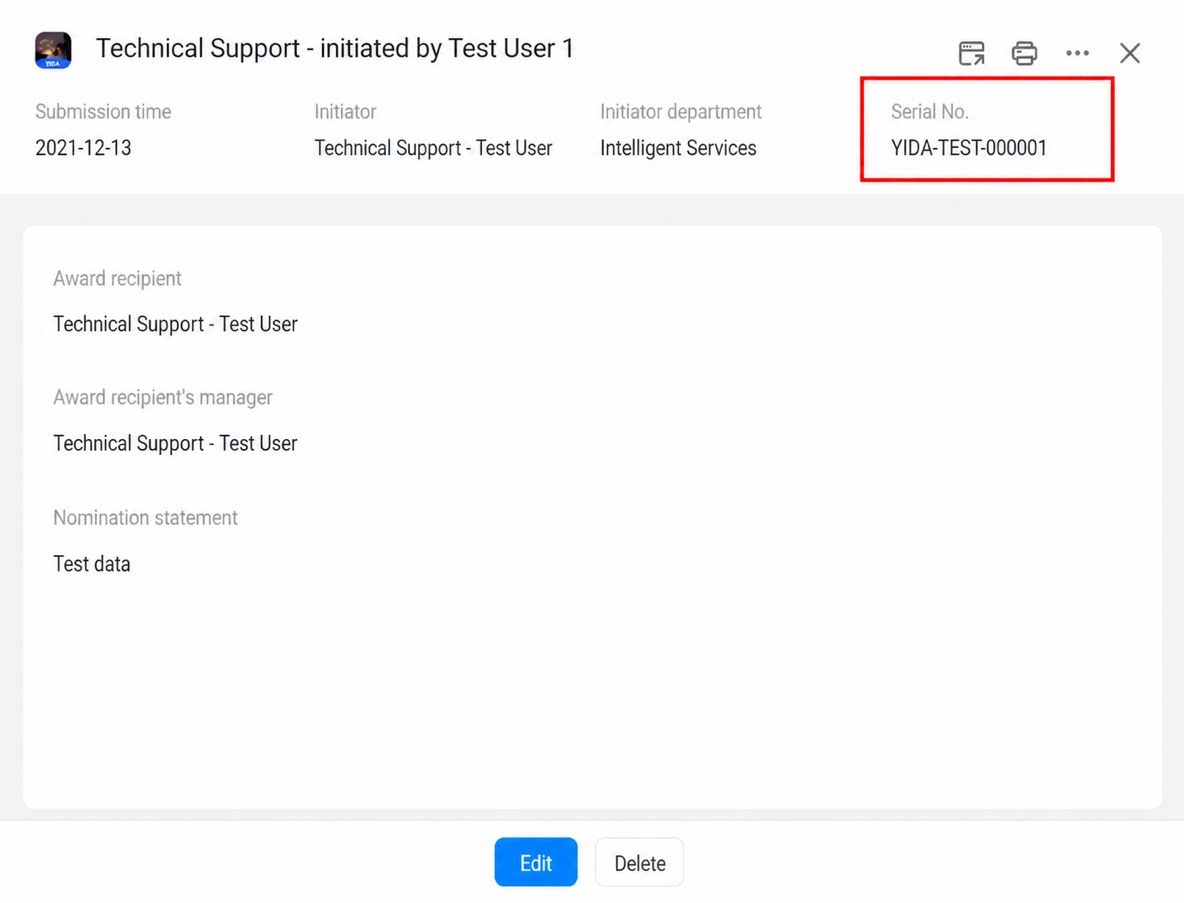
2. Final Result
4. System Serial Numbers Can Be Upgraded to Serial Number Components
For existing forms that already have the system serial number enabled, you can replace it with a serial number component to expand the scenarios in which the serial number can be consumed.- Click Sync form system serial number. After the upgrade, the component can be used in features such as integration & automation. However, this action is irreversible and applies only to new data added to the current form. In addition, the serial number counting logic is recalculated based on the component configuration rules. Proceed with caution.
Before upgrade: Form settings > System serial number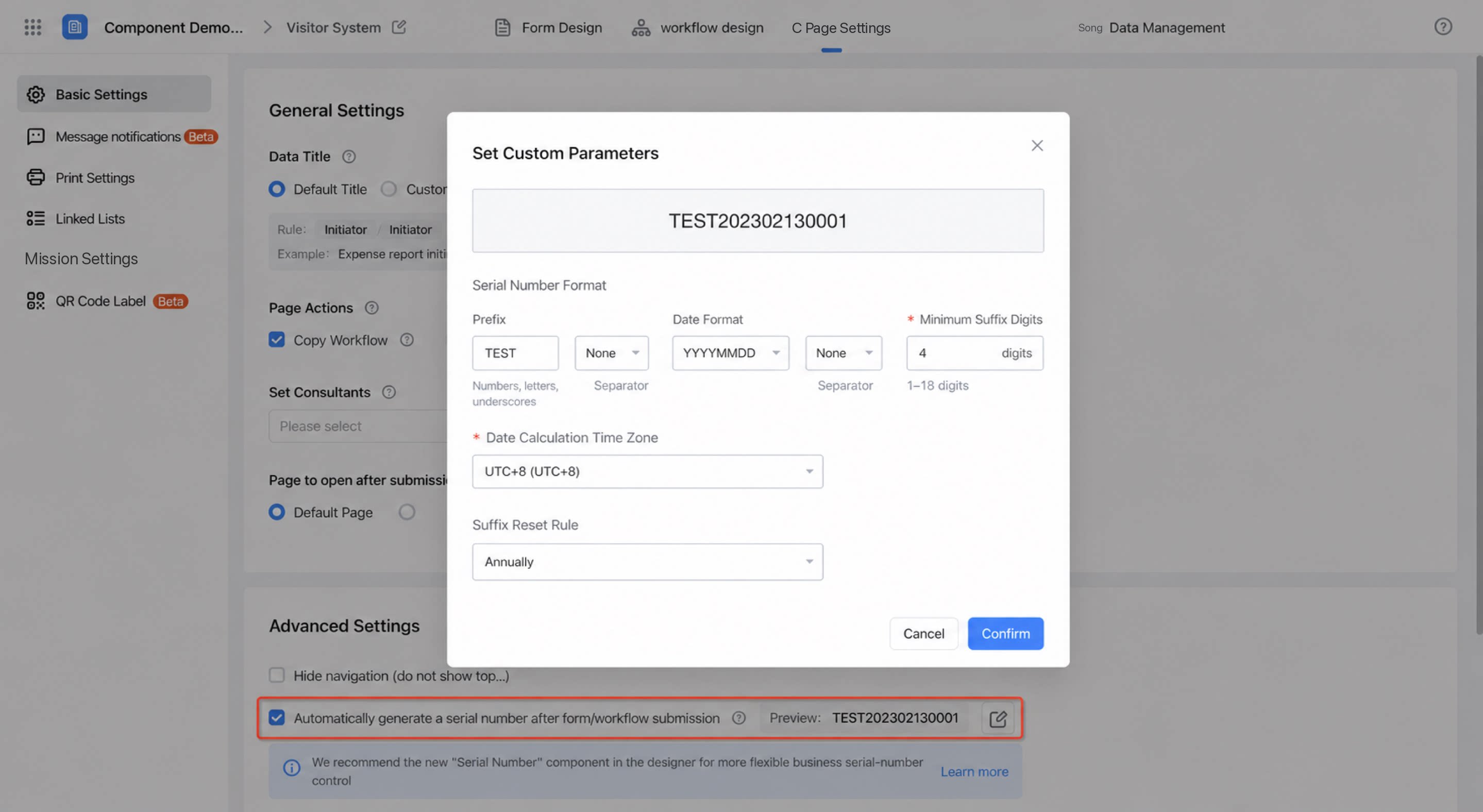 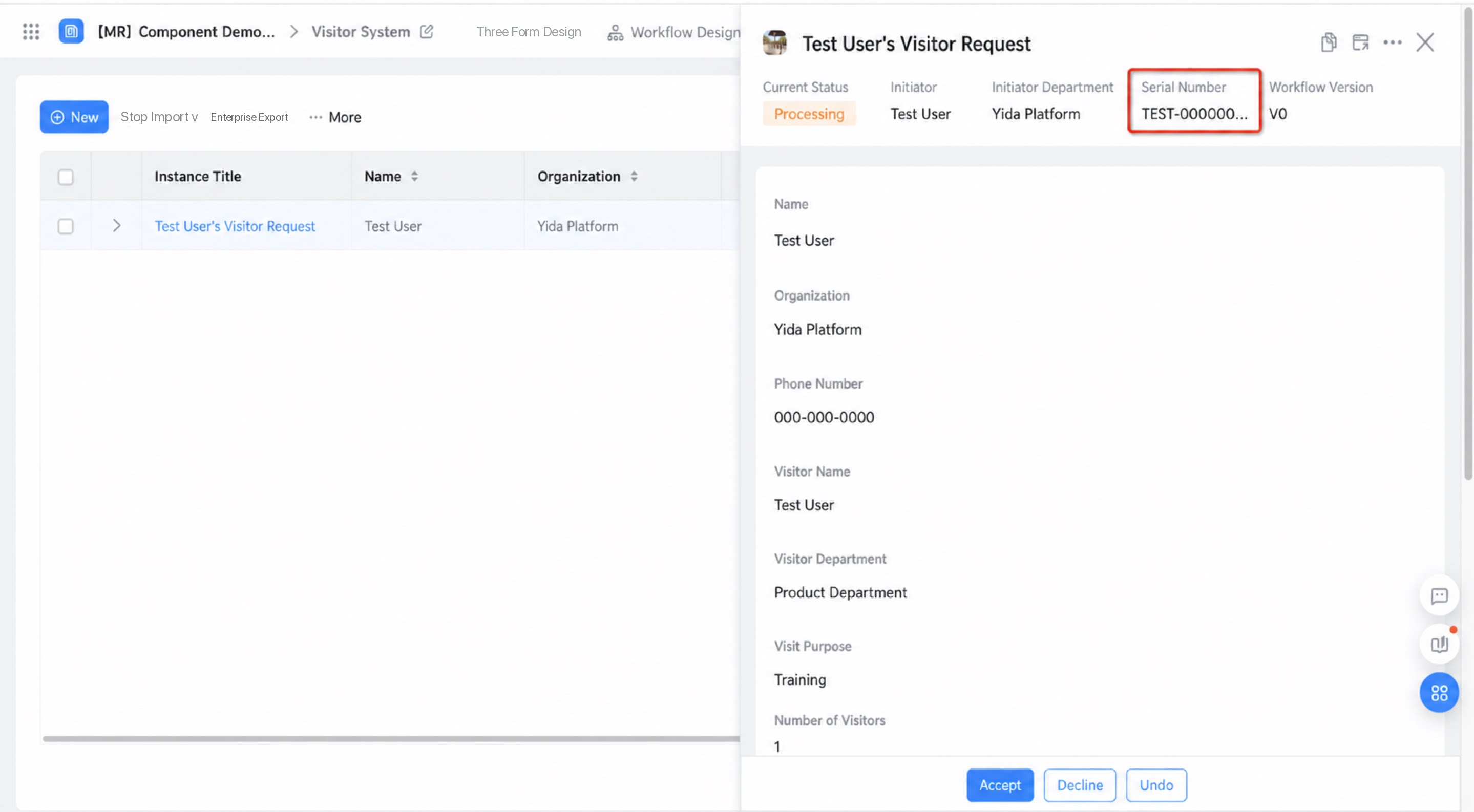 | After upgrade: Form designer > Serial number component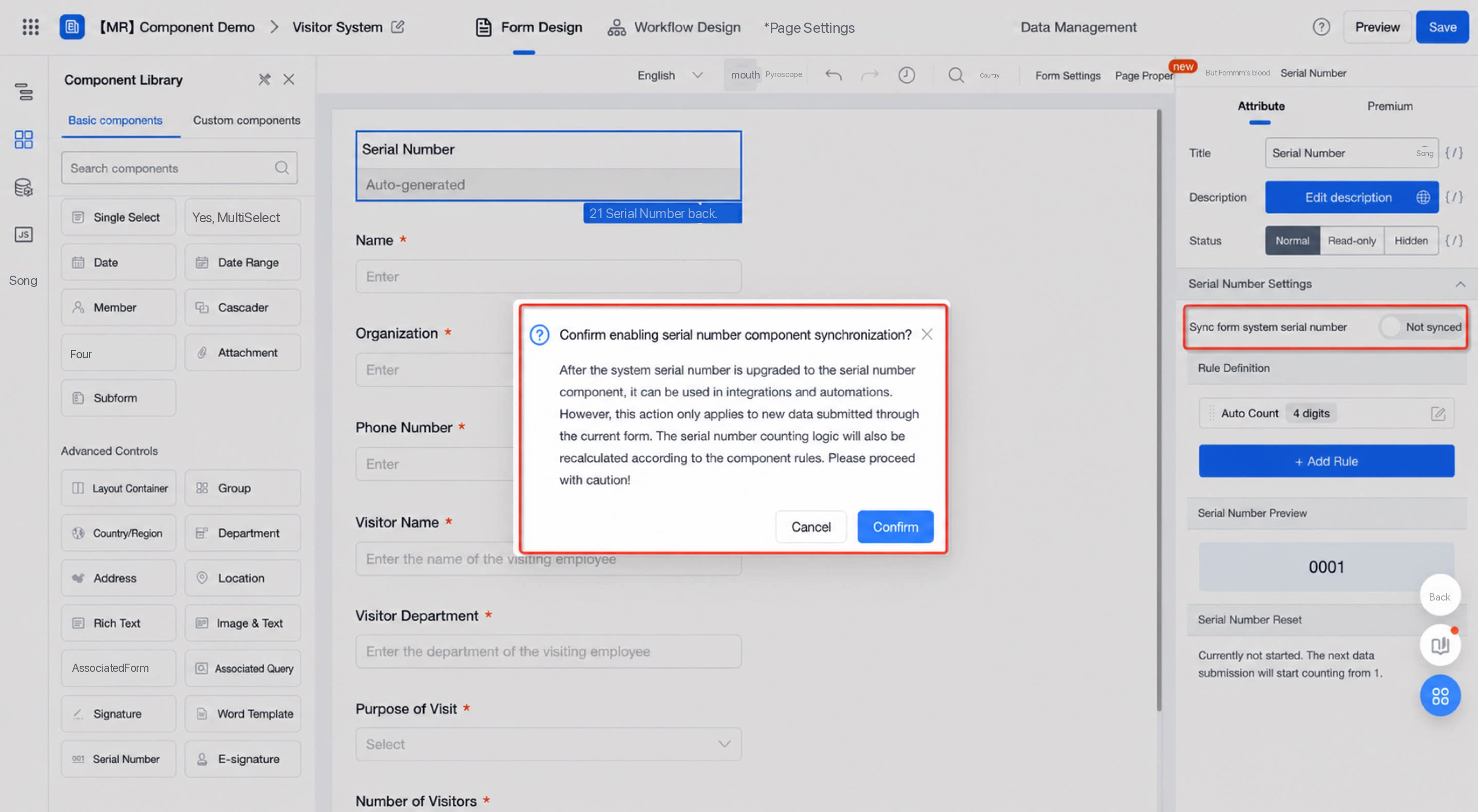 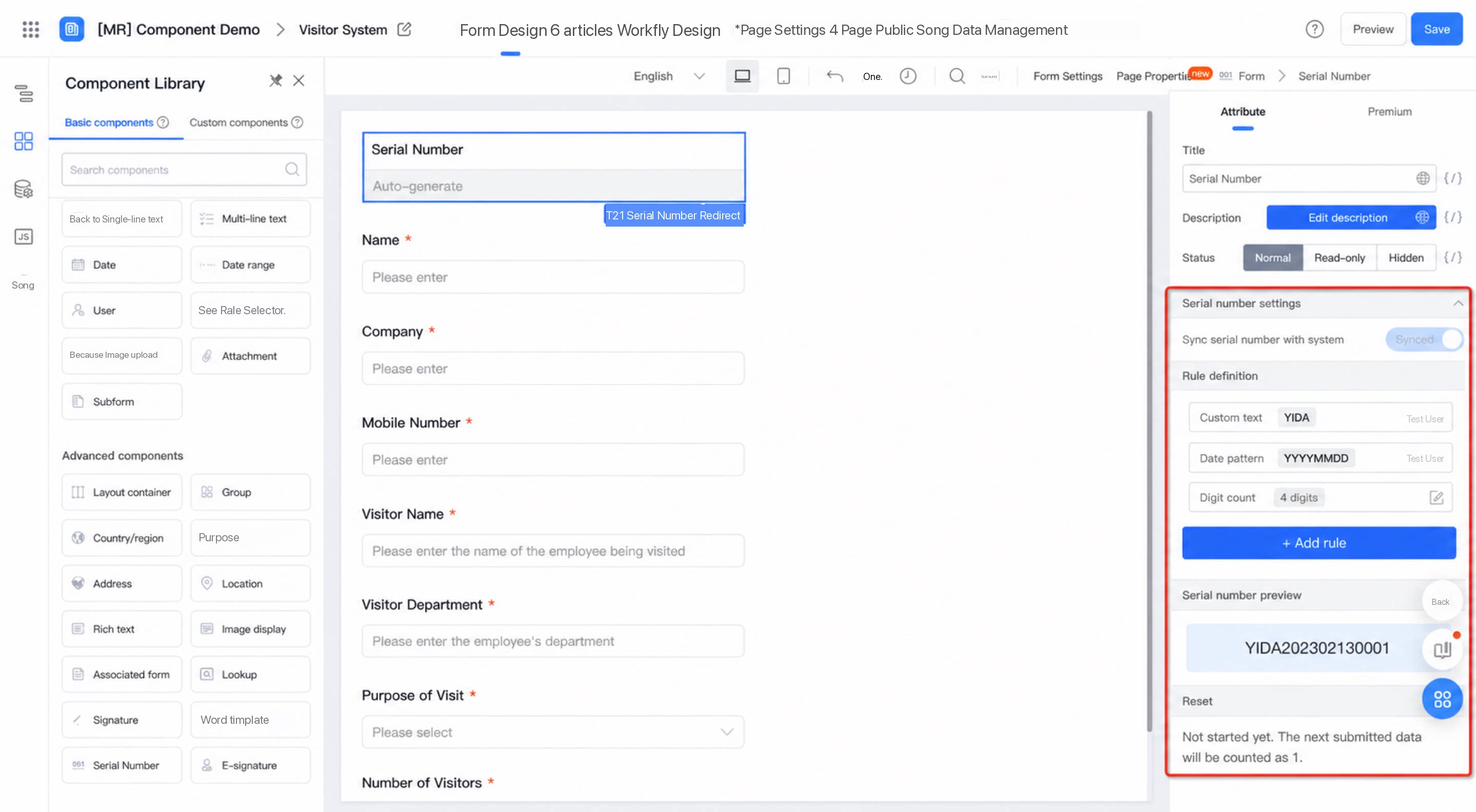 |
|---|
3. FAQ
3.1 How do I populate a serial number into a form field?
3.1 How do I populate a serial number into a form field?
Populate a serial number into a form
3.2 How do I populate a serial number into a workflow field?
3.2 How do I populate a serial number into a workflow field?
Populate a serial number into a workflow form
3.3 Can I edit the serial number generated after a form is submitted in the Professional edition?
3.3 Can I edit the serial number generated after a form is submitted in the Professional edition?
The built-in system serial number field cannot be edited. However, if the serial number is generated by a function on a workflow form, this synchronously generated serial number can be edited.
3.4 If the number of submitted forms exceeds the minimum suffix length before the reset time, will the serial number be recalculated?
3.4 If the number of submitted forms exceeds the minimum suffix length before the reset time, will the serial number be recalculated?
No. The serial number automatically carries over. For example, if the minimum suffix length is set to 1, the 10th submitted record is automatically displayed as 10.
3.5 How do I insert a serial number into the Target form?
3.5 How do I insert a serial number into the Target form?
A serial number is generated by the system only after a form is submitted, so it must be populated back into the form field. Insert a serial number into the Target form using either of the following methods: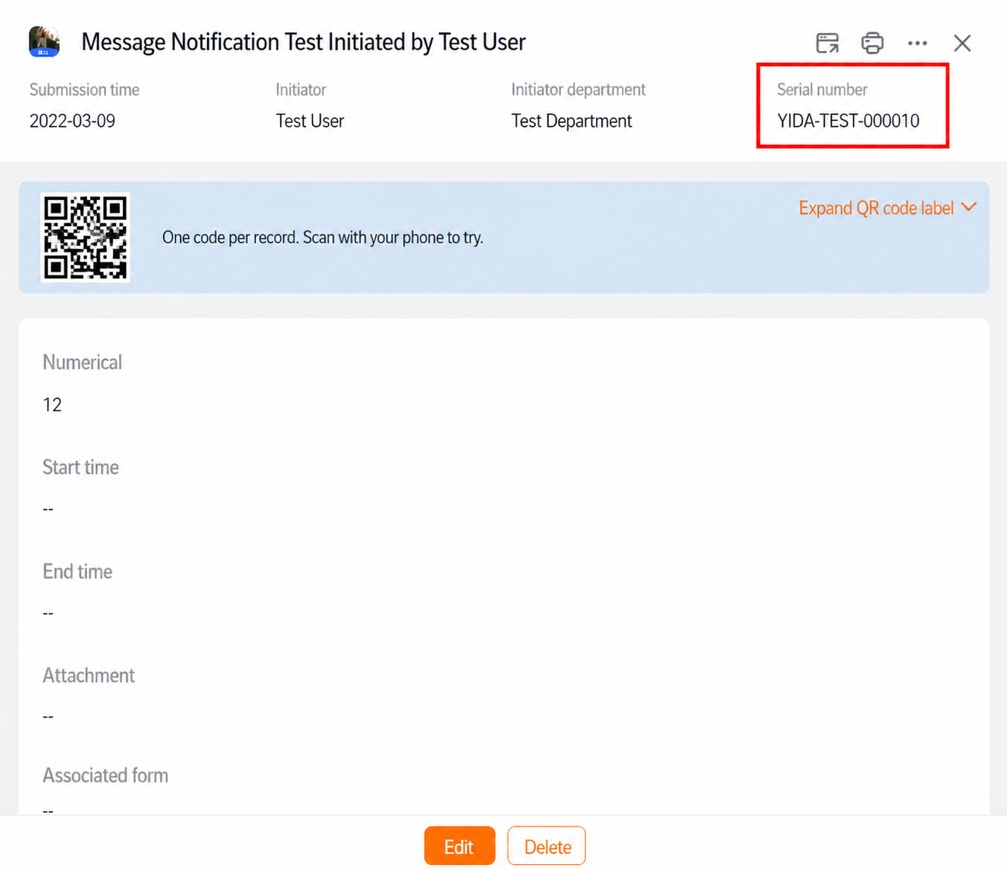 Method 1: For a regular form, configure business rules to run when the form is in edit state.Method 2: Use integration & automation to add serial number data to the Target form.
3.6 How do I use a component value (variable) from the form as the prefix of the system serial number?
3.6 How do I use a component value (variable) from the form as the prefix of the system serial number?
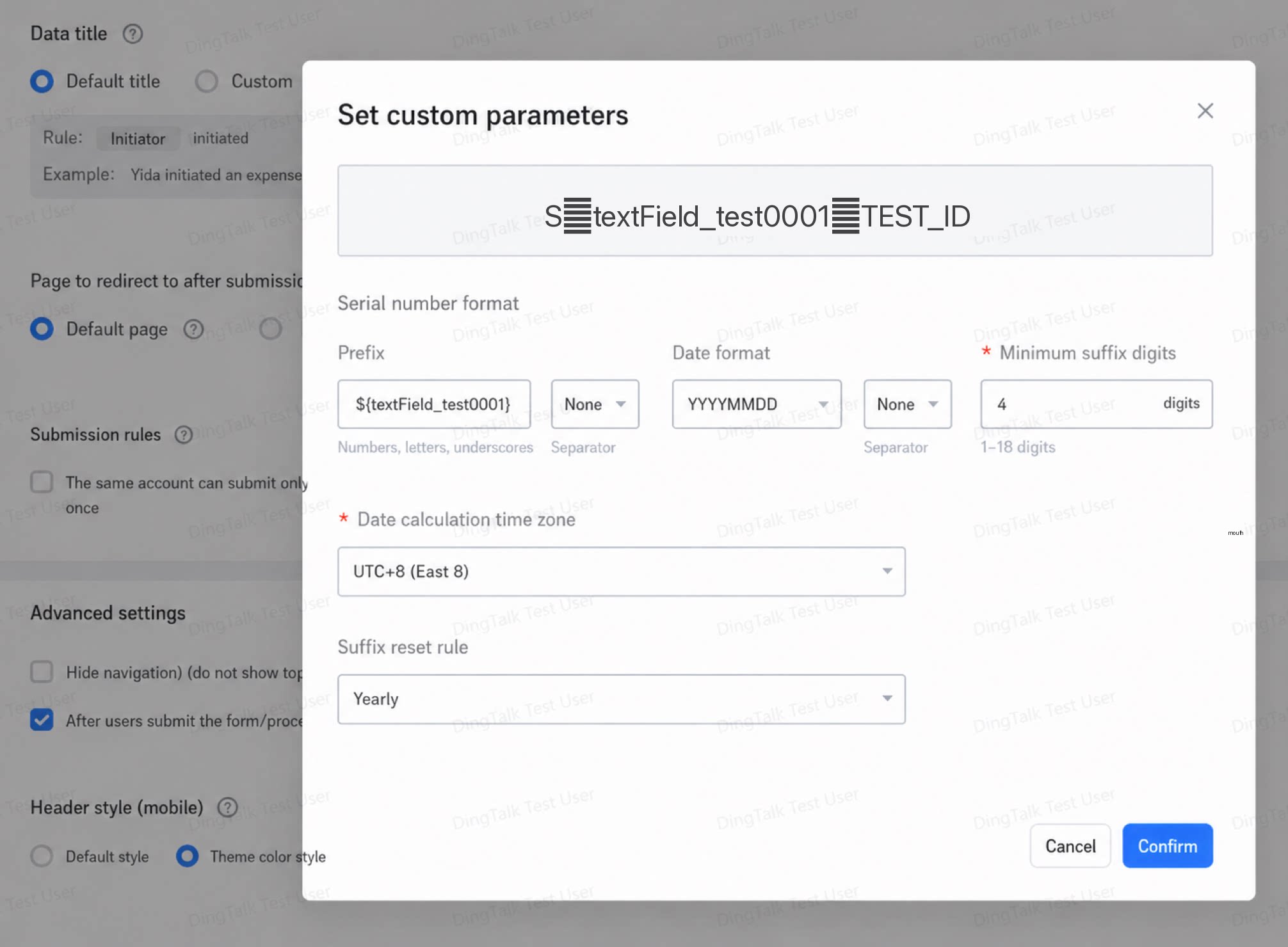
On the serial number configuration page, enter
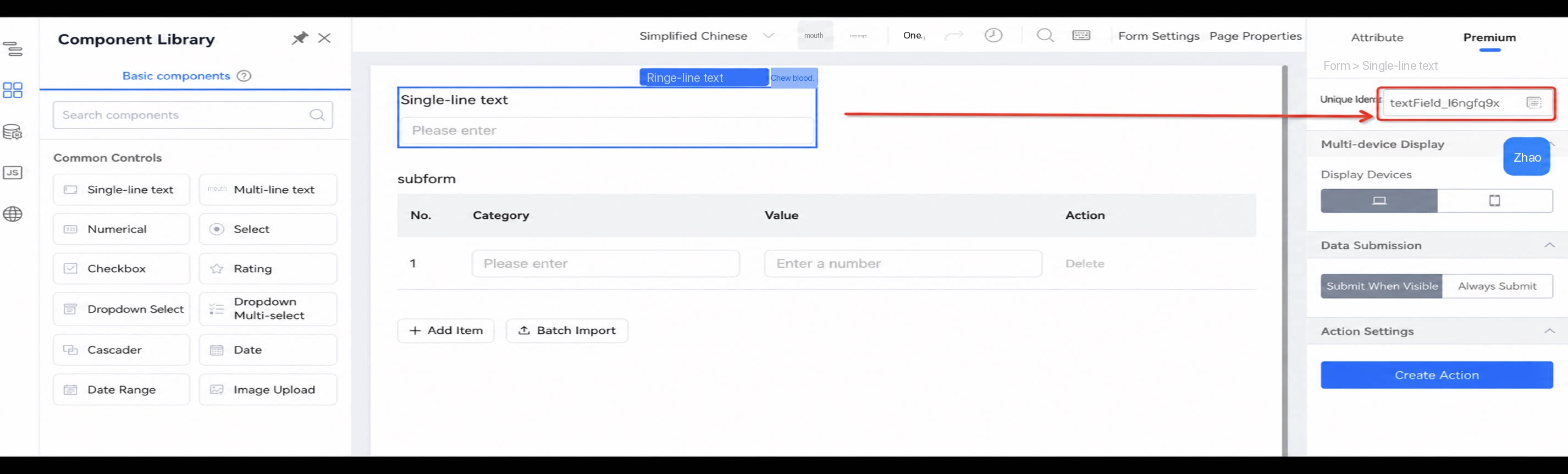
${componentUniqueIdentifier} in the prefix input box, as shown below: