

 Chats
Chats Calendar
 Meetings
 Contacts
 Mail
Mail Docs
Docs Drive
Drive AI Table
 AI Minutes
 Attendance
 Approval
 YiDA
YiDA Admin Console
Usage Scenarios
- Scenarios in which the system automatically generates fields and produces serial number information based on preset rules, such as purchase orders and project orders. A form can contain only one [Serial Number] control.
- Form design often requires code creation, and the Serial Number field makes automatic numbering easy. For example, in inventory management, use serial numbers for order numbers and inventory numbers; in product management, use the Serial Number field to number products.
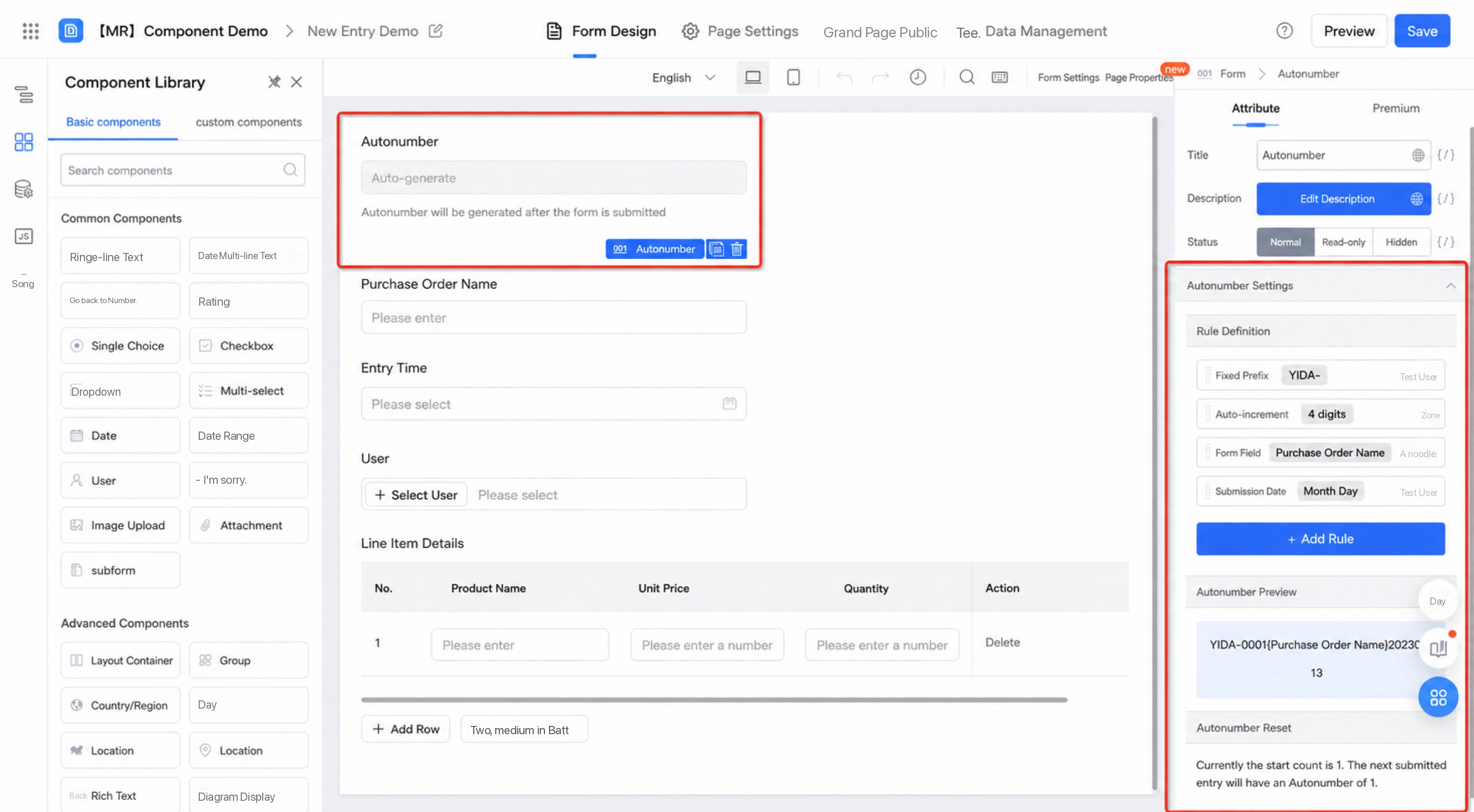
Field Overview
The Serial Number field sets a sequence number with a fixed pattern in a form. Users don’t need to enter it manually — after the form is submitted, the number is automatically generated in sequence. Component scope description: Applies to YiDA regular form and workflow form page types. Each form can use only one Serial Number component. Not currently supported in custom pages.Field Attributes
General Attributes
The general attributes of the Serial Number component include:- Title: can be modified
- Description: can be customized
- Status: Normal, Read-only, or Hidden
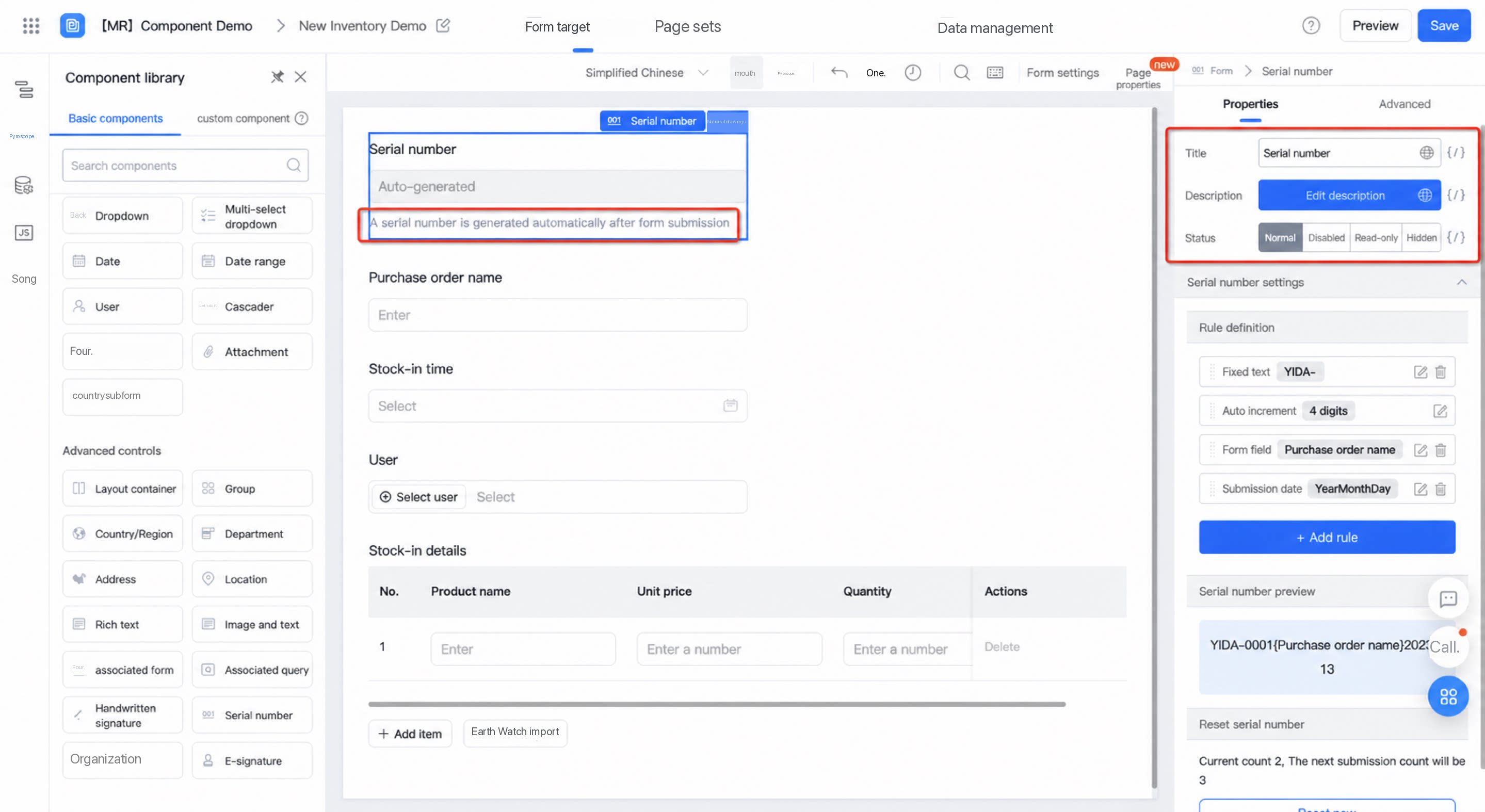
Serial Number Rules
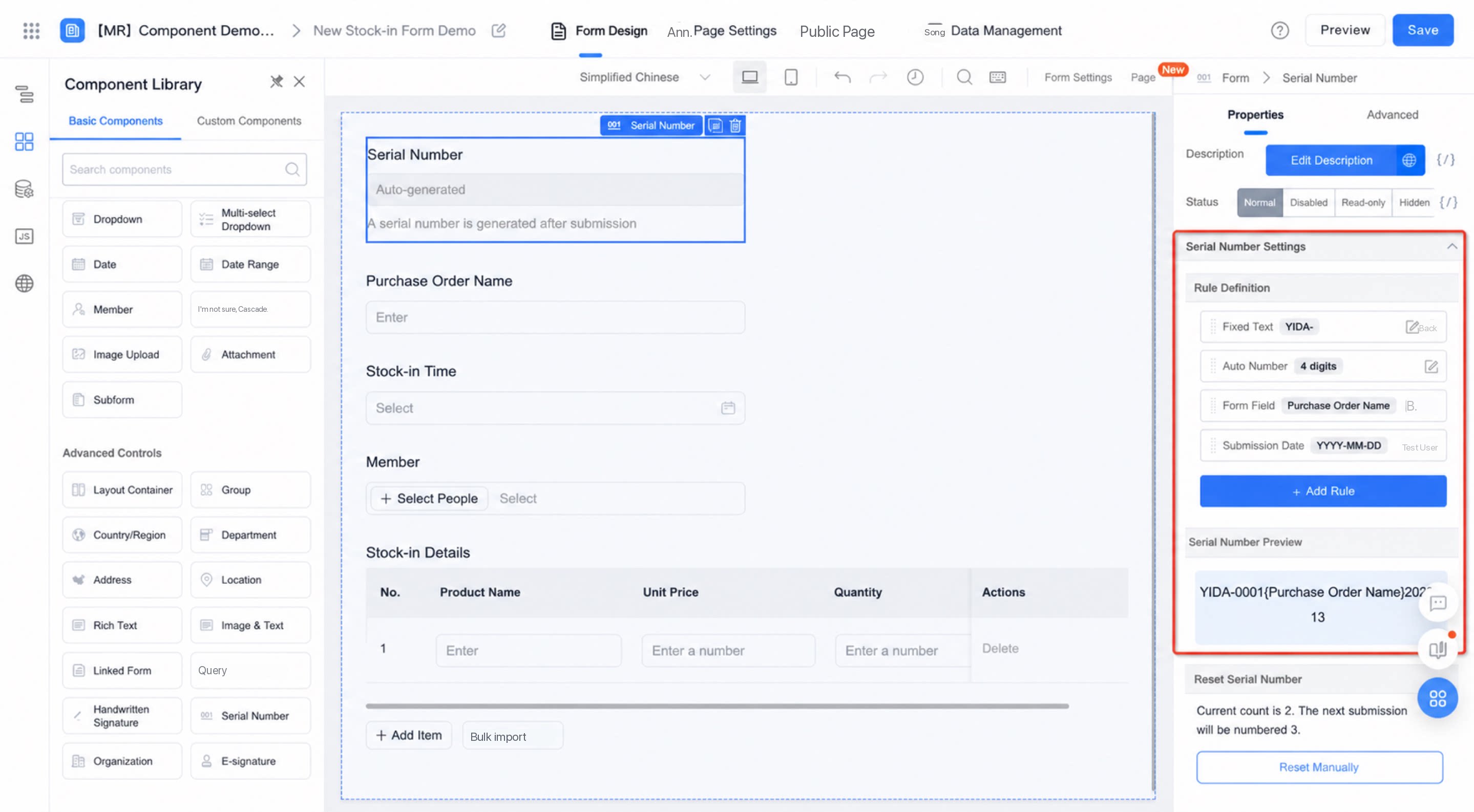
Customize serial number generation rules based on business needs. Four rule types are available: fixed characters, autocount, submission date, and form fields. Setup details are as follows: Serial number rule definitions support manual add, delete, sort, and edit operations.- Default rule: The “Autocount” rule is provided by default and cannot be deleted.
- Add: Click the “Add rule” Button and select the rule to add. “Autocount”, “Submission date”, and “Form field” are supported.
- Sort: Drag and drop rule definitions to sort the display order of the serial number content.
- Delete: Click the Delete Button after a serial number rule to remove rules other than “Autocount”.
- Edit: Click the corresponding serial number rule and configure it as needed.
Autocount
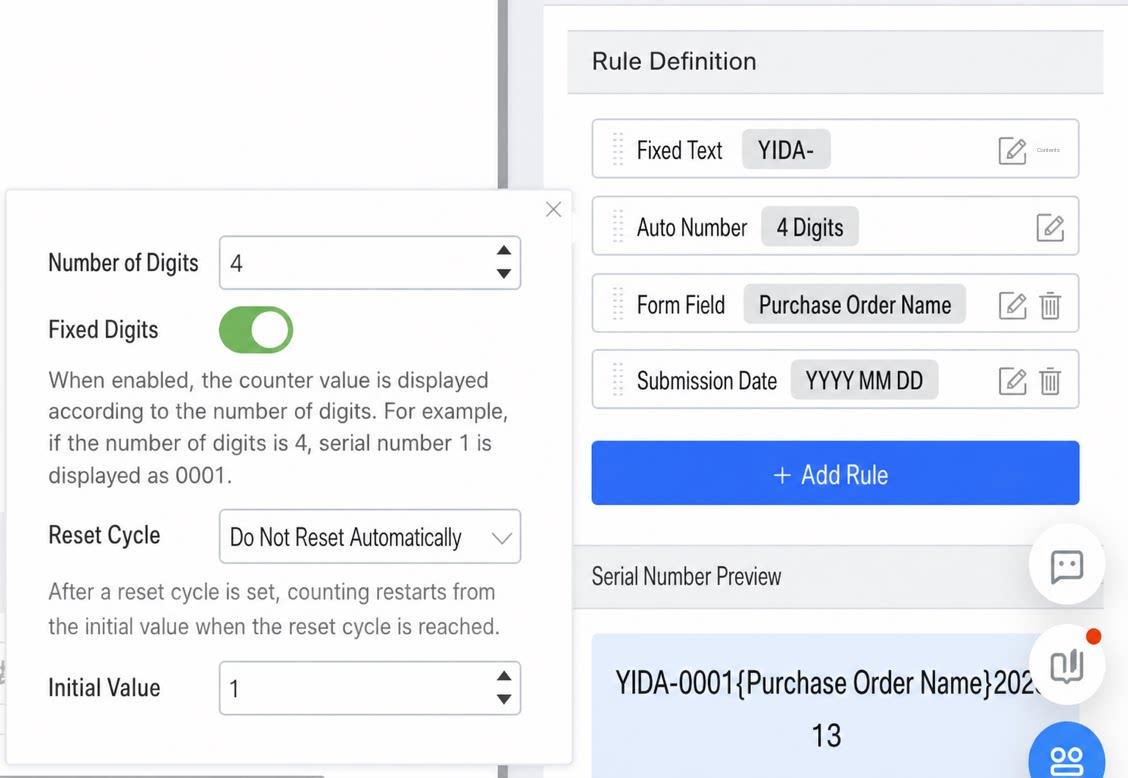
Autocount is the preset default rule for the serial number. Its attributes are described below:- Count digits: Defaults to 4 digits — an incremental sequence starting from 1, for example: 1, 2, 3… 99, 1000… . The range is 2–5. Count digits limit the maximum value of the serial number (with an upper limit of 50k instance data). When the maximum value of count digits is reached, counting restarts. For example, when count digits are set to 4 and the count reaches 9999, counting restarts from 0.
- Fixed digits: On by default. Click to toggle On/Off. When On, a fixed number of digits is displayed. For example, when count digits are 4 and the current count is 1, the serial number displays as 0001 with Fixed digits On; when Off, it displays as 1.
- Reset cycle: The condition under which the serial number restarts counting. By default, automatic reset is not enabled. Reset by day, month, or year is supported.
Note:
- Under a reset cycle, if the count reaches the maximum value, counting restarts from 0.
- Even after the initial value is reset, as long as the reset logic is not triggered, newly added serial numbers continue to increment according to the current rule. A reset is triggered only after a manual reset or when the reset condition is met, at which point counting starts from the new initial value.
- Initial value: The starting numeric value of the count — that is, the number from which counting begins. The system default is 1.
Submission Date
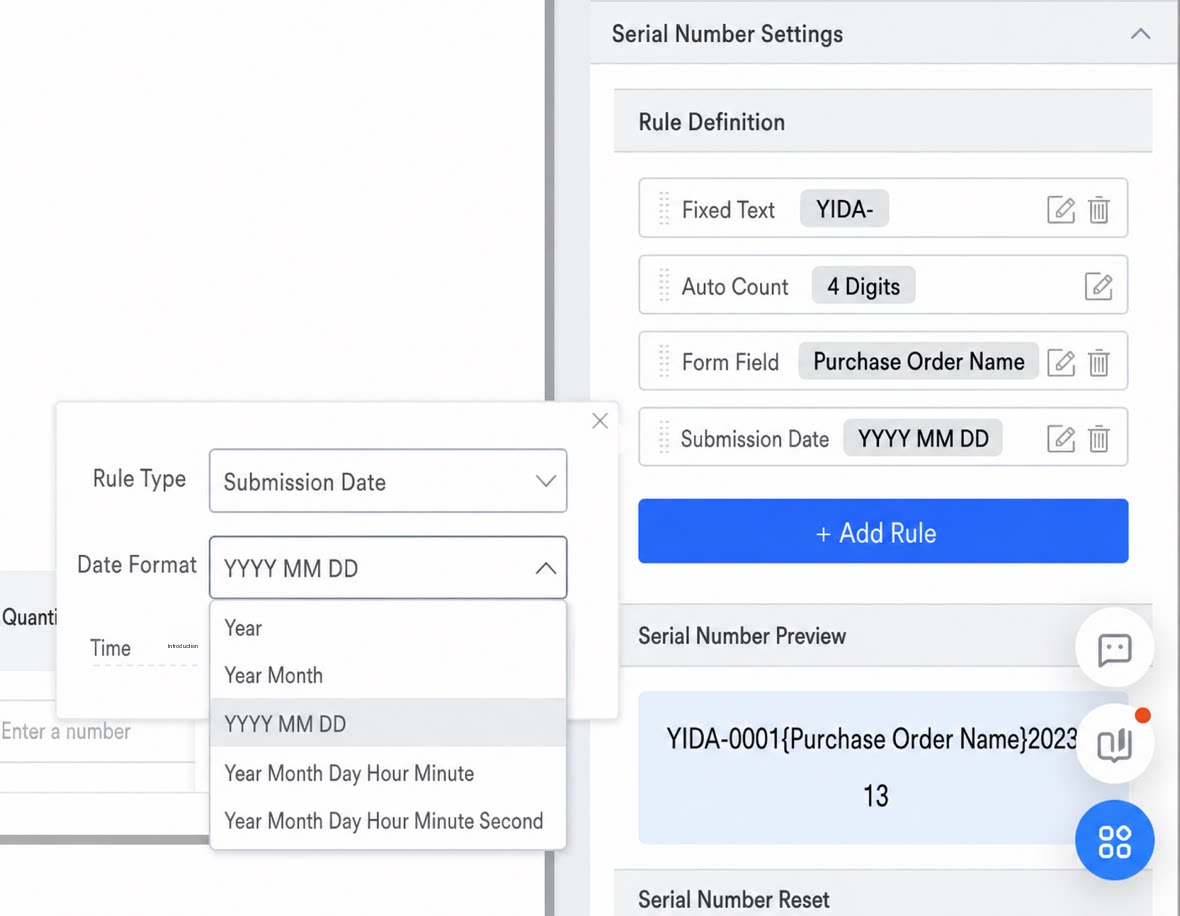
The submission date format supports system predefined formats. Select from 5 predefined date formats in the dropdown (year, year-month, year-month-day, year-month-day-hour-minute, year-month-day-hour-minute-second). Time Zone configuration is also supported.Only one instance of this rule can be configured within the Serial Number component; it cannot be repeated.
Fixed Characters
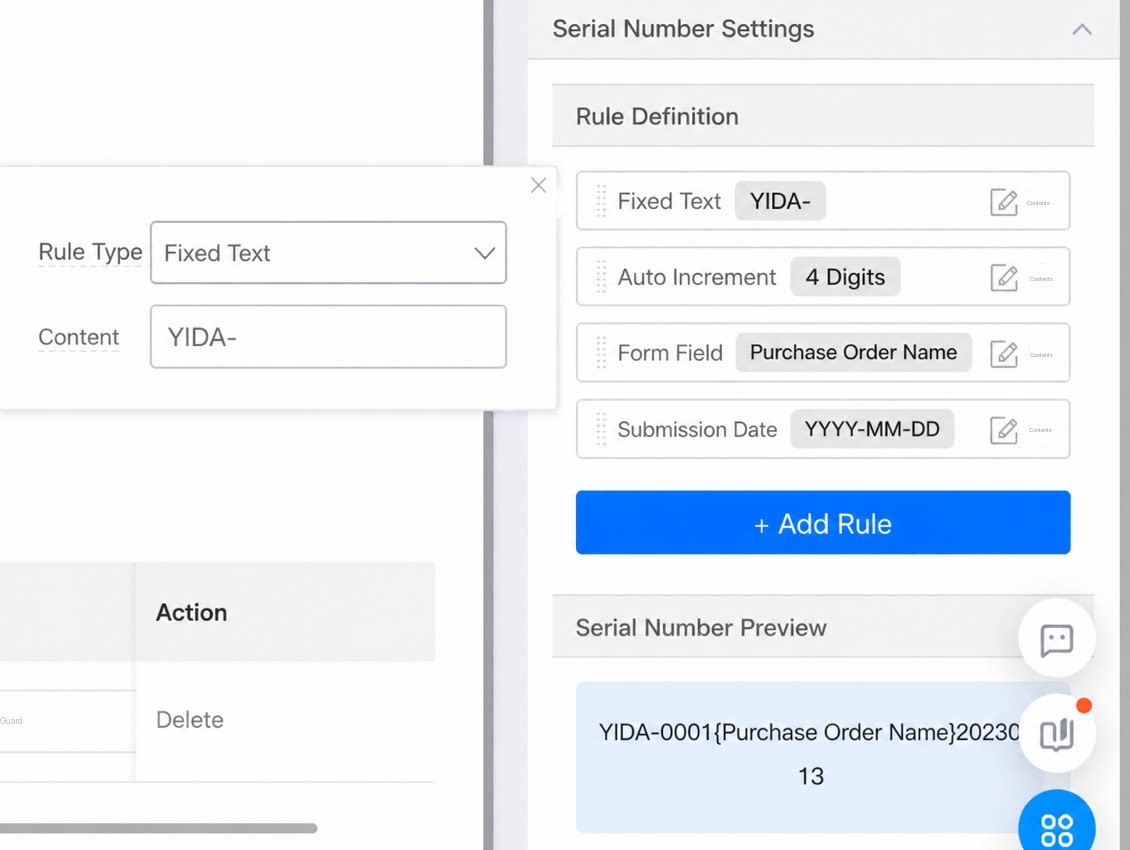
Use fixed characters to distinguish serial numbers for different businesses. Add fixed characters to the serial number rule, then manually enter the characters in the Text Box next to “Fixed characters”. This rule supports multiple definitions.- Fixed characters mainly have two uses:
- Supported special characters: _ - + = / ( ) < > [ ] { } . ~ 、# % & * . Other characters are not currently restricted. The maximum total character length is 10.
Form Fields
When designing serial numbers, you may want to use form fields as part of the serial number. Achieve this by adding form fields. Currently supported form field types include Single-line text, Date, Numerical, Dropdown Select, Select, Date, Address, Country/Region. This rule supports multiple definitions.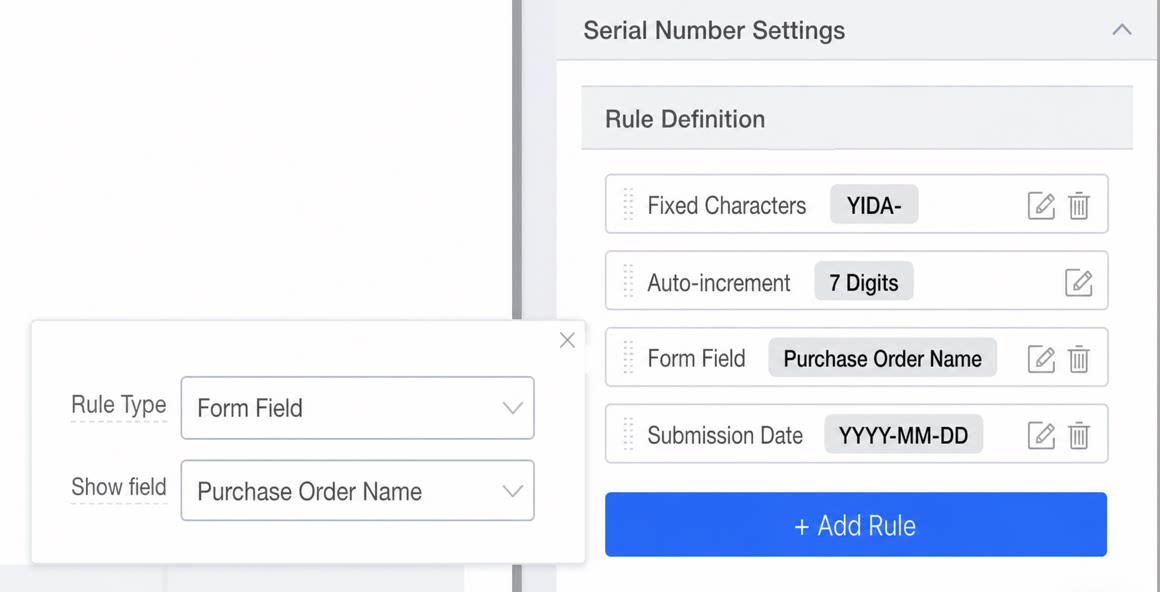
Serial Number Reset
When the form already contains submitted data, you can manually reset the serial number. After reset, the serial number restarts counting from the configured initial value.Before reset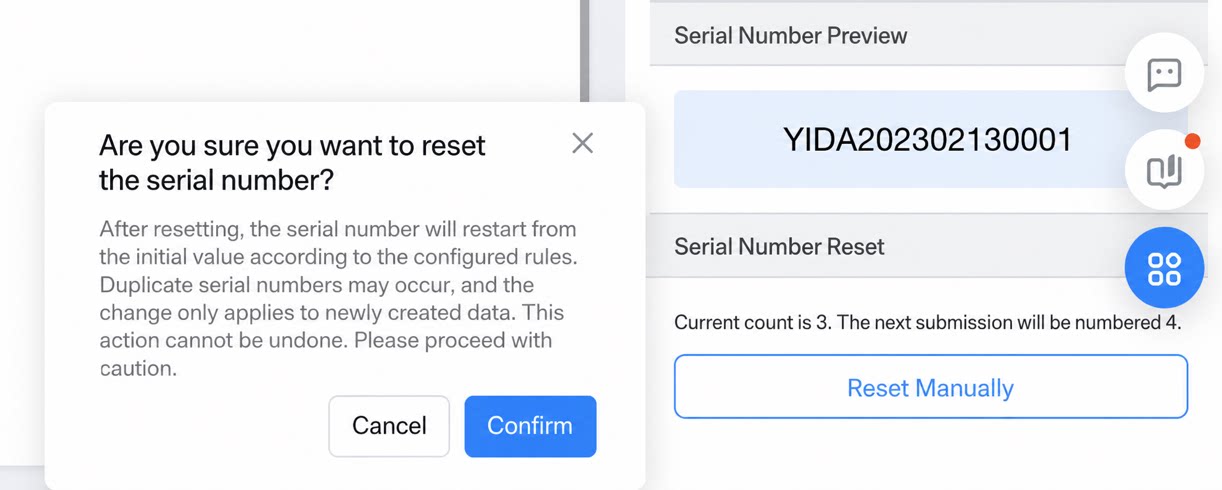 | After reset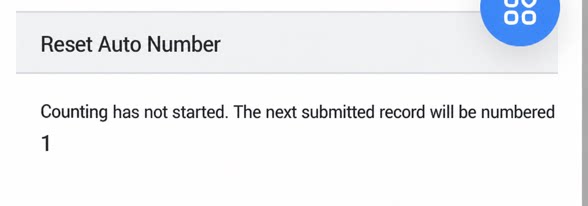 |
|---|
Notes
- Only one Serial Number field can be added per Form.
- Batch Edit/Import is not supported. Serial numbers can be repeated (reset is allowed).
- The Serial Number field can only be added in the main Table, not in subforms.
- The Serial Number field always submits data, whether hidden or not.
- Serial numbers cannot be modified via business rules or JS.
- The Free plan does not currently support the Serial Number component.
- The scope of the Serial Number component’s functionality is described below:
Legacy System Serial Number Can Be Upgraded to the Serial Number Component
For existing forms with system serial number Settings enabled, you can replace the system serial number with the Serial Number component to expand the scope of use. Click Sync form system serial number. After the system serial number is upgraded to the Serial Number component, it can be used within integration & automation and other functional scopes.| Before upgrade: Form Settings > System serial number System serial number configuration System serial number details 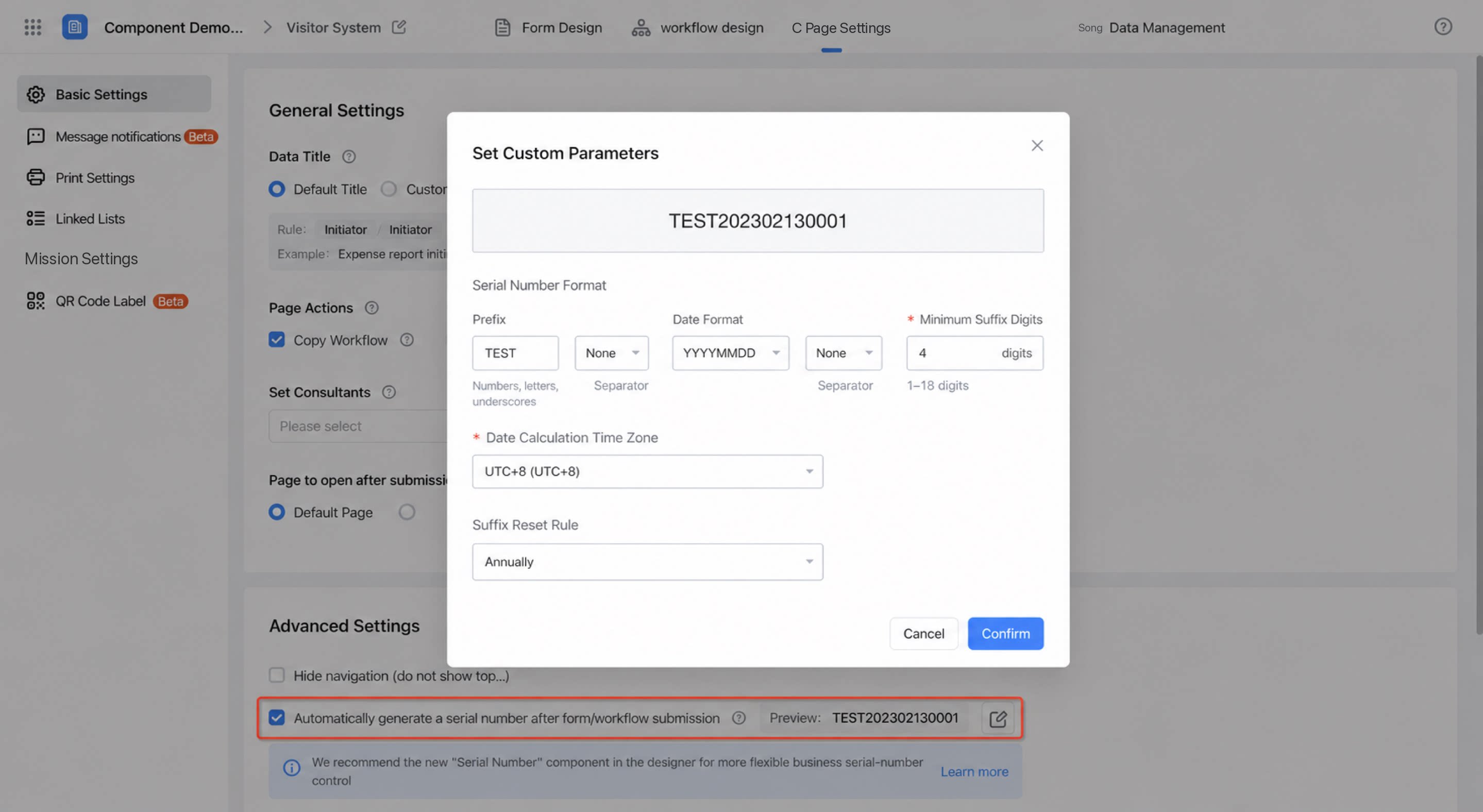 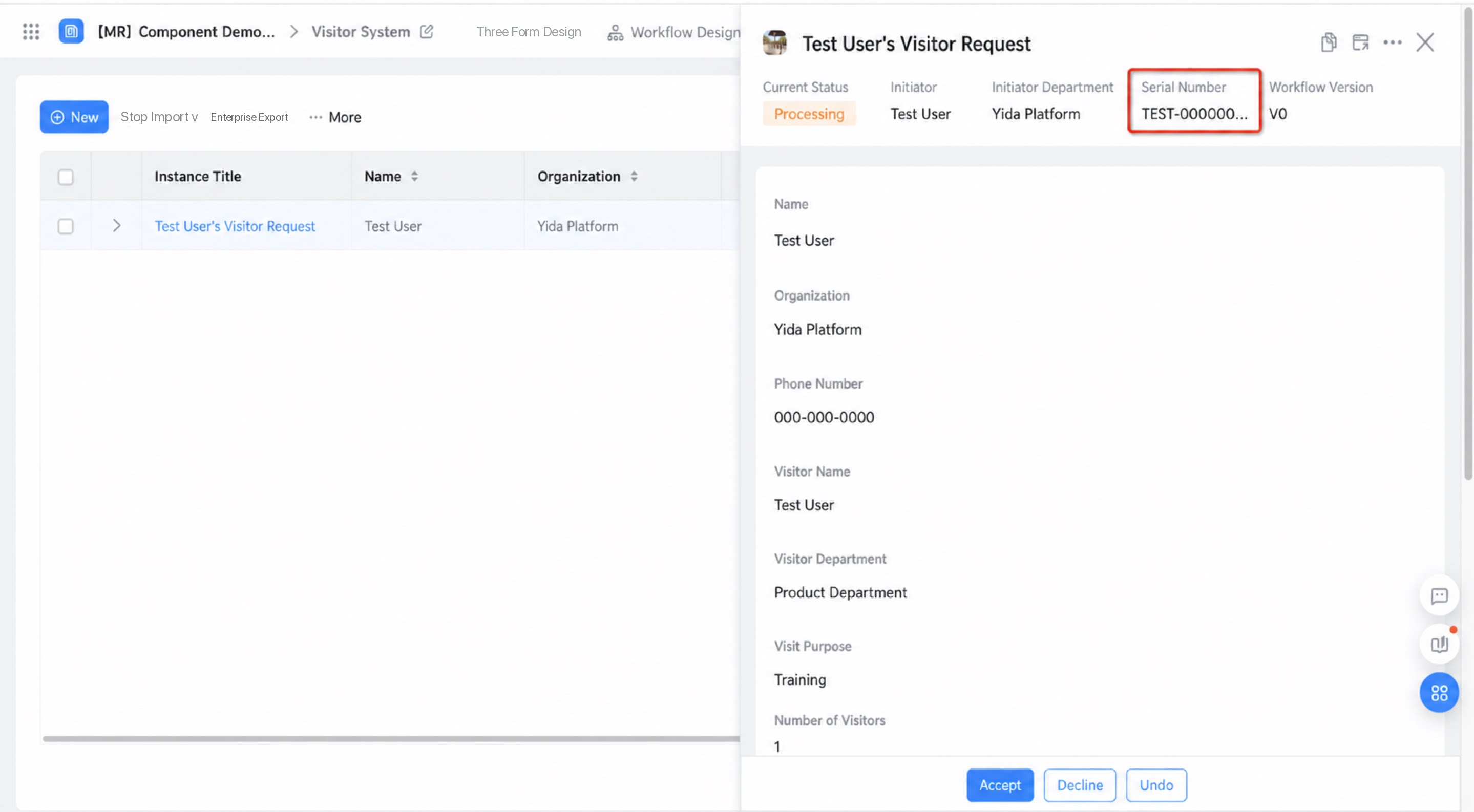 | After upgrade: form designer > Serial Number component System serial number upgrade Upgraded to Serial Number component 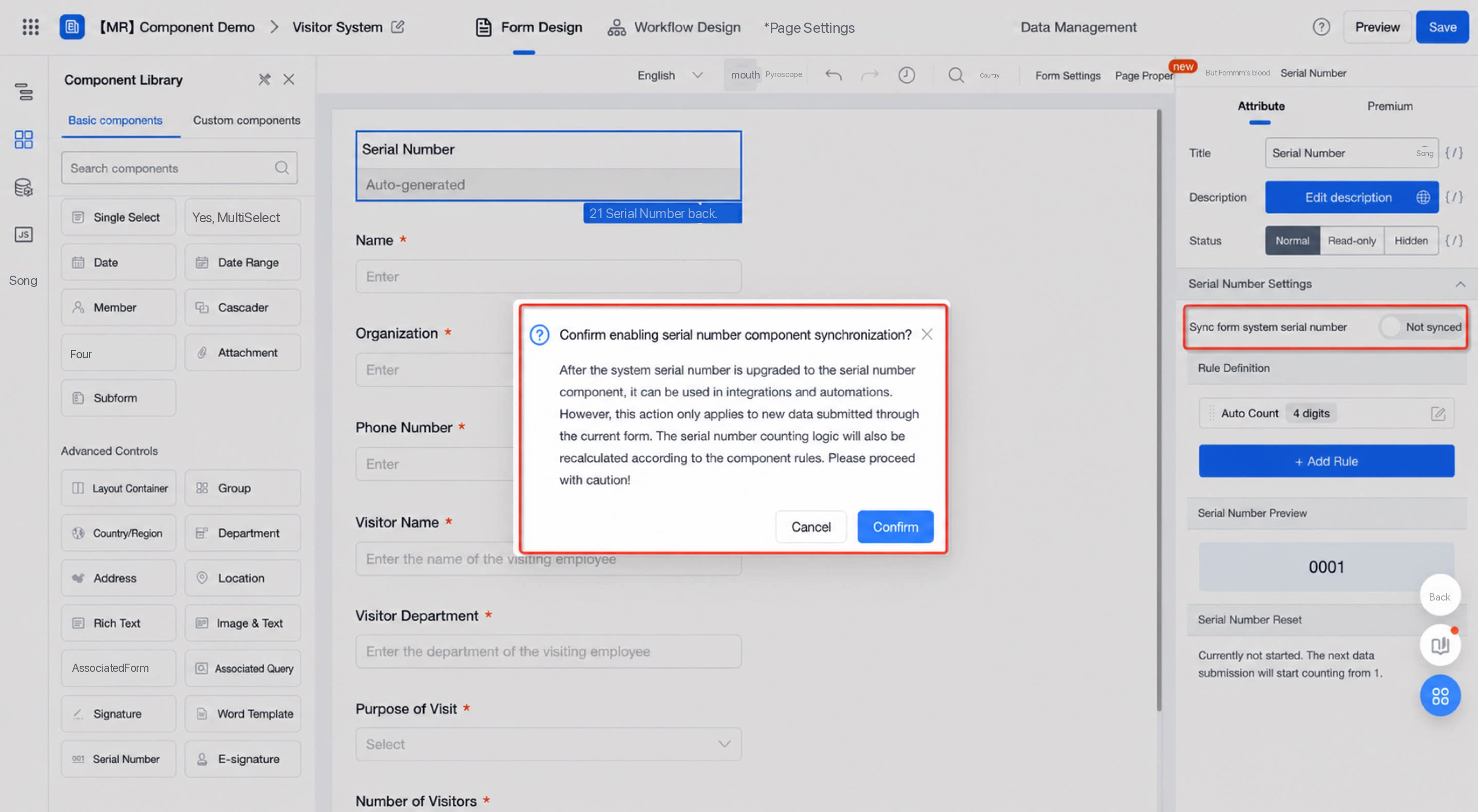 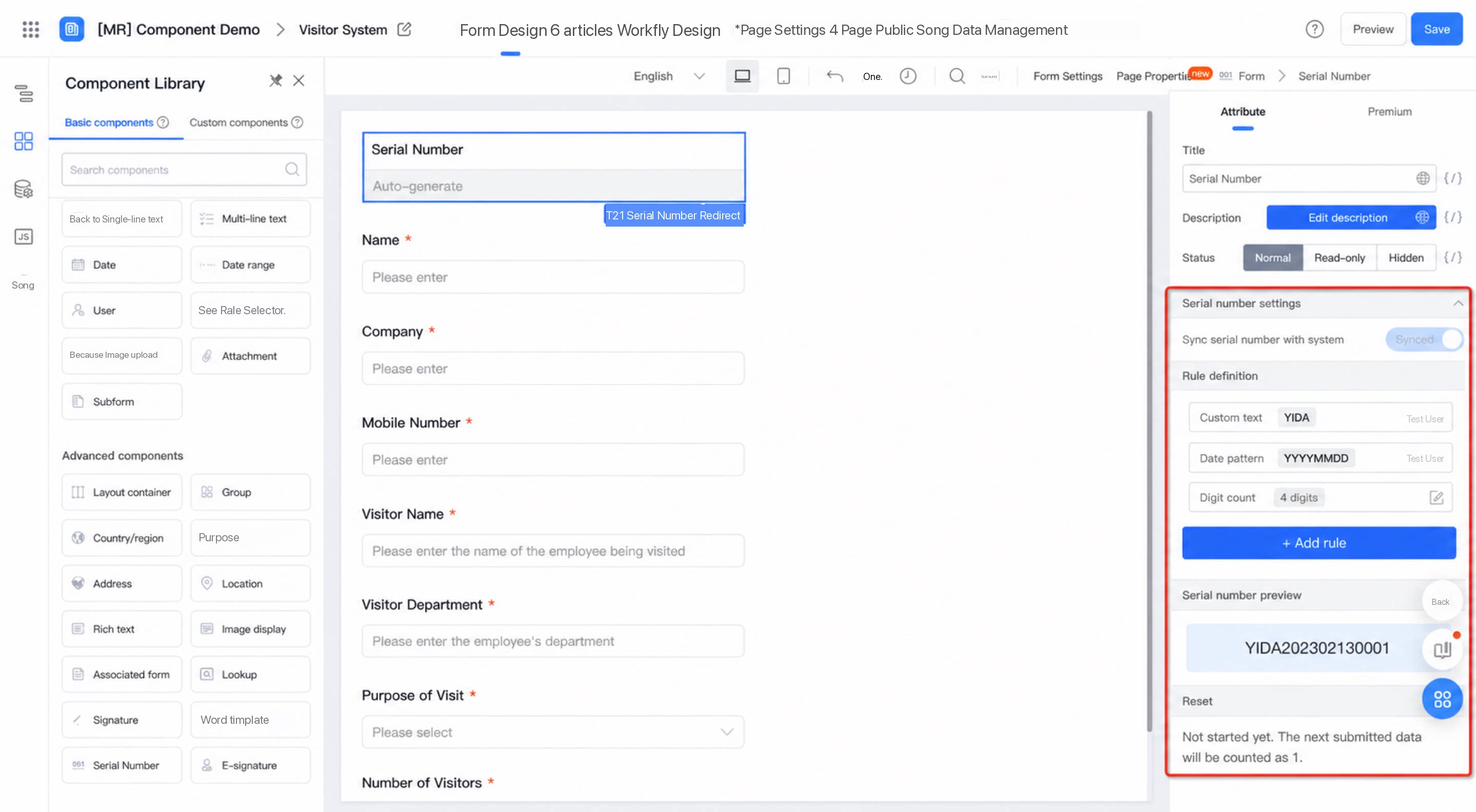 |
|---|