Chats
Chats Calendar
 Meetings
 Contacts
 Mail
Mail Docs
Docs Drive
Drive AI Table
 AI Minutes
 Attendance
 Approval
 YiDA
YiDA Admin Console
1. Location Component Basics
1.1 What Is the Location Component
A component that captures geographic location information on mobile devices.1.2 Use Cases
- Employee attendance check-in and reporting systems based on designated areas
- Capturing the form filler’s actual location during form submission (real person, real location — anti-cheating)
- Address POI information management systems based on geographic location
- Only mobile location is currently supported (the desktop version displays a guidance prompt)
2. Features
2.1 Automatic Location Capture
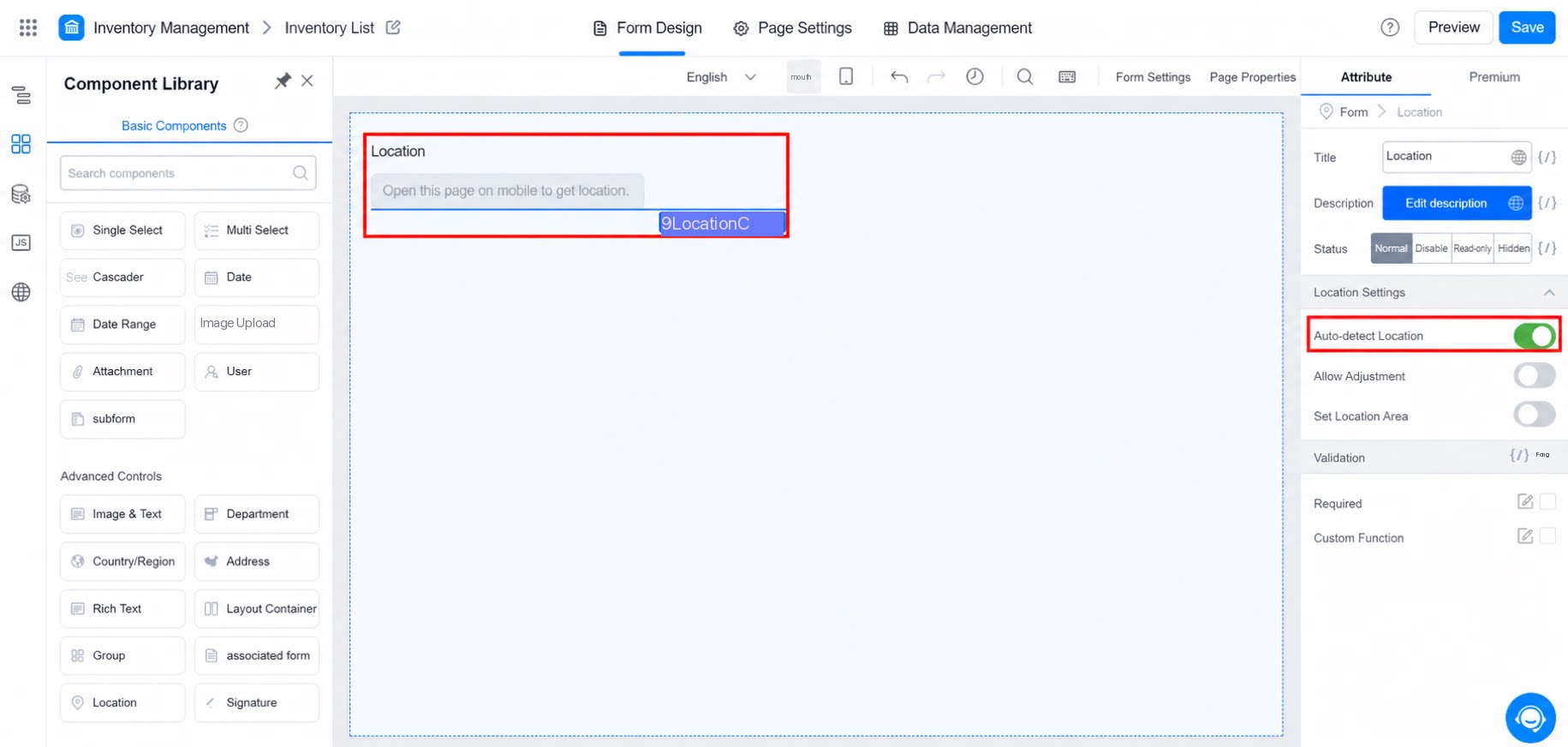
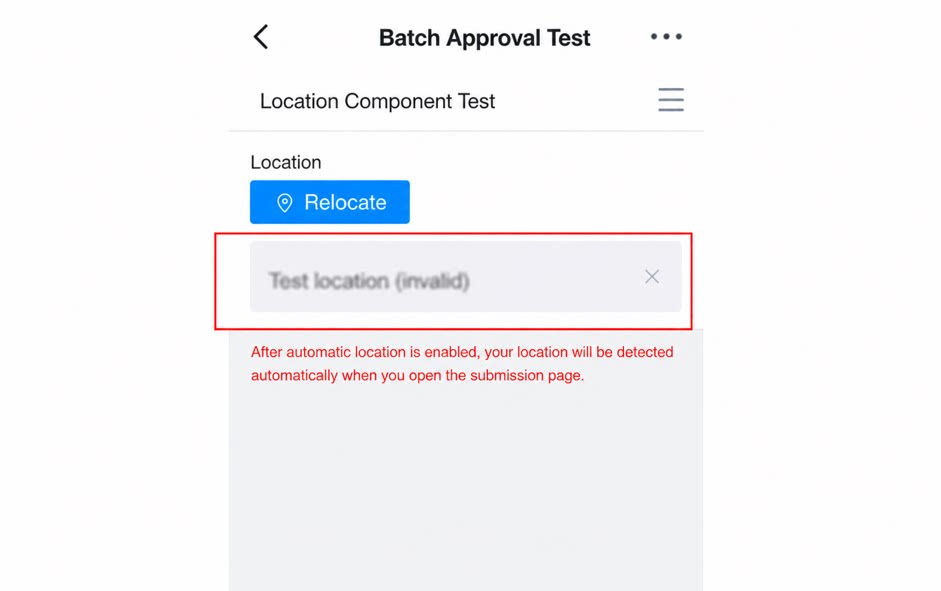
- If mobile location permission is enabled, the Location component automatically captures the current location when the user opens the submission page and displays it in the Location component display box. To enable automatic location capture:
2.2 Allow Fine-Tuning
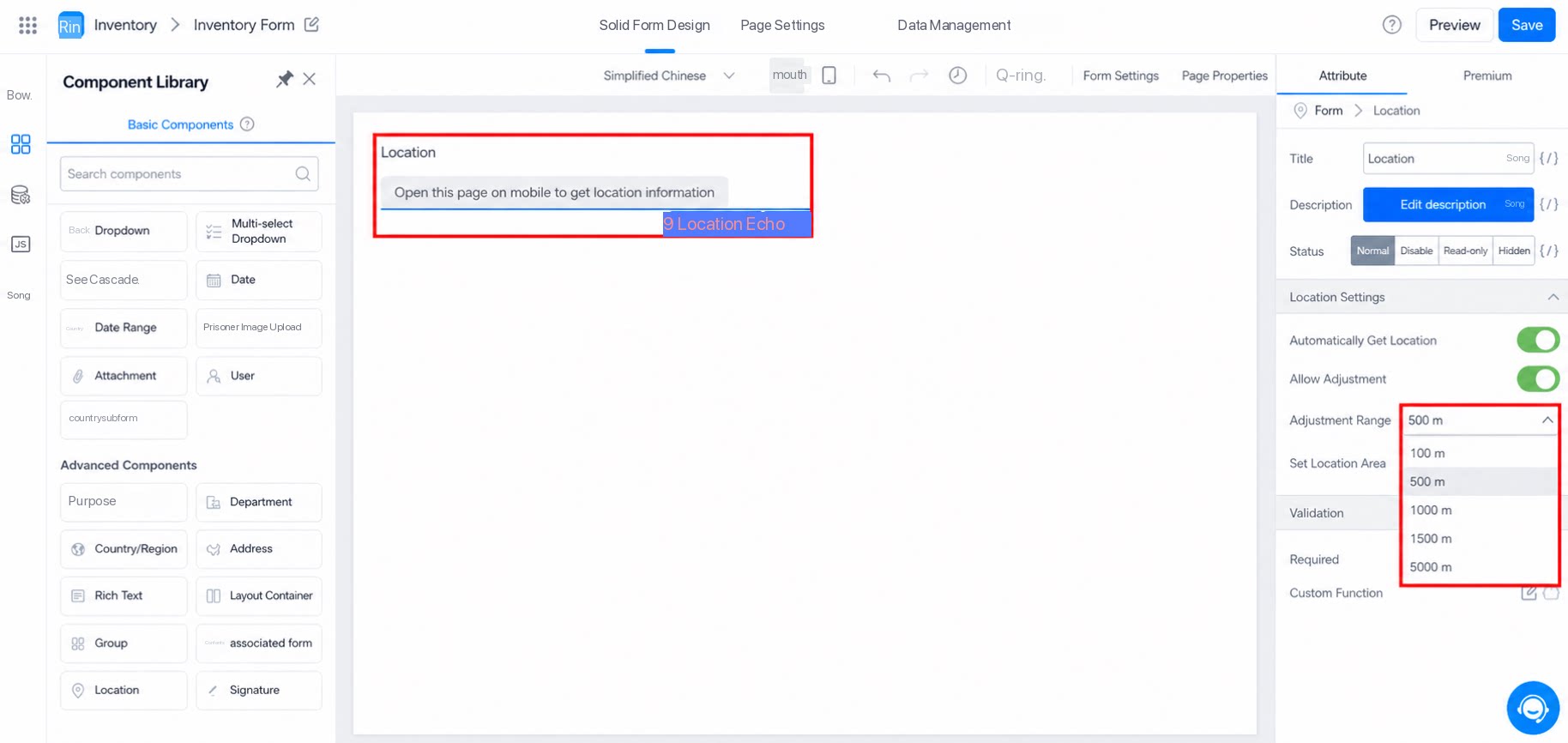
- On mobile devices, during location capture, users can select other POI locations within a circular range of a specified radius centered on the current location.
- The fine-tuning radius can be set from 100 to 5,000 meters.
2.3 Set Location Area
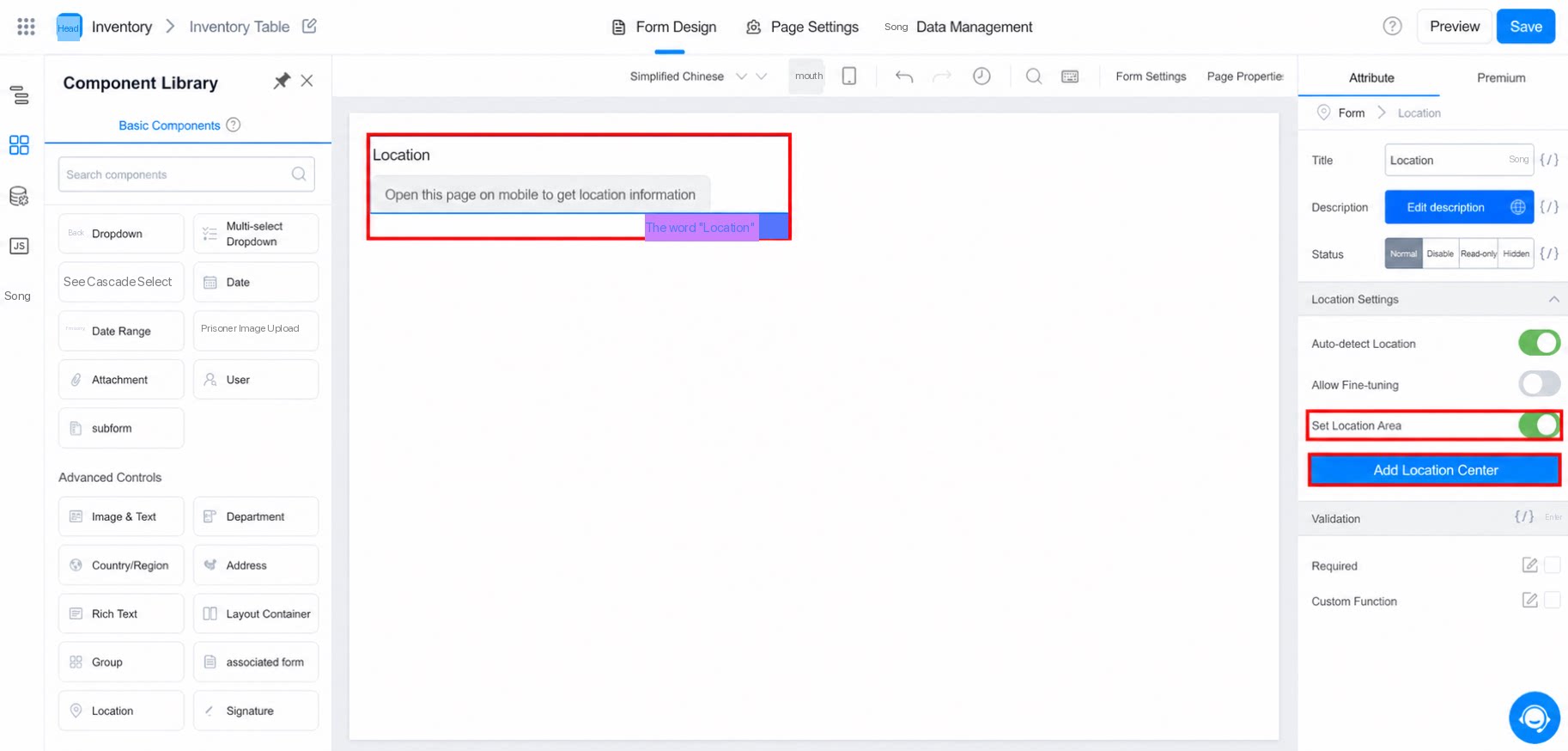
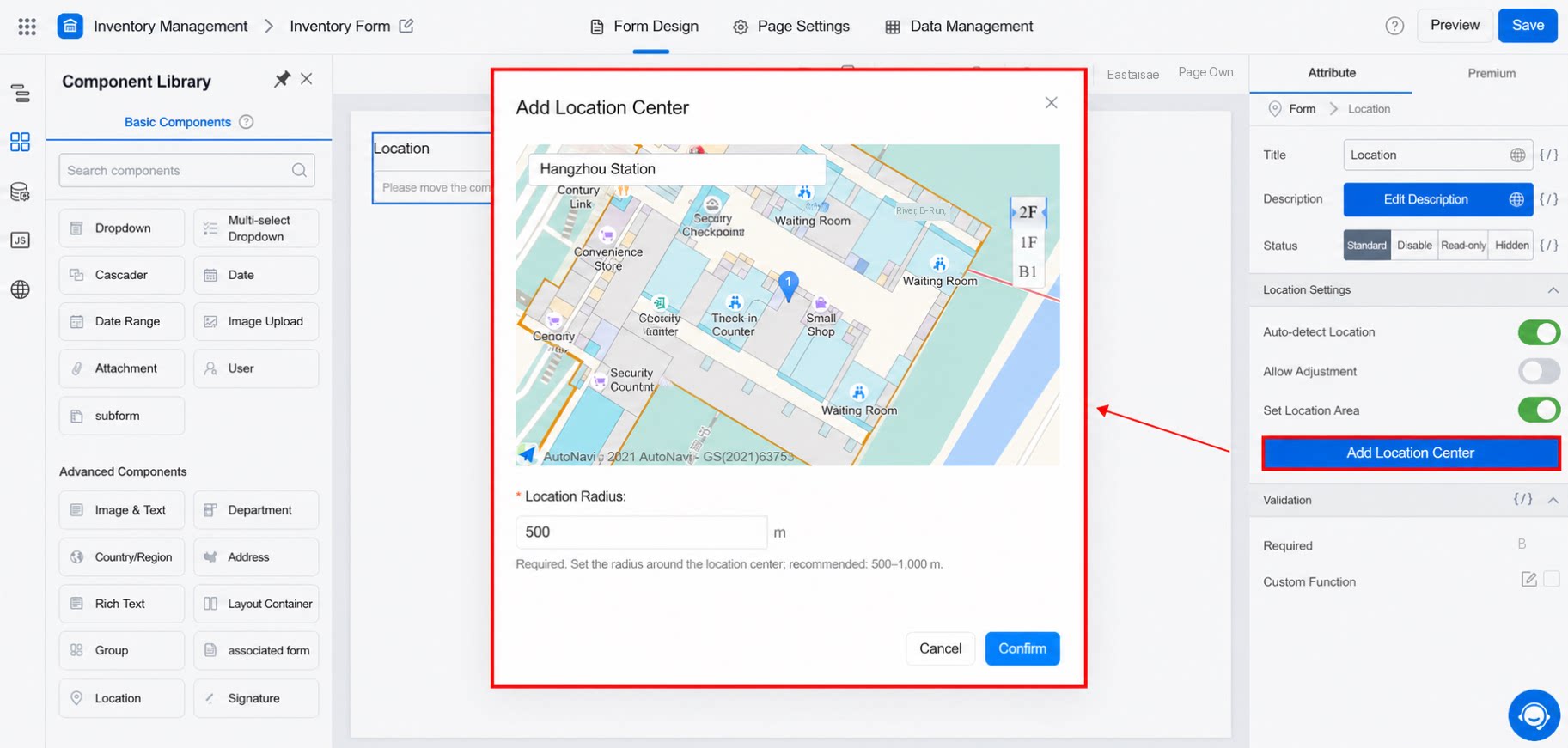
- Configure location center rules to restrict selectable locations to a designated area. For example, if the location address is set to Hangzhou East Railway Station with a range of 500 meters, positioning is allowed only within 500 meters of Hangzhou East Railway Station.
2.4 Mobile Positioning Is Unavailable When the Location Component Is Set to Read-Only
To enable automatic location capture, change the Location component status to Normal. Automatic location capture works only in the Normal status.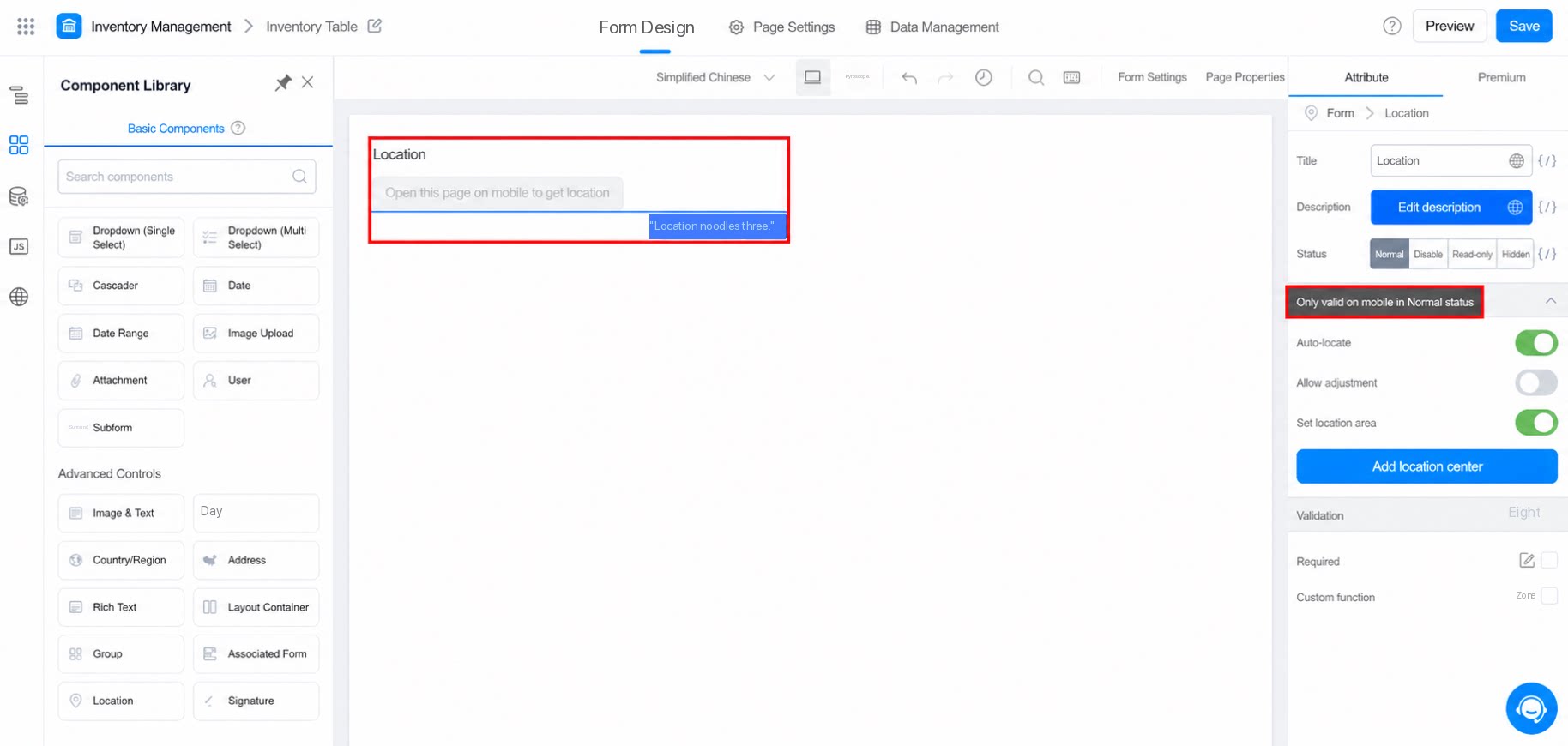
2.5 Data Format of the Location Component
3. Demo
 Tips: The video is a mobile screen recording without voiceover.
4. FAQ
4.1 Why Can’t the Location Component Find Some Regions in Search?
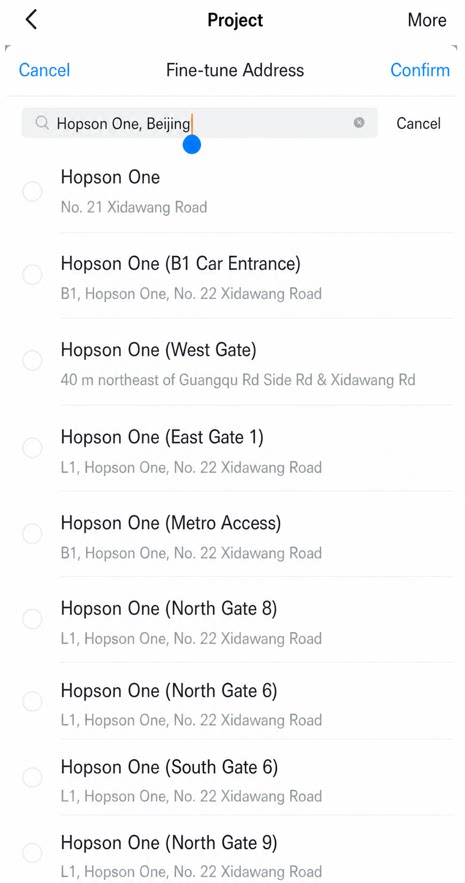
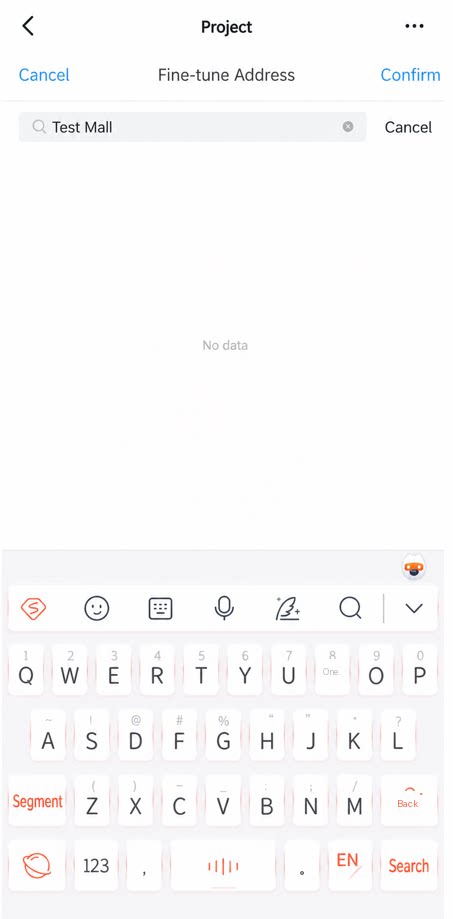
After you enable fine-tuning in the Location component, when searching for an address outside the current city, prefix the search term with the province, city, or county — otherwise no results will appear. For example, search for “Beijing Hopson One” instead of “Hopson One” alone, which returns no data.