

 Chats
Chats Calendar
 Meetings
 Contacts
 Mail
Mail Docs
Docs Drive
Drive AI Table
 AI Minutes
 Attendance
 Approval
 YiDA
YiDA Admin Console
Function Overview
Basic Concepts
The date component returns a timestamp in milliseconds. The following two basic concepts relate to date functions:- Timestamp: A timestamp is a format that computers use to record time. It is usually a character sequence that uniquely identifies a moment in time. In YiDA forms, the date component stores time as such a sequence.
- Date object: A date object represents the year, month, day, hour, minute, and second. Its format is Sat Aug 01 2015 00:00:00 GMT+0800 (China Standard Time), which corresponds to 00:00:00 on August 1, 2015, Beijing time. Date objects support various operations, such as date addition and subtraction.
For example, use the pattern string
yyyy-MM-dd HH:mm:ss:S E D F w W z to format the current time as the Default of the Formatted Date text component. Define the formula as follows:
The page displays as follows:
FAQ
- Q1: How do I use a formula to get the current date?
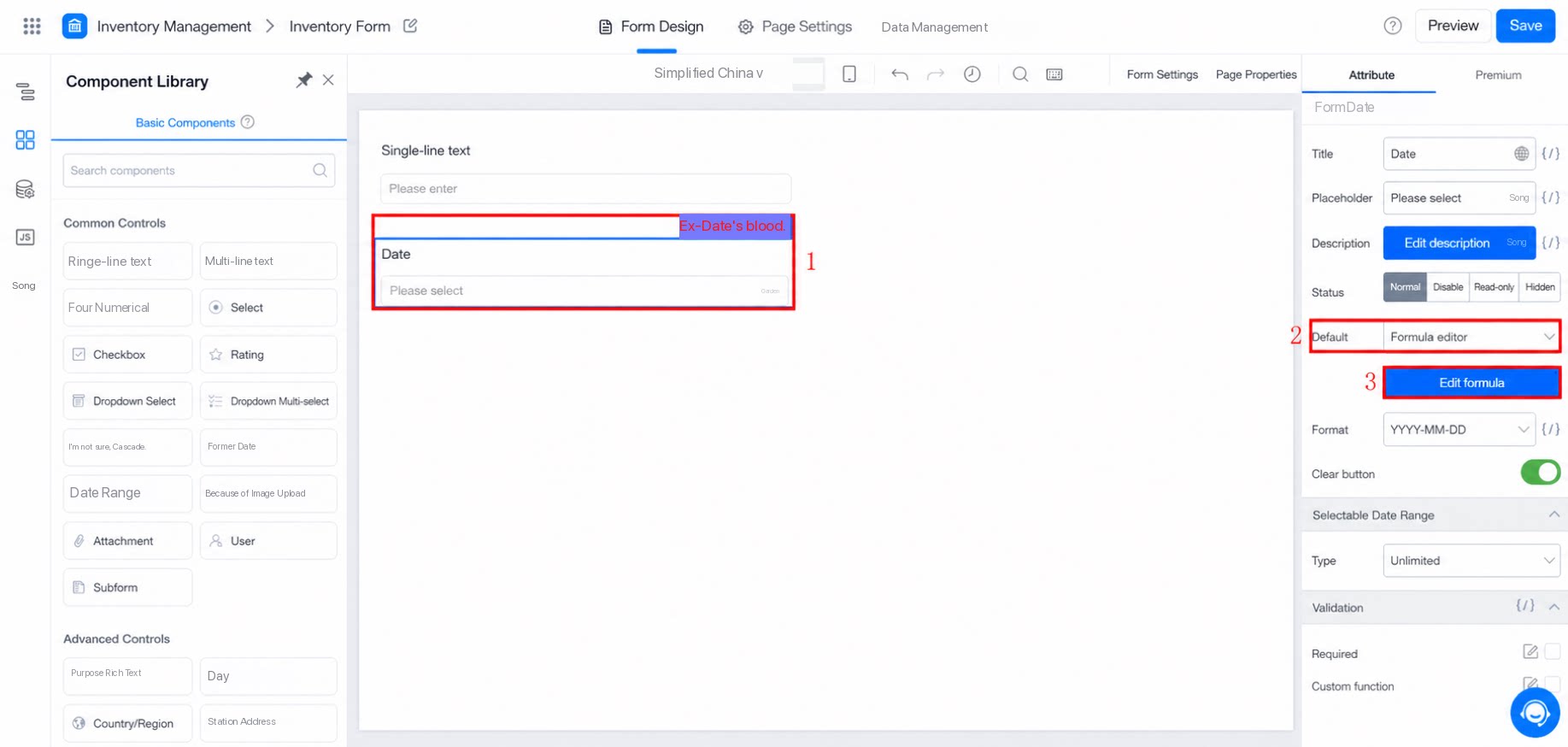
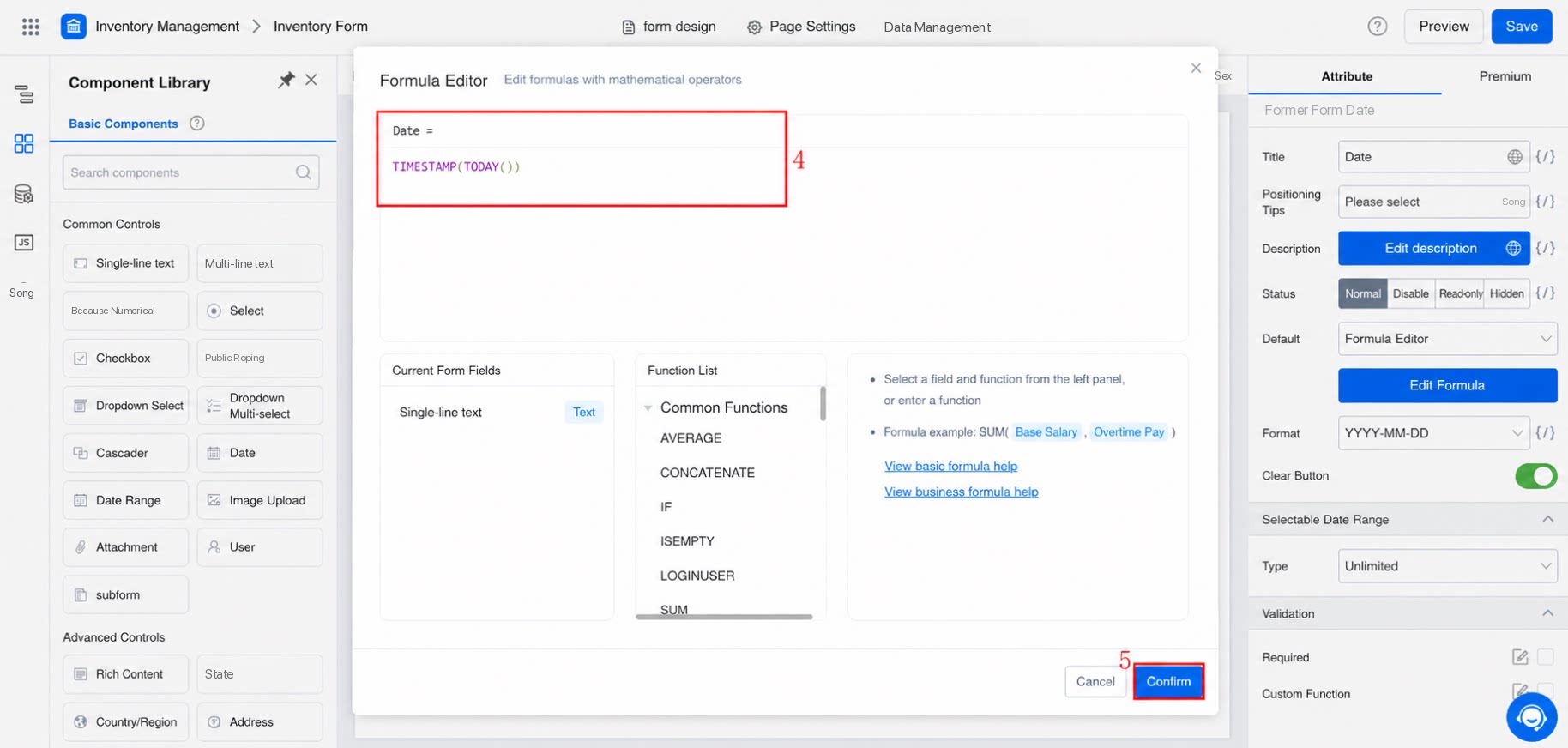
TIMESTAMP(NOW()). Click Confirm, and then click Save in the upper-right corner of the page designer.
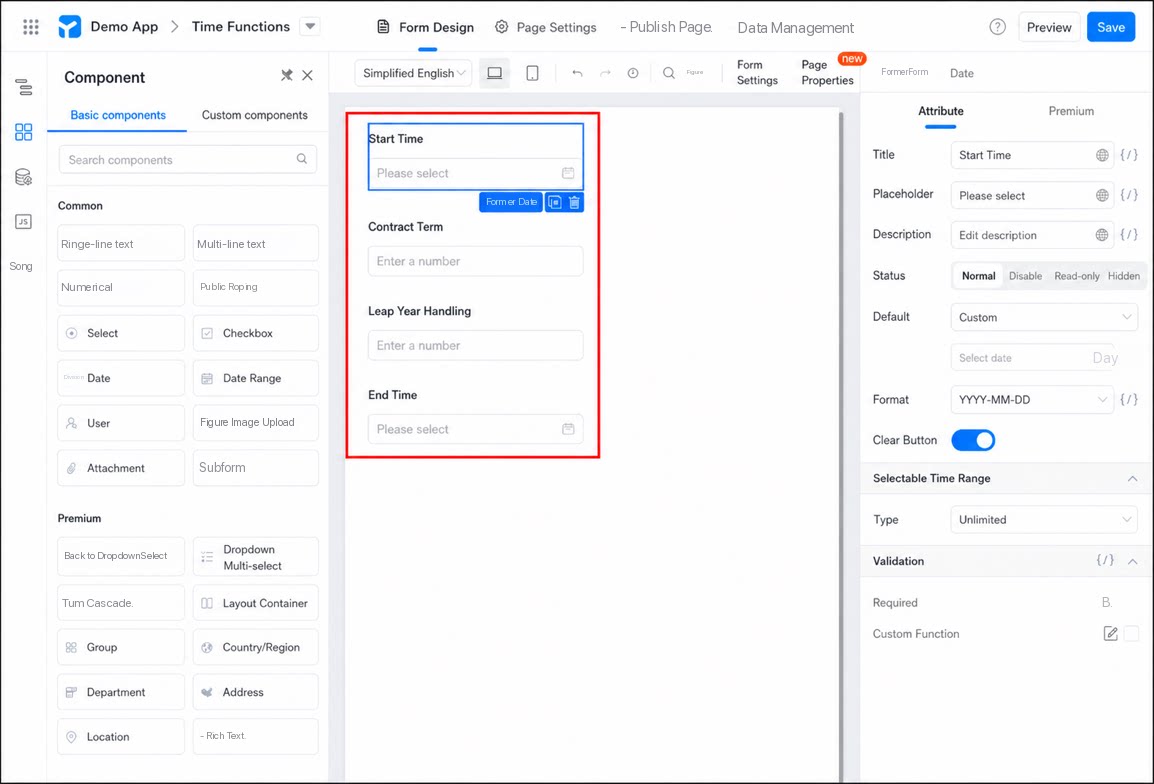
- Add two date components to the form and name them Start Date and End Date.
-
Add two Numerical components and name them Contract Term and Leap Year Adjustment.
1
Step 1
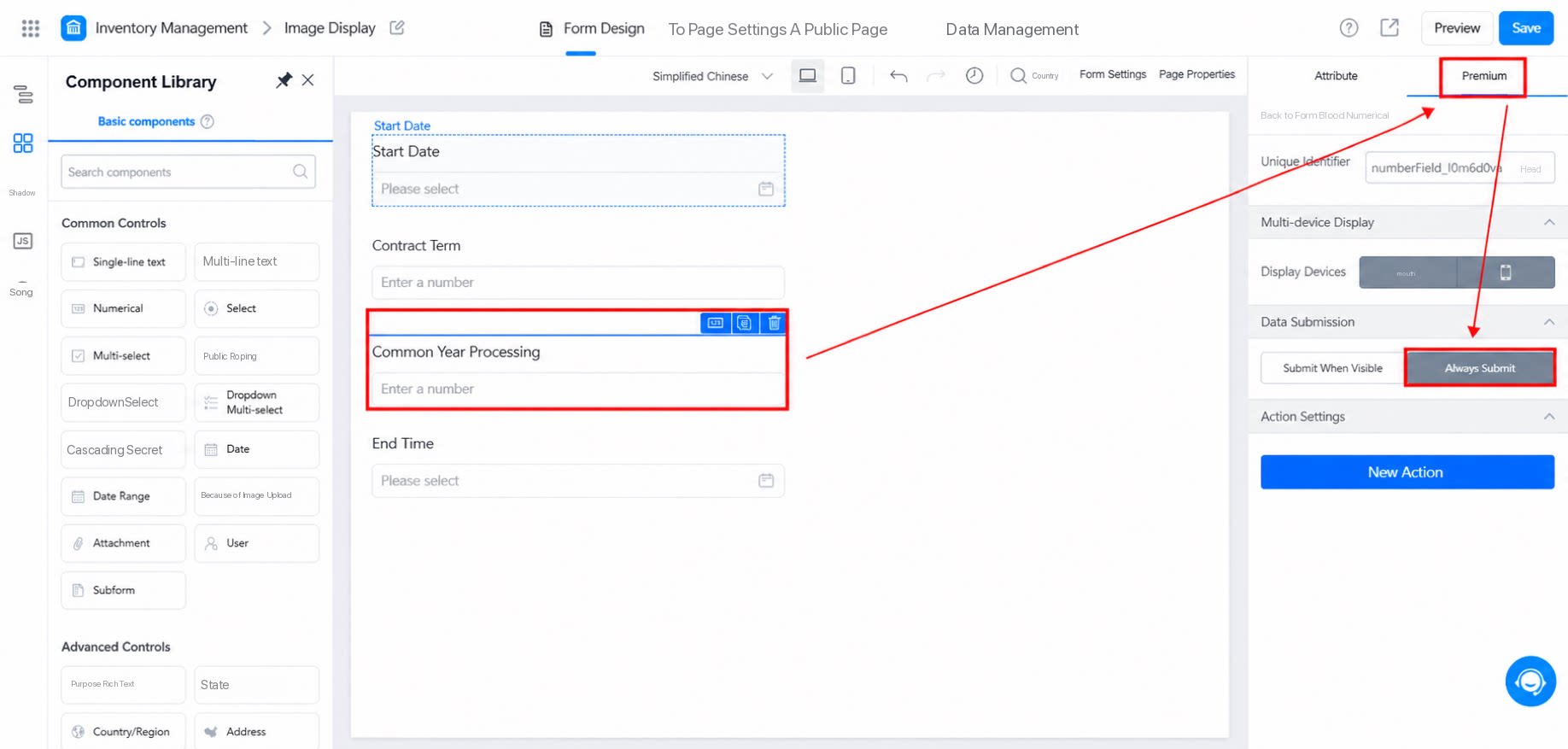
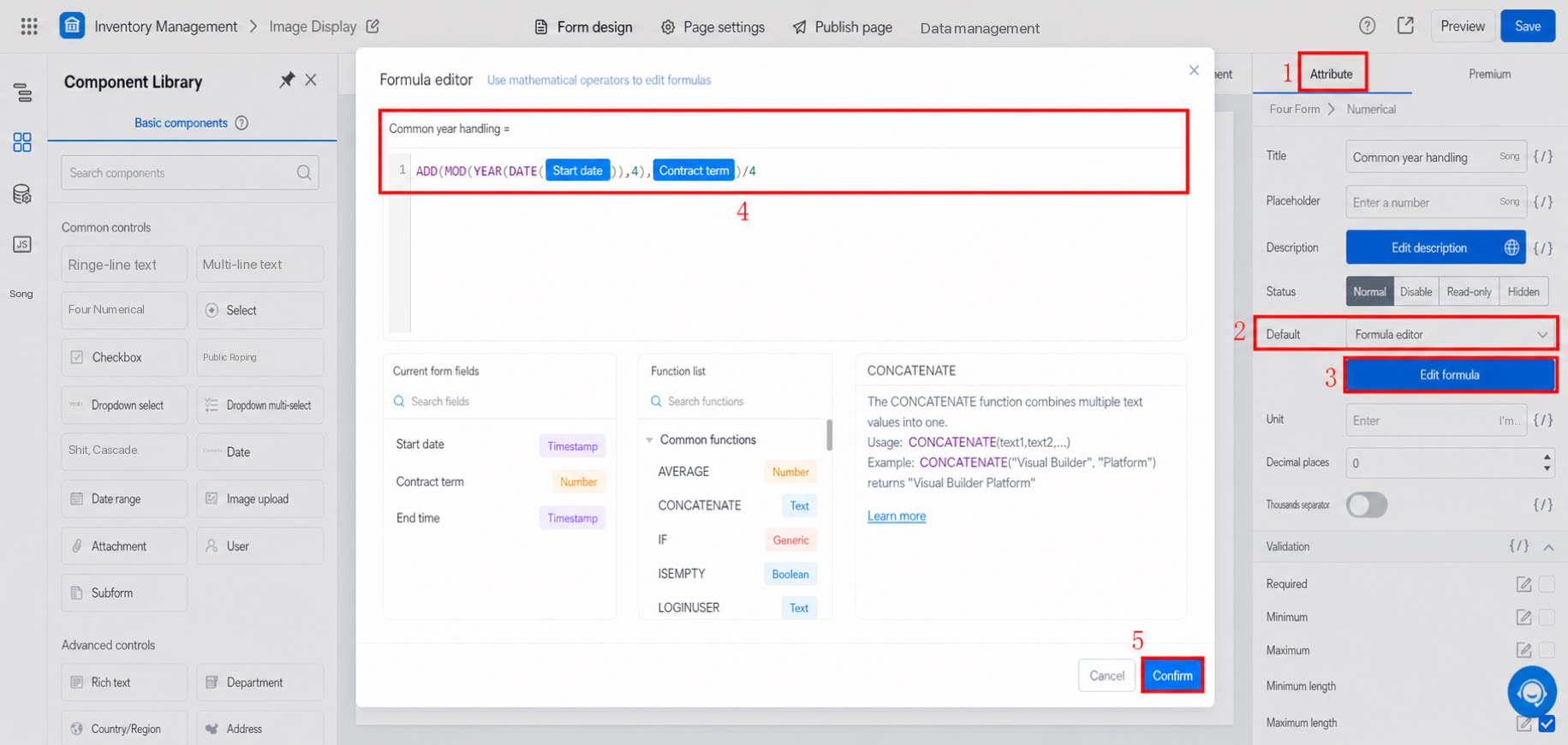
Because leap years and common years differ, contract duration is usually calculated based on a common year (365 days). Handle this with a formula in advance. To keep the form clean, hide this field and set its data to Always submit. The detailed formula configuration is shown below:
2
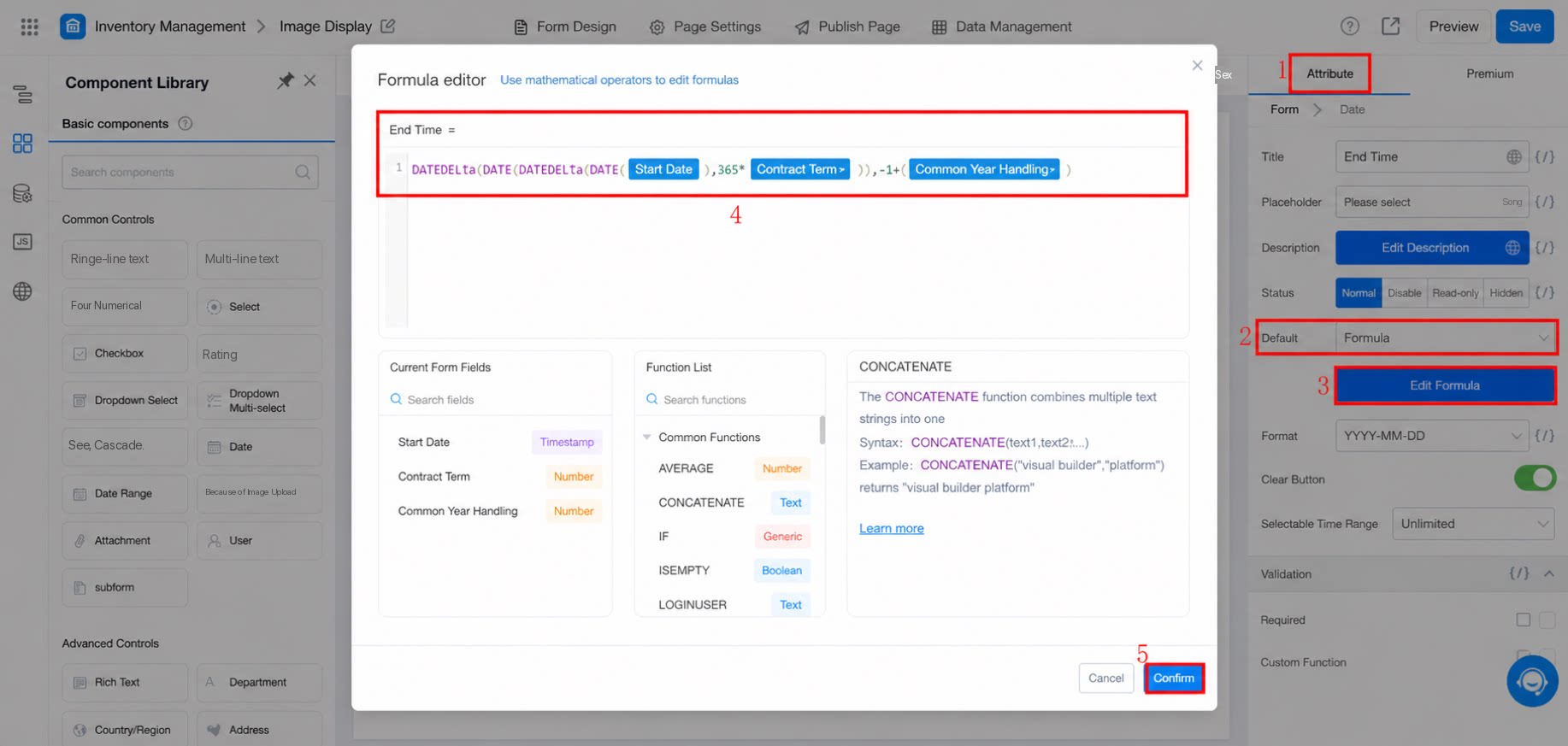
After you enter the contract start time and contract term, the contract end time is calculated automatically. Configure the formula as follows
- Result