Chats
Chats Calendar
 Meetings
 Contacts
 Mail
Mail Docs
Docs Drive
Drive AI Table
 AI Minutes
 Attendance
 Approval
 YiDA
YiDA Admin Console
Function Overview
Common Scenarios
Calculate the Total Amount Across Multiple Line Items
- In a purchase reimbursement scenario, multiple categories are often reimbursed together. To calculate the total amount across all line items, follow these steps:
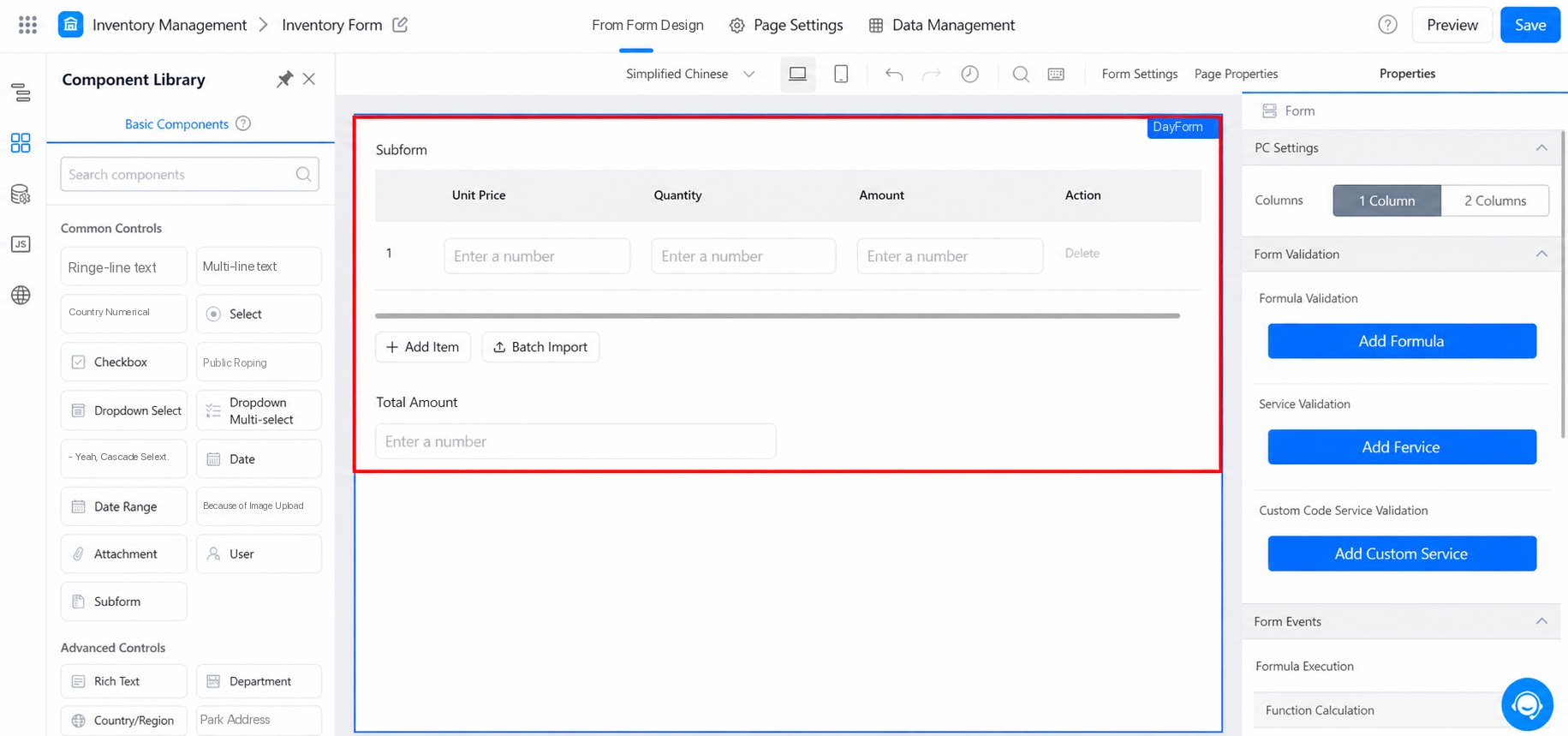
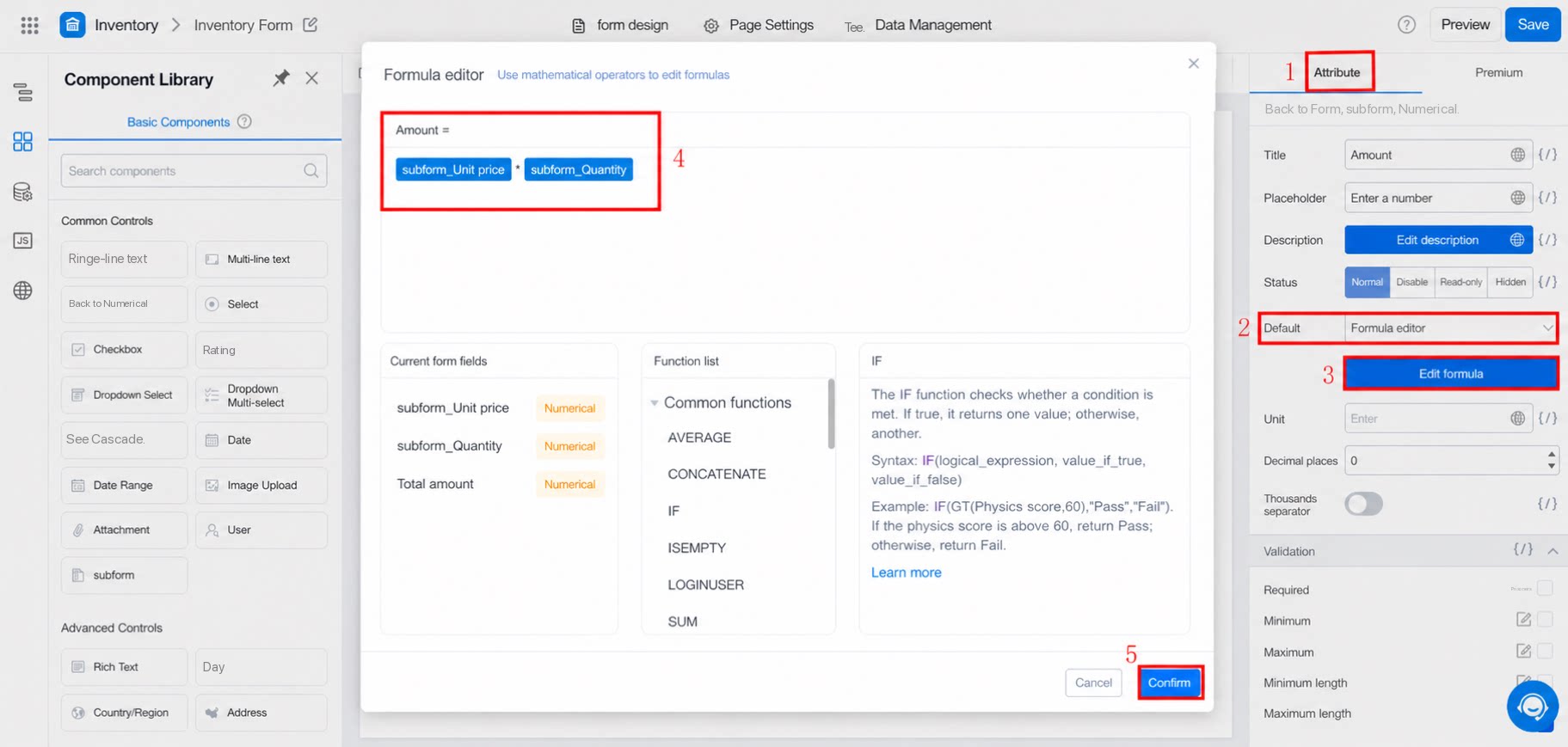
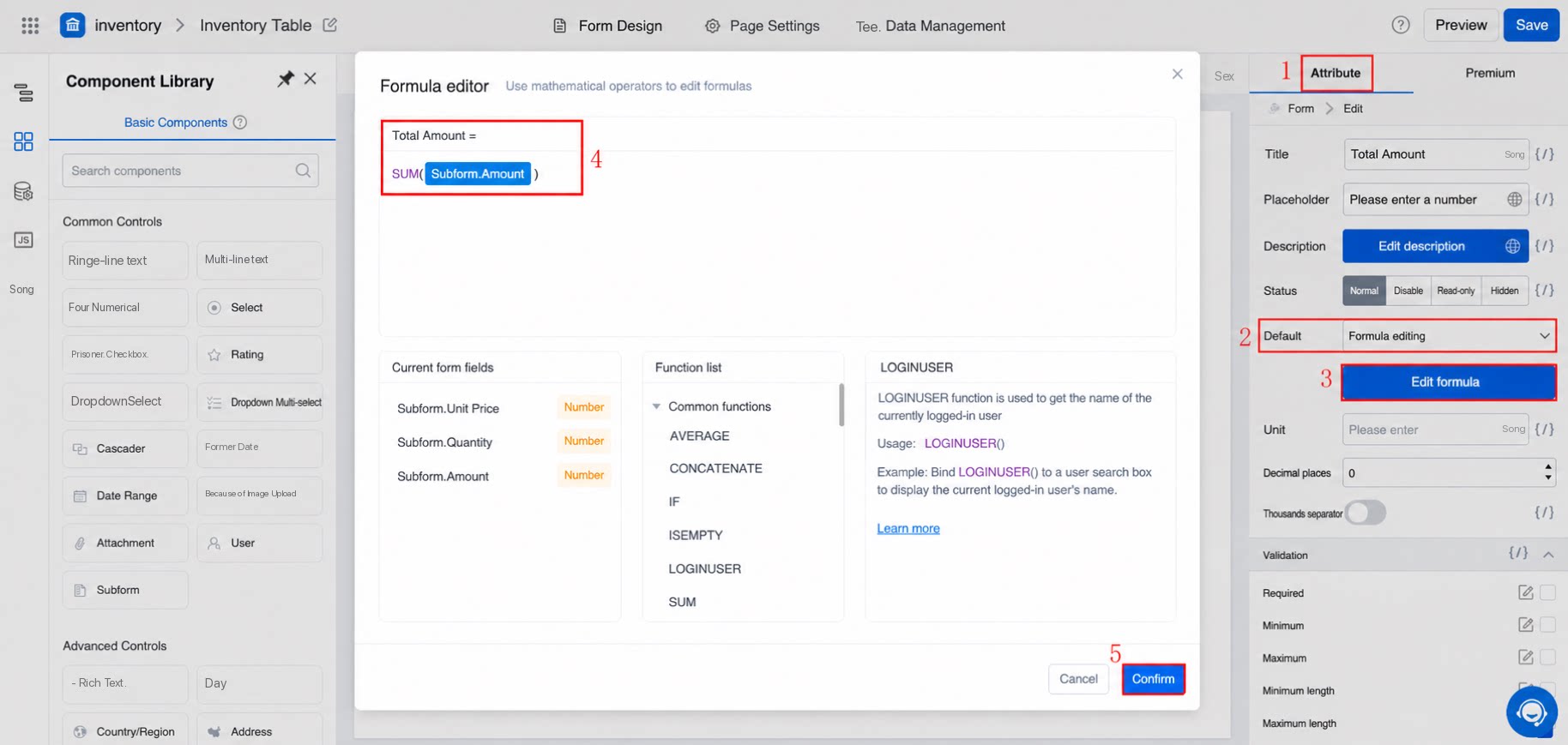
Subform.Unit price * Subform.Quantity. Then, in the Numerical or Single-line text component outside the subform, configure SUM(Subform.Amount).