

 Chats
Chats Calendar
 Meetings
 Contacts
 Mail
Mail Docs
Docs Drive
Drive AI Table
 AI Minutes
 Attendance
 Approval
 YiDA
YiDA Admin Console
1. Custom File Names
1.1 What Is a Custom File Name
You can customize print file names. A file name can be generated from the following fields: (1) Initiator: the name of the user who created the record. (2) Submission time/Modified time: in YYYY-MM-DD format. (3) Instance title: the title of the record. (4) Serial number (Basic edition and above only): available only when the serial number feature is enabled on the form. (5) Form components: currently, only Single-line text, Numerical, Radio, Single-select dropdown, and User are supported. A component must be set to Required before it can be selected.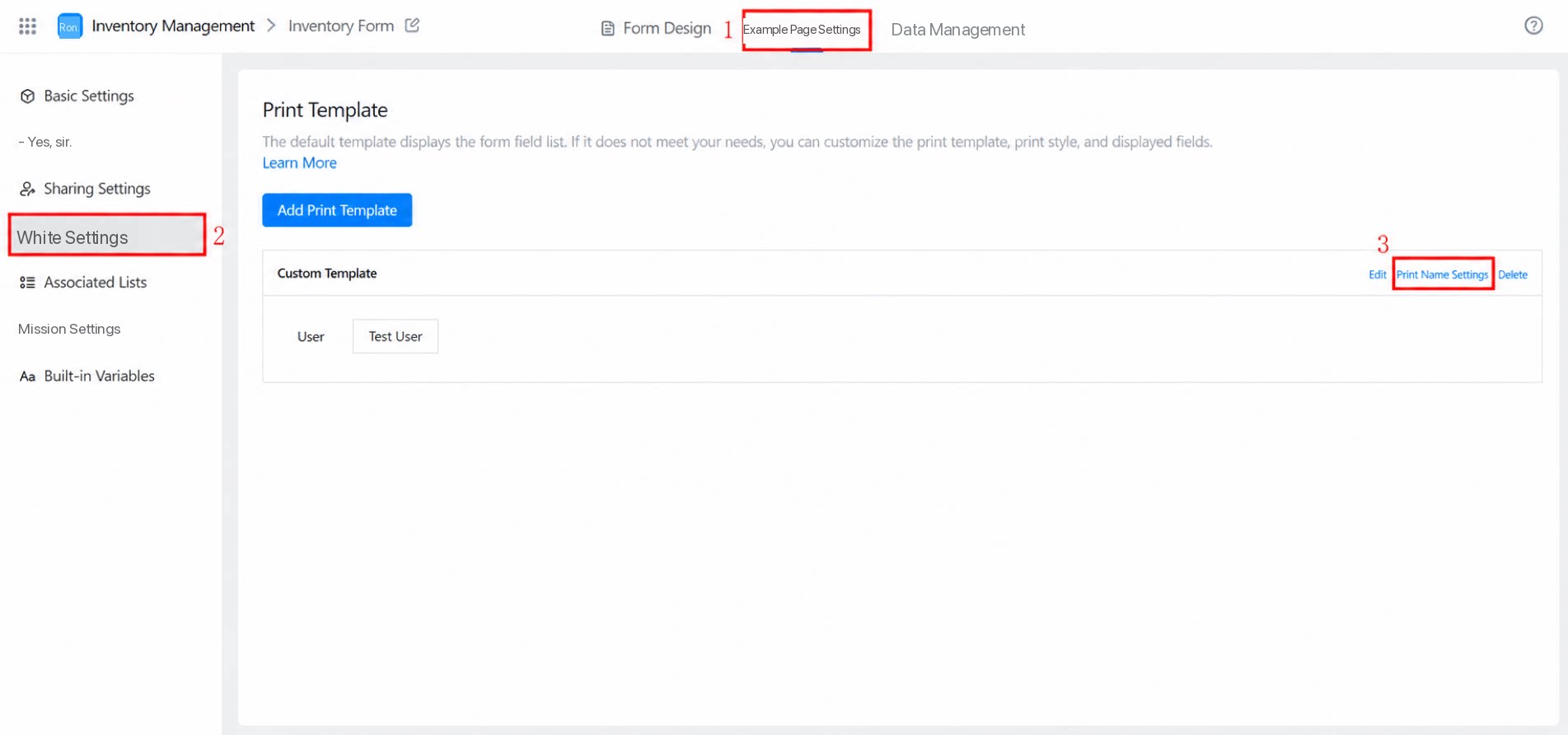
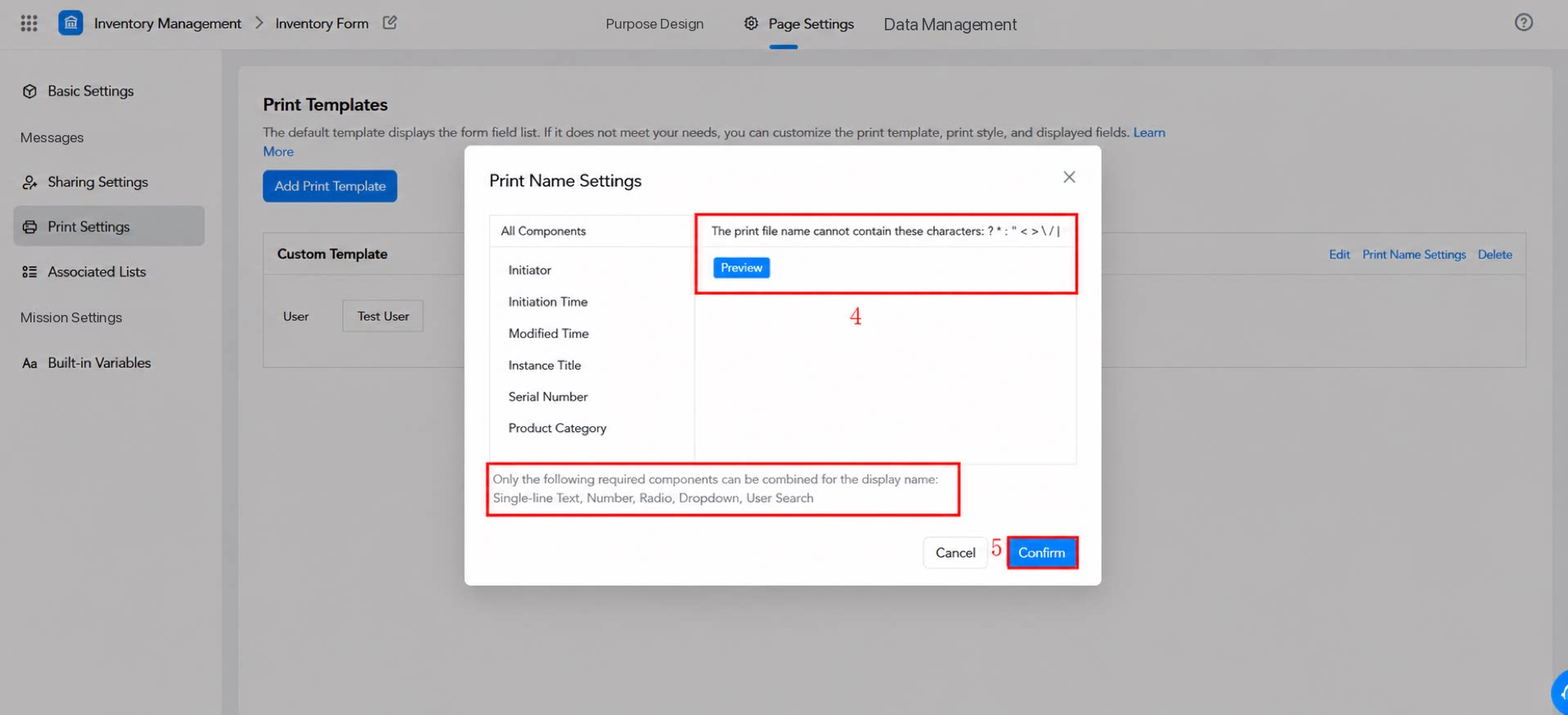
1.2 Detailed Steps
Each print file name rule corresponds to one print template. Admins can set the file name on the corresponding print template. Path: Form >> Data Management >> Form Details Data page >> Print in the top-right corner >> Print Records >> Download >> The file saved locally uses the customized print name.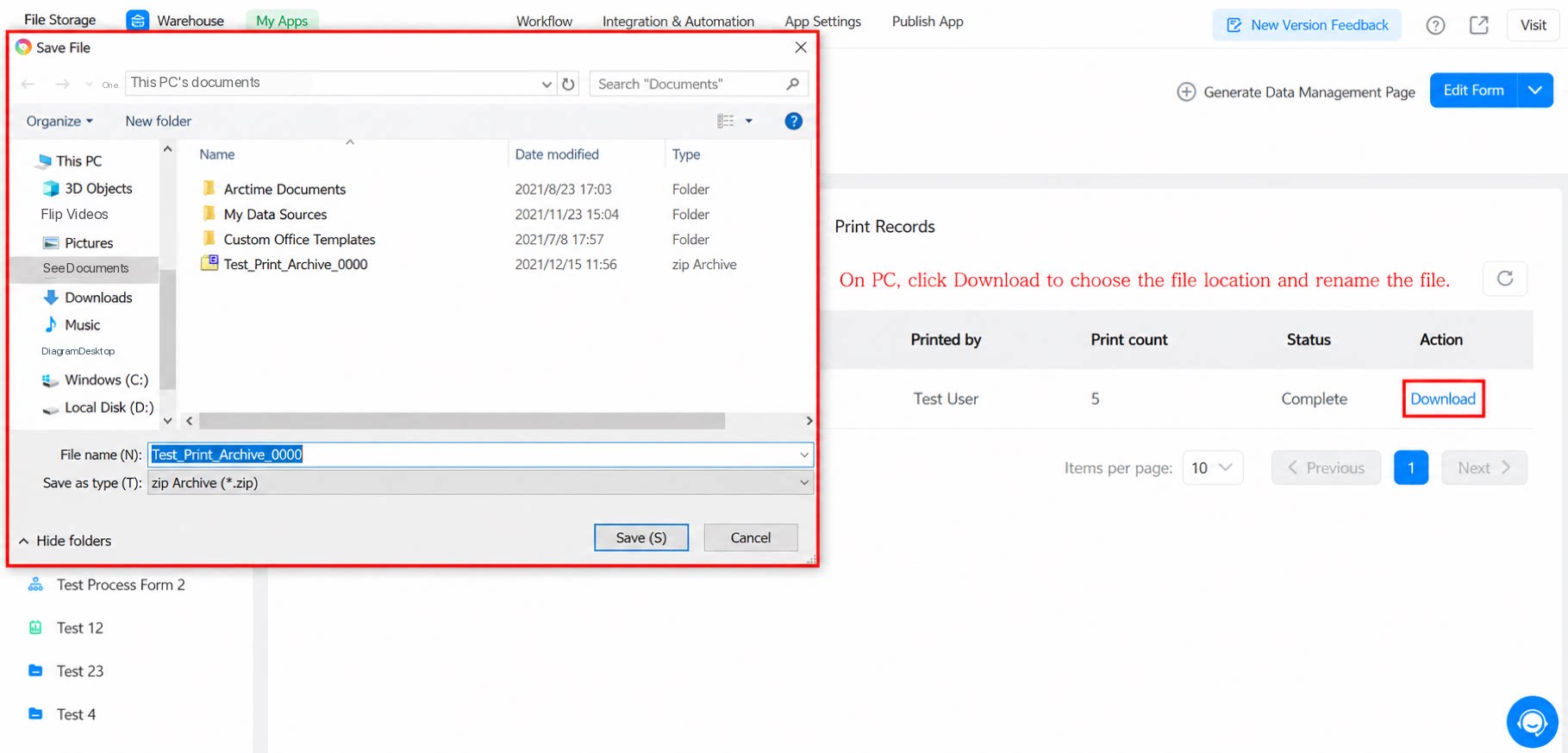
- The serial number can be used in the file name only when the serial number feature is enabled on the form.
- If a specified component is missing from the record (for example, when the serial number is newly enabled but old records do not have one), the missing part is replaced with an empty string.
- Only components marked as Required on the form can be used in a custom file name.