

 Chats
Chats Calendar
 Meetings
 Contacts
 Mail
Mail Docs
Docs Drive
Drive AI Table
 AI Minutes
 Attendance
 Approval
 YiDA
YiDA Admin Console
Configure a Merge Node
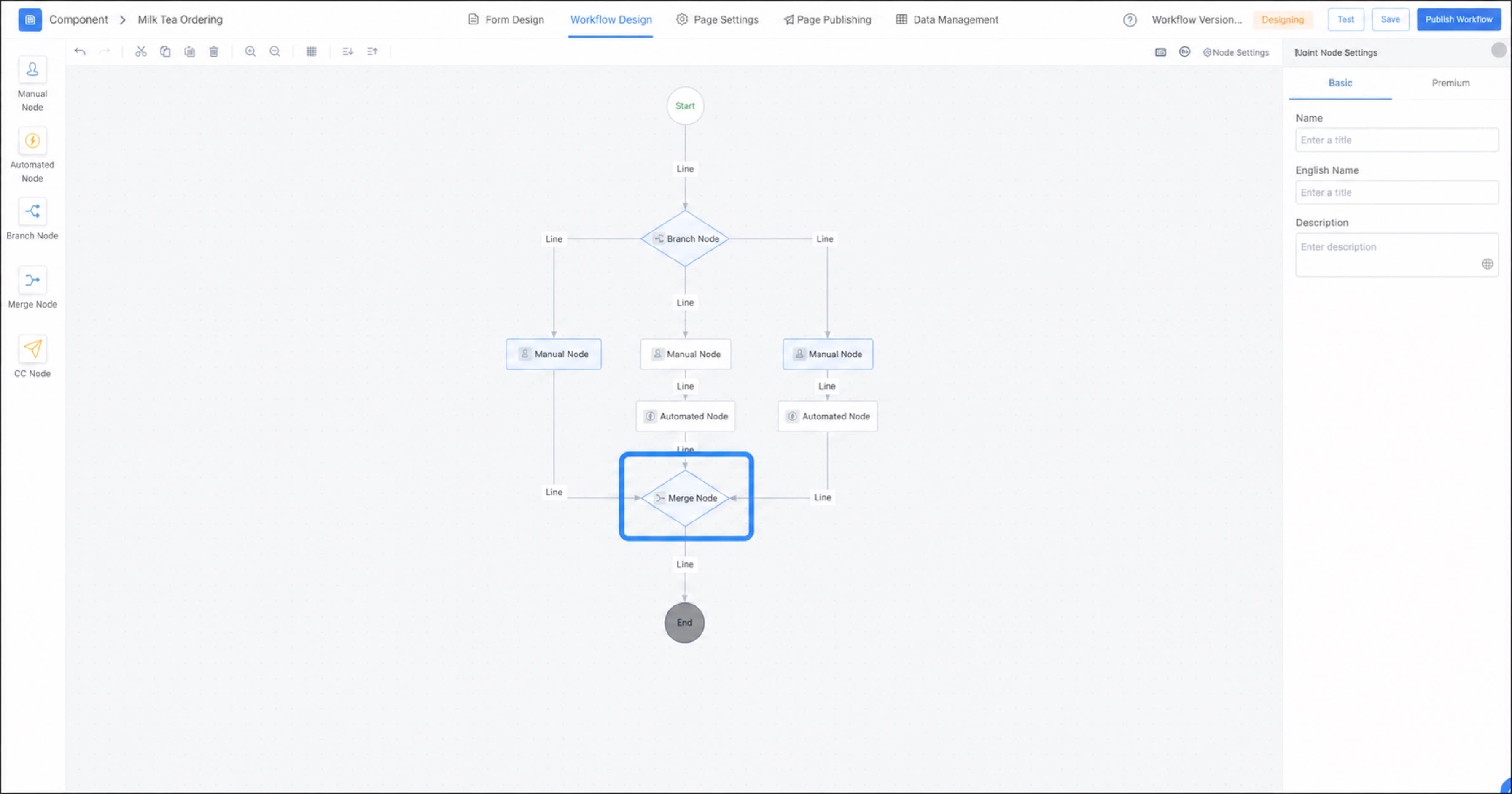
- Go to the Premium workflow design page and drag a merge node onto the canvas.
- Click the merge node, and then connect the branches you want to merge into it.
Nodes after the merge node are activated only after all branches before the merge node complete.
Usage Example
See the workflow diagram below: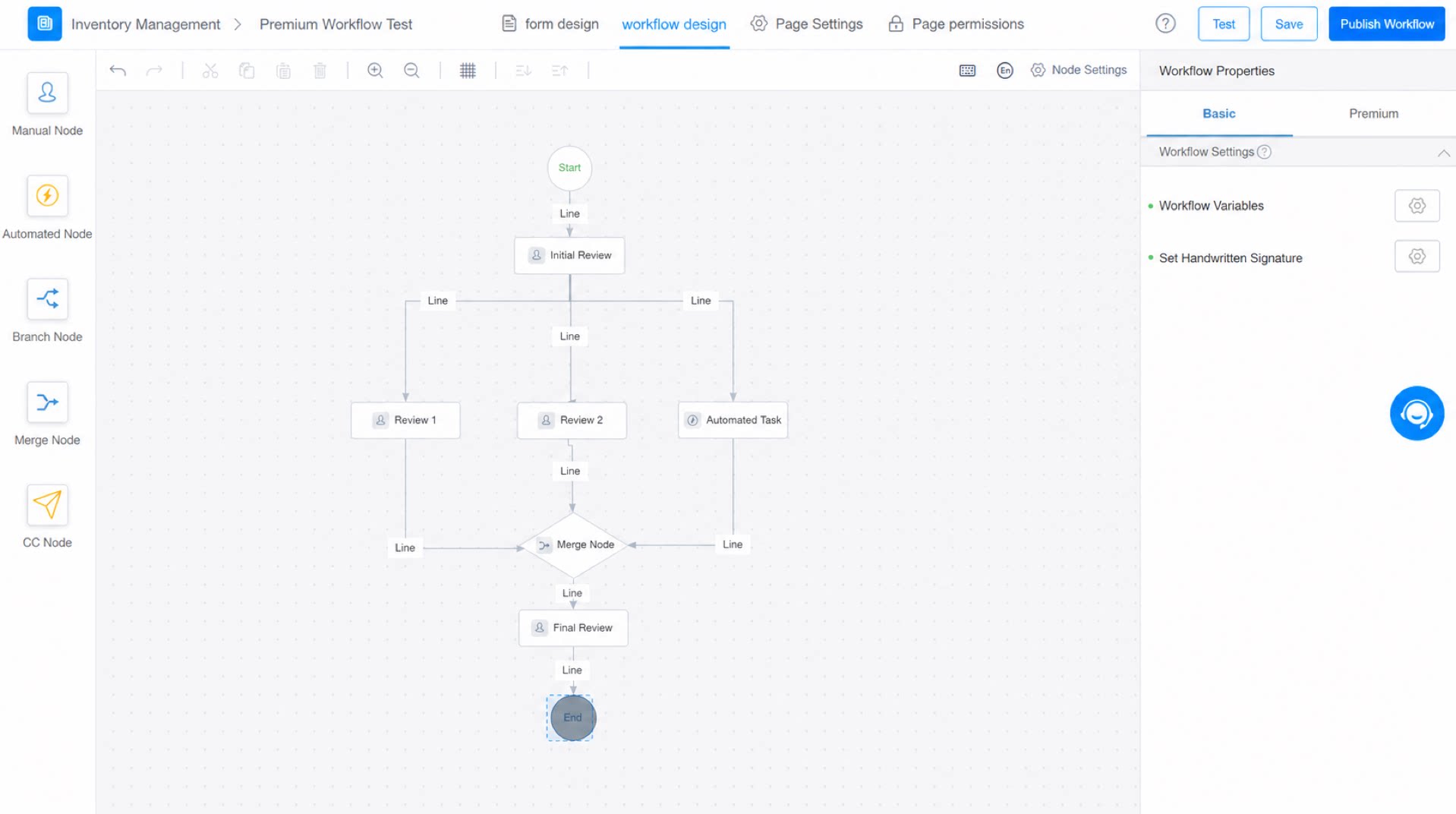
- The workflow starts and the initial review node is activated.
- Once the initial review is complete, both the Secondary Review 1 and Secondary Review 2 approval nodes are activated, and the automated tasks are triggered.
- Once both Secondary Review 1 and Secondary Review 2 are complete, the final review node is activated.
- Once the final review is complete, the workflow ends.