

 Chats
Chats Calendar
 Meetings
 Contacts
 Mail
Mail Docs
Docs Drive
Drive AI Table
 AI Minutes
 Attendance
 Approval
 YiDA
YiDA Admin Console
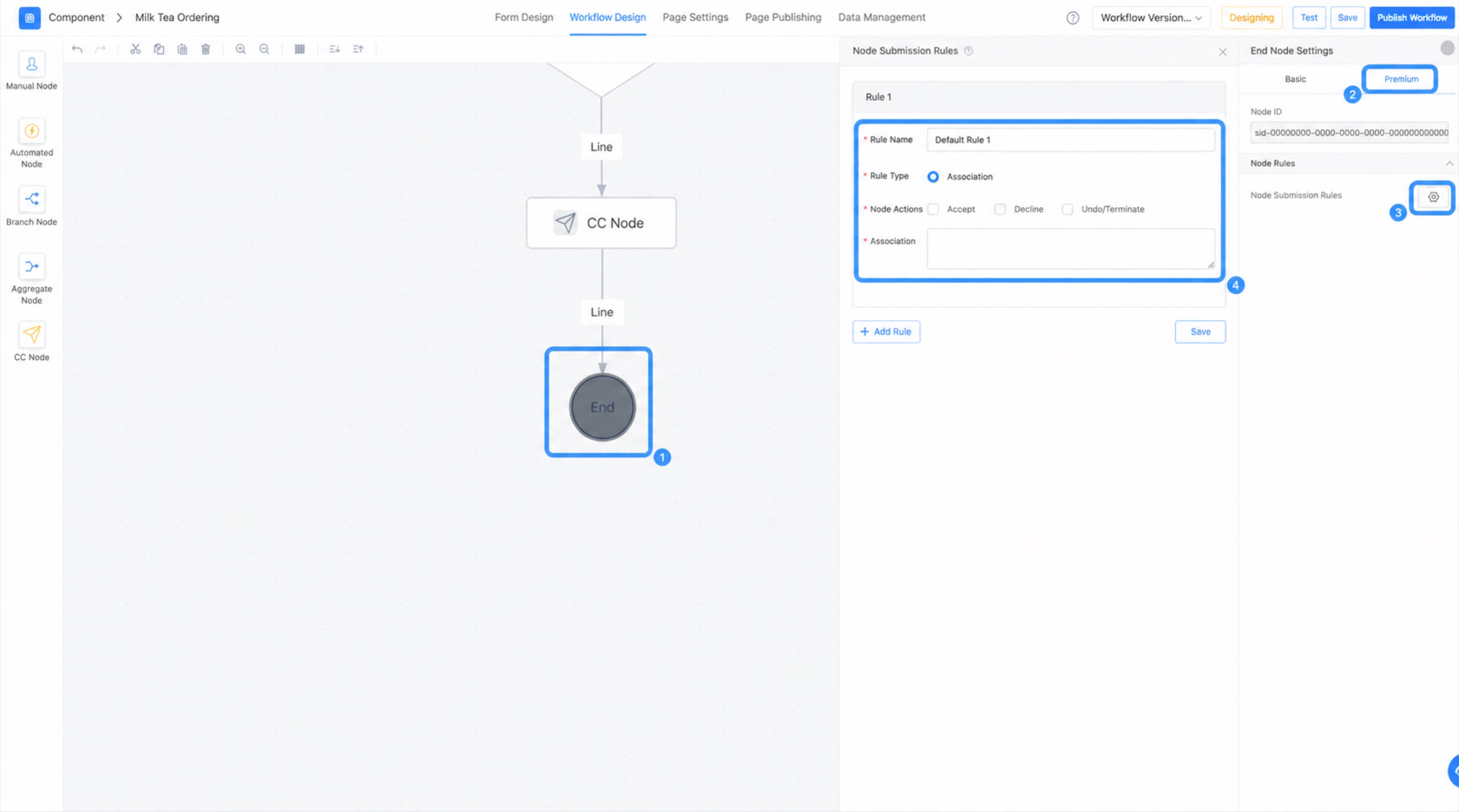
Configure the End Node
- Access the advanced workflow design page.
- Click the End node, then click Premium in the Attribute panel on the right.
- Click the Settings button next to Node submission rules.
Related Documents
- Formula function
- Business association formula