Chats
Chats Calendar
 Meetings
 Contacts
 Mail
Mail Docs
Docs Drive
Drive AI Table
 AI Minutes
 Attendance
 Approval
 YiDA
YiDA Admin Console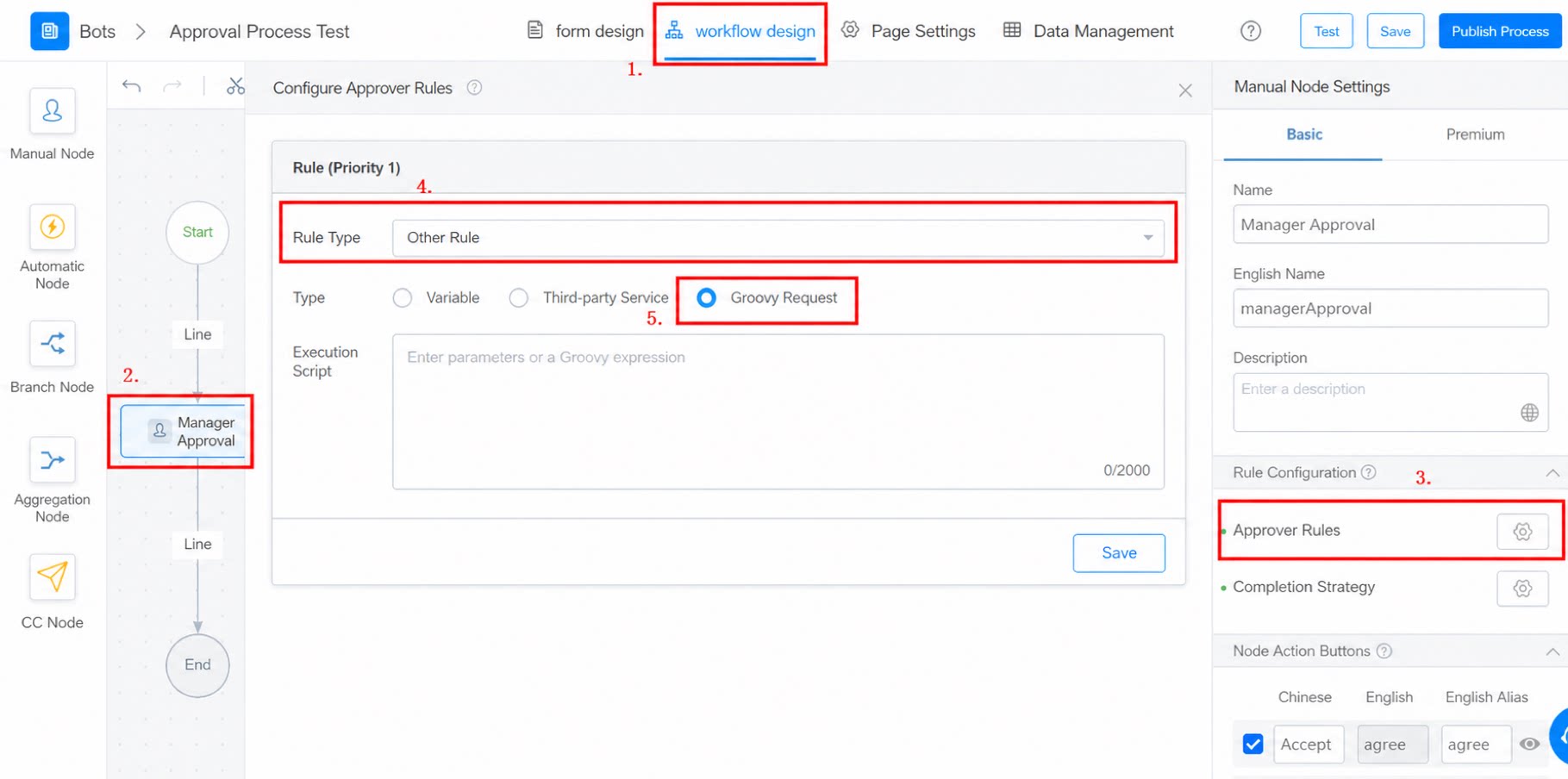
Prerequisites
Before using Groovy scripts, familiarize yourself with Groovy. For details, see the W3C Groovy tutorial and the Apache Groovy introduction.Procedure
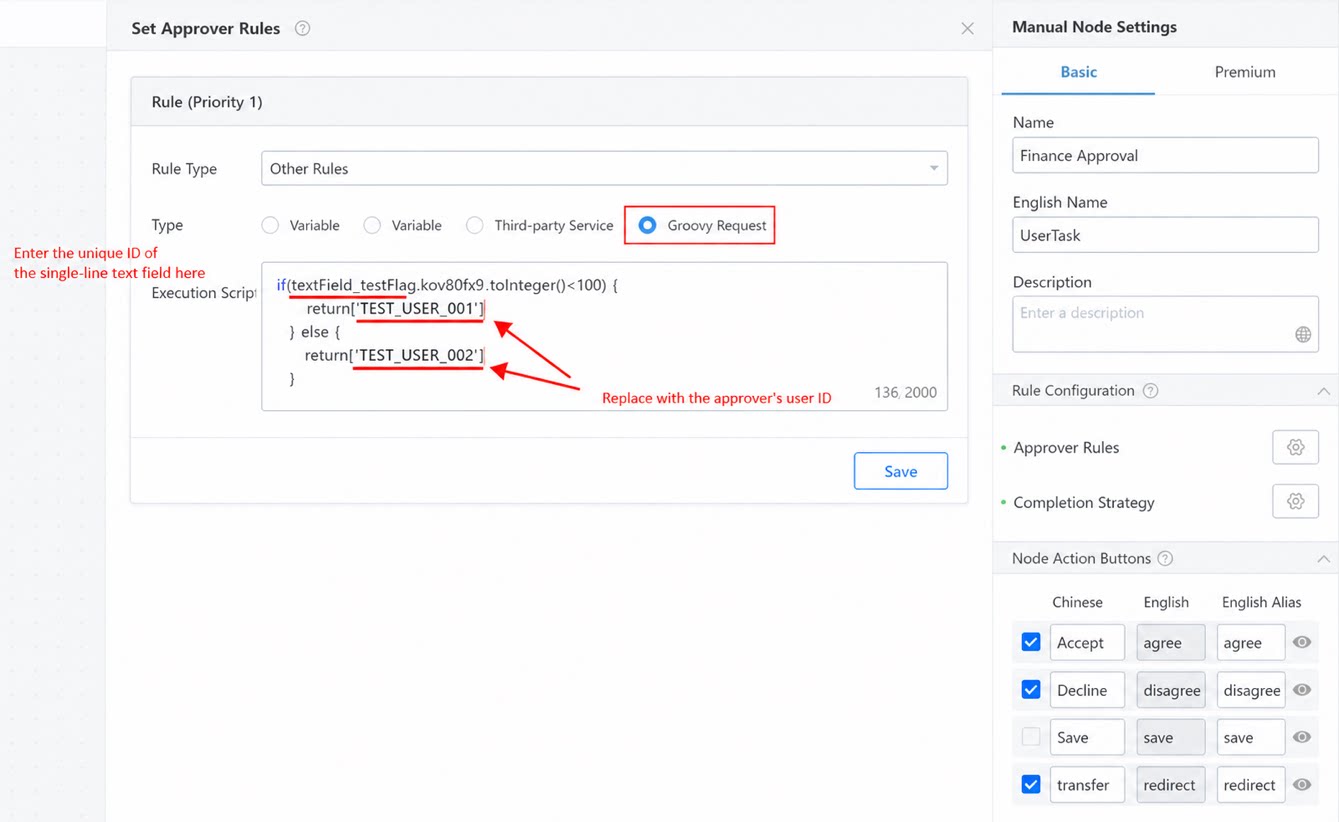
This example determines the finance approver based on the number entered in an input field. Requests below 100 are approved by one approver, and requests above 100 are approved by another.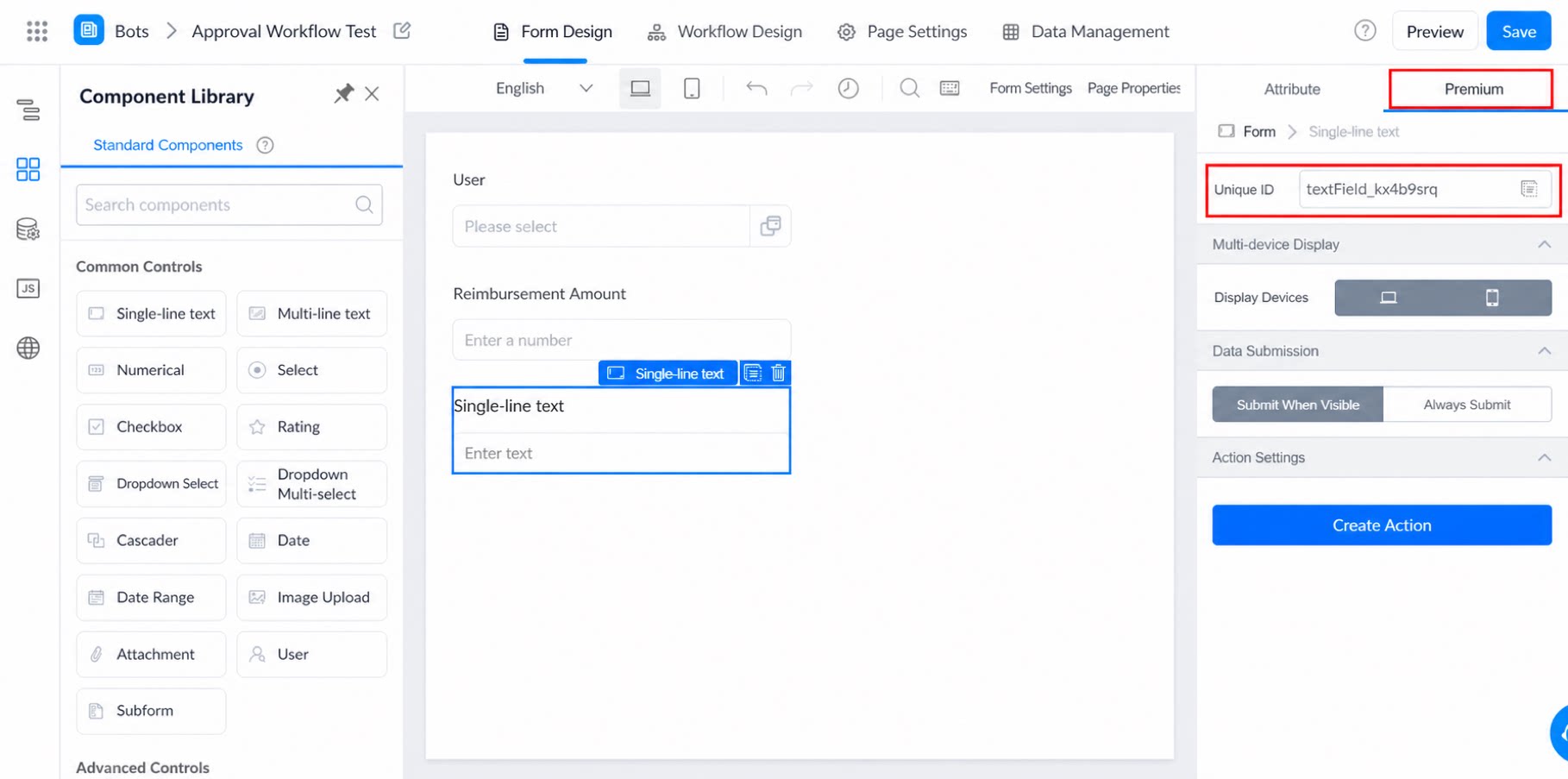
1
On the workflow form editing page, add a Single-line text box and copy its unique identifier
2
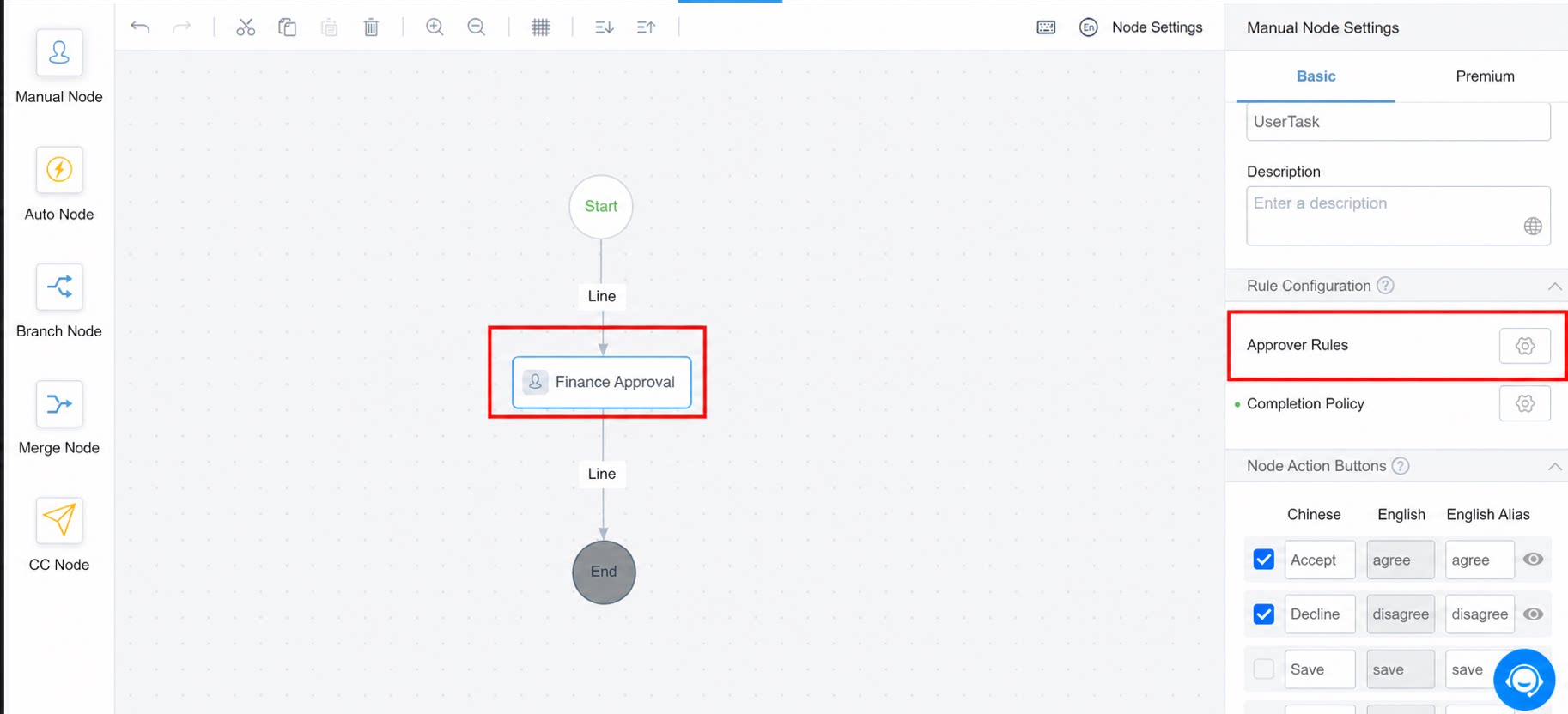
Configure the approval process: select the approval node > Approver rule > Other rules > Groovy rule
textField_kov80fx9 is the unique identifier of the Single-line text box on the form.
Note: When editing a Groovy request script, use the toInteger() method because internal workflow variables are strings.
The toInteger() method is required by default. Use the following format as a reference: