

 Chats
Chats Calendar
 Meetings
 Contacts
 Mail
Mail Docs
Docs Drive
Drive AI Table
 AI Minutes
 Attendance
 Approval
 YiDA
YiDA Admin Console
📌 The Premium workflow designer is scheduled to stop feature iteration updates and is currently in the feedback collection period. If feature iteration is officially discontinued, an announcement will be made at least 2 months in advance.
📌 Stopping feature iteration updates means no new Premium workflow versions can be created. Active Premium workflow forms will continue to run normally and will not be affected.
Procedure
1
Step 1
Sign in to the YiDA workbench and go to the Page management page of your app.
2
Step 2
Select the workflow form you want to upgrade to a Premium workflow and go to the Workflow design page.
3
Step 3
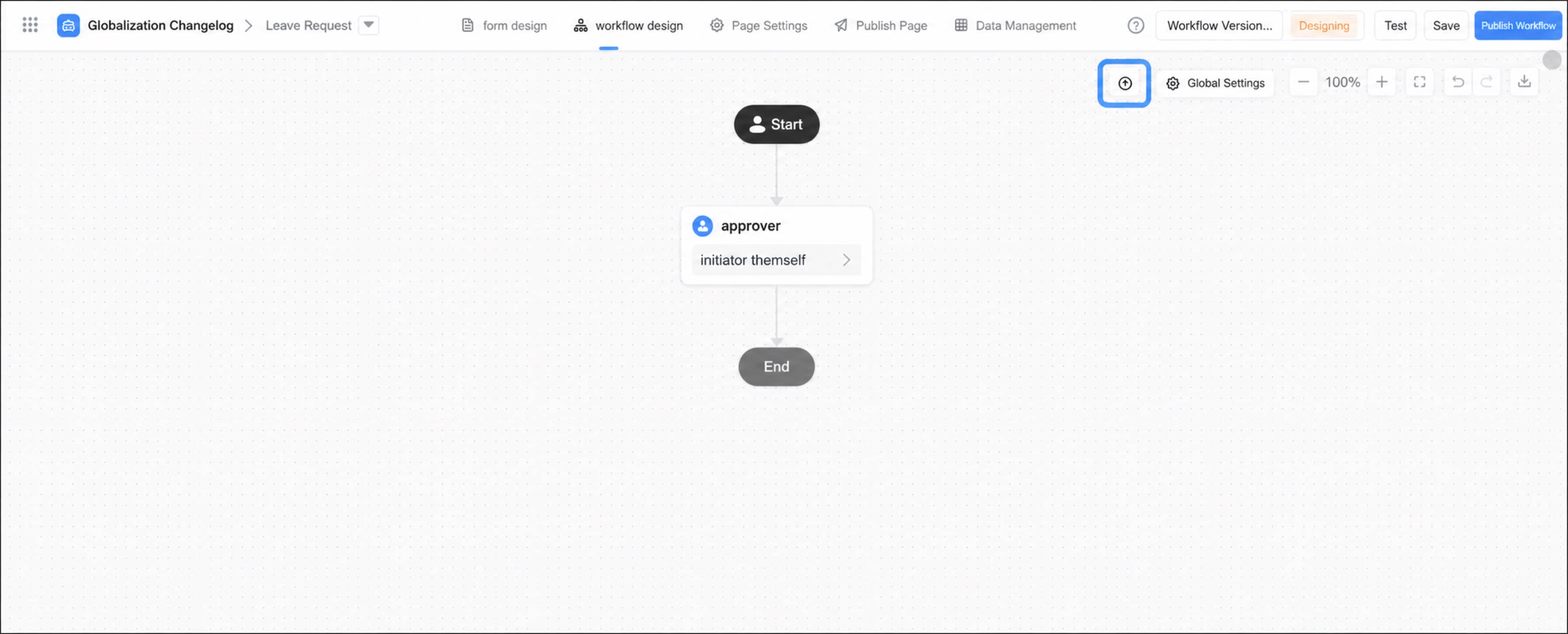
Click the button  .
.
.
- In the upgrade dialog box, select the upgrade considerations, then click Confirm to complete the upgrade.
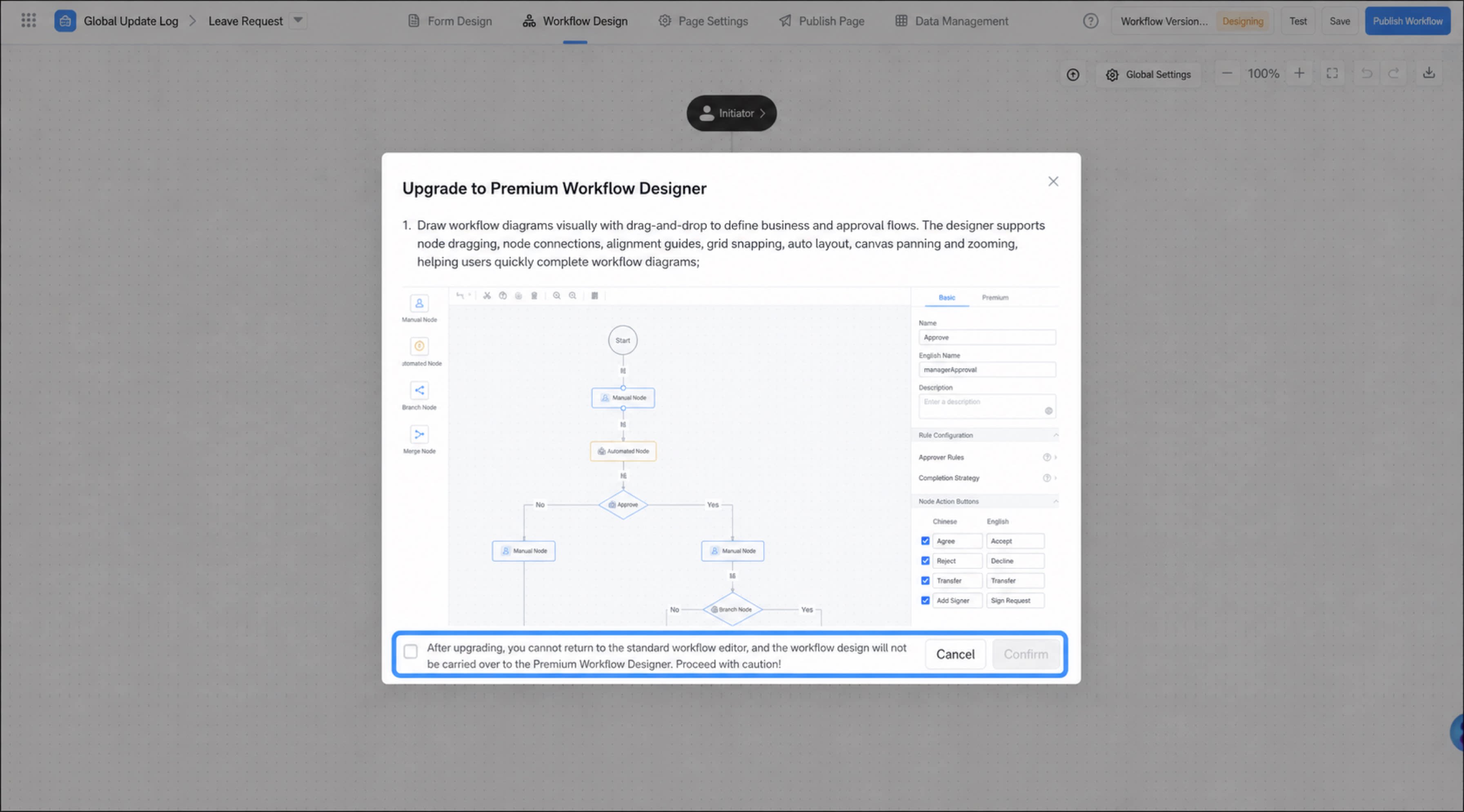
Considerations
- After the upgrade, you cannot revert to the standard workflow editor, and the workflow design content is not carried over to the Premium workflow designer. Proceed with caution.
- After the upgrade, the previously configured workflow content is discarded and must be reconfigured.
- After the upgrade, you cannot revert to the original conditional approval designer.
- Workflow instances created before the upgrade are not lost and can still be managed in the workflow’s data management. Instances not fully approved before the upgrade continue to run according to the previous workflow definition.